



Overview

The Cherry MC 2.1 is something of a side quest for a brand that built its name on mechanical keyboards — and a genuinely interesting one at that. Cherry is a German peripheral maker with serious credibility in the keyboard world, so entering the budget gaming mouse space with a wired, right-handed design makes sense as a natural ecosystem expansion. Left-handed gamers should know upfront: the ergonomic shaping is explicitly right-hand-only. Coming in well under 4 oz, the mouse feels light without feeling flimsy, and its USB connection delivers the kind of no-latency reliability that wireless options at this price still struggle to match.

Features & Benefits

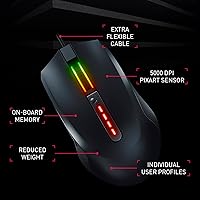
The optical sensor inside this Cherry gaming mouse tops out at a modest DPI ceiling — honest enough for casual and intermediate play, but competitive gamers chasing very high sensitivity may find it limiting compared to rivals at the same price point. What stands out more is the on-board memory: your DPI preference, button assignments, and lighting setup are stored directly on the mouse itself, so plugging into any PC just works without reinstalling software. The Cherry Utility app handles deeper customization on Windows, the full RGB suite covers a wide spectrum of lighting effects, and the silicone side grips genuinely help during longer sessions.

Best For

This wired RGB mouse is a natural fit for casual to intermediate right-handed gamers wanting a recognizable brand behind their first real gaming peripheral. Stepping up from a generic office mouse, the improvement in grip feel, tracking precision, and customizable user profiles will be immediately apparent. It is also a smart pick for anyone working across multiple computers, since the on-board memory means your settings travel with the hardware, not the machine. Cherry keyboard users will appreciate the cohesive desk aesthetic it adds to an existing setup. Serious competitive players or left-handed gamers, however, should look at alternatives.

User Feedback

With roughly 170 ratings and a score just above 4 out of 5, the MC 2.1 has a reasonably positive track record — though the pool is still small enough that a few outliers carry real weight. Buyers consistently praise the comfortable grip and how effortlessly it works straight out of the box, with the RGB quality drawing particular compliments for this price tier. On the critical side, some users find the Cherry Utility software unintuitive at first, and a handful mention the cable feeling stiffer than expected. Long-term click durability is a point where opinions diverge, so it remains something worth monitoring over extended use.

Pros

  • On-board memory saves your full setup so the mouse works identically on any PC, no software needed.
  • Silicone side grips provide real, lasting control during extended gaming sessions without feeling abrasive.
  • Plug-and-play USB connection means zero setup friction — just plug in and start playing immediately.
  • The MC 2.1 comes from a brand with genuine peripheral credibility, not a generic white-label manufacturer.
  • Lightweight build under 4 oz reduces wrist fatigue noticeably during long play sessions.
  • RGB output is vibrant and varied for the price tier, with enough lighting modes to satisfy most setups.
  • Dedicated DPI button with a visual indicator makes switching sensitivity mid-game fast and intuitive.
  • Large glide pads deliver smooth, consistent tracking across cloth and hard mouse pad surfaces.

Cons

  • The DPI ceiling is noticeably modest compared to competing mice available at the same price point.
  • Cherry Utility software has a steeper learning curve than most entry-level gamers will expect.
  • Cable stiffness can drag during fast lateral sweeps, creating subtle resistance in fast-paced games.
  • Only a single profile can be stored on the mouse at a time, limiting multi-genre flexibility.
  • Scroll wheel feel has been reported to soften or degrade with heavy use over several months.
  • RGB lighting is limited to a single zone, lacking the layered depth competitors offer at this tier.
  • The glide pads are not easily user-replaceable, so long-term glide degradation is hard to fix.
  • The review pool remains relatively small, making it harder to draw confident conclusions about durability.

Ratings

The Cherry MC 2.1 has been put through its paces by our AI rating engine, which analyzed verified purchase reviews from buyers worldwide while actively filtering out incentivized, bot-generated, and spam feedback. The resulting scores reflect a clear-eyed picture of where this wired RGB mouse genuinely delivers and where it falls short against the competition. Both the standout strengths and the real frustrations are weighted transparently into every category below.

Sensor Accuracy
74%
26%
For casual gaming sessions and everyday desktop work, the PixArt optical sensor tracks reliably without obvious skipping or drift. Users switching from generic office mice notice an immediate improvement in cursor responsiveness, especially during slower, controlled movements in strategy and RPG titles.
The DPI ceiling is modest by current gaming standards, and competitive FPS players have noted it lacks the precision headroom that higher-end sensors offer at a similar price. Fast, sweeping motions occasionally produce slight inconsistencies that more demanding gamers will pick up on.
Build Quality
71%
29%
Out of the box, the shell feels solid for its weight class, with no obvious flex or rattling components. The click buttons have a satisfying, consistent actuation that holds up well during the first several months of regular daily use.
Longer-term durability is a genuine question mark. A subset of users report that scroll wheel feedback becomes mushier after extended use, and the primary click feel can degrade noticeably after a year of heavy gaming sessions, which is a concern at any price tier.
Ergonomics & Comfort
82%
18%
The contoured right-handed shape fits a medium-to-large palm grip naturally, and the silicone side inserts make a real difference during longer sessions — your thumb and ring finger stay anchored without fatigue even after two or three hours of continuous play.
Left-handed users are entirely excluded by the asymmetric design, which is worth emphasizing upfront. Claw-grip players with smaller hands have also noted the mouse sits slightly high, making extended reach to side buttons less comfortable than it looks.
On-Board Memory
88%
This is genuinely one of the strongest arguments for this mouse at its price point. Storing your DPI setting, button layout, and lighting profile directly on the hardware means plugging into a work PC, a friend's setup, or a LAN party machine just works — no software installation, no reconfiguration needed.
The on-board memory only retains a single profile at a time, so users who want to switch between, say, an FPS loadout and an MMO configuration still need the software open. It is a meaningful limitation if your gaming habits vary significantly across genres.
Software & Customization
62%
38%
Cherry Utility covers the essentials competently — button remapping, DPI step configuration, and lighting mode selection are all accessible once you are past the initial setup. Users who invest time learning the interface generally get the customization flexibility they need.
The learning curve is steeper than it should be for a mouse aimed at entry-level gamers. Several buyers found the UI layout non-intuitive, and a few reported minor stability issues on certain Windows versions that required a reinstall to resolve.
RGB Lighting
83%
The lighting output punches well above typical expectations at this price range. Colors are vibrant and consistent across the mouse body, and the variety of available effects — breathing, static, reactive — gives users enough flexibility to match their desk aesthetic without needing elaborate software tweaks.
The RGB zones are limited to a single area, so the lighting effect lacks the layered depth you find on pricier competitors. Users running a fully synchronized RGB setup may find the Cherry ecosystem integration with other lighting software limited or absent.
Cable Quality
61%
39%
The braided-style cable is long enough to accommodate most desk configurations without strain, and the USB connector seats firmly. For users keeping the mouse in one fixed position, cable management is straightforward.
Stiffness is the most common complaint about the cable, and it is a fair one. On smaller desks, the cable can drag and subtly resist fast swipes, which is noticeable in fast-paced games. A more flexible paracord-style cable would have been a meaningful upgrade at this tier.
Glide & Surface Tracking
78%
22%
The large-format glide pads provide a smooth, consistent slide on cloth mousepads and most hard surfaces. Users report that initial movement feels controlled rather than slippery, which benefits precision tasks like photo editing as much as gaming.
On textured hard-surface pads, some users notice slightly higher resistance over time as the pads accumulate micro-scratches. The pads are not user-replaceable via an obvious mechanism, so long-term glide degradation is a consideration for heavy daily users.
DPI Range & Adjustment
68%
32%
The dedicated DPI button and LED status indicator make switching sensitivity on the fly genuinely practical — you can drop to a lower setting for sniping and snap back to your standard speed without touching the software. That tactile control is a real convenience during active play.
The maximum DPI is noticeably lower than what competing mice at the same price now offer, some of which reach two to three times higher. For gamers using high-resolution displays or very large mousepads, the ceiling can feel restrictive faster than expected.
Grip Texture
81%
19%
The integrated silicone side inserts are more effective than simple rubber stickers found on many budget alternatives. They stay tacky even during warm gaming sessions, and the subtle surface structure adds grip without feeling abrasive against the skin during prolonged contact.
Over time, the silicone panels can collect oils and debris in the textured grooves, requiring periodic cleaning to maintain grip quality. Users with particularly sweaty hands note the inserts work well initially but need wiping down more frequently than harder plastic alternatives.
Weight & Handling
79%
21%
Coming in just under 4 oz, this Cherry gaming mouse sits comfortably in the lighter half of wired gaming mice. Gamers making their first switch from a heavier office peripheral consistently comment on how much less wrist fatigue they experience after long sessions.
The weight distribution is not perfectly balanced, with slightly more mass toward the rear of the body. Users who prefer a front-heavy feel for controlled micro-adjustments may find the balance less than ideal for precision-heavy game genres.
Plug-and-Play Ease
91%
Straight out of the box, this wired RGB mouse is recognized instantly by Windows with no driver prompts. For users who just want to game without configuration friction, the out-of-box experience is among the cleanest at this price point.
The plug-and-play simplicity does have a ceiling — without installing Cherry Utility, button programming and advanced lighting controls are locked out entirely. Users who expected full functionality without software were occasionally surprised by this limitation.
Value for Money
77%
23%
Measured against what the price delivers — a branded optical sensor, on-board memory, customizable RGB, and a genuinely comfortable grip — the MC 2.1 holds its ground reasonably well. For buyers who specifically want Cherry branding and ecosystem consistency, the value calculation tips further in its favor.
Direct competitors from Logitech and Razer at the same price offer higher DPI ceilings, more polished software, and in some cases better long-term build reputations. Unless Cherry brand loyalty or on-board memory is a priority, the value proposition requires a careful comparison before committing.

Suitable for:

The Cherry MC 2.1 is a practical choice for right-handed casual to intermediate gamers who want a recognizable, trusted brand behind their first dedicated gaming peripheral without stretching their budget. If you are currently using a generic office mouse and want a meaningful upgrade in grip, tracking, and customization, this wired RGB mouse delivers that jump in a straightforward package. It is particularly well-suited to gamers who regularly switch between multiple computers — a home PC, a work machine, a friend's setup — because the on-board memory means your preferred sensitivity, button layout, and lighting simply travel with the mouse itself. Cherry keyboard owners will also find it a natural companion piece that rounds out a cohesive desk setup. For relaxed gaming sessions covering RPGs, strategy games, MOBAs, or casual shooters, the tracking performance is more than capable.

Not suitable for:

The Cherry MC 2.1 is not the right tool for left-handed players — the ergonomic shaping is fixed for right-hand use only, and there is no ambidextrous variant in this line. Competitive FPS or MOBA players who rely on very high sensitivity settings or need hair-trigger precision at the top end of the DPI range will find the sensor ceiling limiting compared to rivals in the same price bracket. Gamers who want a deep, polished software ecosystem with reliable cross-device lighting sync will likely find the Cherry Utility experience underwhelming relative to Logitech G HUB or Razer Synapse. If long-term build endurance is your top priority — especially for click-heavy gaming genres — the mixed signals in user feedback around scroll wheel longevity give legitimate reason to pause. Anyone expecting a flexible cable out of the box may also be disappointed by the stiffness some users report.

Specifications

  • Sensor: PixArt optical sensor delivers reliable tracking across a range of sensitivity levels suitable for casual to intermediate gaming use.
  • Max DPI: Sensitivity tops out at 5000 DPI, adjustable in steps via a dedicated button on the mouse body with an LED indicator showing the current level.
  • Connection: Wired USB connection provides a direct, latency-free link to your PC without any wireless pairing or battery management required.
  • Hand Orientation: Ergonomically shaped exclusively for right-handed use; the asymmetric body is not suitable for left-handed operation.
  • Weight: The mouse weighs approximately 3.77 oz (around 107 g), placing it in the lighter half of the wired gaming mouse category.
  • Dimensions: The body measures approximately 4.92″ in length and 3.15″ in width, fitting a medium-to-large palm or fingertip grip comfortably.
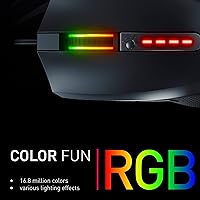
  • RGB Lighting: Full-spectrum RGB illumination covers 16.8 million colors with multiple selectable lighting effects including static, breathing, and reactive modes.
  • On-Board Memory: An integrated memory chip stores your active DPI setting, lighting configuration, and button assignments directly on the mouse hardware.
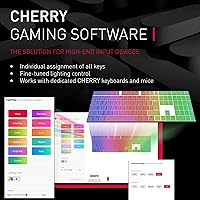
  • Software: Cherry Utility software for Windows enables button remapping, DPI step customization, lighting control, and the creation of individual user profiles.
  • Side Grip: Integrated silicone inserts on both sides of the shell feature a subtle textured surface structure to maintain a secure grip during extended sessions.
  • Glide Pads: Large-format smooth glide pads on the underside support consistent, low-friction tracking across both cloth and hard mouse pad surfaces.
  • Programmable Buttons: Button assignments can be remapped and saved via Cherry Utility software, allowing customized inputs for different game genres or workflows.
  • Platform Support: Fully supported on Windows PCs; Cherry Utility software requires a Windows operating system for access to advanced configuration features.
  • Power Source: Powered entirely through the USB connection, requiring no batteries or external charging — the mouse is ready to use whenever it is plugged in.
  • Cable Type: Ships with a fixed USB cable; the cable is not detachable, so routing and cable management should be considered before purchase.
  • Brand Origin: Manufactured by Cherry Europe GmbH, a German peripheral company with a long-standing reputation in the mechanical keyboard and input device market.
  • Release Date: First made available in December 2021, giving the product a sufficient track record to draw informed conclusions from real-world user experience.

Related Reviews

Head & Shoulders 2-in-1 Dandruff Shampoo and Conditioner Green Apple, 32.1 Fl Oz, 2 Pack
85%
90%
Dandruff Control Effectiveness
85%
Fragrance (Green Apple)
92%
Value for Money
87%
Moisturizing Properties
88%
Ease of Use (2-in-1)
More
Waxness Spa Choice Natural Honey Gel Hard Wax Beads 2.2 lb / 1 kg Pack of 2
85%
88%
Effectiveness for Coarse Hair Removal
91%
Gentleness on Sensitive Skin
84%
Ease of Use and Application
75%
Texture Consistency
90%
Pack Size and Value for Money
More
AVIDGRAM HDMI 2.1 Switch 5-in-1
86%
91%
Performance
88%
Ease of Use
93%
Compatibility with Devices
90%
Video Quality (8K/4K)
89%
Audio Quality (Dolby TrueHD/DTS-HD)
More
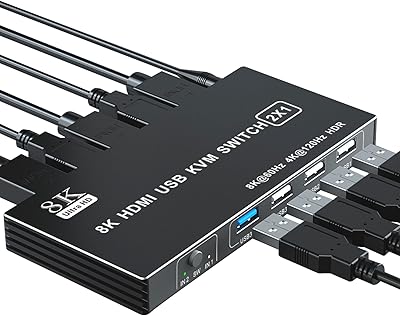
BolAAzuL 2-Port HDMI 2.1 KVM Switch
84%
91%
Value for Money
94%
Video Quality
88%
Ease of Setup
85%
Build Quality
80%
Usability and Controls
More
FERRISA 8K HDMI 2.1 Switch 4-in-1
77%
91%
Ease of Setup
78%
Auto-Switching Reliability
88%
4K@120Hz Performance
61%
8K Signal Stability
74%
Remote Control Usability
More
RCA Cambio 10.1-inch 2-in-1 Tablet PC
79%
92%
Value for Money
88%
Portability
85%
Ease of Use
78%
Display Quality
82%
Keyboard Usability
More
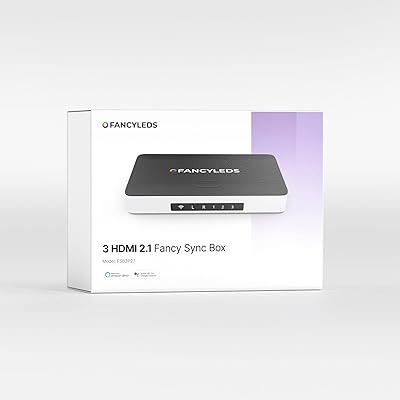
Fancy LEDs FSB3P2.1 3-Port HDMI 2.1 Sync Box

79%
88%
Color Accuracy
91%
RGBW LED Quality
83%
Setup & Installation
67%
App Experience
89%
Input Lag & Sync Speed
More
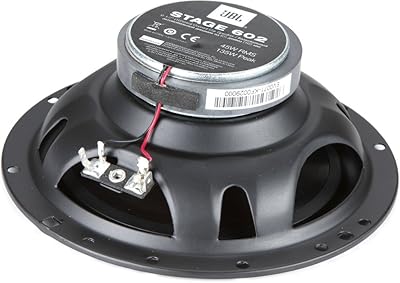
JBL Stage 602 6-1/2″ 2-Way Coaxial Speakers
82%
88%
Sound Quality
85%
Bass Performance
83%
Treble Clarity
91%
Installation Ease
82%
Build Quality
More
Nutrafol Men’s Shampoo and Conditioner 2-in-1, 8.1 Fl Oz
85%
85%
Hair Strength Improvement
88%
Scalp Hydration
80%
Volume Boost
87%
Gentle on Color-Treated Hair
90%
Sulfate-Free Effectiveness
More
d'alba Piedmont White Truffle Double Moisture Cream 2-in-1, 2.02oz
84%
88%
Effectiveness for Hydration
82%
Firming & Tightening Results
74%
Scent/Fragrance
91%
Texture & Feel
96%
Ease of Use (No Mixing Required)
More

FAQ

It works immediately on any Windows PC without installing anything. Windows recognizes it as a standard HID mouse the moment you plug it in. You only need Cherry Utility if you want to remap buttons, adjust DPI steps, or configure lighting effects beyond the defaults.

Yes, and this is one of the genuinely useful features of the Cherry MC 2.1. Your DPI level, button assignments, and lighting preference are saved directly onto the mouse itself, so everything transfers automatically when you plug into a different machine. No reinstalling software, no reconfiguring anything.

No. The body is shaped specifically for right-handed palm and fingertip grips, and there is no mirrored or ambidextrous version in this line. Left-handed players will want to look at a symmetrical or dedicated left-handed alternative.

There is a dedicated button on the top of the mouse that cycles through your preset DPI steps on the fly, with an LED indicator that changes to show you which level you have selected. You do not need to open any software or pause your game to switch sensitivity.

The mouse will function as a basic plug-and-play pointing device on macOS since it uses standard USB HID drivers. However, Cherry Utility software is Windows-only, so button remapping, custom profiles, and advanced lighting settings are not accessible on a Mac.

The cable is fixed and cannot be detached. Some users find it stiffer than they expected, which can create slight drag during fast lateral movements on smaller desks. If cable flexibility is important to you, it is worth factoring this in before buying.

The silicone inserts do a good job maintaining traction during warm or sweaty gaming sessions. Over time, the textured grooves can collect oils and need an occasional wipe-down with a slightly damp cloth to keep feeling fresh. Avoiding alcohol-based cleaners will help preserve the silicone material.

For casual and intermediate play across most genres, the available sensitivity range is sufficient. However, if you play competitive FPS titles and use a low-sensitivity, high-DPI style on a large mousepad, or if you game on a very high-resolution display, the ceiling may feel limiting. Rivals at a similar price now offer significantly higher maximum DPI.

The programmable buttons are remappable through Cherry Utility, covering the main buttons and side buttons. The software is functional but has a steeper learning curve than some competing utilities — if you are new to mouse configuration software, expect to spend a little time exploring the interface before it feels intuitive.

Both are solid entry-level options, but they have different strengths. This Cherry gaming mouse edges ahead on on-board memory, which the G203 lacks, making it more portable across PCs. The G203 counters with a higher DPI ceiling and Logitech G HUB, which many users find more polished than Cherry Utility. If profile portability matters most, this mouse wins; if sensor headroom and software maturity are the priority, the G203 has the edge.