
Overview

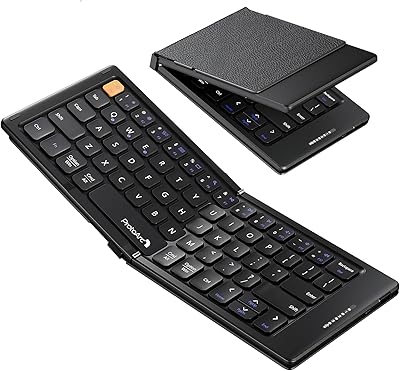
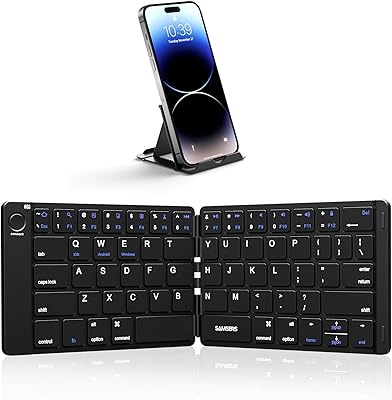
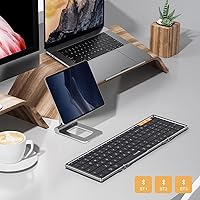
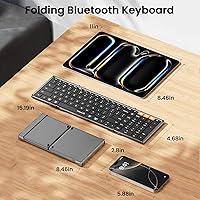
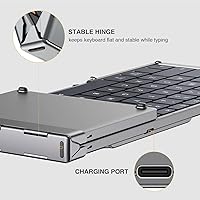
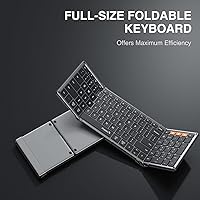
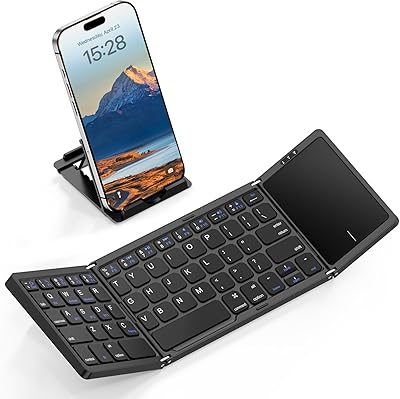
The ProtoArc XK01 Foldable Bluetooth Keyboard is built around one core promise: deliver a genuinely full-size typing experience without the bulk. Folded, it slips into a jacket pocket or small tote — roughly the footprint of a paperback book. The tri-fold aluminum hinges are rated for over 10,000 folds, which matters when you are pulling it out daily at airports and coffee shops. Realistically, it targets frequent travelers, remote workers, and students who need a proper keyboard on the move. One thing worth knowing upfront: there is no backlight. If you type in dim cabins or evening cafes, that is a real limitation worth weighing before buying.

Features & Benefits

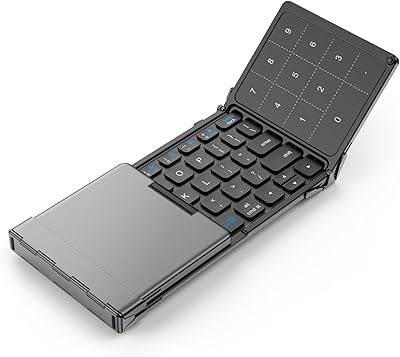
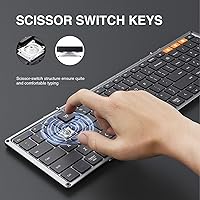
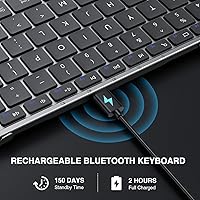
What separates the XK01 from most compact travel keyboards is the full 105-key layout, which includes a numeric keypad — a feature that virtually disappears once you go foldable. The internal aluminum hinges keep the board rigid mid-type, with no flex or wobble when you are deep in a spreadsheet. Bluetooth pairs with up to three devices and switches between them at the press of a dedicated key, covering Windows, macOS, iOS, and Android without fuss. The scissor switches are quiet and low-profile, genuinely appropriate for shared spaces. A built-in cell charges via USB-C, and auto-sleep standby stretches to roughly five months between charges.

Best For

This travel keyboard makes the most sense for people who genuinely depend on a numpad — accountants, data-entry workers, or anyone running spreadsheets away from their desk. iPad users will appreciate having a full-size layout without a tethered cable, and students juggling a phone, tablet, and laptop can hop between all three without re-pairing. It also works well in quiet shared offices where clacking keys draw unwanted attention. That said, if you type for hours at a stretch, the flat typing surface — no tilt adjustment whatsoever — can become uncomfortable. This folding keyboard is at its best during short to medium sessions rather than marathon workdays.

User Feedback

With over 2,800 ratings averaging 4.3 stars, buyer sentiment leans clearly positive. The most repeated praise covers build quality and portability — people are consistently surprised by how solid it feels at this price point. Multi-device switching earns frequent compliments as well. On the critical side, the absent backlight draws the most complaints, especially from travelers working on overnight flights. Some buyers flag that the Fn+ESC toggle for the function row is counterintuitive at first, producing a handful of frustrated early reviews before users get the hang of it. A few also mention occasional initial pairing hiccups, though most report those resolve on their own quickly.

Pros

  • Full 105-key layout with a numeric keypad is rare among folding keyboards and genuinely useful for number-heavy work.
  • Folds to roughly the size of a paperback book, slipping easily into a jacket pocket or small bag.
  • Aluminum hinges feel solid during typing and are rated for over 10,000 folds, suggesting real longevity.
  • Three-device Bluetooth switching works across all major operating systems without re-pairing each time.
  • Scissor switches are quiet enough for libraries, coffee shops, and open offices without disturbing others.
  • Built-in rechargeable battery with USB-C charging means no hunting for AAA batteries on the road.
  • Auto-sleep standby stretches to around 150 days, so the XK01 is unlikely to die mid-trip unexpectedly.
  • Full-size 16.5mm keycaps reduce the typing errors and cramped feel common on smaller travel keyboards.
  • Twelve multimedia shortcut keys add quick access to volume, switching, and navigation without extra steps.

Cons

  • No backlight at all, making this folding keyboard impractical in dim or dark environments.
  • Completely flat typing surface with no tilt option can cause wrist fatigue during extended sessions.
  • The Fn+ESC toggle required to activate the function row trips up new users more than it should.
  • Some buyers report occasional Bluetooth pairing hiccups during initial setup, particularly with Android devices.
  • At 1.32 pounds, it is noticeably heavier than minimalist travel keyboards, which adds up in a packed bag.
  • No wired mode means you are entirely dependent on Bluetooth, which can be a problem in connectivity-restricted environments.
  • Scissor switches offer adequate but uninspiring feedback — not a good choice if typing feel matters to you.
  • The flat profile, while great for portability, makes the keyboard feel slightly unstable on uneven surfaces like laps or soft materials.

Ratings

The scores below were generated by AI after systematically analyzing thousands of verified global buyer reviews for the ProtoArc XK01 Foldable Bluetooth Keyboard, with spam, incentivized feedback, and bot activity actively filtered out to ensure accuracy. Every category reflects the real distribution of praise and frustration reported by actual users across multiple platforms, so both the strengths and the genuine pain points are represented without sugar-coating.

Portability
93%
Folding down to roughly the size of a paperback novel, the XK01 fits in bags, purses, and jacket pockets where most keyboards simply cannot go. Travelers repeatedly cite this as the single feature that keeps them coming back to it after trying bulkier alternatives.
At 1.32 pounds, it is noticeably heavier than ultra-minimalist Bluetooth keyboards that omit the numpad, which some ultralight packers find adds up over a long travel day.
Build Quality
81%
19%
The aluminum internal hinges give the keyboard a solid, premium feel that surprises most buyers at this price tier. Users consistently describe it as sturdier than expected, with no creaking or wobble when the board is fully unfolded on a desk.
The plastic body panels show fingerprints and light scuffs more readily than the aluminum accents suggest they should, and a small number of buyers reported the hinge alignment shifting slightly after several months of heavy daily use.
Typing Experience
69%
31%
The full-size 16.5mm keycaps mean fingers land where they expect to, which reduces the adjustment period significantly compared to shrunken travel keyboards. For short writing bursts — email replies, quick notes at a coffee shop — the scissor switches feel adequate and consistent.
Extended typing sessions reveal the limitations of the flat, zero-tilt surface, with users reporting wrist fatigue after roughly an hour of continuous use. The scissor switches also lack the satisfying tactile feedback that more experienced typists tend to prefer.
Multi-Device Switching
88%
Switching between a paired iPad, laptop, and phone with a single key press is one of the most praised features across user reviews, particularly among students and remote workers juggling multiple screens throughout the day. Connection handoff takes only a second or two in most reported cases.
A subset of Android users reported occasional failures where the keyboard did not automatically reconnect to a previously paired device after waking from sleep, requiring a manual re-pairing that disrupts workflow.
Backlight
18%
82%
There is genuinely nothing positive to say about the backlight on this model because there is none — and to its credit, the brand is transparent about this limitation and points buyers toward the upgraded XK01 Plus instead.
The complete absence of any backlight is the most common complaint across reviews, rendering this travel keyboard nearly unusable in dim environments like overnight flights, darkened conference rooms, or evening work sessions without external lighting.
Battery Life
84%
Most users report going several weeks between charges under normal daily use, and the auto-sleep feature means forgetting to turn it off manually rarely results in a dead keyboard. The USB-C charging is fast and universally compatible with modern chargers already in most travel bags.
The 150-day standby claim reflects idle sleep time rather than active use, which can mislead buyers expecting months of heavy daily typing on a single charge. Heavy users should realistically expect to charge every two to three weeks.
Hinge Durability
78%
22%
The aluminum hinges hold up well across the first year of daily folding and unfolding, maintaining alignment and rigidity that keeps the typing surface stable. The 10,000-fold rating gives frequent travelers a realistic sense of the product lifespan.
A portion of long-term users, particularly those who fold and unfold multiple times per day, reported subtle hinge loosening after 12 to 18 months of heavy use, which slightly reduces typing stability over time.
Noise Level
82%
18%
The low-profile scissor switches produce a soft, muted keystroke that sits comfortably below the threshold most coworkers or fellow cafe patrons would find distracting. Open-office users and students in shared library spaces specifically call this out as a deciding factor.
It is not completely silent, and in very quiet environments like exam halls or late-night shared accommodations, the clicks are still audible. Users expecting a near-silent experience may find it marginally louder than anticipated.
Connectivity Reliability
74%
26%
Once paired, the Bluetooth connection remains stable for the majority of users across Windows, macOS, and iOS, with very few mid-session dropouts reported under normal conditions. Initial setup is quick and requires no software installation on any supported platform.
Initial pairing can occasionally be finicky, particularly on Android devices, and a small but consistent segment of reviews describes needing two or three attempts before the keyboard is recognized. Some users also note the connection occasionally stutters briefly after waking the host device.
Numpad Inclusion
91%
Including a full numeric keypad on a foldable keyboard is a genuine differentiator that competitors at similar sizes rarely manage, and accountants, data analysts, and frequent spreadsheet users consistently highlight it as the primary reason they chose this model over alternatives.
The numpad adds width to the unfolded keyboard, which some users with smaller desks or tight tray tables find pushes the layout slightly wider than comfortable, particularly when using a tablet stand alongside it.
Function Key Usability
61%
39%
Once the Fn+ESC toggle behavior is understood, switching between multimedia shortcut mode and standard function key mode is quick and adds flexibility that pure media-key layouts lack. Power users who rely on F-key shortcuts in creative software tend to appreciate having both modes available.
The toggle system trips up a disproportionate number of new users, with confused reviews citing missing function keys as a defect when it is actually a mode issue. The keyboard provides no visual indicator for the active mode, which compounds the confusion significantly.
Value for Money
86%
At its mid-range price point, the combination of a full numpad layout, aluminum hinge construction, three-device switching, and USB-C charging represents strong value that buyers in this category consistently acknowledge. Most users feel they got more keyboard than the price suggested.
Buyers who compare it to premium compact keyboards at higher price points note that the typing feel and ergonomics fall noticeably short, so the value proposition depends heavily on how much portability and layout completeness matter relative to pure typing quality.
Ergonomics
47%
53%
The full-size keycap spacing reduces strain from inaccurate keystrokes compared to cramped travel keyboards, and the low key travel means less finger effort per keystroke during shorter sessions. Users doing light, intermittent typing report no discomfort.
The zero-tilt flat profile is the keyboard's most significant ergonomic weakness, and users who type continuously for over an hour consistently report wrist and forearm fatigue. There is no way to add tilt without propping the keyboard on an external surface, which undermines the clean fold-and-type workflow.
OS Compatibility
87%
Coverage across Windows, macOS, iOS, and Android without any driver installation means this folding keyboard just works regardless of what is in the bag that day, which road warriors with mixed device ecosystems find genuinely convenient.
A few macOS-specific shortcut mappings feel slightly off out of the box, requiring manual remapping for users who rely heavily on system shortcuts, and some Android users report that not all multimedia keys register correctly depending on the device manufacturer.
Setup & Ease of Use
79%
21%
The fold-and-type deployment is fast with no clips to secure or stands to position, meaning it is genuinely ready in under five seconds from a bag. First-time Bluetooth pairing follows a straightforward process that most users complete without consulting the manual.
The function key toggle behavior and the Bluetooth channel system lack clear in-box documentation, leaving a meaningful number of buyers to troubleshoot basic functionality through trial and error or online searches rather than the included instructions.

Suitable for:

The ProtoArc XK01 Foldable Bluetooth Keyboard was clearly designed with one type of buyer in mind: someone who moves constantly but refuses to sacrifice a full key layout. Business travelers who regularly enter figures into spreadsheets will appreciate having a proper numpad in a form factor that fits inside a carry-on pocket. iPad and tablet users who find on-screen keyboards frustrating for real work will get the most out of this folding keyboard, since it pairs reliably across iOS, Android, Windows, and macOS without any driver fuss. Students managing multiple devices simultaneously — say, a phone for references, a tablet for notes, and a laptop for writing — will find the three-device Bluetooth switching genuinely useful day to day. Open-plan office workers or anyone who shares quiet spaces will also benefit from the low-profile scissor switches, which produce very little noise compared to standard keyboards.

Not suitable for:

If you do most of your typing in low-light conditions — late-night flights, dim hotel rooms, evening study sessions — the ProtoArc XK01 Foldable Bluetooth Keyboard is a poor fit, since it has no backlight at all and the brand confirms this is by design. Writers, coders, or analysts who spend six or more hours a day at a keyboard should also think twice, because the completely flat typing surface offers zero tilt adjustment, which adds wrist strain over long sessions. Anyone who prioritizes a premium typing feel — tactile feedback, deep key travel, or a satisfying click — will be disappointed; the scissor switches here are competent but unremarkable, as expected at this price tier. Buyers who need USB wired connectivity as a backup option are also out of luck, since this travel keyboard is Bluetooth-only with no wired mode.

Specifications

  • Folded Size: When folded, the keyboard measures 8.46 x 4.68 x 0.78 in, compact enough to slip into a jacket pocket or small bag.
  • Open Size: Unfolded, the keyboard extends to 15.2 x 4.68 x 0.48 in, providing a full desktop-width typing surface.
  • Weight: The keyboard weighs 1.32 pounds, which is noticeable but reasonable given the full-size layout and aluminum hinge construction.
  • Key Count: The layout includes 105 keys in total, covering a full alphanumeric board, a dedicated numeric keypad, and navigation keys.
  • Keycap Size: Each keycap measures 16.5mm across, matching standard full-size desktop keyboard spacing to reduce typing errors.
  • Switch Type: The keyboard uses low-profile scissor switches, which produce minimal noise and provide a shallow, consistent keystroke.
  • Connectivity: Bluetooth wireless connectivity supports simultaneous pairing with up to 3 devices, switchable via dedicated channel keys.
  • OS Compatibility: Compatible with Windows, macOS, iOS, and Android operating systems without requiring additional drivers or software.
  • Hinge Material: Internal hinges are constructed from aluminum and are rated to withstand over 10,000 fold cycles before showing signs of wear.
  • Battery Type: A built-in lithium-ion battery powers the keyboard and recharges via the included USB-C cable; no disposable batteries are required.
  • Standby Life: With auto-sleep enabled, the keyboard can remain on standby for up to 150 days between charges under typical usage conditions.
  • Backlight: This keyboard has no backlight of any kind; typing in low-light environments requires familiarity with the key positions.
  • Shortcut Keys: Twelve multimedia shortcut keys provide quick access to functions including volume control, home navigation, and app switching.
  • Function Row: The F1–F12 function keys are toggled on or off by pressing Fn+ESC, which switches the top row between multimedia and standard function behavior.
  • Typing Surface: The keyboard sits completely flat with no tilt angle adjustment, which may affect comfort during extended typing sessions.
  • Color Options: Available in Space Gray and Black, with a modern low-profile aesthetic suited to professional and travel settings.
  • Charging Port: The USB-C port is used exclusively for charging and does not support wired keyboard operation.
  • Fold Mechanism: The tri-fold design uses a simple unfold-and-type deployment with no locking clips required to secure the keyboard open.

Related Reviews
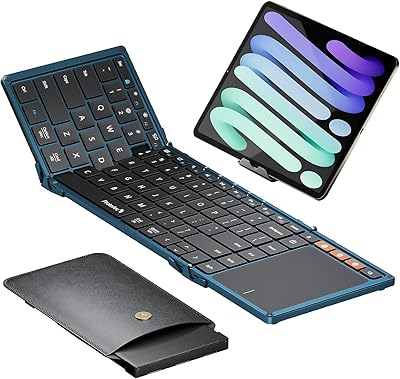
ProtoArc XK01 Plus Backlit Foldable Bluetooth Keyboard
84%
93%
Portability
88%
Backlighting Functionality
85%
Ease of Use
90%
Battery Life
80%
Typing Comfort
More
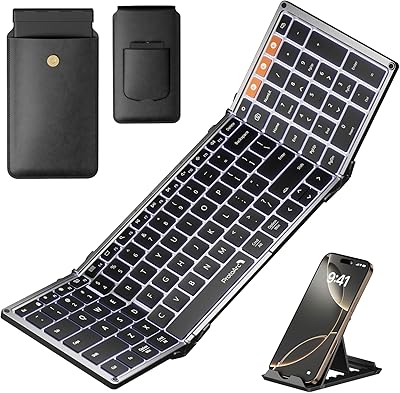
ProtoArc XK01 TP Foldable Bluetooth Keyboard with Touchpad
85%
94%
Portability
88%
Typing Comfort
78%
Trackpad Performance
91%
Battery Life
83%
Build Quality
More
ProtoArc XK04 Foldable Bluetooth Keyboard
77%
94%
Portability
71%
Build Quality
58%
Key Size & Layout Comfort
83%
Bluetooth Connectivity
88%
Battery Life
More
ProtoArc XK03 Foldable Bluetooth Keyboard
76%
93%
Portability & Form Factor
84%
Ergonomic Design
71%
Typing Experience
88%
Multi-Device Connectivity
81%
Build Quality & Finish
More
ProtoArc K90-A Compact Wireless Mac Keyboard
80%
83%
Typing Experience
86%
Multi-Device Connectivity
68%
Battery Life
72%
Backlight Quality
79%
Value for Money
More
Geyes GK608 Foldable Bluetooth Keyboard
75%
93%
Portability
81%
Build Quality
58%
Typing Experience
77%
Dual Device Connectivity
84%
Value for Money
More
GEODMAER Foldable Bluetooth Keyboard
82%
93%
Portability
71%
Typing Experience
88%
Multi-Device Switching
63%
Touchpad Usability
91%
Battery Life
More
iClever BK08 Foldable Bluetooth Keyboard
77%
88%
Build Quality
93%
Portability & Form Factor
74%
Typing Experience
71%
Touchpad Performance
78%
Multi-Device Pairing
More
Samsers KF06S Foldable Bluetooth Keyboard
88%
91%
Typing Comfort
88%
Key Responsiveness
95%
Portability
86%
Build Quality
92%
Battery Life
More
iClever BK18 Foldable Bluetooth Keyboard
78%
94%
Portability & Form Factor
68%
Build Quality & Durability
71%
Typing Experience
88%
Connectivity & Pairing
74%
Battery Life
More

FAQ

Yes, the XK01 pairs with iPads over Bluetooth without any app or driver installation. Just enable Bluetooth on your iPad, put the keyboard into pairing mode by holding the channel button, and select it from the device list. It works across iPadOS without issue.

The keyboard has three dedicated Bluetooth channel keys, usually labeled BT1, BT2, and BT3. Once you have paired a device to each channel, switching is just a single key press. There is a brief one- to two-second delay while it reconnects, which is normal.

No, there is no backlight at all on this model. If you frequently type in dark environments like overnight flights or dim rooms, that is a genuine limitation worth considering. ProtoArc does offer an upgraded XK01 Plus model if backlighting is a requirement for you.

By default, the top row acts as multimedia shortcut keys. To use them as standard function keys, press Fn+ESC to toggle the mode. Press Fn+ESC again to switch back. It is easy to accidentally toggle this, so if your function keys suddenly stop working, that is the first thing to check.

In practice, most users find they charge it every few weeks with regular daily use, even though the rated standby is up to 150 days. That figure assumes the auto-sleep feature kicks in consistently. Heavy users who keep it active most of the day should expect more frequent charges, but it is still very manageable.

No. The USB-C port is for charging only and does not enable wired operation. The keyboard is Bluetooth-only, so you need to make sure the battery has some charge before you sit down to work.

The ProtoArc XK01 Foldable Bluetooth Keyboard uses internal aluminum hinges rated for over 10,000 fold cycles. For someone folding and unfolding it once or twice daily, that translates to well over a decade of normal use before hinge wear becomes a realistic concern.

It works well on flat desks and tables, but the completely flat base with no rubber feet gripping an uneven surface can make it slide around a bit on laps or soft materials. For desk and tray-table use it is solid, but lap typing is less comfortable.

Yes, this folding keyboard pairs with Android smartphones the same way it does with tablets. Just connect via Bluetooth and it should work across messaging apps, documents, and any app that accepts keyboard input. Most Android phones recognize it instantly.

The scissor switches are genuinely quiet compared to mechanical keyboards and most standard laptop keyboards. You will still hear light clicking during fast typing, but it is soft enough that coworkers at the next desk are unlikely to be bothered. It is not completely silent, but it is well within library norms.

Where to Buy