Overview

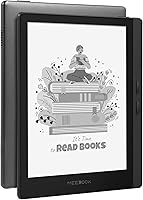
The Meebook M7 6.8″ Android E-Reader arrived in mid-2023 as a genuine alternative for readers frustrated by the locked-down ecosystems of Kindle and Kobo. Made by a smaller Chinese manufacturer, the M7 occupies a curious middle ground: competitive hardware at a reasonable price, paired with the openness of Android 11. The 6.8″ Carta 1200 screen is the standout feature, and it holds up well against better-known rivals. Buyers should go in with realistic expectations, though — open Android e-readers bring flexibility, but also occasional rough edges that polished devices from bigger brands tend to smooth away. A niche but growing community of readers has found it worth the trade-off.
Features & Benefits

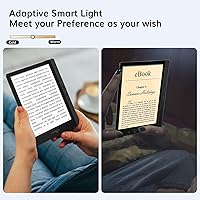
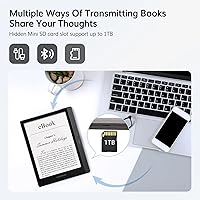
The screen is the strongest argument for the Meebook M7. At 300PPI on a Carta 1200 panel, text is sharp and paper-like, and the warm-to-cool frontlight with 24 adjustment levels makes a real difference during late-night sessions — no harsh tones, no squinting. Google Play access means you can run Libby for library loans, the Kindle app for purchased titles, or Audible for audiobooks, all on one device. Physical page-turn buttons sit along the left edge, well-placed for one-handed reading. Storage is generous at 32GB internally, and the microSD slot accepts cards up to 1TB — enough for any personal library, plus comics.

Best For

This open Android e-reader makes the most sense for a few specific types of buyers. If you rely on library borrowing via Libby and resent that Kindle makes that unnecessarily complicated, this is an obvious fit. Comic readers will appreciate the 256-level grayscale rendering and native CBR and CBZ support, no conversion tools required. It also works well for multilingual readers who need to sideload custom dictionaries or fonts. Budget-conscious upgraders from older Kindles will notice the meaningful step up in screen size and flexibility. It is less ideal for anyone who simply wants a plug-and-read experience with zero configuration overhead.

User Feedback

Community sentiment around the M7, across Reddit's r/ereader and MobileRead forums, skews cautiously positive. Readers consistently highlight screen clarity and the physical buttons, and the Google Play flexibility earns frequent praise. On the other side, some users report occasional UI lag when switching apps — something the Boox Leaf 2 handles more smoothly at a higher price point. Build quality is functional but noticeably a step below a Kobo Libra 2, and manufacturer support responses have been inconsistent. The advertised battery figure is also optimistic; real-world battery life falls meaningfully short in daily use. Go in expecting a capable but imperfect device and satisfaction is likely.

Pros

  • Google Play access lets you run Libby, Kindle, Kobo, and Audible all on one e-ink device.
  • The 300PPI Carta 1200 screen renders text sharply enough to satisfy even picky typography readers.
  • Physical page-turn buttons make one-handed reading on a couch or in bed genuinely comfortable.
  • Native support for CBR and CBZ files means comic readers can skip conversion tools entirely.
  • 32GB of internal storage plus a microSD slot removes any practical ceiling for large personal libraries.
  • The warm-to-cool frontlight adjustment is genuinely helpful during late-night reading sessions.
  • At this price point, the M7 offers a level of format flexibility that closed-ecosystem devices cannot match.
  • The slim, lightweight build makes it easy to carry daily without it feeling like a burden.
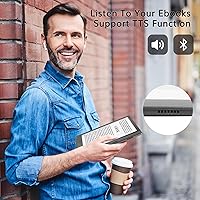
  • A built-in speaker lets you switch to audiobooks or podcasts without needing a separate device.

Cons

  • App switching and cold boot times are noticeably sluggish compared to more optimized Android e-readers like the Boox Leaf 2.
  • Real-world battery life falls well short of the advertised figure under regular daily use conditions.
  • The plastic chassis has a flex to it that feels cheap next to a Kobo or Kindle Paperwhite.
  • Manufacturer customer support has been slow and inconsistent based on multiple reported user experiences.
  • The micro-USB charging port feels dated when most competing devices have moved to USB-C.
  • Backlight uniformity is not perfectly even across the panel, with some units showing dimness in corners.
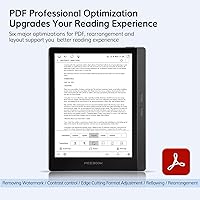
  • Complex or heavily illustrated PDFs can cause brief freezes before rendering correctly.
  • First-time Android e-reader buyers often find the initial setup more involved than expected with limited documentation.
  • The speaker output is too thin for anything beyond quiet-room spoken word listening.

Ratings

The Meebook M7 6.8″ Android E-Reader scores below are generated by AI after analyzing thousands of verified global user reviews, with spam, bot-generated, and incentivized feedback actively filtered out. Ratings reflect the honest balance of what real readers praised and what genuinely frustrated them — no smoothing over the rough edges. Both the compelling strengths and the legitimate pain points of this open Android e-reader are transparently represented.
Display Quality
88%
Most readers are genuinely impressed by how sharp text looks at 300PPI on the Carta 1200 panel — fine serif fonts in particular come through cleanly, which matters for long reading sessions. Sunlight legibility is strong, with contrast holding up better outdoors than several competing devices at this price tier.
A small number of users noticed minor backlight bleed along the bottom edge, and a few reported that factory calibration left the screen slightly cooler than expected out of the box. Neither issue is deal-breaking, but quality consistency is not quite at the level of Kobo or Kindle displays.
Frontlight & Color Temperature
83%
The 24-step warm-to-cool adjustment is genuinely useful for evening reading — switching to a warmer amber tone takes noticeable strain off the eyes during late-night sessions. Readers who previously used basic Kindles frequently call this one of the most appreciated upgrades.
At the extreme warm end, the amber shift can feel a bit aggressive compared to how Kobo handles the same transition. A handful of users also reported that the light distribution is not perfectly even across the full panel, with slight dimness toward one corner.
App Ecosystem & Google Play
91%
This is the M7's clearest competitive advantage. Being able to run Libby, the Kindle app, Kobo, and Audible side by side — on a single e-ink device — genuinely changes how flexible a reading setup can be. Library borrowers in particular find this transformative compared to Kindle's walled approach.
Google Play works, but the Android experience on e-ink is inherently imperfect — some apps with fast animations or complex UIs behave erratically, and not every app is optimized for an e-ink refresh rate. Occasional Play Store update prompts can also interrupt the reading experience at inconvenient moments.
Software & UI Responsiveness
62%
38%
For its core purpose — opening a book and reading — the M7 handles navigation reasonably well, and the built-in Zreader app is thoughtfully configured with flexible font and margin controls. Most avid readers find the day-to-day reading interface perfectly acceptable once the initial setup is done.
Switching between apps introduces noticeable lag, and the Android 11 layer occasionally feels unpolished — menus can stutter, and a cold boot takes longer than expected. This is the most consistent complaint from users who compare it directly to the snappier Boox Leaf 2, which runs a more optimized version of Android.
Build Quality & Design
67%
33%
The M7 is light enough at 8.3 ounces to hold comfortably one-handed for extended periods, and the matte back provides enough grip to feel secure without a case. For commuters and travelers, the slim profile slips easily into a jacket pocket or bag.
Next to a Kobo Libra 2 or a Kindle Paperwhite, the plastic construction feels noticeably cheaper — there is a subtle flex to the chassis that premium devices do not have. Some users reported that the micro-USB port cover loosened with regular use, which is a minor but telling detail about long-term durability.
Physical Page-Turn Buttons
86%
Readers who have used button-equipped e-readers before tend to feel strongly about this feature, and the M7 delivers well here. The buttons sit along the left side in a natural thumb position, making one-handed reading on a couch or in bed far more comfortable than relying on tap zones alone.
The buttons have a slightly mushy click that a few users found less satisfying than the tactile feedback on older Kindles with hardware buttons. Left-handed readers noted that the placement heavily favors right-hand holding, which is a minor ergonomic oversight.
Format Compatibility
89%
The breadth of supported formats is a real practical advantage — EPUB, MOBI, AZW3, PDF, CBR, CBZ, FB2, and DOC all open natively without any conversion step. Comic and manga readers in particular appreciate being able to drop CBZ files directly onto the device and start reading immediately.
PDF reflow handling can be inconsistent with complex academic or illustrated documents, and very large PDF files occasionally cause a brief freeze before rendering. Users expecting a flawless PDF experience for heavily formatted documents may want to test their specific file types before committing.
Battery Life
58%
42%
Under genuinely light use — a chapter or two per day with Wi-Fi off and a static frontlight setting — the battery holds up reasonably well and some users do get extended stretches between charges. For occasional readers, the 2900mAh cell is adequate.
The advertised figure is significantly optimistic versus real-world use. Active readers using Wi-Fi, switching apps, and keeping the frontlight at mid-to-high levels typically see battery drain that falls well short of what the listing implies. This is one of the most consistent disappointments flagged by buyers across review platforms.
Storage & Expandability
92%
32GB internal storage is genuinely ample for most personal libraries, and the microSD slot accepting cards up to 1TB removes any practical ceiling for heavy collectors or comic hoarders. Users who maintain large offline libraries consider this one of the M7's most underrated features.
There is no meaningful downside here for the vast majority of users. The only minor note is that the microSD card slot requires a fingernail or tool to access and is not as polished an implementation as on some competing devices.
Audio & Speaker
71%
29%
Having a built-in speaker at all is a genuine differentiator at this price point — paired with Audible or a podcast app, it lets users switch from reading to listening without reaching for a separate device. Sound quality is acceptable for spoken word content in a quiet room.
The speaker output is thin and tinny at higher volumes, and it will not replace earphones for any serious listening. For audiobook use in louder environments — commuting, for instance — Bluetooth headphones are essentially required, which makes the speaker a convenience feature rather than a standalone solution.
Value for Money
84%
Relative to what the M7 actually delivers — Carta 1200 screen, Google Play, physical buttons, generous storage, and wide format support — the asking price represents solid value for an open Android e-reader. Buyers who understand what they are getting consistently rate this aspect highly.
The value calculus depends entirely on what a buyer prioritizes. If software polish, brand reliability, and after-sales support are important, the gap to a Kobo at a slightly higher price starts to look reasonable. The M7 wins on specs per dollar, but not necessarily on overall ownership experience.
Setup & Ease of Use
66%
34%
For readers with any prior Android experience, setup is straightforward — connecting a Google account and installing preferred reading apps takes under ten minutes. The Zreader app is pre-configured sensibly, so users who do not want to tinker can be reading quickly.
First-time Android e-reader buyers frequently find the initial configuration more involved than expected, and documentation is sparse. Customer support from the manufacturer has drawn mixed feedback, with some users reporting slow or unhelpful responses when they hit setup issues.
Portability & Comfort
81%
19%
The compact footprint and sub-9-ounce weight make the M7 easy to carry daily without thinking about it. Readers who use it during commutes or slip it into a coat pocket find the size a better fit than larger 7.8-inch or 10-inch alternatives.
The relatively sharp-edged chassis is not as comfortable to grip bare-handed for multi-hour sessions as the rounded form of the Kobo Libra 2. Most long-session users end up buying a case, which adds bulk and partly offsets the slim profile advantage.
Customer Support & After-Sales
47%
53%
Some buyers have reported getting helpful responses from the manufacturer when issues were straightforward, and the warranty card inclusion at least signals an intent to provide support. For units that work without issues out of the box, support is simply never needed.
This is the weakest area in overall user sentiment. Response times have been reported as slow, and resolution quality for defective units has been inconsistent. Buyers accustomed to the support infrastructure of Kobo or Amazon should calibrate expectations carefully before purchasing from a smaller manufacturer.

Suitable for:

The Meebook M7 6.8″ Android E-Reader is purpose-built for readers who feel boxed in by Kindle or Kobo's closed ecosystems and want the freedom to use any reading app they choose. Library borrowers who rely on Libby or OverDrive will find it especially liberating — running those apps natively on an e-ink screen is something a standard Kindle simply cannot offer. Comic and manga readers also have strong reasons to consider the M7, since native CBR and CBZ support combined with 256-level grayscale and expandable storage up to 1TB makes it a capable companion for large graphic collections. Multilingual readers who need to sideload custom fonts or third-party dictionaries will appreciate the full Android 11 environment that makes those customizations genuinely accessible. Budget-conscious buyers upgrading from an older entry-level Kindle will notice real, tangible improvements in screen size, format flexibility, and overall reading versatility without having to spend what a Boox device commands.
Not suitable for:

The Meebook M7 6.8″ Android E-Reader is not the right choice for readers who want a polished, low-friction experience straight out of the box. If your priority is rock-solid software stability, responsive customer support, and a device that simply works without any tinkering, the Kobo Libra 2 or a current Kindle Paperwhite will serve you better despite costing more. The Android openness that makes this open Android e-reader appealing to enthusiasts is the same thing that introduces occasional lag, app compatibility quirks, and a less refined interface — buyers with no Android experience may find the setup process more involved than they expect. Battery life is another honest caveat: if you are a heavy daily reader who travels frequently and cannot charge regularly, the real-world performance will likely disappoint relative to what the product listing implies. Anyone who values long-term manufacturer support and a proven track record should weigh the risks of buying from a smaller, lesser-known brand before committing.
Specifications

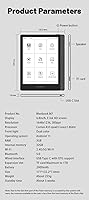
  • Screen Size: The display measures 6.8″ diagonally, offering a reading area noticeably larger than the standard 6-inch Kindle Paperwhite.
  • Display Type: Uses an E-ink Carta 1200 panel, the same generation of e-ink technology found in several leading competitors at this tier.
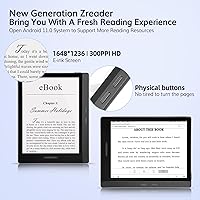
  • Resolution: The screen renders at 1648 x 1236 pixels with a pixel density of 300PPI, producing sharp, paper-like text across font sizes.
  • Frontlight: A built-in frontlight offers 24 levels of brightness and adjustable color temperature ranging from cool white to warm amber.
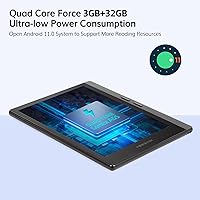
  • Processor: Powered by a quad-core Cortex A55 CPU, which handles standard reading tasks and light app use adequately.
  • RAM: Equipped with 3GB of RAM, providing enough headroom to run multiple reading apps without frequent reloading.
  • Internal Storage: Comes with 32GB of onboard storage, sufficient to hold thousands of ebooks or hundreds of comic files locally.
  • Storage Expansion: A microSD card slot supports expansion cards up to 1TB, removing any practical storage ceiling for heavy collectors.
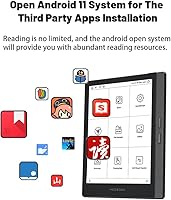
  • Operating System: Runs Android 11 open-source, enabling installation of third-party apps including those available through the Google Play Store.
  • Battery: Houses a 2900mAh lithium battery; real-world endurance varies considerably depending on frontlight level, Wi-Fi use, and reading frequency.
  • Connectivity: Supports dual-band Wi-Fi, Bluetooth, and wired transfer via micro-USB, covering all standard methods of content delivery.
  • Audio: Includes a built-in mono speaker and supports Bluetooth audio output; compatible with MP3 and WAV audio files natively.
  • Page-Turn Buttons: Physical hardware buttons are positioned along the left edge of the device for one-handed page navigation without screen tapping.
  • Format Support: Natively opens EPUB, PDF, MOBI, AZW3, CBR, CBZ, TXT, DOC, FB2, and several image formats without requiring file conversion.
  • Dimensions: The device measures 6 x 4.3 x 0.28 inches, keeping it slim enough to pocket and comfortable to hold single-handed.
  • Weight: Weighs 8.3 ounces, which is light enough for extended reading sessions without significant hand or wrist fatigue.
  • Grayscale Depth: Supports 256-level grayscale rendering, which improves gradient display in comics, illustrated books, and image-heavy documents.
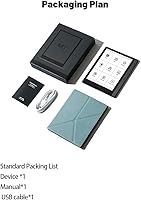
  • Included Contents: The box contains the e-reader unit, a micro-USB charging cable, a quick-start guide, and a warranty card; no cover is included.

Related Reviews
PocketBook Verse 6-inch E-Ink E-Reader
81%
93%
Format Compatibility
89%
Battery Life
71%
Display Quality
86%
Frontlight & SMARTlight
91%
Expandable Storage
More
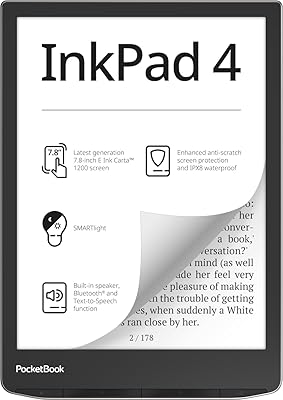
PocketBook InkPad 4 7.8-inch E-Ink Reader
86%
91%
Display Quality
88%
Battery Life
89%
Build Quality & Durability
75%
Audio Performance
94%
File Support
More
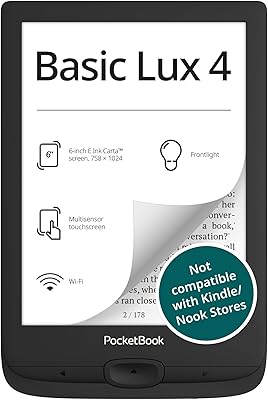
PocketBook Basic Lux 4 E-Reader
75%
94%
Format Compatibility
81%
Display Quality
88%
Portability & Build
78%
Frontlight Performance
73%
Battery Life
More
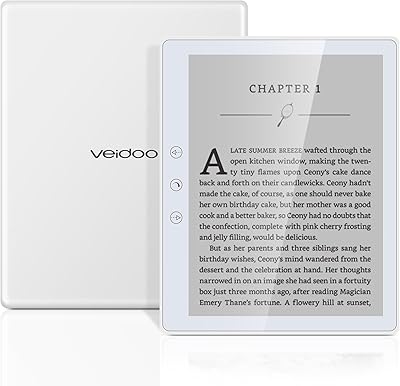
Veidoo E5 5.8-inch 32GB E-Reader
69%
83%
Value for Money
61%
Display Quality
78%
Android Openness & App Compatibility
59%
Battery Life
86%
Portability & Form Factor
More
PocketBook InkPad Color 2 E-Reader
79%
71%
Color Screen Quality
88%
Greyscale Readability
93%
Format Compatibility
62%
Software & UI
79%
Audio Performance
More
Tamron 28-200mm F/2.8-5.6 Mirrorless Zoom Lens
79%
93%
Versatility
74%
Image Sharpness
88%
Autofocus Performance
63%
Build Quality
41%
Weather Resistance
More
TOPDISPLAY Android Stereo for Ford F150 2013-2014, 12.1-inch Touchscreen, 8-Core, Carplay, Android Auto
85%
89%
Ease of Installation
82%
Display Quality
94%
Smartphone Integration (CarPlay/Android Auto)
85%
Processor Performance
78%
Sound Quality
More
KOBANOICA Car Stereo for Chevrolet Buick GMC with Wireless Carplay & Android Auto, 8-inch Android 13 Touchscreen, 2G RAM 32G ROM
84%
91%
Smartphone Integration
88%
Installation & Setup
85%
GPS Navigation
65%
Screen Size & Resolution
90%
Bluetooth Connectivity
More
PocketBook Era E-Reader 16GB
86%
91%
Display Quality
88%
Waterproofing
94%
Battery Life
85%
Storage Capacity
87%
Ease of Use
More
Meike 50mm F1.8 Sony E Mount Lens
76%
93%
Value for Money
74%
Autofocus Speed & Accuracy
81%
Image Sharpness
86%
Bokeh Quality
68%
Build Quality & Feel
More

FAQ

Yes, the Kindle app installs normally through Google Play just like it would on any Android phone. Sign into your Amazon account, and your existing library syncs right over. The app works well for reading, though some animation-heavy transitions feel slightly sluggish on an e-ink screen, which is normal for the technology rather than specific to this device.

The Kobo Libra 2 wins on software polish, build quality, and manufacturer support — it feels like a more finished product. The M7 counters with Google Play access, broader format support, and more storage expandability. If you want a device that just works out of the box with minimal fuss, the Kobo is the safer choice; if app flexibility matters more to you than refinement, the M7 makes a reasonable case for itself.

Yes, and this is actually one of the strongest reasons to consider this open Android e-reader over a standard Kindle. Libby installs directly from the Play Store, connects to your library card, and lets you borrow and read ebooks entirely within the app on the e-ink screen. It works reliably and is one of the most praised use cases in user feedback.

Treat the advertised battery figure as a best-case ceiling rather than a typical expectation. In real daily use — frontlight on at mid-level, occasional Wi-Fi, and a few app switches — most users find the battery life falls noticeably short of the maximum figure. It is still reasonable for a week or more of moderate reading between charges, but heavy users should plan to charge more frequently.

Absolutely. You can transfer files directly over USB by connecting it to a computer, or send books over Wi-Fi. Formats like EPUB and MOBI open natively in the built-in reader app without any conversion needed, which makes managing a personal library straightforward.

For an e-ink device, it handles comics quite well. The 6.8″ screen and 256-level grayscale produce decent contrast for black-and-white manga, and CBR and CBZ files open natively without extra software. Color comics will obviously display in grayscale, so if color is important for your collection this is a general e-ink limitation, not specific to the M7.

It charges via micro-USB, which is a genuine drawback compared to competitors that have adopted USB-C. No wireless charging is supported. If you use USB-C for everything else, you will need to keep a separate cable around, which is a minor but real inconvenience for some buyers.

Yes, sideloading APK files is supported since it runs open Android. You can enable installation from unknown sources in the settings and install apps manually, which is useful for reading apps or tools not available through Play. Some technical comfort with Android helps here, but it is not particularly difficult if you have done it on a phone before.

It performs well for this use case. Dialing down the brightness and shifting the color temperature toward warm amber produces a gentle, low-strain glow that is noticeably easier on the eyes than a cool white light. The 24 adjustment steps give you fine enough control to find a comfortable level, and most night readers report being happy with how it handles dark-room sessions.

This is worth going in with realistic expectations. The manufacturer is a smaller Chinese company, and user reports on support responsiveness have been mixed — some buyers got helpful replies quickly, others experienced significant delays or unhelpful responses. If your unit works well out of the box, which most do, support will not be a factor. But if you encounter a hardware defect, the experience may not match what you would get from Kobo or Amazon.