Overview

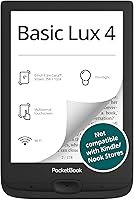
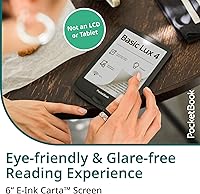
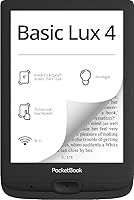
The PocketBook Basic Lux 4 E-Reader arrived in mid-2023 as a quietly confident option from a European brand that most casual shoppers walk past in favor of Kindle or Kobo — and that would be a mistake. At just 155g with a 6″ E-Ink Carta display, this PocketBook e-reader is light enough to forget you're holding it during a two-hour reading stretch. It won't dazzle you with a color screen or flagship-level refinement, but that's exactly the point. It's a capable, no-nonsense everyday reader built for people who want an open ecosystem without paying premium prices.
Features & Benefits

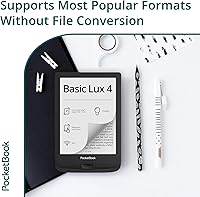
The E-Ink Carta touchscreen is where this compact reader earns its keep. At 758×1024 pixels, text is crisp and ink-like — genuinely comfortable over long sessions, even if it doesn't quite match top-tier displays. The adjustable frontlight handles everything from a bright afternoon read to a dim bedside chapter without washing out the screen. What truly distinguishes the Basic Lux 4, though, is its format compatibility: over 25 file types supported natively — EPUB, MOBI, PDF, DJVU, FB2, CBR — means no hunting for conversion tools. Pair that with 8GB base storage and microSD expansion, and running out of space simply isn't a concern.

Best For

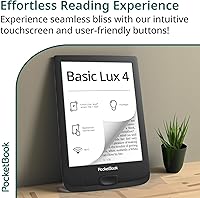
This PocketBook e-reader makes the most sense for format-agnostic readers who pull books from multiple sources — Project Gutenberg, personal PDFs, obscure FB2 libraries, comic archives — and resent being forced to convert files before sideloading. At 155g it's also a natural pick for commuters or frequent travelers who'd rather not carry a heavier device. If you're stepping up from a bare-bones entry-level reader without wanting to splurge on a flagship, this compact reader hits a practical middle ground. Those who prefer physical page-turn buttons alongside touch will appreciate that PocketBook kept them here, a detail rivals often drop.

User Feedback

Buyers settle at a 4.0/5 average — respectable, not glowing. Recurring praise centers on how confidently it handles diverse file formats and how the build feels solid without tipping into heavy. Critics focus on the software side: the interface is functional but lacks the polish of Kindle's ecosystem, and page turns can feel slightly sluggish to those switching over. Battery endurance holds up well for most, though heavy daily readers report falling short of the stated maximum. The absent waterproofing and no audiobook support come up regularly as real omissions, and for some buyers the less mainstream brand name alone introduces a small hesitation before purchasing.

Pros

  • Supports over 25 file formats natively — no conversion software needed, ever.
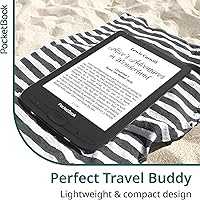
  • At 155g, this compact reader is light enough to hold one-handed for hours without fatigue.
  • The microSD slot means storage capacity is essentially unlimited for any realistic personal library.
  • Physical page-turn buttons are a rare and practical inclusion that swipe-only rivals have quietly dropped.
  • E-Ink Carta display renders text cleanly, with comfortable contrast during both day and evening reading.
  • USB-C charging is a genuinely useful modern touch that removes the need for yet another legacy cable.
  • Adjustable frontlight covers low-light bedtime reading and bright outdoor sessions without washing the screen.
  • No mandatory account creation — load files via USB and start reading immediately out of the box.
  • 8GB base storage handles thousands of standard e-books comfortably before expansion is even needed.
  • Priced between budget and premium tiers, it delivers real-world value that matches its mid-range positioning.

Cons

  • The software interface lags noticeably behind Kindle and Kobo in polish, especially during library navigation.
  • No warm-light or color temperature adjustment — a meaningful gap for readers sensitive to evening blue light.
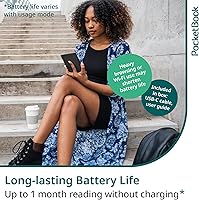
  • Real-world battery life for heavy daily readers falls well short of the four-week headline figure.
  • No waterproofing at any level makes it a risky choice near water, even casually.
  • Text-to-speech and audiobook support are completely absent — not a compromise, a hard stop.
  • Page refresh delays become noticeable when browsing image-heavy PDFs or large DJVU files.
  • PocketBook's limited brand footprint can make warranty support and long-term update confidence harder to gauge.
  • Left-handed users may find the button ergonomics feel optimized for right-hand grip specifically.
  • Wi-Fi functionality is narrow — there is no deep integration with Overdrive, Pocket, or major library platforms.
  • First-time buyers unfamiliar with sideloading may find the onboarding documentation too minimal to be helpful.

Ratings

The scores below reflect AI-driven analysis of verified global buyer reviews for the PocketBook Basic Lux 4 E-Reader, with spam, bot-generated, and incentivized feedback actively filtered out before any scoring was applied. Ratings cover everything from display comfort to software polish, capturing both what users genuinely praised and where frustrations surfaced repeatedly. Nothing has been smoothed over — the strengths and the shortcomings carry equal weight here.

Format Compatibility
94%
This is the category where the Basic Lux 4 genuinely pulls ahead of most rivals. Readers who juggle EPUB files from independent bookshops, FB2 novels from Russian-language archives, DJVU academic scans, and CBR comic collections consistently report that everything just opens — no conversion apps, no workarounds, no frustration.
A small number of users noted occasional rendering inconsistencies with heavily formatted PDFs containing complex tables or multi-column layouts. It handles the format, but doesn't always handle every edge case within it cleanly.
Display Quality
81%
19%
The E-Ink Carta screen renders text with a sharpness that makes extended reading sessions genuinely comfortable. Buyers switching from older or cheaper e-readers frequently mention how much easier their eyes feel after an hour-long commute or a late-night chapter.
Against top-tier devices in a higher price bracket, the 758×1024 resolution shows its ceiling — fine print and dense footnotes look slightly less refined than on higher-PPI competitors. It's not a dealbreaker, but it's a noticeable gap for detail-focused readers.
Portability & Build
88%
At 155g and just 8mm thin, this compact reader genuinely disappears into a jacket pocket or day bag. Commuters and travelers highlight the one-handed grip as a standout quality, and the chassis feels solid rather than cheap despite the lightweight construction.
The plastic body, while sturdy enough for daily use, doesn't convey premium feel when handled alongside aluminum-clad competitors. A few users reported that the buttons, while present and appreciated, feel slightly stiff out of the box.
Frontlight Performance
78%
22%
The adjustable frontlight covers a useful range — dim enough for reading next to a sleeping partner without disturbing them, and bright enough to handle a sun-washed park bench reasonably well. Users appreciate that the adjustment is smooth rather than stepping through preset levels.
The frontlight lacks warm-tone or color temperature adjustment, which is a noticeable omission for evening readers who rely on that feature to reduce eye fatigue. Competing devices in a similar price range have started offering it, making the absence feel dated.
Battery Life
73%
27%
For moderate readers — say 30 to 45 minutes daily — the battery comfortably stretches across several weeks without needing a charge. Occasional readers report going well over a month, which aligns with real-world light-use expectations.
Heavy readers consuming two or more hours daily find the real-world figure lands considerably short of the four-week marketing claim. Wi-Fi left enabled also drains the battery faster than many buyers expect, and the documentation doesn't make that trade-off obvious upfront.
Software & UI
63%
37%
The interface is logically organized and covers the fundamentals well — library management, reading settings, and dictionary access are all accessible without much digging. Users coming from generic Android reading apps tend to find it a step up in focus and readability.
Buyers migrating from Kindle consistently flag the UI as feeling unpolished by comparison. Menu navigation involves more taps than it should, software updates have been infrequent, and the overall responsiveness occasionally lags during library browsing or format switching.
Page-Turn Responsiveness
71%
29%
For standard EPUB and plain-text formats, page turns are quick enough that the experience feels natural and uninterrupted. Physical button presses register reliably, which readers who dislike accidental swipe-turns genuinely value during crowded commutes.
PDF and DJVU documents — especially larger, image-heavy files — trigger a noticeable refresh delay. It's not severe, but fast readers or those flipping through reference material will notice the hesitation more than casual fiction readers.
Storage & Expandability
91%
8GB handles a very large personal library on its own, and the microSD slot removes any ceiling entirely. Users who maintain archives of thousands of titles, including large graphic novels or technical PDFs, report zero storage anxiety whatsoever.
The base 8GB, while generous for text-heavy libraries, fills up faster than expected when loading comic collections or image-rich formats. The slot itself works well, but PocketBook doesn't bundle a card or clearly state the maximum supported card size in accessible documentation.
Value for Money
84%
Positioned between entry-level devices and premium flagships, the Basic Lux 4 delivers a feature set that punches meaningfully above bare-bones options without demanding top-tier pricing. The format flexibility alone justifies the cost for readers who've previously spent time wrestling with conversion software.
A handful of reviewers feel the price is slightly harder to justify given the UI limitations and absent features like warm light or waterproofing that rivals offer in the same bracket. It's fair value, but not an undeniable bargain.
Physical Buttons
83%
The inclusion of dedicated page-turn buttons is a genuine differentiator in this segment. Readers who hold the device for extended periods find them far less fatiguing than swipe-only touchscreens, and they're particularly useful when reading with gloves or in awkward positions.
Button placement works better in one hand than the other for some users, and there's no option to remap button functions through the standard UI. Left-handed readers occasionally mention the ergonomics feel optimized for right-hand grip.
Wi-Fi & Connectivity
67%
33%
Wi-Fi connects reliably for sideloading files wirelessly or accessing PocketBook's own store. USB-C is a welcome modern choice that most buyers appreciate over the older Micro-USB standard still found on competing devices.
The Wi-Fi ecosystem around PocketBook is narrower than Kindle's or Kobo's — there's no deep Pocket or Overdrive integration baked in, and cloud sync options are limited. For buyers expecting a rich connected experience, this reader functions more as a local library than a connected platform.
Setup & Onboarding
72%
28%
Out of the box, the device is ready to use quickly. Users who just want to load files via USB and read immediately find the process straightforward, with no mandatory account creation blocking access to the device's core functions.
The included quick-start guide is minimal, and users unfamiliar with sideloading or e-reader ecosystems report a steeper-than-expected learning curve. PocketBook's online support documentation is functional but not as polished or community-backed as Kindle's.
Brand Trust & After-Sales
61%
39%
PocketBook has a loyal niche following, particularly in European markets, and buyers who've used the brand before tend to trust it. The hardware warranty and build longevity are generally regarded positively among returning customers.
First-time buyers without prior PocketBook experience express measurable hesitation — the brand's limited retail presence and lower name recognition creates uncertainty around warranty support and long-term software updates that Kindle and Kobo buyers rarely face.
Missing Features
44%
56%
For buyers who specifically don't need waterproofing, audio, or a color screen, the absence of those features is simply irrelevant — and not paying for them is a rational choice that a portion of users actively appreciate.
No waterproofing, no text-to-speech, no Bluetooth audio, and no warm-light adjustment are real omissions at this price point. Buyers who discover these gaps after purchase rather than before are consistently among the most dissatisfied reviewers, pulling the overall score down noticeably.

Suitable for:

The PocketBook Basic Lux 4 E-Reader is built for readers who refuse to be boxed into a single ecosystem and want their device to handle whatever file they throw at it — EPUB from a library app, a PDF technical manual, an FB2 novel, a CBR comic archive — without opening a conversion tool first. If you commute daily, travel frequently, or just like reading across multiple rooms without lugging a tablet, the 155g frame and pocketable dimensions make it a genuinely practical companion. It's also a smart pick for anyone stepping up from a no-frills entry-level reader who wants noticeably better display quality and proper frontlight control without spending flagship money. Readers who prefer the tactile reliability of physical page-turn buttons — rather than swipe-only touchscreens — will find this compact reader feels more deliberate to use. Students or researchers working with DJVU scans or dense PDFs will appreciate that those formats open without a fight.
Not suitable for:

If you're expecting the same polished, app-rich experience as a Kindle or Kobo, the PocketBook Basic Lux 4 E-Reader will likely disappoint — the software is functional but rough around the edges, and the broader ecosystem for cloud sync and third-party integrations is noticeably thinner. Audiobook listeners and podcast fans should look elsewhere entirely, as there's no Bluetooth, no speakers, and no text-to-speech capability whatsoever. Readers who take their device poolside, into the bath, or on rainy-day hikes need to know upfront that this reader carries no waterproofing rating — one splash accident and it's gone. Those who read heavily for two or more hours every day may find the real-world battery falls short of the marketing figures, particularly if Wi-Fi stays enabled. And if brand reassurance matters to you — knowing there's a large support community, frequent software updates, and widely available service — PocketBook's comparatively limited presence outside Europe may give you genuine pause.

Specifications

  • Display: 6″ E-Ink Carta touchscreen with a glare-free surface suited for prolonged reading in varied lighting conditions.
  • Resolution: 758×1024 pixels, delivering clear, sharp text rendering for standard reading use.
  • Frontlight: Built-in adjustable frontlight with manual brightness control for comfortable reading in low-light or bright environments.
  • Processor: Dual-core 2×1GHz CPU paired with 512MB RAM to handle page turns and library navigation.
  • Internal Storage: 8GB of onboard storage, sufficient for several thousand standard e-book files.
  • Expandable Storage: MicroSD card slot supports additional storage for users with large libraries or graphic-heavy file collections.
  • Battery Life: Rated up to 4 weeks of use; real-world duration varies significantly based on daily reading hours and Wi-Fi usage.
  • Weight: 155g (5.47oz), making it one of the lighter options available in the 6″ e-reader category.
  • Dimensions: 6.35×4.25×0.31 inches (approximately 16.1×10.8×0.8cm), with a body thickness of 8mm.
  • Connectivity: Wi-Fi 2.4GHz for wireless file transfer and store access, plus USB-C for wired connection and charging.
  • E-Book Formats: Natively supports 25+ formats including EPUB, EPUB(DRM), AZW, AZW3, MOBI, FB2, FB2.ZIP, PDF, PDF(DRM), DJVU, DOC, DOCX, RTF, TXT, CHM, HTM, HTML, PRC, ACSM, CBR, CBZ.
  • Image Formats: Supports JPEG, BMP, PNG, and TIFF image files for viewing directly on the device.
  • Color Screen: Standard monochrome E-Ink display only; no color screen technology is included.
  • Waterproofing: No waterproof or water-resistant rating; the device should be kept away from liquids at all times.
  • Audio: No built-in speakers, Bluetooth, or text-to-speech functionality is present on this model.
  • Cover Sensor: Integrated cover sensor automatically wakes or sleeps the device when a compatible case is opened or closed.
  • USB Port: USB-C port used for both data transfer and charging; a USB-C cable is included in the box.
  • In the Box: Package includes the e-reader unit, a USB-C cable, a printed quick-start guide, and a warranty card.

Related Reviews

PocketBook InkPad 4 7.8-inch E-Ink Reader
86%
91%
Display Quality
88%
Battery Life
89%
Build Quality & Durability
75%
Audio Performance
94%
File Support
More
PocketBook Verse 6-inch E-Ink E-Reader
81%
93%
Format Compatibility
89%
Battery Life
71%
Display Quality
86%
Frontlight & SMARTlight
91%
Expandable Storage
More
PocketBook Era E-Reader 16GB
86%
91%
Display Quality
88%
Waterproofing
94%
Battery Life
85%
Storage Capacity
87%
Ease of Use
More
PocketBook InkPad Color 3 7.8″ E-Reader
75%
76%
Display Quality
83%
Battery Life
93%
Format Compatibility
88%
Build Quality
91%
Waterproofing
More
PocketBook InkPad Lite 9.7″ E-Reader
81%
93%
Screen Size & Readability
88%
PDF Rendering Quality
91%
Format Compatibility
84%
Frontlight & SMARTlight System
82%
Build Quality & Materials
More
PocketBook InkPad Color 2 E-Reader
79%
71%
Color Screen Quality
88%
Greyscale Readability
93%
Format Compatibility
62%
Software & UI
79%
Audio Performance
More
Meike 55mm F1.4 Sony E-Mount Prime Lens
76%
83%
Image Sharpness
88%
Bokeh Quality
76%
Autofocus Speed & Accuracy
81%
Low-Light Performance
63%
Build Quality & Materials
More
Meebook M7 6.8″ Android E-Reader
76%
88%
Display Quality
83%
Frontlight & Color Temperature
91%
App Ecosystem & Google Play
62%
Software & UI Responsiveness
67%
Build Quality & Design
More
Sigma 85mm F1.4 DG DN Prime Lens
84%
94%
Optical Sharpness
92%
Bokeh Quality
83%
Autofocus Performance
89%
Build Quality
88%
Value for Money
More
Sony SEL24F14GM 24mm F1.4 GM Wide-angle Lens
84%
96%
Sharpness Wide Open
93%
Bokeh Quality
94%
Low-Light Performance
89%
Autofocus Speed & Accuracy
88%
Build Quality & Weather Sealing
More

FAQ

Not directly through the Kindle app, since PocketBook doesn't support Amazon's app ecosystem. However, if you've purchased Kindle books and can export them as AZW or AZW3 files, the Basic Lux 4 does support those formats natively. For DRM-protected Kindle titles, you'd need to use legitimate tools to strip the DRM first, which may or may not be permitted depending on your region's copyright rules.

It supports EPUB files with Adobe DRM through ACSM, which is the format most public library systems use. You can borrow books via a library's Overdrive portal and download them as ACSM files, then transfer to the device. It's a few more steps than on a Kobo — there's no direct Libby app integration — but it does work once you've set up Adobe Digital Editions on your computer.

No account is required. You can plug the device into any computer via USB-C, and it appears as a standard external drive. Just drag and drop your files into the books folder. Wi-Fi transfer is also possible if you prefer to do it wirelessly. PocketBook's own bookstore is optional and doesn't block access to the device if you skip it entirely.

That depends heavily on how you use it. If you read for 30 minutes a day with Wi-Fi off, four weeks is achievable. If you're reading two or more hours daily or keeping Wi-Fi enabled, expect something closer to one to two weeks in practice. The four-week figure is a ceiling, not a typical experience — plan accordingly.

Yes, the microSD slot is fully functional. PocketBook officially supports cards up to 32GB, though many users report success with cards up to 128GB. Given that a standard EPUB file is well under 1MB, even the base 8GB holds thousands of books — the slot is most useful if you're storing large PDFs, comics, or DJVU files.

No — the PocketBook Basic Lux 4 E-Reader has no waterproofing or water-resistance rating of any kind. Keep it well away from water, steam, and high humidity. If poolside or bathtub reading is important to you, you'd need to look at a device specifically rated for it, such as the Kobo Libra or Kindle Paperwhite.
The Carta E-Ink display is the same underlying technology, so the core reading experience is similar. The Paperwhite has a higher PPI, so text looks marginally sharper — particularly noticeable in small font sizes. The Basic Lux 4 holds its own for comfortable everyday reading, but if you're particularly sensitive to display sharpness, the Paperwhite has a slight edge there.

No, it doesn't. There are no speakers, no headphone jack, and no Bluetooth on this model. Text-to-speech is also absent. If you want to listen to audiobooks on your e-reader, this one simply isn't the right choice — look at devices like the Kobo Libra 2 or Kindle Paperwhite that include Bluetooth audio support.

The frontlight is adjustable in brightness but is a standard white-toned light only — there's no warm amber tone or color temperature slider. For many users that's perfectly fine, but if you're sensitive to blue light in the evening or specifically want a warm-light feature to ease you into sleep, this is a real gap. Competing devices at similar price points have started including this, so it's a meaningful omission.

PocketBook is a legitimate European company with an established warranty process, but its support infrastructure is thinner than Kindle's or Kobo's. There's no widespread retail service network, so most warranty claims go through the seller or directly through PocketBook's regional support portal. Response times and availability vary by country. It's worth registering your device on PocketBook's website shortly after purchase to make any future warranty claim smoother.

Where to Buy