Phoscon ConBee II Zigbee USB Gateway



Overview
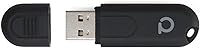
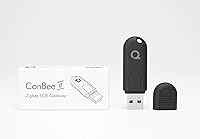
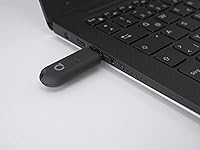
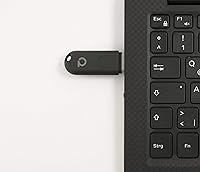
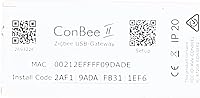
The Phoscon ConBee II Zigbee USB Gateway is a compact stick from dresden elektronik, a German networking hardware company that has been building mesh communication solutions for well over a decade. Plug it into any USB port on a Raspberry Pi, mini-PC, or laptop, and it becomes the bridge between your Zigbee smart home devices and whichever automation platform you prefer. What makes this USB coordinator stand out is its fully local operation — no cloud account, no mandatory registration, no internet dependency. It sits in a comfortable mid-range bracket: accessible enough for weekend hobbyists, yet solid enough for users running dozens of devices across a real home.
Features & Benefits
The ConBee II supports the full Zigbee 3.0 standard, which in practical terms means it talks to devices from IKEA, Philips Hue, Aqara, Sonoff, and hundreds of other brands without requiring separate hubs for each ecosystem. A built-in power amplifier pushes the signal up to 200 meters in open space and covers two to three rooms reliably indoors — noticeably better than many budget sticks. The included deCONZ software and Phoscon web app handle device pairing and management locally, and the stick integrates directly with Home Assistant, Zigbee2MQTT, and ioBroker. One honest caveat: there is no real-time clock onboard, which matters if you are comparing it against the RaspBee II.
Best For
This Zigbee USB stick is a natural fit for anyone building a local-first smart home — people who want their lights and sensors to keep working even if their router loses internet access. It shines particularly in Raspberry Pi setups running Home Assistant, where it ranks among the most widely recommended coordinators by the community. If your device collection spans multiple brands, this USB coordinator removes the headache of juggling manufacturer-specific apps. That said, it expects a degree of technical comfort: users who prefer a fully guided, no-configuration experience may find the initial setup more involved than expected. This is a tool for people who enjoy tinkering, not those expecting everything running in five minutes.
User Feedback
Across thousands of reviews, device compatibility and long-term reliability are the two things buyers praise most consistently — many report running the ConBee II for two or three years without a single hardware hiccup. Signal stability also draws positive mentions, especially from users with devices spread across multiple floors. On the critical side, deCONZ software frustrates some beginners who find its interface unintuitive compared to plug-and-play alternatives. Setup on certain Linux distributions requires extra steps the official documentation does not always cover clearly, though the Home Assistant and deCONZ community forums are active and usually fill those gaps. A tip that surfaces repeatedly: use a short USB extension to protect the connector from accidental stress.
Pros
- Works entirely offline — your automations keep running even when the internet goes down.
- Supports hundreds of Zigbee devices across brands like IKEA, Aqara, Philips Hue, and Sonoff from a single coordinator.
- Built-in power amplifier delivers noticeably better indoor range than most budget Zigbee sticks.
- Compatible with Home Assistant, Zigbee2MQTT, ioBroker, and deCONZ right out of the box.
- No subscription, no account creation, no data sent to a manufacturer cloud.
- Fits any USB port on a Raspberry Pi, mini-PC, or standard desktop without additional hardware.
- Long-term hardware reliability is strong — many users report years of continuous operation without failure.
- Broad OS support covers Windows, Linux, Raspbian, Docker, and MacOS.
- The active Home Assistant and deCONZ communities provide solid troubleshooting resources when you hit a wall.
- At its price point, the combination of range, compatibility, and local control is hard to beat.
Cons
- deCONZ software has a steep learning curve that genuinely trips up beginners.
- Setup on some Linux distributions requires manual steps that the official documentation glosses over.
- No real-time clock onboard, which is a gap compared to some competing modules.
- The USB connector is vulnerable to physical stress — a loose cable or accidental knock can cause disconnections.
- Phoscon app interface feels dated compared to more modern home automation dashboards.
- Device pairing can occasionally be inconsistent with certain Zigbee end devices, requiring multiple attempts.
- Not ideal as a standalone solution for users who do not want to run a separate home automation platform.
- Community support, while active, is the main safety net — official documentation has notable gaps.
Ratings
The scores below reflect our AI-driven analysis of thousands of verified global buyer reviews for the Phoscon ConBee II Zigbee USB Gateway, with automated filtering applied to remove incentivized, spam, and bot-generated feedback. Each category captures both what real users consistently praised and where genuine frustrations surfaced — nothing has been smoothed over to make the product look better than it is. The result is an honest, balanced picture to help you decide whether this USB coordinator fits your specific setup.
Device Compatibility
Signal Strength & Range
Software & Setup Experience
Long-Term Reliability
Platform Compatibility
Value for Money
Build Quality
Local & Privacy Operation
Community & Documentation
Installation Simplicity
Mesh Network Performance
OS & Docker Support
Physical Form Factor
Suitable for:
The Phoscon ConBee II Zigbee USB Gateway is built for people who want real control over their smart home without handing that control to a cloud server. It fits best with Home Assistant users on Raspberry Pi, where it has become one of the most recommended coordinators in the community — and for good reason, given how reliably it handles large device counts. If you have accumulated Zigbee devices from several different brands over the years, this USB coordinator saves you from running multiple hubs by unifying everything under one roof. It also appeals strongly to privacy-conscious buyers who want automations to run locally and keep working during internet outages. Experienced tinkerers upgrading from an older or weaker Zigbee stick will appreciate the stronger signal and broader device support without needing to replace any existing hardware.
Not suitable for:
The Phoscon ConBee II Zigbee USB Gateway is a poor match for anyone expecting a truly plug-and-play experience with zero configuration. If your idea of smart home setup is downloading a single app, tapping a few buttons, and walking away, the deCONZ software and platform integration steps will likely frustrate you before you get anywhere useful. It is also not the right pick for users who rely on a platform that does not support it natively, or for those running a very simple setup with devices all from a single brand ecosystem that already has a dedicated hub. The absence of a real-time clock rules it out for buyers who specifically need that feature and are weighing it against alternatives like the RaspBee II. Finally, if your installation spot is exposed to frequent physical disturbance, the USB connector durability may become an ongoing annoyance.
Specifications
- Manufacturer: The ConBee II is made by dresden elektronik, a German company specializing in wireless mesh networking hardware.
- Interface: Connects to the host device via standard USB, compatible with any full-size USB-A port.
- Protocol: Operates on the Zigbee 3.0 standard, ensuring broad interoperability across certified Zigbee devices from any manufacturer.
- Signal Range: Covers 2–3 rooms reliably indoors and reaches up to 200 meters in open line-of-sight conditions thanks to a built-in power amplifier.
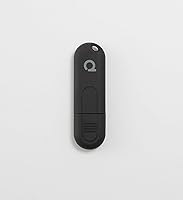
- Dimensions: The stick measures 2.36″ in length, 0.71″ in width, and 0.35″ in height — small enough to sit flush behind most devices.
- Weight: At just 8 grams, the stick adds no meaningful bulk to any host device or installation.
- Data Transfer: Supports USB data transfer at up to 3 Mbps, sufficient for real-time Zigbee coordinator communication.
- Real-Time Clock: The ConBee II does not include an onboard real-time clock (RTC), unlike some competing modules such as the RaspBee II.
- Supported OS: Compatible with Windows 7 and 10, Ubuntu Linux (AMD64), Raspbian, MacOS, and Docker-based environments.
- Platforms: Works natively with Home Assistant, Zigbee2MQTT, ioBroker, and the deCONZ REST API for custom integrations.
- Included Software: Ships with access to the deCONZ network management software and the Phoscon web application for local device control.
- Cloud Dependency: Operates entirely offline with no cloud account, mandatory registration, or active internet connection required for core functionality.
- Compatible Devices: Pairs with Zigbee-certified products from brands including IKEA, Philips Hue, Aqara, Sonoff, Tuya, and hundreds of others.
- Host Hardware: Designed for use with PCs, laptops, Raspberry Pi (all models with USB), and USB-equipped mini-PCs.
- Release Date: The ConBee II was first made available in April 2019 and has since accumulated a large user base worldwide.
- Model Number: The official item model number is BN-600107, as listed by the manufacturer dresden elektronik.
- BSR Ranking: Holds a Best Sellers Rank of approximately #340 in the USB Computer Network Adapters category on Amazon.
- Form Factor: Packaged as a compact USB dongle requiring no soldering, no additional antennas, and no proprietary mounting hardware.
Related Reviews
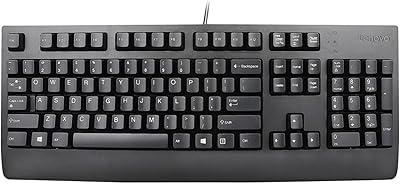
Lenovo Preferred Pro II Wired USB Keyboard

RME Fireface UFX II USB Audio Interface
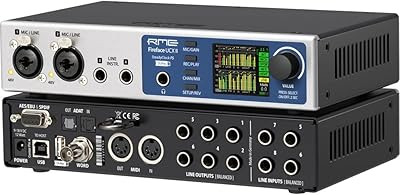
RME Fireface UCX II USB Audio Interface
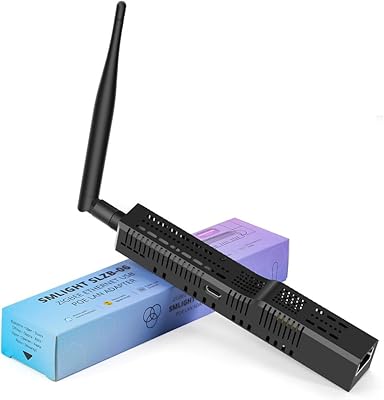
SMLIGHT SLZB-06 Zigbee Ethernet Gateway Coordinator
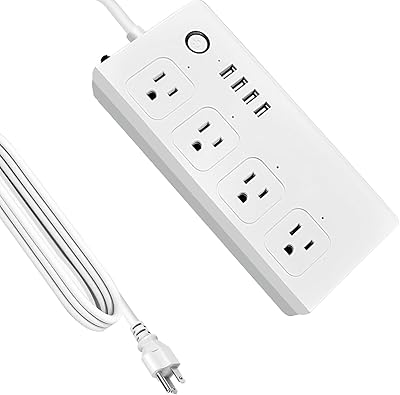
XENON ZigBee 4-Outlet Smart Power Strip
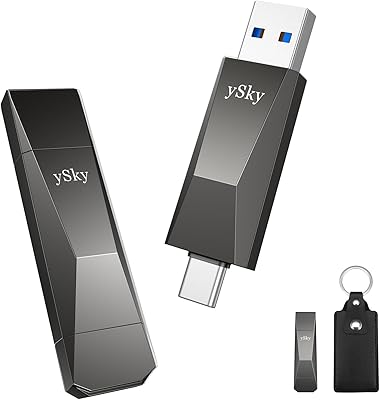
ySky 512GB Dual-Interface USB-C Flash Drive
CHHI D800 Wireless Mouse with Bluetooth, USB-A, USB-C Receiver