Overview

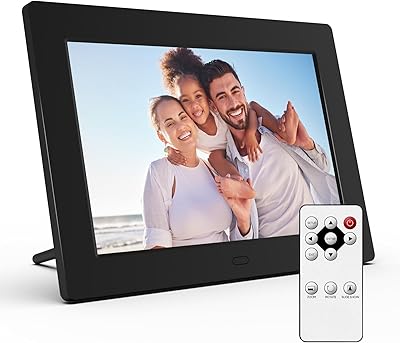
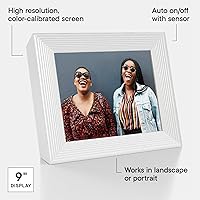
The Aura Mason 9-inch Digital Picture Frame is a WiFi-connected photo display built around one core idea: making it genuinely easy to share and receive photos without technical headaches. The frame itself is slim and understated — a clean white design that sits comfortably on a desk, shelf, or nightstand without demanding attention. Wirecutter named it their top pick for gifting, which tracks, but the real story is how well the Aura app ecosystem ties everything together. Worth stating upfront: this is a cloud-dependent device. If you want something that runs purely off a USB drive with no app involved, this is not the right fit.

Features & Benefits

The display is where this WiFi picture frame earns its price tag. At 1600x1200 on a 9-inch screen, photos look genuinely crisp — not washed out or pixelated the way cheaper frames tend to look. The auto-cropping feature is more useful than it sounds: when someone sends a portrait photo to a landscape-oriented frame, it intelligently adjusts rather than leaving awkward white bars. Setup takes only a few minutes through the app, and once it's running, multiple people can contribute photos — family members across different cities can all send pictures to the same frame. There are no memory cards to manage and no subscription required for storage.

Best For

This digital photo display is genuinely one of the better gifting options in this category — and that's not just marketing. It's particularly well-suited for long-distance families who want a low-effort way to stay visually connected. Grandparents especially benefit from the fact that they never have to touch the frame to receive new photos — the pictures simply appear. It's also a smart pick for anyone who cares about how things look on a shelf; the build quality and minimalist design hold up next to premium home goods. Just know that the recipient needs a WiFi connection to get started.

User Feedback

Across nearly 2,000 ratings, the Aura Mason frame sits at 4.7 stars, and reviews are notably consistent in what they praise. Display color accuracy and setup simplicity come up again and again — buyers are genuinely surprised by how little effort the initial configuration requires. The most touching reviews come from people who gave it to elderly relatives: the frame receives photos automatically, with no input needed from the recipient. That said, the 9-inch screen has its limits. Several users mention it feels slightly small for a living room TV stand but works well on a desk or bedside table. A handful also note occasional app issues — not deal-breaking, but worth knowing before you buy.

Pros

  • Photos sent from a phone appear on the frame within minutes, making distance feel genuinely smaller for families.
  • Free unlimited cloud storage means no memory cards, no storage limits, and no monthly fees.
  • Setup through the Aura app is fast enough that even first-time tech gift recipients can get started without help.
  • The 1600x1200 display renders family photos with accurate, vibrant colors that cheaper frames cannot match.
  • Multiple family members can contribute photos simultaneously, so the frame stays fresh without any single person managing it.
  • Auto-cropping handles mixed portrait and landscape photos without requiring manual editing before sending.
  • The slim white design blends into home decor rather than announcing itself as a gadget.
  • Night mode automatically turns the display off on a schedule, which is practical for bedroom placement.
  • Pre-loading photos before gifting makes for an immediately personal unboxing experience with no setup required from the recipient.
  • At nearly 2,000 ratings and a 4.7-star average, real-world satisfaction is unusually consistent for this product category.

Cons

  • The frame only works over WiFi — no USB, no SD card, no offline fallback if the connection drops.
  • A 2.4GHz-only WiFi requirement can cause pairing issues with modern mesh routers or congested apartment networks.
  • Some users report the Aura app occasionally loses connection to the frame and requires manual re-pairing.
  • Phone or tablet OS updates have caused the app to need reinstallation for a subset of users.
  • There is no motion sensor to wake the display when someone walks into the room, a feature some competitors offer.
  • Contributor management within the app is not intuitive — removing or re-inviting senders takes more steps than it should.
  • Long-term usability depends entirely on Aura continuing to support the platform and free storage model.
  • The plastic casing, while clean-looking, picks up fingerprints and scuffs more noticeably than metal or wood alternatives.
  • Buyers heavily invested in desktop photo libraries will find the phone-centric workflow limiting for bulk uploads.
  • Auto-crop occasionally cuts out people at the edges of group photos with no manual correction option available.

Ratings

The Aura Mason 9-inch Digital Picture Frame earns its reputation through consistent real-world performance, and the scores below reflect exactly that — generated by AI after analyzing thousands of verified global buyer reviews, with spam, bot submissions, and incentivized feedback actively filtered out. What you see here is an honest composite of what actual owners experience day to day, including the parts that disappoint. Both the strengths and the friction points are represented transparently.

Display Quality
91%
Owners repeatedly call out how vivid and true-to-life photos look on the screen. The 1600x1200 resolution on a 9-inch panel makes a noticeable difference compared to cheaper alternatives — colors render accurately rather than looking washed out or oversaturated, which matters when displaying cherished family photos.
A small number of users mention that in very bright rooms or under direct sunlight, the screen can appear slightly dim. There is no manual brightness slider in the app for some users, which makes it harder to optimize for different room lighting conditions.
Ease of Setup
94%
This is arguably where the Aura Mason frame stands out most. Buyers consistently report that the initial setup through the app takes under five minutes, with no confusing menus or network credentials to enter manually. Even reviewers who describe themselves as not tech-savvy found the process straightforward.
A handful of users on older Android devices encountered compatibility hiccups during first-time pairing. The setup flow assumes a stable 2.4GHz WiFi connection, and those with 5GHz-only routers occasionally needed to adjust their network settings before the frame would connect reliably.
App Experience
78%
22%
The Aura app is clean, intuitive, and makes sending photos from a phone to the frame feel genuinely effortless. The collaborative sharing feature — where multiple family members can all contribute to the same frame — is frequently praised as the most meaningful aspect of the experience for long-distance families.
Occasional connectivity drops between the app and the frame are the most cited frustration in negative reviews. Some users also note that after a phone OS update, the app required reinstallation or re-pairing, which adds unexpected friction. The app is essential to the whole experience, so any instability there affects everything.
Build Quality & Design
88%
The white finish and slim profile give this digital photo display a premium feel that holds up next to actual home decor rather than looking like a gadget. Buyers who care about aesthetics consistently note that the frame blends into a shelf or nightstand naturally, which is something cheaper alternatives rarely manage.
The matte plastic casing, while clean-looking, does attract fingerprints and minor scuffs over time. A few reviewers who compared it directly to wooden or metal-framed competitors felt the material didn't fully justify the price difference from a purely tactile standpoint.
Photo Management
86%
Free unlimited cloud storage through the Aura platform removes a genuine pain point that plagues many competitors — there are no memory cards to swap, no storage caps to worry about, and no monthly fees attached to the core functionality. Families can keep sending photos indefinitely without managing any files.
The frame does not support local playback from a USB drive or SD card, which is a dealbreaker for buyers who prefer offline control over their photo library. Users who want to bulk-upload from a desktop computer rather than a phone also find the workflow less convenient than expected.
Screen Size Suitability
69%
31%
For desk use, bedside tables, and kitchen counters, the 9-inch display hits a comfortable sweet spot — large enough to appreciate photo detail, compact enough not to dominate the space. Several buyers mention it fits perfectly in a home office without feeling out of proportion.
Reviewers who intended to place the frame on a living room media console or TV stand found the 9-inch screen underwhelming at typical viewing distances. It is genuinely small for shared living spaces, and buyers expecting something that functions like a display centerpiece may feel the size works against them.
Gifting Experience
93%
The out-of-box gifting experience is unusually well thought-out. The frame can be pre-loaded with photos before giving, which means the recipient gets an immediately personal, ready-to-enjoy gift rather than a box of setup instructions. This is the single most praised use case across hundreds of reviews.
The recipient still needs a working WiFi network to receive new photos after the initial setup, which can complicate gifting to older relatives who may not have reliable internet or who need help connecting a new device. The gift experience is polished, but the ongoing experience depends on the recipient's technical environment.
Auto-Cropping Accuracy
81%
19%
The intelligent cropping feature handles mixed-orientation photo libraries better than most buyers expect. Portrait photos sent to a landscape-oriented frame are cropped to focus on the subject rather than just cutting arbitrarily, which saves a lot of manual editing effort when multiple people are contributing different photo formats.
The automatic crop occasionally misses the mark on group photos with many faces, cutting out people at the edges. There is no manual override within the app to adjust the crop after the fact, so users with specific framing preferences have limited control over how individual photos are ultimately displayed.
Night Mode & Power Features
84%
The auto shut-off at night is a practical feature that buyers appreciate once they realize they never have to think about it. The frame learns or follows a set schedule to turn off the display, which is both energy-conscious and prevents the screen from becoming a distraction in a bedroom after dark.
The schedule customization within the app is limited for some users — a few report the night mode not always triggering at the exact time set, requiring manual adjustment. There is also no motion-sensing capability to wake the display when someone enters the room, a feature found on some competing frames.
Value for Money
74%
26%
For buyers who fully engage with the ecosystem — collaborative sharing, app management, unlimited storage — the price feels justified by the overall quality and the absence of ongoing subscription costs. The display, software polish, and build quality collectively represent a genuine step up from budget alternatives.
At this price point, buyers who mainly want a simple photo slideshow without app dependency may feel they are paying for features they will not use. Direct competitors offer larger screens at lower price points, and for purely display-focused buyers, the value equation is less clear-cut.
Connectivity Reliability
72%
28%
Under normal household WiFi conditions, the frame stays connected consistently and updates with new photos within minutes of someone sending them through the app. The experience of a photo appearing on a family member's frame shortly after being sent feels genuinely satisfying for regular users.
The frame only supports 2.4GHz WiFi, which can be a limitation in environments with congested networks or routers that do not broadcast a separate 2.4GHz band. Users in apartments with many competing networks, or those with mesh systems requiring specific configuration, report more frequent disconnections than typical.
Multi-User Sharing
89%
The ability to invite multiple contributors — siblings, friends, grandchildren — to send photos to a single frame is one of the most emotionally resonant features buyers describe. It transforms the frame from a static display into something that actually reflects the ongoing life of the people around it.
Managing contributor permissions requires some navigation within the app, and a few users found it unclear how to remove or re-invite contributors after initial setup. The frame also has no way to filter or curate which contributor's photos appear first, so active senders can inadvertently dominate the display.
Software Updates & Longevity
76%
24%
Aura has maintained the app and firmware with regular updates since the product launched, which gives buyers more confidence in long-term usability than some smaller competitors. Owners who have used the frame for multiple years report it still performs consistently with the current version of the app.
Because the frame is entirely app-dependent, its long-term usability is tied to Aura continuing to support the platform. A small but vocal group of reviewers raises concerns about what happens to the device if the company changes its business model or discontinues free storage — a fair and legitimate risk to factor in.

Suitable for:

The Aura Mason 9-inch Digital Picture Frame is genuinely well-matched for anyone who wants to give a meaningful, low-effort gift to someone they love — especially parents or grandparents who would never think to buy a tech device for themselves. The core appeal is that the recipient does not have to do anything after the initial setup: photos simply appear on the frame as family members send them through the app, which makes it an ideal choice for keeping older relatives visually connected without requiring them to navigate a smartphone or manage any settings. Families spread across different cities or countries tend to get the most out of this WiFi picture frame, since it functions as a living, constantly refreshed window into each other's daily lives rather than a static slideshow. It also works well for anyone who cares about how their home looks — the slim, clean design sits comfortably on a nightstand, desk, or bookshelf without looking out of place. If you are already comfortable sending photos from your phone and want that action to mean something more than a text message, this digital photo display is built precisely for that habit.
Not suitable for:

The Aura Mason 9-inch Digital Picture Frame is not the right choice for buyers who want a simple, offline photo display they can load from a USB drive or SD card and forget about — the entire experience runs through the Aura app and a live WiFi connection, and there is no workaround for that dependency. If the intended recipient does not have a reliable home WiFi network, or lives somewhere with inconsistent internet, the frame will not function as intended after setup. Buyers looking for a large display to anchor a living room or entertainment area will also likely find the 9-inch screen underwhelming at typical viewing distances — it is genuinely well-suited for personal spaces, not shared ones. Anyone who prefers full manual control over how photos are cropped, sequenced, or displayed may find the automated approach limiting, since the app offers relatively few customization options for individual photos. Finally, buyers who are uncomfortable with a long-term dependency on a company's cloud platform — and the uncertainty that comes with it — should weigh that risk seriously before committing, since the frame's core functionality is entirely tied to Aura's continued service.

Specifications

  • Screen Size: The display measures 9 inches diagonally, making it well-suited for desks, nightstands, and shelves rather than large shared living spaces.
  • Resolution: The screen renders at 1600x1200 pixels, delivering sharp, color-accurate photo reproduction across a 4:3 aspect ratio panel.
  • Aspect Ratio: The 4:3 aspect ratio closely mirrors the proportions of traditional printed photographs, which reduces awkward cropping on standard portrait and landscape shots.
  • Connectivity: The frame connects exclusively over 2.4GHz WiFi and does not support 5GHz networks, Ethernet, Bluetooth, USB, or SD card input.
  • Compatibility: The Aura companion app is compatible with iOS 14 and later on Apple devices, and Android 5.0 and later on Android devices.
  • Photo Storage: Aura provides free, unlimited cloud storage for all photos sent to the frame, with no storage cap and no subscription fee required.
  • Auto-Cropping: Built-in auto-cropping technology automatically adjusts the framing of portrait and landscape photos to fit the display without black bars or manual editing.
  • Night Mode: The frame includes an automatic shut-off feature that turns the display off on a set nighttime schedule to conserve energy and avoid screen glow in dark rooms.
  • Dimensions: The overall unit measures 3.54 x 9.45 x 0.99 inches, giving it a slim profile that sits flat against a shelf or surface without protruding noticeably.
  • Weight: The frame weighs 4.2 pounds, which provides enough stability to stand without tipping while remaining light enough to reposition easily.
  • Color & Finish: The Mason model reviewed here is available in White, with a clean matte finish designed to complement neutral home decor without drawing attention to itself.
  • Model Number: The official model identifier for this unit is AF200-WHTS, which corresponds to the white colorway of the Mason frame in the Aura lineup.
  • Manufacturer: The frame is designed and manufactured by Aura Home, Inc., a US-based company focused exclusively on connected photo display products.
  • Multi-User Sharing: Multiple contributors can be invited through the Aura app to send photos to a single frame simultaneously, with no limit specified on the number of approved senders.
  • Platform: The entire frame experience — setup, photo sending, contributor management, and display settings — is managed through the Aura mobile app on iOS or Android.
  • Pre-Loading Photos: Photos can be loaded onto the frame before gifting directly through the app, so the recipient receives a personalized, ready-to-display frame out of the box.
  • Seller Rank: At the time of this review, the frame holds a Best Sellers Rank of #68 in the Digital Picture Frames category on Amazon.
  • User Rating: The frame carries an average rating of 4.7 out of 5 stars across 1,952 verified ratings on Amazon, reflecting strong and consistent buyer satisfaction.

Related Reviews

TMC FDD-86-W 9-Inch Digital Picture Frame
72%
93%
Ease of Setup
74%
Display Quality
61%
Screen Brightness
71%
Video Playback
47%
Audio & Speakers
More
Atatat Digital Picture Frame 10-inch
84%
90%
Display Quality
85%
Ease of Setup
88%
Slideshow Functionality
80%
Build Quality
83%
Remote Control Usability
More
Canupdog BOLYDOOM 16-Inch Digital Picture Frame
77%
83%
Display Quality
78%
Ease of Setup
67%
App Performance
88%
Storage & Capacity
71%
Build Quality
More
FLYAMAPIRIT DPF808 8-inch Digital Picture Frame
70%
91%
Ease of Setup
78%
Display Quality
72%
Motion Sensor
58%
Build Quality
83%
Value for Money
More
eco4life 7-Inch Digital Picture Frame
76%
93%
Ease of Setup
88%
Value for Money
71%
Display Quality
62%
Build Quality
66%
Remote Control
More
Jaihonda 10 Inch Digital Picture Frame
80%
90%
Display Quality
88%
Ease of Use
84%
Value for Money
75%
Build Quality
94%
Setup & Installation
More
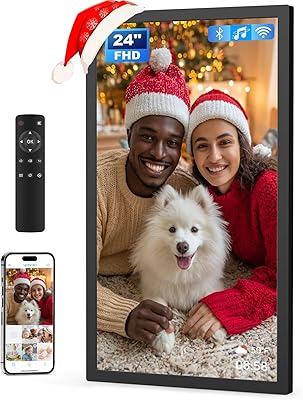
Arktronic 24-inch Digital Picture Frame
83%
91%
Display Quality
87%
Ease of Use
88%
Storage Capacity
85%
WiFi Connectivity
83%
Build Quality
More
KODAK 8-Inch Digital Picture Frame

78%
93%
Ease of Setup
84%
Display Quality
88%
Simplicity & Usability
61%
Remote Control
89%
Auto On/Off Timer
More
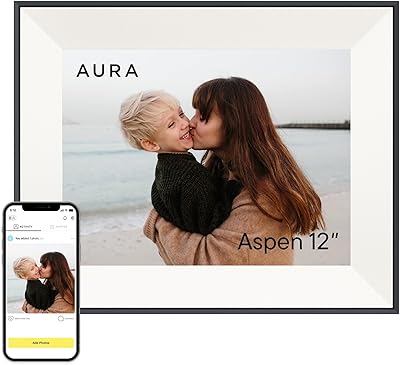
Aura Aspen 12″
Aura Aspen 12″
84%
88%
Display Quality
82%
Anti-Glare Performance
91%
Build Quality & Design
93%
Setup Experience
79%
App Experience
More
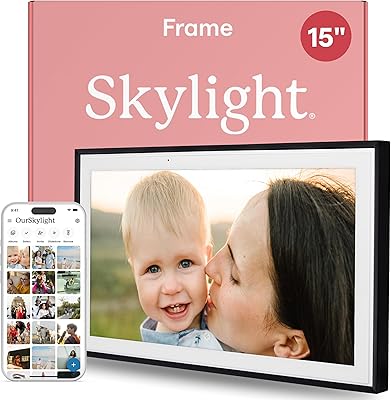
Skylight Digital Picture Frame 15-inch

84%
91%
Ease of Setup
88%
Display Quality
74%
Wi-Fi Connectivity
85%
Design & Build Quality
89%
User Interface
More

FAQ

No — the recipient never needs to touch the app or do anything at all after the initial setup is complete. Once the frame is connected to WiFi and registered, photos sent by family members through the Aura app appear on the frame automatically. The whole point is that the person receiving the gift just enjoys the photos without any ongoing effort on their end.

Yes, and this is one of the features buyers appreciate most. You can connect the frame to your own WiFi, register it in the app, and pre-load photos before wrapping it. When the recipient plugs it in at their home, they will just need to connect it to their WiFi network — everything else is already done.

Not really. The frame requires an active WiFi connection to receive new photos and to stay in sync with the Aura cloud. It may display previously loaded photos if the connection drops temporarily, but for full functionality — including receiving new images from family — a reliable home WiFi connection is necessary.

This is a real limitation worth knowing about upfront. The frame only supports 2.4GHz WiFi, so if your router broadcasts exclusively on 5GHz, you will need to enable a 2.4GHz band as well. Most modern routers support both bands, but you may need to log into your router settings to activate or separate them.

There is no hard cap on the number of contributors. You can invite as many family members or friends as you want through the app, and each of them can send photos independently. This works well for large families where siblings, grandchildren, or friends all want to contribute to a shared frame.

No — Aura provides free, unlimited cloud storage as part of the platform at no ongoing cost. You do not need a subscription to send, store, or display photos. This is one of the more meaningful differences between this frame and some competitors that limit storage or charge for premium tiers.

The frame displays photos sent by approved contributors, and you can manage who is allowed to send through the app. However, the level of individual photo curation is limited — you cannot easily set a specific display order or prevent certain photos from appearing without removing the sender entirely. For most families this is fine, but detail-oriented users may find the control options a bit basic.

The auto-crop feature uses intelligent framing to focus on the main subject — typically faces — rather than just cutting the image from the center. It handles most everyday photos well, though it occasionally misjudges group shots where faces are spread across the edges. There is currently no manual override to adjust the crop after the fact.

Honestly, the 9-inch screen is best suited for personal spaces — a bedroom, home office, kitchen counter, or desk. At living room viewing distances, it tends to feel small and can get lost against a wall or on a media console. If you need something for a shared living area, you would likely want to consider a frame with a 10-inch or larger display.

This is a fair concern and worth thinking through. Currently, Aura offers free unlimited storage with no mandatory subscription, but the long-term continuity of that model is not guaranteed. If the company were to change its structure, access to cloud-stored photos and frame functionality could be affected. It is a real dependency that comes with any cloud-connected device, and buyers who prefer full ownership of their media should weigh this before purchasing.

Where to Buy