Overview

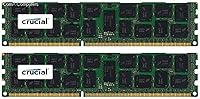
The Crucial CT2K16G3ERSLD4160B 32GB DDR3 RDIMM Server RAM is exactly what it sounds like: two 16GB sticks built to run together in a dual-channel server setup, not a single oversized module pretending to be a kit. This memory kit uses a registered ECC design, which is a fancy way of saying it was made for servers and workstations that need to catch and correct memory errors on the fly, rather than desktop towers. It's rated at 1333 MT/s, a notch below the 1600 MT/s ceiling printed on the box, since actual speed depends on what your motherboard allows. Running at 1.35V, it stays on the cooler, more power-conscious side, which matters when you've got a rack full of these things. Crucial has sold this exact part since 2012, and it's still in active production today.
Features & Benefits

What stands out with this server RAM kit is the quad-rank design, which packs more capacity into each slot than a standard dual-rank module could manage on supported boards. That ECC error correction isn't just a checkbox spec either: it's quietly catching and fixing memory errors before they turn into corrupted data or a crashed server during a long uptime stretch. Buying it as a matched pair also takes some of the guesswork out of pairing modules yourself, since Crucial has already tested the two sticks to work together. And because the brand has a long track record of validating its memory against specific server platforms, there's a bit less anxiety about ending up with RAM that technically fits but doesn't play nice. Physically, the sticks are compact enough that installing them in a cramped server chassis isn't a wrestling match.

Best For

This RDIMM kit makes the most sense for IT admins who are stretching the life of older DDR3-based servers rather than replacing them outright, since adding capacity is usually cheaper than a full hardware refresh. Small businesses running file servers, virtualization hosts, or internal applications on aging hardware are a natural fit too, especially when budget matters more than having the newest platform. Home lab tinkerers and virtualization hobbyists looking for ECC-validated capacity without paying enterprise prices will also get good mileage out of it. It's equally useful as a straightforward replacement when a module fails and you need something that matches your existing setup closely. What it's not suited for is a typical desktop or gaming PC, since those generally call for unbuffered memory instead of registered modules like these.

User Feedback

Feedback on this memory kit tends to land in solid, unremarkable territory rather than wildly enthusiastic or harshly negative, which itself says something: most people install it, it works, and they move on. The biggest recurring point of confusion in reviews is the speed labeling, since some buyers expect a flat 1600 MT/s and are caught off guard when it runs at 1333 MT/s depending on their platform. A smaller group reports that compatibility really does hinge on the specific server model and BIOS version, so a bit of research beforehand goes a long way. On the positive side, dead-on-arrival complaints are rare, which suggests decent quality control for a fairly niche product category. Overall, it reads as a dependable, if unglamorous, choice.

Pros

  • Delivers a full 32GB through two matched 16GB sticks, simplifying dual-channel server upgrades
  • ECC error correction adds real protection against data corruption during long server uptimes
  • Low-voltage 1.35V operation helps keep heat and power draw manageable in dense racks
  • Crucial's compatibility testing reputation eases worries about mismatched or flaky server memory
  • Quad-rank design allows higher capacity per slot on motherboards that support it
  • Compact physical size makes installation easy even in cramped server chassis
  • Long production history since 2012 suggests a mature, well-tested design
  • Reasonable quality control reported by buyers, with few dead-on-arrival complaints

Cons

  • Actual running speed often lands at 1333 MT/s rather than the advertised 1600 MT/s
  • Compatibility varies significantly by server model and BIOS version, requiring upfront research
  • Registered ECC design makes it completely unusable in typical desktop or gaming motherboards
  • Speed labeling on packaging can mislead buyers unfamiliar with platform-dependent memory speeds
  • Older DDR3 architecture means no upgrade path toward modern DDR4 or DDR5 performance
  • Average user ratings suggest a dependable but unremarkable ownership experience overall
  • No included tools or guidance for verifying server-specific compatibility before installation

Ratings

Our scorecards for the Crucial CT2K16G3ERSLD4160B 32GB DDR3 RDIMM Server RAM are generated by AI after analyzing verified buyer reviews from across the globe, with spam, bots, and incentivized feedback actively filtered out. The goal is to give you a transparent read on both where this server RAM kit genuinely shines and where it tends to frustrate people, without sugarcoating either side.

Compatibility & Platform Fit
68%
32%
Buyers running it on well-documented, widely supported server platforms report smooth installs with no surprises, especially in common enterprise rack setups. When the board explicitly lists support for registered quad-rank DIMMs, this memory kit tends to just work right out of the box.
A noticeable chunk of feedback comes from users who didn't verify BIOS or board support beforehand and ran into modules that wouldn't initialize or were only partially recognized. Compatibility clearly isn't universal, and skipping the research step is a common source of frustration.
Speed Labeling Clarity
54%
46%
Once buyers understand that 1600 MT/s is a ceiling rather than a guarantee, most are satisfied with the consistent 1333 MT/s performance they actually get on supported hardware. Knowledgeable IT buyers tend to shrug this off as standard server memory behavior.
Plenty of first-time buyers feel misled when this RDIMM kit runs noticeably slower than the headline speed printed on the packaging. The gap between advertised and actual throughput is a recurring complaint, particularly among less experienced shoppers.
ECC Reliability & Data Protection
91%
Server admins consistently praise the ECC error correction for quietly catching and fixing memory glitches during long uptimes, especially on machines running critical workloads around the clock. It's described repeatedly as the kind of feature you forget about until it saves you from a bad day.
A few users note that ECC logging can occasionally flag correctable errors that cause unnecessary alarm before they realize the system handled the issue automatically. Beyond that minor confusion, there's very little real criticism of this aspect.
Value for Money
86%
Compared to buying brand-new DDR4 server hardware, this memory kit offers a genuinely budget-friendly way to extend the usefulness of existing infrastructure. Small business owners and home lab users frequently mention it as a smart, low-risk upgrade rather than a costly gamble.
Some buyers feel the price doesn't fully reflect the limitations of older DDR3 technology, especially when compatibility issues force a return or exchange. For those without an existing DDR3 server, the value proposition drops considerably.
Quality Control (DOA Rate)
88%
Dead-on-arrival reports are notably rare across reviews, and most buyers describe both modules working correctly straight out of the packaging. For a niche server component, this level of consistency builds real confidence in the manufacturing process.
A small number of users did report one module failing to be recognized while its pair worked fine, requiring troubleshooting or a replacement request. It's not a widespread issue, but it does occasionally surface.
Build Quality & Construction
85%
The modules feel solidly made, with sturdy PCBs and connector pins that seat firmly into server slots without excessive force. Reviewers handling dozens of units for fleet upgrades describe the build as consistent unit to unit.
There's nothing particularly remarkable about the physical construction beyond standard server-grade expectations, so it won't impress anyone looking for premium aesthetics or unique design touches. A few buyers wished for clearer printed labeling on the modules themselves.
Heat & Power Efficiency
81%
19%
The 1.35V low-voltage operation gets specific praise from users running dense, multi-server racks where every bit of saved heat and power adds up. It's described as noticeably gentler on cooling systems than older standard-voltage DDR3 sticks.
In poorly ventilated or already-crowded server cases, some buyers still report warmer-than-expected module temperatures under sustained heavy load. The efficiency gains are real but can be undercut by an already-struggling cooling setup.
Installation Ease
87%
The compact footprint and standard DIMM form factor make slotting these sticks into tight server chassis straightforward, even in cramped 1U or 2U enclosures. Buyers consistently mention quick, uneventful installs with no special tools required.
A handful of users in older or unusually configured server cases mention limited clearance around neighboring components, making the process slightly more fiddly than expected. It's a minor issue tied more to case design than the memory itself.
Brand Trust & Track Record
89%
Crucial's long-standing reputation for rigorous compatibility testing gives many buyers added confidence, particularly those who've had bad experiences with off-brand server memory in the past. The brand name alone seems to ease purchase anxiety for IT professionals.
A few reviewers note that brand trust doesn't eliminate the need to manually verify compatibility, and some felt the Crucial name created a false sense of guaranteed plug-and-play simplicity. Reputation helps, but it isn't a substitute for due diligence.
Capacity for Server Workloads
84%
The full 32GB kit gives virtualization hosts and small file servers comfortable breathing room for running multiple VMs or handling moderate workloads without constant memory pressure. Home lab users especially appreciate the jump in headroom this provides.
For larger virtualization environments or memory-hungry database servers, 32GB can still feel limiting, pushing some buyers toward purchasing multiple kits to reach their actual capacity needs. It's a solid amount, but not boundless.
Documentation & Compatibility Resources
59%
41%
Buyers who took the time to cross-reference their server model against manufacturer compatibility lists generally found the process manageable and the information accurate when available. It rewards a little upfront homework.
Several reviewers wished for clearer, more accessible compatibility guidance bundled with the purchase itself rather than needing to hunt across multiple manufacturer websites. The lack of straightforward, included documentation is a recurring minor frustration.
Long-Term Durability
79%
21%
Buyers running this memory kit for extended periods report stable, consistent performance without degradation, even under continuous server uptime. Longevity seems to hold up well for a memory standard that's been on the market for over a decade.
Because DDR3 server hardware itself is aging, some buyers worry less about the memory failing and more about finding replacement parts or compatible boards years down the line. Durability of the module isn't really the concern; platform longevity is.
Niche Fit & Desktop Incompatibility Risk
47%
53%
For its intended audience, the specialized server-only design is exactly the point, and knowledgeable buyers appreciate that it isn't watered down to accommodate desktop use cases. It does one job and does it deliberately.
Plenty of confused first-time buyers purchase this RDIMM kit expecting it to work in a regular desktop or gaming PC, only to discover registered ECC memory is fundamentally incompatible with consumer motherboards. This mismatch accounts for a meaningful share of negative reviews.

Suitable for:

The Crucial CT2K16G3ERSLD4160B 32GB DDR3 RDIMM Server RAM makes the most sense for IT admins and small business owners trying to squeeze more life out of an aging DDR3 server fleet rather than justifying a full hardware refresh. It's also a smart pick for home lab enthusiasts and virtualization tinkerers who want ECC-validated capacity for running multiple VMs without paying enterprise prices for newer DDR4 gear. Anyone dealing with a failed module in an existing server, who needs a closely matched replacement instead of a mismatched single stick, will appreciate buying it as a tested pair. Because it's a quad-rank design, it's particularly useful on boards that support higher-density modules and need to maximize capacity per slot. In short, it fits people who already know they need registered ECC memory and just want a reliable, no-surprises way to get it.

Not suitable for:

Anyone building or upgrading a standard desktop, workstation, or gaming PC should steer clear, since the Crucial CT2K16G3ERSLD4160B 32GB DDR3 RDIMM Server RAM is registered memory that simply won't work in boards expecting unbuffered DIMMs. Buyers chasing the full 1600 MT/s speed printed in some listings may also be disappointed, since it commonly runs at 1333 MT/s depending on platform limitations. If you're not willing to double-check your specific server model and BIOS version against compatibility lists first, the risk of a mismatched purchase goes up considerably. It's also not a great fit for anyone wanting the latest DDR4 or DDR5 performance, since this is older-generation memory aimed squarely at keeping legacy hardware running rather than pushing modern speeds. Shoppers who want a plug-and-play guarantee with zero research beforehand may find the platform-dependent quirks frustrating.

Specifications

  • Kit Capacity: This kit totals 32GB of memory, made up of two individual 16GB modules.
  • Memory Type: Each module uses DDR3 SDRAM technology designed for server-class motherboards.
  • Module Type: The sticks are Registered DIMMs (RDIMM), which require a server or workstation board built to support registered memory.
  • Rank Configuration: Each module uses a quad-rank (4Rx4) layout that allows higher density per slot on supported systems.
  • Rated Speed: The modules are rated at 1333 MT/s (PC3-12800), with actual operating speed depending on the host platform.
  • Operating Voltage: Each module runs at a low-voltage 1.35V, reducing power draw and heat output compared to standard-voltage DDR3.
  • Error Correction: ECC (Error-Correcting Code) support helps detect and correct memory errors during operation.
  • Model Numbers: The kit is identified under model numbers CT2K16G3ERSLD4160B and CT2C16G3ERSLD4160B.
  • Module Weight: Each individual module weighs approximately 1.28 ounces.
  • Module Dimensions: Each stick measures roughly 7 x 0.44 x 5 inches.
  • Compatible Devices: The kit is designed specifically for server hardware rather than desktop or laptop computers.
  • Manufacturer: The memory is manufactured and sold under the Crucial brand.
  • Availability Status: The product is not discontinued and remains in active production as of this listing.
  • Release Date: This model was first made available on the market in August 2012.
  • Installation Format: The kit ships as a matched two-stick set rather than as a single combined module.

Related Reviews
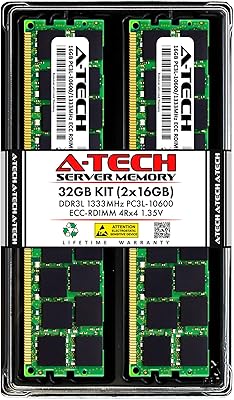
A-Tech 32GB DDR3 1333MHz ECC Registered Server RAM Kit
87%
88%
Performance
91%
Ease of Installation
85%
Reliability
93%
Data Integrity (ECC)
89%
Stability Under Load
More
A-Tech 16GB DDR3 1600MHz ECC Server RAM
79%
71%
Compatibility
88%
ECC Reliability
84%
Value for Money
73%
Installation Ease
83%
Build Quality
More
Crucial 32GB DDR5 SODIMM Laptop RAM
83%
88%
Platform Compatibility
91%
Installation Experience
71%
Real-World Performance Gains
83%
Value for Money
93%
Long-Term Reliability
More
A-Tech 32GB DDR3 1600MHz Desktop RAM
78%
91%
Value for Money
74%
Compatibility Range
88%
Installation Experience
89%
System Stability
86%
Thermal Performance
More
Crucial Pro Overclocking 32GB DDR5-6000 RAM Kit
91%
96%
Ease of Installation
93%
System Stability
89%
Gaming Performance
88%
Value for Money
84%
Thermal Management
More
Crucial 32GB DDR5-5600MHz SODIMM Kit (CT2K16G56C46S5)
90%
94%
Multitasking Performance
97%
Ease of Installation
92%
Value for Money
89%
Compatibility
86%
Gaming Stability
More
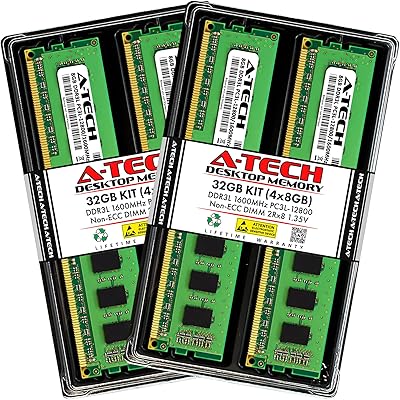
A-Tech 32GB DDR3 1866MHz RAM Kit (4x8GB)
86%
89%
Performance Boost
92%
Installation Ease
91%
Value for Money
75%
Compatibility
85%
Reliability
More
Crucial Pro 32GB DDR5 5600MHz RAM Kit
84%
92%
Installation & Setup
81%
Gaming Performance
88%
Multitasking & Productivity
89%
Thermal Performance
90%
Build Quality & Reliability
More
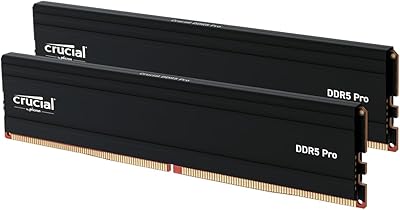
Crucial Pro 32GB DDR4 3200MHz Kit (2x16GB)
84%
94%
Installation Ease
92%
System Stability
78%
XMP & Speed Configuration
88%
Compatibility Range
83%
Value for Money
More
Yongxinsheng DDR3 32GB Kit (8GBx4) Desktop RAM 1600MHz
85%
88%
Performance
92%
Ease of Installation
90%
Value for Money
83%
Heat Dissipation
75%
Compatibility with Motherboards
More

FAQ

No, this won't work in a typical desktop or gaming PC. Registered ECC memory like this is built for server motherboards, and most consumer boards only accept unbuffered (UDIMM) memory. If you're upgrading a regular desktop, you'll want a different kit entirely.

That's actually pretty normal with this kind of memory. The module is capable of up to 1600 MT/s, but the speed it actually runs at depends on what your server's motherboard and CPU support. Many older server platforms cap out at 1333 MT/s, so don't be surprised if that's what you see reported in your BIOS.

You can technically use just one module, but installing both gives you the full 32GB and lets you take advantage of dual-channel performance. Since they're sold and tested as a matched pair, it's generally smarter to install them together rather than mixing with unrelated sticks.

Check your server or motherboard manufacturer's official memory compatibility list before buying. You'll specifically want to confirm support for registered ECC DDR3 RDIMMs at this capacity and rank, since not every board accepts quad-rank modules. A quick search of your exact server model plus 'memory compatibility' usually turns up the answer.

It's not strictly mandatory, but it's strongly recommended for anything running important workloads or long uptimes. ECC catches and corrects small memory errors before they cause crashes or data corruption. For a home lab running VMs or storage, that extra reliability is usually worth it.

It's best to avoid mixing unless the existing modules match closely in speed, voltage, rank, and ECC support. Server memory is pickier about this than typical desktop RAM, and mismatched modules can cause instability or force everything to run at the lowest common speed. When in doubt, replace existing memory with a full matching set instead.

If your crashes are caused by failing or insufficient memory, then yes, replacing it can absolutely help. But if the issue is something else entirely, like a power supply or storage problem, new RAM won't solve that on its own. It's worth running a memory diagnostic first to confirm the actual cause.

Thanks to the 1.35V low-voltage design, it tends to run cooler than older standard-voltage DDR3 modules. That said, actual temperatures depend heavily on your server's airflow and case design. In a well-ventilated rack or chassis, heat shouldn't be a significant concern.

If you're already running DDR3-based server hardware, this memory kit is still a practical and cost-effective way to extend its useful life rather than replacing the whole system. It's not going to match the speed of newer DDR4 or DDR5 platforms, but for older infrastructure, it gets the job done reliably. The Crucial CT2K16G3ERSLD4160B 32GB DDR3 RDIMM Server RAM remains a sensible upgrade path specifically for that use case.

You can typically run on the remaining single module while you sort out a replacement, though you'll lose dual-channel performance and drop to 16GB total. Since reviews mention very few dead-on-arrival issues, outright failures seem uncommon, but it's always smart to test new memory thoroughly right after installation.