Overview

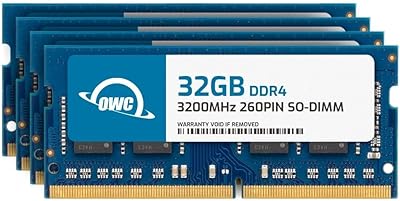
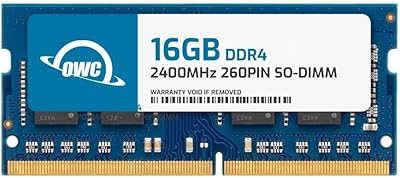
The OWC 128GB DDR4 2400MHz SO-DIMM RAM Kit is a high-capacity memory upgrade built for professionals, content creators, and power users who have genuinely run out of headroom on their current system. Packaged as four 32GB modules, it targets notebooks and all-in-one computers — not the average consumer who browses and streams. Other World Computing has spent decades earning a solid reputation for reliable Mac and PC upgrades, and this kit reflects that pedigree. Full JEDEC compliance means each module is built to a recognized industry standard, reducing the guesswork that comes with unvalidated third-party memory. This is a premium-tier investment, and it makes sense only for the right workload.
Features & Benefits

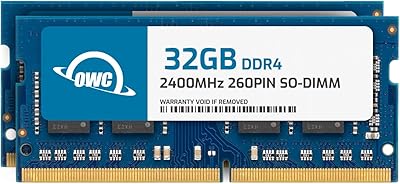
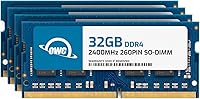
At the heart of this OWC memory upgrade are four 260-pin SO-DIMM modules running at 2400MHz with CL17 latency and a conservative 1.2V draw — specs that prioritize stability as much as raw capacity. Reaching 128GB in a notebook is no small feat, and the DDR4 standard keeps thermals manageable during sustained workloads. Because the kit is fully plug-and-play, there is no software to configure or profile to manually enable; the system simply reads the modules and boots. OWC backs the kit with a warranty, which matters when you are making a meaningful hardware investment. Collectively, these details add up to a well-engineered upgrade rather than a spec sheet with nothing behind it.

Best For

This 128GB SO-DIMM kit is genuinely built for a narrow audience — and that is not a criticism. Video editors cutting 8K footage in DaVinci Resolve, developers spinning up multiple virtual machines simultaneously, or data scientists loading large datasets entirely into memory are the users who will feel a real difference. IT professionals building portable high-performance workstations where desktop hardware is not an option will also find it compelling. That said, verifying compatibility before purchasing is non-negotiable. OWC supports 128GB configurations only on select systems and provides an online compatibility checker that removes the guesswork. If your machine is on the list, this upgrade can effectively max out your system in one shot.

User Feedback

With over 1,700 ratings and a 4.6-star average, this four-module DDR4 kit has earned consistently strong marks from a wide range of buyers. The most common praise centers on reliable first-boot recognition — many users report the modules were detected immediately without any BIOS adjustments. Professionals upgrading creative or development machines note real improvements in how their systems handle heavy multitasking. The main criticism, and it is a fair one, involves compatibility: buyers who skip OWC's verification tool sometimes find the kit does not work with their specific laptop model. The price is high by almost any measure, though most reviewers who needed this level of capacity conclude the quality control and warranty support justify the cost.

Pros

  • Reaches 128GB total capacity in a single kit, letting compatible systems hit their memory ceiling in one upgrade.
  • Four matched 32GB modules reduce the risk of compatibility mismatches between individual sticks.
  • JEDEC-compliant construction means stable operation without needing manual XMP or DOCP profiles.
  • Low 1.2V operating voltage keeps thermals reasonable even during sustained memory-intensive workloads.
  • Plug-and-play installation — no BIOS tweaking required on supported systems.
  • OWC backs the kit with a warranty, which matters for an investment at this price tier.
  • Over 1,700 real-world ratings with a strong average score points to consistent quality across production batches.
  • Users report reliable first-boot recognition with no trial-and-error reseating needed.
  • OWC's compatibility checker takes the guesswork out of purchasing for supported machines.
  • Meaningful real-world gains reported by professionals running VMs, render pipelines, and large datasets simultaneously.

Cons

  • Works only with select laptops and all-in-ones — compatibility must be verified before buying, full stop.
  • The price is substantially higher than lower-capacity DDR4 kits, making it a hard sell for lighter workloads.
  • 128GB is overkill for the vast majority of laptop users, including many who consider themselves power users.
  • Requires four open SO-DIMM slots, which many mid-range and even some high-end notebooks do not have.
  • 2400MHz is not the fastest DDR4 speed available; buyers on platforms that support higher frequencies may find faster kits elsewhere.
  • No RGB or visual indicator of module status — minor, but worth noting for builders who care about that.
  • Returns due to incompatibility are a recurring theme in negative reviews, pointing to a buyer education gap.
  • Replacing or warranty-claiming individual modules within a matched kit can complicate the process compared to a single-stick purchase.

Ratings

The OWC 128GB DDR4 2400MHz SO-DIMM RAM Kit has been evaluated by our AI rating system after analyzing thousands of verified global buyer reviews, with spam, bot-generated, and incentivized submissions actively filtered out. Scores reflect the full spectrum of real-world experience — from professionals who call this upgrade transformative to buyers who ran into compatibility walls. Both the strengths and the friction points are represented honestly below.
Compatibility Reliability
73%
27%
Buyers who verified their system through OWC's compatibility tool before purchasing report near-universal success on first installation. On supported workstation-class laptops, the modules are recognized immediately without any BIOS intervention, which professionals under deadline pressure genuinely appreciate.
Compatibility is the single biggest source of negative reviews. A meaningful portion of buyers assumed their DDR4 laptop would automatically support 128GB — it often does not — and the return process that follows is frustrating. The kit works brilliantly within its supported device list, but that list is narrower than many buyers expect.
Installation Experience
88%
On compatible machines, this OWC memory upgrade goes in cleanly and the system boots without any manual configuration. Developers and creative professionals who have done RAM upgrades before report the process taking under 15 minutes, with the modules seating firmly and the OS reporting full capacity immediately.
The installation itself is straightforward, but the prerequisite research — confirming slot count, verifying chipset support, and identifying the correct disassembly path for your specific laptop — adds friction that less experienced buyers underestimate. OWC's guides help, but they do not cover every compatible model.
System Stability
91%
Long-term stability is one of the most consistently praised aspects across the review base. Users running virtual machines continuously, processing large video timelines, or keeping dozens of browser tabs and dev environments open simultaneously report no unexpected crashes, freezes, or memory errors after months of use.
A small number of users report occasional boot hesitation after sleep cycles, though this appears to be system firmware behavior rather than a module defect. Edge cases involving mixed memory configurations — where users did not remove existing sticks — account for most instability complaints.
Value for Money
67%
33%
For the specific buyer who needs 128GB in a portable form factor and has a compatible system, the cost-per-gigabyte is defensible given OWC's quality control, warranty coverage, and the relative scarcity of reliable high-density SO-DIMM kits at this capacity. Professionals billing hourly value the reduced downtime.
By any general measure, this is an expensive memory upgrade, and buyers who do not genuinely saturate lower RAM configurations will struggle to justify the cost. The price gap between this kit and a 64GB alternative is substantial, and the productivity gains are only real if your workload actually demands that headroom.
Build & Module Quality
86%
The modules feel solidly constructed, with consistent PCB quality across the four sticks in a kit. OWC's reputation for rigorous quality control comes through here — buyers rarely report physical defects like bent pins or cracked boards, which matters when you are handling four separate components during installation.
There is no heat spreader on these modules, which is a reasonable design choice for SO-DIMM form factor constraints but means thermals rely entirely on the laptop's internal airflow. Under sustained workloads in thermally restricted chassis, this is worth keeping in mind.
Performance at 2400MHz
79%
21%
For workloads that are memory-capacity bound rather than memory-bandwidth bound — think large dataset processing, VM orchestration, or rendering scenes that previously caused thrashing to disk — the jump to 128GB produces tangible improvements that users describe in concrete terms: faster project load times, smoother multitasking, elimination of swap usage.
2400MHz is not the ceiling of what DDR4 can do, and buyers with systems that support faster memory speeds may notice this kit does not push bandwidth performance. For latency-sensitive workloads, the CL17 rating is adequate but not exceptional compared to higher-binned alternatives on compatible platforms.
Warranty & Support
83%
OWC's warranty coverage and customer support reputation are frequently cited by reviewers as a deciding factor over generic no-name alternatives. Several buyers mention that reaching a knowledgeable human at OWC was faster and more productive than comparable experiences with larger memory brands.
The warranty terms are not prominently detailed in the product listing, which leaves some buyers uncertain about coverage duration and the RMA process. A handful of reviewers note that processing a warranty claim required more back-and-forth than expected, particularly for international buyers.
Packaging & Presentation
77%
23%
The four modules arrive in organized, protective packaging that keeps each stick separated and secure during shipping. Buyers report no damage on arrival even after international transit, and the anti-static handling appears adequate for professional-grade components.
The packaging is functional rather than premium, which some buyers at this price point find slightly inconsistent with the investment they are making. Documentation included in the box is minimal — installation guidance points users online rather than providing a printed quick-start card.
Plug-and-Play Behavior
84%
On validated systems, the four-module DDR4 kit requires zero software setup — no XMP profile to enable, no speed to manually dial in. For IT professionals deploying multiple machines, this predictability is a genuine operational advantage that reduces configuration time per unit.
A few users on systems near the edge of supported specifications report needing a BIOS update before the full 128GB is recognized. This is not unique to OWC's kit, but it does mean the out-of-box experience is not always as frictionless as advertised for every compatible machine.
Pre-Purchase Guidance
69%
31%
OWC's online compatibility checker is a genuinely useful resource and buyers who use it report a smooth end-to-end experience. The tool is specific enough to distinguish between laptop revisions that look identical but have different chipset limitations, which prevents most compatibility mistakes.
The product listing itself does not do enough to surface compatibility requirements upfront, which contributes to the volume of negative reviews from buyers who felt misled. A more prominent compatibility warning at the point of sale would reduce returns and improve the overall buyer experience for this niche kit.
Thermal Efficiency
81%
19%
Running at 1.2V, the four modules add relatively little to the overall thermal load of a compatible laptop. Video editors and developers who run sustained workloads report that system temperatures remain within normal ranges after upgrading, suggesting the low-voltage DDR4 spec does its job in thermally constrained notebook environments.
In chassis with already marginal cooling — common in thin-and-light workstation laptops — populating all four slots does measurably increase idle and load temperatures compared to a two-slot configuration. Users in warm ambient environments or with older thermal paste may want to account for this.
Real-World Workload Impact
88%
Creative and technical professionals report some of the most enthusiastic reviews in the dataset. Editors working with 8K footage describe eliminating proxy workflows, while developers note that spinning up four or five virtual machines simultaneously no longer causes the system to thrash. These are concrete, workflow-level improvements.
The gains are highly workload-specific. Buyers who upgraded hoping for general speed improvements — faster boot, snappier app launching — often report disappointment because those metrics are not memory-capacity dependent. Managing buyer expectations around what more RAM actually fixes is an ongoing theme in the review pool.

Suitable for:

The OWC 128GB DDR4 2400MHz SO-DIMM RAM Kit was built for a specific kind of buyer, and if you fit the profile, it is hard to argue against it. Video editors working with 8K or multi-stream footage, 3D artists juggling large scene files, and developers running several virtual machines concurrently on a single laptop are the people who will actually feel the difference this upgrade delivers. Data scientists who routinely load entire datasets into memory rather than streaming from disk will also find 128GB genuinely useful rather than aspirational. IT professionals building high-density portable workstations for field deployment — where swapping to a desktop is not an option — are another natural fit. The key prerequisite is owning a compatible system; OWC provides an online compatibility checker, and buyers who use it before purchasing rarely have complaints.

Not suitable for:

If your work involves everyday computing tasks — web browsing, document editing, light photo work, or even moderate video calls — this OWC 128GB DDR4 2400MHz SO-DIMM RAM Kit is far more capacity than you will ever realistically use, and the cost reflects that gap. Buyers whose laptops shipped with soldered or non-upgradeable RAM are an obvious non-starter, but so are users with systems that top out at 32GB or 64GB regardless of what modules are installed. This is not a budget upgrade or an incremental improvement; it is a maximum-configuration move that only makes financial sense when your workflow has demonstrably hit a memory ceiling. Shoppers looking for a modest performance boost should consider lower-capacity kits at a fraction of the price. Compatibility is also a hard constraint — this four-module DDR4 kit works with select systems only, and assuming your machine qualifies without checking is a reliable path to a frustrating return.

Specifications

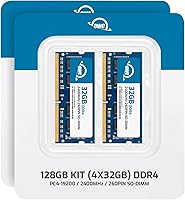
  • Total Capacity: The kit provides 128GB of total RAM across four individual modules.
  • Module Config: Four 32GB SO-DIMM modules are included, designed to fill all four available memory slots simultaneously.
  • Memory Type: Modules use DDR4 SDRAM technology, the standard for modern notebook and all-in-one platforms.
  • Clock Speed: Each module operates at 2400MHz, corresponding to the PC4-19200 transfer rate specification.
  • Form Factor: The 260-pin SO-DIMM form factor is the standard physical format for laptop and compact desktop memory slots.
  • Latency: CL17 is the rated CAS latency, reflecting the number of clock cycles the module takes to respond to a data request.
  • Voltage: Modules run at 1.2V, which is the standard low-voltage operating point for DDR4 memory.
  • Compliance: All modules are fully compliant with JEDEC specifications, ensuring adherence to industry-standard electrical and timing requirements.
  • Compatibility: Designed for select laptops, notebooks, and all-in-one PCs — buyers must verify system support before purchasing.
  • Model Series: This kit is identified under OWC part number OWC2400DR4S128S.
  • Manufacturer: Produced by Other World Computing (OWC), a US-based company specializing in Mac and PC memory and storage upgrades.
  • Package Weight: The complete packaged kit weighs 2.08 ounces, reflecting the compact physical size of SO-DIMM modules.
  • Package Dimensions: The retail package measures approximately 7.01 x 4.92 x 0.47 inches.
  • Warranty: OWC includes a manufacturer warranty with this kit, covering defects in materials and workmanship.
  • Installation: Installation is plug-and-play on compatible systems, requiring no BIOS profiles or manual speed configuration.

Related Reviews

OWC 128GB DDR4 3200MHz SO-DIMM Memory Kit
87%
92%
Performance Boost
88%
Installation Ease
84%
Compatibility
91%
Energy Efficiency
89%
Value for Money
More
OWC 64GB DDR4 2400MHz SO-DIMM RAM Kit
81%
93%
Mac Compatibility
88%
Installation Experience
91%
System Stability
89%
Warranty & Support
84%
Performance Impact
More
OWC 16GB DDR4 2400MHz Laptop RAM
83%
93%
Installation Ease
88%
Compatibility
84%
System Performance Boost
71%
Value for Money
91%
Warranty & Support
More
A-Tech 128GB DDR4 3200MHz Desktop RAM Kit
87%
92%
Performance
88%
Installation Ease
81%
Compatibility with Systems
90%
Reliability and Stability
85%
Build Quality
More
OWC 32GB DDR4 2666MHz SO-DIMM RAM Kit
85%
94%
Mac Compatibility
91%
Installation Ease
77%
Value for Money
86%
Build Quality
92%
Warranty & Support
More
D DUOMEIQI DDR4 32GB 2400MHz RAM Kit
85%
92%
System Performance Boost
90%
Ease of Installation
88%
Reliability
85%
Compatibility with Systems
91%
Price vs Performance
More
NEMIX RAM 128GB DDR4 2933MHz ECC Registered Server Memory Kit
87%
91%
Performance
89%
Reliability
85%
Compatibility
88%
Ease of Installation
87%
Build Quality
More
Timetec 64GB DDR4 2400MHz Desktop RAM Kit
82%
93%
Installation Ease
88%
Out-of-Box Compatibility
91%
Value for Money
89%
Reliability & Longevity
67%
Memory Speed Performance
More
Timetec 8GB DDR4 2400MHz SODIMM Laptop RAM
78%
91%
Value for Money
88%
Installation Ease
74%
Compatibility
86%
Performance Improvement
83%
Reliability
More
A-Tech 128GB DDR5 5600MHz Desktop RAM Kit
78%
91%
Installation Experience
74%
Value for Money
88%
Stability & Daily Reliability
82%
Real-World Performance
77%
Brand Trust & Warranty
More

FAQ

This is the single most important question to answer before purchasing. Not all laptops that use DDR4 SO-DIMM memory can address 128GB — the limit depends on your CPU, chipset, and motherboard firmware. OWC maintains an online compatibility checker on their website where you can look up your exact machine model. Use it before you buy, not after.

To reach 128GB you will need all four modules installed, but technically you could install two to start if your system supports dual-channel with two slots populated. That said, this kit is sold and priced as a complete four-module upgrade, so most buyers install everything at once. Check your motherboard manual for recommended slot population order.

It depends heavily on which MacBook Pro model you own. Apple has used soldered RAM in many of its laptops since 2016, meaning no upgrade is physically possible regardless of what kit you buy. Older Intel-based MacBook Pro models with user-accessible SO-DIMM slots may be compatible, but you need to verify your specific model against OWC's compatibility list.

On compatible systems, there is nothing to configure. The OWC 128GB DDR4 2400MHz SO-DIMM RAM Kit runs at standard JEDEC 2400MHz timings, which any modern BIOS will recognize automatically. You should not need to enable XMP, DOCP, or any manual memory profile unless your system specifically prompts you to do so.

OWC's warranty covers defects in the kit, so a failed module should be addressable through their support process. Practically speaking, replacing a single module within a matched kit can sometimes introduce subtle timing or compatibility differences, so OWC may replace the full set depending on the situation. Contact OWC's support directly if you run into a hardware failure.

DDR4 at 1.2V is a relatively low-power memory standard, so the thermal impact is modest compared to older DDR3 configurations. That said, any fully populated four-slot system will generate more heat than a two-slot setup simply because more components are active. Under sustained memory-intensive workloads, your laptop's cooling system will be working harder regardless of the RAM brand.

Mixing memory from different manufacturers, speeds, or capacities is generally not recommended and can cause instability or prevent the system from booting. If your goal is 128GB, this four-module DDR4 kit is designed to fill all slots with matched sticks, which is the most reliable configuration. Remove your existing modules entirely before installing.

For most people, it would be overkill. But for professionals running multiple virtual machines, processing large video files in real time, working with in-memory databases, or handling complex 3D scenes, hitting a RAM ceiling is a real and frustrating bottleneck. If you have genuinely run out of memory — your system is using swap frequently or apps are crashing under load — then 128GB is a practical solution, not a vanity upgrade.

Physical installation of SO-DIMM modules usually takes under 15 minutes if you are comfortable opening your laptop's bottom panel. The more time-consuming part is preparing: backing up your data, reading your laptop's disassembly guide, and using the right screwdriver. OWC's YouTube channel has installation guides for many supported systems that are worth watching beforehand.

Return policies vary depending on where you purchased — Amazon, OWC's own store, and third-party retailers each have their own terms. The more important point is to verify compatibility before buying using OWC's tool, since an incompatibility is generally considered a buyer error rather than a product defect. Keeping the modules in their original, undamaged packaging until you have confirmed the system recognizes them gives you the best chance of a clean return if needed.