Overview
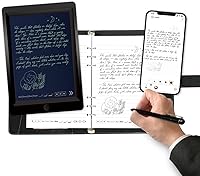
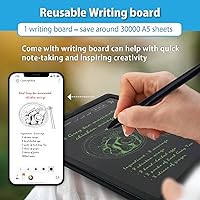
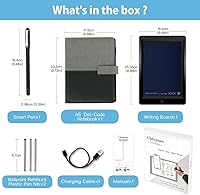
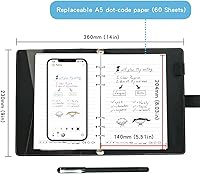
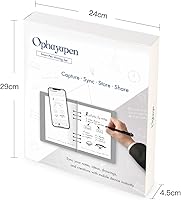
The Ophayapen SMP-3 Smart Sync Pen is a hybrid writing tool designed for people who want the feel of pen on paper without losing the organizational benefits of digital notes. It ships with a 60-sheet PU notebook, four ballpoint refills, two plastic nibs, and a USB-C cable — everything you need to get started. At its price point, it suits a considered buyer rather than someone grabbing it on a whim. The Ophaya Pro+ app is not an optional extra here — it is the core of the experience. Without it, this smart writing pen is, quite simply, just a pen.
Features & Benefits
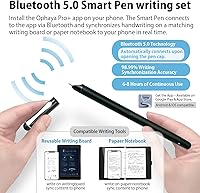
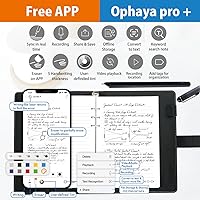
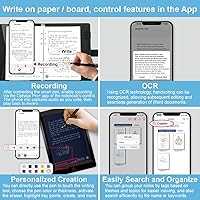
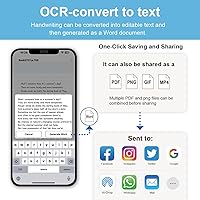
Once paired, the Ophayapen sync pen captures your handwriting in real time and pushes it straight to your phone via the app — no scanning, no photographing, no delays. The OCR text conversion works best when your handwriting is reasonably neat; if your script is hasty or inconsistent, expect occasional errors worth correcting manually. One standout is the audio recording feature, which ties spoken content to written notes so you can tap a word later and hear exactly what was being said when you wrote it. Exports cover PDF, Word, PNG, and even MP4, handling a wide range of sharing needs. Offline storage also means a dead phone battery will not cost you a page of notes.
Best For
This digitizing pen is a strong fit for students who love writing by hand but get frustrated hunting through notebooks for specific points — the keyword search alone makes it worth considering. Professionals sitting through long meetings will appreciate being able to revisit both written notes and the audio from the same moment, rather than relying on memory. That said, it helps to already be comfortable with smartphone productivity apps; new users who rarely engage with note apps may find the initial setup more friction than expected. If you regularly need to send notes as Word or PDF files, the export options make that straightforward. Pure analog writers who never reach for their phone mid-task will likely underuse it.
User Feedback
Buyers generally speak well of the writing feel — the aluminum pen has enough weight to feel substantial without being tiring, and sync reliability earns consistent praise. Where things get mixed is the app itself. Some users hit a real learning curve getting everything configured and running correctly the first time, and a handful report hiccups on older Android devices. OCR accuracy draws the most divided reactions: tidy writers tend to love it, while others find it misfires enough to need manual cleanup afterward. Battery life draws few complaints. Most buyers consider the included notebook decent but easily replaceable. Overall, the consensus leans positive for those who stay patient through the initial setup.
Pros
- Handwritten notes sync to your phone in real time without any scanning or photography.
- The audio recording feature lets you tap a word and hear exactly what was said when you wrote it.
- Offline storage means a dead phone battery will not cost you a single page of notes.
- Export options cover PDF, Word, PNG, GIF, and MP4 — almost every sharing scenario is covered.
- The aluminum pen body feels genuinely well-made and comfortable through long writing sessions.
- Keyword search across handwritten notes saves serious time when hunting for something specific.
- USB-C charging fits neatly into a modern cable setup with no proprietary hardware required.
- The included starter kit — notebook, refills, nibs, and cable — means no extra spend to get going.
- Battery holds up reliably through a full school day or back-to-back office meetings.
Cons
- The app learning curve catches many first-time users off guard and support response times are slow.
- OCR accuracy drops noticeably with irregular or hurried handwriting, requiring manual corrections.
- Older Android devices experience layout glitches and occasional crashes in the Ophaya Pro+ app.
- There is no desktop or browser access — your phone is the only way to reach your notes.
- The included 60-sheet notebook runs out quickly for heavy note-takers and is not easily sourced locally.
- Audio recording relies on your phone microphone, making playback poor in noisy environments.
- Bluetooth re-pairing is sometimes needed after the phone screen locks, which interrupts workflow.
- The plastic pen nibs feel scratchier than a standard ballpoint tip on certain paper types.
Ratings
The Ophayapen SMP-3 Smart Sync Pen sits in an interesting niche, and its ratings reflect that honestly — strong in the areas that matter most to its target users, but with real friction points that prospective buyers deserve to know about upfront. These scores were generated by AI after analyzing verified purchase reviews from buyers worldwide, with spam, incentivized feedback, and bot-generated content actively filtered out. Both the genuine strengths and the recurring frustrations are represented here without sugarcoating.
Sync Reliability
OCR Accuracy
App Experience
Writing Feel
Audio Recording & Sync
Offline Storage
Export Format Versatility
Battery Life
Included Notebook Quality
Build Quality
Value for Money
Compatibility
Setup & Onboarding
Search & Note Organization
Suitable for:
The Ophayapen SMP-3 Smart Sync Pen is built for a specific kind of person: someone who genuinely prefers writing by hand but is tired of paper notes that disappear into a drawer and never get reviewed again. Students in lecture-heavy courses will get the most from it — the combination of searchable handwritten notes and audio sync means you can revisit exactly what the professor said when you jotted down a confusing term. Professionals who attend frequent meetings and need to share structured notes afterward in Word or PDF format will also find a natural fit here. If your handwriting is reasonably consistent and you are already comfortable navigating smartphone apps, the learning curve flattens quickly and the workflow becomes second nature. It also suits anyone who has tried photographing notes with their phone and found the results messy and unreliable — this digitizing pen handles that problem in a much cleaner way.
Not suitable for:
The Ophayapen SMP-3 Smart Sync Pen is a poor match for buyers who want a simple, app-free writing experience — the pen is fundamentally dependent on the Ophaya Pro+ app, and without it, you are holding a moderately nice ballpoint at a steep price. If your handwriting is fast, irregular, or a mix of print and cursive, the OCR conversion will frustrate rather than help you, producing errors that need manual cleanup before the output is usable. Buyers running older Android devices should check compatibility carefully, as app instability on legacy OS versions is a recurring complaint that Ophayapen has not fully resolved. People who prefer to access their notes on a laptop or desktop will be disappointed — there is no web portal or desktop app, so the phone remains the only gateway to your content. If you are simply looking for a reliable daily writer and do not need digital features, this is significant overkill for that job.
Specifications
- Brand: Manufactured by Ophayapen under the model designation SMP-3.
- Pen Material: The pen body is constructed from aluminum, giving it a durable and lightweight feel in hand.
- Pressure Sensitivity: The pen supports up to 2024g of pressure sensitivity for responsive, natural writing.
- Battery: Powered by one built-in lithium-ion battery, which is included and rechargeable via USB-C.
- Charging Port: Charges via a standard USB-C connection, compatible with most modern charging cables.
- App Compatibility: Works exclusively with the Ophaya Pro+ app, available on both iOS and Android smartphones.
- OCR Support: Supports handwriting-to-text conversion via built-in OCR processing within the Ophaya Pro+ app.
- Audio Recording: Records audio simultaneously with writing and syncs playback to specific points in the written notes.
- Offline Storage: Stores notes locally on the pen when disconnected, then automatically uploads to the app upon reconnection.
- Export Formats: Notes can be exported in PDF, Word, PNG, GIF, and MP4 formats from within the app.
- Included Notebook: Comes with one 60-sheet PU-covered notebook designed for use with the pen and its tracking system.
- Refills Included: Package includes four ballpoint pen refills and two plastic pen nibs for extended use.
- Kit Dimensions: The full kit measures 11.42 x 9.92 x 1.77 inches, accommodating the notebook and all accessories.
- Kit Weight: The complete kit weighs 2.42 pounds, inclusive of the pen, notebook, and accessories.
- Connectivity: Connects to the host smartphone via Bluetooth for real-time note synchronization.
- Searchability: Handwritten notes are searchable by keyword, tag, and timestamp once synced and processed in the app.
- Customization: The app allows users to adjust pen thickness and color digitally, and includes an eraser function for editing.
- In-Box Contents: Box includes the smart pen, PU notebook, four ballpoint refills, two plastic nibs, and one USB-C cable.
Related Reviews
Aurzen BOOM 3 Smart Projector
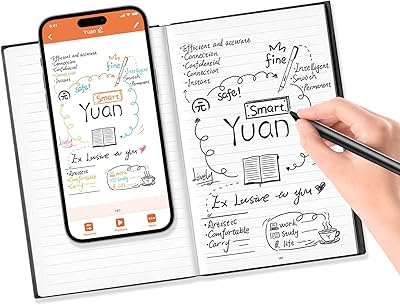
Yuan Smart Pen Digital Notebook Set
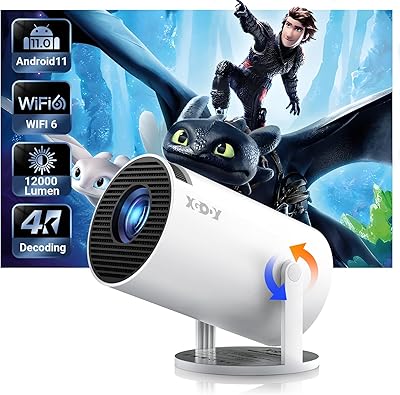
Xgody Gimbal 3 Mini Projector
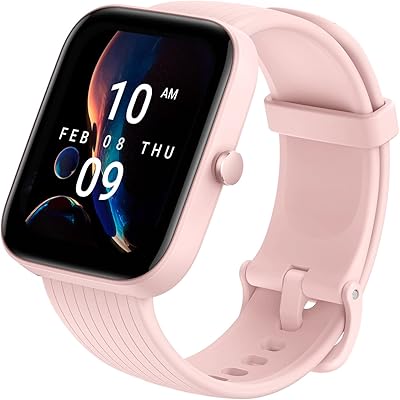
Amazfit Bip 3 Pro Smartwatch
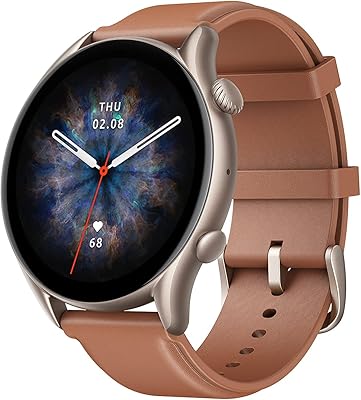
Amazfit GTR 3 Pro 46mm Smartwatch
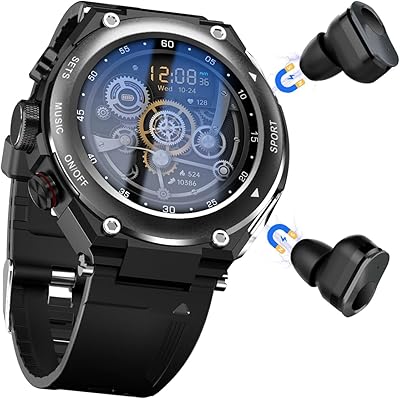
Desong T92 3-in-1 Smartwatch with Earbuds
CMF by Nothing Watch 3 Pro Smartwatch

KCEVE KC-303X Triple Monitor KVM Switch
XP-Pen Artist 13.3 Pro Drawing Display Tablet