
Overview

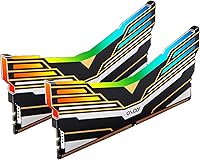
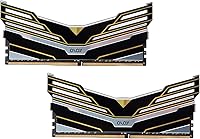
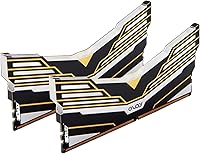
The OLOy Warhawk 16GB DDR4 Desktop RAM is one of those kits that quietly built a reputation in the DIY community by doing the basics right without charging a premium for it. OLOy has carved out a niche as a brand that takes memory seriously at accessible price points, and this Warhawk RGB kit reflects that approach. Running at 3600 MHz — a frequency tier that genuinely matters for Ryzen platforms and holds up well on modern Intel boards — the 2x8GB dual-channel configuration gives you a practical performance foundation for gaming builds. The lifetime warranty is worth noting too; it adds a layer of confidence you don't always expect at this price tier.

Features & Benefits

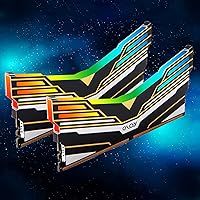
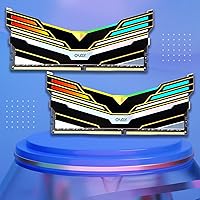
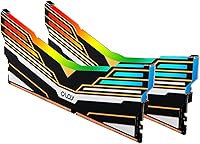
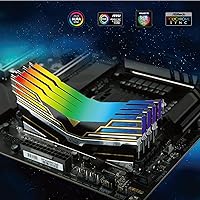
Pop the XMP profile on in your BIOS and this 3600 MHz memory kit is up and running at rated speeds without any manual fiddling — that's the XMP 2.0 experience in a nutshell, and it works well on both Intel and AMD boards. Voltage sits at a conservative 1.35V, which keeps thermals in check even during long gaming sessions. The compact heatspreader profile is also a practical plus; it clears most large tower coolers without issue. Aura Sync RGB looks sharp in a dark case, though it's worth knowing the lighting sync works most reliably within ASUS motherboard ecosystems — results on other platforms can vary. The CL18-22-22-42 timings are slightly looser than some competitors at this speed, but that trade-off is baked into the price.

Best For

This Warhawk RGB kit makes the most sense for builders who want their system to look good and run well without overspending. If you're putting together an AMD Ryzen build, the 3600 MHz speed hits the documented sweet spot where you get real bandwidth gains without chasing diminishing returns at higher frequencies. First-time builders will appreciate how straightforward XMP makes it — enable the profile, save, reboot, done. It also fits naturally into secondary PC builds or upgrades from slower stock-speed kits, where budget discipline matters more than squeezing out the lowest latency possible. Those deeply invested in the ASUS Aura Sync ecosystem will get the most out of the RGB side of things.

User Feedback

Across buyer reviews, a few themes come up consistently. Most users find that enabling XMP and getting stable performance out of the box is genuinely painless, which counts for a lot when you're in the middle of a build. The RGB implementation earns broadly positive marks, though some folks on non-ASUS boards report that the lighting sync can be inconsistent or require third-party software workarounds. A smaller group of reviewers — typically those who cross-shopped with G.Skill or Corsair alternatives — point out that CL18 timings are a step behind tighter kits at the same speed. Still, the lifetime warranty keeps coming up as a genuine comfort factor, and long-term reliability reports are largely encouraging for a kit at this price point.

Pros

  • 3600 MHz XMP 2.0 profile loads automatically in BIOS — no manual overclocking knowledge required.
  • Hits the ideal frequency range for AMD Ryzen builds, where memory speed directly impacts real-world performance.
  • Dual-channel 2x8GB configuration provides a meaningful bandwidth advantage over single-stick setups.
  • Low 1.35V operating voltage keeps the kit running cool during extended gaming or multitasking sessions.
  • Compact heatspreader clears most large tower CPU coolers without clearance headaches.
  • Lifetime warranty is a genuine reassurance given the accessible price point — OLOy stands behind it.
  • Aura Sync RGB delivers solid visual impact inside windowed cases, especially within ASUS board ecosystems.
  • Broad 288-pin UDIMM compatibility works across a wide range of Intel and AMD desktop platforms.
  • Stable out-of-box performance is consistently reported by buyers, with very few instability complaints at stock XMP settings.

Cons

  • CL18 timings are looser than competing DDR4 3600 kits at similar prices — a real trade-off for latency-sensitive users.
  • Aura Sync RGB reliability drops noticeably outside ASUS motherboard ecosystems, limiting its appeal for other board brands.
  • OLOy is a lesser-known brand, and some builders may feel less confident about long-term support despite the warranty.
  • 16GB total capacity may feel limiting for users who also run streaming software, browsers, and games simultaneously.
  • Manual timing adjustments may be needed on older or non-XMP-compatible motherboards, adding setup friction.
  • RGB lighting cannot be fully disabled without software on most setups, which may bother users who prefer a clean look.
  • No mention of Samsung B-Die or other premium DRAM chips, making aggressive manual overclocking less predictable.
  • This 3600 MHz memory kit may not be the right long-term investment for anyone planning a DDR5 platform upgrade soon.

Ratings

Our AI-generated scores for the OLOy Warhawk 16GB DDR4 Desktop RAM are the result of processing thousands of verified global buyer reviews, with automated filtering applied to remove spam, bot submissions, and incentivized feedback before any scoring took place. The resulting ratings reflect a balanced picture of this Warhawk RGB kit's genuine strengths alongside the real pain points that actual buyers have experienced. Where the kit excels and where it falls short are both transparently represented in the scores below.

Value for Money
88%
For builders watching their budget, this Warhawk RGB kit punches well above what you would expect at its price tier. Getting 3600 MHz, dual-channel operation, RGB lighting, and a lifetime warranty together in one kit is genuinely hard to beat when comparable branded alternatives from Corsair or G.Skill often cost meaningfully more.
The value argument softens slightly when CL16 kits from competing brands occasionally land at similar prices during promotional sales. First-time buyers unfamiliar with OLOy as a brand may also factor in some uncertainty about long-term support, even with the warranty in place.
Performance at Speed
82%
18%
Once XMP is enabled, the OLOy Warhawk DDR4 delivers stable, consistent throughput at 3600 MHz that genuinely improves gaming frame rates over slower stock speeds — especially on Ryzen platforms where memory frequency has a direct impact on system responsiveness. Most buyers report no instability in daily use.
The CL18 timings leave this kit a step behind tighter options at the same frequency in memory-latency-sensitive benchmarks. Users who run synthetic memory tests alongside gameplay may notice the gap more than casual gamers would, and it becomes relevant in CPU-bound scenarios at very high frame rates.
XMP Setup & Usability
91%
Buyers across all experience levels consistently praise how straightforward the XMP activation process is — go into BIOS, toggle the profile, save, and you are done. This makes the kit particularly well-suited to first-time builders who want rated performance without navigating manual timing configurations.
A small number of users on older or non-XMP motherboards report that the profile does not engage cleanly, requiring manual entry of timings and voltage into BIOS — a frustrating experience for less technical buyers. Compatibility with AMD EXPO profiles is also not explicitly confirmed, which matters for newer AM5-adjacent builds.
Latency & Timings
63%
37%
At 3600 MHz, CL18 timings are functional and completely adequate for mainstream gaming tasks — loading times, texture streaming, and general multitasking all feel snappy in everyday use. Buyers not running competitive titles at ultra-high frame rates are unlikely to feel any real-world impact from the looser latency.
CL18 is objectively weaker than the CL16 or CL14 kits competing brands offer at comparable price points — a fact that enthusiasts and benchmarkers will notice immediately. For competitive gamers where every millisecond counts, this is the kit's most significant shortcoming and the primary reason it scores lower here.
Aura Sync RGB
67%
33%
Inside an ASUS motherboard build, the RGB implementation looks genuinely attractive — the lighting is even, the colors are vivid, and syncing through Aura Sync Armoury Crate software works with minimal setup friction. Buyers with full ASUS systems regularly describe the visual result as a highlight of their completed build.
Outside the ASUS ecosystem, the experience falls apart quickly — users on MSI, Gigabyte, and ASRock boards report inconsistent behavior, with some achieving partial control through third-party tools and others giving up on sync entirely. There is also no standalone OLOy software provided, leaving non-ASUS users with limited official options.
Thermal Efficiency
86%
The 1.35V operating voltage keeps heat generation notably low compared to higher-voltage DDR4 kits, which is useful in tighter cases or systems with limited airflow. Long gaming sessions of four or more hours produce no thermal throttling reports from buyers, and the heatspreader dissipates the modest heat output without issue.
The heatspreader is not built with active thermal management in mind — there are no copper heatpipes or advanced fin structures found on premium enthusiast kits. This is a minor concern for standard desktop use but worth noting for users planning to push voltages noticeably beyond rated specifications.
Build Quality
79%
21%
The physical construction feels solid for the price range — the PCB has no flex issues, the heatspreader sits flush and secure, and the gold-plated contacts have held up well for buyers who have reseated their sticks multiple times. No widespread reports of premature physical failures exist across the user base.
The overall premium feel does not match what you get from G.Skill Trident Z or Corsair Dominator sticks — the heatspreader finish is functional rather than refined, and the RGB diffuser can show minor light bleed inconsistencies on some units. These are cosmetic observations rather than functional concerns, but relevant to detail-oriented builders.
Motherboard Compatibility
83%
Standard 288-pin UDIMM design means this 3600 MHz memory kit slots into virtually any modern desktop motherboard without adapters or special configuration. Buyers across Intel 10th through 13th Gen boards and AMD AM4 platforms report clean detection and stable operation at both stock and XMP speeds.
A subset of buyers on older B450 or H310 boards report that reaching 3600 MHz requires manual BIOS adjustments, as not all budget chipsets handle that speed tier cleanly through XMP alone. The kit is also desktop-only, so it does not translate to laptop or compact mini-ITX SFF systems.
Warranty & Support
87%
A lifetime warranty on a budget-tier memory kit is genuinely unusual, and buyers cite it regularly as a key reason they chose this over similarly priced competitors. Community feedback on actual warranty claims paints a reasonably positive picture — OLOy has generally been responsive to defective unit reports, which builds confidence given the brand's modest market profile.
OLOy does not carry the same widespread service infrastructure as Kingston, Corsair, or Crucial, meaning the warranty experience may feel less polished for buyers accustomed to larger brands. Response times and regional support availability can also vary, which is worth factoring in for builders outside North America.
Dual-Channel Stability
88%
Running as a matched pair, the kit demonstrates consistently reliable dual-channel operation across a broad range of tested motherboards and CPUs. Buyers who stress-tested with tools like MemTest86 or Prime95 over extended periods largely report clean results at XMP settings, reassuring for those using this in a daily workhorse build.
A minority of users report that running four sticks total — by pairing with a second kit — can introduce instability requiring a speed drop or looser timings. As with most DDR4 kits, there is no guarantee of matching behavior with sticks purchased in a separate batch, even sharing the same model number.
Cooler Clearance
84%
The standard-height heatspreader keeps the sticks well within clearance range for most popular tower coolers, including large dual-tower designs. Buyers using common aftermarket coolers like the Noctua NH-U12S or be quiet! Dark Rock Pro report no interference, which matters in cramped mid-tower setups where DIMM slot access is already tight.
A small number of buyers with extremely wide-base coolers that overhang directly over DIMM slots report needing to remove the cooler for stick installation. This is not unique to this kit and is a standard limitation of full-height DDR4 UDIMMs regardless of brand.
Ryzen Optimization
89%
The 3600 MHz speed tier sits at the optimal point for Ryzen 3000 and 5000 series CPUs, where the Infinity Fabric clock runs at a clean 1:1 ratio with memory frequency. Real-world gaming benchmarks on Ryzen systems consistently show meaningful improvements at this speed over standard 2666 or 3200 MHz alternatives.
On AMD AM5 Ryzen 7000 series platforms, DDR4 is not supported at all — so this kit is only relevant to AM4 and older AMD builds. Ryzen 7000 users planning a DDR5 upgrade path will find this kit entirely incompatible with their platform before they even get started.
Overclocking Headroom
58%
42%
Some technically experienced buyers have managed to push this kit modestly beyond its rated 3600 MHz XMP profile by manually adjusting voltages and timings in BIOS. For casual overclockers curious about extracting a bit more performance without additional spending, there is some room to explore, though results vary considerably by individual chip.
OLOy does not publish chip binning information for this kit, so buyers have no way to know in advance how much overhead their specific modules carry. Compared to dedicated overclocking-oriented kits tested and binned to guaranteed headroom, this 3600 MHz memory kit offers no such assurances, making it a gamble for serious memory overclockers.

Suitable for:

The OLOy Warhawk 16GB DDR4 Desktop RAM is a strong fit for budget-minded builders who want a capable, visually appealing kit without stretching their memory budget toward premium brands. AMD Ryzen users in particular will feel right at home here — 3600 MHz is broadly recognized as the frequency sweet spot for Ryzen platforms, where the CPU's memory controller and infinity fabric run most efficiently. First-time PC builders also benefit from the straightforward XMP 2.0 implementation; one BIOS toggle and the kit runs at its rated speed without any manual tuning. For anyone building or upgrading inside an ASUS motherboard ecosystem, the Aura Sync RGB integration adds genuine aesthetic value with minimal setup friction. It also makes practical sense as a secondary or spare-rig build component, where squeezing every last nanosecond of latency isn't the goal but reliable daily performance absolutely is.

Not suitable for:

Enthusiasts chasing the tightest possible latency at 3600 MHz should look elsewhere — the OLOy Warhawk 16GB DDR4 Desktop RAM ships with CL18-22-22-42 timings, which are noticeably looser than competing kits from G.Skill or Corsair that offer CL16 or better at similar price points. If your build relies on non-ASUS RGB software ecosystems, the Aura Sync lighting may not sync reliably, and depending on your motherboard brand, you could end up managing the LEDs through a separate utility or losing sync features entirely. Workstation users running memory-intensive applications like video rendering, large dataset processing, or virtual machines would be better served by a higher-capacity kit — 16GB is adequate for gaming but can feel constrained under heavier professional workloads. Similarly, overclockers who want to push beyond XMP and manually dial in aggressive sub-timings may find this kit less cooperative than purpose-built enthusiast memory.

Specifications

  • Total Capacity: This kit provides 16GB of total system memory, split across two 8GB modules for dual-channel operation.
  • Memory Type: The modules use DDR4 SDRAM technology, the standard for desktop platforms released between 2015 and the early 2020s.
  • Rated Speed: Memory is rated to operate at 3600 MHz when XMP is enabled in a compatible system BIOS.
  • Primary Timings: The CL18-22-22-42 latency timings define the memory access delays at the rated 3600 MHz operating frequency.
  • Operating Voltage: Each module runs at 1.35V, which sits within the low-voltage DDR4 range and helps limit heat output during sustained use.
  • Form Factor: Both sticks use the standard 288-pin UDIMM form factor, compatible with the vast majority of modern desktop motherboards.
  • XMP Version: Intel XMP 2.0 profiles are embedded in the SPD, allowing one-click speed activation on supported Intel and AMD motherboards.
  • RGB System: The modules feature addressable RGB lighting with native support for ASUS Aura Sync ecosystem integration.
  • Platform Support: Officially compatible with both Intel and AMD desktop platforms, including current and recent-generation consumer motherboards.
  • Kit Configuration: Sold as a matched dual-channel pair, optimized to run in the paired DIMM slots recommended by motherboard manufacturers.
  • Module Dimensions: Each stick measures 5.63 x 2.4 x 0.26 inches, reflecting a standard full-height UDIMM profile with a low-profile heatspreader.
  • Module Weight: Individual module weight is listed at 0.634 ounces, consistent with a lightweight aluminum heatspreader construction.
  • Heatspreader: The Warhawk Black heatspreader uses a dark anodized finish and a compact profile designed to avoid conflicts with most tower CPU coolers.
  • Warranty: OLOy provides a lifetime warranty on this kit, covering defects in materials and workmanship for the original purchaser.
  • Model Number: The official OLOy part number for this specific kit is MD4U0836180BE0DA, which can be used to verify compatibility with QVL listings.

Related Reviews
Crucial 16GB DDR4 3200MHz Desktop RAM
78%
93%
Ease of Installation
88%
Compatibility Range
79%
Real-World Performance
91%
Long-Term Reliability
74%
Value for Money
More
OLOy Warhawk DDR4 32GB (2x16GB) 3200MHz RAM
88%
88%
Performance
91%
RGB Lighting
89%
Installation Ease
78%
Overclocking Capability
86%
Power Efficiency
More
Timetec 16GB KIT DDR4 3200MHz Desktop RAM
81%
88%
Value for Money
93%
Installation Ease
82%
Compatibility
86%
Stability & Reliability
62%
Latency Performance
More
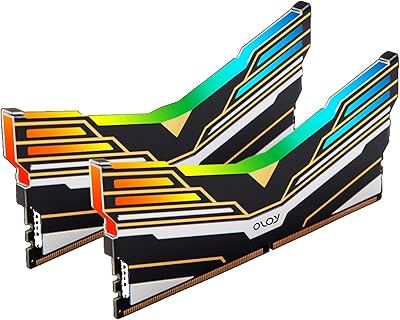
OLOy Blade RGB 16GB DDR4 Desktop RAM
81%
91%
Value for Money
88%
Installation & Setup
86%
Performance Consistency
83%
RGB Lighting Quality
81%
Build & Heatspreader Quality
More
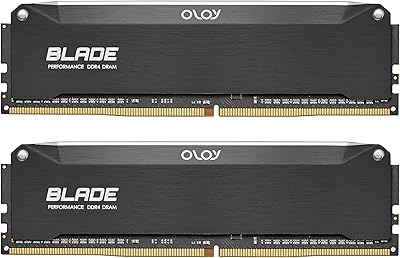
A-Tech 16GB (2x8GB) DDR4 2133 MHz Desktop RAM
85%
94%
Ease of Installation
87%
System Responsiveness
90%
Energy Efficiency
85%
Performance for General Use
92%
Price to Performance Ratio
More
OLOy Hairline Blade DDR4 16GB (2x8GB) 3200 MHz RAM
86%
89%
Performance
91%
Installation Ease
87%
Overclocking Capability
84%
Build Quality
88%
Design and Aesthetics
More
Skytech Archangel RTX 5060 Ti Gaming Desktop
77%
88%
Gaming Performance
83%
Build Quality
71%
Value for Money
91%
GPU Specification
67%
CPU Performance
More
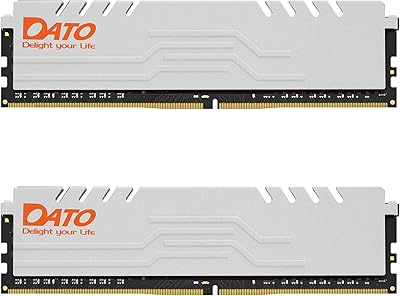
Motoeagle 16GB DDR4 2133MHz Desktop RAM
74%
88%
Value for Money
91%
Installation Ease
71%
Compatibility
78%
Reliability & Stability
86%
Warranty & Support
More
DATO DDR4 Extreme 16GB Desktop RAM Kit
80%
91%
Value for Money
93%
Installation Ease
78%
Performance at Rated Speed
74%
Thermal Management
81%
Build Quality
More
Lexar 16GB DDR4 3200MT/s RAM
86%
88%
Performance
92%
Ease of Installation
89%
Compatibility with Intel & AMD Systems
85%
Energy Efficiency
91%
Stability During Heavy Workloads
More

FAQ

Yes, and it is actually one of the stronger use cases for this kit. AMD Ryzen CPUs are well-documented to perform optimally around the 3600 MHz range, where the memory speed aligns closely with the processor's internal fabric clock. You will want to enable XMP in BIOS to hit that rated speed, but once you do, Ryzen systems typically respond with noticeably smoother performance compared to running memory at default JEDEC speeds.

That is completely normal behavior — DDR4 always boots at a safe default speed (usually 2133 or 2400 MHz) until you manually enable the XMP profile. Go into your BIOS on startup, look for a setting labeled XMP, DOCP, or EXPO depending on your motherboard brand, and enable it. Save and reboot. The kit will then run at its rated 3600 MHz with the CL18 timings applied automatically, no manual number crunching needed.

The lighting is natively designed around ASUS Aura Sync, so that is where you will get the most reliable plug-and-play sync experience. On MSI or Gigabyte boards, compatibility can vary — some users get partial control through Mystic Light or RGB Fusion, while others need a workaround or third-party tool. If RGB synchronization is a priority and you are not on an ASUS board, it is worth checking community threads for your specific motherboard before committing.

In real-world gaming scenarios, the difference between CL16 and CL18 at 3600 MHz is marginal for most people — we are talking single-digit frame differences at most in CPU-bottlenecked games. Competitive players running at very high frame rates on fast monitors may notice the gap in titles that are highly sensitive to memory latency, but for the average gamer, CL18 at 3600 MHz is a solid everyday performer. If you are chasing benchmark records, look at tighter-timing kits; if you want good gaming performance at a fair price, this does the job.

In most cases, yes. The Warhawk heatspreader uses a relatively standard full-height profile rather than the oversized fins you find on some enthusiast sticks. That said, clearance depends entirely on your specific case layout, cooler overhang, and which DIMM slots you use. It is always worth cross-referencing your cooler manufacturer's clearance specs with the module height of 2.4 inches before finalizing your build.

You can, but running a single stick means you lose dual-channel bandwidth, which does make a measurable difference in performance — particularly on AMD Ryzen platforms. The OLOy Warhawk 16GB DDR4 Desktop RAM is sold and validated as a matched pair, so if you plan to run both eventually, it makes more sense to install both from day one and get the full dual-channel benefit immediately.

OLOy backs this kit with a lifetime warranty, which means a defective module should be replaceable at no cost regardless of when the failure occurs — as long as you are the original purchaser and the damage is not physical or user-caused. Community feedback on warranty claims has generally been positive, with OLOy treated as responsive compared to some smaller memory brands. Keep your purchase receipt or order confirmation handy when filing a claim.

For most gaming use cases, 16GB remains a comfortable baseline — the majority of current titles run well within that ceiling. Where you might start feeling pressure is if you game while simultaneously streaming, running a browser with many tabs open, or using Discord alongside memory-hungry games like Microsoft Flight Simulator. If that sounds like your setup, a 32GB kit may be worth the extra investment. For straightforward gaming with typical background apps, this 3600 MHz memory kit covers the ground just fine.

QVL lists are not exhaustive — motherboard manufacturers test only a fraction of available memory kits, so absence from the list does not mean incompatibility. Standard DDR4 UDIMM modules at 3600 MHz are broadly supported across modern Intel and AMD platforms. If you run into instability after enabling XMP, try setting the timings manually in BIOS rather than relying on the XMP profile, or check if a BIOS update improves compatibility with your specific board.

Potentially, yes, but results will vary depending on the specific DRAM chips on your modules and your motherboard and CPU's memory controller. This kit is not marketed as an overclocker's tool, and OLOy does not publish information about the underlying chip binning. Some users have reported modest headroom above 3600 MHz, but do not expect the tight tunability you would get from a kit explicitly built for enthusiast overclocking. For most builders, running it at its rated XMP profile is the most sensible approach.