Overview

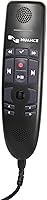
The Nuance PowerMic 4 USB Dictation Microphone is built with one specific type of professional in mind: someone who lives inside Dragon v16 and needs a microphone that keeps pace with a demanding workflow. Plug it into a USB port and it works — no driver installation, no audio interface, no configuration. The design is corded and purposeful, with a shotgun form factor and an easy-clean surface that suits clinical and office environments alike. At its price point, this is not an impulse purchase. It is a tool for doctors, lawyers, and enterprise dictation users who need Dragon v16 compatibility and are not willing to compromise on accuracy.
Features & Benefits

What separates the PowerMic 4 from a generic USB microphone is how tightly everything is engineered around speech recognition accuracy. The unidirectional pickup pattern locks onto the speaker and pushes away background noise — genuinely useful in busy clinics or open-plan offices where ambient sound is constant. A 75 dB signal-to-noise ratio means Dragon receives clean, consistent audio rather than a muddied signal it has to wrestle with. The nine-foot cord is longer than most expect, giving real freedom to position it at a standing desk or workstation. And because it is bus-powered over USB, there is nothing to configure. Just plug in and start dictating.

Best For

This dictation microphone makes the most sense for professionals already committed to the Dragon v16 ecosystem. Physicians dictating clinical notes, attorneys drafting briefs, and transcription specialists who speak for hours at a stretch will get the most from it. The easy-clean surface is a thoughtful detail for healthcare settings where shared equipment is regularly sanitized. If you are upgrading from an older PowerMic model, the compatibility break is real — this one works exclusively with Dragon v16, so verify your software version before purchasing. Anyone still on an earlier Dragon release will need to either upgrade their software or look elsewhere for a supported microphone option.

User Feedback

Across 65 ratings, Nuance's flagship mic holds a solid 4.0-star average — respectable, but with recurring patterns worth knowing. Buyers who switched from a generic USB mic consistently report better recognition accuracy, which is the core promise. Build quality earns praise too; the hardware feels durable and professional-grade. The loudest criticism, however, is the Dragon v16 exclusivity. Several reviewers discovered the hard way that it does not work with earlier Dragon versions, and that frustration is legitimate. A handful of users also noted the cord could be more supple. Those who feel the price is justified tend to be fully invested in the Dragon platform — those who are not often find the cost difficult to rationalize.

Pros

  • Recognition accuracy is noticeably better than generic USB microphones when paired with Dragon v16.
  • Plug-and-play USB setup requires zero driver installation or audio configuration.
  • The nine-foot cord gives real flexibility for positioning at standing desks or wider workstations.
  • Unidirectional pickup handles noisy office and clinical environments well during long dictation sessions.
  • Build quality feels durable and professional — this is not a fragile consumer-grade device.
  • Easy-clean surface is a practical advantage for shared medical or office environments.
  • Bus-powered over USB, so no separate power adapter or battery is ever needed.
  • The shotgun form factor keeps pickup focused on the speaker, reducing interference from desk reflections.
  • Solid 4.0-star average from verified buyers reflects consistent real-world satisfaction among Dragon users.

Cons

  • Strictly limited to Dragon v16 — completely non-functional with any earlier Dragon software version.
  • The price is difficult to justify for anyone not deeply embedded in the Dragon ecosystem.
  • No wireless option; the corded design may feel restrictive in certain desk setups.
  • Some users report the cord is stiffer than expected, making cable management slightly awkward.
  • With only 65 ratings, the user review base is still relatively thin for a premium-priced product.
  • Offers no value as a general-purpose microphone for conferencing, recording, or non-Dragon dictation tools.
  • Buyers upgrading from an older PowerMic must also upgrade their Dragon software, adding to total cost.
  • No Bluetooth or USB-C variant is available, which limits compatibility with modern thin-and-light laptops lacking full-size USB ports.

Ratings

The scores below reflect our AI-driven analysis of verified global buyer reviews for the Nuance PowerMic 4 USB Dictation Microphone, with spam, bot activity, and incentivized feedback actively filtered out before scoring. Each category is weighted against real-world usage patterns from healthcare professionals, legal dictation workers, and enterprise power users. Both the strengths that make this microphone stand out and the friction points that gave buyers pause are transparently represented.

Speech Recognition Accuracy
91%
This is the category the PowerMic 4 was built to win, and it largely delivers. Physicians and attorneys switching from generic USB microphones consistently report a measurable drop in Dragon v16 transcription errors, especially during long dictation sessions where fatigue and varied speech pace are factors.
A small number of users noted that accuracy gains were less dramatic when dictating in very loud environments, suggesting the noise cancellation has a ceiling. The improvement is real but not magical — Dragon still requires clear enunciation and a reasonably consistent speaking distance from the mic.
Noise Cancellation
83%
The unidirectional shotgun design does a solid job of keeping keyboard clatter, HVAC hum, and open-office ambient noise from bleeding into the audio stream. Clinicians working near beeping equipment or in busy nursing stations have specifically called out the cleaner audio capture compared to omnidirectional alternatives.
It is not a noise-canceling headset, and buyers who expected near-total background suppression were sometimes disappointed. In very loud environments — think a busy emergency department or an open trading floor — some ambient noise still creeps into the signal, which can affect recognition confidence.
Dragon v16 Integration
88%
Out of the box, the PowerMic 4 integrates with Dragon v16 without any configuration required. The dedicated microphone buttons map correctly to Dragon functions, allowing users to start, stop, and correct dictation without touching the keyboard — a workflow advantage that heavy users notice immediately.
The integration is tight precisely because it is locked. Buyers who later discovered this mic is a v16-exclusive felt the limitation acutely, particularly those running mixed software environments or managing IT rollouts across teams still on earlier Dragon versions.
Build Quality
79%
21%
The overall construction feels professional and deliberately built for daily heavy use. There is nothing flimsy about the housing, and the microphone maintains its structural integrity through regular desk handling, repositioning, and the occasional cable tug that happens in busy workspaces.
Some buyers raised concerns about the cord's stiffness, noting it resists natural coiling and can feel rigid on a cluttered desk. A handful of longer-term users also flagged that the buttons have a slightly soft tactile response, which takes some adjustment for users coming from older PowerMic models.
Ease of Setup
93%
Plug-and-play USB setup is genuinely effortless. There are no drivers to hunt down, no audio settings to configure, and no compatibility checks beyond confirming you are on Dragon v16. For IT departments rolling out workstations in clinical or legal environments, the zero-configuration deployment is a practical time-saver.
The ease of setup can create a false sense of confidence for buyers who have not yet verified their Dragon version. A few reviewers described an entirely smooth hardware installation followed by the realization that their Dragon license was a version behind — a frustrating situation that hardware setup alone cannot solve.
Cord Length & Reach
77%
23%
Nine feet is more than adequate for most workstation configurations, including standing desk setups where the tower or laptop sits below the work surface. Users with larger desks or who need to position the microphone away from the PC appreciated the extra slack without needing an extension cable.
The cord is fixed and non-detachable, so if it gets damaged it affects the whole unit. A few users also found the cord length excessive for compact desk setups, leading to bunched cable that needs management. A shorter, detachable cable option would have served different workspace sizes better.
Comfort & Ergonomics
71%
29%
At 7.8 ounces the microphone sits on the desk without any fatigue concerns — it is not a wearable. The form factor keeps it stable and out of the way during extended sessions, which matters for professionals who dictate continuously for hours without wanting the microphone to become a distraction.
The corded design inherently limits freedom of movement compared to a wireless or headset-style solution. Users who dictate while moving around their office or consulting physical documents spread across a wider area found the cord occasionally restrictive, especially when turning away from the desk.
Audio Clarity
81%
19%
The 75 dB signal-to-noise ratio produces clean, consistent audio that Dragon processes reliably across a full workday. Voice input sounds clear and natural to the software, which directly supports recognition confidence scores — particularly during long dictation runs where audio fatigue in cheaper mics becomes a real issue.
Clarity is calibrated for speech recognition, not high-fidelity audio. If you plug this into a recording application or use it for video conferencing, the output sounds functional but noticeably lacks the warmth and richness of a broadcast-oriented microphone. That is by design, but buyers sometimes expect more.
Easy-Clean Surface
86%
For shared clinical environments, this is a meaningful design decision rather than a marketing footnote. The surface holds up well to the standard disinfecting wipes used in hospitals and medical offices, and healthcare buyers specifically mentioned this as a reason they chose it over alternatives with fabric or porous finishes.
The easy-clean claim applies to the exterior housing, not the microphone aperture itself. Users in particularly hygiene-conscious settings noted there is no included cleaning guidance or protective cap, which leaves the mic opening more exposed than some clinical buyers would prefer for multi-user shared equipment.
Software Compatibility
52%
48%
For buyers firmly on Dragon v16, compatibility is complete and reliable — the microphone works exactly as Nuance intends across Dragon Professional Individual and Dragon Medical One without any configuration friction or known driver conflicts.
This score reflects the hard reality that compatibility ends entirely at the v16 boundary. Buyers on Dragon 15 or earlier get nothing from this hardware, and there is no firmware update or workaround that changes that. The limitation has generated consistent frustration in reviews and is the single biggest purchase-decision risk.
Value for Money
63%
37%
For a full-time Dragon v16 user whose productivity and documentation accuracy directly depend on microphone quality, the price can be rationalized against real efficiency gains. Professionals billing by the hour who reduce transcription errors and re-dictation time will find the math works in their favor over time.
For anyone outside the core Dragon v16 user base, the price is genuinely difficult to justify. Reviewers with more casual dictation needs or those uncertain about their Dragon version frequently expressed buyer regret, and the cost-per-feature ratio compared to capable general-purpose USB microphones is hard to defend without that specific use case.
Button & Control Layout
74%
26%
The dedicated Dragon control buttons — including dictation toggle and playback functions — reduce reliance on keyboard shortcuts during active dictation. Legal and medical professionals who dictate long documents found this keeps the workflow moving without hand repositioning between the microphone and keyboard.
A few users mentioned the button placement requires a short adjustment period, particularly for those migrating from the PowerMic 3 where muscle memory was already established. The tactile feedback on the buttons is functional but not particularly crisp, which can cause occasional accidental presses during rapid dictation workflows.
Packaging & Unboxing
68%
32%
The product arrives well-protected and ready to use out of the box. Enterprise buyers placing bulk orders noted the compact packaging dimensions make storage and distribution across departments straightforward, and the unit arrives without unnecessary filler accessories that inflate box size.
The packaging offers no quick-start guide specific to Dragon v16 setup, which left some less technical buyers slightly uncertain about first-time configuration. A simple one-page setup card pointing users toward Dragon version verification would have prevented several of the frustrated reviews currently sitting in the ratings.

Suitable for:

The Nuance PowerMic 4 USB Dictation Microphone is purpose-built for professionals whose daily work revolves around Dragon v16 — and for that audience, it is genuinely hard to beat. Physicians dictating patient notes, attorneys drafting documents by voice, and enterprise transcription specialists who spend hours each day speaking into a microphone will find the accuracy gains over a generic USB mic immediately noticeable. The nine-foot cord and plug-and-play USB setup make it practical across a range of workstation configurations without any technical fuss. Healthcare environments in particular benefit from the easy-clean surface, which holds up well to regular sanitizing in shared or clinical settings. If Dragon v16 is already the backbone of your workflow, this microphone is the hardware Nuance designed to complement it.

Not suitable for:

Anyone not running Dragon v16 should stop here — the Nuance PowerMic 4 USB Dictation Microphone is simply incompatible with earlier Dragon versions, and there are no workarounds. If you are on Dragon 15, Dragon 13, or any legacy release, this purchase will not function as expected, regardless of how well the rest of your setup is configured. It is also the wrong choice for podcasters, streamers, or anyone looking for a general-purpose USB microphone for recording or conferencing, since it is optimized for speech recognition accuracy rather than broadcast-quality audio. The price point is steep, and buyers outside the Dragon ecosystem will find little justification for it when far cheaper options cover general recording needs. Casual dictation users who only occasionally use voice input may also struggle to rationalize the cost.

Specifications

  • Brand: Manufactured by Nuance Communications, the company behind the Dragon speech recognition platform.
  • Model: PowerMic 4 with 9-foot cord variant, model number PC-0POWM4N9.
  • Form Factor: Shotgun microphone design that focuses audio pickup along a narrow forward axis to minimize off-axis noise.
  • Polar Pattern: Unidirectional pickup pattern captures sound primarily from the front and rejects ambient noise from the sides and rear.
  • Signal-to-Noise Ratio: Rated at 75 dB, providing clean audio input with minimal background interference for speech recognition accuracy.
  • Connectivity: USB plug-and-play connection requiring no additional drivers, audio interfaces, or software installation on Windows PCs.
  • Power Source: Bus-powered directly through the USB connection, eliminating the need for batteries or an external power adapter.
  • Cord Length: Ships with a 9-foot (approximately 2.7-meter) fixed cord for flexible workstation positioning.
  • Channels: Single-channel (mono) audio output, optimized for voice capture rather than stereo recording.
  • Compatible Software: Designed exclusively for Dragon v16, including Dragon Professional Individual v16 and Dragon Medical One; not compatible with any earlier Dragon versions.
  • Compatible Devices: Works with laptops and desktop PCs running a supported version of Dragon v16 software.
  • Surface Finish: Easy-clean exterior surface is designed to withstand regular disinfecting, making it suitable for shared clinical and office environments.
  • Color: Available in black only.
  • Weight: The unit weighs 7.8 ounces, making it lightweight enough for comfortable extended desk use.
  • Package Dimensions: Packaged in a box measuring 9.37 x 4.8 x 1.61 inches for compact shipping and storage.
  • In the Box: Package includes the microphone unit and attached USB cord; no additional accessories are included.
  • UPC: Universal Product Code is 780420132566, useful for procurement and enterprise purchasing verification.
  • Availability Date: First made available for purchase on February 28, 2023.

Related Reviews
Philips SpeechMike Premium LFH3500
79%
91%
Audio Clarity
93%
Speech Recognition Compatibility
88%
Build Quality
86%
Ergonomics & Handling
84%
Programmable Function Keys
More
Philips LFH3200 SpeechMike III Pro USB Dictation Microphone
82%
92%
Speech Recognition Accuracy
88%
Ergonomics and Comfort
85%
Build Quality and Durability
90%
Noise-Canceling Performance
87%
Ease of Use and Setup
More
Neat Microphones Skyline USB Desktop Condenser Microphone
89%
94%
Audio Quality
91%
Ease of Use
89%
Build Quality
90%
Mute Button Functionality
92%
Value for Money
More
UseeLink Smart Power Strip with 4 Outlets and 4 USB Ports
86%
89%
Value for Money
90%
Ease of Setup
72%
App Experience
94%
Voice Control Integration
88%
Surge Protection Effectiveness
More
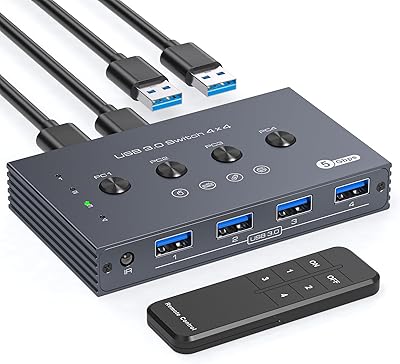
TJCXELE USB 3.0 Switch Selector 4-Port for 4 Computers
88%
94%
Ease of Use
89%
Performance
91%
Remote Control Feature
76%
Power Supply and Stability
98%
Setup and Installation
More
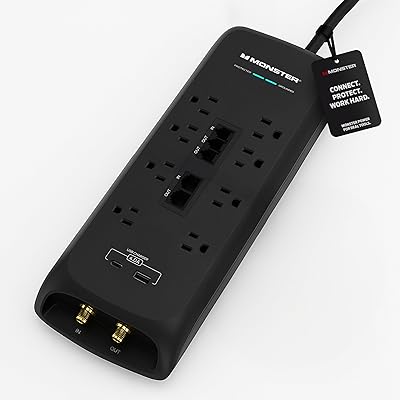
Monster 4050J 8-Outlet Surge Protector
82%
91%
Surge Protection Value
88%
Port Variety & Quantity
89%
Coax & Ethernet Protection
86%
Build Quality
67%
Outlet Spacing
More
Fifine K054
Fifine K054
79%
93%
Value for Money
78%
Audio Clarity for Voice
96%
Ease of Setup
81%
Build Quality
88%
Mute Button & LED Indicator
More
AIRHUG 21 USB Microphone
82%
83%
Audio Clarity
74%
Noise Reduction
96%
Ease of Setup
67%
Build Quality
91%
Mute Button & LED Indicator
More
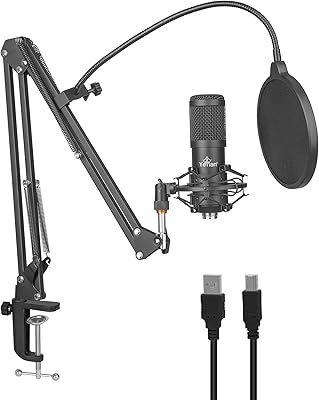
YEYIAN AGILE USB Microphone
85%
88%
Sound Quality
94%
Ease of Setup
85%
Noise Reduction
79%
Build Quality
92%
Compatibility with Devices
More
Samson Meteor USB Microphone
86%
89%
Audio Quality
95%
Ease of Use
83%
Build Quality
91%
Portability
94%
Setup Process
More

FAQ

No, it will not. The Nuance PowerMic 4 USB Dictation Microphone is built exclusively for Dragon v16, and Nuance has confirmed there is no backward compatibility with Dragon 15, 13, or any earlier release. If you are on an older version, you would need to upgrade your Dragon software before this microphone will function as intended.

No drivers are required. You just plug it into a USB port on your PC and Dragon v16 will recognize it automatically. It is bus-powered, so there is nothing else to configure before you start dictating.

Yes, the PowerMic 4 is compatible with Dragon Medical One as well as Dragon Professional Individual v16. It is widely used in healthcare settings specifically because of this compatibility and its easy-clean surface.

Technically you could plug it in and it would capture audio, but it is not designed for those use cases. This dictation microphone is optimized for speech recognition accuracy, not broadcast audio quality. For Zoom calls or podcasting, a general-purpose USB microphone would serve you far better at a much lower price.

The most important difference is software compatibility. The PowerMic 3 works with earlier Dragon versions, while the PowerMic 4 is designed specifically for Dragon v16. If you are upgrading your Dragon software to v16, upgrading to the PowerMic 4 at the same time is the natural move. The hardware design and noise-canceling approach are similar in concept, but they are not interchangeable across software generations.

For most desktop and workstation setups, the extra cord length is a genuine benefit. It gives you the freedom to position the mic at a comfortable distance without being tethered to your PC. A few users have noted the cord is somewhat stiff, which can make routing it along a desk a bit awkward, but the length itself is generally appreciated.

The easy-clean surface is designed specifically for this purpose. You can wipe it down with standard disinfecting wipes used in clinical settings. Just avoid getting moisture into the microphone opening itself, and do not submerge it. Nuance built this feature intentionally for healthcare and shared office environments.

Dragon Professional for Mac does not support the PowerMic 4 in the same way the Windows version does. The mic may be recognized as an audio input device on macOS, but the dedicated button controls and full integration are designed for Windows-based Dragon v16 deployments. If you are on a Mac, check Nuance's official compatibility documentation before purchasing.

That entirely depends on how central Dragon v16 is to your work. If you dictate for hours every day and accuracy directly affects your productivity or documentation quality, the improvement over a generic USB mic is real and the cost makes sense. If you are a casual or occasional Dragon user, the price is hard to justify. This is professional-grade hardware priced for professional workflows.

The overall rating sits at 4.0 stars from verified purchasers, with most praise going to the accuracy improvement and solid build quality. The most common frustration is from buyers who did not realize the v16-only restriction before purchasing. A small number of users also mentioned that the cord could be more flexible, but nobody has flagged reliability or failure issues as a pattern.

Where to Buy