Overview

The Philips SpeechMike Premium LFH3500 is a professional USB dictation microphone built specifically for lawyers, physicians, and business users who spend serious time recording voice. Unlike a desktop condenser or a headset, this is a handheld dictation device you hold like a wand — buttons within thumb's reach, letting you control playback and recording without touching your keyboard. Philips has long been the go-to name in dictation hardware, and this mic integrates naturally with Dragon NaturallySpeaking and similar speech recognition platforms. That said, the price reflects its professional positioning. If you're a casual user, it will feel like overkill.
Features & Benefits

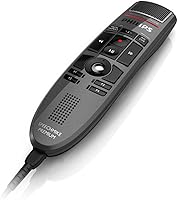
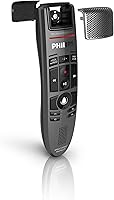
The engineering behind the SpeechMike Premium is where it earns its keep. The microphone capsule is physically decoupled from the housing, meaning vibrations from your grip don't muddy the recording — a genuinely noticeable difference if you've ever used a cheaper handheld mic. A built-in pop filter handles plosives without an accessory cluttering your desk. The motion sensor lets you pause or navigate by waving the device, handy when your hands are occupied with documents. Programmable function keys adapt to your software of choice. And the unidirectional pickup pattern, tuned to reject background noise while keeping your voice clean, means far fewer corrections in your transcription software.

Best For

This dictation mic is purpose-built for professionals who live in their document workflows — think physicians dictating patient notes, attorneys drafting correspondence, or executives who rely on speech recognition all day. If you run Dragon or a similar platform and want a dedicated input that delivers reliable, consistent results session after session, the investment starts to make sense. The programmable shortcut keys are a real advantage for anyone switching between record, playback, and navigation constantly. It also suits shared office environments well, given the antimicrobial surfaces. If you're upgrading from a headset mic that keeps frustrating your speech software, this is a meaningful step up.

User Feedback

Owners who use this handheld USB mic professionally tend to be loyal to it — audio clarity and how cleanly it feeds Dragon NaturallySpeaking are the most praised aspects. Build quality gets consistent mentions too; it feels substantial in hand in a way cheaper mics simply don't. The main gripe, unsurprisingly, is cost. For casual users or those just dabbling in voice recognition, the price is hard to justify. Some buyers have also flagged occasional trackball stiffness over time, and a handful report needing driver updates when running newer operating systems. Net verdict: professionals love it; occasional users find the expense difficult to rationalize.

Pros

  • Voice capture is exceptionally clean for dictation, reducing speech recognition errors during long working sessions.
  • Pairs naturally with Dragon NaturallySpeaking, with users reporting measurably better transcription accuracy versus headset alternatives.
  • The decoupled microphone capsule eliminates handling noise, so shifting your grip mid-sentence does not ruin a recording.
  • Programmable buttons let power users keep both hands off the keyboard throughout complex document workflows.
  • Solid, confidence-inspiring build quality that feels durable enough to survive years of daily professional use.
  • Antimicrobial housing makes shared-office use genuinely practical rather than just a checkbox feature.
  • The built-in pop filter handles plosives cleanly without requiring a separate accessory cluttering your workspace.
  • Unidirectional pickup rejects ambient office noise effectively, keeping background chatter from degrading transcription quality.
  • USB bus-powered design means no batteries to manage and no charging interruptions during critical recording sessions.

Cons

  • The companion software interface feels dated and requires patience to configure button mappings correctly.
  • Custom key configurations can reset after operating system updates, forcing users to reconfigure from scratch.
  • The trackball becomes stiff and unreliable for some users after extended months of heavy daily use.
  • macOS support is limited — features available on Windows are stripped back or missing entirely on Mac.
  • Driver recognition issues after major Windows updates have caught some users off guard at inconvenient moments.
  • The gesture sensor is inconsistent enough in practice that a significant portion of users simply turn it off.
  • The fixed, non-detachable cable limits flexibility for professionals who regularly move between workstations.
  • At this price point, occasional or light-use buyers will struggle to see a return on the investment.

Ratings

The Philips SpeechMike Premium LFH3500 has been scored by our AI system after processing verified buyer reviews from multiple global markets, with spam, bot-submitted, and incentivized feedback actively filtered out before any score was calculated. The result is an honest, nuanced picture that reflects what real professionals — doctors, lawyers, and power dictation users — actually experience day to day. Both the standout strengths and the legitimate frustrations are reflected transparently in every category below.
Audio Clarity
91%
Professional dictation users consistently report that voice capture is clean and well-defined, with background noise staying out of the way even in busy office environments. When paired with Dragon NaturallySpeaking, recognition accuracy improves noticeably compared to headset or desktop alternatives, which is the real-world proof that matters most.
A small number of users note that the 12 kHz frequency ceiling, while perfectly tuned for speech, feels limiting if they occasionally want to record anything beyond pure voice. It is strictly a dictation tool, not a general-purpose microphone.
Speech Recognition Compatibility
93%
This dictation mic has built a strong reputation specifically because of how cleanly it integrates with Dragon NaturallySpeaking and similar platforms. Users report fewer misrecognition errors and a more stable connection compared to budget USB inputs, translating directly into less time spent correcting transcripts.
A handful of reviewers have encountered driver friction after major Windows updates, requiring a reinstall or firmware check before the mic is recognized correctly again. It is not a frequent complaint, but it is worth flagging for anyone in a managed IT environment.
Build Quality
88%
The SpeechMike Premium feels immediately different from cheaper dictation hardware the moment you pick it up. The housing is solid without being heavy, buttons have a satisfying tactile response, and the overall construction inspires confidence for all-day professional use.
Some long-term users note that the plastic housing, while sturdy, can show cosmetic wear around the button edges after a year or more of heavy use. Nothing structural, but it does dull the premium feel over time.
Ergonomics & Handling
86%
The handheld wand form factor genuinely suits dictation workflows in a way a desktop mic never could. Buttons sit exactly where your thumb rests naturally, so controlling record, stop, and playback requires no awkward repositioning during long dictation sessions.
Users with smaller hands occasionally find the grip slightly wide for extended holds, and the device is not ambidextrous in a meaningful way. Left-handed users in particular may find the button layout less intuitive after the learning curve.
Programmable Function Keys
84%
The ability to map shortcut commands to the physical buttons is a genuine workflow accelerator for power users. Attorneys navigating long documents and physicians moving between fields in an EHR system both benefit from keeping their hands off the keyboard entirely.
The configuration software has a dated interface that takes some patience to set up correctly, and a few users report that custom mappings occasionally reset after system updates, requiring reconfiguration.
Motion Sensor & Gesture Control
71%
29%
The gesture-based control is a genuinely clever idea for hands-free navigation, and users who invest time learning it find it useful for pausing recordings mid-session without interrupting their train of thought.
In practice, a meaningful portion of reviewers find the gesture sensitivity either too eager or inconsistent, triggering accidental commands during normal handling. Many end up disabling it and relying solely on the physical buttons.
Trackball Performance
67%
33%
The Teflon-bearing laser trackball works smoothly when new and adds useful cursor control without requiring a separate mouse for basic navigation tasks during a dictation session.
This is the most divisive hardware element in user feedback. A notable subset of owners report the trackball becoming stiff or unresponsive after months of daily use, and cleaning it requires more effort than the self-cleaning claim implies.
Pop Filter Effectiveness
82%
18%
Having a built-in pop filter means one fewer accessory on the desk, and it does its job well for normal dictation speech. Plosives that would muddy cheaper recordings are largely absorbed, keeping transcription software from stumbling on hard consonant sounds.
It is optimized for spoken dictation at a controlled distance and volume. Users who raise their voice or hold the mic unusually close report occasional breakthrough plosives, though this is outside typical professional dictation behavior.
Hygiene & Antimicrobial Design
79%
21%
For shared medical or legal office environments, the antimicrobial housing and buttons are a practical selling point rather than a marketing detail. Staff can pass the device between users without the same concerns that come with standard plastic hardware.
The antimicrobial treatment applies to the housing and buttons, but users note that the trackball recess and cable entry point still accumulate grime in high-use environments and require manual cleaning attention.
Software & Driver Experience
63%
37%
When setup goes smoothly, the accompanying software gives enough control over button mapping and device behavior to satisfy most professional workflows without needing third-party tools.
The software feels behind the times compared to modern peripheral management apps, and compatibility with non-Windows platforms is limited. Mac users in particular report a noticeably thinner feature set and occasional instability.
Value for Money
58%
42%
For a medical transcriptionist or attorney who dictates for several hours every working day, the precision and reliability genuinely justify the cost over time. The accuracy gains in speech recognition software alone can offset the price in productivity fairly quickly.
For anyone outside that core professional use case, the price is genuinely hard to defend. Casual users or those who dictate only occasionally will find capable USB microphones at a fraction of the cost that serve their needs adequately.
Cable & Connectivity
77%
23%
The permanently attached USB-A cable keeps setup simple — plug in and the operating system recognizes it without fuss in most cases. There are no wireless pairing complications or battery management concerns during critical recording sessions.
The fixed cable is a commitment some users find frustrating, particularly if they work across multiple workstations or prefer a cleaner desk. There is no wireless or Bluetooth variant, which limits flexibility for users who have moved to cable-free setups.
Weight & Portability
81%
19%
At 200 grams, the SpeechMike Premium is light enough to hold comfortably for long dictation sessions without arm fatigue becoming a factor, which matters more than it sounds after the third hour of continuous use.
It is still a tethered desktop peripheral at heart. Traveling professionals who want to dictate on the go will find the combination of the fixed cable and the form factor less convenient than a compact wireless solution.
Noise Rejection
83%
The unidirectional pickup pattern does a solid job of ignoring sounds that are not directly in front of the capsule, which helps in open-plan offices where ambient chatter and keyboard noise would otherwise degrade transcription accuracy.
In genuinely loud environments — a busy hospital ward, for instance — the mic will still pick up enough background noise to affect recognition quality. It is not a noise-cancelling microphone in the active sense, just a well-directional one.

Suitable for:

The Philips SpeechMike Premium LFH3500 is built for professionals whose livelihood depends on accurate, efficient voice capture — think physicians dictating patient notes between appointments, attorneys drafting correspondence hands-free, or corporate executives who run their document workflow almost entirely through speech recognition software. If you use Dragon NaturallySpeaking or a comparable platform for several hours a day, the clean unidirectional pickup and low-latency USB connection translate directly into fewer recognition errors and less time fixing transcripts. The programmable function keys are a genuine advantage for anyone who switches constantly between record, playback, and navigation, keeping both hands free from the keyboard. Medical or legal offices where the microphone passes between staff will also appreciate the antimicrobial housing — it is a practical consideration, not just a spec sheet detail. For that professional dictation user who has outgrown a headset mic and wants something purpose-built for the task, this is a well-considered upgrade.

Not suitable for:

If you dictate occasionally, record podcasts, join video calls, or simply want a decent USB microphone for general computer use, the Philips SpeechMike Premium LFH3500 is almost certainly more hardware than you need at a price that will be hard to justify. The fixed USB-A cable and desktop-tethered form factor make it a poor fit for anyone working across multiple locations or looking for a wireless solution to use away from a dedicated workstation. Mac users should approach with caution — the companion software offers a noticeably thinner experience on macOS, and driver compatibility after system updates has caused frustration for some. The gesture control feature, which sounds compelling on paper, is inconsistent enough in practice that many users disable it entirely, meaning you are partially paying for a function you may never use reliably. Buyers on a tight budget who need basic voice input for occasional use will find capable alternatives at a fraction of the cost that cover their actual needs without compromise.

Specifications

  • Form Factor: Handheld wand-style microphone designed to be held in one hand during active dictation sessions.
  • Connectivity: USB Type-A wired connection, bus-powered directly from the host computer with no external power supply required.
  • Polar Pattern: Unidirectional (cardioid) pickup pattern focused on capturing sound directly in front of the capsule while rejecting off-axis noise.
  • Signal-to-Noise Ratio: 70 dB SNR, meaning the microphone captures voice with low background noise interference suitable for professional speech recognition workflows.
  • Frequency Response: 12 kHz upper frequency limit, optimized specifically for the vocal range used in dictation rather than broadband audio recording.
  • Dimensions: 1.77 × 6.5 × 1.18 inches (approximately 4.5 × 16.5 × 3 cm), compact enough to rest in hand without occupying significant desk space.
  • Weight: 200 g (7.1 oz), light enough for extended handheld use without causing hand or wrist fatigue during long dictation sessions.
  • Microphone Capsule: Free-floating, mechanically decoupled capsule that physically isolates the recording element from the housing to minimize handling noise.
  • Pop Filter: Built-in integrated pop filter designed to reduce plosive sounds without requiring a separate external accessory.
  • Motion Sensor: Built-in gesture-based motion sensor that enables hands-free device control by detecting deliberate movement of the microphone.
  • Function Keys: Multiple freely configurable physical buttons that can be mapped to custom commands within compatible speech recognition or workflow software.
  • Trackball: Teflon-bearing self-cleaning trackball with laser scanning, allowing cursor navigation directly from the device during dictation.
  • Housing Material: Plastic housing with antimicrobial treatment applied to exterior surfaces and buttons to reduce bacterial accumulation in shared environments.
  • Platform Support: Compatible with Windows-based laptops and desktop PCs; macOS support is available but with a reduced software feature set.
  • Power Source: Bus-powered via USB connection, drawing power directly from the host device with no batteries or separate charging required.
  • Included Items: Package includes the SpeechMike Premium voice microphone, a microphone holder, a permanently attached USB cable, and a quick start guide.
  • Model Number: LFH3500/00, also referenced as LFH3500, first made available in October 2012 and still actively manufactured as of the latest listing.
  • Channels: Single-channel (mono) audio output, standard for dictation microphones optimized for speech recognition accuracy.

Related Reviews
Philips SpeechMike Premium Touch SMP3700
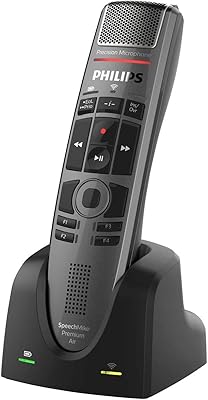
82%
93%
Voice Recognition Accuracy
91%
Build Quality
88%
Ease of Setup
82%
Button Layout & Tactile Feel
86%
Noise Rejection
More
Philips SpeechMike Premium Air SMP4000
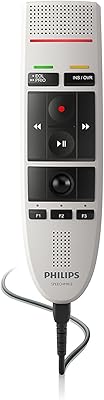
74%
83%
Wireless Reliability
88%
Build Quality
79%
Voice Capture Clarity
91%
Button Layout & Ergonomics
62%
Software Compatibility
More
Philips LFH3200 SpeechMike III Pro USB Dictation Microphone
82%
92%
Speech Recognition Accuracy
88%
Ergonomics and Comfort
85%
Build Quality and Durability
90%
Noise-Canceling Performance
87%
Ease of Use and Setup
More
Deoproce Premium Snail Revital Premium Cream 50mL
87%
94%
Hydration Effectiveness
88%
Anti-Aging Performance
91%
Texture & Finish
85%
Skin Compatibility
90%
Absorption Rate
More
Philips TAT1108 Wireless Earbuds
85%
88%
Sound Quality
91%
Call Clarity
86%
Battery Life
90%
Comfort & Fit
82%
Water Resistance
More
PHILIPS TAT3519 Wireless Earbuds
83%
88%
Sound Quality
92%
Battery Life
75%
Noise Cancellation
90%
Comfort and Fit
83%
Connectivity
More
Philips A4216 Wireless Headphones
88%
88%
Sound Quality
94%
Battery Life
82%
Comfort & Fit
91%
Portability & Storage
87%
Build Quality & Durability
More
Philips H5209 Wireless Headphones
83%
94%
Battery Life
88%
Sound Quality
85%
Comfort
91%
Call Clarity
87%
Bluetooth Connectivity
More
Philips SHP6000
Philips SHP6000
79%
88%
Sound Accuracy
83%
Comfort & Wearability
61%
Build Quality
91%
Value for Money
74%
Cable Design & Quality
More
Philips TAH3209
Philips TAH3209
73%
74%
Sound Quality
91%
Battery Life
86%
Fast Charging
68%
Comfort & Fit
66%
Build Quality & Durability
More

FAQ

Yes, the SpeechMike Premium is widely used with Dragon NaturallySpeaking and is recognized as a compatible input device. You plug it in via USB and select it as your microphone source in Dragon. Most users find recognition accuracy improves compared to a headset because of the clean, focused audio capture. You may want to run Dragon's microphone calibration after setup to get the best results.

Basic audio input works plug-and-play on Windows — the operating system recognizes it as a USB audio device without drivers. However, to configure the programmable function keys and customize button behavior, you will need to install Philips SpeechControl or the relevant Device Control Center software. Without the software, the physical buttons still work for basic record and playback functions depending on your speech application.

It connects and functions as an audio input on macOS, but the companion software that enables button customization and advanced features has limited Mac support. Windows users get the full configuration experience; Mac users may find some features unavailable or unstable. If you are a Mac-based dictation user, it is worth checking the current Philips software compatibility list before purchasing.

The function keys can be mapped to commands within your speech recognition or document software using the Philips configuration software. For example, you can assign buttons to start and stop recording, move between fields in a form, or trigger custom keyboard shortcuts. Once configured, you can control your entire dictation workflow without touching the keyboard, which is the main reason professional users value this feature.

Yes, and the antimicrobial housing was specifically designed with that in mind. The exterior surfaces and buttons are treated to reduce bacterial buildup, which matters in medical or legal offices where a device changes hands throughout the day. That said, you should still wipe it down regularly — the antimicrobial treatment is a complement to cleaning, not a substitute for it.

Some users do experience trackball stiffness after extended use. The ball uses a Teflon bearing with a self-cleaning design, but in heavy-use environments debris can still accumulate around the mechanism. You can try gently cleaning the trackball recess with a dry microfiber cloth or a cotton swab. If stiffness persists, Philips support has guidance on deeper cleaning procedures for the trackball assembly.

Honestly, user experience with it is mixed. Some professionals find it useful for pausing a recording without pressing a button, but a notable portion of owners report accidental triggers during normal handling movements. If you find it fires unexpectedly, you can disable it through the device software and rely entirely on the physical buttons, which most heavy users end up doing anyway.

Most of the time it continues working without any action needed after a Windows update. However, a subset of users have reported that after major Windows version upgrades the device is temporarily not recognized, requiring a driver reinstall or a firmware update from the Philips support site. It is a good habit to check for updated software when you do a significant OS upgrade rather than waiting for a problem to surface.

The LFH3500 is a wired USB device only — there is no wireless or Bluetooth variant of this specific model. Philips does offer other dictation products with wireless capability in their broader range, so if cable-free operation is important to your workflow, it may be worth looking at their current lineup to see if a wireless option meets your needs.

The key differences are in audio consistency and workflow control. A good headset mic captures clean audio, but this handheld USB mic adds physical buttons for hands-free document navigation, a trackball for cursor control, and a decoupled capsule that handles the variation in distance and angle that comes from holding a device naturally. For occasional dictation, a headset is fine. For professionals spending several hours a day in dictation workflows, the dedicated controls and consistent voice capture make a tangible difference in both accuracy and efficiency.