Overview

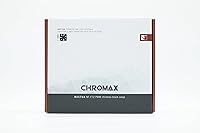
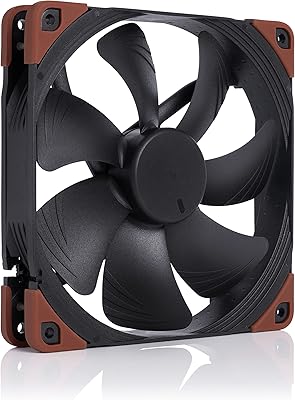
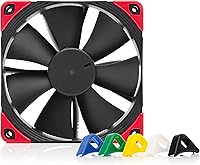
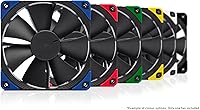
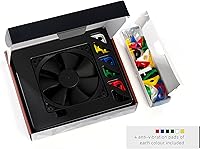
The Noctua NF-F12 PWM chromax.Black.swap 120mm Fan is essentially Noctua's answer to builders who refused to accept the classic brown-and-beige look but still wanted the underlying engineering intact. The focused flow frame was built specifically for high static pressure situations — think dense heatsink fins or radiator face mounting — rather than general case airflow. PWM control lets it scale quietly between 300 and 1500 RPM depending on what the system demands. Six sets of swappable anti-vibration pads ship in the box, a small but appreciated touch. This is a fan with real longevity behind the design, not a recent rebrand.
Features & Benefits

The focused flow frame is what separates this Noctua fan from most 120mm competition — it actively directs airflow into restrictive surfaces rather than scattering it, which matters when you're pushing air through tightly packed radiator fins. At full tilt, noise sits at 22.4 dB(A), which is already quiet; attach the included Low-Noise Adapter and it drops to 18.6 dB(A), nearly inaudible in a closed case. The all-black hub and blade design fits naturally into dark builds without needing RGB as a crutch. Longevity is rated at over 150,000 hours MTTF, making it a reasonable long-term investment for systems that run continuously.

Best For

The chromax.black NF-F12 earns its place most clearly when paired with high-fin-density CPU tower coolers — an NH-D15 or a be quiet! Dark Rock Pro, for example — where static pressure directly affects cooling headroom. It's equally well-suited for push or pull configurations on 240mm and 360mm AIO radiators. Silent workstation builders and home theater PC enthusiasts will appreciate how little noise it generates at low loads. 24/7 workloads are where the reliability rating becomes genuinely relevant; NAS boxes, render nodes, and small servers benefit from a fan that won't need replacing after two years of constant spinning.

User Feedback

Across a large volume of buyer reviews, near-silent operation is the most repeated praise — people are consistently surprised by how little they hear it even under sustained load. The swappable pads get mentioned positively in the context of windowed, cable-managed builds, though nobody's buying this fan primarily for color accents. The honest caveat worth noting: a small subset of users report coil whine on specific motherboard headers, which appears header-dependent rather than a unit defect. The price is higher than budget alternatives, and most buyers acknowledge that openly — the recurring sentiment is that it earns back that premium through silence and durability over time.

Pros

  • Near-silent operation even at higher RPMs makes it genuinely unobtrusive in shared living or working spaces.
  • The focused flow frame delivers real, measurable cooling improvements on dense heatsinks and radiator surfaces.
  • PWM range of 300 to 1500 RPM gives fan curve tuning real flexibility without hunting or instability.
  • The included Low-Noise Adapter drops noise further to 18.6 dB(A) for builders chasing absolute silence.
  • All-black design integrates cleanly into dark builds without requiring RGB to look intentional.
  • Six sets of swappable anti-vibration pads ship in the box — no extra purchase needed for basic color coordination.
  • Longevity ratings and long-term user reports make this Noctua fan a credible choice for always-on systems.
  • Rubber anti-vibration pads significantly reduce chassis resonance, especially on thin side panels and radiator brackets.
  • Thousands of verified buyers over multiple years consistently rate reliability and acoustics as standout strengths.

Cons

  • A minority of users experience faint coil whine on specific motherboard fan headers, which is hard to predict before purchase.
  • The price premium over generic 120mm alternatives requires a clear use-case to justify — it's not a casual upgrade.
  • Cable length may feel restrictive in larger full-tower cases depending on header placement.
  • No RGB or lighting option at all, which limits appeal in fully synchronized lighting builds.
  • The static pressure focus offers little benefit in open, unobstructed case positions where cheaper fans perform comparably.
  • Swap pads are small and easy to misplace during installation if you're not careful unpacking.
  • PWM smoothness depends partly on motherboard firmware quality — coarse BIOS fan curve resolution can cause minor RPM oscillation.
  • Instructions assume familiarity with PC building; absolute beginners may find accessory documentation sparse.

Ratings

The scores below reflect what real buyers of the Noctua NF-F12 PWM chromax.Black.swap 120mm Fan actually experienced — compiled by AI after parsing thousands of verified global reviews and actively filtering out incentivized, duplicate, and bot-generated submissions. Both the strengths that keep this fan in wishlists for years and the friction points that occasionally frustrate buyers are represented here without spin.
Acoustic Performance
96%
Buyers across workstation, HTPC, and gaming builds consistently describe the noise floor as remarkably low — even at higher loads. Many report being unable to distinguish it from system silence during light workloads, which is the real-world benchmark most quiet-PC builders care about.
A small but persistent minority report a faint coil whine when connected to specific motherboard fan headers. It appears header-dependent rather than a fan defect, but it's worth testing on your specific board before assuming the issue is absent.
Static Pressure Efficiency
93%
Users mounting this Noctua fan on dense heatsink towers and AIO radiators consistently report better thermal results compared to general-purpose fans at the same RPM. The focused flow frame makes a tangible difference when airflow needs to push through tightly packed fins rather than move freely.
If you're using it as a pure case intake or exhaust without any obstruction, the static pressure optimization offers little advantage over cheaper alternatives. It's a specialist tool, and buyers who misapply it occasionally feel underwhelmed by the value proposition.
Build Quality & Longevity
94%
The motor and blade construction feel noticeably more solid than budget-tier fans, and the 150,000-hour MTTF rating isn't just a spec — long-term users in server and NAS contexts report years of continuous operation without degradation in noise or airflow. That reliability track record is a genuine differentiator.
There's no visible wear indicator or bearing replacement path for end users, so when it eventually does fail after years of use, the whole unit needs replacing. For most buyers this is a non-issue, but it's worth noting for ultra-long-term deployment planning.
Value for Money
74%
26%
Buyers who've owned budget fans and replaced them once or twice within a few years tend to view the higher upfront cost as reasonable when amortized over a much longer service life. The noise-to-performance ratio is genuinely hard to match at any price point, according to experienced builders.
For someone building a basic office PC or a system where fan noise isn't a priority, the price gap over a decent generic 120mm fan is hard to justify on specs alone. First-time builders sometimes feel sticker shock before understanding exactly what they're paying for.
PWM Speed Control
91%
The 300 to 1500 RPM range gives motherboard fan curve tuning real flexibility. Users running aggressive silent profiles report the fan practically disappears at idle while still ramping up predictably when thermal demand spikes, without the hunting behavior some cheaper fans exhibit.
The PWM implementation relies entirely on motherboard firmware quality. On boards with coarse fan curve resolution or poorly tuned BIOS defaults, the fan may not express its full range smoothly. A handful of buyers had to manually tune curves to eliminate minor speed oscillation.
Aesthetics & Build Integration
82%
18%
The all-black motor hub and blades integrate cleanly into dark-themed builds without requiring RGB lighting to look intentional. Builders with windowed cases and cable-managed interiors appreciate that this fan doesn't visually clash or demand attention.
There's no lighting option at all, which frustrates buyers who want synchronized RGB across their entire build. The swap pads add color accents at the corners, but they're subtle — anyone expecting a visual centerpiece will find this fan deliberately understated.
Swappable Anti-Vibration Pads
78%
22%
The six included color sets — red, black, white, blue, yellow, and green — offer a small but appreciated way to tie the fan corners into a build's color scheme. Swapping them requires no tools and takes under a minute, which buyers in the modding community mention positively.
The pads themselves are small and easy to lose during installation, and the color selection, while generous, won't satisfy every palette. A few buyers note the pads feel slightly less grippy over time after repeated swaps, though structural anti-vibration performance remains intact.
Installation & Compatibility
88%
Standard 120mm mounting means it drops into virtually any case, cooler, or radiator without adapter plates or unusual hardware. The included low-noise adapter and Y-cable give builders immediate options for daisy-chaining or further noise reduction right out of the box.
The cable length may feel slightly short in larger full-tower cases depending on fan header placement. A small number of users building in compact ITX cases found routing the cable cleanly required more effort than expected, though this is more a case design issue than a fan flaw.
Noise at Maximum RPM
89%
At its 1500 RPM ceiling, the fan produces a smooth, low-frequency tone rather than a high-pitched whine — something buyers who've experienced cheap fans at full speed immediately notice. The character of the sound is far less intrusive than the raw decibel number suggests.
Some users pushing the fan hard in stressed thermal scenarios — extended rendering or summer ambient temperatures — notice it's audible when the case is open. It's still quiet by most standards, but buyers expecting complete silence at max RPM may need to manage expectations.
Packaging & Accessories
86%
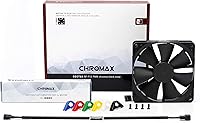
Noctua's packaging has a reputation for being comprehensive without being wasteful. The fan ships with mounting screws, anti-vibration pads in multiple colors, a low-noise adapter, and a Y-cable — everything needed for most installations is already in the box.
The instructions assume a baseline of PC building familiarity. Absolute beginners occasionally find the accessory documentation sparse, particularly around LNA usage and which scenarios actually benefit from it. A short printed use-case guide would improve the out-of-box experience.
Vibration & Resonance
92%
The rubber anti-vibration pads do real work here — buyers mounting the fan directly to thin radiator brackets or side panels report virtually no chassis resonance even at mid-range RPMs. In steel-heavy cases this is especially noticeable compared to fans with rigid plastic mounts.
On certain lightweight aluminum cases or panels with natural resonance frequencies, a faint hum can transmit regardless of pad quality. This is a case-specific issue rather than a fan defect, but it occasionally surprises buyers who expected total vibration isolation.
Airflow at Low RPM
83%
At the lower end of its PWM range, this 120mm quiet fan still moves enough air to keep a passively warm system from throttling. Buyers using it on large heatsink towers in low-load workstation environments report stable temperatures even when fan curves keep RPM well below 600.
Raw airflow volume at low RPM is modest — this isn't the right choice if you need high CFM at near-silence for an open-loop case with many heat sources and no duct work. In those scenarios, a higher-flow fan running at similarly low RPM may outperform it.
Long-Term Reliability
95%
Users running this Noctua fan inside NAS enclosures, home servers, and always-on workstations for three or more years are among its most vocal advocates. The consistent bearing behavior and absence of bearing noise creep over time is what draws repeat buyers back to the platform.
The premium longevity claim is difficult to verify in the short term, so buyers looking for immediate, tangible proof of durability have to rely on community evidence rather than personal experience at the point of purchase. There's an element of trust involved in the premium pricing.

Suitable for:

The Noctua NF-F12 PWM chromax.Black.swap 120mm Fan is built for PC enthusiasts who take acoustics seriously and refuse to compromise on cooling performance to get there. It's an especially strong fit for builders mounting fans on high-fin-density CPU tower coolers — the kind of dense heatsink stacks where static pressure directly determines how much heat actually gets pulled away. AIO users pushing air through 240mm or 360mm radiators will find it equally well-matched, since that application rewards pressure-optimized airflow over raw volume. Builders putting together silent workstations, home theater PCs, or any system that shares a living space will appreciate how little noise this fan generates even under sustained thermal load. And for anyone running always-on systems — a NAS, a home server, a dedicated render node — the longevity engineering here is genuinely relevant, not just a spec talking point. Enthusiasts who want a clean all-black aesthetic without depending on RGB lighting to make the build look intentional will also find this a natural fit.
Not suitable for:

The Noctua NF-F12 PWM chromax.Black.swap 120mm Fan is a poor match for buyers who just need basic airflow in a non-critical case position and aren't willing to pay a premium for acoustic refinement they'll never notice. If your build sits under a desk, the case is closed, and you're not particularly sensitive to fan noise, a much cheaper 120mm fan will move air just as effectively at a fraction of the cost. Buyers who want synchronized RGB lighting integrated into every component will find this fan frustrating — there's no lighting option, and the colored swap pads at the corners are a minimal aesthetic touch, not a substitute for a proper RGB ecosystem. It's also not the right tool if your primary goal is maximum airflow in an open case without obstructions, since the focused flow frame is optimized for pressure, not volume. Finally, shoppers on a tight budget building a one-time-use or short-lifespan system will find the long-term durability argument unconvincing when the upfront cost is significantly higher than alternatives that get the job done adequately.
Specifications

  • Dimensions: The fan measures 4.72″ x 4.72″ x 0.98″ (120x120x25mm), fitting any standard 120mm mount point.
  • Weight: The unit weighs 6.9 ounces, which is typical for a well-built 120mm fan with a reinforced frame.
  • Connector: Uses a 4-pin PWM connector, compatible with standard 4-pin fan headers on virtually all modern desktop motherboards.
  • Voltage: Operates at 12V DC, drawing power through the standard fan header without requiring a separate power adapter.
  • Max Speed: The fan spins at a maximum of 1500 RPM under full PWM demand.
  • Min Speed: At its lowest PWM-controlled speed, the fan idles at approximately 300 RPM, nearly inaudible in most environments.
  • Max Noise: At full 1500 RPM speed, the fan produces a maximum of 22.4 dB(A), measured under standard acoustic test conditions.
  • Noise with LNA: When the included Low-Noise Adapter is used, the maximum noise output drops to 18.6 dB(A) with a corresponding speed reduction.
  • Airflow: The fan delivers a maximum airflow capacity of 93.4 cubic meters per hour under unrestricted conditions.
  • Cooling Method: Uses forced air cooling, driven by the fan's rotating blades, with no liquid or thermoelectric components involved.
  • Frame Design: Equipped with Noctua's Focused Flow frame, engineered to concentrate airflow and maximize static pressure through restrictive surfaces.
  • Bearing Type: Uses Noctua's SSO2 (Self-Stabilising Oil-pressure Bearing 2) design, which contributes to the rated 150,000+ hour MTTF.
  • MTTF Rating: Mean Time To Failure is rated at over 150,000 hours, reflecting the durability expectations for always-on or long-duration deployments.
  • Color: The motor hub, blades, and frame are all-black, with no RGB lighting elements included.
  • Anti-Vibration Pads: Six sets of swappable anti-vibration pads are included in red, black, white, blue, yellow, and green colorways.
  • Compatible Devices: Designed for desktop PC use, including tower coolers, AIO radiators, case mounting, and server chassis with standard 120mm fan bays.
  • Material: Key structural components, including the motor housing, incorporate brass alongside engineered plastics for the blades and frame.
  • Accessories Included: The package includes mounting screws, a Low-Noise Adapter, a Y-cable for daisy-chaining two fans to one header, and the six pad sets.
  • Series: Part of the NF-F12 PWM chromax.black.swap series, which is the all-black aesthetic variant of the long-running NF-F12 platform.
  • Warranty: Noctua provides a 6-year manufacturer warranty on this fan, which is significantly longer than the industry standard for case fans.

Related Reviews
Noctua NF-A20 5V PWM 200mm Case Fan
81%
96%
Acoustic Performance
91%
Build Quality
88%
Vibration & Rattle
87%
USB Power Flexibility
93%
Long-Term Reliability
More
Noctua NH-U12A chromax.Black
87%
88%
Thermal Performance
96%
Noise Level
93%
Build Quality
71%
Value for Money
82%
Installation & Compatibility
More
Noctua NF-A14 iPPC-3000 PWM Cooling Fan
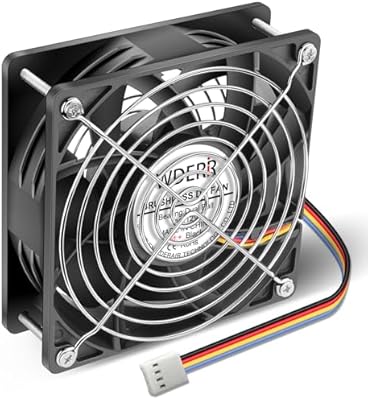
82%
96%
Build Quality
93%
Airflow Performance
51%
Noise Level
97%
Longevity & Reliability
88%
PWM Control & Speed Range
More
Noctua NH-D15 chromax.Black
85%
94%
Thermal Performance
93%
Acoustic Performance
91%
Build Quality
92%
Noise-to-Cooling Ratio
76%
Installation Experience
More
Noctua NH-D9L chromax.Black CPU Cooler
88%
89%
Cooling Performance
91%
Noise Levels
95%
Compatibility with Small Builds
90%
Ease of Installation
93%
Build Quality
More
WDERAIR P1238 120mm PWM Computer Case Fan
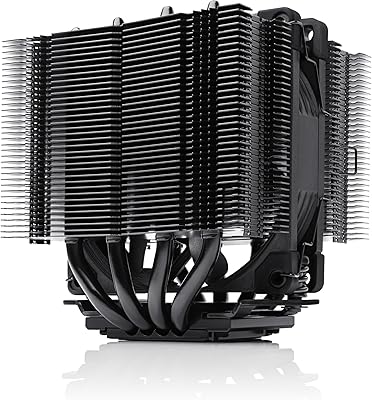
70%
94%
Airflow Performance
31%
Noise Level
81%
Build Quality
83%
Durability & Longevity
76%
PWM Speed Control
More
Noctua NH-L9i-17xx chromax.Black CPU Cooler
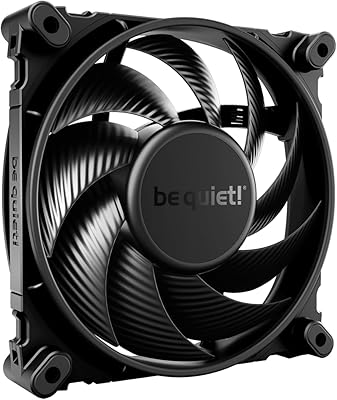
89%
87%
Cooling Performance
94%
Noise Level
92%
Build Quality
90%
Ease of Installation
91%
Compatibility with SFF Cases
More
be quiet! Silent Wings 4 120mm PWM Fan
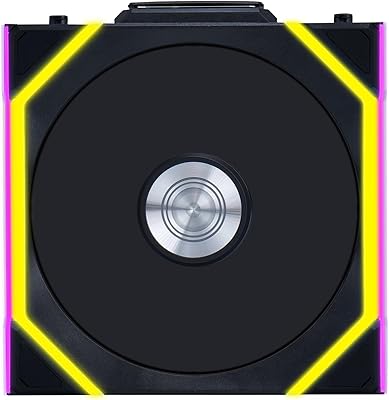
86%
93%
Acoustic Performance
88%
Airflow Performance
91%
Static Pressure
89%
Build Quality
87%
PWM Control & Response
More
Lian Li UNI Fan SL Wireless 120mm ARGB Fan
85%
91%
Cooling Performance
88%
Ease of Installation
84%
Noise Level
95%
RGB Customization
89%
Build Quality
More
Lian Li UNI Fan SL-INF 120 RGB Infinity Mirror ARGB 120mm Fan
86%
93%
Aesthetics and RGB Lighting
88%
Noise Level/Quiet Operation
91%
Build Quality and Durability
85%
Ease of Installation
87%
Cooling Efficiency
More

FAQ

It will run on a 3-pin header, but you'll lose the automatic speed control. The fan will run at a fixed speed determined by the voltage supplied by that header, typically full speed. If noise matters to you, a 4-pin PWM header is the right way to use it.

It depends heavily on where you're mounting it. On a CPU heatsink or AIO radiator, the static pressure engineering here will outperform most budget fans at equivalent RPMs, and it'll do it more quietly. For unrestricted case intake or exhaust positions, the performance gap narrows considerably, and the value argument becomes harder to make.

The LNA is a small inline resistor that caps the fan's maximum speed, which in turn reduces noise to around 18.6 dB(A). If your system runs cool enough that it never needs the fan near its 1500 RPM ceiling, plugging in the LNA gives you a slightly quieter baseline. If you're cooling a hot CPU under sustained load, skip it — you want the full speed range available.

Yes, it's a standard 120mm fan and mounts directly to any 120mm radiator port. For push-pull configurations on a 240mm or 360mm radiator, you'd need two or three units respectively. The static pressure characteristics make it a genuinely good choice for radiator use.

Yes, that's exactly how the 4-pin PWM connection works. You set a temperature-to-RPM curve in your BIOS, and the fan follows it automatically. Most modern motherboard BIOS interfaces have fan curve editors that work well with this fan's 300 to 1500 RPM range.

It's a real issue for a small subset of buyers, but it appears to be header-dependent rather than a widespread defect. The coil whine typically surfaces on specific motherboard fan headers due to how those headers deliver PWM voltage. If you encounter it, trying a different header on the same board often resolves it.

If your case has a window and you've got a dark-themed build, yes, it looks noticeably cleaner than a brown fan would. That said, the visual difference is only meaningful if the fan is visible. Inside a closed case, the color is irrelevant. The swap pads add a small corner accent if you want to tie in a specific color, but they're subtle.

Probably, if noise isn't something that bothers you and your thermals are already manageable. The engineering here is aimed at builders who are either chasing low noise, dealing with tight thermal headroom, or building systems meant to run 24/7 for years. A standard gaming PC with a decent cooler and a closed case could use a less expensive fan without any real compromise.

The included Y-cable lets you connect two fans to a single 4-pin header, which is useful when you're running a push-pull setup on a radiator but your motherboard has limited fan headers. Both fans will receive the same PWM signal and run at the same speed. Just keep in mind the combined current draw of two fans stays within your header's amperage rating, which is rarely an issue with fans of this type.

Noctua covers this fan with a 6-year warranty, which is unusually generous for a case fan. If the fan develops a fault during that window, Noctua's customer support has a solid reputation for handling replacements without excessive friction. Keep your purchase receipt or order confirmation as proof of purchase date.

Where to Buy