Overview

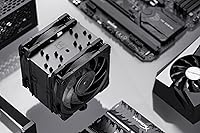
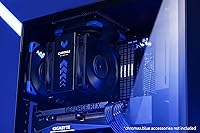
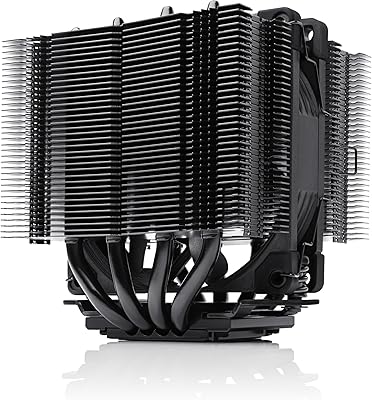
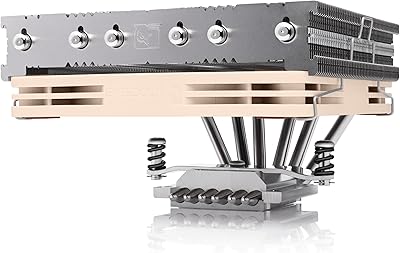
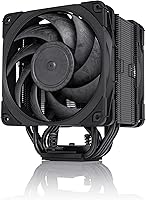
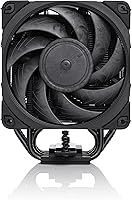
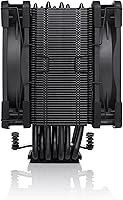
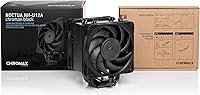
The Noctua NH-U12A chromax.Black is what happens when a beloved but polarizing cooler finally gets an aesthetic overhaul worth paying attention to. Noctua built its reputation on performance and reliability long before looks mattered much to the PC community, but the all-black chromax lineup makes this 120mm tower cooler a natural fit for modern dark builds. At 158mm tall with a slim profile, it slides into most mid-tower cases without elbowing your RAM or blocking your PCIe slot. What really sets it apart from typical 120mm towers is the dual-fan configuration, which pushes thermal performance well beyond what a single fan in this size class can ordinarily manage.
Features & Benefits

At the heart of this Noctua air cooler are two NF-A12x25 fans — widely considered among the finest 120mm fans ever made. They top out at 1500 RPM and stay remarkably quiet doing it, especially with the included Low-Noise Adaptors fitted. PWM control means the fans only spin up when your CPU actually demands it, so light workloads stay near-silent. The SecuFirm2 mounting system covers Intel LGA1851 through LGA115x and AMD AM5/AM4, with an offset option on AMD platforms to improve airflow over the VRM area. NT-H1 thermal paste is included — a quality compound most builders would buy separately anyway. Every fan frame, fin, and bracket arrives in full matte black, so nothing clashes with a dark or RGB-heavy build.

Best For

This 120mm tower cooler is a natural pick for anyone building in a mid-tower or compact ATX case where a 240mm AIO simply won't fit — or where the idea of liquid near expensive components makes you uneasy. It handles high-end Intel Core and AMD Ryzen processors without breaking a sweat, which matters when running a 9950X or 285K under sustained loads. The six-year warranty also changes the long-term calculus; this is not a cooler you buy and replace in two years. Anyone who previously avoided Noctua specifically because of the tan-and-brown color scheme will find the chromax.Black variant a straightforward choice. It is a premium buy, but an entirely deliberate one.

User Feedback

Owners are vocal about one thing above almost everything else: how quiet the chromax.Black is in everyday use. Most people report hearing essentially nothing at idle. Installation gets positive marks overall, though a handful of users flag that fitting both fans with the secondary bracket takes more patience than the main mount. The more divisive question is value — some buyers feel the price gap over a solid budget tower is hard to justify, while others note that it competes directly with entry-level 240mm AIOs on thermals while running notably quieter. A small number report tighter RAM clearance than expected in certain cases. Long-term owners consistently highlight fan durability and warranty support as the clearest sign the investment holds up over time.

Pros

  • Near-silent operation at idle — most users genuinely cannot hear it in a quiet room.
  • Dual NF-A12x25 fans punch well above the typical 120mm performance ceiling.
  • Full all-black finish integrates cleanly into dark builds with zero visual clashing.
  • Included NT-H1 thermal paste is high quality — no extra purchase needed before building.
  • SecuFirm2 mounting covers a wide range of Intel and AMD sockets with a reliable, confidence-inspiring process.
  • Low-Noise Adaptors let you dial back fan speed further without opening software.
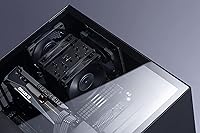
  • At 158mm tall, the chromax.Black fits most mid-tower cases without touching RAM or blocking PCIe.
  • Six-year warranty is exceptional for a CPU cooler and reflects real long-term reliability.
  • PWM scaling keeps fan noise proportional to actual load — no sudden spin-up surprises.
  • Long-term owners consistently report zero fan degradation or bearing noise after years of use.

Cons

  • The premium price is difficult to justify for mid-range builds or processors with modest thermal output.
  • Secondary fan installation using wire clips requires patience and can be awkward in tight cases.
  • No RGB or lighting options for buyers building around a visually themed system.
  • Thermal headroom thins out on aggressively overclocked chips in warm ambient conditions.
  • RAM clearance issues do occur in certain compact cases or with non-standard board layouts.
  • Included thermal paste syringe quantity is adequate but not generous for multiple remounting attempts.
  • Warranty service response times are inconsistent for buyers outside Europe and North America.
  • At 2.64 lbs with two fans, motherboard socket stress is a real consideration for frequently transported rigs.

Ratings

The Noctua NH-U12A chromax.Black earns its premium standing through consistently strong real-world performance, and the scores below reflect exactly that — generated by AI after analyzing thousands of verified global buyer reviews, with spam, bot activity, and incentivized feedback actively filtered out. Ratings cover everything from thermal efficiency and acoustic performance to installation experience and long-term reliability, capturing both where this 120mm tower cooler genuinely excels and where a handful of buyers have run into friction.
Thermal Performance
88%
Under sustained loads on high-end Ryzen and Intel Core processors, this Noctua air cooler holds its own against entry-level 240mm AIOs — a result most buyers find genuinely surprising for a 120mm tower. The dual-fan setup makes a real difference, particularly during extended workloads like video encoding or compiling.
Users pushing overclocked flagship chips in warm ambient environments — think small form factor cases in summer — do occasionally report thermal throttling under extreme stress tests. It handles stock-speed workloads very well, but headroom at the absolute ceiling is tighter than a larger tower or AIO would offer.
Noise Level
96%
Silence at idle is what buyers talk about most. In a quiet room, most users report hearing nothing at all from this cooler under light desktop use, web browsing, or media playback. Even under moderate load the fans spin up gradually and stay well below the threshold most people find noticeable.
A small number of users running the fans at full speed without the Low-Noise Adaptors note a faint but perceptible hum. It is not loud by any reasonable measure, but buyers expecting complete inaudibility at 100% fan speed should temper expectations slightly.
Build Quality
93%
The all-black finish is applied consistently across the aluminium fins, fan frames, and mounting hardware — nothing looks mismatched or cheaply coated. The copper base feels dense and machined to a high tolerance, and the nickel plating resists fingerprints well during installation.
A few users note that the secondary fan clips feel slightly fiddly compared to the rest of the hardware, and there have been isolated reports of minor cosmetic scuffs on fin edges straight out of the box. Neither issue affects function, but they stand out on a cooler at this price point.
Value for Money
71%
29%
For buyers who factor in the bundled NT-H1 thermal paste, the six-year warranty, and the included Low-Noise Adaptors, the overall package feels more complete than most competitors at a similar price. Long-term owners in particular report that the cooler simply keeps working without any degradation in fan performance over years of use.
The price premium over capable budget 120mm towers is genuinely difficult to justify for users with mid-range processors or modest cooling needs. Buyers comparing it directly against entry-level 240mm AIOs often find the thermal gap too narrow to make the cost feel obvious, and that debate is the most common source of buyer hesitation.
Installation & Compatibility
82%
18%
SecuFirm2 is one of the more confidence-inspiring mounting systems in air cooling — the backplate seats firmly, the screws torque down evenly, and the whole process rarely requires a second attempt. Socket coverage is broad enough that most builders will not need to check a compatibility chart twice.
Fitting the second fan using the wire clips takes noticeably more patience than the primary mount, and in tighter cases with limited hand clearance it can become genuinely awkward. A handful of AMD users also note that the offset mounting option, while useful for VRM airflow, requires re-reading the manual carefully to get right.
Acoustic Profile Under Load
87%
PWM scaling means the fans respond proportionally rather than jumping to a fixed high speed, so transitions from idle to moderate load are gradual and barely noticeable. Gaming sessions and lighter productivity tasks stay impressively quiet, which is exactly what buyers in this category are paying for.
During prolonged heavy workloads — sustained rendering, large compilations — the fans do audibly spin up, and in a silent room the airflow noise becomes present. It is not distracting, but buyers expecting truly inaudible operation at full throttle will need to use the Low-Noise Adaptors and accept a small thermal trade-off.
RAM Clearance
74%
26%
In the vast majority of standard ATX and Micro-ATX builds, the chromax.Black clears even tall RAM kits without any modification. The slim tower profile genuinely delivers on the compatibility promise, and builders using typical DDR5 or DDR4 kits in conventional cases rarely report any contact issues.
Certain compact cases with aggressive motherboard tray placement, or boards with RAM slots positioned unusually close to the socket, have caught some users off guard. A small but consistent group of buyers with high-profile RGB RAM kits report needing to adjust fan placement or remove the inner fan during installation.
PCIe & Motherboard Clearance
89%
On standard ATX and most Micro-ATX boards, the cooler sits well clear of the primary PCIe slot, which matters for users running full-length graphics cards. Builders who have dealt with clearance nightmares on other coolers tend to specifically call this out as a relief.
On a small number of Micro-ATX boards with non-standard component layouts, proximity to the PCIe slot is tighter than ideal. Users with very compact mATX cases should verify clearance against their specific board before purchasing rather than assuming the spec sheet covers every configuration.
Aesthetics & Visual Design
91%
The full chromax.Black treatment — consistent across every visible component — is the reason many buyers finally switched from beige-and-brown Noctua products. It integrates cleanly into dark builds, pairs naturally with RGB components without competing for attention, and looks intentional rather than like an afterthought.
The design is clean but conservative — there are no RGB elements, no accent colors, and no lighting integration whatsoever. Buyers building around a colorful or illuminated theme may find the flat matte black finish underwhelming next to more visually expressive competitors.
Fan Longevity & Durability
94%
Noctua fans have a well-earned reputation for lasting far beyond the typical lifecycle of PC components, and long-term owners of this cooler consistently report smooth, rattle-free operation after multiple years of continuous use. The fluid dynamic bearings hold up without developing the ticking or wobble common in cheaper fans.
There is very little negative feedback here, but a small number of users report slight bearing noise developing after extended use in dusty environments without regular cleaning. Fan longevity is heavily dependent on ambient conditions and maintenance habits.
Packaging & Included Accessories
88%
Noctua packages the chromax.Black with a level of accessory completeness that feels rare — NT-H1 thermal paste, Low-Noise Adaptors for both fans, extra mounting hardware, and a clear installation guide are all included. Nothing critical is missing from the box.
The packaging is functional but not particularly premium-feeling for a product at this price. Some buyers note that the mounting hardware bag is not well-organized, which adds minor friction during installation when trying to identify the correct parts quickly.
Warranty & Brand Support
96%
Six years of manufacturer warranty is genuinely exceptional for a CPU cooler and one of the clearest signals that Noctua stands behind the product. Multiple buyers report smooth warranty interactions with replacement fans or hardware dispatched quickly and without friction.
Warranty service is geographically uneven — buyers in some regions outside Europe and North America report longer response times and more complicated return processes. This is a logistics issue rather than a product defect, but it affects the overall ownership experience for a portion of the buyer base.
Ease of Thermal Paste Application
85%
NT-H1 is included and performs well without requiring any special technique — a standard centered dot or thin spread produces consistent contact coverage. Buyers appreciate not needing to research or purchase a separate compound before building.
The syringe quantity included is enough for two to three applications, which feels adequate but not generous given the product tier. Users who plan to remount the cooler after testing or troubleshooting may find themselves needing a separate purchase sooner than expected.
Weight & Case Stress
83%
At 2.64 lbs the chromax.Black is meaningfully lighter than many dual-tower or 140mm alternatives, which reduces stress on the motherboard during transport or in vertical-mount configurations. Most standard ATX motherboards handle the load without any additional support bracket.
Users transporting fully assembled systems frequently — LAN party goers or anyone who moves their rig regularly — should still consider the cumulative stress of a 120mm tower with two fans over time. The weight is manageable, but it is not trivial, and a few users recommend installing an anti-sag bracket for peace of mind.

Suitable for:

The Noctua NH-U12A chromax.Black is the right call for builders who want serious cooling performance without the complexity or maintenance overhead of liquid cooling. If you are working with a mid-tower or compact ATX case where a 240mm AIO physically will not fit — or simply will not go — this 120mm tower cooler covers that gap convincingly. It is particularly well-matched to users running high-end Intel Core or AMD Ryzen processors at stock speeds who care deeply about acoustic comfort; the near-silent idle experience is a genuine quality-of-life upgrade over budget and mid-range alternatives. Builders who previously skipped Noctua purely on aesthetic grounds will find the all-black chromax treatment a clean, unobtrusive fit in dark or RGB-heavy systems. The six-year warranty also makes this a compelling long-term buy for anyone who builds once and keeps that system running for years rather than upgrading constantly.
Not suitable for:

Buyers on a tighter budget who are cooling a mid-range processor will likely find the premium hard to justify — a capable single-fan 120mm tower at a lower price point delivers thermal results that are close enough for moderate workloads. The Noctua NH-U12A chromax.Black is also not the right fit for enthusiasts pushing heavily overclocked flagship chips in warm ambient environments, where a larger dual-tower air cooler or a 280mm-plus AIO offers meaningfully more thermal headroom. Anyone building in a very compact case with limited RAM clearance or non-standard motherboard layouts should verify fitment carefully before ordering, as a small number of tight configurations do create friction during installation. If visual customization is a priority — RGB fans, accent lighting, themed colors — this cooler offers none of that, and competitors in the same price range do. Finally, users who frequently transport their systems should be aware that even a well-built tower cooler of this weight places ongoing stress on the motherboard socket over time.
Specifications

  • Form Factor: Single-tower air cooler with dual 120mm fans mounted in a push-pull configuration.
  • Dimensions: The cooler measures 4.92″ long by 4.41″ wide by 6.22″ tall (158mm height clearance required).
  • Weight: Total cooler weight including both fans is 2.64 lbs.
  • Fan Model: Two NF-A12x25 PWM fans are included, each operating at up to 1500 RPM with a 4-pin PWM connector.
  • Noise Level: Maximum acoustic output is rated at 22.6 dB(A), with further reduction possible using the included Low-Noise Adaptors.
  • Airflow: Combined airflow capacity across both fans reaches 102.1 CFM at maximum speed.
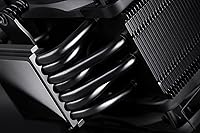
  • Base Material: The contact base and heat pipes are constructed from copper with nickel plating for corrosion resistance and efficient heat transfer.
  • Fin Material: Cooling fins are made from aluminium, joined to the heat pipes via soldered contacts for consistent thermal conductivity.
  • Socket Support: Compatible with Intel LGA1851, LGA1700, LGA1200, and LGA115x, as well as AMD AM5 and AM4 sockets.
  • Mounting System: SecuFirm2 mounting hardware is included, with an offset mounting option available specifically for AMD platforms to improve VRM airflow.
  • Thermal Paste: NT-H1 high-performance thermal compound is bundled in the box, sufficient for two to three applications.
  • Voltage: Both fans operate at 12 volts via standard 4-pin PWM headers.
  • Connector Type: 4-pin PWM connectors allow automatic fan speed control through motherboard headers without additional software.
  • Finish: Full chromax.Black treatment covers all visible components including fins, fan frames, and mounting hardware in matte black.
  • Warranty: Noctua provides a 6-year manufacturer warranty covering defects in materials and workmanship from the date of purchase.
  • Low-Noise Adaptors: Two Low-Noise Adaptors are included to reduce maximum fan speed and lower acoustic output during everyday use.
  • Compatibility: Designed for desktop PC use and fits most standard ATX and Micro-ATX tower cases with at least 158mm of CPU cooler clearance.
  • Item Count: The package contains one heatsink unit, two NF-A12x25 fans, mounting hardware, thermal paste, Low-Noise Adaptors, and a Y-splitter cable.

Related Reviews
Noctua NH-D9L chromax.Black CPU Cooler
88%
89%
Cooling Performance
91%
Noise Levels
95%
Compatibility with Small Builds
90%
Ease of Installation
93%
Build Quality
More
Noctua NH-D15 chromax.Black
85%
94%
Thermal Performance
93%
Acoustic Performance
91%
Build Quality
92%
Noise-to-Cooling Ratio
76%
Installation Experience
More
Noctua NH-L9i-17xx chromax.Black CPU Cooler
89%
87%
Cooling Performance
94%
Noise Level
92%
Build Quality
90%
Ease of Installation
91%
Compatibility with SFF Cases
More
Noctua NF-F12 PWM chromax.Black.swap 120mm Fan
90%
93%
Performance
95%
Noise Level
90%
Build Quality
91%
Airflow Efficiency
88%
Ease of Installation
More
Noctua NH-U9S CPU Cooler
86%
88%
Performance
95%
Noise Levels
92%
Installation Ease
90%
Compatibility
87%
Build Quality
More
Noctua NH-U12S SE-AM4
89%
91%
Cooling Performance
95%
Noise Level
88%
Installation Ease
89%
Build Quality
90%
Size and Compatibility
More
Noctua NH-L9a-AM5 CPU Cooler
87%
88%
Performance
91%
Noise Level
85%
Cooling Efficiency
92%
Build Quality
76%
Ease of Installation
More
Noctua NH-U9DX i4 CPU Cooler
87%
91%
Cooling Performance
95%
Noise Levels
88%
Compatibility
85%
Installation Ease
90%
Build Quality
More
Noctua NH-L12Sx77 Low-Profile CPU Cooler
89%
93%
Thermal Performance
89%
Noise Level
91%
Installation Ease
95%
Build Quality
88%
Compatibility
More
Noctua NH-D12L Low-Height Dual-Tower CPU Cooler
87%
88%
Cooling Performance
92%
Noise Level
94%
RAM Compatibility
91%
Ease of Installation
89%
Build Quality
More

FAQ

In the vast majority of standard ATX and Micro-ATX builds, the slim tower profile clears even taller DDR5 and DDR4 kits without any issues. The cooler does not overhang the RAM slots, which is a deliberate design choice. That said, if you have a very compact case with unusually placed motherboard slots or extremely high-profile RGB RAM heatspreaders, it is worth double-checking your specific combination before ordering.

It is genuinely quiet — this is probably the thing buyers comment on most consistently. At idle and during light workloads like web browsing or document work, the vast majority of users report hearing nothing at all. Under heavy load it does spin up, but even then the noise profile is a smooth airflow sound rather than a sharp whine, and fitting the Low-Noise Adaptors brings it down further if needed.

Thermally, this Noctua air cooler trades blows with entry-level 240mm AIOs on most mainstream workloads — the dual-fan setup gives it an edge over typical single-fan 120mm towers. Where it consistently wins is acoustics; most AIOs have a pump that produces a faint but constant hum, while this cooler has none of that. If you are pushing an overclocked flagship chip under sustained extreme loads, a larger AIO will pull ahead, but for stock or mildly tuned systems the gap is smaller than many expect.

The SecuFirm2 system is well-documented and the backplate installs cleanly on both Intel and AMD platforms. Most builders complete the main heatsink mount without any frustration. The part that catches some people off guard is attaching the second fan using the wire clips — it takes a bit of patience, especially in cases with limited hand clearance around the socket area. Overall it is manageable for a first-time builder, but set aside a little extra time for that step.

Yes, AM5 is fully supported via the included SecuFirm2 hardware. The offset mounting option for AMD platforms is also worth using — it shifts the cooler slightly to improve airflow over the VRM area, which matters on boards running high-end Ryzen processors under sustained load. The mounting hardware for AM5 is included in the box so no separate purchase is needed.

No — NT-H1 is included in the box and it is a genuinely capable compound, not a cheap filler paste. You can go straight from unboxing to installation without sourcing anything extra. The syringe contains enough for two or three applications, so if you ever need to remount the cooler you have a bit of buffer, though heavy re-mounting may eventually require a separate tube.

On most standard Micro-ATX boards it clears the primary PCIe slot without issue. Noctua specifically designed the tower geometry to avoid blocking PCIe on typical ATX and Micro-ATX layouts. A small number of boards with non-standard component placement are exceptions, so if you are working with an unusual board it is worth checking the specific clearance against your model.

You need at least 158mm of CPU cooler clearance in your case — that is the cooler's exact height. Most mid-tower cases list 160mm or more, so there is usually a small buffer. Compact cases sometimes list clearance right at 155 to 160mm, so check your case specifications directly rather than assuming it will fit.

Yes — Noctua sells the NF-A12x25 fans individually, so if a fan develops an issue outside the warranty window you can replace it without purchasing a whole new cooler. Given how long these fans typically last, this is more of a theoretical concern for most users, but it is good to know the ecosystem supports long-term ownership.

Yes, LGA1851 is explicitly supported and the required mounting hardware is included in the box. Noctua has been consistent about updating compatibility with new sockets, and the chromax.Black works with current-generation Intel Core Ultra chips including the 285K and 265K without needing a separate mounting kit.