Overview

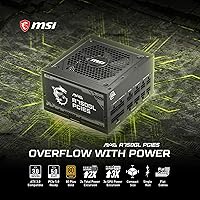
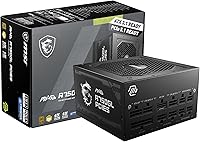
The MSI MAG A750GL PCIe5 750W arrived at a moment when power supply standards were shifting fast, and MSI positioned this unit squarely at builders who want to stay ahead of that curve. It supports ATX 3.1 and PCIe 5.1 — two updated standards that matter most when pairing with current and upcoming discrete GPUs. The 80 Plus Gold efficiency rating keeps heat output in check and trims a bit off your electricity bill over time. What really sets this MSI power supply apart in a crowded field, though, is the 10-year limited warranty — rare at this price tier and a strong signal of long-term build confidence.
Features & Benefits

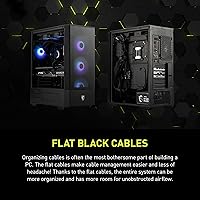
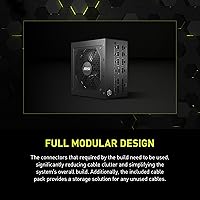
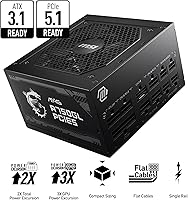
Going fully modular is one of the smartest decisions MSI made with the MAG A750GL. You only connect the cables your build actually needs, which keeps airflow cleaner and makes troubleshooting far less frustrating. The native 12V-2x6 connector is a genuine convenience for RTX 40-series owners — no clunky adapter required, just a direct, spec-compliant connection that handles power delivery more reliably. ATX 3.1 compliance also improves how the unit handles sudden GPU power spikes, reducing the risk of unexpected shutdowns during demanding workloads. Factor in the 87–92% efficiency range from the Gold rating, and this 750W unit runs cooler and wastes less energy than older Bronze or Silver-rated alternatives.

Best For

This MSI power supply hits a sweet spot for builders running a mid-to-high-end GPU like an RTX 4070 or 4070 Ti paired with a modern mid-range CPU. That combination generally lands well within the 750W ceiling, leaving enough headroom without overpaying for an 850W or 1000W unit you simply do not need. It is also a strong pick for anyone upgrading an older PSU that lacks native PCIe 5.1 support — the difference in cable management alone is worth it. If you build a system and want to forget about the power supply for the next decade, the long-term warranty coverage makes this a low-risk, long-horizon choice.

User Feedback

Across more than 4,600 ratings, the MAG A750GL holds a 4.6-star average and currently sits at number one in its category — though that rank alone should not be the deciding factor. Buyers consistently highlight the cable build quality and how straightforward the installation process is, especially those upgrading from older non-modular units. Quiet operation under typical gaming loads comes up frequently as well. That said, a subset of users report increased fan noise under sustained heavy loads, and a few mention the documentation could be clearer for first-time builders. Warranty experiences, where reported, generally went smoothly, which adds real weight to MSI's decade-long coverage promise.

Pros

  • The native 12V-2x6 connector works flawlessly with RTX 40-series GPUs — no adapters, no compromises.
  • A 10-year limited warranty is rare at this price point and provides genuine long-term peace of mind.
  • Fully modular design means zero unused cables cluttering your case or blocking airflow.
  • ATX 3.1 compliance handles sudden GPU power spikes cleanly, reducing the risk of mid-session shutdowns.
  • 80 Plus Gold efficiency keeps heat output low and trims electricity draw compared to lower-rated alternatives.
  • Installation is straightforward — labeled connectors and a clean layout make the process fast even for first-time builders.
  • The compact ATX footprint fits standard mid-tower cases without any clearance or fitment surprises.
  • Cable build quality is noticeably above average for this tier, with durable materials that route and hold neatly.
  • Quiet fan operation during typical gaming sessions makes this a solid choice for noise-sensitive setups.
  • With over 4,600 verified ratings averaging 4.6 stars, real-world satisfaction is consistently high across a large buyer base.

Cons

  • 750W headroom becomes genuinely tight when pairing a high-TDP GPU with a power-hungry processor simultaneously.
  • Fan noise increases audibly under sustained full-load stress tests — not silent across all conditions.
  • Included documentation is thin and may leave first-time builders searching for external guides to feel confident.
  • The cable selection in the box may not cover storage-heavy builds with multiple SATA drives without buying extras.
  • Some users report modular connectors require firm, deliberate pressure to seat fully — briefly alarming during first install.
  • International buyers should verify regional warranty claim processes before purchasing, as experiences vary outside the US.
  • The dual-color cable aesthetic, while a nice touch, is the only visual differentiator in an otherwise plain-looking unit.
  • At this price, budget-focused builders who do not need PCIe 5.1 support can find Gold-rated alternatives for less.
  • Packaging protection received occasional criticism from buyers who received units with minor cosmetic shipping damage.

Ratings

The MSI MAG A750GL PCIe5 750W earns its place near the top of the 750W PSU category based on AI-synthesized analysis of thousands of verified global buyer reviews, with spam, bot activity, and incentivized feedback actively filtered out. Scores reflect the full spectrum of real ownership experiences — from first-time builders to seasoned enthusiasts — capturing both what this unit genuinely excels at and where a handful of legitimate frustrations surfaced.
Cable Management & Modularity
93%
Buyers consistently praise the fully modular design as one of the most practical aspects of the build experience. Being able to pull only the cables needed keeps mid-tower interiors dramatically cleaner, and several users noted it cut their build time noticeably compared to semi-modular or non-modular units they owned previously.
A small number of users found the cable connector fit snug to the point of requiring firm pressure to seat fully, which caused brief concern during first installation. Nothing structurally problematic, but first-time builders occasionally flagged it as momentarily nerve-wracking.
PCIe 5.1 & 12V-2x6 Compatibility
91%
The native 12V-2x6 connector is a clear selling point for anyone running an RTX 40-series GPU. Owners report clean, adapter-free connections that behave exactly as expected under sustained gaming loads, removing the reliability questions that came with earlier 16-pin adapter cables.
Users with older GPU generations gain little practical benefit from this feature, making it feel like wasted value for those not on a current-gen card. A few buyers also noted the dual-color cable aesthetic is a minor cosmetic detail that does not justify a premium on its own.
Transient Load Stability
88%
ATX 3.1 compliance means the unit is engineered to handle the sharp, unpredictable power spikes modern GPUs produce — and reviewers running demanding titles or rendering workloads reported no unexpected shutdowns or instability events. That kind of real-world reliability under pressure is what builders are actually paying for.
A limited set of users running extremely power-hungry CPU and GPU combinations close to the 750W ceiling reported occasional instability during simultaneous full-system stress tests. This unit is not ideal for builds where total system draw is likely to exceed 680-700W regularly.
Noise & Fan Performance
74%
26%
Under typical gaming loads — think a few hours of AAA titles at 1440p — the fan stays impressively quiet, and many users described the unit as effectively silent in standard use. For a home office or bedroom build where fan noise matters, this holds up well during normal operation.
Under sustained heavy loads such as extended stress testing or simultaneous CPU and GPU workloads at peak draw, a subset of reviewers noted the fan becomes noticeably audible. It is not objectionable, but users expecting near-silence at all times may be mildly disappointed during prolonged demanding sessions.
Warranty & Long-Term Confidence
96%
A 10-year limited warranty at this price point is genuinely rare and came up repeatedly in reviews as a deciding factor. Buyers who had previously dealt with cheaper PSUs failing within three to five years cited this coverage as the primary reason they chose this unit, treating it as a decade-long insurance policy for their entire build.
The warranty experience itself has limited data points in user feedback since most owners are still early in the ownership window. A few international buyers noted regional warranty claim processes were less straightforward than domestic US customers, which is worth keeping in mind depending on your location.
80 Plus Gold Efficiency
87%
The 87–92% efficiency range translates to real-world benefits that owners with energy-conscious setups appreciate — lower heat output inside the case and a modest but measurable reduction in electricity draw compared to Bronze-rated alternatives. Reviewers in warmer climates noted their case temperatures were easier to manage.
At a practical level, the efficiency delta between Gold and Platinum is modest enough that most users will not notice it in their electricity bill. Those specifically chasing maximum efficiency for always-on workstation builds may find a Platinum-rated competitor more justifiable at a small premium.
Build Quality & Materials
89%
The physical construction drew positive remarks across reviews — the housing feels solid, modular connectors are firm and well-labeled, and the included cables have a braided or sleeved quality that holds up to repeated routing. Several upgraders noted it felt materially better than the aging units they were replacing.
A handful of users noted the included cable selection could be more generous — specifically wanting an extra SATA power cable in the box for storage-heavy builds. The packaging, while functional, was also flagged by a few as less protective than expected for a premium unit during shipping.
Installation Experience
91%
First-time builders and experienced veterans alike rated the installation process highly, pointing to clear labeling on modular ports and cable connectors that leaves little room for guessing. The compact ATX footprint also made fitting it into tighter mid-tower cases straightforward without requiring case modification.
The included documentation received mixed marks — adequate for experienced builders, but thin enough that complete beginners occasionally turned to third-party video guides to feel fully confident. A more detailed printed quick-start guide would resolve this without adding meaningful cost.
Value for Money
82%
18%
Relative to what comparable ATX 3.1, fully modular, 80 Plus Gold units from competing brands cost, the MAG A750GL lands at a competitive price that most reviewers considered fair given the feature set and the 10-year warranty coverage factored in as a cost-per-year calculation.
Budget-focused builders can find 750W Gold-rated PSUs for meaningfully less from second-tier brands. If PCIe 5.1 native support and the extended warranty are not priorities for your specific build, the price premium is harder to justify on specs alone.
Compatibility & Form Factor
94%
Standard ATX dimensions mean this fits virtually every mid-tower and full-tower case without any surprises, and dual voltage support covering 110V and 220V makes it genuinely plug-and-play across different regions. Reviewers building in a wide range of cases reported no fitment issues whatsoever.
The slightly heavier weight at just over six pounds is a minor note for builders working solo in compact spaces — not a dealbreaker, but worth mentioning for anyone building inside an unusually small or tight enclosure where positioning the PSU requires some maneuvering.
Thermal Performance
86%
The air-cooled design manages temperatures effectively under gaming workloads, with buyers reporting the unit running warm but well within comfortable ranges during normal use. In well-ventilated mid-tower cases with decent airflow, thermal behavior is a non-issue for the vast majority of users.
In cases with restricted rear exhaust or poor overall airflow, the unit runs noticeably warmer and the fan compensates with increased speed and noise. This is partly a case-design issue, but a few users in compact or budget enclosures mentioned it as a minor concern during summer months.
Cable Quality & Length
83%
The cable materials quality is genuinely above average for this tier, with braided textures and connector housings that feel durable and route cleanly. Reviewers building in full towers specifically praised the cable lengths as hitting a practical sweet spot — long enough to reach, short enough to manage.
In some larger full-tower cases or builds with bottom-mounted PSU shrouds and extended cable routing paths, a couple of users found certain cable lengths just barely sufficient. An optional extended cable kit would be a welcome accessory for edge-case scenarios.
Documentation & Setup Guidance
63%
37%
The included documentation covers the essentials and the connector labeling on the unit itself is clear enough that most builders can get started without confusion. Experienced builders will find everything they need to get the unit running within minutes of opening the box.
For newcomers, the manual is thin and light on guidance around optimal cable routing, connector seating confirmation, or what to do if the unit does not power on initially. Multiple first-time builders mentioned relying on community forums and YouTube builds rather than the included materials.
Aesthetics & Visual Design
71%
29%
The dual-color 12V-2x6 cable is a nice visual touch for open-frame or windowed builds where cable presentation matters. The unit itself has a clean, low-profile look that does not clash with any particular case aesthetic — understated enough to suit both minimal and RGB-heavy builds.
The aesthetic details are subtle enough that buyers specifically choosing a PSU for visual impact may find this underwhelming compared to more aggressively styled competitors. The dual-color cable is the only distinctive visual element, and it is only visible if your GPU connector area is in the sightline of your case window.

Suitable for:

The MSI MAG A750GL PCIe5 750W is an excellent fit for PC builders putting together a mid-to-high-end gaming rig centered around a current-generation GPU like the RTX 4070 or 4070 Ti. If you are planning a build where clean cable routing actually matters — whether for airflow, aesthetics, or both — the fully modular design removes a genuine headache from the process. Enthusiasts who have been burned by a PSU failure mid-warranty on a cheaper unit will find the 10-year coverage a compelling reason to spend slightly more here. It also makes strong sense for anyone upgrading an older system that lacks native PCIe 5.1 support, since swapping in this unit future-proofs the power delivery side without requiring a full rebuild. DIY builders who want to install a PSU once and not think about it again for the better part of a decade are exactly who this unit was designed for.
Not suitable for:

The MSI MAG A750GL PCIe5 750W is not the right choice for every build, and being honest about that matters. If your system pairs a power-hungry CPU like a high-core-count Ryzen or Intel K-series chip with a top-tier GPU such as an RTX 4080 or 4090, 750W is a tight ceiling that leaves very little headroom under full simultaneous load — in those cases, stepping up to an 850W or 1000W unit is the smarter call. Budget builders who are not running a current-gen GPU and have no near-term upgrade plans will find the PCIe 5.1 native connector and ATX 3.1 compliance largely irrelevant to their setup, making cheaper alternatives harder to dismiss. If maximizing power efficiency above Gold certification is a priority — say, for a workstation running 24/7 — a Platinum or Titanium-rated unit may better justify the cost over time. Buyers in regions where MSI warranty claims are handled through indirect channels should also verify local service availability before committing, as the 10-year coverage is only as useful as it is accessible.
Specifications

  • Wattage: Delivers a continuous output of 750W, suitable for mid-to-high-end gaming builds with current-generation GPUs.
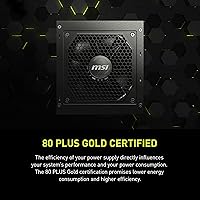
  • Efficiency Rating: Holds an 80 Plus Gold certification, operating at 87–92% efficiency across typical load ranges to reduce heat and energy waste.
  • Form Factor: Follows the standard ATX form factor, compatible with the vast majority of mid-tower and full-tower PC cases.
  • Modular Design: Fully modular cable system allows users to attach only the cables required for their specific build, reducing clutter inside the case.
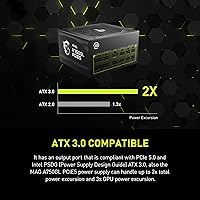
  • Connector Standard: Compliant with ATX 3.1, the latest desktop power supply specification, which improves handling of sudden transient power demands from modern GPUs.
  • PCIe Version: PCIe 5.1 ready with a native dual-color 12V-2x6 cable included, eliminating the need for third-party adapters with RTX 40-series and future GPUs.
  • Cooling Method: Uses an air-cooled fan design that operates quietly under standard gaming loads and ramps up only under sustained high-demand conditions.
  • Voltage Input: Accepts both 110V and 220V input, making it compatible with power grids in North America, Europe, and most other regions worldwide.
  • Dimensions: Measures 12 x 9 x 5 inches, fitting standard ATX PSU bays without modification in virtually all compatible cases.
  • Weight: Weighs 6.07 pounds, which is typical for a fully modular 750W unit with a robust internal build.
  • Warranty: Backed by a 10-year limited warranty from MSI, covering defects and long-term operational reliability under normal use conditions.
  • Native Cable: Includes a dual-color 12V-2x6 cable natively, designed specifically for high-power GPU connections without requiring separate adapter cables.
  • Brand: Manufactured by MSI, a Taiwanese hardware company with an established track record across graphics cards, motherboards, and power supplies.
  • Series: Part of the MAG A750GL PCIe5 product line, positioned as a compact, future-ready option within MSI's power supply lineup.
  • Release Date: First made available in July 2023, aligning with the broader industry transition to ATX 3.1 and PCIe 5.1 standards.
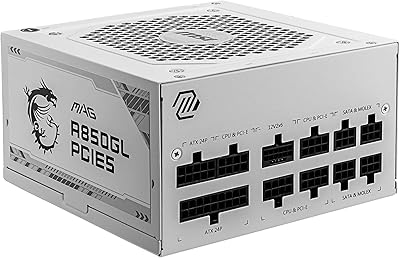
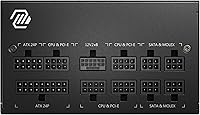
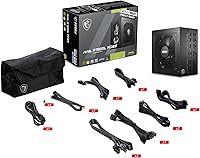
  • Output Connectors: Provides a fully modular connector array including the 24-pin ATX main, EPS CPU connectors, PCIe connectors, SATA, and peripheral headers.
  • Protection Features: Includes standard PSU protection circuits covering over-voltage, under-voltage, over-current, over-power, over-temperature, and short-circuit protection.

Related Reviews
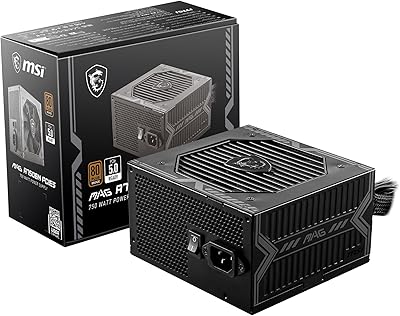
MSI MAG A750BN PCIE5 750W Power Supply
85%
90%
Power Stability
88%
Noise Level
85%
Build Quality
91%
Energy Efficiency
84%
Ease of Installation
More
MSI MAG A850GL PCIE5 White
89%
91%
Build Quality
94%
Energy Efficiency
88%
Cooling Performance
89%
Modularity & Cable Management
85%
Noise Level
More
MSI MAG A750BE 750W ATX Power Supply
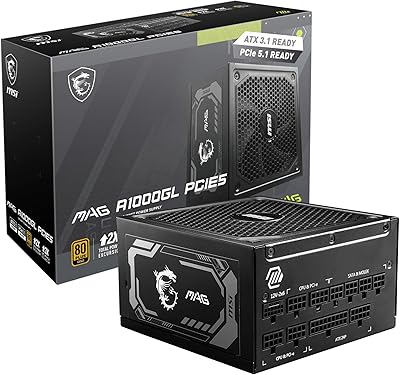
86%
89%
Value for Money
91%
Quiet Performance
88%
Build Quality
85%
Ease of Installation
80%
Cable Management
More
MSI MAG A1000GL PCIE5 1000W Power Supply
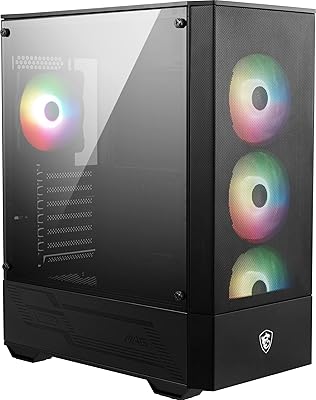
87%
92%
Performance under Load
96%
Energy Efficiency
89%
Build Quality
88%
Noise Levels
77%
Ease of Installation
More
MSI MAG Forge 112R
MSI MAG Forge 112R
83%
89%
Cooling Performance
85%
Build Quality
91%
Ease of Assembly
88%
Design Aesthetics
65%
Cable Management
More
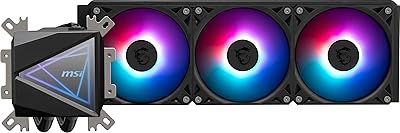
MSI MAG CoreLiquid I360 Black
85%
94%
Cooling Performance
91%
Build Quality
89%
Aesthetics & Design
87%
Ease of Installation
72%
Noise Levels
More
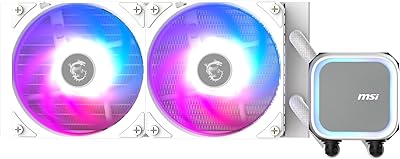
MSI MAG Coreliquid A13 240 White
86%
88%
Cooling Performance
92%
Noise Levels
89%
RGB Customization
84%
Build Quality
91%
Compatibility
More
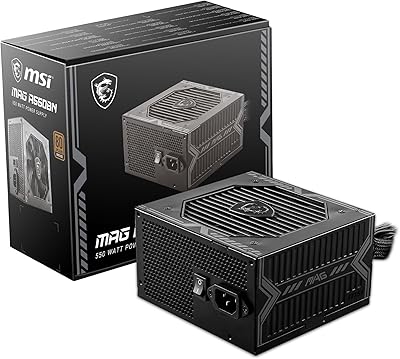
MSI MAG A550BN 550W Power Supply
87%
92%
Value for Money
85%
Performance
88%
Reliability
90%
Noise Levels
87%
Ease of Installation
More
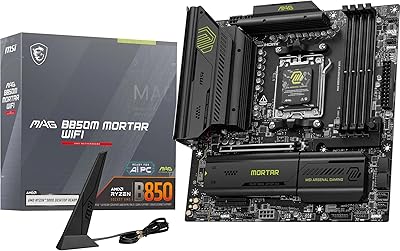
MSI MAG B850M Mortar WiFi Motherboard
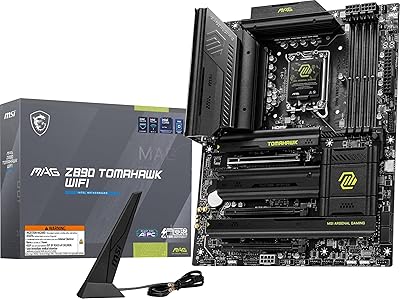
88%
94%
Wi-Fi & LAN Performance
88%
Overclocking Potential
92%
Cooling Efficiency
85%
Setup & Installation
90%
Power Delivery Stability
More
MSI MAG X670E Tomahawk WiFi Gaming Motherboard
89%
94%
Performance
90%
Power Delivery and Overclocking Stability
88%
Wi-Fi and Connectivity
93%
Build Quality and Durability
89%
Thermal Management
More

FAQ

For most mid-to-high-end builds pairing an RTX 4070 or 4070 Ti with a mainstream gaming CPU like a Ryzen 7 or Core i7, 750W provides comfortable headroom. Where it gets tight is if you are running a high-core-count, power-hungry processor alongside the GPU under simultaneous full load — in that scenario, stepping up to 850W would be the safer choice.

It comes included in the box as a native cable — no adapter required. This is one of the practical advantages of this unit over older PSUs that shipped with 16-pin connectors requiring a separate adapter to work with current NVIDIA GPUs.

ATX 3.1 is an updated power supply specification that improves how the unit handles sudden, sharp spikes in GPU power demand — the kind that modern graphics cards produce in fractions of a second during demanding scenes. In practical terms, it reduces the risk of your system shutting down unexpectedly during gaming or GPU-intensive workloads.

Under typical gaming conditions — playing titles at 1080p or 1440p for a few hours — most users describe the fan as very quiet, effectively fading into background noise. It becomes more noticeable during extended full-load stress testing or prolonged simultaneous CPU and GPU workloads, but for everyday gaming it holds up well in quiet room environments.

Almost certainly yes. It follows the standard ATX form factor, which is the most common PSU size used in mid-tower and full-tower cases. Unless your case specifies it only supports SFX or other non-standard PSU formats, this unit will fit without modification.

MSI covers defects and failures under normal operating conditions for 10 years from purchase. You would need proof of purchase and would need to contact MSI support to initiate a claim. One practical note: if you are outside the US, it is worth checking how MSI handles warranty claims in your region before buying, as the process can vary.

It can work well for creative workstation builds at this power tier, but the key variable is total system draw under sustained load. Video editing and 3D rendering keep both the CPU and GPU working hard simultaneously for long periods, so if your components are power-hungry, verify that your estimated system draw stays comfortably below 700W to maintain safe headroom.

No special tools beyond a standard Phillips screwdriver are needed. The fully modular design actually makes installation simpler than non-modular units because you only connect the cables your build requires. Connector labeling is clear enough that most builders can complete the installation confidently, though complete beginners may want to follow a video walkthrough alongside the included documentation.

It supports both 110V and 220V input natively, so it works across North America, Europe, Asia, and most other regions without any manual switching or external converter. This makes it a practical choice if you ever relocate or travel with your build.

The box includes the 24-pin ATX motherboard cable, EPS CPU power cables, PCIe power cables including the native 12V-2x6, SATA power cables, and peripheral connectors. For a standard gaming build with one or two storage drives and a single GPU, the included cables cover everything you need. Builders with multiple storage drives or unusual configurations may want to verify counts before assuming the included set is sufficient.