Overview

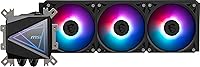
The MSI MAG CoreLiquid I360 360mm AIO Liquid Cooler sits confidently in the mid-to-upper tier of the all-in-one cooling market, and it makes that position known the moment you pull it out of the box. The infinity mirror pump head is the first thing that catches your eye — it creates a convincing depth effect that most competitors simply don't attempt. Beyond looks, it supports current Intel LGA 1851 and AMD AM5 sockets right out of the box. What really sets it apart structurally is the pump-in-radiator design, which moves the motor away from the CPU block entirely. Expect solid thermal performance wrapped in a package that clearly cares about presentation.
Features & Benefits

The most interesting engineering choice here is the split-flow radiator with its integrated three-phase pump. By relocating the pump motor into the radiator rather than the CPU block, MSI reduces the kind of low-frequency hum that plagues cheaper AIOs over time. The three 120mm ARGB PWM fans top out at 2500 RPM and stay composed in everyday use — though you will notice them under sustained load. Tubing is triple-layered with reinforced mesh sheathing, adding rigidity and long-term confidence against coolant loss. Thermal paste is included, which removes one variable from the install and gets first-time builders running faster. The UNI Bracket handles both Intel and AMD platforms without needing separate adapters.

Best For

This 360mm liquid cooler is a natural fit for builders who want their rig to look as good as it performs. The infinity mirror head is genuinely striking inside a windowed case, making it a popular pick for content creators and streamers who want their setup visible on camera. It also works well for anyone on a current-gen Intel or AMD platform — LGA 1700, 1851, AM5, and AM4 are all covered without hunting for adapters. If you're overclocking or running sustained workloads that push CPU thermals hard, the radiator gives you real headroom. And if you're already running MSI components, the Mystic Light integration keeps your RGB setup cohesive rather than chaotic.

User Feedback

Most buyers are quick to highlight two things: how straightforward the install is, and how good the pump head looks once the system is running. The UNI Bracket draws consistent praise for making the process feel less like guesswork. On the flip side, a handful of users note that the fans get noticeably loud when the system ramps them up under heavy load — not a dealbreaker, but worth knowing if you're sensitive to noise. MSI Center, the companion software for RGB control, works reliably for most, though a few users ran into initial setup hiccups. Long-term owners generally report no leaks or pump issues, and the quieter pump placement compared to traditional head-mounted designs gets mentioned more than once.

Pros

  • The pump-in-radiator design cuts the low-frequency hum that plagues many traditional AIO coolers in daily use.
  • Broad socket support covers LGA 1851, LGA 1700, AM5, and AM4 with no additional adapters required.
  • The UNI Bracket system makes installation genuinely straightforward, even for first-time AIO builders.
  • Infinity mirror pump head creates a distinctive depth-illusion lighting effect that stands out in windowed builds.
  • Reinforced mesh-sheathed tubing feels premium and holds its shape well during cable management.
  • Thermal paste is included, removing one variable and one extra purchase from the build process.
  • The CoreLiquid I360 integrates cleanly into the MSI Mystic Light ecosystem for unified RGB control.
  • Long-term owners report stable pump performance and no coolant loss after months of regular use.
  • The 360mm radiator provides real thermal headroom for overclocking or CPU-intensive sustained workloads.

Cons

  • Fans become noticeably loud when pushed toward maximum RPM under heavy sustained load.
  • RGB customization is effectively locked to MSI Center — non-MSI builds lose most lighting control.
  • MSI Center software has a history of driver conflicts and occasional RGB profile save failures on first install.
  • Tubing stiffness can make clean routing difficult inside compact mid-tower and smaller cases.
  • The infinity mirror aesthetic adds cost that buyers who do not care about looks are essentially forced to pay for.
  • Long-term reliability data is still limited since the product only launched in mid-2024.
  • Default fan curve settings can leave thermal performance below its potential until manually tuned.
  • The included documentation is sparse, pushing less experienced builders toward MSI's website for guidance.

Ratings

The scores below for the MSI MAG CoreLiquid I360 360mm AIO Liquid Cooler were generated by our AI system after analyzing verified purchase reviews from buyers worldwide, with spam, incentivized, and bot-flagged submissions actively filtered out before scoring. This cooler draws strong opinions on both sides — enthusiasts love the aesthetics and install experience, while a vocal minority has flagged fan noise and software quirks. Both the highlights and the friction points are reflected honestly in every category below.

Cooling Performance
88%
Buyers running Intel 13th and 14th Gen processors under sustained workloads consistently report stable temperatures with meaningful headroom left over. The 360mm radiator surface area does real work during long rendering sessions or gaming marathons where smaller coolers start to struggle.
A handful of users on high-TDP chips noted the cooler performs best when fan curves are tuned manually rather than left on default profiles. Out of the box, thermal results can be slightly conservative until you dial in the settings.
Pump Noise & Vibration
83%
The pump-in-radiator design genuinely makes a difference in day-to-day use. Owners who upgraded from traditional head-mounted AIOs frequently comment that the low-frequency hum they used to hear through their desk is simply gone with this setup.
A small number of users reported a faint gurgling sound during the first few days of operation, which is not unusual for AIOs but can be alarming if you have not encountered it before. Most report it settles down after the coolant circulates fully.
Fan Noise at Load
67%
33%
At moderate speeds, the three ARGB fans run quietly enough that they blend into typical PC ambient noise. For everyday desktop tasks, light gaming, or productivity workloads, the noise level stays well within a comfortable range.
Push the fans toward their 2500 RPM ceiling and the noise becomes noticeable — several buyers specifically flagged this as a frustration during heavy gaming or CPU stress tests. Users in quiet office environments or open-frame cases will feel this more acutely than others.
Build Quality & Materials
91%
The reinforced mesh-sheathed tubing feels genuinely premium to handle and holds its shape during routing inside cases. The pump head housing and radiator finish both suggest a product built with longevity in mind rather than cutting corners on materials.
A few users found the tubing slightly stiffer than expected, which made routing in compact mid-tower cases a bit awkward. It is not a dealbreaker, but tighter builds require a little extra patience during install.
RGB & Aesthetics
94%
The infinity mirror effect on the pump head is a genuine crowd-pleaser — it creates a layered, deep lighting look that stands out compared to flat-lit competitors. In a windowed case with other RGB components running, the visual payoff is hard to argue with.
The effect is entirely dependent on Mystic Light software for customization, which means users outside the MSI ecosystem cannot access the full range of lighting modes through third-party RGB controllers. Static color options without the software are limited.
Installation Experience
89%
The UNI Bracket system earns consistent praise for making socket compatibility feel effortless. Buyers building on both AM5 and LGA 1851 platforms report completing the full install without hunting for extra hardware or consulting external guides.
A small number of first-time AIO builders found the bracket labeling a bit ambiguous, requiring a second look at the manual to confirm orientation. The instructions could be cleaner, though experienced builders will not notice the gap.
Software & RGB Control
71%
29%
MSI Center works reliably for most users once installed, giving access to fan curve tuning, RGB customization, and pump speed adjustments all from a single interface. Buyers already using MSI motherboards find the integration particularly smooth.
Several reviewers flagged initial installation hiccups with MSI Center, including driver conflicts and the occasional RGB profile failing to save across reboots. These issues appear to resolve after a clean reinstall, but they add friction to an otherwise solid setup experience.
Socket Compatibility
93%
The breadth of supported sockets — spanning current LGA 1851 and AM5 down through older platforms — makes this cooler a strong candidate for both new builds and upgrades. Buyers migrating from older Intel or AMD platforms appreciated not needing a separate mounting kit.
Support for very legacy sockets like AM2 and FM1 exists on paper, but a couple of users noted the bracket tension on older boards felt less secure than on current-gen platforms. Anyone building on a truly dated platform should double-check fitment before committing.
Value for Money
79%
21%
At its price point, the CoreLiquid I360 bundles the pump-in-radiator engineering, ARGB fans, premium tubing, and thermal paste into a package that competes well with comparably priced options from Corsair and NZXT. Buyers generally feel they are getting a feature-rich product for the spend.
Buyers who do not care about RGB or the infinity mirror aesthetic may find better pure-performance value elsewhere at the same price. If aesthetics are not a priority, the cost-to-cooling ratio becomes a tighter argument compared to simpler competitors.
Thermal Paste Quality
76%
24%
Including thermal paste removes one step and one extra purchase from the build process, which first-time builders particularly appreciated in feedback. Application coverage reported by users is generally even and sufficient for a solid initial contact layer.
Enthusiasts who prefer premium third-party compounds like Thermal Grizzly Kryonaut will swap it out anyway, so the included paste matters more as a convenience than a performance feature. A few users noted marginally better temperatures after replacing it.
Radiator & Fan Build
86%
The aluminium radiator feels solid and the fan frames sit flush without obvious flex or rattle at moderate speeds. Buyers who have handled multiple AIO brands noted the overall assembly feels tighter than several rivals in the same bracket.
At maximum RPM, one or two users detected a faint vibration transmitting through the radiator into the case frame — noticeable mainly in cases with thin side panels. Adding rubber fan gaskets resolved it for most who reported the issue.
Tubing Flexibility & Length
74%
26%
The 400mm tube length covers most standard mid-tower and full-tower configurations comfortably, giving builders enough slack to route cleanly without putting stress on the fittings. The reinforced sheathing also prevents unsightly kinking near the radiator barbs.
In smaller ITX or compact mATX cases, the relative stiffness of the tubing makes neat cable management trickier. A couple of users had to accept less-than-ideal tube curves to avoid putting tension on the pump head connection points.
Long-Term Reliability
82%
18%
Owners who have run the CoreLiquid I360 for six months or more largely report no coolant loss, no pump degradation, and stable RGB behavior over time. The evaporation-proof tubing design appears to deliver on its promise based on real-world usage feedback.
The sample of very long-term reviews is still limited given the product launched in mid-2024, so multi-year reliability data is not yet conclusive. Buyers should treat current positive long-term feedback as encouraging rather than definitive.
Packaging & Unboxing
81%
19%
Multiple buyers commented on how well-organized the packaging is, with the radiator, fans, and mounting hardware each in dedicated compartments. Nothing arrived loose or damaged in the vast majority of reported unboxing experiences.
The box is substantial in size and not easy to store if you want to keep it for warranty purposes. A few users also noted the included documentation is minimal, relying on buyers to visit MSI's site for detailed setup guidance.
Compatibility with Non-MSI Builds
69%
31%
The physical mounting and cooling functions work perfectly regardless of motherboard brand — non-MSI build owners have no issues with the hardware installation itself. Fan control via standard 4-pin PWM headers is straightforward on any platform.
Without MSI Center, the RGB is locked to a default cycling mode with no user customization. Builders on ASUS or Gigabyte ecosystems using Armoury Crate or RGB Fusion cannot natively sync the pump head lighting, which limits one of the cooler's biggest selling points.

Suitable for:

The MSI MAG CoreLiquid I360 360mm AIO Liquid Cooler is a strong match for PC builders who want capable thermal management without sacrificing how their system looks. If you have a windowed case and care about the overall presentation of your build — whether for a streaming setup, a content creation workstation, or simply a rig you are proud to show off — the infinity mirror pump head delivers a visual payoff that few competitors at this price point can match. Builders on current Intel platforms like LGA 1700 and LGA 1851, or AMD AM5 and AM4 systems, will appreciate that everything needed for a clean install is already in the box, including the mounting hardware and thermal paste. It is also a particularly smart pick for anyone coming from a traditional head-mounted AIO who has grown frustrated with low-frequency pump hum — the pump-in-radiator architecture genuinely reduces that resonance in everyday use. If you are already running MSI components and using Mystic Light for RGB synchronization, this cooler slots into that ecosystem without any friction.

Not suitable for:

The MSI MAG CoreLiquid I360 360mm AIO Liquid Cooler is not the right tool for every builder, and it is worth being honest about where its priorities lie. If RGB aesthetics mean nothing to you and you are purely chasing the best thermal performance per dollar, there are simpler 360mm AIOs on the market that deliver comparable cooling without the premium attached to the lighting system and mirror design. Noise-sensitive users who run their systems under sustained heavy load — rendering, simulation, or long gaming sessions — should know that the fans become clearly audible when pushed toward their upper speed range, and that is not something a fan curve alone fully eliminates. Builders working with non-MSI motherboards will find the RGB customization locked behind MSI Center, which does not play well with Armoury Crate, RGB Fusion, or other ecosystem software, effectively turning the standout visual feature into a static light show. Anyone building in a compact mATX or ITX case should also check clearances carefully, as the tubing stiffness and radiator size can create real routing challenges in tighter enclosures.

Specifications

  • Radiator Size: The radiator measures 360mm, designed to mount in standard 360mm case fan bays using three 120mm fan positions.
  • Dimensions: Overall product dimensions are 18.5 x 5.7 x 8.3 inches, including the radiator, fans, and pump head assembly.
  • Weight: The complete cooler assembly weighs 6.19 pounds, which is typical for a fully equipped 360mm AIO with three fans attached.
  • Fan Configuration: Three 120mm ARGB PWM fans are included, each capable of spinning up to 2500 RPM for active radiator cooling.
  • Noise Level: Rated noise output is 32.8 dB, measured at operational speeds representative of moderate system load conditions.
  • Pump Type: The cooler uses an integrated three-phase pump built directly into the radiator using a split-flow water channel design.
  • Power Connector: All fans connect via standard 4-pin PWM headers, compatible with fan control headers on any modern desktop motherboard.
  • Tubing: The 400mm cooling tubes are constructed with triple-layered netted plastic encased in reinforced mesh sheathing to resist evaporation and kinking.
  • Intel Sockets: Supported Intel sockets include LGA 1150, 1151, 1155, 1156, 1200, 1366, 1700, 1851, 2011, 2011-3, and 2066.
  • AMD Sockets: Supported AMD sockets include AM5, AM4, AM3+, AM3, AM2+, AM2, FM2+, FM2, and FM1, covering a wide range of generations.
  • Mounting System: The UNI Bracket universal mounting system accommodates both Intel and AMD platforms without requiring separate adapter kits.
  • RGB Ecosystem: The pump head and fans use ARGB lighting compatible with MSI Mystic Light, controlled through MSI Center software on Windows.
  • Pump Head Design: The pump head features an infinity mirror ARGB panel that creates a layered depth-illusion lighting effect visible through windowed cases.
  • Thermal Paste: A tube of thermal paste is included in the box, sufficient for a single standard CPU installation.
  • Cooling Method: This is a closed-loop liquid cooling system; no user refilling, bleeding, or maintenance of coolant is required under normal operation.
  • Compatible Devices: The cooler is designed exclusively for desktop PC builds and is not compatible with laptop or small-form-factor systems.
  • Model Number: The official MSI model number for this cooler is CLI360, used for warranty registration and support identification purposes.
  • Release Date: The product was first made available for purchase in August 2024, placing it within MSI's current-generation MAG cooler lineup.

Related Reviews
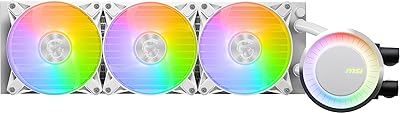
MSI MAG CoreLiquid E360 White AIO CPU Liquid Cooler
86%
94%
Cooling Performance
88%
Noise Levels
90%
RGB Lighting Customization
80%
Ease of Installation
91%
Build Quality
More
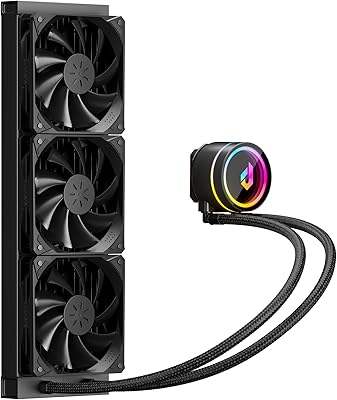
Cooler Master MasterLiquid 360L Core 360mm
82%
88%
Thermal Performance
74%
Pump Quality & Reliability
91%
Installation Experience
83%
Noise Level
86%
Value for Money
More
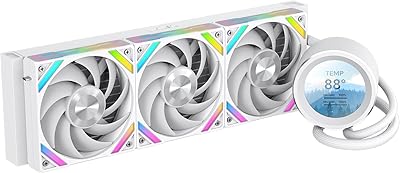
upHere P360K 360mm AIO Liquid CPU Cooler
77%
78%
Thermal Performance
67%
Noise Level
71%
Build Quality
88%
Installation Experience
86%
Compatibility
More
SAMA Q60 360mm AIO Liquid CPU Cooler
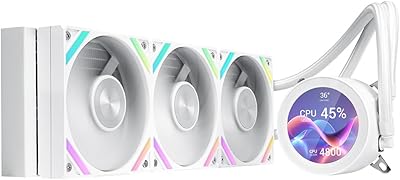
85%
91%
Cooling Performance
88%
Noise Level
80%
Ease of Installation
85%
Aesthetic & Customizability
92%
Compatibility
More
SAMA Q70 360mm AIO Liquid CPU Cooler
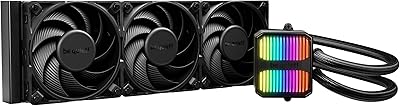
80%
83%
Cooling Performance
88%
LCD Display Quality
61%
Display Software & Setup
79%
Fan Noise Level
72%
Pump Noise & Reliability
More
GAMDIAS Aura GLV2 360mm AIO Liquid CPU Cooler
87%
91%
Cooling Performance
88%
Noise Level
90%
ARGB Lighting Customization
85%
Ease of Installation
93%
Compatibility with Intel & AMD
More
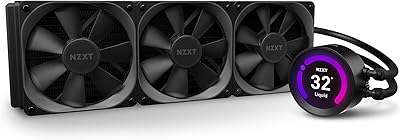
be quiet! Silent Loop 3 360mm AIO Liquid Cooler
86%
92%
Cooling Performance
89%
Noise Level Under Load
85%
Ease of Installation
91%
Build Quality
80%
ARGB Lighting Customization
More
AsiaHorse WK-A360 ARGB AIO CPU Liquid Cooler 360mm
87%
94%
Cooling Performance
88%
Noise Levels (Under Load)
75%
RGB Aesthetics
90%
Installation Ease
92%
Build Quality
More
NZXT Kraken Z73 360mm AIO RGB CPU Liquid Cooler
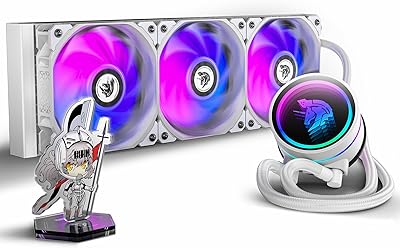
84%
92%
Cooling Performance
87%
Noise Level
72%
Installation Ease
80%
Software Control (CAM V4)
90%
Aesthetic Customization (LCD Display)
More
Lian Li Galahad II Lite 360mm Cooler
82%
83%
Thermal Performance
91%
Build Quality
74%
Noise Level
79%
Installation Experience
88%
Cable Management
More

FAQ

Yes, LGA 1851 support is built in from the start. You do not need to order a separate mounting kit or wait for an adapter — the UNI Bracket in the box handles it natively, which is a genuine convenience for anyone building on Intel Core Ultra 200 series processors.

You can install MSI Center on any Windows PC to manage the lighting, regardless of your motherboard brand. That said, native synchronization with ecosystem software like ASUS Armoury Crate or Gigabyte RGB Fusion is not supported. If you are outside the MSI ecosystem, the pump head will default to a cycling ARGB mode without deep customization unless you run MSI Center alongside your existing software.

For many users, yes. Moving the pump motor into the radiator removes the direct mechanical contact between the pump and your desk or case panel, which is usually what transmits that low hum you feel as much as hear. Most people who switched from a traditional head-mounted AIO report a real improvement in perceived quietness during everyday use, though the fans themselves are still the dominant noise source under load.

At moderate fan speeds it is genuinely quiet and easy to ignore. Push the system hard enough that fans ramp toward their upper range and you will notice them — it is not silent. If your case is open or your room is otherwise quiet, the fan noise during extended heavy workloads is worth factoring into your decision. Manually tuning the fan curve in MSI Center or your motherboard BIOS helps keep noise down during lighter tasks.

The included paste is perfectly adequate for a standard installation and will get you solid results. Enthusiasts who want to squeeze out every last degree — particularly overclockers — often replace it with a premium compound anyway, but for the vast majority of users there is no practical reason to bother. It is a genuine convenience that it is included at all.

The 400mm tube length is sized for standard mid-tower top-mount configurations and generally has enough slack for a clean install without stress on the fittings. The tubes are on the stiffer side though, so in cases where the radiator and CPU socket are positioned in a way that requires a tight bend, you may need to take a bit more time routing things neatly. Full-tower cases have no issues at all.

Yes, AM5 is fully supported through the UNI Bracket system included in the box. No additional hardware is needed, and the mounting process on AM5 follows the same straightforward steps as AM4 before it.

Both options work. The fans use standard 4-pin PWM connectors, so any motherboard with PWM fan headers can control speed through its own BIOS or fan control utility without needing MSI Center at all. MSI Center adds the ability to tie fan behavior to temperature readings and coordinate it with RGB profiles, but it is entirely optional for basic speed control.

Closed-loop AIOs like this one are sealed at the factory and are not user-serviceable, so there is no refilling or bleeding required. The reinforced triple-layered tubing is specifically built to resist both leaks and long-term evaporation. Real-world feedback from owners so far has been positive on this front, with no widespread reports of leaks. A faint gurgling sound in the first day or two after install is normal as the coolant settles and is not a sign of a problem.

Technically yes — the radiator accepts standard 120mm fans — but you would need to purchase three additional 120mm fans separately, as only one set is included. Push-pull setups can improve airflow through the radiator under high heat loads, but for most users the included fans provide sufficient performance without the extra hardware and cable management complexity.

Where to Buy