Overview

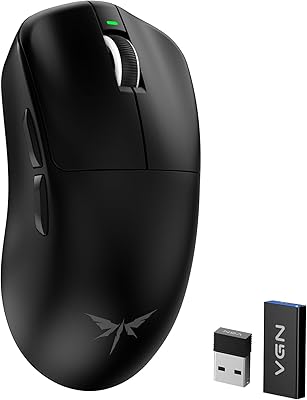
The Attack Shark X3 Wireless Gaming Mouse enters a crowded field where sub-50g wireless mice have gone from novelty to expectation, and it does so at a price that undercuts most name-brand competition. This is a collaboration between MANBASNAKE and Attack Shark — two peripheral brands building toward enthusiast specs without the premium markup. At 49g, it sits comfortably alongside recognized ultralight rivals, though buyers should know this is a symmetrical shell, not a sculpted ergonomic design. The tri-mode connectivity — 2.4GHz, Bluetooth 5.2, and wired — genuinely sets it apart for anyone juggling multiple devices. If you go in with calibrated expectations rather than flagship assumptions, this lightweight gaming mouse makes a compelling case.
Features & Benefits

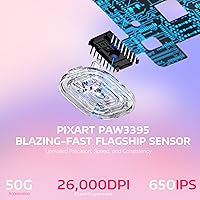
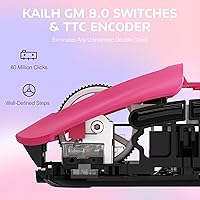
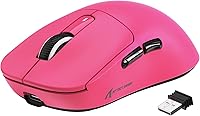
What makes the X3 wireless mouse stand out technically is the PixArt PAW3395 sensor at its core. This is the same chip found in mice costing significantly more — it tracks with exceptional accuracy across cloth and hard pads alike, and the DPI ceiling sits so far above what any real gaming scenario demands that it becomes nearly irrelevant in practice. The KAILH GM8.0 switches deliver a crisp, satisfying click with gold-plated contacts engineered to survive decades of heavy use. The TTC encoder on the scroll wheel is notably tactile — FPS players switching weapons will feel the difference immediately. PTFE feet are generously cut and genuinely smooth. Battery life is rated for weeks of use, holding its own comfortably against most competitors in this class.

Best For

This lightweight gaming mouse is a natural fit for competitive FPS players who want a proven sensor and low weight without paying flagship prices. It also works well for anyone bouncing between a desktop PC, a work laptop, and a Mac — the multi-device connection switching is practical, not just a spec-sheet talking point. Those dealing with wrist or palm fatigue during extended sessions will appreciate the low carry weight. That said, be honest about the shape: symmetrical suits claw and fingertip grip styles, but large-handed palm-grip users may find it cramped. If you are coming from a heavier mouse and prefer that solid, substantial feel, the Attack Shark X3 is probably not your match. Left-handed users will also want to look elsewhere.

User Feedback

Early buyers of the X3 wireless mouse have responded mostly positively, with out-of-box glide and click response drawing consistent praise from competitive users. Most report the actual weight feels accurate to what was advertised, and battery endurance has impressed those upgrading from mice demanding far more frequent charging. Criticisms are more nuanced: the companion software carries a noticeable learning curve, and buyers with larger hands find the compact frame limiting during extended play. Build quality reads as solid but not premium — it does not feel cheap, yet it does not rival the finish of more established Western brands. Given MANBASNAKE is still building trust in Western markets, this early feedback is encouraging, if still limited in volume.

Pros

  • The PAW3395 sensor delivers flagship-grade tracking accuracy at a mid-range price point.
  • At 49g, this lightweight gaming mouse is genuinely competitive with much more expensive ultralight options.
  • Tri-mode connectivity works well in practice for users who switch between multiple devices daily.
  • Battery endurance is exceptional — real-world use confirms weeks of gaming between charges.
  • KAILH GM8.0 switches feel crisp and responsive, with a click life rated to last well over a decade of heavy use.
  • PTFE feet provide a smooth, consistent glide on both cloth and hard mousepads right out of the box.
  • The TTC scroll wheel encoder is noticeably tactile, which benefits weapon-switching precision in FPS games.
  • Programmable software covers DPI tuning, lift-off distance, and macro setup for those who want fine control.
  • The price-to-hardware ratio is difficult to argue with when compared to similarly specced mice from major brands.

Cons

  • The companion software has a learning curve and may feel unintuitive for users who prefer simple plug-and-play setups.
  • Build quality feels solid but not premium — the finish does not rival more established Western-brand peripherals.
  • The symmetrical, compact shell is poorly suited to large hands or users who prefer a palm-grip style.
  • No left-handed version exists, which is an immediate dealbreaker for a meaningful portion of buyers.
  • MANBASNAKE has limited brand presence in Western markets, raising valid questions about long-term support and warranty handling.
  • Early buyer review volume is thin, making it harder to assess long-term durability with confidence.
  • Users sensitive to lightweight mice may find the 49g frame feels insubstantial compared to heavier alternatives.
  • Bluetooth mode, while convenient, may introduce slightly higher latency than the 2.4GHz connection for time-critical gaming.

Ratings

The scores below for the Attack Shark X3 Wireless Gaming Mouse were generated by our AI system after analyzing verified global user reviews, with spam, bot activity, and incentivized feedback actively filtered out before any scoring was applied. Each category reflects the honest distribution of real buyer experiences — both what users genuinely praised and where recurring frustrations showed up. No score has been adjusted to favor the manufacturer, and weaker categories are scored accordingly.
Sensor Performance
93%
Users consistently highlight the PAW3395 sensor as the X3's strongest asset, with competitive players noting it holds perfect tracking even through fast, sweeping movements in titles like Valorant and CS2. At this price tier, getting a flagship-class sensor is unusual, and buyers coming from budget mice treat the tracking consistency as a revelation.
A small number of users on glossy or highly reflective hard pads reported occasional micro-stutters, though this appears surface-dependent rather than a sensor defect. The sensor's ceiling far exceeds what most buyers will ever use, which is not a criticism, but it can make the marketing feel slightly overstated.
Weight & Portability
91%
The 49g build is one of the few specs buyers universally agree matches real-world feel — users picking it up for the first time often comment on how genuinely light it is without feeling fragile. For gamers who travel or switch between setups, the compact form factor and low weight make it easy to drop into a bag without a second thought.
A subset of buyers who prefer heavier, more grounded peripherals found the ultralight build actively off-putting, describing it as feeling insubstantial during slow, deliberate movements. Users accustomed to mice in the 90–110g range may need a genuine adjustment period before the lighter feel becomes natural.
Battery Life
88%
Real-world battery endurance impressed most buyers, with many reporting they went several weeks of daily gaming sessions before needing to charge — a noticeable step up from competitors in the same price bracket. The ability to continue using it in wired mode while charging was repeatedly flagged as a practical and well-thought-out feature.
The maximum battery figure applies to lower-intensity use; heavy gaming with frequent polling will reduce endurance noticeably compared to the rated ceiling. A few buyers noted the battery indicator feedback is not granular enough, making it harder to predict when a charge is actually needed before the mouse dies unexpectedly.
Click Feel & Switches
89%
The KAILH GM8.0 switches drew strong praise for their tactile snap and consistent actuation — buyers who have used higher-end mice noted the click response felt comparable to switches found in mice costing significantly more. In fast-paced FPS scenarios, the crisp, predictable feedback gave users confidence in every registered input.
A handful of users noted the click sound is on the louder side, which may be a concern in shared spaces or late-night sessions. There were isolated reports of minor pre-travel inconsistency on the right mouse button out of the box, though these cases appear infrequent based on overall feedback volume.
Scroll Wheel
84%
The TTC encoder gives the scroll wheel a noticeably defined, stepped feel that FPS players in particular appreciated — weapon-switching felt faster and more deliberate compared to mushier encoders found on cheaper mice. The rebound speed between scroll notches was frequently mentioned as a standout detail that exceeded buyer expectations at this price.
Users who prefer smooth, free-spinning scroll wheels for productivity tasks will find the heavily stepped feel unsuitable for rapid document scrolling. The wheel's resistance is tuned toward gaming first, which creates a small but real trade-off for buyers who use this mouse across both gaming and office work.
Connectivity Reliability
82%
18%
The 2.4GHz wireless connection was described as rock-solid by the majority of buyers, with no meaningful input lag reported during competitive play. Multi-device users appreciated the genuine practicality of switching between a desktop and laptop via Bluetooth without needing to re-pair from scratch each time.
Bluetooth mode drew a split response — while convenient, some users noticed slightly inconsistent connection stability when the mouse was used at distance or near other wireless devices. A small number of buyers reported the mode-switching process was less intuitive than expected and required consulting the manual before it clicked.
Build Quality
74%
26%
Most buyers found the overall construction solid for the price, with no flex in the shell and buttons that felt firmly seated. The anti-sweat coating on the surface was appreciated by users who game in warmer environments, as it maintained grip even during extended sessions.
Side-by-side comparisons with Logitech and Razer equivalents reveal a gap in perceived premium feel — the plastic finish reads more functional than refined. A few buyers noted minor seam inconsistencies around the shell joints, and the overall finish does not project the same sense of quality that well-established brands deliver at comparable prices.
PTFE Feet & Glide
87%
The out-of-box glide experience was one of the most commonly praised aspects, with buyers on both cloth and hard pads noting the feet felt smoother than expected for a mouse in this price range. The larger foot surface area contributes to stable stopping power, which competitive players noted helped with precise cursor placement.
On rough or lower-quality cloth pads, a few users reported slightly more resistance than anticipated, suggesting the feet perform best on mid-to-high density surfaces. Over extended use, some buyers flagged early signs of edge wear on the feet, though this is a category-wide issue and not unique to this mouse.
Ergonomics & Comfort
71%
29%
Claw-grip and fingertip-grip users found the symmetrical shell comfortable over extended sessions, with the low weight reducing the muscular effort needed to reposition the mouse repeatedly. Gamers with average-sized hands reported no significant hotspots or pressure points during two-to-three hour gaming sessions.
The symmetrical, compact shape is not truly ergonomic — it offers no thumb rest, side contouring, or sculpting for natural hand curvature. Palm-grip users with larger hands consistently flagged discomfort during longer sessions, and the absence of a left-handed variant means a meaningful portion of potential buyers are simply excluded.
Software & Customization
63%
37%
The companion software covers all essential configuration — DPI steps, button remapping, lift-off adjustment, and macro creation — giving technically inclined users real flexibility over how the mouse behaves. Settings save to onboard memory, so once configured, the software does not need to run in the background.
The interface design is not intuitive, and multiple buyers described a frustrating initial experience navigating unfamiliar menu structures without a clear guide. Software stability complaints also appeared with moderate frequency, including occasional failure to detect the mouse on launch, requiring users to replug or restart the application.
Value for Money
86%
Buyers repeatedly noted that the hardware inside — the sensor, switches, and feet — would typically command a noticeably higher price from mainstream brands. For enthusiasts who care about core components rather than logo cachet, the X3 delivers a hardware-to-price ratio that is genuinely difficult to match in this segment.
The value equation weakens slightly when factoring in software frustrations, limited brand support infrastructure, and build finish that does not match the spec sheet ambition. Buyers who prioritize long-term reliability and established after-sales support may feel the savings come with trade-offs that only become apparent months after purchase.
Out-of-Box Experience
79%
21%
Most buyers reported a positive first impression — the mouse worked immediately on plug-in without driver installation for basic use, and the glide feel and click response required no break-in period. Packaging quality was described as clean and functional, with accessories logically organized.
The lack of a detailed quick-start guide for the software left some buyers confused about accessing advanced features in their first session. A few users received units with the dongle compartment slightly misaligned, which is a minor cosmetic issue but signals that quality control consistency could be tightened.
Brand Trust & Support
58%
42%
Buyers who researched MANBASNAKE before purchasing found a company with a clear hardware philosophy and component choices that align with community-recognized quality standards. The use of reputable third-party components like PixArt sensors and KAILH switches offered some reassurance to skeptical first-time buyers.
MANBASNAKE remains largely unknown in Western markets, and several buyers expressed uncertainty about warranty handling and long-term support availability. The limited volume of existing reviews — partly a result of the product being newly listed — makes it harder to assess how the brand responds when things go wrong.
Multi-Device Usability
81%
19%
For users who genuinely work and game across multiple machines, the tri-mode connectivity delivered on its promise — switching from a gaming desktop to a MacBook was straightforward once each mode was initially configured. Bluetooth 5.2 maintained a stable enough connection for productivity and casual use cases without draining the battery at an alarming rate.
Users looking for a dedicated productivity Bluetooth mouse may find the gaming-first tuning — particularly the stepped scroll wheel and gaming-oriented button layout — slightly awkward for spreadsheet or browser work. The mode-switching mechanism, while functional, is not as polished or instant as what some competitor mice offer at higher price points.

Suitable for:

The Attack Shark X3 Wireless Gaming Mouse is purpose-built for competitive and casual PC gamers who want a genuinely capable sensor and ultra-low weight without stretching their budget to flagship territory. If you play a lot of FPS titles where fast, precise mouse movements matter, the combination of a top-tier optical sensor and a sub-50g frame will feel like a meaningful upgrade over most entry-level wireless mice. It is also a practical choice for anyone working across multiple machines — the ability to switch between 2.4GHz, Bluetooth, and wired without re-pairing constantly is a real convenience for people who hop between a gaming PC, a work laptop, and a Mac throughout the day. Gamers who log long sessions and have started noticing wrist or forearm fatigue with heavier mice will likely find the lighter carry weight makes a noticeable difference over time. Budget-conscious enthusiasts who have been eyeing premium ultralight mice but cannot justify the price premium will find the X3 offers the core hardware experience at a fraction of the cost.

Not suitable for:

The Attack Shark X3 Wireless Gaming Mouse is not the right pick for everyone, and it is worth being direct about where it falls short. The shell is symmetrical and relatively compact — palm-grip users with larger hands will likely feel cramped, and there is no left-handed variant available. Buyers who prefer a heavier, more substantial mouse that provides a sense of physical presence and resistance should look elsewhere, as the ultra-light design may actually feel insubstantial to them. MANBASNAKE is not yet a household name in Western markets, and if brand recognition and established after-sales support matter to you, the lack of a proven service track record may be a concern. The companion software, while functional, reportedly has a learning curve that may frustrate users who simply want to plug in and play without configuration. Anyone hoping to use this mouse in a team or professional esports setting where peripheral consistency and driver reliability are non-negotiable should lean toward more established brands until the X3 builds a longer track record.

Specifications

  • Weight: The mouse weighs 49g, placing it firmly in ultralight territory and making it competitive with some of the most popular lightweight gaming mice on the market.
  • Sensor: Tracking is handled by the PixArt PAW3395 optical sensor, a top-tier chip known for accurate, consistent performance across a wide range of surfaces.
  • Max DPI: The sensor supports up to 26,000 DPI, though most competitive gamers will use a fraction of that ceiling in real play.
  • Polling Rate: The mouse operates at a 1000Hz polling rate, meaning cursor position is reported to the system every millisecond for highly responsive input.
  • Tracking Speed: The PAW3395 sensor handles tracking speeds up to 650 IPS, covering even the fastest swipe movements without losing accuracy.
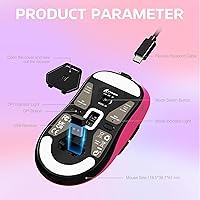
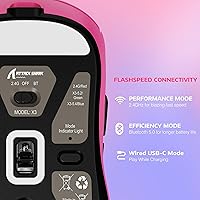
  • Connectivity: Three connection modes are supported: 2.4GHz wireless via USB dongle, Bluetooth 5.2, and wired USB — all switchable without re-pairing.
  • Battery Life: Rated battery life reaches up to 200 hours on a full charge, depending on usage intensity and connectivity mode selected.
  • Switches: Primary buttons use KAILH GM8.0 micro switches with gold-plated contacts, rated for more than 80 million clicks and an actuation force of approximately 65gf.
  • Scroll Encoder: The scroll wheel uses a TTC encoder tuned for crisp, well-defined steps with fast mechanical rebound between notches.
  • Mouse Feet: Glide feet are made from 100% pure PTFE in a larger, rounder cut designed to maximize surface contact stability and reduce drag on both cloth and hard pads.
  • Dimensions: The shell measures 4.67 x 2.4 x 1.56 inches (approximately 11.85 x 6.1 x 3.97 cm), making it a compact-to-medium sized body.
  • Shape: The design is symmetrical, meaning it is right-hand friendly but not sculpted for any particular grip style or hand size.
  • Programmability: Buttons, DPI steps, lift-off distance, and macro assignments are all configurable through the companion software available for Windows.
  • Compatibility: The mouse works across PC, laptop, and Mac platforms, with full feature support varying depending on operating system and connection mode.
  • Acceleration: The sensor supports up to 50g of acceleration, meaning it tracks reliably through rapid directional changes without introducing positional error.
  • Manufacturer: The X3 is produced by MANBASNAKE in collaboration with Attack Shark, a peripheral brand focused on the lightweight gaming mouse segment.

Related Reviews
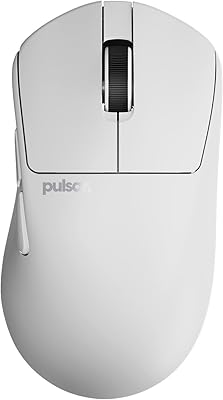
Pulsar X3 Mini Wireless Gaming Mouse
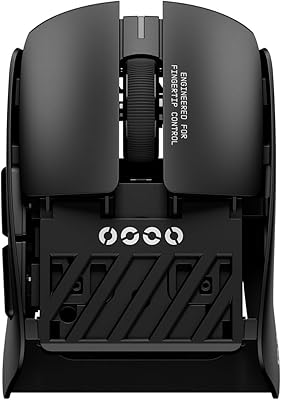
80%
91%
Sensor Performance
88%
Click Feel & Switches
93%
Weight & Build
79%
Ergonomics & Grip Fit
89%
Wireless Latency
More
Pulsar X2F Wireless Fingertip Gaming Mouse
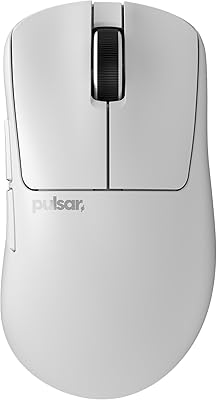
80%
94%
Weight & Form Factor
89%
Sensor Performance
91%
Polling Rate (8K Wireless)
88%
Switch Feel & Click Quality
78%
Grip & Ergonomics
More
Pulsar Gaming Gears Xlite v3 Medium Wireless Gaming Mouse
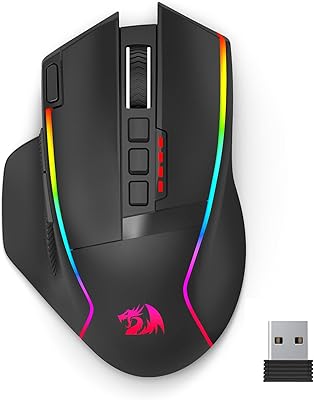
88%
93%
Ergonomics & Comfort
91%
Wireless Performance
89%
Battery Life
86%
Build Quality
94%
Precision & Sensor Accuracy
More
Redragon M915WL Wireless Gaming Mouse
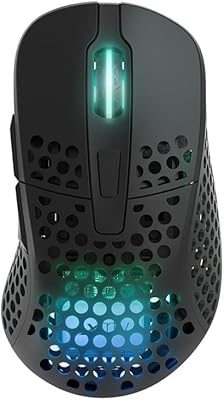
86%
88%
Performance
91%
Build Quality
94%
Battery Life
85%
Ergonomics/Comfort
89%
Precision & DPI Control
More
Xtrfy M4 Wireless Ultralight Gaming Mouse
82%
93%
Sensor Performance
91%
Wireless Performance
88%
Battery Life
86%
Weight & Form Factor
73%
Ergonomics & Fit
More
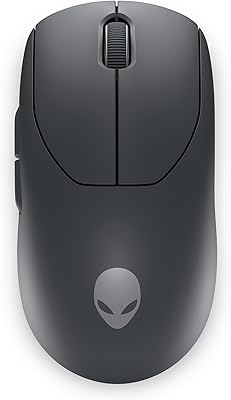
Alienware Pro Wireless Gaming Mouse
83%
91%
Precision and Performance
74%
Battery Life
88%
Ergonomics and Comfort
84%
Customization Options
90%
Build Quality
More
ROCCAT Kain 200 Wireless Gaming Mouse
82%
93%
Click Feel & Precision
88%
Sensor Accuracy
91%
Battery Life
76%
Ergonomics & Shape
87%
Wireless Performance
More
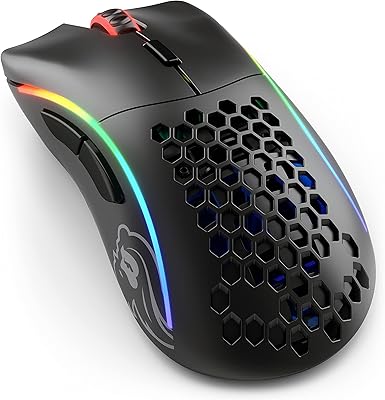
Glorious Model O Wireless Gaming Mouse
89%
94%
Precision & Performance
93%
Lightweight & Comfort
89%
Battery Life
88%
Build Quality & Durability
91%
Wireless Stability
More
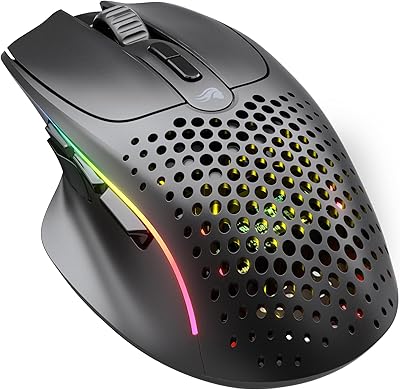
Glorious Model I 2 Wireless Gaming Mouse
87%
91%
Performance
94%
Ergonomics & Comfort
90%
Battery Life
88%
Customization & Features
85%
Build Quality & Durability
More
VGN F1 MOBA Wireless Gaming Mouse
90%
94%
Performance
91%
Precision & Responsiveness
89%
Battery Life
87%
Comfort & Ergonomics
88%
Customization (Buttons)
More

FAQ

Yes, it is a strong fit for FPS gaming. The PAW3395 sensor tracks accurately at high speeds, the TTC scroll wheel gives you crisp, defined weapon-switch inputs, and the low weight means less arm fatigue during long sessions. Most competitive FPS players will appreciate what this mouse offers at its price point.

There is a physical switch on the mouse that lets you cycle between 2.4GHz, Bluetooth, and wired USB modes. You do not need to reinstall drivers or re-pair the mouse each time — once each mode is set up initially, switching is quick and straightforward.

Bluetooth 5.2 is significantly better than older Bluetooth standards, but for competitive gaming, 2.4GHz is still the recommended mode since it offers lower and more consistent latency. Bluetooth works well for productivity tasks, casual gaming, or when connecting to a device that lacks a USB port for the dongle.

If you are coming from a mouse in the 90–120g range, yes — the difference is immediately noticeable. Most users report that the light feel takes a short adjustment period, but after a few sessions it becomes natural. A handful of buyers who prefer a heavier, more grounded feel have found the X3 too light for their taste, so that is worth considering.

That depends on your grip style. The shell is compact by most standards, and palm-grip users with large hands have reported feeling cramped over time. Claw-grip and fingertip-grip users tend to get along with the size much better. If your hands are on the larger side, it is worth checking the dimensions carefully before buying.

Basic plug-and-play functionality works on Mac, including all three connectivity modes. However, the full configuration software — for remapping buttons, adjusting lift-off distance, and saving macros — is Windows-based. Mac users can still use the mouse effectively, but they will not have access to the deeper customization options without a Windows machine to configure it first.

The product listing does not specify exact charge times, but the wired USB connection doubles as a charging cable, so you can continue using this lightweight gaming mouse in wired mode while it charges. This means you are never forced to stop gaming just because the battery is low.

PTFE feet on mice like this are typically glued in place and can be replaced with aftermarket skates if they wear down. Given that PTFE is a very durable material and the feet on the X3 are generously sized, most users will not need to think about replacement for a long time under normal gaming conditions.

MANBASNAKE is a growing peripheral brand, primarily known in Asian markets, and its Western support infrastructure is still developing. The hardware components it uses — PixArt sensors, KAILH switches — are the same trusted parts found in well-known brands, which speaks to build quality. That said, if strong local warranty support and an established service network are priorities for you, it is fair to factor in that MANBASNAKE does not yet have the same footprint as Logitech or Razer in North America and Europe.

The software is used primarily for configuration — setting DPI levels, remapping buttons, and adjusting lift-off distance. Once your settings are saved to the mouse onboard memory, you can close or uninstall the software and those settings will persist. You do not need it running constantly in the background during normal use.

Where to Buy