Overview

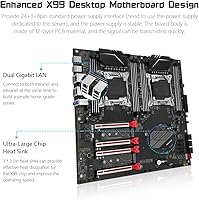
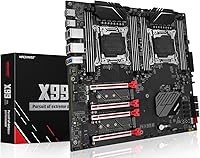
The MACHINIST X99-D8 Dual CPU Motherboard is one of the more accessible ways to build a dual-socket workstation without spending server-rack money. Built around the Intel C612 chipset on an E-ATX platform, this Xeon workstation motherboard targets home lab builders, multi-threaded workload enthusiasts, and anyone looking to repurpose enterprise Xeon E5 hardware on a real budget. One thing to flag immediately: this is the red-socket variant, and that matters. Unlike the black-socket version, it requires ECC memory — standard desktop DDR4 will not work. If you buy this board without knowing that upfront, you will have a frustrating experience.
Features & Benefits

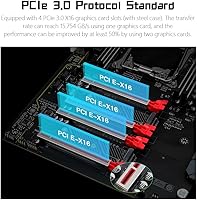
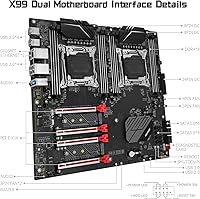
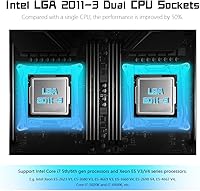
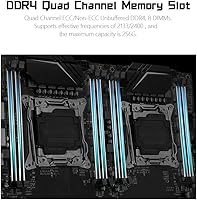
The dual LGA 2011-V3 sockets are the headline here. Pairing two Xeon E5 V3 or V4 processors means a substantial jump in available cores and threads for workloads that actually benefit from parallelism — think rendering, virtualization, or data processing. The 8-slot DDR4 ECC memory architecture supports up to 256GB across four channels, which is serious headroom for memory-hungry tasks. Four steel-reinforced PCIe 3.0 x16 slots handle multi-GPU or compute card setups comfortably, while 10 SATA 3.0 ports plus two M.2 NVMe slots make storage configuration genuinely flexible. Dual Gigabit LAN and a 12-phase CPU power delivery round out a spec sheet that punches well above its price bracket.

Best For

This dual-socket X99 board is a strong fit for home lab enthusiasts running Proxmox, ESXi, or similar virtualization stacks where core count translates directly into usable virtual machines. It also appeals to budget-conscious content creators who want multi-threaded rendering grunt without buying a name-brand workstation. Repurposing used Xeon E5 CPUs from the secondhand market is where this board really makes financial sense. That said, it is not a good pick for gaming-focused builds, and if you just want to drop in standard desktop memory and go, this is the wrong board. The ECC requirement and BIOS learning curve make this rewarding for experienced builders, less so for first-timers.

User Feedback

The MACHINIST X99-D8 sits at a 3.6-star average across over 250 reviews, reflecting a genuinely split experience. Builders who go in prepared — ECC memory sourced, a dual-CPU-rated power supply ready, and some BIOS patience in hand — frequently report stable, long-running systems and appreciate the solid PCIe slot construction. The included diagnostic card is a small but meaningful touch that experienced builders genuinely value when troubleshooting POST issues. On the other side, the ECC-only memory requirement blindsides a meaningful chunk of buyers, and the single-CPU slot restriction — right socket only, or the board will not POST — has caused real frustration. Sparse documentation adds friction, but preparation pays off.

Pros

  • Dual LGA 2011-V3 sockets unlock serious multi-threaded compute headroom at a fraction of proper workstation board pricing.
  • Supports up to 256GB of DDR4 ECC RAM across eight slots — genuinely useful for memory-intensive virtualization and rendering work.
  • Four steel-reinforced PCIe 3.0 x16 slots make multi-GPU or multi-compute-card configurations a real option.
  • Ten SATA 3.0 ports plus two M.2 NVMe slots give you storage flexibility that most consumer boards cannot match.
  • Dual Gigabit LAN onboard handles NAS builds or dual-NIC setups without extra expansion cards.
  • The included diagnostic card is a practical tool that saves real troubleshooting time during initial build and POST issues.
  • Overclocking support adds headroom for users pushing compatible Core i7 5th and 6th Gen processors.
  • Once properly configured, multiple users report stable and reliable long-term operation under sustained workloads.
  • The 12-phase CPU power delivery is robust for a board at this price tier, supporting demanding dual-CPU thermal and power conditions.

Cons

  • The red-socket version requires ECC memory exclusively — standard desktop DDR4 will not post, and this catches many buyers off guard.
  • Documentation is sparse; expect to rely on community forums rather than any official setup guide.
  • Requires a dedicated dual-CPU server-grade power supply with dual 8-pin EPS connectors, adding to total build cost.
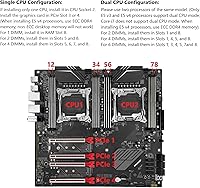
  • If only one CPU is installed, it must go in the right socket — installing it in the left socket prevents the board from booting.
  • BIOS behavior can be quirky and inconsistent, particularly around memory training with certain ECC module configurations.
  • The E-ATX form factor limits compatible case options and makes this board impractical for compact or mid-tower builds.
  • No USB-C connectivity on the rear I/O panel, which feels like a gap for a board targeting modern workstation builders.
  • Mixed user ratings reflect a real gap between prepared builders who succeed and underprepared buyers who hit compatibility walls.

Ratings

Our AI rating system analyzed verified global buyer reviews for the MACHINIST X99-D8 Dual CPU Motherboard, actively filtering out incentivized, bot-generated, and unverified feedback to surface what real builders actually experienced. The scores below reflect both the genuine strengths that keep experienced home lab enthusiasts coming back to this platform and the friction points that have frustrated underprepared buyers. Nothing has been smoothed over — the ratings are intentionally honest.

Value for Money
83%
For builders who know the secondhand Xeon E5 market, the cost-per-core math on this dual-socket X99 board is hard to argue with. Pairing two used Xeon E5 V3 processors with this board gives access to core counts that would cost multiples more on a modern workstation platform.
The true cost of ownership is higher than the board price alone suggests. Factor in ECC RAM, a dual-CPU-rated power supply, and a full-tower case, and the budget-friendly entry point becomes considerably less dramatic for first-time builders.
Compatibility Clarity
41%
59%
For buyers who thoroughly research before purchasing, the board does exactly what it claims — dual LGA 2011-V3 support with broad Xeon E5 V3 and V4 coverage is well-documented once you find the right community resources.
The ECC-only memory requirement on the red-socket variant is the single biggest source of buyer frustration across all reviews. It is not prominently communicated at point of sale, and a meaningful number of buyers have received a non-posting board simply because they used standard desktop DDR4.
Build Quality
78%
22%
The steel-reinforced PCIe x16 slots are a standout detail at this price tier — they hold heavy dual-slot GPUs firmly without flex, which builders running multi-GPU compute setups particularly appreciate. The board's physical construction feels solid and well-layered for its class.
Some buyers noted that capacitor placement near the memory slots makes installing all eight DIMMs slightly awkward depending on the CPU cooler used. The PCB finish and component labeling are functional but not as refined as boards from established consumer brands.
Power Delivery Stability
76%
24%
The 12-phase CPU power delivery handles sustained dual-CPU loads without obvious throttling under typical workstation and virtualization workloads. Users running Proxmox clusters with both sockets populated report stable operation over extended uptime periods.
The board requires two separate 8-pin EPS connectors, and buyers who use a single-CPU consumer PSU with only one EPS connector run into compatibility problems immediately. This is a known friction point that the product listing does not make obvious enough.
BIOS Experience
48%
52%
Experienced server builders who have worked with similar Chinese-manufactured X99 boards will find the BIOS navigable. Memory training options are present, and the board does allow manual configuration once you understand the layout.
The BIOS interface is sparse and occasionally inconsistent, with memory training failures reported on certain ECC DIMM configurations even with fully supported modules. There is no official documentation to fall back on, so new builders are essentially dependent on community forums to resolve any boot issues.
Storage Expandability
89%
Ten SATA 3.0 ports and dual M.2 NVMe slots is exceptional for a board at this price point. Builders setting up large Proxmox storage pools or multi-drive NAS configurations praised this aspect more than almost any other feature.
The two SATA cables included in the box cover only a fraction of the available ports, so builders planning to use more than two drives need to purchase additional cables separately. A minor inconvenience, but worth noting for budget-conscious builds.
Multi-GPU Support
81%
19%
Four PCIe 3.0 x16 slots with steel reinforcement give this Xeon workstation motherboard genuine credibility for multi-GPU compute workloads like machine learning inference or offline rendering. The slot spacing is workable for dual full-length cards.
Running four GPUs simultaneously introduces bandwidth-sharing considerations that the listing does not address clearly. Builders using three or four cards in parallel reported needing to research lane allocation themselves before committing to their GPU configuration.
Networking
84%
Dual onboard Gigabit LAN is a practical feature that home lab users and virtualization builders genuinely rely on. Having two independent NICs without needing an add-in card simplifies Proxmox network bridge setups and dual-NIC router or firewall configurations considerably.
Both controllers are standard Gigabit — there is no 2.5GbE or 10GbE option onboard, which is increasingly a limitation for storage-heavy builds where faster inter-node transfers would be beneficial. Users with high-throughput NAS setups may eventually outgrow the onboard options.
Initial Setup Experience
52%
48%
Builders with prior experience on X99 or server platforms found the initial setup reasonable once they understood the slot requirements. The included diagnostic card with its two-digit POST code display meaningfully shortens troubleshooting time compared to boards that only offer beep codes.
For anyone without prior dual-socket server board experience, the first boot process can be genuinely stressful. The single-CPU right-slot requirement, ECC memory training, and dual PSU connector dependencies create a cluster of potential failure points that sparse documentation does little to address.
Thermal Management
71%
29%
Four 3-pin system fan headers and two 4-pin CPU fan headers give reasonable control over airflow for a dual-CPU chassis. The 12-phase power delivery contributes to consistent thermal behavior under load, with no widespread reports of VRM overheating under typical workstation use.
Three-pin system fan headers provide voltage-based speed control rather than PWM, which limits precision cooling management compared to all-PWM configurations. In full-load dual-CPU scenarios with many drives spinning, active case airflow management becomes important and is entirely on the builder to design.
Long-Term Reliability
73%
27%
Users who got their builds fully configured and stable report impressively consistent uptime — several reviewers mentioned months of continuous operation under virtualization workloads without stability issues. That kind of reliability reflects well on the C612 platform's maturity.
The mixed overall rating reflects the reality that a meaningful portion of buyers never reach the stable operation phase due to compatibility or setup issues. Reliability is high for prepared builders but contingent on clearing the initial setup hurdles, which not everyone does.
Documentation & Support
33%
67%
The community around X99 dual-socket boards is reasonably active, and experienced builders can find relevant configuration threads online. The diagnostic card partially compensates for missing documentation by giving concrete POST error codes to search against.
Official documentation from the manufacturer is minimal at best. There is no detailed setup guide, no BIOS walkthrough, and no official compatibility list for tested ECC memory modules. Buyers are essentially on their own, and for less experienced builders this is a genuine barrier.
Overclocking Capability
61%
39%
Intel Core i7 5th and 6th generation processors can be overclocked on this platform, which gives enthusiast builders some headroom for squeezing additional performance out of compatible chips. The BIOS does expose the relevant frequency and voltage options.
Xeon E5 processors — the primary use case for this board — are not multiplier-unlocked, so overclocking headroom for the majority of users is effectively limited to base clock adjustments. Do not buy this board with overclocking as a primary goal if you are pairing it with Xeon CPUs.
Package Contents
67%
33%
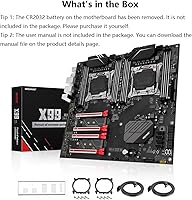
The inclusion of a diagnostic card and buzzer in the box is a genuinely thoughtful addition that most budget boards in this segment skip entirely. The CPU fan brackets for both sockets save buyers from hunting down compatible mounting hardware separately.
Only two SATA cables are included despite ten available SATA ports, and there is no thermal paste, no GPU support bracket, and no detailed quick-start card. The package covers the bare minimum, and most builders will need to supplement it before completing their build.

Suitable for:

The MACHINIST X99-D8 Dual CPU Motherboard is built for a specific kind of builder — one who knows what they want and is willing to do the homework to get there. It is an excellent foundation for home lab enthusiasts spinning up Proxmox or ESXi clusters, where having two Xeon E5 processors means more vCPUs to allocate across virtual machines without paying enterprise prices. Content creators running CPU-heavy rendering workloads in Blender or DaVinci Resolve will find real value in the core density that dual-socket Xeon configurations can provide. It also suits anyone strategically sourcing secondhand Xeon E5 V3 or V4 processors from the used market, where the cost-per-core math works strongly in their favor. Builders wanting a high-port-count storage server or a dual-NIC network appliance will appreciate the 10 SATA ports and onboard dual Gigabit LAN without needing additional expansion cards.
Not suitable for:

If you are building a gaming PC, this dual-socket X99 board should not be on your list — dual-socket Xeon platforms carry inter-CPU latency overhead and lack optimizations that gaming workloads depend on, and the platform simply is not designed for that use case. Buyers who want to use standard desktop DDR4 memory need to look elsewhere; the red-socket variant of this board requires ECC memory specifically, and that requirement is non-negotiable regardless of what the listing might imply. First-time PC builders or anyone expecting a polished out-of-box experience will likely find the BIOS configuration, the single-CPU slot restriction, and the mandatory dual-CPU-rated power supply to be more friction than they bargained for. The E-ATX form factor also demands a full-tower case, which narrows your build options considerably. If your workload is lightly threaded or you only need four to eight cores, the added complexity of this platform is hard to justify.

Specifications

  • Chipset: Built on the Intel C612 chipset, which is the same platform used in many entry-level enterprise server boards of the same era.
  • CPU Sockets: Equipped with dual LGA 2011-V3 sockets, supporting two Intel Xeon E5 V3 or V4 processors, or Intel Core i7 5th and 6th generation CPUs simultaneously.
  • Form Factor: E-ATX layout measuring 330mm x 305mm, requiring a full-tower case with E-ATX motherboard support for proper fitment.
  • Memory Slots: Eight DDR4 slots arranged in a 4-channel configuration, supporting ECC registered memory only on this red-socket variant.
  • Max RAM: Supports up to 256GB of DDR4 ECC memory across all eight slots at speeds of 2133 or 2400 MHz.
  • PCIe Slots: Four PCIe 3.0 x16 slots with steel reinforcement, capable of accommodating multiple discrete GPUs or compute accelerator cards.
  • M.2 Storage: Two M.2 NVMe slots with NGFF support, enabling fast solid-state storage alongside the board's traditional SATA array.
  • SATA Ports: Ten SATA 3.0 ports providing up to 6Gb/s throughput per port, suitable for large multi-drive storage arrays or NAS-style configurations.
  • USB Connectivity: Rear I/O includes four USB 3.0 ports and four USB 2.0 ports for peripheral connectivity.
  • Network: Dual onboard Gigabit Ethernet controllers provide two independent network interfaces without requiring an add-in card.
  • Power Connector: Requires a 24-pin ATX connector plus two separate 8-pin EPS CPU power connectors, necessitating a server-grade or enthusiast dual-CPU power supply.
  • Power Phases: 12-phase CPU power delivery combined with 4 memory power phases and 1 dedicated X99 chipset phase for stable operation under sustained load.
  • Fan Headers: Two 4-pin CPU fan headers and four 3-pin system fan headers allow direct motherboard control of up to six cooling fans.
  • Overclocking: Overclocking is supported on compatible Intel Core i7 processors, though Xeon E5 CPUs on this platform are generally not multiplier-unlocked.
  • Diagnostics: An onboard diagnostic card and audible buzzer are included in the package, assisting with POST troubleshooting and error code identification.
  • Dimensions: Board dimensions are 12.99 x 12.01 x 1.5 inches, with a shipping weight of approximately 4.44 pounds.
  • In the Box: Package includes the motherboard, two CPU fan brackets, two SATA cables, one I/O shield, one diagnostic card, and one buzzer.

Related Reviews

SHANGZHAOYUAN X99 PR9-H Motherboard
85%
89%
Performance
92%
Build Quality
85%
Ease of Installation
95%
Compatibility with Processors
87%
Memory Support
More
Noctua NH-D12L Low-Height Dual-Tower CPU Cooler
87%
88%
Cooling Performance
92%
Noise Level
94%
RAM Compatibility
91%
Ease of Installation
89%
Build Quality
More
Cooler Master MasterAir MA824 Stealth CPU Cooler
81%
88%
Thermal Performance
91%
Noise Level
93%
RAM Clearance
72%
Installation Experience
89%
Build Quality & Materials
More
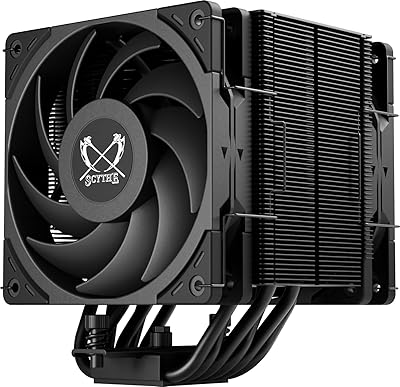
Scythe Mugen 6 Dual Fan CPU Cooler
83%
88%
Thermal Performance
91%
Noise Level
86%
Build Quality
93%
Installation Experience
74%
RAM Compatibility
More
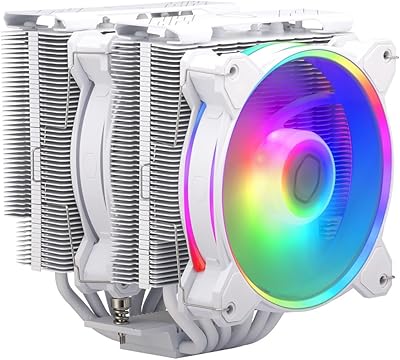
Cooler Master Hyper 622 Halo Dual Tower CPU Cooler
82%
83%
Thermal Performance
88%
Noise Level
89%
Ease of Installation
67%
RAM Clearance
86%
Build Quality
More
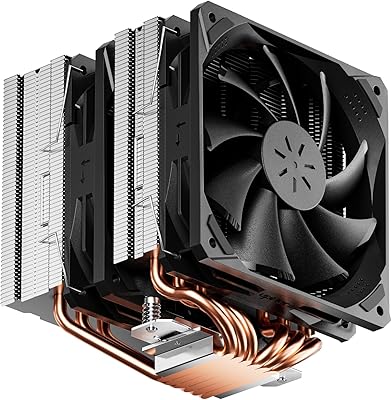
upHere D6SEK CPU Air Cooler with 6 Heat Pipes and Dual 120mm Fans
85%
88%
Cooling Performance
91%
Noise Levels
89%
Ease of Installation
75%
Build Quality
93%
Compatibility with Sockets
More
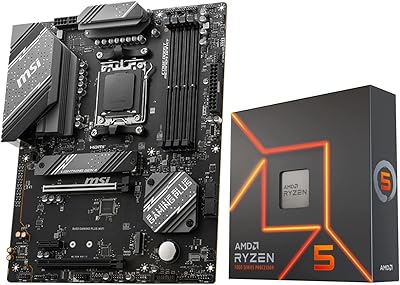
INLAND AMD Ryzen 9 7900X CPU Processor with MSI X670E Gaming Plus Motherboard
87%
94%
Gaming Performance
89%
Overclocking Potential
82%
Thermal Management
91%
Ease of Installation
88%
Connectivity & Features
More
Micro Center 7800X3D B650-A CPU Motherboard Kit
83%
96%
Gaming Performance
93%
Compatibility & Pairing
88%
Motherboard Build Quality
91%
BIOS Stability
61%
Thermal Management
More
INLAND AMD Ryzen 7 7700X CPU & GIGABYTE B650 Gaming X AX V2 Motherboard
88%
94%
Gaming Performance
92%
Processor Speed
89%
Motherboard Stability
85%
Ease of Setup
90%
Overclocking Potential
More
GIGABYTE B550M Motherboard
87%
89%
Performance
91%
Ease of Installation
85%
Build Quality
92%
Storage Performance (PCIe 4.0 & M.2 Slots)
87%
Compatibility with Ryzen Processors
More

FAQ

No, and this is the most important thing to know before buying. The red-socket variant of this Xeon workstation motherboard requires ECC registered DDR4 memory specifically. Standard desktop DDR4 modules will not post. Make sure you source server-grade ECC RAM before committing to this build.

Yes, single-CPU operation is supported, but placement matters. The processor must be installed in the right socket — leaving the left socket empty while using only the right one. Installing a single CPU in the left socket will prevent the board from booting, which has tripped up a number of builders.

You need a power supply with a 24-pin ATX connector plus two separate 8-pin EPS connectors. Most standard consumer PSUs only have one 8-pin CPU connector, so a dual-CPU-rated server or high-end enthusiast PSU is required. Do not overlook this — it is an easy part of the build to underestimate.

Honestly, no. Dual-socket Xeon platforms introduce inter-CPU latency and are not optimized for the kinds of single-threaded or lightly-threaded workloads that most games rely on. If gaming is your primary goal, a modern consumer platform will serve you far better.

The board supports Intel Xeon E5 V3 and V4 series processors in the LGA 2011-V3 socket, as well as Intel Core i7 5th and 6th generation CPUs. Xeon E5 V3 chips are generally the most cost-effective pairing when sourcing from the secondhand market.

Yes, and this is actually one of the strongest use cases for this board. The MACHINIST X99-D8 Dual CPU Motherboard works well as a Proxmox or ESXi host, particularly when paired with dual Xeon E5 processors, where the combined core and thread count gives you meaningful VM headroom without enterprise hardware costs.
Quite a few. You have ten SATA 3.0 ports and two M.2 NVMe slots, so you can run a substantial multi-drive array alongside fast NVMe system storage. For a home NAS or media server build, this storage connectivity is a genuine strength.

Because this is an E-ATX board measuring 330mm x 305mm, you will need a full-tower case that explicitly supports E-ATX motherboards. Mid-tower cases will not fit, so check your case specifications carefully before ordering.

It has a learning curve. The BIOS is functional but not as polished as consumer-grade motherboards from major brands. Memory training can require some patience, especially with certain ECC module configurations. Community forums and build threads are your best resource since official documentation is limited.

It displays POST error codes on a small two-digit LED readout, which helps you identify exactly where the boot process is failing — whether that is a memory issue, CPU problem, or something else. It is not a feature many boards in this price range include, and experienced builders find it genuinely useful during initial setup.