Overview

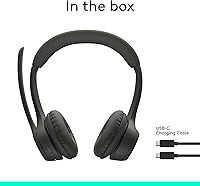
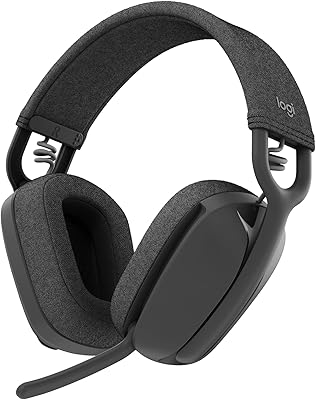
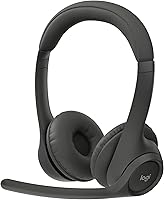
The Logitech Zone 301 Wireless Bluetooth Headset sits in a practical sweet spot for remote workers who need something reliable without overspending. It is a lightweight on-ear design — just 122 grams — which matters a lot when you are wearing it through back-to-back calls. Worth being upfront about: this is not an over-ear ANC headset. If you are picturing Sony XM5-style noise isolation, adjust those expectations. What this Logitech headset does offer is broad platform compatibility via Bluetooth 5.3, a capable boom mic, and — quietly impressive — replaceable earpads that let you extend the product's life rather than tossing it when the cushions wear out.
Features & Benefits

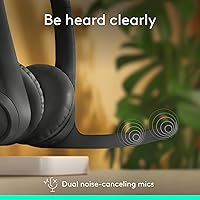
The dual beamforming microphones on the flip-to-mute boom arm are the standout feature here. Beamforming means the mics are tuned to pick up sound directionally — focused on your voice rather than keyboard clatter or background hum. That is different from simply applying noise reduction after the fact, and callers tend to notice the difference. The 30mm drivers are voiced for speech clarity rather than bass-heavy music playback, which is exactly right for this use case. Battery life holds up well in daily use — 16 hours of talk time is the relevant number for most people, and the 5-minute quick charge buys you an extra hour when you have forgotten to plug in overnight.

Best For

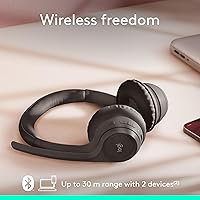
This wireless office headset makes most sense for people who live in video calls — think customer-facing roles, project managers juggling multiple standups, or anyone running a home office on a budget. The 30-meter Bluetooth range is genuinely useful if you pace while you talk or need to grab something from across the room mid-call. Multi-device users will appreciate the broad compatibility: it handles Windows, Mac, ChromeOS, iOS, Android, and Linux without requiring dongles or drivers. And if you have been burned by cheap headsets where the earpads crumble within a year, the fact that replacement pads are available makes this a longer-term investment than its price suggests.

User Feedback

Owners of the Zone 301 tend to agree on a few things. Call quality earns consistent praise — people on the other end frequently comment that the mic sounds cleaner than expected for a headset at this price point. Where opinions diverge is comfort over marathon sessions: the on-ear design works fine for two or three hours, but extended wear fatigue does surface in longer reviews. Bluetooth pairing is generally solid, though a handful of users report hiccups when switching between devices frequently. The LogiTune app gets mixed signals — power users appreciate the sidetone and EQ controls, while many people never open it and still find the headset performs well straight out of the box.

Pros

  • Dual beamforming mic makes your voice sound noticeably cleaner on calls, even in moderately noisy rooms.
  • Flip-to-mute boom arm is intuitive and faster than hunting for a software mute button mid-meeting.
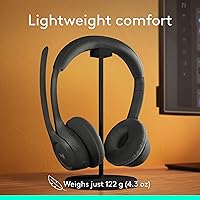
  • At 122 grams, the Zone 301 is light enough to wear for hours without the headband fatigue heavier headsets cause.
  • Bluetooth 5.3 pairs reliably and the 30-meter range covers most home office layouts with room to spare.
  • Compatible with virtually every platform — Windows, Mac, ChromeOS, iOS, Android, and Linux — without dongles.
  • Quick-charge feature adds about an hour of talk time from just five minutes plugged in, a genuine lifesaver.
  • Replaceable earpads mean you can extend the headset's usable life rather than replacing the whole unit.
  • LogiTune app gives power users meaningful control over sidetone, mic sensitivity, and EQ settings.
  • Works with Chromebook out of the box, which is rarer than it should be at this price point.

Cons

  • No passive noise isolation — ambient sound reaches your ears freely, which can be distracting in busy households.
  • On-ear design creates noticeable pressure discomfort during sessions lasting longer than three to four hours.
  • Earpads are not included as replacements — they must be purchased separately, which adds unexpected cost over time.
  • The LogiTune app experience is inconsistent; some users report bugs or find the interface unintuitive.
  • Switching between multiple paired devices can occasionally require manual reconnection rather than automatic handoff.
  • Audio quality for music playback is adequate but unremarkable — drivers are clearly optimized for speech, not fidelity.
  • No 3.5mm wired fallback option if Bluetooth connectivity fails or battery runs out unexpectedly.
  • Plastic build feels functional but not premium, which some buyers notice given the mid-range price.

Ratings

The scores below reflect AI-driven analysis of verified global user reviews for the Logitech Zone 301 Wireless Bluetooth Headset, with spam, incentivized feedback, and bot activity actively filtered out before scoring. Each category is weighted against real-world usage patterns — not just spec sheets — so both the strengths buyers consistently praise and the friction points that surface over time are represented honestly.

Microphone Quality
84%
The dual beamforming boom mic is the feature users mention most positively, with remote workers repeatedly noting that meeting participants comment on how clear their voice sounds. In moderately noisy home environments — kids in the background, a TV in the next room — the mic handles cleanup duties well without requiring any app configuration.
In louder or more chaotic environments, the beamforming has limits, and some users report that ambient noise bleeds through more than expected. A handful of buyers also found the boom arm positioning finicky to get right for optimal mic pickup.
Call Clarity
81%
19%
Speech reproduction through the 30mm drivers is clean and intelligible for the listener, which is exactly what matters most during long video call days. Users on Teams and Zoom note that voices come through without the tinny, compressed quality that plagues cheaper wireless headsets.
The drivers are tuned conservatively for voice, so nuance in tone and expression can sound slightly flat compared to broader-range headsets. This is a deliberate design trade-off, not a defect, but buyers expecting richer audio reproduction on both ends may notice it.
Comfort & Fit
71%
29%
At 122 grams with a padded headband, the Zone 301 is genuinely easy to forget you are wearing during two to three hour stretches, which most users find sufficient for a normal workday of calls. The headband distributes weight evenly enough that pressure fatigue is not an immediate problem.
On-ear designs inherently press against the ear rather than surrounding it, and users logging five or more hours daily report noticeable discomfort setting in by the afternoon. People who have switched from over-ear headsets are the most vocal about this trade-off, as the physical sensation is quite different.
Battery Life
78%
22%
Real-world talk time lands consistently in the 14 to 16 hour range for most users, which covers a full workday including a few hours of background music without anxiety. The five-minute quick charge adding roughly an hour of talk time is genuinely appreciated as a safety net for mornings when people forget to plug in overnight.
The rated 20-hour listening figure applies to lower-volume audio playback, not active call use, and some reviewers feel that number is misleading when their actual call-heavy days drain the battery faster than expected. There is no wired fallback if the battery runs out at an inconvenient moment.
Wireless Connectivity
76%
24%
Bluetooth 5.3 delivers a stable connection across typical home office distances, and the 30-meter range holds up well for users who pace during calls or move between rooms. Initial pairing is straightforward across Windows, Mac, and mobile devices without driver installation.
Multi-device switching is the weak point — unlike some competing headsets that handle automatic handoff between a laptop and phone, the Zone 301 requires manual reconnection when jumping between paired devices, which some users find disruptive. A small number of buyers also report occasional dropout in Bluetooth-dense apartment environments.
Build Quality
67%
33%
The headset feels solidly assembled for its price tier, with no rattles or flex in the headband that would suggest early failure. Logitech's fit and finish is consistent with what buyers expect from the brand at this level.
The all-plastic construction is noticeable and does not inspire the same confidence as metal-reinforced headsets. Several reviewers mention that the headset looks and feels like a budget product despite its mid-range positioning, which affects perceived value when used in video calls where appearance matters.
Noise Isolation
53%
47%
The physical earcup design does provide a modest degree of passive sound reduction, enough to take the edge off a quiet open-plan office or a calm home environment. Users in relatively controlled settings find it adequate for staying focused between calls.
There is no active noise cancellation for the listener — the headset does not block ambient sound reaching your ears, which is a common misconception. In busy households or shared workspaces with significant background noise, users often find themselves distracted in ways that a proper ANC headset would prevent.
Value for Money
79%
21%
Compared to Logitech's own pricier Zone lineup and enterprise-focused alternatives, this wireless office headset delivers the core call-quality experience at a fraction of the cost. The replaceable earpads add a dimension of long-term value that most competitors at this price point do not offer.
Some buyers feel the price sits slightly high for an on-ear plastic headset without ANC or automatic multi-device switching, especially when USB-C-only charging and no wired fallback are factored in. The value equation is strong for pure call use but weaker for buyers who want versatility.
Platform Compatibility
88%
The Works With Chromebook certification alongside native support for Windows, macOS, iOS, Android, and Linux makes this one of the more broadly compatible headsets available without proprietary dongles. ChromeOS users in particular find it rare to get this level of verified compatibility at this price.
There is no dedicated USB receiver option for users in corporate IT environments where Bluetooth is restricted or unreliable. Buyers expecting a plug-and-play USB dongle for conference room computers will need to look elsewhere.
LogiTune App Experience
61%
39%
For users who engage with it, the LogiTune app unlocks useful adjustments — particularly sidetone control, which lets you hear your own voice during calls to avoid the muffled sensation some people find distracting. EQ and mic level settings give technically inclined users meaningful customization.
A significant portion of buyers never install the app or abandon it quickly, citing interface inconsistencies and occasional connectivity bugs between the app and the headset. The headset works fine without it, but the app experience feels unfinished compared to what a polished companion app should offer.
Microphone Ergonomics
74%
26%
The flip-to-mute mechanism is one of the most intuitive mute solutions available — raising the boom arm kills the mic instantly without any software interaction, which is a natural action users quickly build into their meeting habits. Most conferencing apps also display the muted status automatically.
The boom arm is fixed in length and not telescoping, which means users with larger heads or specific mic placement preferences cannot always get the boom positioned at the optimal corner-of-mouth distance. A few buyers also noted the arm feels slightly stiff when first adjusting it.
Setup & Ease of Use
86%
Out of the box, pairing takes under a minute on most devices, and there is nothing requiring technical knowledge or software installation to get up and running. Buyers who dread setting up new peripherals consistently describe this as refreshingly straightforward.
The manual pairing process for switching between devices requires users to navigate Bluetooth menus rather than pressing a dedicated device-switch button, which slows things down compared to headsets with physical multi-point switching controls.
Earpad Durability
72%
28%
The fact that earpads are officially replaceable sets the Zone 301 apart from competitors where worn cushions mean the entire headset needs replacing. Users who have owned Logitech headsets long-term appreciate this as a genuine cost-saving feature.
Replacement earpads are sold separately and carry an additional cost, which surprises some buyers who assumed they would be included or that the originals would last longer. A few early owners also reported the original pads showing wear faster than expected with daily use.
Audio for Music & Media
58%
42%
For casual background listening — podcasts, lo-fi playlists, YouTube — the Zone 301 produces clean, adequate audio that works well as a secondary function alongside its call duties. Buyers who are not audiophiles report being perfectly satisfied for light media consumption.
The 30mm drivers tuned for voice mean that music sounds noticeably flat, with limited bass response and narrow soundstage. Users who hoped to use this headset equally for music and calls are consistently disappointed by the audio depth compared to similarly priced consumer headphones.

Suitable for:

The Logitech Zone 301 Wireless Bluetooth Headset is a strong fit for remote workers, hybrid employees, and anyone whose daily routine revolves around video calls and virtual meetings. If you regularly hop between a laptop and a smartphone — or work across Windows, Mac, ChromeOS, and mobile platforms — the broad Bluetooth 5.3 compatibility removes a lot of friction that cheaper or more specialized headsets create. The 30-meter wireless range genuinely helps if your workspace means moving between a desk, a kitchen, and a living room throughout the day. At 122 grams, it is light enough that most people stop noticing it is on their head after the first hour, which matters when your calendar is stacked. The replaceable earpads also make this a smarter long-term buy for anyone who has watched cheaper headsets fall apart at the cushions within a year.
Not suitable for:

Buyers expecting active noise cancellation in the traditional sense should look elsewhere — the Logitech Zone 301 Wireless Bluetooth Headset uses beamforming on the microphone side to clean up your voice for others, but it does nothing to block ambient sound reaching your own ears. If you work in a genuinely loud environment and need to focus or block distractions, an over-ear ANC headset will serve you far better. Audiophiles or anyone who wants a dual-purpose work-and-music headset will find the 30mm drivers tuned too conservatively for rich, bass-forward listening. The on-ear design can also become uncomfortable during very long, uninterrupted sessions — users who wear headsets for five or six hours straight without breaks have flagged pressure fatigue as a real issue. If you need physical isolation or immersive sound, this wireless office headset is simply not built for that purpose.

Specifications

  • Connectivity: The headset connects via Bluetooth 5.3, offering a stable wireless link with improved efficiency over older Bluetooth standards.
  • Wireless Range: Rated for up to 30 meters (approximately 98 feet) of wireless range under open-space conditions.
  • Driver Size: Each earcup houses a 30mm dynamic audio driver, tuned primarily for speech clarity and call use.
  • Weight: The headset weighs 122 grams (approximately 4.3 oz), making it one of the lighter options in its category.
  • Battery Life: Provides up to 20 hours of listening time and up to 16 hours of talk time on a full charge.
  • Quick Charge: A 5-minute charge via USB-C delivers approximately 1 additional hour of talk time for emergency top-ups.
  • Charging Time: A full charge from empty takes approximately 2 hours under normal charging conditions.
  • Microphone: Dual beamforming microphones are mounted on a flip-to-mute boom arm designed to focus on the speaker's voice and reduce surrounding noise.
  • Impedance: The audio drivers carry an impedance rating of 38 Ohm, standard for this class of communication headset.
  • Ear Style: The Zone 301 uses an on-ear design with enlarged, padded earpads and a cushioned headband rather than an over-ear enclosure.
  • Earpads: Earpads are replaceable and available for separate purchase, allowing users to extend the usable life of the headset.
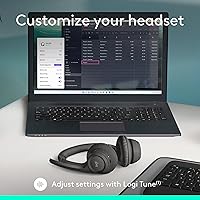
  • App Support: The free LogiTune application (Windows and macOS) enables EQ adjustment, sidetone control, mic level tuning, and firmware updates.
  • Platform Support: Compatible with Windows, macOS, ChromeOS, Linux, iOS, iPadOS, and Android without requiring proprietary dongles or drivers.
  • Certifications: Carries Works With Chromebook (WWCB) certification, confirming verified compatibility with ChromeOS devices.
  • Form Factor: Standard headband form factor with a padded headband bridge and swiveling earcups for fit adjustment.
  • Audio Driver Type: Drivers use dynamic driver technology, which is well-suited for vocal frequency reproduction in call-heavy environments.
  • Power Source: Powered by an internal rechargeable lithium polymer battery; no removable or replaceable battery option is available.
  • Included In Box: The package includes the headset and a USB-C charging cable; replacement earpads are not included and must be purchased separately.

Related Reviews
Logitech Zone 300 Wireless Bluetooth Headset
87%
88%
Audio Quality
92%
Comfort & Fit
90%
Noise-Canceling Performance
85%
Battery Life
83%
Build Quality
More
Logitech Zone Wired
Logitech Zone Wired
79%
88%
Microphone Clarity
91%
Call Performance
74%
Comfort & Wearability
83%
Build Quality
67%
Sound Quality for Music
More
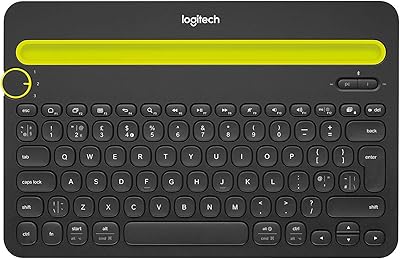
Logitech K480 Wireless Bluetooth Keyboard
86%
88%
Ease of Device Switching
81%
Bluetooth Connectivity
85%
Build Quality
72%
Ergonomics and Comfort
92%
Battery Life
More
Corsair HS65 Wireless
80%
88%
Wireless Connectivity
86%
Comfort & Fit
78%
Audio Quality
61%
Microphone Quality
91%
Battery Life
More
Beebang 890 Pro Wireless Headset
79%
82%
Microphone Clarity
91%
Battery Life
78%
Bluetooth Connectivity
71%
Comfort & Fit
67%
Build Quality
More
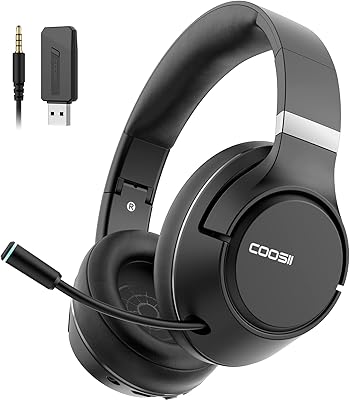
COOSII SGH300-07 Wireless Bluetooth Headset
82%
92%
Battery Life
85%
Sound Quality
88%
Microphone Clarity
87%
Comfort and Fit
78%
Build Quality
More
Logitech Zone Vibe 100
86%
94%
Wearing Comfort
91%
Microphone Utility
89%
Multi-Device Connectivity
62%
Passive Noise Isolation
87%
Call Audio Quality
More
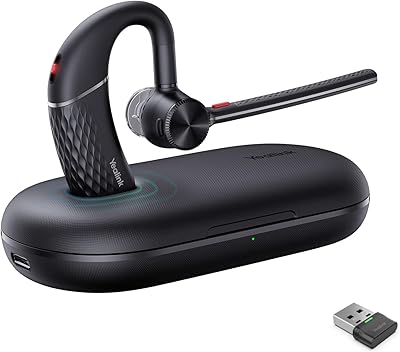
Yealink BH71 Pro Wireless Bluetooth Headset
80%
91%
Microphone & Call Clarity
88%
Battery Life
67%
Comfort & Fit
83%
Noise Cancellation
86%
Connectivity & Dongle Reliability
More
Yealink BH70 Mono Wireless Bluetooth Headset
86%
92%
Comfort for Long Wear
89%
Noise Cancellation Performance
75%
Bluetooth Connectivity
91%
Battery Life
88%
Sound Quality for Calls
More
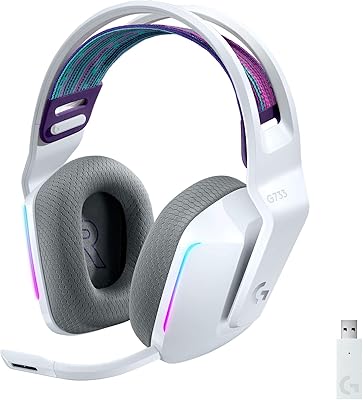
Logitech G733 Lightspeed Wireless Gaming Headset
85%
92%
Comfort for Long Sessions
85%
Audio Quality
88%
Microphone Clarity
90%
Battery Life
75%
Wireless Connectivity
More

FAQ

It depends on which side of the call you are asking about. The dual beamforming mics are designed to focus on your voice and reduce noise picked up from your environment — so people you are speaking with should hear less of your background. However, the headset does not use active noise cancellation to block sound from reaching your own ears, so loud surroundings will still be audible to you while you wear it.

You can pair it with multiple devices, but it handles one active connection at a time. Switching between your laptop and phone typically requires manually disconnecting from one device before connecting to the other, which takes a few seconds. It is not automatic dual-device audio like some higher-end headsets offer.

Most people find it comfortable for two to four hours without issue — it is genuinely light at 122 grams and the headband padding helps. That said, on-ear designs apply some pressure on the outer ear over time, and users who wear headsets for five or six hours continuously tend to notice fatigue. If marathon call sessions are your norm, an over-ear design may suit you better.

No, the headset works fine straight out of the box without ever installing LogiTune. The app is optional and mainly useful if you want to fine-tune things like sidetone volume (how much of your own voice you hear), mic sensitivity, or EQ settings. Many users skip it entirely and are happy with the default performance.

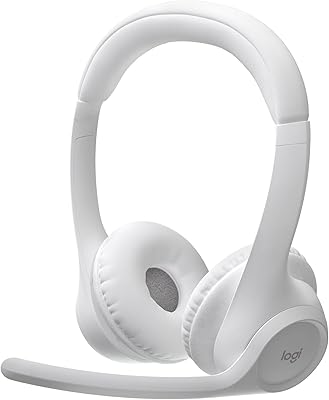
The Zone 301 adds the flip-to-mute boom arm and the dual beamforming microphone setup, which meaningfully improves mic quality for calls compared to the in-line mic on the Zone 300. If most of your use is active video calls in a shared or noisy space, the upgrade tends to be worth it. For casual use or quiet environments, the difference is less noticeable.

Unfortunately there is no 3.5mm headphone jack or wired fallback on this headset. If the battery runs out, you will need to charge it before continuing. The good news is that five minutes on the USB-C cable buys you roughly an hour of talk time, so a quick plug-in during a break can keep you going.

Yes, it works with all major conferencing platforms because it connects as a standard Bluetooth audio device. Your computer or phone handles the software side, so compatibility with Zoom, Teams, Google Meet, Webex, or any other platform is not a concern.

Logitech sells replacement earpads for this headset separately. They are designed to be user-replaceable without tools — you typically peel off the worn pad and press the new one into place. It is worth checking the Logitech accessories page for the correct pad model to make sure you order the right fit.

The boom arm can be positioned to sit close to the corner of your mouth, which is where it performs best. Muting is handled physically by flipping the boom arm upward — when raised, the mic mutes automatically, and most conferencing apps will display a muted status. It is a fast and reliable way to mute without hunting for a software button.

A full charge takes around two hours, and yes, it uses USB-C, which is convenient since most people already have USB-C cables around their workspace. The cable is included in the box, but any standard USB-C cable will work for charging.

Where to Buy