
Overview

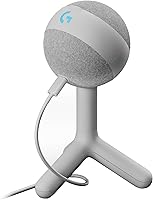
The Logitech G Yeti Orb sits comfortably in the entry-to-mid-range USB mic space, targeting gamers and streamers who want decent audio without fussing over drivers or settings. What sets it apart visually is the off-white colorway — a rare sight in a peripheral market that defaults to black everything. It's part of the well-known Yeti family, though it occupies the more accessible end of that lineup. This is a lifestyle-forward microphone, not a tool you'd take into a recording studio, and that's completely fine. With a 4.3 out of 5 rating across over 300 buyers, it clearly does its job for most people.

Features & Benefits

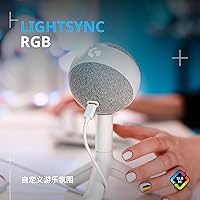
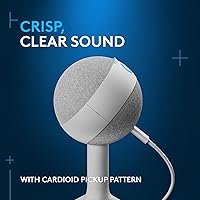
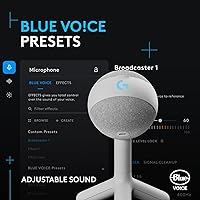
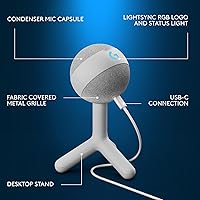
The cardioid condenser capsule is the real workhorse here — it focuses on your voice and does a reasonable job cutting out mechanical keyboard noise and background chatter, which matters when you're mid-stream. Setup takes about ten seconds: plug in the USB cable and both PC and Mac recognize it instantly, no software required to get started. The LIGHTSYNC RGB on the logo and status light can sync with G HUB for custom lighting that matches your rig. Speaking of G HUB, it lets you manage this RGB gaming mic alongside your other Logitech G gear in one place. The 72 dB signal-to-noise ratio is adequate for streaming; just don't expect studio-level clarity in noisy rooms.

Best For

The Orb mic is a natural fit for first-time standalone mic buyers who've been relying on a headset microphone and want a real upgrade without a steep learning curve. Streamers and casual podcasters who record in reasonably quiet spaces will get the most out of it — the cardioid pattern works best when room noise is already low. If you're already running Logitech G peripherals, the software integration alone makes this a convenient pick. The off-white design also appeals to anyone building a clean, minimal desk setup; it doesn't shout gamer the way most RGB gear does. Audio professionals or anyone needing multiple pickup patterns should look elsewhere.

User Feedback

Buyers consistently praise how quick and painless setup is, and most agree it sounds noticeably better than a built-in headset mic for gaming and streaming. The aesthetics get a lot of love, particularly the off-white finish. On the critical side, the absence of a headphone monitoring jack frustrates users who want to hear themselves in real time without third-party tools. G HUB also draws complaints — it's a heavier software package than many feel is justified for a single mic, and occasional updates have caused connectivity hiccups. There's also frustration over only one polar pattern when competing mics at a similar price offer more flexibility. Solid starter option, but experienced users tend to want more.

Pros

  • Plug-and-play USB setup works instantly on both PC and Mac — no drivers, no configuration headaches.
  • Cardioid pickup pattern does a solid job isolating your voice from keyboard noise during gaming sessions.
  • The off-white colorway is a genuine rarity in the gaming peripheral market and photographs beautifully on stream.
  • LIGHTSYNC RGB integration is smooth and polished for anyone already running a Logitech G ecosystem.
  • Compact tabletop form factor fits comfortably on crowded desks without requiring a separate stand.
  • Represents a clear, immediately noticeable audio upgrade for anyone coming from a gaming headset mic.
  • Solid brand reliability and widely available support make this RGB gaming mic a low-risk first purchase.
  • At roughly 230 grams, it is light enough to reposition or pack away without any hassle.

Cons

  • No headphone monitoring jack means you cannot hear yourself in real time without extra equipment.
  • Only one polar pattern — no omnidirectional or stereo modes, unlike several competing mics at the same price.
  • G HUB software is resource-heavy and has a documented history of losing settings after updates.
  • The 72 dB signal-to-noise ratio shows its limits in louder rooms or higher-quality listening environments.
  • The integrated stand transmits desk vibrations directly into recordings, often pushing buyers toward a boom arm purchase.
  • Buyers outside the Logitech G ecosystem get very little practical value from the bundled software.
  • No mobile or console compatibility limits the Orb mic strictly to PC and Mac users.
  • Growing streamers may find themselves outgrowing the audio ceiling within a year or two of regular use.

Ratings

The Logitech G Yeti Orb earned a 4.3 out of 5 across hundreds of verified purchases, and the scores below reflect what real buyers actually experienced — not the marketing pitch. Our AI analyzed global user reviews, actively filtering out incentivized, bot-generated, and duplicate submissions to surface honest sentiment. Both the genuine strengths and the recurring frustrations are reflected transparently in each category.

Audio Clarity
78%
22%
For gaming, Discord calls, and casual streaming, most buyers report a clear, focused vocal sound that feels like a meaningful step up from any headset mic. The cardioid pickup pattern does a solid job keeping keyboard noise and room chatter in the background rather than front and center.
In louder environments or untreated rooms, the clarity drops noticeably — background echo and HVAC hum can bleed in more than buyers expect. At 72 dB signal-to-noise ratio, it sits below what more serious podcasters or voice-over artists would consider acceptable.
Ease of Setup
94%
Plug in the USB cable and it works — that is genuinely the whole process for most users. Mac and PC both recognize it immediately without any driver installation, which is exactly what casual streamers want when they just want to go live.
A small number of users on older Windows machines reported a brief delay before the device was recognized, requiring a port swap. It is a minor edge case, but worth knowing if you are working with aging hardware.
Build Quality
72%
28%
The mic has a compact, solid-feeling body that does not wobble or tip on a flat desk. At 230 grams it is light enough to reposition easily, and the finish on the off-white variant holds up well to daily handling without showing obvious scuffs.
The integrated stand is functional but not particularly sturdy — bumping the desk can send vibrations straight into recordings. Several buyers noted they quickly moved to a third-party boom arm, which adds cost and was not factored into the original purchase decision.
Noise Isolation
69%
31%
The cardioid pattern genuinely reduces what gets picked up from the sides and rear, which helps during gaming sessions where mechanical keyboards and fan noise are a constant presence. Buyers in quieter home office setups generally report clean captures.
It offers no onboard noise gate or software-level noise reduction beyond what G HUB provides, and the mic is sensitive enough that air conditioning or nearby traffic still makes it through. Users in louder spaces frequently mention needing third-party noise suppression software like NVIDIA RTX Voice.
RGB Lighting
83%
The LIGHTSYNC implementation is clean and well-integrated — the logo glow and status light sync reliably with other Logitech G gear, and the effect looks polished rather than cheap. For buyers building a color-coordinated setup, it genuinely contributes to the overall aesthetic.
Users who do not have other Logitech G peripherals find the RGB somewhat pointless, as the effects are most impactful when synced across a full ecosystem. A few buyers also noted they wished the status indicator light could be dimmed independently for late-night sessions.
Software Experience
58%
42%
G HUB does deliver on its promise of centralized control — if you already run Logitech mice, keyboards, or lighting gear, having the mic managed from the same dashboard is genuinely convenient. The EQ and lighting customization options are more than you get with most plug-and-play USB mics.
G HUB is the most consistently flagged frustration in user reviews. It is a resource-heavy application that some buyers describe as sluggish or prone to losing settings after updates. For users who only own this mic and nothing else in the ecosystem, the software feels like overkill for what it actually controls.
Value for Money
76%
24%
For a buyer stepping up from a gaming headset mic for the first time, the audio quality improvement at this price point is real and immediately noticeable. The build, RGB, and Logitech brand backing make it feel reasonably priced for what you receive.
Competing USB mics at a similar price offer multiple polar patterns and built-in headphone monitoring, features that are absent here. Buyers who research the category before purchasing often feel they are paying a small Logitech brand premium over spec-equivalent alternatives.
Polar Pattern Versatility
44%
56%
The cardioid pattern is the right choice for solo streaming and gaming, and it performs reliably in that one role. For the target audience, having a single optimized pickup mode is simpler than managing pattern switching mid-session.
There is no option to switch to omnidirectional, bidirectional, or stereo modes — a real limitation for buyers who want to record group conversations, interviews, or instrument audio. Competing mics at the same price tier routinely offer three or four pattern options.
Headphone Monitoring
31%
69%
Not applicable — this mic does not include a headphone jack. Some buyers who knew this going in were fine using their existing audio chain for monitoring.
The absence of zero-latency headphone monitoring is a genuine dealbreaker for many buyers who discover it after purchase. Hearing yourself in real time without routing through the PC requires a separate audio interface or mixer, which adds cost and complexity to what was supposed to be a simple setup.
Design & Aesthetics
89%
The off-white colorway stands out strongly in a product category that is almost entirely matte black. It photographs well for streaming backgrounds, and buyers consistently describe it as one of the cleaner-looking desktop mics available at this price.
Design taste is subjective, and a handful of buyers found the orb shape less practical than a traditional cylinder form — it takes up a slightly wider desk footprint than it appears to in product photos.
Compatibility
91%
USB plug-and-play compatibility across both Mac and PC is essentially universal in buyer reports. There are no proprietary dongles or platform-specific quirks to navigate, which makes it a low-risk purchase for users across different operating systems.
Mobile and console use is not supported, which limits flexibility for buyers who stream from a PlayStation or want to use the mic with a tablet. This is a strictly PC and Mac peripheral.
Desk Footprint
82%
18%
At roughly 4.5 inches wide and under 8 inches tall, this RGB gaming mic fits comfortably on a crowded desk without dominating the space. The integrated base means no additional stand is required out of the box, which many buyers appreciate.
The integrated stand offers no height adjustment or articulation, so buyers with specific mic positioning needs — getting it closer to mouth level, for instance — will likely need a boom arm regardless of the compact size.
Streaming Performance
81%
19%
For live streaming on Twitch or YouTube, the Orb mic delivers audio that is noticeably cleaner and more present than a typical gaming headset. Chat feedback and VOD quality both trend positively in real-world streamer reports.
At higher streaming bitrates or when viewers are listening on quality headphones, the mic's ceiling becomes more apparent — the audio lacks the warmth and depth that higher-end condensers provide, which some growing streamers eventually outgrow.

Suitable for:

The Logitech G Yeti Orb is built for a specific kind of buyer, and if you fall into that group, it delivers real value. Casual to semi-serious streamers who want to sound noticeably better than their headset mic without spending an afternoon configuring audio software will find this a natural fit. It works especially well for gamers already running Logitech G peripherals — the G HUB integration genuinely pays off when you can manage your keyboard, mouse, and mic lighting from one place. Podcasters and content creators who record in relatively quiet rooms will get clean, focused vocal audio without needing any acoustic treatment. The off-white design also makes it a smart pick for anyone building a minimal, aesthetic-forward desk setup where most gaming gear would look out of place.

Not suitable for:

If you have moved past casual streaming and are starting to care seriously about audio quality, the Logitech G Yeti Orb will eventually feel limiting. The single cardioid polar pattern means there is no flexibility for recording interviews, roundtable conversations, or any multi-person audio — you are locked into one mode. The lack of a headphone monitoring jack is a genuine problem for anyone who wants to hear themselves in real time while recording, a feature that competing mics at this price routinely include. Users in noisy apartments or home studios without acoustic treatment will struggle, as the condenser capsule picks up room reflections and ambient noise more than you might expect. If G HUB is not already part of your setup, installing a resource-heavy software suite just to adjust RGB on a single mic is a frustrating ask. Serious podcasters, voice-over artists, or musicians should budget more and look at mics with XLR outputs and proper preamp support.

Specifications

  • Connectivity: Connects via USB-A, with no additional drivers or software required to get audio working on PC or Mac.
  • Polar Pattern: Uses a fixed cardioid (unidirectional) pickup pattern optimized for single-speaker recording and voice isolation.
  • Capsule Type: Features a condenser microphone capsule tuned for vocal clarity in gaming and streaming environments.
  • Frequency Response: Captures audio across a 20 Hz to 20,000 Hz range, covering the full spectrum of human speech and most ambient sound.
  • Signal-to-Noise Ratio: Rated at 72 dB SNR, which is adequate for casual streaming but sits below the threshold preferred by professional voice-over artists.
  • Impedance: Output impedance is rated at 4 Ohm, designed to pair directly with USB-connected computer audio systems.
  • Channels: Records in mono (1 channel), which is standard for single-voice streaming and gaming applications.
  • Dimensions: Measures 4.53 x 4.53 x 7.72 inches, including the integrated tabletop base.
  • Weight: Weighs 230 g (8.1 oz), making it light enough for easy repositioning without any risk of tipping on a flat surface.
  • Power Source: Powered entirely through the USB connection — no batteries, external power adapters, or phantom power supply required.
  • RGB Lighting: Equipped with LIGHTSYNC RGB on the logo and a status indicator light, both controllable via Logitech G HUB software.
  • Software: Compatible with Logitech G HUB, which provides centralized control of lighting effects and integrates with other Logitech G peripherals.
  • Platform Support: Officially supported on Windows PC and macOS; not designed for use with gaming consoles or mobile devices.
  • Form Factor: Tabletop array design with an integrated stand — no separate mount is included or required for standard desktop use.
  • Color Options: Available in Off White, a design choice that distinguishes it from the predominantly black gaming peripheral market.
  • Headphone Jack: Does not include a 3.5 mm headphone monitoring output; real-time monitoring must be handled through the host computer's audio system.
  • Model Number: Identified by the official model number 988-000556 and Amazon ASIN B0BSBVTRKD.
  • Manufacturer: Designed and sold by Logitech under the Logitech G gaming peripheral brand.

Related Reviews
Blue Yeti USB Microphone
80%
91%
Audio Quality
96%
Ease of Setup
88%
Polar Pattern Versatility
89%
Build Quality
83%
Onboard Controls
More
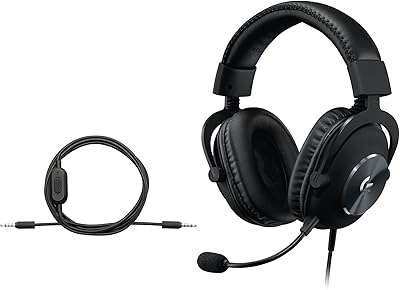
Logitech G PRO X Gaming Headset
84%
93%
Microphone Clarity
89%
Comfort for Long Sessions
91%
Audio Performance
74%
Build Quality
88%
Noise Isolation
More
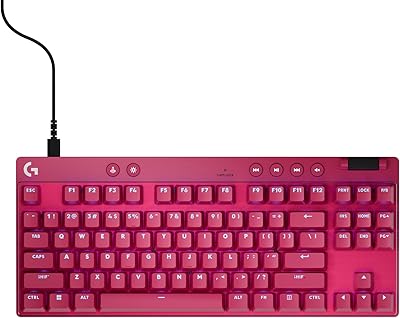
Logitech G PRO X TKL Gaming Keyboard
86%
88%
Performance
92%
Build Quality
85%
Usability & Ergonomics
90%
Portability
89%
Customization Options
More
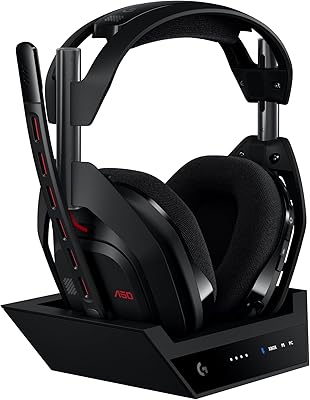
Logitech G Astro A50 (2024)
83%
96%
Multi-Platform Connectivity
93%
Acoustic Detail & Precision
91%
Microphone Vocal Quality
88%
Charging & Docking Convenience
86%
Long-Session Comfort
More
Logitech G Pro X SE Gaming Headset
79%
91%
Build Quality
84%
Sound Quality
88%
Microphone Performance
76%
Comfort & Fit
78%
Surround Sound & Spatial Audio
More
Logitech G Litra Beam LX Streaming Key Light
86%
88%
Lighting Quality
91%
Ease of Use
85%
RGB Customization
92%
Skin Tone Accuracy (TrueSoft Technology)
78%
Brightness
More
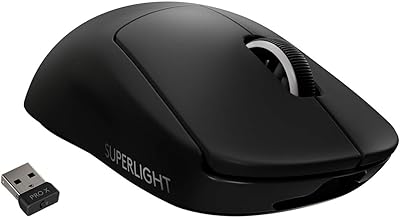
Logitech G PRO X Superlight
84%
96%
Weight & Ergonomics
94%
Sensor Accuracy
93%
Wireless Performance
91%
Battery Life
84%
Click Feel & Switches
More
G-Technology 4TB G-DRIVE with Thunderbolt 3

84%
91%
Performance & Speed
88%
Build Quality & Durability
90%
Connectivity & Versatility
67%
Portability & Weight
85%
Setup & Installation
More
G-Technology G-Drive 8TB Thunderbolt 3
89%
95%
Read/Write Performance
92%
Build Quality
90%
Durability
88%
Connectivity Options
93%
Compatibility with Mac
More
G-Technology G-DRIVE Mobile 5TB USB-C
79%
93%
Build Quality
88%
Portability & Form Factor
71%
Transfer Speed
74%
Thunderbolt 3 Compatibility
94%
Mac Compatibility
More

FAQ

No — the Logitech G Yeti Orb works as a plug-and-play USB device on both PC and Mac, so you can start using it the moment you plug it in. G HUB software is optional and only needed if you want to customize the RGB lighting or manage it alongside other Logitech G gear.

Unfortunately, no. This Yeti Orb does not have a headphone jack, so there is no zero-latency monitoring built into the mic itself. You would need to enable software monitoring through your OS audio settings or a streaming app like OBS, which introduces a small delay that some users find distracting.

No, this RGB gaming mic is designed specifically for PC and Mac via USB. Console USB audio support is limited and Logitech does not officially support it for PlayStation or Xbox use, so you may get inconsistent results or no recognition at all.

Better than most headset mics, but it is not immune. The cardioid pattern reduces pickup from behind and to the sides, which helps with keyboards positioned away from the mic. If your keyboard is directly beside the mic, some click noise will still bleed through — a boom arm to reposition the mic closer to your mouth helps significantly.

You can skip it entirely for basic use. The mic records audio without G HUB installed. The software is only relevant if you want to adjust RGB lighting effects or sync it with other Logitech G peripherals. That said, G HUB has a mixed reputation for being resource-heavy, so many users choose to leave it uninstalled.

It works for both, provided your recording environment is reasonably quiet. The cardioid condenser capsule captures clear vocal audio suitable for solo podcasting, YouTube voiceovers, or Twitch streaming. In noisier rooms without any acoustic treatment, background noise can become an issue in recordings reviewed at high quality.

By default, the RGB logo and status light are on when the mic is connected. To turn them off or customize the behavior, you need to use G HUB software. There is no physical button on the mic itself to toggle the lighting independently.

The integrated stand is stable on a flat desk for everyday use, but it does transmit desk vibrations into recordings — so typing or bumping the desk can cause low rumbles in your audio. A boom arm with a shock mount is worth considering if audio quality is a priority, though it adds cost beyond the original purchase.

The difference is immediately noticeable. A dedicated condenser capsule positioned on your desk at mouth level captures a fuller, cleaner vocal sound than a headset boom mic pressed close to your face. For most buyers making this switch for the first time, the improvement in stream or call quality is one of the most commonly praised aspects in user reviews.

No — this mic is fixed to a single cardioid pattern with no ability to switch modes. If you need omnidirectional pickup for recording a group, or a bidirectional pattern for a two-person interview setup, you would need a different mic. Several competitors at a similar price point do offer pattern switching, so it is worth factoring into your decision if you need that flexibility.