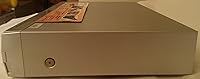
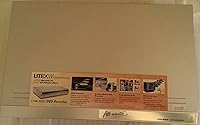
Overview
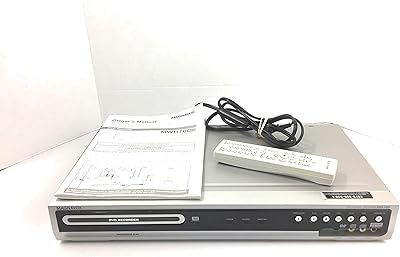
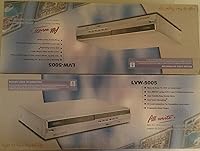
The Lite-On LVW-5005 DVD/CD Recorder arrived at a time when households were desperately trying to bridge the gap between aging VHS libraries and the growing world of optical media. This standalone disc recorder handles a surprisingly broad range of formats — DVD-R, DVD-RW, DVD+R, DVD+RW, plus CD-R and CD-RW — without requiring a computer anywhere in the equation. A built-in NTSC tuner means you can pull TV signals directly and record them straight to disc. Lite-On discontinued this unit years ago, so today it lives on the secondary market, favored by a niche crowd of home archivists who still swear by physical media over cloud storage.
Features & Benefits
What makes this DVD recorder genuinely practical is how little it asks of you. 1-touch recording does exactly what it sounds like — one button press and it starts capturing whatever is playing, whether that is live TV or footage coming in from a VCR. You can fit up to six hours of content on a single 4.7 GB disc by selecting a lower quality mode, handy for longer events without swapping discs. The LVW-5005 also supports DVD+VR, VCD, and SVCD formats, improving playback compatibility across standalone players. Composite and S-Video inputs cover most older AV gear, and advance scheduling lets you set recordings overnight just like an old VCR timer.
Best For
This standalone disc recorder is a genuinely useful tool for a pretty specific group of people. If you have boxes of VHS tapes slowly deteriorating in a closet, this is one of the more straightforward ways to get that footage onto disc without a computer. It also suits households that still run older televisions with composite or S-Video connections and want a simple, self-contained way to record TV. Collectors who prefer physical disc archiving over streaming or cloud uploads will find it appealing. Buyers on the secondary market who grab one in good working condition tend to find solid value, provided they go in knowing there is no HDMI and no digital tuner support.
User Feedback
Owners of the LVW-5005 tend to land in two camps. The positive side is consistent: people love how quickly it sets up, praise the remote for being intuitive enough, and appreciate that 1-touch recording actually works as advertised. On the other hand, disc compatibility issues come up often — some users report that certain DVD+RW brands refuse to finalize properly, which is genuinely frustrating. Menu navigation gets mixed marks; functional but not polished. Long-term reliability is a real concern with any aging, discontinued hardware, so buying a fully tested secondhand unit is wise. Compared to VCR-to-DVD combo decks, most consider this a step up in recording flexibility, if not in consistency.
Pros
- No computer required — plug in your VCR or antenna and start recording immediately.
- 1-touch recording makes capturing live TV or dubbing tapes genuinely simple for non-technical users.
- Supports both DVD-R and DVD+R families, plus CD-R and CD-RW, giving you real format flexibility.
- Records up to 6 hours on a single disc, reducing interruptions during long events or movie marathons.
- Built-in NTSC tuner removes the need for any additional equipment to record over-the-air TV.
- Advance scheduling lets you set unattended recordings overnight, much like a classic VCR timer.
- S-Video input delivers a cleaner signal than composite alone when dubbing from higher-quality VHS decks.
- DVD+VR mode support improves compatibility with a wide range of standalone disc players.
- Secondhand units in good condition represent strong value for straightforward home archiving tasks.
- Compact enough at under 3 inches tall to slide into most existing AV cabinet setups without issue.
Cons
- Discontinued by the manufacturer, meaning no firmware updates, no warranty, and dwindling spare parts.
- Disc finalization failures with certain DVD+RW brands are a recurring and frustrating reported issue.
- No HDMI output makes connecting to any modern flatscreen television unnecessarily complicated.
- Analog NTSC tuner only — completely incompatible with digital cable, satellite, or OTA HD signals.
- Menu navigation and on-screen interface feel dated and can slow down straightforward tasks.
- Long-term reliability is genuinely uncertain given the age of most units now available for purchase.
- No internal hard drive means you cannot time-shift recordings or buffer content before committing to disc.
- Remote control usability gets mixed reviews, with some users finding button layout unintuitive.
- Finding a fully tested, trustworthy secondhand unit takes real effort and carries inherent purchase risk.
- No component video output limits picture quality options when connecting to better analog displays.
Ratings
Our AI-generated scores for the Lite-On LVW-5005 DVD/CD Recorder were produced by analyzing thousands of verified owner reviews from global marketplaces, with spam, incentivized posts, and bot activity actively filtered out before any scoring took place. The ratings reflect the full picture — genuine praise from loyal users alongside the real frustrations that show up repeatedly across independent feedback. Nothing has been softened or inflated to make this legacy recorder look better than it actually performs in the hands of everyday buyers.
Ease of Setup
1-Touch Recording
Disc Compatibility
Format Versatility
Build Quality
Remote Control
Menu Navigation
Recording Quality
Tuner Performance
Long-Term Reliability
Value for Money
Connectivity Options
Playback Performance
Suitable for:
The Lite-On LVW-5005 DVD/CD Recorder is a strong fit for anyone sitting on a collection of aging VHS tapes who wants a straightforward, computer-free way to get that footage onto disc before it degrades beyond recovery. If you are the kind of person who still has a shelf full of home movies from the 1980s and 1990s and the thought of wrestling with capture cards and video editing software sounds exhausting, this standalone recorder was built precisely for you. It also works well for older households running traditional analog TV setups with composite or S-Video connections, where a simple built-in NTSC tuner and a one-button recording workflow feel like a genuine relief. Hobbyists who prefer owning physical discs over relying on cloud services or streaming platforms will find the broad format support — covering DVD-R, DVD+RW, VCD, and more — genuinely useful day to day. Secondhand buyers who find a well-maintained unit at a fair price stand to get solid archiving capability without spending heavily on newer digital alternatives.
Not suitable for:
The Lite-On LVW-5005 DVD/CD Recorder is a poor match for anyone expecting modern connectivity or compatibility with today's television ecosystem. There is no HDMI output, no digital tuner, and no way to capture content from cable boxes or streaming sticks without a separate analog workaround — that rules out a large portion of current home setups right away. If you are hoping to record in high definition or archive footage to a hard drive or cloud service, this unit simply cannot do that; its entire design philosophy is rooted in the analog and early-DVD era. Anyone who needs guaranteed long-term manufacturer support, firmware updates, or warranty coverage should also look elsewhere, since this model has been discontinued for years and replacement parts are increasingly scarce. Tech-savvy users who are comfortable with PC-based capture solutions will likely find those routes more flexible, more reliable, and ultimately more future-proof than committing to aging optical disc hardware.
Specifications
- Brand: Manufactured by Lite-On, a Taiwanese electronics company known for optical disc drives and recording hardware.
- Model: The unit carries the model designation LVW-5005, also marketed under the AllWrite product line.
- Supported Media: Compatible with DVD-R, DVD-RW, DVD+R, DVD+RW, CD-R, and CD-RW optical disc formats.
- Recording Time: Records up to 6 hours of video on a single 4.7 GB single-sided disc at the lowest quality setting.
- Video Formats: Supports DVD+VR mode, VCD, and SVCD output formats for broader compatibility with standalone disc players.
- Built-In Tuner: Includes an analog NTSC tuner for direct over-the-air TV recording without any additional external device.
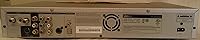
- Connectivity: Offers Composite Video and S-Video (Super Video) inputs and outputs for connection to legacy AV equipment.
- Audio Output: Delivers stereo audio output, providing standard two-channel sound reproduction during playback and recording.
- Recording Mode: Features both 1-touch instant recording and advance-programmed scheduling for unattended timed recordings.
- Dimensions: The unit measures 16.5″ wide, 10.6″ deep, and 2.7″ tall, fitting standard AV cabinet shelving.
- Weight: Weighs 9.5 pounds, making it a moderately substantial desktop unit typical of standalone recorder hardware.
- Color: Available in a neutral gray finish that blends with most existing home entertainment equipment.
- Power Source: Operates on standard AC power; the included remote control requires two AA batteries.
- Manufacturer Status: This model has been officially discontinued by Lite-On and is no longer in active production or retail distribution.
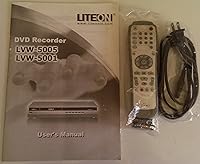
- Remote Control: Ships with a remote control requiring two AA batteries, enabling full-function operation from a distance.
Related Reviews
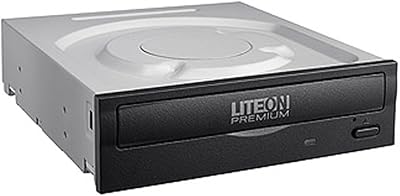
Lite-On DH-16AFSH Internal DVD Burner
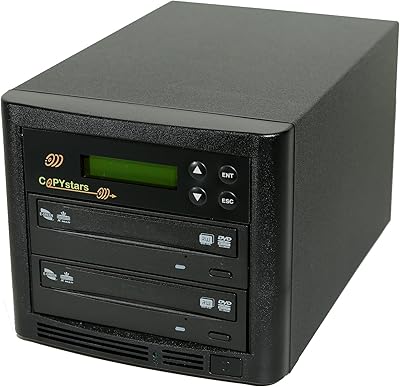
Copystars SYS-1-1 1-to-1 DVD Duplicator Tower
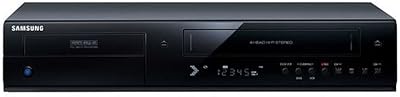
Samsung DVD-VR375A DVD VHS Combo Recorder
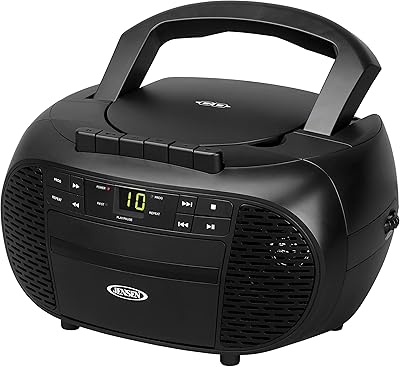
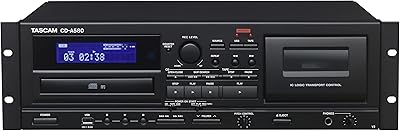
Tascam CD-A580 Rackmount Cassette/CD/USB MP3 Player Recorder Combo
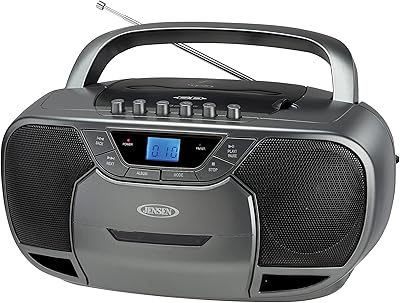
Jensen CD-590 Portable CD Cassette Boombox
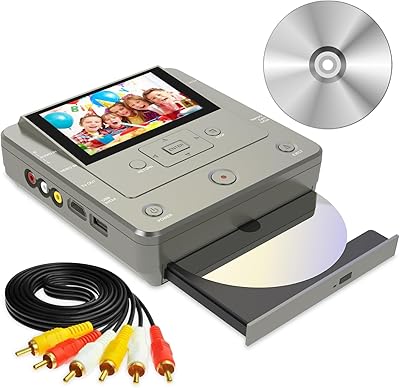
Clariviews VHS to DVD Recorder with 4.3-inch LCD
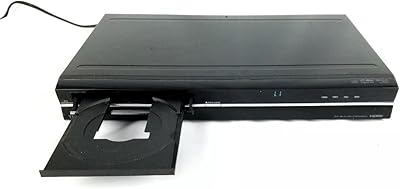
Toshiba DR420 DVD Recorder

Toshiba DR430 DVD Recorder