
Overview
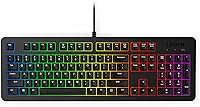
The Lenovo Legion K310 Gaming Keyboard entered the market in early 2024 as one of Lenovo's more accessible wired options under the Legion brand. Unlike mechanical keyboards that dominate gaming discussions, the K310 uses membrane switches — a choice that keeps noise down and cost low, but does feel noticeably different under your fingers. It sports a compact full-size layout, giving you all the keys you need without sprawling across your desk. This is a keyboard built for casual gamers, students, and everyday users — not for competitive players demanding sub-millisecond hardware precision. Think of it as a solid daily driver with gaming aesthetics, not a performance-first peripheral.
Features & Benefits
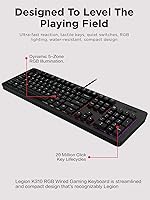
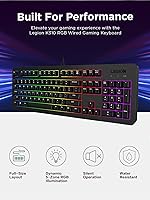
The K310's 24-key rollover handles the vast majority of gaming scenarios just fine, though it falls short of the full N-key rollover found on pricier boards — simultaneous keypress collisions can occur when hitting many keys at once. The 5-zone RGB looks sharp out of the box and is controlled entirely through Fn shortcuts with no companion software, so customization stays minimal. Quiet tactile membrane switches make a genuine difference in shared living spaces, and with a rated 20 million click lifecycle, longevity isn't a real concern. Splash drainage holes offer practical protection for messy desks, without being a full spill-proof guarantee. Fn multimedia keys for volume and media round things out as a convenient everyday bonus.
Best For
This Legion keyboard is a natural fit for someone stepping up from a basic office keyboard for the first time. Students gaming on a budget, people sharing walls with roommates, and anyone running a tighter desk setup will find real value here. The quiet switches make late-night sessions far less disruptive, and the compact footprint helps keep things organized. If you want to just plug it in and start playing without wrestling with driver software or RGB profiles, this is genuinely one of the simpler options at this price point. Where it struggles is with experienced mechanical keyboard users or anyone chasing competitive-level hardware responsiveness.
User Feedback
With over 5,700 ratings and a 4.4 out of 5 average, Lenovo's budget gaming keyboard has clearly found an appreciative audience. Most buyers highlight the quiet typing experience, the clean look, and the fact that it feels more solid than expected at this price. Recurring complaints center on limited RGB control — five fixed zones with no software means color customization is basic at best — and users coming from mechanical boards consistently note the membrane feel takes real adjustment. Long-term durability reports are generally encouraging, though a small number of buyers mention key response inconsistency after several months of heavy daily use.
Pros
- Quiet membrane switches make it genuinely usable in shared spaces without disturbing others.
- Compact full-size layout keeps your desk tidy while retaining every key you actually need.
- Rated for 20 million keystrokes per switch, so longevity is not a real concern at this price tier.
- Wired USB-A connection means zero input lag and no battery to manage ever.
- Splash-resistant drainage holes add practical peace of mind for desk snackers and coffee drinkers.
- 5-zone RGB looks clean and attractive right out of the box with no setup required.
- Fn-based multimedia controls add useful day-to-day convenience beyond gaming sessions.
- Broad compatibility with both laptops and desktops makes it flexible across different setups.
- Strong community satisfaction rating across thousands of verified buyers signals reliable real-world performance.
- Programmable keys offer a degree of personalization without requiring any third-party software.
Cons
- 24-key rollover falls short of full N-key rollover, which can matter in fast-paced gaming with many simultaneous inputs.
- No dedicated software suite means RGB customization is locked to preset zone colors and Fn shortcuts only.
- Membrane switches feel noticeably different from mechanical alternatives — buyers switching over need to adjust expectations.
- Plastic construction can feel lightweight in hand, lacking the premium solidity of higher-tier boards.
- Splash resistance covers accidental drips, but this is not a waterproof keyboard — heavy spills are still a risk.
- No wrist rest included, which can become a comfort issue during extended gaming or typing sessions.
- RGB zone count is limited to five, making granular per-key lighting effects completely unavailable.
- Some long-term users have reported occasional key response inconsistencies after months of heavy daily use.
- No wireless option exists for those who prefer a cleaner, cable-free desk setup.
- The Fn-only control scheme for lighting and media functions has a learning curve that some users find unintuitive at first.
Ratings
The scores below reflect our AI-driven analysis of thousands of verified global reviews for the Lenovo Legion K310 Gaming Keyboard, with spam, bot activity, and incentivized feedback actively filtered out before scoring. Each category is rated on real patterns from confirmed buyers — not marketing claims — so both genuine strengths and recurring frustrations are transparently represented. Whether this Legion keyboard earns high marks or falls short depends entirely on the category, and the numbers below reflect exactly that nuance.
Typing Noise Level
Value for Money
Build Quality
RGB Lighting Quality
Gaming Performance
Membrane Switch Feel
Typing Comfort
Water Resistance
Software & Customization
Key Durability
Setup & Ease of Use
Desk Footprint
Multimedia Controls
Aesthetic Design
Suitable for:
The Lenovo Legion K310 Gaming Keyboard is a strong match for anyone taking their first real step into gaming peripherals without wanting to spend heavily upfront. Students sharing dorm walls, casual gamers who play in the evenings after work, and anyone setting up a secondary gaming station will find this Legion keyboard fits their needs well. The quiet membrane switches make it genuinely considerate for shared living spaces — roommates and partners will notice the difference compared to clicky mechanical boards. Its compact full-size layout means it doesn't demand much desk real estate, which helps on smaller setups. Anyone who values plug-and-play simplicity over deep RGB programming will also feel right at home, since there is no software to install or configure.
Not suitable for:
If you are coming from a mechanical keyboard and love that tactile click and crisp actuation, the K310 will likely feel like a step backward — the membrane feel is noticeably softer and mushier, and no amount of getting used to it will replicate that mechanical response. Competitive or ranked players who need guaranteed full N-key rollover for complex simultaneous inputs should also look elsewhere, since the 24-key rollover can technically cap out under heavy multi-key gaming scenarios. The Lenovo Legion K310 Gaming Keyboard also offers very little in the way of RGB customization beyond basic Fn-controlled zone switching, so if building a fully synchronized lighting setup with software control matters to you, this board simply cannot deliver that. Long-term power users who game for many hours daily may also find the plastic build starts to feel less premium over time compared to boards in a higher price bracket.
Specifications
- Switch Type: The keyboard uses quiet tactile membrane switches designed to reduce noise while maintaining a responsive feel during typing and gaming.
- Key Rollover: Supports 24-key rollover, allowing up to 24 simultaneous key inputs to be registered without conflict.
- Key Lifecycle: Each key switch is rated for approximately 20 million actuations, providing reliable longevity for everyday and gaming use.
- RGB Lighting: Features 5-zone RGB illumination with pre-programmed color effects, controlled entirely through Fn key shortcuts with no software required.
- Connectivity: Connects via a standard USB-A wired interface, ensuring a stable, low-latency connection with no wireless setup or battery required.
- Layout: Full-size compact layout that includes all standard keys while maintaining a smaller overall footprint compared to traditional full-size keyboards.
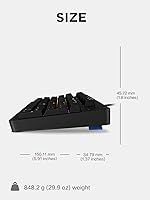
- Dimensions: The keyboard measures 5.91 x 1.8 x 1.37 inches, making it well-suited for tighter desk environments.
- Weight: Weighs 1.87 pounds, keeping it lightweight enough for easy repositioning without feeling flimsy on the desk.
- Water Resistance: Built with a splash-resistant exterior and internal drainage holes to protect against minor accidental liquid spills.
- Material: The keyboard body is constructed from plastic, keeping the overall build light while maintaining a clean, streamlined appearance.
- Color: Available in black with the Legion branding aesthetic integrated into the compact design.
- Programmable Keys: Select keys are programmable, allowing users to assign custom inputs or shortcuts to better suit their workflow or gaming preferences.
- Multimedia Controls: Fn-based multimedia keys provide quick access to volume adjustment and media playback controls without leaving the keyboard.
- Compatibility: Compatible with laptops and desktop PCs via USB-A, supporting standard operating system plug-and-play recognition.
- Lighting Control: All RGB lighting adjustments are made through built-in Fn key combinations; there is no downloadable software or companion app for this keyboard.
- Release Date: The K310 was first made available in February 2024 as part of Lenovo's Legion gaming peripheral lineup.
Related Reviews
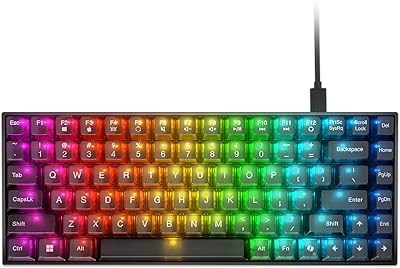
Lenovo Legion K510 Mini Pro Mechanical Keyboard
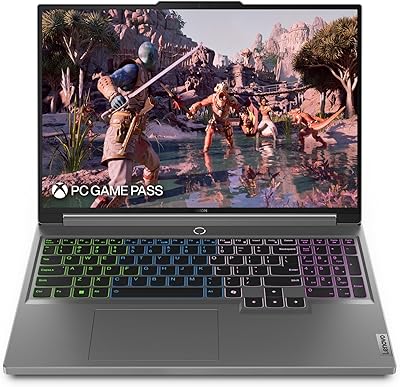
Lenovo Legion 5i 16-inch Gaming Laptop

Lenovo Legion Pro 7i Gaming Laptop 2025, Intel Ultra 9, RTX 5080 16GB, 32GB RAM, 1TB SSD
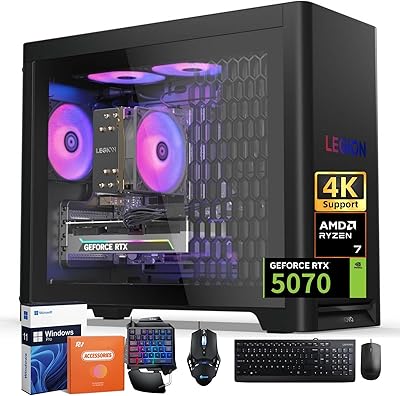
Lenovo Legion Tower 5 (2025) Gaming Desktop, AMD Ryzen 7 7700X, NVIDIA RTX 5070, 32GB RAM, 2TB SSD

Lenovo Legion Tower 5 Gen 10 Gaming Desktop, AMD Ryzen 7 7700X, NVIDIA RTX 5070, 64GB RAM, 1TB SSD
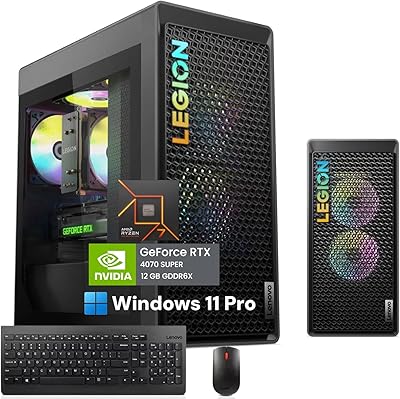
Lenovo Legion Tower 5 Gen 8 Desktop
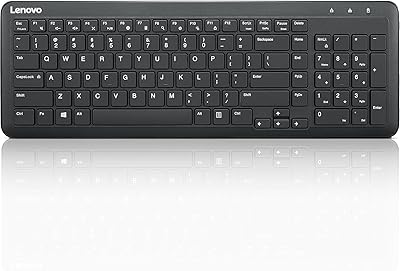
Lenovo 300 Wireless Keyboard
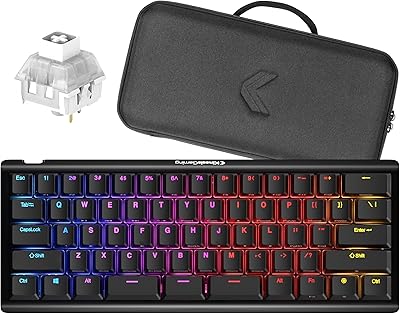
Kinesis Gaming TKO 60% Mechanical Keyboard
Alienware Pro Wireless Gaming Keyboard