Overview

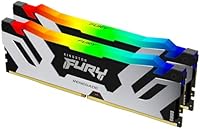
The Kingston FURY Renegade RGB 32GB DDR5 Kit sits firmly in the upper tier of consumer DDR5, running at 6800MT/s — a speed that most enthusiast desktops won't outgrow anytime soon. Kingston FURY has earned a solid reputation for shipping memory that actually performs at rated speeds rather than just printing impressive numbers on the box. This DDR5 kit carries Intel XMP 3.0 certification, which means reaching full speed is mostly a BIOS toggle rather than an afternoon of manual tuning. The RGB looks sharp, but it isn't the reason you buy this kit — stability and raw throughput are the real story.
Features & Benefits

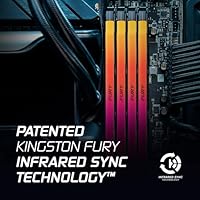
What separates the Renegade RGB sticks from mid-range alternatives comes down to a few practical details. Kingston's Infrared Sync Technology keeps RGB lighting coordinated across both sticks without any cable — it just works, which is genuinely refreshing. The CL36 latency at 6800MT/s is competitive rather than class-leading, but it's a reasonable trade-off for the stability XMP 3.0 delivers at that speed. Running at 1.4V, thermal output stays manageable under sustained workloads, and the heatspreader is trim enough to clear most tower coolers without conflict. For content creators and gamers alike, the higher DDR5 bandwidth is where this kit earns its place.

Best For

This Kingston FURY memory makes the most sense for builders running 13th or 14th Gen Intel platforms — that's where XMP 3.0 does its best work and where the 6800MT/s rating translates cleanly into real throughput gains. Content creators handling video timelines or 3D renders will notice the bandwidth difference compared to slower DDR5 or legacy DDR4 setups. Gamers who want headroom without paying top-tier prices will find this a comfortable middle ground. Worth flagging: XMP 3.0 is Intel-centric, so AMD builders should verify EXPO compatibility on their specific board before committing, as support varies noticeably by motherboard generation.

User Feedback

With 267 ratings averaging 4.6 stars, the real-world picture for the Renegade RGB sticks is genuinely positive. Buyers consistently highlight reliable XMP activation and the fact the kit posts at rated speed without repeated BIOS attempts. The RGB sync also draws compliments — no software required, it coordinates out of the box. On the downside, a handful of users report compatibility hiccups on older boards where a BIOS update was necessary before speeds stabilized. Some note the DDR5 cost premium over equivalent DDR4 capacity, which is fair if bandwidth uplift isn't a priority for your workload. Still, the overall satisfaction here is hard to dispute.

Pros

  • Posts reliably at rated 6800MT/s speeds with a simple XMP 3.0 toggle in the BIOS — no manual tuning needed.
  • Infrared Sync keeps RGB lighting coordinated across both sticks right out of the box, with no cables or software required.
  • CL36 latency at 6800MT/s is competitive against similarly priced DDR5 kits in the same speed bracket.
  • The 1.4V operating voltage runs cool enough for sustained workloads without requiring aggressive case airflow.
  • Heatspreader dimensions are slim enough to clear most full-height tower coolers without clearance issues.
  • Kingston FURY has a strong track record for quality control, and the 4.6-star average across 267 ratings backs that up.
  • Dual-channel 2x16GB configuration extracts more bandwidth than a single-stick setup at the same total capacity.
  • Higher DDR5 bandwidth noticeably benefits content creation workloads like video encoding and 3D rendering compared to DDR4.
  • Black and silver heatspreader design looks clean inside windowed cases without being flashy or oversized.

Cons

  • DDR5 pricing still carries a meaningful premium over equivalent DDR4 capacity, which is hard to justify for light workloads.
  • XMP 3.0 is Intel-specific; AMD builders face uncertain EXPO compatibility depending on board and BIOS version.
  • Some users on older motherboards needed a BIOS update before the kit posted stably at rated speeds.
  • CL36 is not the tightest latency available at this speed tier — buyers chasing the lowest possible timings have tighter options.
  • No AMD EXPO certification listed, making this a riskier pick for Ryzen platform builds without prior research.
  • 32GB total capacity may feel limiting for professional workstation users running memory-heavy virtual machines or RAW photo editing at scale.
  • The RGB feature adds cost that purely performance-focused builders may not want to pay for.

Ratings

The scores below for the Kingston FURY Renegade RGB 32GB DDR5 Kit were generated by our AI after analyzing verified buyer reviews from multiple global markets, with spam, bot activity, and incentivized feedback actively filtered out before scoring. Every category reflects the full picture — where this DDR5 kit genuinely impresses and where real users have hit friction — so you can make an informed decision rather than a hopeful one.

XMP Setup Experience
91%
The vast majority of buyers on supported Intel platforms report that enabling XMP 3.0 in the BIOS and hitting rated 6800MT/s speeds is a one-reboot process. No manual timing entry, no instability cycles — just enable, save, and go. For users new to high-speed memory, this friction-free activation is a meaningful confidence boost.
A subset of users on older motherboard BIOS versions found the kit would not post stably at rated speeds until a firmware update was applied, which requires extra research time. This isn't a flaw in the memory itself, but it adds setup friction that some buyers weren't expecting.
Stability & Reliability
88%
Once seated properly and XMP is active, the Renegade RGB sticks run with consistent stability across extended gaming sessions, long render jobs, and overnight stress tests according to the majority of reviewers. Very few users report blue screens or memory errors after the initial setup phase.
A small number of users encountered instability in four-DIMM configurations or when mixing this kit with sticks from another batch, which is a known DDR5 ecosystem issue rather than unique to this product. Dual-kit setups specifically require more careful BIOS tuning to achieve the same plug-and-play experience.
Real-World Performance
86%
Content creators handling 4K timelines, 3D rendering, and large file exports report a tangible bandwidth improvement coming from DDR4, with render queues completing faster and scrubbing feeling more responsive. Gamers see meaningful improvements in titles that are sensitive to memory latency and throughput.
In strictly gaming-only workloads, the performance delta between this kit and a mid-range 5600MT/s DDR5 alternative is modest enough that some buyers felt the speed premium wasn't fully reflected in frame rate gains. The bandwidth advantage is most visible in creative and mixed workloads rather than pure gaming benchmarks.
RGB Lighting Quality
83%
The RGB output is vibrant and consistent across both sticks without any visible color drift between them, which users credit to the Infrared Sync Technology working as advertised. Multiple reviewers note the lighting looks polished inside windowed cases and holds its own against other premium RGB components.
A handful of users found the lighting customization options limited compared to competitors that offer deep per-zone control through dedicated software ecosystems. Those invested in Corsair iCUE or ASUS Aura may find integration less seamless than with brand-matched memory kits.
RGB Sync Reliability
81%
19%
The cable-free infrared sync between the two sticks is a practically elegant solution — users consistently report both sticks stay perfectly matched without any setup beyond installation. There are no reports of one stick drifting out of sync during normal operation, which has been a common complaint with cheaper RGB kits.
A small number of users report that after power cycling in certain edge cases, one stick briefly shows a different lighting pattern before syncing back up within seconds. It is a cosmetic annoyance rather than a functional failure, but worth noting for users with always-on systems.
Thermal Performance
84%
Running at 1.4V keeps the sticks remarkably composed during sustained stress workloads — reviewers doing hours-long video encodes report the heatspreader reaching warm-but-manageable temperatures with normal case airflow. No thermal throttling has been observed under typical enthusiast usage conditions.
In very constrained airflow environments, such as compact mid-towers with minimal intake fans, the sticks can run noticeably warm under prolonged heavy workloads. This is largely an enclosure-dependent issue, but buyers in tight builds should factor in airflow planning before purchasing high-speed DDR5.
Physical Build Quality
87%
The heatspreader feels solid with no flex or rattle, and the black-and-silver finish holds up well without visible scuffing after repeated handling during installation. Multiple reviewers who have built and rebuilt rigs comment that the sticks feel premium relative to their price tier.
The heatspreader is not removable for users who want bare PCB aesthetics, and the fixed design means there is no upgrade path if Kingston releases a revised cooling solution. For the majority of builders this is a non-issue, but purists who prefer minimal memory builds may want a non-heatspreader alternative.
Cooler Clearance
78%
22%
At 1.73 inches tall, these sticks clear the vast majority of popular full-height tower coolers including large dual-tower designs without any physical conflict. Users with Noctua NH-D15s, DeepCool Assassin IIIs, and similar large air coolers report zero clearance issues.
A minority of users with particularly oversized coolers or unconventional mounting orientations had to nudge the cooler slightly or use offset mounting brackets for a clean fit. It is worth physically measuring clearance if your cooler has below-average DIMM slot clearance specs.
AMD Compatibility
52%
48%
Some AMD users running Ryzen 7000-series boards with updated BIOS and EXPO support have managed to run the sticks at or near rated speeds by using vendor EXPO profiles, which is a workable outcome for technically confident builders.
XMP 3.0 is fundamentally an Intel specification, and this kit carries no official AMD EXPO certification. A meaningful number of AMD users report the kit defaulting to JEDEC speeds with no reliable path to 6800MT/s without manual tuning, making this DDR5 kit a risky choice for Ryzen builds without prior compatibility research.
Value for Money
69%
31%
For Intel platform builders who will fully exploit 6800MT/s speeds and XMP 3.0, the pricing sits in a reasonable position relative to competing kits at the same speed tier, particularly given the added infrared RGB sync and Kingston FURY's brand reliability track record.
Buyers who don't need RGB, or who run workloads that won't notice the bandwidth jump from slower DDR5 speeds, are paying a visible premium that is hard to rationalize. At the DDR5 price point, the gap versus a competent 5600MT/s non-RGB kit is noticeable enough to give budget-aware builders genuine pause.
BIOS Compatibility
74%
26%
On current-generation Intel boards running recent BIOS firmware, the sticks are recognized immediately and XMP profiles apply cleanly without any user intervention beyond enabling the profile. Motherboard vendors have had years to refine DDR5 support since this kit launched in late 2022.
Boards running BIOS versions from 2022 or early 2023 have a statistically higher chance of requiring a firmware update before the kit runs stably at rated speeds. Users who prefer to keep their BIOS conservative or rarely update firmware may face an unexpected compatibility hurdle.
Packaging & Delivery Condition
82%
18%
Reviewers consistently note the sticks arrive in secure anti-static trays with no flex in the outer packaging, meaning DOA reports are exceptionally rare across a 267-rating dataset. Kingston's retail packaging is practical and does not over-engineer the unboxing experience.
The packaging, while protective, is not particularly premium for a kit at this price — there is no carry case or keepsake storage included. For buyers who want to resell or store sticks long-term, saving the original tray is advisable since the box itself offers limited long-term protection.
Software Ecosystem
63%
37%
The kit works without any software installation whatsoever, which is genuinely convenient — RGB sync is hardware-driven and XMP activation is BIOS-side. For builders who dislike background software, this is a clean and low-maintenance setup.
Users who want granular RGB customization beyond the built-in effects will find Kingston's software ecosystem thinner than what Corsair or G.Skill offer. There is no deep integration with popular lighting ecosystems out of the box, which limits creative control for those who care about precise lighting coordination across their full build.

Suitable for:

The Kingston FURY Renegade RGB 32GB DDR5 Kit is built squarely for enthusiast desktop builders who want high-speed DDR5 without venturing into the extreme end of the market. It makes the most sense paired with 13th or 14th Gen Intel platforms, where XMP 3.0 does exactly what it promises — one BIOS toggle and you're running at rated 6800MT/s speeds with no manual timing work required. Content creators who regularly push through video editing timelines, 3D renders, or large dataset processing will genuinely benefit from the higher memory bandwidth DDR5 offers over a DDR4 setup. Gamers who want a future-proof foundation and appreciate a clean RGB aesthetic that stays synchronized without extra software will also find this DDR5 kit a natural fit. It's equally well-suited for DDR4 upgraders who want a meaningful generational step rather than a marginal one.
Not suitable for:

The Kingston FURY Renegade RGB 32GB DDR5 Kit is not the right call for every builder, and being clear about that saves real frustration. If you're on an AMD platform, XMP 3.0 is Intel-centric by design, and while some AMD boards handle these sticks well via EXPO profiles, compatibility is far less predictable and warrants careful research before purchasing. Budget-focused builders who primarily run everyday productivity tasks or lighter gaming workloads will find it difficult to justify the DDR5 price premium when a solid DDR4 kit would serve them just as well at a lower cost. Anyone running an older motherboard with an outdated BIOS should also proceed carefully, since some users have reported the kit needing a firmware update before it posts reliably at rated speed. If RGB lighting is genuinely unimportant to you, there are functionally similar DDR5 kits without the lighting premium that may offer better value for a purely performance-driven build.
Specifications

  • Capacity: This kit provides 32GB of total memory across two 16GB DDR5 DIMM sticks configured for dual-channel operation.
  • Memory Type: The sticks use DDR5 SDRAM technology, the current-generation standard offering higher bandwidth and improved power efficiency over DDR4.
  • Speed: Rated transfer speed is 6800MT/s, placing this kit in the upper range of consumer DDR5 without reaching extreme enthusiast territory.
  • Latency: The primary CAS latency is CL36, which is competitive for the 6800MT/s speed tier among similarly priced DDR5 kits.
  • Voltage: Operating voltage is 1.4V, which keeps thermals manageable during sustained workloads without requiring aggressive system cooling.
  • Form Factor: Both sticks are standard full-size DIMMs designed exclusively for desktop motherboards; they are not compatible with laptops or SO-DIMM slots.
  • XMP Support: The kit is Intel XMP 3.0 certified, enabling one-step BIOS activation to reach rated speeds without manual timing configuration.
  • RGB Lighting: Each stick features addressable RGB lighting synchronized across the pair via Kingston's patented Infrared Sync Technology, requiring no physical sync cable.
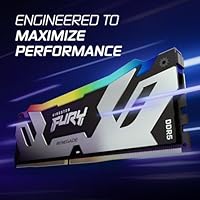
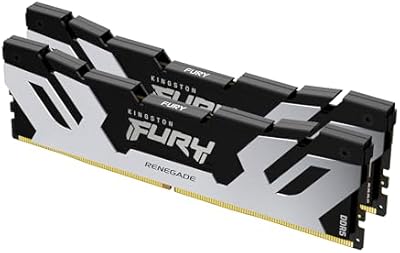
  • Heatspreader: The aluminum heatspreader measures 5.25 x 0.3 x 1.73 inches per stick, a slim profile that clears most standard tower CPU coolers.
  • Color: The heatspreader finish is black and silver, offering a neutral aesthetic that suits both dark and light-themed PC builds.
  • Kit Weight: The complete two-stick kit weighs 5.5 oz, which is typical for full-size DDR5 DIMMs with integrated heatspreaders.
  • Platform: Primary compatibility is with Intel desktop platforms supporting XMP 3.0; AMD users should verify EXPO profile support on their specific board.
  • BIOS Profile: XMP 3.0 profiles are embedded in the SPD, allowing supported motherboards to detect and apply rated settings automatically on first boot.
  • Channel Config: The 2x16GB dual-channel configuration maximizes available memory bandwidth compared to a single 32GB stick at the same total capacity.
  • Availability: This kit was first made available in November 2022, giving it a solid track record with multiple generations of BIOS and firmware updates.
  • Market Rank: It holds a Best Sellers Rank of #4,507 in Computer Memory on Amazon, reflecting consistent and sustained buyer demand.
  • User Rating: Across 267 verified ratings, the kit averages 4.6 out of 5 stars, indicating strong overall buyer satisfaction with real-world performance.

Related Reviews
Kingston FURY Renegade Silver 32GB DDR5 Memory
81%
91%
Raw Performance
88%
XMP Compatibility
86%
Build Quality
83%
Thermal Management
89%
Aesthetic Design
More
Kingston FURY Renegade RGB 32GB DDR4 RAM
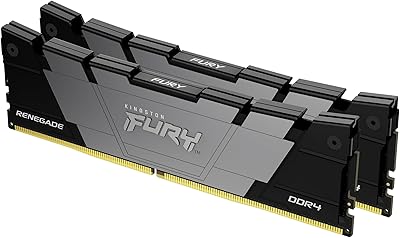
82%
93%
Stability & Reliability
84%
Speed Performance
91%
XMP Setup Ease
78%
Single-Stick Flexibility
82%
RGB Lighting Quality
More
Kingston Fury Renegade 32GB DDR4 RAM Kit
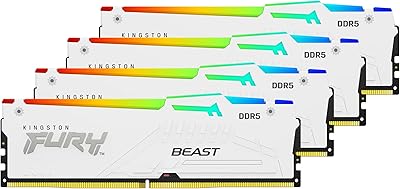
82%
91%
XMP Setup Experience
88%
Speed Performance
86%
Stability & Reliability
63%
Value for Money
67%
AMD Compatibility
More
Kingston FURY Beast DDR5 128GB Memory Kit
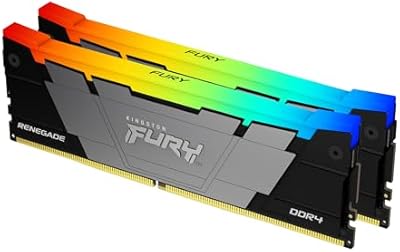
80%
88%
Performance & Speed
67%
Value for Money
82%
Installation & Setup
91%
RGB Lighting Quality
89%
Build Quality & Aesthetics
More
Kingston FURY Beast RGB 64GB DDR5 Kit
82%
88%
Installation Ease
91%
Performance & Speed
86%
Stability & Reliability
74%
Compatibility
83%
RGB Lighting Quality
More
Kingston FURY Renegade RGB 64GB (2x32GB) 3200MT/s DDR4 Memory Kit
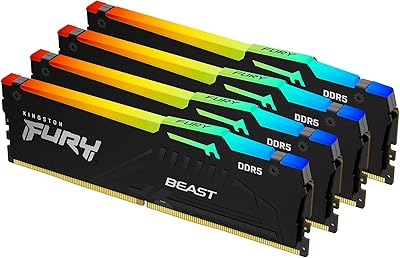
84%
88%
Performance
93%
Ease of Installation
75%
RGB Customization
81%
Heat Dissipation
89%
Build Quality
More
Kingston FURY Beast 16GB DDR5 RAM Kit
80%
93%
Out-of-Box Setup
88%
Platform Compatibility
84%
Memory Performance
91%
Stability & Reliability
79%
Value for Money
More
Kingston Fury Beast RGB 32GB DDR5 Desktop RAM
84%
91%
Ease of Setup
88%
Performance at Rated Speed
86%
Platform Compatibility
83%
RGB Lighting Quality
89%
Build Quality & Design
More
Kingston FURY Beast 32GB 5600MT/s DDR5 Memory
89%
89%
Performance for Gaming
93%
Ease of Installation
85%
Thermal Management
91%
Overclocking Support
87%
Compatibility with Desktop Systems
More
Kingston FURY Beast 32GB DDR5 Memory Kit
86%
88%
Real-World Performance
91%
Installation & Setup
74%
Platform Compatibility
93%
Stability & Reliability
83%
Value for Money
More

FAQ

Yes, but it's straightforward. After seating the sticks, enter your BIOS and enable the XMP 3.0 profile — usually found under memory or overclocking settings. Once enabled, save and reboot, and the system will run at the full 6800MT/s rated speed. On most modern Intel motherboards this takes under two minutes.

Possibly, but with caveats. XMP 3.0 is an Intel specification, so AMD boards won't natively apply that profile. Some AMD motherboards support EXPO or have their own XMP compatibility mode that can get these sticks close to rated speeds, but results vary by board and BIOS version. If you're on Ryzen, research your specific motherboard's DDR5 compatibility list before buying.

No, and that's one of the more practical aspects of this kit. Kingston's Infrared Sync Technology handles synchronization between the two sticks wirelessly — no cable, no software installation required. The sticks communicate with each other directly, so the lighting stays coordinated right out of the box.

For most gaming workloads, the difference between 5600MT/s and 6800MT/s is real but modest — typically a few frames per second at best. Where the speed gap becomes more meaningful is in bandwidth-intensive tasks like video editing, game streaming while playing, or 3D rendering. If gaming is your only use case, a slower DDR5 kit may offer better value; if you do creative work too, the faster speed is easier to justify.

In most cases, yes. At 1.73 inches tall, the heatspreader on the Renegade RGB sticks is relatively slim compared to some taller enthusiast RAM designs. The Noctua NH-D15 and similar large air coolers generally have enough clearance, but it's always worth double-checking your cooler manufacturer's RAM clearance spec just to be certain.

Technically yes, if your motherboard supports four DDR5 slots, but there are practical risks. DDR5 quad-channel or four-DIMM configurations can be finicky with stability at rated speeds, and mixing kits — even identical model numbers from different production batches — can cause issues. If you know you'll need 64GB, buying a 4x16GB kit upfront is the safer path.

First, check if your motherboard has a BIOS update available — this is the most common fix reported by users who experienced this issue. Older BIOS versions sometimes struggle to fully support high-speed DDR5 profiles. If updating doesn't help, try reseating the sticks in the recommended slots for dual-channel operation (usually slots 2 and 4 on Intel boards). Running at JEDEC speeds temporarily can also help confirm the sticks themselves are healthy.

Yes, Kingston backs this kit with a lifetime warranty, which is one of the better coverage terms you'll find on desktop memory. If a stick fails under normal use, Kingston's support process is generally well-regarded among enthusiasts for being straightforward and responsive.

At 1.4V, thermals are modest for DDR5. Under heavy sustained loads like extended video renders or memory-intensive benchmarks, the heatspreader gets warm to the touch but not uncomfortably so. Adequate case airflow is enough — you don't need dedicated RAM fans or anything beyond a reasonably ventilated mid-tower setup.

No. The RGB circuitry is entirely independent of the memory's core function and has no measurable impact on speed, latency, or stability. If you ever wanted to disable the lighting entirely — for a dark room setup or personal preference — most motherboard RGB control software or Kingston's own tools can turn it off without affecting memory performance at all.