Overview

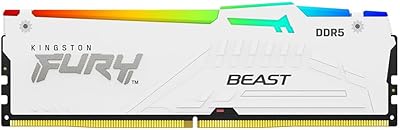
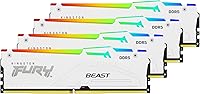
The Kingston FURY Beast DDR5 128GB Memory Kit is a quad-channel DDR5 set built squarely for power users who have outgrown what 32GB or 64GB can offer. The white heat spreader is a deliberate design choice for builders assembling RGB-forward rigs where every component needs to pull visual weight. Running at 5600MT/s with CL40 timings, this kit sits comfortably in the upper tier of consumer DDR5 without pushing into exotic overclocking territory. Intel XMP 3.0 certification means compatible motherboards load the right profile automatically. Opting for four 32GB sticks rather than a two-stick 64GB setup also unlocks true quad-channel bandwidth, which genuinely matters for workstation-grade multitasking.
Features & Benefits

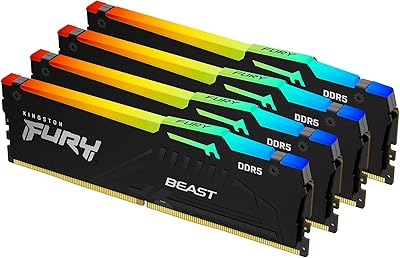
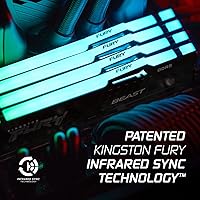
Kingston's proprietary Infrared Sync Technology is what separates this from kits that promise synchronized RGB but require finicky software to deliver it. The four sticks communicate wirelessly with each other, so lighting effects stay in step without any extra setup. The redesigned heat spreader does real work too — at 1.25V, DDR5 runs warmer than DDR4 under load, and having metal coverage across the full module height helps maintain consistent temperatures during extended rendering sessions. DDR5 also brings native on-die ECC, which quietly corrects minor errors in the background, a meaningful bonus for anyone running data-sensitive workloads. Just note this is a desktop DIMM — no laptop or SFF compatibility.

Best For

This 128GB DDR5 kit makes the most sense for professionals whose workflows genuinely consume memory at scale — think video editors scrubbing through 4K or 8K timelines in DaVinci Resolve, or 3D artists keeping large scene assets loaded in Blender. Multi-VM setups and developer environments juggling dozens of browser tabs and background services also benefit noticeably from this kind of headroom. It's a strong fit for Intel 12th, 13th, or 14th Gen builds where XMP 3.0 can be activated in seconds. Gamers, though, will rarely see returns on 128GB — most titles tap out well below 32GB. This is a future-proof workstation investment, not a gaming upgrade.

User Feedback

With a 4.5-star average across over a hundred ratings, the FURY Beast quad-channel set earns consistent praise for two things: the RGB sync actually working out of the box, and the white aesthetic fitting cleanly into premium builds without clashing. On the critical side, a handful of AMD platform users report needing a BIOS update before the kit runs stable at rated speeds — not a dealbreaker, but worth checking before purchase. Installation feedback is mostly positive, though a few buyers with compact motherboards mention tight clearances when seating all four sticks. Those upgrading from DDR4 also note the performance lift is most visible in professional applications, not everyday browsing or gaming.

Pros

  • Infrared Sync Technology keeps RGB animations perfectly matched across all four sticks without any software installation.
  • XMP 3.0 support means Intel platform users get rated speeds with a single BIOS toggle, no manual tuning required.
  • Four-stick quad-channel configuration delivers higher memory bandwidth than a two-stick kit of the same total capacity.
  • Native on-die ECC in DDR5 quietly handles minor memory errors in the background, adding reliability for data-sensitive work.
  • The white heat spreader integrates cleanly into premium all-white builds without the need for aftermarket cosmetic covers.
  • 128GB of headroom future-proofs a workstation against increasingly memory-hungry software updates for years ahead.
  • The redesigned heat spreader provides practical thermal coverage across the full module, helping sustain performance during long render or compile sessions.
  • Strong market credibility with a 4.5-star average rating and placement in the top tier of its Amazon category.

Cons

  • AMD platform compatibility is inconsistent — some Ryzen boards need a BIOS update before this 128GB DDR5 kit runs at rated speeds.
  • The premium price tier is difficult to justify for users whose workloads cap out well below 64GB of actual RAM usage.
  • Seating all four sticks can be physically awkward on motherboards with tight layouts or obstructive CPU cooler brackets.
  • Gamers will see no meaningful performance gain from 128GB capacity compared to a well-configured 32GB DDR5 kit.
  • DDR5 requires a compatible platform — anyone on DDR4 motherboards cannot use this kit without a full system upgrade.
  • The CL40 latency is not class-leading at this speed tier; tighter-latency alternatives exist for users who prioritize low-latency over raw capacity.
  • With only 122 ratings, the sample size is still relatively small, making it harder to spot long-term reliability patterns.
  • RGB functionality depends on Kingston's ecosystem; users running non-compatible RGB control software may find lighting customization limited.

Ratings

These scores for the Kingston FURY Beast DDR5 128GB Memory Kit were generated by our AI review engine after analyzing verified buyer feedback from global markets, with automated filtering applied to remove incentivized, duplicated, and bot-generated submissions. The scorecard reflects the honest consensus of real-world users across professional and enthusiast contexts — covering what they genuinely valued, where expectations were met, and where the kit created friction. Both strengths and pain points are weighted transparently so you can evaluate this quad-channel set against your actual workload, not the marketing copy.

Performance & Speed
88%
At its rated speed, this 128GB DDR5 kit sits firmly in the high-performance tier of consumer DDR5 — users working in DaVinci Resolve or Blender report noticeably faster project load times and smoother scrubbing on large, multi-stream timelines. The raw bandwidth advantage over DDR4 is most tangible in sustained, multi-threaded professional workloads rather than short burst tasks.
The CL40 primary latency is not class-leading at this speed tier, and competing kits offer tighter timings at comparable prices for users who prioritize low-latency over capacity. Gamers and general desktop users will rarely perceive a meaningful difference over a well-tuned 32GB DDR5 kit running at slightly lower speeds.
Value for Money
67%
33%
For content creators, 3D artists, and developers who genuinely push past 64GB of active RAM usage, the price-per-gigabyte on this quad-channel set is competitive within the premium DDR5 tier. The lifetime warranty Kingston provides adds meaningful long-term assurance that other brands at this price point do not always include.
For the vast majority of buyers — including most gamers and general desktop users — this kit is priced well beyond what their actual workloads can justify. The step up from a 64GB to 128GB configuration carries a significant cost premium that only makes practical sense when RAM consumption consistently approaches those limits.
Installation & Setup
82%
18%
On Intel 12th, 13th, or 14th Gen platforms, setup is genuinely straightforward — enabling XMP 3.0 in BIOS takes under a minute and the kit immediately runs at its rated speed without any manual tuning. Users on compatible Intel boards consistently report a clean, hassle-free first-boot experience, which is not guaranteed with high-speed DDR5 at this capacity.
Seating all four sticks can be physically awkward on boards with dense component layouts or bulky CPU coolers sitting close to the first DIMM slot. A recurring subset of users also report needing a motherboard firmware update before the kit will even POST correctly, which is a frustrating first experience at this price tier.
RGB Lighting Quality
91%
Kingston's Infrared Sync Technology genuinely delivers — across all four sticks, lighting animations stay coordinated without any background software running, which is a real quality-of-life advantage in a white build where visual consistency matters. The brightness level and color accuracy across the LED arrays draw consistent praise from enthusiast builders comparing this to competing kits.
Customization depth is limited without installing Kingston's FURY CTRL software, and the ecosystem does not integrate natively with popular unified lighting platforms like iCUE or Armoury Crate without additional workarounds. Users who have already built a synchronized RGB setup around another brand's software may find the compatibility gaps a genuine inconvenience.
Build Quality & Aesthetics
89%
The white aluminum heat spreader feels premium in hand and photographs exceptionally well inside completed builds, which matters to the enthusiast audience this kit is aimed at. The finish is consistent across all four sticks, and the physical construction feels solid without sharp edges or cosmetic inconsistencies between modules.
The white coating shows fingerprints during installation more readily than darker variants — a minor but real annoyance during a hands-on build session. A small number of users have noted subtle color variation between sticks under direct lighting conditions, though this appears to be an occasional exception rather than a systematic manufacturing issue.
Thermal Management
83%
The full-height aluminum heat spreader does meaningful work under DDR5 operating conditions — during extended rendering or compiling sessions, module temperatures stay within comfortable bounds without requiring active cooling or specific case airflow configurations. Users running sustained professional workloads over multiple hours report no thermal-related throttling or instability.
DDR5 inherently runs warmer than DDR4, and while the spreader handles this adequately under typical conditions, users with poor case airflow or passive cooling setups may see temperatures edge higher during prolonged peak loads. The spreader height can also create physical clearance conflicts with certain low-profile or compact tower CPU coolers.
Platform Compatibility
63%
37%
On compatible Intel platforms, the FURY Beast quad-channel set behaves like a well-engineered product should — the XMP 3.0 profile loads without drama, stability is consistent, and rated speeds are reached with a single BIOS toggle. Intel users rarely encounter post-installation surprises with this kit.
AMD Ryzen users face a noticeably less predictable experience — the kit lacks native EXPO certification, so some boards default to base JEDEC speeds and require manual configuration or BIOS updates before running stably at anything close to rated performance. This is a meaningful limitation given how large a share of the DDR5 desktop market AMD now holds.
Overclocking Potential
76%
24%
XMP 3.0 delivers a reliable and stable overclock baseline that loads automatically on supported Intel boards, which is a practical benefit for builders who want more than stock JEDEC speeds without learning memory timing theory. The kit holds its rated profile cleanly across multiple tested Intel configurations with no reported profile instability.
For enthusiasts who want to push beyond the XMP ceiling into manual overclocking territory, the headroom at this speed and latency combination is moderate rather than class-leading. Competing kits with tighter primary timings at similar price points may offer a more rewarding manual tuning experience for buyers specifically chasing maximum memory performance.
Software & Ecosystem
72%
28%
Kingston's FURY CTRL software handles lighting customization cleanly when installed, and since Infrared Sync operates entirely independently, the software is optional for users who simply want consistent default lighting without extra background processes running. Zero software is required for performance configuration thanks to the BIOS-level XMP profile.
FURY CTRL is noticeably less feature-rich than the lighting ecosystems offered by Corsair or G.Skill, and native integration with popular multi-brand RGB platforms remains limited. Users who have invested in a specific RGB software ecosystem from another brand will likely encounter friction trying to bring this kit into their existing setup.
Capacity Usefulness
84%
For a video editor keeping multiple 4K project timelines open simultaneously, a developer running containerized environments alongside a full IDE, or a 3D artist with multi-gigabyte scene assets loaded in memory, the 128GB ceiling provides headroom that a 64GB build cannot replicate. The reported productivity gains in these specific contexts are consistent and credible.
Outside of those demanding professional workflows, 128GB sits largely idle — it is excess capacity that the majority of desktop users, including most gamers and even moderate creative professionals, will never come close to consuming. Buyers who are not regularly bumping against 64GB limits should honestly reconsider the capacity jump.
Stability & Reliability
86%
On qualified Intel platforms, this Kingston DDR5 upgrade demonstrates strong long-term stability — native on-die ECC quietly handles low-level errors in the background, and verified buyers report clean, consistent operation over months of daily use in demanding professional environments. Memory-related system crashes are notably rare in this user base.
AMD platform users describe a less consistent reliability picture, with some users experiencing instability at rated speeds until a targeted BIOS update is applied. For a premium-priced kit, encountering platform-dependent stability issues after purchase rather than being warned clearly before it is a recurring complaint in the feedback.
Packaging & Presentation
78%
22%
The kit arrives in retail packaging that presents all four sticks clearly, protects them adequately during shipping, and makes the matched configuration immediately obvious upon unboxing. The overall packaging communicates product quality without unnecessary waste.
The packaging is functional but unremarkable — several buyers note it does not match the premium feel of competing high-end DDR5 kits that ship in more elaborate, collector-style cases with premium inserts. For a kit sitting at the top of the consumer memory price tier, the presentation gap is noticeable at first impression.
Quad-Channel Efficiency
87%
Running all four sticks in a properly populated quad-channel configuration delivers meaningfully higher memory bandwidth than a two-stick equivalent, a gap that registers clearly in rendering benchmarks and in real workflows like large file processing or multi-VM environments where sustained throughput matters more than latency.
Realizing the full quad-channel benefit depends on the motherboard genuinely supporting true quad-channel operation, which is not universal across all Intel consumer platforms. Users on entry-level or budget Intel boards may find the performance differentiation from a dual-channel 128GB alternative is smaller than the spec sheet would suggest.

Suitable for:

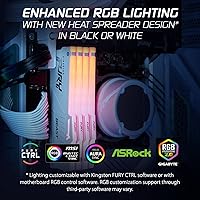
The Kingston FURY Beast DDR5 128GB Memory Kit was built for professionals and creators who have genuinely hit the ceiling of what lower-capacity RAM can handle. If your daily workflow involves rendering complex 3D scenes in Blender, color grading multi-stream 4K or 8K footage in DaVinci Resolve, or running several virtual machines simultaneously, this quad-channel configuration provides the kind of real memory headroom that eliminates bottlenecks rather than just looking good on a spec sheet. Developers who keep sprawling browser sessions, local servers, and containerized environments running side by side will notice the difference immediately. It is also an excellent fit for Intel 12th, 13th, or 14th Gen platform builders who want XMP 3.0 to handle speed configuration automatically without touching BIOS settings manually. And if you are assembling a white-themed, RGB-coordinated build, the synchronized lighting across all four sticks works reliably out of the box without relying on third-party software to keep things in step.
Not suitable for:

The Kingston FURY Beast DDR5 128GB Memory Kit is a hard sell for anyone whose computing habits do not push past what a solid 32GB or 64GB setup already covers comfortably. Gamers especially should think twice — virtually no current or near-future game title benefits from 128GB of RAM, and the premium price of this kit would be far better spent on a stronger GPU or faster storage. AMD platform users face an additional hurdle: some Ryzen-based motherboards require a BIOS update before the kit will run at rated speeds, and not all boards guarantee full XMP 3.0 compatibility at all, making the experience less predictable than on Intel. This is also strictly a desktop upgrade — laptop users, small-form-factor builds with fewer than four DIMM slots, and anyone on an older DDR4 motherboard cannot use it at all. Budget-conscious upgraders looking for a straightforward performance bump should also weigh whether the capacity jump here actually maps to their specific workload before committing.
Specifications

  • Total Capacity: The kit provides 128GB of total memory across four matched 32GB modules, designed for workstation-grade desktop builds.
  • Memory Type: Uses DDR5 SDRAM technology, the current-generation standard that offers higher bandwidth and lower voltage compared to DDR4.
  • Speed Rating: Rated at 5600 MT/s, placing it in the upper-mid tier of consumer DDR5 performance available today.
  • Primary Latency: Operates at CL40 primary timing, which is typical for DDR5 kits running at this speed range.
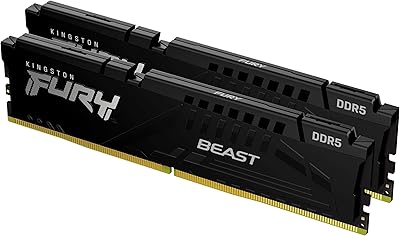
  • Kit Configuration: Ships as a matched set of four individual DIMMs, optimized for quad-channel operation on compatible motherboards.
  • Form Factor: Standard full-size DIMM for desktop motherboards only; incompatible with laptop SO-DIMM slots or small-form-factor systems.
  • Operating Voltage: Runs at 1.25V, within the standard DDR5 specification range for compatible desktop platforms.
  • XMP Support: Certified for Intel XMP 3.0, enabling automatic speed profile activation on supported Intel 12th, 13th, and 14th Gen platforms.
  • RGB Lighting: Each stick features RGB LEDs synchronized across all four modules via Kingston's proprietary Infrared Sync Technology, requiring no additional software.
  • Heat Spreader: White aluminum heat spreader covers the full module height and is redesigned for improved thermal management during sustained workloads.
  • Stick Dimensions: Each individual module measures 5.25 x 0.28 x 1.66 inches (L x W x H).
  • Kit Weight: The complete four-stick kit weighs 3.21 ounces in total.
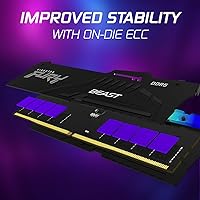
  • On-Die ECC: Includes native DDR5 on-die error-correcting code (ECC), which silently corrects single-bit errors within each memory chip during operation.
  • Model Number: The official model identifier is KF556C40BWAK4-128, designating the white heat spreader variant in the FURY Beast DDR5 RGB series.
  • Series: Part of the Kingston FURY Beast DDR5 RGB lineup, a family that spans multiple speed grades and total capacity options.

Related Reviews

Kingston FURY Beast RGB 64GB DDR5 Kit
82%
88%
Installation Ease
91%
Performance & Speed
86%
Stability & Reliability
74%
Compatibility
83%
RGB Lighting Quality
More
Kingston Fury Beast 32GB DDR5 RAM Kit
85%
91%
EXPO & XMP Activation
78%
Platform Compatibility
86%
Memory Performance
88%
Build Quality & Finish
84%
Thermal Management
More
Kingston FURY Beast 128GB (4x32GB) 3600MT/s DDR4 Desktop Memory Kit
87%
94%
Performance
90%
Ease of Installation
92%
Compatibility with Intel and AMD Systems
75%
RGB Syncing
88%
Build Quality
More
Kingston FURY Beast 16GB DDR5 RAM Kit
80%
93%
Out-of-Box Setup
88%
Platform Compatibility
84%
Memory Performance
91%
Stability & Reliability
79%
Value for Money
More
Kingston FURY Beast 32GB 5600MT/s DDR5 Memory
89%
89%
Performance for Gaming
93%
Ease of Installation
85%
Thermal Management
91%
Overclocking Support
87%
Compatibility with Desktop Systems
More
Kingston FURY Renegade RGB 32GB DDR5 Kit
78%
91%
XMP Setup Experience
88%
Stability & Reliability
86%
Real-World Performance
83%
RGB Lighting Quality
81%
RGB Sync Reliability
More
Kingston FURY Beast 64GB DDR4 Desktop RAM
85%
93%
Out-of-Box Compatibility
91%
Installation Ease
94%
Stability & Reliability
88%
XMP Profile Accuracy
58%
Overclocking Headroom
More
Kingston FURY Beast DDR5 16GB Desktop RAM
84%
83%
Value for Money
91%
Installation & Setup
88%
Performance at Rated Speed
92%
Stability & Reliability
86%
Thermal Management
More
Kingston FURY Beast 64GB (2x32GB) 3600MT/s DDR4 RGB Memory Kit
85%
91%
Performance
87%
RGB Aesthetics
92%
Ease of Installation
89%
Compatibility with Intel and AMD Systems
85%
Overclocking Stability
More
Kingston FURY Beast RGB 128GB DDR5 Kit
79%
92%
Setup & XMP Activation
54%
AMD Platform Compatibility
88%
Memory Performance
83%
Thermal Management
87%
Build Quality & Feel
More

FAQ

The Kingston FURY Beast DDR5 128GB Memory Kit is certified around Intel XMP 3.0, so Intel platforms are where it runs most predictably out of the box. AMD uses a separate standard called EXPO, which this kit does not officially carry, meaning a Ryzen board may default to lower base JEDEC speeds unless you manually configure settings and have a compatible BIOS update installed. It can still function on AMD, but check your specific motherboard's DDR5 compatibility list before purchasing.
No, and that is actually one of the more practical things about this set. Kingston's Infrared Sync Technology handles cross-stick LED synchronization using an infrared signal between the modules, so the lighting stays coordinated without any background software. If you want custom animation profiles or color changes, Kingston's FURY CTRL app supports it, but it is completely optional.

You will need to enable XMP in your BIOS to hit the rated speed — but on a compatible Intel motherboard, it is usually just a single toggle. Without it, the kit defaults to base JEDEC speeds, which are noticeably lower. That one BIOS step takes under a minute and is absolutely worth doing.

For gaming alone, it is overkill by a significant margin. Most current titles run comfortably within 16GB and rarely push past 32GB even in demanding scenarios. The FURY Beast quad-channel set is built for workflows like video editing, 3D rendering, multi-VM environments, and large-scale data processing — workloads that can genuinely approach and exceed 64GB of active memory usage.

You can, but you will lose the quad-channel bandwidth advantage that makes a four-stick configuration worthwhile in the first place. Running only two sticks puts the system in dual-channel mode, which is less efficient for memory-intensive workloads. For the performance this kit is designed to deliver, installing all four at once is the right approach.

Each stick stands 1.66 inches tall, which is a standard DDR5 DIMM height. Most mid-tower and full-tower air coolers clear this without any issue. If you are using a low-profile or compact air cooler with limited RAM clearance, check the cooler manufacturer's specs to confirm before seating the sticks.

Not exactly. DDR5 on-die ECC is a feature built into the memory chips themselves — it detects and corrects single-bit errors within the chip during normal operation, which improves day-to-day stability. Server ECC is a separate, more comprehensive system that requires a motherboard and processor explicitly designed to support registered ECC DIMMs. The on-die ECC here is a genuine reliability benefit, but it does not make this a server memory kit.

It is not recommended. Even when two DDR5 kits look similar on paper, differences in memory chips, subtimings, and voltage behavior between manufacturers can cause instability or force both kits to drop to the lowest common denominator speed. This quad-channel set performs best when run as a complete, matched kit on its own.

Yes, Kingston backs this with a lifetime warranty, which is standard across their FURY product line. For a premium-tier memory investment, that is a meaningful assurance, and Kingston has a generally solid reputation for honoring warranty claims without excessive friction.

Unfortunately, no. This is a four-stick kit and requires a motherboard with at least four DIMM slots to install as intended. Most mid-range and high-end Intel desktop boards include four slots, but budget boards and some compact form-factor designs are limited to two. Verify your motherboard's slot count before purchasing this set.