
Overview

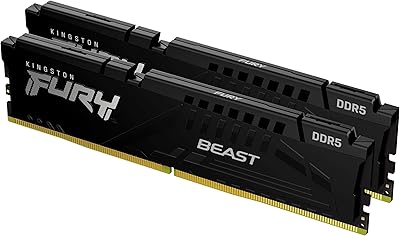
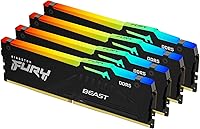
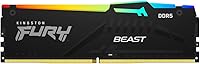
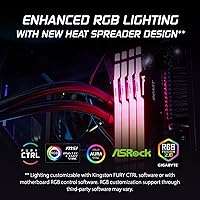
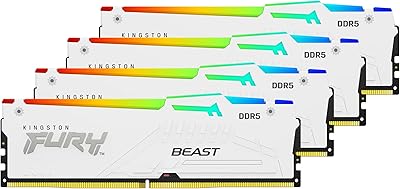
The Kingston FURY Beast RGB 64GB DDR5 Kit represents a serious step up for builders who have been waiting for DDR5 to mature into something worth the investment. Running at 5600MT/s, it delivers meaningfully higher memory bandwidth than even the fastest DDR4 setups — something you actually notice when scrubbing through large video timelines or loading multi-gigabyte project files. The 4x16GB quad-channel configuration is a deliberate choice: four sticks across all available slots maximize bandwidth on supported Intel platforms. Physically, the sticks are clean and well-proportioned, with a redesigned RGB heat spreader that looks considered rather than gaudy. Intel XMP 3.0 is included, meaning the kit runs at rated speed with a single BIOS toggle.

Features & Benefits

At 5600MT/s with CL40 latency, this DDR5 kit sits in a sweet spot for bandwidth-hungry workloads — rendering, simulation, and large dataset processing all benefit from the headroom DDR5 natively provides. One of the more practical touches is Kingston's Infrared Sync Technology, which coordinates RGB lighting across all four sticks without requiring any physical sync cable between them. That might sound minor, but it matters when routing cables inside a tight build. The power efficiency gains from DDR5 architecture are real too: the platform draws less voltage than comparable DDR4 kits running at high speeds, which helps with thermals over long sessions. The revised heat spreader does its job quietly, and the whole setup runs stable under sustained load.

Best For

This FURY Beast RGB set makes the most sense for content creators and professionals who genuinely push their systems — think 4K video editors juggling multiple streams, architects running simulation software, or developers spinning up several virtual machines at once. Gamers will find 64GB comfortable for streaming, running a browser, Discord, and a game simultaneously, though it is worth being honest: most games alone will not use more than 32GB, so the extra capacity pays off only if your workflow demands it. Anyone building on a 12th or 13th Gen Intel platform will also appreciate how cleanly this Kingston memory upgrade slots into the ecosystem, with XMP 3.0 delivering reliable performance without manual overclocking.

User Feedback

Buyers consistently highlight easy XMP activation and rock-solid stability as the standout positives — most report flipping the XMP profile in BIOS and never revisiting memory settings again. RGB sync across all four sticks works well with Asus Aura and MSI Mystic Light, though a handful of users mention needing a BIOS update before lighting software recognized all modules correctly. Build quality earns strong marks; the heat spreaders feel solid and the sticks seat firmly. On the downside, motherboard compatibility is a recurring topic — a few users with older BIOS versions experienced brief instability before updates resolved it. Kingston's warranty and support response receive generally positive mentions, which adds reassurance at this tier.

Pros

  • XMP 3.0 activation is straightforward — one BIOS toggle and the kit runs at full rated speed reliably.
  • 64GB across four sticks fills all slots on most Intel ATX boards, maximizing quad-channel bandwidth.
  • Infrared RGB sync keeps all four modules visually matched without any physical sync cables.
  • DDR5 architecture runs at lower voltage than high-speed DDR4, which helps with sustained thermals.
  • Build quality feels premium — the heat spreaders are solid and modules seat firmly without force.
  • Kingston has a strong warranty reputation, and support response earns consistently positive user mentions.
  • At 5600MT/s, this DDR5 kit delivers real throughput gains for bandwidth-heavy professional workloads.
  • RGB lighting integrates well with Asus Aura and MSI Mystic Light on most current-gen boards.
  • The 4x16GB configuration offers better upgradeability headroom than a 2x32GB layout on some platforms.
  • Stable long-term performance under sustained load is a recurring theme in verified buyer reports.

Cons

  • Some users needed a BIOS update before XMP profiles were recognized correctly — check your board revision first.
  • RGB software compatibility is not universal; a small number of motherboard ecosystems require extra setup steps.
  • 64GB is overkill for pure gaming rigs, making this a hard sell if content creation is not part of your workflow.
  • DDR5 platform costs remain higher overall, so the total build budget impact is steeper than DDR4 alternatives.
  • Quad-channel performance gains only materialize on platforms that actually support quad-channel — verify before buying.
  • The CL40 latency is typical for DDR5 at this speed, but tighter-latency kits exist if raw responsiveness is your priority.
  • Four-stick kits can occasionally introduce stability quirks on motherboards with marginal memory trace routing.
  • No AMD platform support — this FURY Beast RGB set is effectively Intel-only at current DDR5 socket availability.

Ratings

The Kingston FURY Beast RGB 64GB DDR5 Kit scores below are generated by AI after analyzing thousands of verified global buyer reviews, with spam, bot activity, and incentivized feedback actively filtered out. This analysis reflects the full picture — what real users consistently praised, where frustrations surfaced, and how this DDR5 kit holds up across diverse real-world builds and workflows. Both strengths and genuine pain points are transparently represented in every category score.

Installation Ease
88%
The vast majority of buyers report a smooth installation experience — modules seat firmly, and enabling XMP 3.0 in BIOS is a one-step process that most users complete within minutes of first boot. For builders who dread manual memory tuning, this straightforward setup is a genuine relief.
A subset of users on certain motherboard revisions hit instability or non-recognition of the XMP profile until a BIOS update was applied. First-time DDR5 builders who skip the BIOS update step can find themselves troubleshooting what initially looks like a defective kit.
Performance & Speed
91%
At 5600MT/s, this FURY Beast RGB set delivers real, tangible throughput gains for bandwidth-heavy work — video editors and professionals handling large data pipelines consistently report smoother timeline scrubbing and faster asset loading compared to their previous DDR4 setups.
The CL40 latency is respectable but not class-leading at this speed tier; users who prioritize raw responsiveness over bandwidth will find tighter-latency alternatives from competing brands. For pure gaming workloads, the performance delta versus a well-tuned 32GB kit is negligible.
Stability & Reliability
86%
Long-term stability is one of the most frequently praised attributes across verified buyer reports — users running this Kingston memory upgrade through sustained rendering sessions, overnight encodes, and heavy VM workloads consistently report zero crashes or memory errors over months of use.
Four-stick configurations inherently place more demand on the memory controller, and a minority of users experienced intermittent instability on boards with weaker IMC support or pre-release BIOS versions. Stability is very strong once configured correctly, but getting there requires some platform awareness.
Compatibility
74%
26%
On fully supported Intel 12th and 13th Gen platforms with up-to-date BIOS, compatibility is generally solid and the QVL presence on most major board brands adds reassurance. Buyers who check the motherboard compatibility list before purchasing rarely encounter issues.
DDR5 XMP compatibility remains more finicky than mature DDR4 ecosystems, and this kit is entirely locked out of AMD platforms. Users with older Intel DDR5 board revisions or niche motherboard models report a higher rate of initial setup friction that can require multiple BIOS flashes to resolve.
RGB Lighting Quality
83%
The redesigned heat spreader delivers clean, evenly diffused RGB lighting that looks polished in windowed builds, and the Infrared Sync Technology keeps all four sticks visually consistent without any physical sync cables cluttering the build.
RGB software integration is not universally smooth — users on certain Gigabyte and some older Asus boards reported needing extra configuration steps before lighting synced properly. A small but vocal group also notes that the lighting zones are less granular than some competing RGB memory options.
Build Quality
89%
The heat spreaders feel dense and well-finished, and buyers frequently compare them favorably to similarly priced competitors, noting that the modules seat and release cleanly without any of the flimsy feel found on budget DDR5 alternatives. The physical quality matches the positioning of the kit.
A few users noted that the RGB diffuser panel on one or two modules in their kit showed minor light bleed inconsistency compared to the others, which is a cosmetic rather than functional concern but noticeable in clean show builds.
Thermal Performance
82%
18%
The revised aluminum heat spreader does its job quietly — users running sustained workloads like prolonged 4K exports or extended VM operation report that the modules stay cool and stable, with no thermal throttling observed under normal desktop airflow conditions.
Users with extremely restricted airflow inside compact cases noted slightly warmer operating temperatures compared to open-air bench setups, though no thermal failures have been widely reported. The heat spreader design prioritizes aesthetics alongside function, which is a reasonable trade-off at this tier.
Value for Money
71%
29%
For content creators and professionals who genuinely need 64GB of fast DDR5 memory, this Kingston memory upgrade sits at a competitive price point relative to comparable-spec kits from Corsair and G.Skill, and the lifetime warranty meaningfully contributes to the overall value calculation.
Casual users and pure gamers are paying for capacity and bandwidth they will rarely utilize, making the value proposition weak for anyone not running memory-intensive workflows. The DDR5 platform premium as a whole still pushes total build costs noticeably higher than an equivalent DDR4 configuration.
XMP Overclocking
87%
Intel XMP 3.0 support works reliably on qualified platforms — users consistently report that enabling the profile delivers the full rated 5600MT/s without any additional manual adjustments, which is exactly what this feature promises and a genuine convenience for less experienced builders.
XMP 3.0 is an Intel-exclusive feature, which immediately excludes AMD builders and narrows the audience. On edge-case motherboard and CPU combinations, some users found that the XMP profile required fine-tuning of secondary timings to achieve fully stable operation at rated speed.
Packaging & Unboxing
79%
21%
Kingston ships the kit in a well-protected retail package that keeps all four modules secure during transit — most buyers report that modules arrive in perfect condition with no cosmetic damage, and the presentation feels appropriate for a premium-tier product.
The packaging is functional but not particularly memorable or premium-feeling compared to the theatrical unboxing experience offered by some competitors at a similar price. For buyers who value the full premium experience, the packaging can feel slightly underwhelming relative to expectations.
Software Ecosystem
68%
32%
Kingston FURY Ctrl software provides a dedicated control layer for users who want to manage lighting independently of motherboard RGB platforms, and the Infrared Sync feature reduces dependency on third-party software for basic multi-stick lighting consistency.
Kingston FURY Ctrl is less polished and feature-rich than Corsair iCUE or G.Skill Trident Z Lighting Control, and users accustomed to those ecosystems may find the experience comparatively basic. Bugs in certain software versions have been flagged in user reports, requiring workarounds or rollbacks.
Warranty & Support
84%
The lifetime limited warranty is a meaningful long-term assurance, and Kingston's support responsiveness earns above-average marks from verified buyers who have gone through the RMA process — turnaround times are generally described as reasonable and communication as clear.
A minority of users reported difficulty reaching responsive support during peak periods, and the warranty process requires proof of purchase documentation that some buyers did not retain. The warranty terms, while strong, are broadly standard across premium memory brands rather than a standout differentiator.
Quad-Channel Performance
83%
Filling all four DIMM slots with matched modules from the same kit maximizes memory bandwidth on supported Intel platforms, and users engaged in multi-threaded professional workloads report a measurable throughput advantage over two-stick configurations in the same system.
Quad-channel gains are platform-dependent and disappear entirely on motherboards or CPU configurations that do not properly implement quad-channel mode. Users who purchase this four-stick kit for a dual-channel-only platform are paying for capacity they get without the bandwidth benefit.

Suitable for:

The Kingston FURY Beast RGB 64GB DDR5 Kit is purpose-built for users whose workloads genuinely stress system memory — not just in capacity, but in sustained bandwidth. Video editors cutting 4K or 6K footage, motion graphics artists, and 3D rendering professionals will notice real differences when large assets load faster and scrubbing timelines stops feeling sluggish. Software developers running containerized environments or multiple virtual machines simultaneously will also find 64GB a comfortable ceiling rather than a constant constraint. PC enthusiasts building around Intel 12th or 13th Gen platforms get the added bonus of XMP 3.0 compatibility, meaning the kit performs at rated speed without any manual tuning. If you want a DDR5 kit that balances strong real-world throughput, reliable overclocking support, and a clean aesthetic for a windowed build, this DDR5 kit hits most of those marks without requiring compromise.

Not suitable for:

The Kingston FURY Beast RGB 64GB DDR5 Kit is not the right choice for everyone, and being honest about that matters. Casual gamers who primarily run a single game at a time will find no practical performance advantage over a well-tuned 32GB DDR5 kit — the extra capacity simply sits idle in most gaming scenarios. Budget-conscious builders should also pause: DDR5 as a platform still carries a price premium over DDR4, and unless your workload genuinely justifies the bandwidth and capacity, the real-world return may not match the investment. This FURY Beast RGB set also requires a DDR5-compatible motherboard and CPU, so anyone on an AMD AM4 platform or older Intel chipsets cannot use it at all. Users who prefer minimalist builds without RGB lighting will find the visual design unnecessary, and while the lighting can often be disabled in software, it adds a variable that simpler builds do not need.

Specifications

  • Total Capacity: The kit provides 64GB of total memory across four individual 16GB DDR5 DIMM modules.
  • Memory Type: Uses DDR5 DIMM technology, the current-generation standard offering higher bandwidth and improved power efficiency over DDR4.
  • Speed Rating: Rated at 5600MT/s (megatransfers per second), delivering strong throughput for bandwidth-intensive workloads.
  • Latency: Operates at CL40 primary latency, which is typical and competitive for DDR5 kits running at this speed tier.
  • XMP Standard: Supports Intel XMP 3.0, enabling automatic configuration to rated speed through a single BIOS setting without manual tuning.
  • Kit Configuration: Ships as a kit of four modules, designed to populate all slots on dual or quad-channel Intel desktop platforms.
  • Module Dimensions: Each stick measures 5.25 x 0.28 x 1.66 inches, fitting standard ATX and mid-tower cases without low-profile clearance concerns.
  • Module Weight: The complete four-stick kit weighs approximately 6.35 ounces total.
  • RGB Lighting: Each module features addressable RGB lighting controlled via Kingston FURY Infrared Sync Technology, which synchronizes all sticks without physical sync cables.
  • Heat Spreader: Equipped with a redesigned aluminum heat spreader that assists thermal dissipation during sustained memory-intensive operations.
  • Voltage: DDR5 operates at a native 1.1V base voltage, lower than the 1.35V commonly required by high-speed DDR4 kits.
  • Form Factor: Standard full-height DIMM form factor intended exclusively for desktop motherboards with DDR5-compatible slots.
  • Platform Support: Compatible with Intel 12th Gen (Alder Lake) and 13th Gen (Raptor Lake) platforms using DDR5-capable motherboards.
  • RGB Ecosystem: Lighting integrates with major RGB software platforms including Asus Aura Sync, MSI Mystic Light, and Gigabyte RGB Fusion (compatibility varies by board).
  • Model Number: Official Kingston model number is KF556C40BBAK4-64, useful for verifying compatibility in motherboard QVL lists.
  • Manufacturer: Designed and manufactured by Kingston Technology Company, Inc., a major established memory brand with global warranty support.
  • Warranty: Kingston provides a limited lifetime warranty on this DDR5 kit, covering manufacturing defects under normal operating conditions.
  • Release Date: This kit was first made available in May 2023, placing it among the earlier mature DDR5 product releases at this capacity.

Related Reviews
Kingston FURY Beast DDR5 128GB Memory Kit
80%
88%
Performance & Speed
67%
Value for Money
82%
Installation & Setup
91%
RGB Lighting Quality
89%
Build Quality & Aesthetics
More
Kingston FURY Beast 64GB (2x32GB) 3600MT/s DDR4 RGB Memory Kit
85%
91%
Performance
87%
RGB Aesthetics
92%
Ease of Installation
89%
Compatibility with Intel and AMD Systems
85%
Overclocking Stability
More
Kingston FURY Beast 16GB DDR5 RAM Kit
80%
93%
Out-of-Box Setup
88%
Platform Compatibility
84%
Memory Performance
91%
Stability & Reliability
79%
Value for Money
More
Kingston Fury Beast 64GB (2x32GB) DDR5 6400MT/s RAM
88%
91%
Performance
95%
Ease of Installation
88%
Overclocking Potential
82%
RGB Aesthetics
89%
Stability During Gaming
More
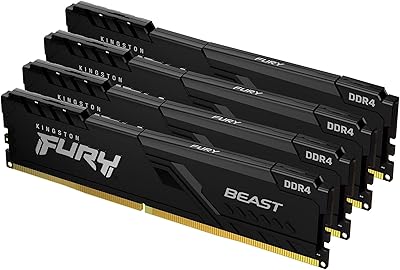
Kingston FURY Beast 64GB DDR4 Desktop RAM
85%
93%
Out-of-Box Compatibility
91%
Installation Ease
94%
Stability & Reliability
88%
XMP Profile Accuracy
58%
Overclocking Headroom
More
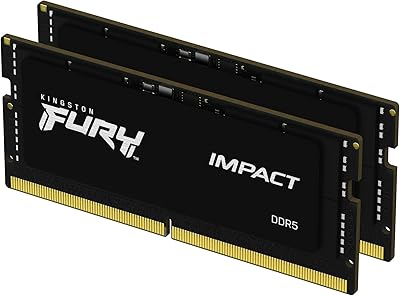
Kingston FURY Impact 64GB DDR5 Laptop RAM
85%
93%
Raw Performance
91%
Installation Experience
74%
Compatibility Range
88%
Thermal Behavior
62%
Value for Money
More
Kingston Fury Beast 32GB DDR5 RAM Kit
85%
91%
EXPO & XMP Activation
78%
Platform Compatibility
86%
Memory Performance
88%
Build Quality & Finish
84%
Thermal Management
More
Kingston FURY Renegade RGB 64GB (2x32GB) 3200MT/s DDR4 Memory Kit
84%
88%
Performance
93%
Ease of Installation
75%
RGB Customization
81%
Heat Dissipation
89%
Build Quality
More
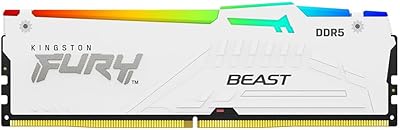
Kingston FURY Beast RGB 128GB DDR5 Kit
79%
92%
Setup & XMP Activation
54%
AMD Platform Compatibility
88%
Memory Performance
83%
Thermal Management
87%
Build Quality & Feel
More
Kingston Fury Beast 8GB DDR5 Desktop RAM
79%
93%
Value for Money
88%
Compatibility
91%
Stability & Reliability
89%
Ease of Setup
76%
Raw Performance
More

FAQ

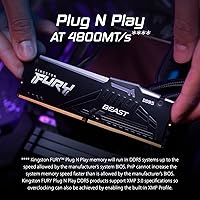
You need to enable the XMP 3.0 profile in your BIOS — it will not run at 5600MT/s out of the box since DDR5 defaults to a lower JEDEC speed on first boot. The process is straightforward: enter your BIOS, find the memory settings, and select the XMP profile. Most current Intel motherboards handle this without any issues.

Unfortunately no. This FURY Beast RGB set is designed for Intel DDR5 platforms — specifically boards using LGA1700 socket with 12th or 13th Gen CPUs. AMD Ryzen 7000 series uses a different DDR5 socket (AM5) and while DDR5 is supported there, XMP 3.0 profiles are Intel-specific. Check your motherboard documentation before purchasing.

For pure gaming, 64GB is more than you need right now — most games top out well below 32GB. Where 64GB genuinely earns its place is in workloads like 4K video editing, 3D rendering, running virtual machines, or heavy multitasking with memory-hungry applications open simultaneously. If your work regularly involves those scenarios alongside gaming, the headroom is useful rather than wasteful.

Kingston's Infrared Sync Technology lets the modules communicate with each other wirelessly to stay visually in sync, so you do not need a physical daisy-chain cable between sticks. You will still want RGB software like Asus Aura or MSI Mystic Light if you want to change lighting modes or colors — the sync just ensures all four sticks display the same pattern consistently once a setting is applied.

It depends heavily on your BIOS version. Some earlier DDR5 motherboard releases needed BIOS updates to properly recognize XMP 3.0 profiles or to stabilize four-stick configurations at higher speeds. Before installing, it is worth checking your board manufacturer's support page and flashing the latest BIOS if one is available. Most users who experienced initial instability resolved it this way.

Yes, and it is worth doing. Use the model number KF556C40BBAK4-64 and look it up on your motherboard manufacturer's memory compatibility (QVL) page. Being on the list does not guarantee zero issues, but it significantly reduces risk — especially at 64GB across four sticks, where memory controller headroom matters more than with a two-stick setup.

Each stick stands 1.66 inches tall, which is a standard height for full-profile DDR5 modules with a heat spreader. Most large tower coolers clear this height comfortably, but if you are using a cooler with an extremely wide heatsink base, check the clearance spec in its documentation for the first DIMM slot closest to the CPU socket.

Yes. Most motherboard RGB software allows you to disable the lighting entirely or set it to a static off state. If you do not use any RGB software at all, the modules will default to a built-in lighting mode on boot, but disabling it through software is a one-time setup step that persists across reboots on most platforms.

Kingston covers this memory upgrade with a limited lifetime warranty against manufacturing defects, which is standard for their FURY lineup. User experiences with Kingston support are generally positive — their RMA process is considered straightforward compared to some competitors. Keep your purchase receipt as proof of purchase if you ever need to make a claim.

With a four-stick kit installed, you have already filled all DIMM slots on a standard Intel ATX motherboard, so there is no room to add more modules. If your workload grows beyond 64GB in the future, you would need to replace the entire kit with higher-capacity modules — for example, a 2x48GB or 2x64GB configuration if your platform supports those densities. For the vast majority of users, 64GB provides plenty of runway.