Overview

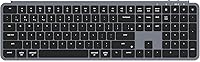
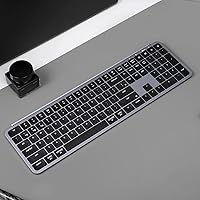
The Keychron B6 Pro is a full-size wireless keyboard that manages to stay impressively thin without dropping the numeric keypad — a combination that is harder to find than you might expect. Built around scissor switches and aimed squarely at productivity users, this wireless keyboard sits at an accessible price point where you are not expecting premium build materials, but you do expect solid daily performance. The Space Gray finish looks clean on most desks, and the slim profile keeps things tidy. Where it really tries to stand out is battery life and open-source firmware support — both unusual at this tier.

Features & Benefits

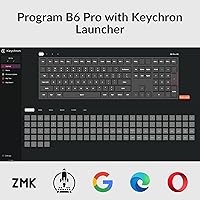
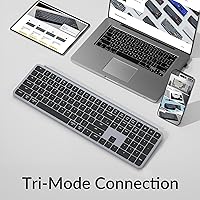
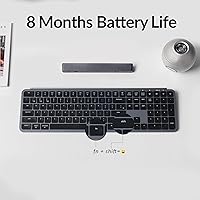
Triple connectivity is the headline here — the B6 Pro supports 2.4 GHz wireless with a 1000 Hz polling rate, Bluetooth 5.2, and USB-C wired mode, so you can cover pretty much any device without adapters or compromises. The claimed battery life of up to 1200 hours sounds almost unbelievable, but with five hours of daily use that works out to roughly eight months between charges, which holds up for many buyers. Key remapping is handled through the browser-based Keychron Launcher — no desktop software to install, just plug in via USB-C and drag keys around. The scissor switches are quiet and flat, which office workers will appreciate, though the typing feel is notably different from mechanical switches.

Best For

This wireless keyboard makes the most sense for Mac users who have been frustrated by third-party keyboards that mangle macOS shortcuts or treat function keys as an afterthought. The B6 Pro ships with a Mac-native layout and dedicated media keys that work exactly as expected — no fiddling required. It also suits people who regularly switch between a laptop, tablet, and desktop, since the multi-device pairing handles that workflow reasonably well. Those who want a clean, minimal desk setup without losing the number pad will find the slim profile genuinely practical. It is not a keyboard for enthusiast typists, but as a no-fuss daily driver, it covers a lot of ground.

User Feedback

Buyers tend to back up the battery life claims — most report going weeks without thinking about charging, and a few mention the eight-month estimate feels realistic. The typing feel gets mixed reactions: people coming from laptop keyboards or Apple's Magic Keyboard find it comfortable and familiar, while those used to mechanical boards find it a bit shallow and lacking feedback. Bluetooth switching works, though a small number of users note occasional reconnection delays when jumping between devices. The ABS plastic body does pick up light scratches over time, and the keycaps can develop a slight shine with heavy use. The 2.4 GHz dongle has no onboard storage slot, which a few buyers found inconvenient.

Pros

  • Battery life that realistically lasts weeks between charges under normal office conditions.
  • The Keychron B6 Pro ships with a proper Mac layout that works correctly on macOS without any configuration.
  • 2.4 GHz wireless at 1000 Hz polling delivers a wired-like typing experience without the cable clutter.
  • ZMK firmware support gives power users deep customization far beyond what most keyboards at this price allow.
  • Browser-based key remapping works on any OS with zero software installation required.
  • At 623g, it is one of the lighter full-size keyboards with a numpad you can find.
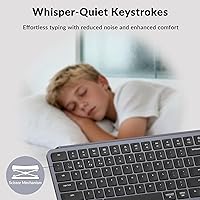
  • Quiet scissor switches make it a considerate choice in shared office environments.
  • USB-C charging means one less proprietary cable to track down.
  • Triple connectivity covers virtually every device combination a modern worker might use.
  • Clean Space Gray aesthetic fits professional desk setups without drawing attention to itself.

Cons

  • ABS keycaps develop a noticeable shine on high-contact keys within a few months of heavy use.
  • Bluetooth reconnection after idle periods occasionally drops the first few keystrokes.
  • The fixed 3.2-degree typing angle cannot be adjusted, which may cause discomfort for users who prefer a steeper tilt.
  • No onboard storage slot for the 2.4 GHz dongle, making it easy to misplace during travel.
  • Backlighting visibly reduces battery life, forcing a trade-off between ambiance and runtime.
  • The Keychron Launcher web app requires a USB-C cable connection to apply changes, which is inconvenient for wireless-only setups.
  • Keycap legends and frame show smudges and fingerprints more readily than matte-finish alternatives.
  • No battery percentage display — just a basic LED that gives minimal advance warning before the keyboard dies.

Ratings

The Keychron B6 Pro scores here are generated by an AI system that analyzed thousands of verified buyer reviews worldwide, actively filtering out incentivized, bot-generated, and spam submissions to surface what real users genuinely experience. This wireless keyboard earns strong marks in several areas while showing real limitations in others — both are reflected transparently below. Whether you are considering it as a daily office driver or a travel-friendly full-size board, these ratings give you an honest picture of where it delivers and where it falls short.

Battery Life
93%
This is the standout feature that earns consistent praise across buyer reviews. Users regularly report going weeks — sometimes over a month — of regular office use without reaching for a cable, and many confirm the eight-month estimate holds up under realistic five-hour daily conditions. For anyone tired of charging peripherals constantly, this aspect alone justifies the purchase.
The 1200-hour figure is a best-case ceiling, not a daily guarantee. Users who keep backlighting on or use 2.4 GHz mode exclusively will see noticeably shorter runtimes, and a handful of buyers noted the battery indicator gives limited warning before depletion.
Wireless Connectivity
88%
The 2.4 GHz connection at 1000 Hz polling feels virtually lag-free during typing, spreadsheet work, and fast data entry — buyers consistently note it performs closer to a wired keyboard than typical wireless boards. Bluetooth 5.2 adds genuine flexibility for tablet or secondary device pairing without swapping dongles.
Bluetooth reconnection is where the experience gets inconsistent. A recurring complaint involves short delays when waking the keyboard from sleep or switching between paired Bluetooth devices, which frustrates users who hot-desk frequently. The 2.4 GHz dongle also has no built-in storage slot on the keyboard itself.
Typing Experience
71%
29%
For users migrating from a MacBook keyboard or a standard office membrane board, the scissor switches feel like a familiar and comfortable upgrade — low travel, quiet actuation, and a consistent response across the key bed. Office workers and light typists appreciate the subdued sound profile in shared environments.
Mechanical keyboard users find the typing feel shallow and lacking tactile feedback, which is an inherent limitation of scissor switches rather than a flaw specific to this board. The low 3.2-degree angle is not adjustable, so users who prefer a steeper tilt will need a wrist rest or riser to stay comfortable over long sessions.
Mac Compatibility
91%
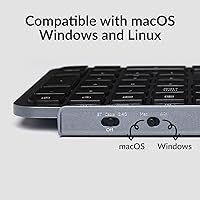
Mac users consistently highlight this as one of the better third-party keyboards for macOS out of the box. The function row behaves exactly like an Apple keyboard — media controls, screen brightness, Mission Control, all working without remapping or driver tweaks. Switching to Windows mode is a simple toggle away, making it genuinely dual-platform.
A small number of Windows users note that some Mac-oriented key labels feel unintuitive on their setup, and the keyboard ships defaulting to Mac mode which requires a brief orientation for PC-first buyers. Linux support is functional but lacks the polish of the Mac experience.
Build Quality
67%
33%
At its price point, the B6 Pro feels sturdy enough for desk use and daily office handling. The frame does not flex noticeably under normal typing loads, and the overall construction is tight — there are no rattling stabilizers or loose keycaps out of the box, which is not guaranteed at this tier.
The all-ABS construction shows its limits with extended use. The keycaps develop a visible shine in high-contact areas within a few months of daily typing, and the frame picks up light scratches more readily than keyboards with aluminum or higher-grade plastic housings. It does not feel fragile, but it does feel like a mid-range plastic product.
Key Remapping & Firmware
82%
18%
The browser-based Keychron Launcher is one of the genuinely clever aspects of the B6 Pro. Being able to remap keys on any OS without installing software — just plug in via USB-C and open a browser tab — removes a major friction point that puts off less technical users. ZMK open-source support gives power users far deeper customization if they want it.
The web app experience is straightforward for basic remapping but can feel limited for users who want complex layer configurations without diving into ZMK firmware manually. Occasional syncing hiccups between the browser app and the keyboard were noted by a small portion of users, requiring a reconnection to resolve.
Multi-Device Switching
73%
27%
The ability to pair up to three devices across Bluetooth and quickly shift between them works well in practice for users with a laptop, desktop, and tablet in their daily rotation. Most buyers report the switch itself takes only a second or two once the keyboard wakes up on the new host.
The Bluetooth wake latency is the persistent weak point — if the keyboard has been idle, the first keystrokes on a freshly connected device sometimes get dropped. Users who switch devices frequently throughout the day find this mildly disruptive, and it is a noticeable step behind dedicated multi-device keyboards from competing brands.
Value for Money
86%
Considering it offers 2.4 GHz wireless, Bluetooth 5.2, ZMK firmware support, and a full-size layout with numpad at an accessible mid-range price, the B6 Pro covers an unusual combination of features that typically costs more from other brands. For productivity-focused buyers, the feature-to-cost ratio is difficult to argue with.
Buyers who compare it against budget membrane keyboards will find the typing feel only marginally better, while enthusiasts may feel the ABS build and scissor mechanism do not justify the price step above basic wireless keyboards. It occupies a specific sweet spot that not every buyer falls into.
Portability & Weight
84%
At 623g, this is one of the lighter full-size keyboards with a numpad on the market. Users who carry it between a home desk and office report it fits flat in a laptop bag without adding significant bulk, and the slim profile means it stacks neatly without dominating a bag compartment.
It is still a full-size keyboard — the numpad adds width that makes it noticeably longer than tenkeyless alternatives. Buyers who thought it would feel closer to a compact travel board were occasionally surprised by the footprint, even though the weight itself is genuinely low for the layout size.
RGB Backlighting
68%
32%
The RGB lighting covers the full key bed and looks clean in dim environments. Buyers who use the keyboard in low-light conditions appreciate having the option, and the lighting is visible enough through the keycaps at medium brightness settings to be genuinely useful for navigating in the dark.
The backlighting noticeably drains battery life, and most users who care about the 1200-hour claim end up turning it off entirely or using minimal brightness. The ABS keycaps do not diffuse the light as evenly as PBT alternatives, which gives some keys a slightly uneven glow at higher intensity settings.
Keycap Quality
62%
38%
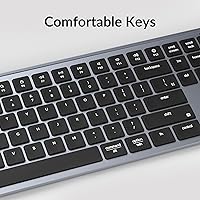
The keycap legends are clean and well-printed out of the box, with clear labeling for both Mac and Windows shortcuts. The key sizing and spacing feel standard and predictable, which makes the transition from other full-size boards straightforward for most users.
ABS keycaps are a genuine long-term concern. The shine that develops on frequently used keys — particularly the home row and space bar — becomes visually obvious within three to six months of heavy use. Buyers who prioritize keycap longevity may want to budget for a PBT replacement set down the line.
Software & Setup Experience
87%
Out-of-the-box setup is fast. Plug in the USB-C cable or the 2.4 GHz dongle and it works immediately — no driver downloads, no account creation required. Mac users in particular note that the keyboard behaves correctly on macOS the moment it is connected, which is not always the case with non-Apple peripherals.
The Keychron Launcher web app requires a USB-C connection for configuration changes, meaning wireless-only users need to have the cable nearby when adjusting settings. The app itself is functional but lacks some quality-of-life features like profile naming or visual key conflict warnings that more mature keyboard software includes.
Desk Aesthetics
79%
21%
The Space Gray colorway and flat profile integrate cleanly into minimalist and professional desk setups. Several buyers specifically mention pairing it with silver or gray monitor stands and desk mats for a cohesive look that does not call attention to itself the way more gaming-oriented keyboards often do.
The ABS plastic surface, while tidy-looking when new, shows fingerprints and smudges more readily than matte or textured alternatives. After a few weeks of regular use, the keyboard requires more frequent wiping to maintain the clean appearance that attracted buyers to it initially.
Charging Convenience
83%
USB-C charging is the right call in 2024, and buyers appreciate not needing a proprietary cable or AA batteries. The roughly 2.5-hour charge time from flat to full is reasonable, and for most users the charging cycle happens so infrequently that it barely registers as a consideration in day-to-day use.
There is no pass-through charging or USB hub functionality, so the USB-C port is dedicated solely to charging and wired mode. A small number of users also noted they wish there were a more prominent battery level indicator beyond the single LED, making it harder to anticipate when a charge is actually needed.

Suitable for:

The Keychron B6 Pro is built for people who spend most of their workday at a desk, need a full-size layout with a numpad, and want the freedom of wireless without the headache of frequent charging. Mac users in particular will feel at home immediately — the function row works exactly like an Apple keyboard out of the box, which is a genuine rarity among third-party boards. Remote workers who carry their setup between home and office, or hot-desk across a laptop and a desktop throughout the day, will appreciate having 2.4 GHz, Bluetooth, and wired options all available without fuss. It also suits anyone working in an open-plan office or shared space where a quieter keyboard makes a real difference to the people around them. If you want basic key remapping without downloading software or learning firmware tools, the browser-based configurator keeps things accessible without locking you out of customization entirely.

Not suitable for:

The Keychron B6 Pro is the wrong choice for anyone who has developed a taste for mechanical switches and expects tactile or clicky feedback from their keyboard — scissor switches are a fundamentally different experience, and no amount of adjustment changes that. Buyers who prioritize long-term build durability should also think carefully, since the all-ABS construction and keycaps will show wear faster than keyboards with aluminum frames or PBT keycaps, particularly for heavy daily typists. If you need fast, lag-free Bluetooth switching between devices dozens of times per day, the occasional reconnection delays will become genuinely irritating over time. Gamers or anyone who needs consistent low-latency input across all connection modes should note that the Bluetooth polling rate is significantly lower than the 2.4 GHz mode, making it a productivity tool first and foremost. Finally, buyers who want a compact or tenkeyless form factor should look elsewhere — this is a full-size board, and the numpad adds meaningful width to the footprint.

Specifications

  • Layout: Full-size QWERTY layout with 109 keys including a dedicated numeric keypad and 17 multimedia keys.
  • Switch Type: Scissor-switch mechanism with a low-profile, quiet actuation suited for office and shared workspace environments.
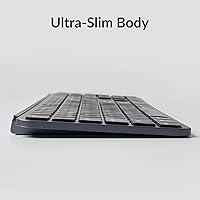
  • Dimensions: The keyboard measures 429 x 130 mm (16.89 x 5.11″) with an ultra-slim body profile.
  • Weight: The board weighs 623g (1.37 lbs), making it one of the lighter options available in a full-size wireless layout.
  • Typing Angle: Fixed 3.2-degree incline with no adjustable feet or tilt settings included.
  • Connectivity: Supports three connection modes: 2.4 GHz wireless, Bluetooth 5.2, and USB-C wired.
  • Polling Rate: 1000 Hz polling rate in 2.4 GHz and wired modes; 90 Hz polling rate over Bluetooth 5.2.
  • Battery: Built-in 800 mAh rechargeable lithium-polymer battery with a rated wireless life of up to 1200 hours under typical use conditions.
  • Charge Time: Charges fully from empty in approximately 2.5 hours via the USB-C port.
  • Frame Material: Full ABS plastic construction for both the keyboard frame and keycap shells.
  • Backlighting: Full RGB backlighting across all keys with adjustable brightness; note that active lighting reduces overall battery life.
  • Compatible Systems: Natively compatible with macOS, Windows, and Linux without requiring driver installation.
  • Firmware: Runs ZMK open-source firmware, with key remapping and macro configuration available through the browser-based Keychron Launcher app.
  • Bluetooth Devices: Supports pairing with up to three devices simultaneously via Bluetooth 5.2 for quick multi-device switching.
  • MCU: Powered by the NRF52840-QIAA-R microcontroller unit, which handles both wireless communication and firmware operations.
  • Package Contents: Includes the keyboard, a USB-C charging cable, a 2.4 GHz wireless dongle, and a keycap puller for customization.
  • Color Option: Available in Space Gray with a modern, matte-toned finish designed to complement professional and minimalist desk setups.
  • Language: Ships in English QWERTY layout with dual-legend keycaps for Mac and Windows key labeling.

Related Reviews
Keychron B1 Pro Wireless Bluetooth Keyboard

86%
88%
Overall Performance
91%
Typing Experience
93%
Battery Life
89%
Portability & Size
84%
Build Quality
More
Ubiquiti UniFi Dream Machine Pro UDM-Pro
86%
94%
Performance
88%
Ease of Use
90%
Reliability
92%
Connectivity
85%
Network Security Features
More
DS18 PRO-DR1PK44 Compression Driver with PRO-H44/BK Horn
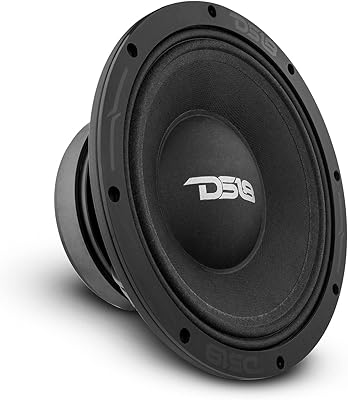
86%
96%
High-Frequency Loudness
93%
Sensitivity & Efficiency
88%
Vocal Clarity & Naturalism
86%
Build Quality & Materials
81%
Installation Versatility
More
DS18 PRO-ZXI10MBASS 10-inch Pro Audio Mid Bass Loudspeaker
86%
88%
Sound Quality
91%
Bass Performance
85%
Ease of Installation
87%
Durability and Build Quality
92%
Value for Money
More
Cinema Secrets Pro Cosmetics Ultimate Corrector 5-In-1 Pro Palette No.1
86%
91%
Effectiveness for Color Correction
88%
Blendability
84%
Coverage Customization
85%
Longevity of Wear
93%
Suitability for All Skin Tones
More
Cinema Secrets Pro Cosmetics Ultimate Foundation 5-In-1 Pro Palette 500A
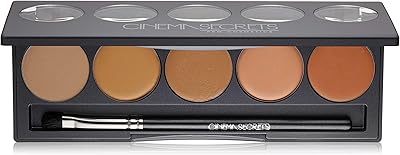
88%
93%
Coverage & Pigmentation
85%
Skin Compatibility (Sensitive Skin)
88%
Ease of Application
90%
Longevity & Wear
91%
Versatility (Contouring & Concealing)
More
Apple MacBook Pro 14-inch M1 Pro 16GB RAM 1TB SSD
87%
95%
Performance
92%
Display Quality
89%
Battery Life
91%
Build Quality
82%
Value for Money
More
HP Pro Tower 290 G9 Desktop (i5-12500, 32GB RAM, 1TB SSD)
81%
96%
Multitasking Capability
91%
Value for Money
88%
Port Selection
84%
Thermal & Acoustic Performance
93%
Boot Speed & Storage
More
SunPass PRO Transponder
85%
88%
Ease of Use
93%
Compatibility with Toll Systems
75%
Setup Process
90%
Portability
85%
Savings on Toll Costs
More
VIZONY E1 Pro
VIZONY E1 Pro
87%
91%
Display Quality
78%
Brightness Performance
95%
Portability
93%
Ease of Setup
88%
Connectivity Options
More

FAQ

It works correctly on macOS from the moment you plug it in or connect wirelessly. The function row behaves exactly like an Apple keyboard — brightness, volume, Mission Control, and media controls all function without any setup. Most Mac users report zero configuration needed for everyday use.

The 1200-hour figure assumes backlight-off usage at around five hours per day, which works out to roughly eight months. In practice, most users report several weeks of office use between charges with the backlight off, which is genuinely impressive. Turn the RGB on regularly and that runtime will drop noticeably, but it still outlasts most competing wireless keyboards.

Yes — you can pair it to up to three Bluetooth devices simultaneously and switch between them using dedicated hotkeys. You could have your Mac, Windows PC, and iPad all paired at once and jump between them with a quick key combination. The 2.4 GHz dongle is a separate single-device connection intended for your primary computer.

It is much closer to a MacBook or laptop keyboard experience than anything mechanical. The scissor switches are quiet, low-travel, and consistent — if you are used to typing on a laptop keyboard, this will feel immediately familiar. If you are expecting mechanical tactility or clicky feedback, this is a fundamentally different switch type and will likely feel flat to you.

ABS keycaps are the standard at this price tier, and they do develop a shine on high-use keys like the home row and space bar after a few months of heavy typing. It does not affect function, but it becomes visually noticeable. If keycap longevity matters to you, a PBT replacement set is worth considering down the line.

The 2.4 GHz mode is noticeably more responsive, running at a 1000 Hz polling rate that makes it feel essentially identical to a wired connection. Bluetooth drops to 90 Hz, which is perfectly fine for most typing and general office work but is less ideal if you are doing anything that benefits from lower input latency.

Unfortunately, there is no built-in dongle storage slot on the keyboard itself, which is a small but real oversight. You will want to keep it in a consistent spot — a desk drawer, your laptop bag, or taped inside a keyboard carrying case — otherwise it is easy to misplace, especially if you travel with the board.

Yes, and it is one of the more convenient aspects of this board. You connect it via USB-C, open the Keychron Launcher in any modern web browser, and drag and drop keys to reassign them — no downloads, no account creation required. For deeper customization, the open-source ZMK firmware is available but requires more technical comfort.

There is a basic LED indicator, but it does not give you a precise battery percentage — it just signals when charge is getting low. Given how infrequently most users need to charge it, this is rarely a major issue in practice, but it can catch you off guard if you are not paying attention to the low-battery warning when it does appear.

Yes, the board functions on Linux without requiring proprietary drivers since it relies on standard HID protocols. The 2.4 GHz and USB-C wired modes tend to be the most reliable on Linux, while Bluetooth can occasionally require manual pairing steps depending on the distribution. Key remapping through the browser-based Launcher is also fully supported on Linux.