
Overview

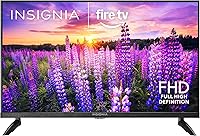
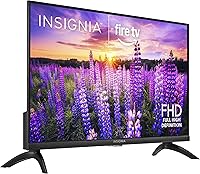
The INSIGNIA 24″ F40 Series Smart Fire TV is Best Buy's in-house answer to growing demand for affordable small-screen smart TVs. Insignia sits a rung below household names like Sony or Samsung, but that's entirely intentional — this is an entry-level option priced for people who need a capable screen without spending much. Built on Amazon's Fire TV platform, it brings a familiar, well-organized interface that anyone already using Prime Video will feel at home with instantly. For bedrooms, kitchens, or dorm rooms where a compact screen makes more sense than a sprawling 55-inch panel, the 24-inch smart TV covers the basics without overcomplicating anything.

Features & Benefits

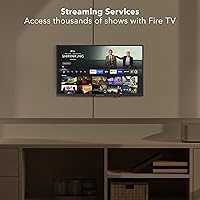
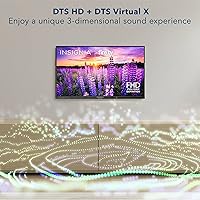
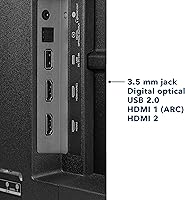
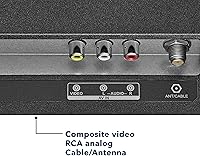
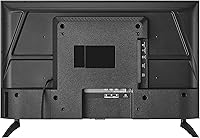
The 23.8-inch LED panel runs at 1080p, which looks genuinely crisp at the short distances typical of a bedroom or kitchen setup. The Fire TV interface puts Netflix, Disney+, Hulu, HBO Max, and Prime Video front and center, alongside free ad-supported services like Tubi and Pluto TV. The included Alexa Voice Remote lets you search across apps, switch inputs, or adjust smart home devices without reaching for your phone. Apple AirPlay is a welcome addition for iPhone users who want to cast content quickly. Connectivity is well-rounded: two HDMI ports, USB, optical audio out, coaxial, composite AV inputs, a headphone jack, Wi-Fi, and Bluetooth round out a surprisingly complete package.

Best For

This Insignia Fire TV makes the most sense for people furnishing a small space on a modest budget — college students setting up a dorm room, renters outfitting a studio apartment, or families needing a secondary screen for the kitchen or guest room. If you're already deep in the Amazon ecosystem with Echo devices or smart plugs, the built-in Alexa integration slots in naturally. Cord-cutters who lean on free streaming will appreciate having Tubi and Pluto TV accessible right from the home screen. It's also a practical upgrade for anyone still running an older non-smart TV who wants modern streaming access without committing to a larger, pricier set.

User Feedback

Buyers consistently praise the easy setup process and how quickly the Fire TV interface gets going out of the box — a genuine plus for less tech-savvy households. The Alexa remote gets mixed reactions; some find it convenient, others wish the button layout were simpler. Picture quality draws the most grounded commentary: brightness and off-axis viewing are limited, as you'd expect from a budget LED panel, and that's fine as long as you're not watching from across a large room. A few users flag the ad-heavy home screen as a minor but recurring frustration. Build quality is generally considered acceptable for the size, though the stand feels a little light. Most buyers walk away satisfied given realistic expectations.

Pros

  • 1080p resolution looks genuinely sharp at close distances, making it ideal for small rooms where you sit nearby.
  • The Fire TV interface is polished and easy to navigate, even for users who are not particularly tech-savvy.
  • Built-in access to dozens of free streaming services means you can watch a lot without paying for any subscriptions.
  • Apple AirPlay support is a rare and welcome feature at this price point, useful for iPhone and Mac users.
  • The Alexa Voice Remote makes switching inputs and searching for shows hands-free and genuinely convenient.
  • Setup is fast — most buyers report being up and running within minutes of unboxing.
  • The connection options are surprisingly thorough, including optical audio out, coaxial, composite AV, USB, and a headphone jack.
  • At under 5 pounds, this budget Fire TV is easy to mount, reposition, or move between rooms without any hassle.
  • Parental controls with PIN-protected locks give families a simple way to manage what kids can access.
  • Best Buy's retail backing means easier returns, in-store support, and generally reliable stock availability.

Cons

  • The Fire TV home screen is visibly ad-heavy, and Amazon's promoted content can feel intrusive during daily use.
  • Off-axis viewing angles are limited — colors and contrast shift noticeably if you're not sitting directly in front.
  • Brightness is modest, which makes the picture look washed out in rooms with significant natural light.
  • The remote's button layout frustrates some users, particularly those who prefer a more traditional TV remote feel.
  • Only two HDMI ports means you'll run out of inputs quickly if you connect a console, soundbar, and streaming stick simultaneously.
  • The stand feels lightweight and a little wobbly on uneven surfaces, which is a minor but recurring complaint.
  • Alexa responsiveness can be inconsistent, occasionally mishearing commands or requiring repeated attempts.
  • The 60Hz refresh rate and general processing speed are adequate but not impressive — fast-moving content can look soft.
  • No local dimming or HDR support means the picture lacks the contrast depth you get from even mid-range competitors.
  • As a house-brand product, long-term software update support is less guaranteed than with established TV manufacturers.

Ratings

Our AI-generated scores for the INSIGNIA 24″ F40 Series Smart Fire TV are based on a deep analysis of verified buyer reviews from global markets, with spam, bot-generated, and incentivized feedback actively filtered out. The ratings reflect a genuinely balanced picture — where this budget smart TV earns its praise and where real users consistently run into friction. Both the highs and the frustrations are represented here without sugarcoating.

Value for Money
88%
For buyers who need a capable smart TV in a small space without spending much, the price-to-feature ratio is hard to argue with. Getting 1080p resolution, Fire TV, AirPlay, and Alexa in a single unit at this price point consistently surprises buyers who expected to compromise more.
A handful of users feel the value calculation shifts once you factor in the ad-heavy interface — essentially, you're subsidizing the low price with your attention. For buyers who dislike that trade-off, the perceived value drops noticeably.
Smart TV Software
82%
18%
The Fire TV platform is well-organized and genuinely easy to navigate, especially for households already using Amazon devices. App availability is excellent, and the home screen surfaces free content through channels like Tubi and Pluto TV without requiring any extra setup.
The home screen prominently features sponsored content and Amazon promotions that many users find intrusive over time. There is currently no straightforward way to remove these ads, which is a recurring irritant for users who prefer a cleaner interface.
Picture Quality
63%
37%
At close viewing distances — sitting five to seven feet away in a bedroom or dorm — the 1080p image looks clear and detailed enough for everyday streaming. Colors are reasonably accurate for a budget LED panel, and text and graphics render crisply.
Brightness levels are modest, making the picture look flat or washed out in rooms with significant ambient light. Viewing angles are a common complaint; colors and contrast shift noticeably when you move even slightly off-center, which limits where you can comfortably position it.
Ease of Setup
91%
Setup is consistently one of the most praised aspects of this TV. Buyers report being up and running in under fifteen minutes — plugging in, connecting to Wi-Fi, signing into an Amazon account, and starting to stream with minimal steps and no technical confusion.
Users without an Amazon account may find the setup process more cumbersome, as the Fire TV ecosystem is built around Amazon sign-in. A small number of buyers reported Wi-Fi pairing hiccups on first boot that required restarting the setup process.
Alexa Remote
71%
29%
Using your voice to pull up a specific show across multiple apps is genuinely convenient, and for users with Echo devices already in the home, having Alexa on the TV remote feels like a natural extension. Input switching by voice is a small but practical time-saver.
Feedback on the remote is polarizing — the button layout is considered unintuitive by users accustomed to traditional TV remotes, and Alexa occasionally mishears commands or responds sluggishly. A few buyers wish the remote included dedicated number buttons for channel surfing.
Build Quality
58%
42%
For a TV that weighs under five pounds, the overall fit and finish is acceptable for its intended role as a secondary or entry-level set. The bezel is slim enough to look reasonably modern, and the back panel feels adequately rigid for wall mounting.
The stand in particular draws consistent criticism for feeling flimsy and unstable, especially on slightly uneven surfaces. Several users note that the overall plastic construction feels inexpensive when handled up close, which is noticeable if you're coming from a more premium brand.
AirPlay Performance
77%
23%
Having AirPlay built into a budget TV is a genuine bonus for iPhone and Mac users. Mirroring a Mac screen or casting a video from an iPhone works reliably in most cases without needing a separate Apple TV or Chromecast dongle.
AirPlay connectivity can occasionally drop or lag depending on your home network strength, and some users report the feature needs to be rediscovered in settings after a TV restart. It works well when it works, but it isn't as rock-solid as a dedicated Apple TV.
Audio Quality
54%
46%
The built-in speakers are adequate for casual TV watching in a quiet bedroom or kitchen, and the inclusion of optical audio output and a headphone jack makes it straightforward to connect an external soundbar or headphones for a better experience.
Built-in sound is thin and lacks bass, which is typical of slim budget TVs but still a point of friction for users who watch without an external speaker. Dialogue clarity is decent at low to moderate volumes but degrades with complex audio mixes like action sequences.
Connectivity Options
84%
Two HDMI ports, a USB port, optical audio out, composite AV jacks, a coaxial input, a headphone jack, Wi-Fi, and Bluetooth is an unusually well-rounded set of connections for a TV at this size and price. Older devices like DVD players or antennas connect without adapters.
Two HDMI ports is enough for most small-room setups, but buyers who want to connect a console, a soundbar via HDMI ARC, and a streaming stick simultaneously will run out of ports quickly. A third HDMI port would have made this a much more flexible option.
Streaming App Library
86%
The Fire TV app store covers all the major platforms buyers care about — Netflix, Disney+, Hulu, Max, Prime Video — plus a deep bench of free ad-supported services. For cord-cutters, the breadth of no-cost content available on day one is a genuine selling point.
A small number of niche or regional apps are missing from the Fire TV ecosystem compared to Roku or Google TV, which can matter for international buyers or users with specific regional content needs. App update frequency also varies and some titles can feel behind on the Fire TV version.
Parental Controls
79%
21%
PIN-protected content locks organized by rating category give parents a simple and reliable way to restrict what younger viewers can access. The controls are easy to set up and do not require any third-party app or external service.
The parental control system is relatively basic compared to what some competing smart TV platforms offer. There is no per-app time limit or usage reporting feature, so parents looking for deeper monitoring tools will need to supplement with a router-level solution.
Gaming Performance
41%
59%
You can connect a console via HDMI and play games without any real issues for casual titles. The 1080p display renders game visuals cleanly at the size, which is fine for retro gaming or less demanding indie titles in a small room.
The 60Hz panel and lack of any game-specific modes or low-latency settings make this a poor choice for fast-paced or competitive gaming. Input lag is noticeable during quick-reaction gameplay, and there is no VRR or ALLM support of any kind.
Viewing Angle
46%
54%
Directly in front and within a narrow center window, the picture holds up reasonably well for a budget LED panel. For solo viewing in a small room where you sit squarely in front of the screen, the experience is acceptable.
Move even slightly off-axis and the image quality degrades quickly — colors shift, contrast weakens, and brightness drops. This makes it a poor choice for rooms where multiple people watch from different angles, or where the TV is mounted in a corner position.
Brightness & HDR
44%
56%
In a darkened bedroom or at night with lights off, the screen produces a watchable image with decent dark scene handling for the price tier. It suits evening streaming sessions in a controlled light environment reasonably well.
There is no HDR support of any kind, and peak brightness is low enough to make daytime viewing in a naturally lit room a frustrating experience. Buyers expecting vivid, punchy visuals common on mid-range TVs will be disappointed by the flat, dim output in bright conditions.

Suitable for:

The INSIGNIA 24″ F40 Series Smart Fire TV is built squarely for buyers who need a capable, no-fuss screen in a small space without stretching their budget. College students setting up a dorm room will find the compact footprint and built-in streaming apps cover everything they actually need. It works equally well as a secondary TV — think kitchen counter, guest bedroom, or garage — where picture perfection matters far less than convenience and reliability. If your household already runs on Amazon devices, the Alexa integration and Fire TV interface will feel natural from day one rather than something you have to learn. Cord-cutters who lean on free services like Tubi or Pluto TV get those apps baked right in, which removes the usual setup friction. Families who want basic parental controls without paying for a premium set will also find the PIN-protected rating locks genuinely useful.

Not suitable for:

The INSIGNIA 24″ F40 Series Smart Fire TV is a poor fit for anyone who prioritizes picture quality above all else, or plans to use it as a primary living room TV. The LED panel's brightness and viewing angles are typical of budget screens, meaning colors shift noticeably when you move off-center, and the picture can look flat in well-lit rooms. Anyone sensitive to the Fire TV home screen — which pushes sponsored content and Amazon recommendations prominently — may find the interface more frustrating than convenient over time. Gamers expecting smooth motion or low input lag should look elsewhere, as a 60Hz budget LED is not built for responsive gameplay. If you're replacing a large set or watching from across a sizable room, the 24-inch screen size will feel cramped very quickly. Buyers who want deep smart home integration beyond basic Alexa commands, or who rely on a platform like Google TV, will find this a mismatch for their setup.

Specifications

  • Screen Size: The panel measures 23.8 inches diagonally, marketed as a 24-inch class display with a 16:9 aspect ratio.
  • Resolution: Outputs at 1080p Full HD (1920×1080), delivering clear detail at the close viewing distances typical of small rooms.
  • Display Type: Uses an LED-backlit LCD panel with a 60Hz native refresh rate, standard for budget TVs in this size class.
  • Operating System: Runs Amazon's Fire TV OS, providing access to thousands of apps, channels, and free ad-supported streaming services out of the box.
  • Voice Assistant: Includes a dedicated Alexa Voice Remote that supports hands-free search, app control, input switching, and compatible smart home device management.
  • AirPlay Support: Apple AirPlay is built in, allowing iPhone, iPad, and Mac users to wirelessly mirror or cast content directly to the screen.
  • HDMI Ports: Equipped with 2 HDMI ports for connecting external devices such as a game console, Blu-ray player, or streaming stick.
  • USB Port: One USB port is included, suitable for connecting flash drives or compatible media playback devices.
  • Audio Output: Offers both a digital optical audio output and a 3.5mm headphone jack for connecting external speakers or headphones.
  • Video Inputs: Includes composite (AV) input jacks and a coaxial jack, enabling connection of older devices such as DVD players or cable antennas.
  • Wireless: Supports dual-band Wi-Fi and Bluetooth connectivity for wireless streaming and peripheral pairing.
  • Parental Controls: Features PIN-protected parental controls that allow content filtering by program rating or full channel blocking.
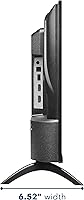
  • Dimensions: The TV measures 6.5″ deep, 21.2″ wide, and 14.4″ tall with the stand attached.
  • Weight: Weighs 4.6 pounds, making it lightweight enough to reposition or wall-mount without requiring heavy-duty hardware.
  • Model Number: The official model number is NS-24F401NA26, which can be used to verify compatibility with accessories and wall mounts.
  • Included Items: The box includes the TV, remote control, batteries, power cable, stand hardware, and a printed user manual.

Related Reviews
INSIGNIA F50 43-inch 4K UHD Smart TV
73%
72%
Picture Quality
58%
Motion Handling
83%
Smart TV Interface
54%
Audio Performance
81%
Alexa Integration
More
INSIGNIA 75-inch QF Series QLED Smart TV
69%
91%
Value for Money
67%
Picture Quality
94%
Screen Size & Presence
58%
Smart TV Interface (Fire TV)
54%
Refresh Rate & Motion Handling
More
INSIGNIA 32-inch FE Series Smart Fire TV
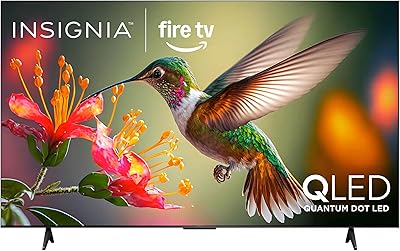
74%
88%
Value for Money
72%
Picture Quality
74%
Smart TV Interface
83%
Alexa Voice Remote
51%
Audio Quality
More
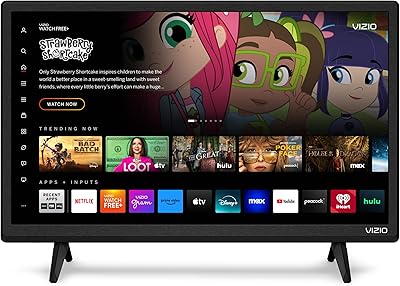
VIZIO D24f-J09 24-inch Smart TV
76%
81%
Picture Quality
77%
Smart Platform (SmartCast)
88%
Wireless Casting (AirPlay & Chromecast)
47%
Audio Quality
74%
Gaming Performance
More
Hisense 75-inch QD7 Mini-LED 4K Smart TV
75%
83%
Picture Quality
81%
Gaming Performance
78%
Motion Handling
79%
HDR Experience
82%
Color Accuracy
More
Panasonic W70 70-inch 4K Smart Fire TV
74%
78%
Picture Quality
84%
Smart TV Experience
81%
Alexa & Voice Control
62%
Gaming Performance
67%
Motion Handling
More
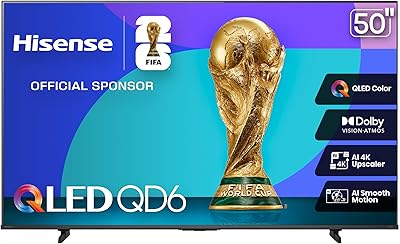
Hisense 50-inch QD6 QLED 4K Smart TV
76%
83%
Picture Quality
78%
Color Accuracy
71%
Motion Handling
76%
Gaming Performance
81%
Smart Platform
More
Hisense 85-inch E6 QLED 4K Smart TV
76%
84%
Picture Quality
91%
Value for Money
58%
Refresh Rate & Motion
63%
Gaming Performance
76%
Smart TV Platform
More
Hisense QD7 50-inch Mini-LED 4K Smart TV
77%
83%
Picture Quality
79%
Brightness & HDR Performance
81%
Color Accuracy
72%
Motion Handling
68%
Gaming Performance
More
Hisense 40QD4QF 40-inch QLED Smart Fire TV
75%
83%
Picture Quality
91%
Value for Money
71%
Smart TV Platform
77%
Gaming Performance
58%
Motion Handling
More

FAQ

Not necessarily. You can start streaming for free using services like Tubi, Pluto TV, and Fire TV Channels without paying for anything. That said, apps like Netflix, Disney+, and Hulu do require their own active subscriptions to access content.

Yes, setup is one of its genuine strengths. You plug it in, connect to Wi-Fi, sign in with your Amazon account, and you're basically done. The Fire TV interface walks you through each step clearly, and most people are watching something within ten to fifteen minutes of unboxing.

You can use it as a standard TV with an antenna or cable box via the coaxial input, or connect a Blu-ray player or game console through HDMI — all of which work without Wi-Fi. However, all the smart features, including streaming apps and Alexa, require an active internet connection.

Honestly, it's a bit of a weak point. The LED panel's brightness is moderate, so in a sunny room or one with a lot of ambient light, the picture can look washed out. It performs best in a bedroom or kitchen where you can control the lighting more easily.

Yes, you can plug a Roku, Chromecast, or any other streaming stick into one of the two HDMI ports. That said, the built-in Fire TV OS is already quite capable, so most people find they don't need a separate device.

Yes, and you have a couple of options. The digital optical audio output works well with most soundbars that have an optical input, and HDMI ARC is also an option depending on your soundbar's compatibility. There's also a headphone jack if you prefer a simpler wired connection.

It's genuinely useful for everyday tasks like searching for a show across apps or adjusting the volume hands-free, especially if you already use Alexa in your home. Where it gets mixed reviews is the button layout — some people find it less intuitive than a traditional TV remote, so it can take a little getting used to.

It's noticeable, and worth knowing about before you buy. Amazon promotes its own content and sponsored recommendations prominently on the home screen. It's not a dealbreaker for most people, but if you're someone who finds that kind of thing annoying, it will bug you every time you turn the TV on.

For a typical bedroom where you're watching from 5 to 8 feet away, it works well. If your bedroom is large or your bed is far from the TV wall, you might want to step up to a 32-inch model. But for a small room, a dorm, or a kitchen counter, 24 inches hits a practical sweet spot.

Yes, it has a standard VESA mount pattern, so it's compatible with most common TV wall mounts in the appropriate size range. At just 4.6 pounds, the TV itself is very light, which makes mounting straightforward and doesn't require a heavy-duty bracket.

Where to Buy