Overview

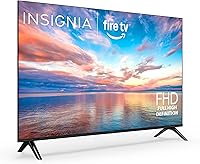
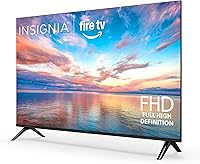
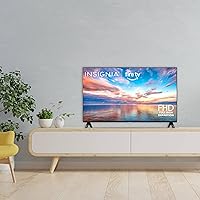
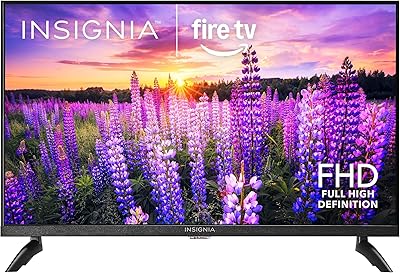
The INSIGNIA 32-inch FE Series Smart Fire TV is the kind of TV that doesn't try to be everything — it just covers the basics well, at a price that won't keep you up at night. Aimed squarely at bedrooms, dorms, and kitchen counters, this Insignia Fire TV ships with Fire OS built right in, so there's no streaming stick to track down or set up. It's lightweight at under 5 pounds, which makes mounting or repositioning genuinely easy. Insignia has been doing this for a few years now — affordable smart TVs that do exactly what the box says without much fuss.

Features & Benefits

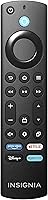
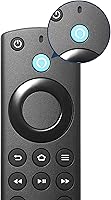
The 32-inch Insignia packs a 1080p Full HD panel with LED backlighting, which at this screen size delivers a noticeably sharp image for everyday streaming — don't expect OLED depth, but for a bedroom setup it's genuinely pleasing. The built-in Fire TV interface means you're three button presses away from Netflix, Prime Video, or Disney+ the moment you plug it in. The Alexa Voice Remote is a real convenience: say what you want to watch and the TV finds it. Apple AirPlay support is a genuine surprise at this price tier — iPhone users can cast directly without any extra hardware. The 60Hz refresh rate handles streaming and light gaming without issue.

Best For

This budget smart TV hits its stride in spaces where a massive screen would feel out of place. Think: a college dorm where the desk-to-couch distance is short, a bedroom where you just want something to fall asleep to, or a kitchen where you're half-watching a cooking show. It's ideal for cord-cutters who are building a streaming-only setup without spending a lot. If you're already using Echo devices or other Alexa-compatible gear, the integration here feels natural rather than bolted on. Parents looking for a reliable kids' room TV will appreciate how simple the interface is — there's not much to break or get confused by.

User Feedback

Owners of this Insignia Fire TV tend to agree on a few things: setup is quick, the voice remote actually works, and the picture holds up well for a TV of this size. Where opinions split is around the Fire OS home screen, which displays promoted content and ads by default — some buyers shrug it off, others find it irritating enough to flag in reviews. Speaker output is the most consistent complaint; the built-in audio is thin at higher volumes, and many users end up pairing it with a soundbar fairly quickly. Long-term reliability is mixed, with some noting software hiccups after updates. Solid value overall, but go in with clear expectations.

Pros

  • Fire TV OS is built in, so there is no need for a separate streaming stick or external device.
  • The Alexa Voice Remote is responsive and genuinely speeds up searching across apps.
  • Apple AirPlay support is a rare inclusion at this price tier, adding real value for iPhone and Mac users.
  • At under 5 pounds, the 32-inch Insignia is easy to mount, move, or reposition without any heavy lifting.
  • 1080p resolution looks clean and sharp for everyday streaming on a screen this size.
  • Setup takes only a few minutes, especially if you already have an Amazon account.
  • DTS TruSurround processing adds some audio depth compared to basic stereo TV speakers.
  • The compact 32-inch format suits smaller rooms where a large screen would feel overwhelming.
  • This budget smart TV ranks among the top sellers in its category, suggesting broad real-world satisfaction.
  • Wi-Fi connectivity is stable and reliable for standard streaming workloads.

Cons

  • Built-in speaker volume and clarity fall short — many owners end up buying a soundbar shortly after.
  • The Fire OS home screen displays ads and promoted content that cannot be fully disabled.
  • App library is narrower than Google TV or Android TV platforms, which may frustrate some users.
  • Long-term software reliability is inconsistent, with some owners reporting glitches after system updates.
  • No variable refresh rate or gaming-focused features despite the TV supporting casual play.
  • Limited app customization means you cannot easily reorganize or remove default Fire OS tiles.
  • Color depth and contrast are average for the category — not a panel to scrutinize critically.
  • The remote lacks dedicated buttons for some popular streaming services beyond Amazon's own ecosystem.
  • No HDMI 2.1 or eARC support, limiting compatibility with newer audio and video equipment.
  • Bezels are noticeable and the overall build feels utilitarian rather than polished.

Ratings

The scores below for the INSIGNIA 32-inch FE Series Smart Fire TV were generated by our AI system after analyzing thousands of verified global user reviews, with spam, bot-submitted, and incentivized feedback actively filtered out. Each category reflects the honest consensus of real buyers — including the parts that disappointed them — so you can make a clear-eyed decision before purchasing. Both the genuine strengths and the recurring frustrations are weighted into every score you see here.

Value for Money
88%
Buyers consistently single this out as one of the best-priced 1080p smart TVs available for small spaces. Getting a fully functional Fire TV experience with AirPlay included at this tier leaves most owners feeling they came out ahead, especially compared to buying a basic TV and a streaming stick separately.
A small but vocal group of buyers feel that the Fire OS ad experience erodes the value proposition — when your home screen is partially monetized by Amazon, some users question whether they're truly the customer or the product.
Picture Quality
72%
28%
For a 32-inch bedroom or kitchen setup viewed at typical close range, the 1080p LED panel holds up well with streamed HD content. Colors are reasonably vibrant and sharpness is satisfying for casual daily viewing, particularly for users who aren't comparing it side by side with premium panels.
Contrast depth is a known weakness — dark scenes look noticeably flat, and the LED backlighting lacks the local dimming needed to deliver convincing blacks. Anyone coming from an OLED or even a higher-end IPS panel will feel the difference immediately.
Smart TV Interface
74%
26%
Fire OS is responsive, intuitive, and familiar to anyone who has used an Amazon Echo or Fire Stick before. App launches are quick, the search function works across multiple services simultaneously, and the overall layout is clean enough that first-time smart TV buyers rarely feel lost.
The home screen is cluttered with promoted content and sponsored rows that Amazon controls, and there is no complete way to disable them. Users who prefer a clean, app-only interface frequently describe the default layout as feeling more like an ad platform than a TV menu.
Alexa Voice Remote
83%
The voice remote is one of the most consistently praised aspects across user reviews. Asking Alexa to find a specific show, switch inputs, or adjust volume works reliably and saves meaningful time compared to manually navigating app libraries — a daily convenience that adds up.
A few users report occasional lag or misheard commands in noisy environments, and the remote lacks dedicated buttons for some popular third-party streaming services. For users who rely heavily on non-Amazon apps, this can mean more manual navigation than expected.
Audio Quality
51%
49%
The DTS TruSurround processing does add a modest sense of width to the sound compared to flat stereo output, and dialogue clarity at normal listening volumes is acceptable for a built-in TV speaker. In a small, quiet room it's easy enough to follow a conversation-heavy show without straining.
At higher volumes the speakers distort noticeably, and bass response is essentially absent. This is one of the most repeated complaints in user reviews — a significant number of buyers ended up purchasing a soundbar within weeks, suggesting the onboard audio is a genuine limitation rather than a minor inconvenience.
Setup Experience
91%
Out-of-box setup is among the smoothest in this product category. Users report being fully operational within 10 minutes, and the on-screen prompts walk even non-technical buyers through Wi-Fi connection, account sign-in, and remote pairing without any confusion.
Users without an existing Amazon account occasionally report friction during setup, as the process is clearly optimized around the Amazon ecosystem. Those who prefer to keep streaming platforms separate from Amazon may find certain steps feel unnecessarily account-centric.
Apple AirPlay
81%
19%
AirPlay support is a genuine standout for this price tier and earns consistent praise from iPhone and MacBook users who want to cast photos, videos, or browser tabs to a bigger screen. The connection is stable and latency is low enough for video playback without frustrating delays.
AirPlay worked smoothly for most users, but a subset reported occasional drops or reconnection requirements after the TV woke from standby. It is also worth noting that AirPlay is somewhat redundant for users who are not in the Apple ecosystem, so its value depends heavily on the individual buyer's device setup.
Build Quality
63%
37%
The TV feels adequately constructed for its price point and intended use in secondary rooms — the stand is stable on flat surfaces, and the panel itself does not exhibit the flex or wobble that afflict some ultra-budget competitors. It's lightweight, which makes repositioning easy.
The bezel is thick and the plastic casing feels noticeably utilitarian up close, which matters more than you'd expect when placing it in a bedroom you actually spend time in. Long-term durability is a mixed signal in user reviews, with some reporting cosmetic wear and minor chassis issues within the first year.
App Selection
67%
33%
The major streaming services — Netflix, Prime Video, Disney+, Hulu, and most widely used platforms — are all present and launch reliably. For the majority of cord-cutters whose needs revolve around a handful of mainstream apps, the Fire OS library covers everything they actually use day to day.
Niche, regional, or less commercially prominent apps are often absent from the Fire TV app store, and sideloading is technically possible but complicated enough that average users won't bother. Compared to Google TV or Android TV platforms, the library gaps are noticeable for anyone with specific app requirements.
Gaming Performance
58%
42%
Casual gaming via a connected console or streaming service is workable at 60Hz, and occasional players using this as a secondary gaming display in a bedroom scenario report no significant complaints for lower-intensity titles. Input response is adequate for relaxed play sessions.
The 60Hz ceiling, lack of variable refresh rate, and absence of any low-latency gaming mode make this a poor choice for serious gaming. Competitive or fast-paced titles will expose the input lag limitations, and there is no HDMI 2.1 support for next-gen console features.
Long-Term Reliability
61%
39%
A strong majority of buyers use this TV without incident for extended periods, and Insignia's Fire TV lineup has enough of a track record that most users feel reasonably confident in the hardware for light, everyday use in a secondary room.
A recurring thread in longer-term reviews points to software instability after automatic OS updates — some users experienced freezing, slowdowns, or app crashes following updates they did not initiate. Hardware longevity beyond two years is harder to confirm given the model's relatively recent availability.
Remote Usability
78%
22%
The physical remote is compact and straightforward, with a sensible button layout that covers all essential functions. New users pick it up quickly, and the voice button placement is natural enough that activating Alexa mid-show doesn't feel awkward.
The remote is lightweight to the point of feeling insubstantial, and a few users report button responsiveness becoming inconsistent over time. There is also no backlit keypad, which is a minor but real nuisance for bedroom users operating in the dark.
Wi-Fi Connectivity
76%
24%
For standard HD streaming at typical home network speeds, the built-in Wi-Fi performs reliably and holds a connection without frequent drops. Most users report smooth 1080p playback without buffering under normal household network conditions.
There is no ethernet port confirmed for this model, which limits options for users in environments with unreliable Wi-Fi. Those living in dense apartment buildings with congested wireless networks may notice more performance variability than wired connections would allow.
Portability & Weight
86%
At under 5 pounds, this is one of the lighter TVs in its size class, and buyers consistently mention how easy it is to move between rooms, pack for a move, or mount without assistance. For college students and renters who relocate frequently, the low weight is a practical daily advantage.
The lightweight build is a byproduct of the cost-reduction approach, and some buyers interpret it as a sign of fragility rather than convenience. It is not a travel TV in any meaningful sense, and the stand base, while stable on level surfaces, can feel a little precarious on softer or uneven furniture.

Suitable for:

The INSIGNIA 32-inch FE Series Smart Fire TV is a strong fit for anyone who needs a capable, low-maintenance screen for a smaller space without spending a lot. College students setting up a dorm room will appreciate how little effort the initial setup demands — plug it in, sign into your Amazon account, and you're streaming within minutes. Renters and apartment dwellers who want a secondary bedroom or kitchen TV will find the compact footprint and lightweight build genuinely practical. If you're already using Alexa-enabled devices at home, the voice remote integration feels natural and saves real time when switching between apps or searching for content. Apple users in particular get unexpected value here, since AirPlay support at this price point is not a given — it lets you mirror from an iPhone or MacBook without buying any additional hardware. Parents looking for a simple, reliable TV for a child's room will also find the straightforward Fire OS interface easy to manage and control.

Not suitable for:

Buyers expecting a cinematic living room experience should look elsewhere — the INSIGNIA 32-inch FE Series Smart Fire TV is built for convenience and value, not for pushing visual or audio boundaries. If picture quality is a priority and you're comparing with mid-range or premium panels, the LED display at this tier will feel like a clear step down in contrast depth and color accuracy. The built-in speakers are genuinely thin, so if you care about sound quality at all, budget for a soundbar from day one rather than hoping the onboard audio will satisfy. Anyone who dislikes ad-heavy interfaces will find Fire OS frustrating — the home screen is curated by Amazon and surfaces promoted content that you cannot fully remove. Hardcore gamers who want low input lag or high refresh rates will be disappointed, as 60Hz is the ceiling here with no variable refresh support. Finally, buyers who want a wide selection of niche or regional apps may run into gaps, since Fire OS has a more limited app library compared to Android TV or Google TV platforms.

Specifications

  • Screen Size: The display measures 32 inches diagonally, making it well-suited for bedrooms, kitchens, and smaller living spaces.
  • Resolution: Native resolution is 1080p Full HD (1920×1080), delivering clear and detailed images for standard streaming content.
  • Display Type: The panel uses LED-backlit LCD technology, which provides consistent brightness and a reasonably wide color range for everyday viewing.
  • Refresh Rate: The screen operates at a native 60Hz refresh rate, which handles typical TV shows, movies, and casual gaming without noticeable motion blur.
  • Operating System: Amazon Fire TV OS is built directly into the set, providing access to thousands of streaming apps without any external device required.
  • Voice Assistant: Amazon Alexa is integrated via the included voice remote, allowing hands-free search, playback control, and smart home commands.
  • AirPlay Support: Apple AirPlay is supported natively, enabling wireless content mirroring and casting from iPhone, iPad, and Mac devices.
  • Audio Processing: DTS TruSurround is included to simulate a wider soundstage through the TV's built-in speakers.
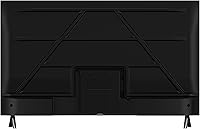
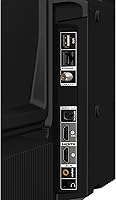
  • Connectivity: The TV connects to home networks via built-in Wi-Fi; no ethernet port is confirmed in the provided specifications.
  • Aspect Ratio: The screen uses a standard 16:9 widescreen aspect ratio, compatible with all modern HD and Full HD content formats.
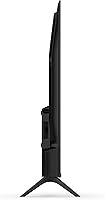
  • Dimensions: The set measures 3.1″D x 28.1″W x 16.6″H, keeping its physical footprint compact enough for tight shelf or stand placements.
  • Weight: At 4.9 pounds, the TV is light enough to wall-mount or reposition without requiring more than one person.
  • Model Number: The official model designation is NS32-FEFL26, useful for finding compatible mounts, accessories, and warranty documentation.
  • In the Box: The package includes the TV unit, a power cable, and an Alexa Voice Remote; no HDMI cable or stand screws are listed as included.
  • ASIN: The Amazon product identifier is B0FH7PVQ9N, which can be used to locate the exact listing on Amazon's platform.
  • Availability Date: This model was first made available on July 10, 2025, making it a current-generation entry in Insignia's Fire TV lineup.
  • Brand: Insignia is a Best Buy house brand that has partnered with Amazon to produce Fire TV-integrated sets at accessible price points for several years.

Related Reviews
INSIGNIA 75-inch QF Series QLED Smart TV
69%
91%
Value for Money
67%
Picture Quality
94%
Screen Size & Presence
58%
Smart TV Interface (Fire TV)
54%
Refresh Rate & Motion Handling
More
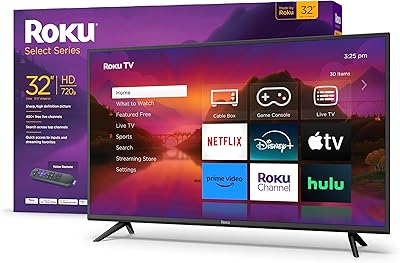
Roku Select Series 32-inch 720p Smart TV
80%
88%
Value for Money
67%
Picture Quality
93%
Smart Platform & Interface
94%
Setup & Ease of Use
79%
Remote Control
More
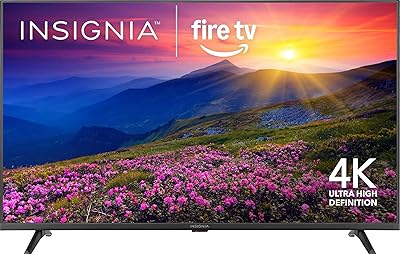
INSIGNIA F50 43-inch 4K UHD Smart TV
73%
72%
Picture Quality
58%
Motion Handling
83%
Smart TV Interface
54%
Audio Performance
81%
Alexa Integration
More
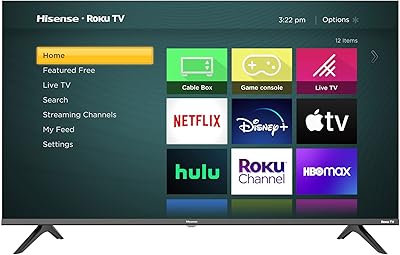
Hisense 32H4G 32-inch Roku Smart TV
75%
91%
Smart Platform (Roku OS)
88%
Value for Money
67%
Picture Quality
74%
Audio Quality
93%
Setup & Ease of Use
More
INSIGNIA 24″ F40 Series Smart Fire TV
69%
88%
Value for Money
82%
Smart TV Software
63%
Picture Quality
91%
Ease of Setup
71%
Alexa Remote
More
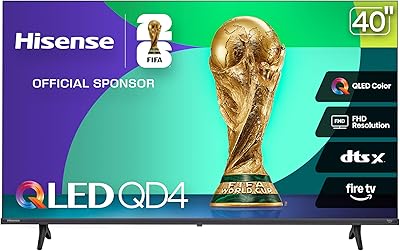
Hisense 40QD4QF 40-inch QLED Smart Fire TV
75%
83%
Picture Quality
91%
Value for Money
71%
Smart TV Platform
77%
Gaming Performance
58%
Motion Handling
More
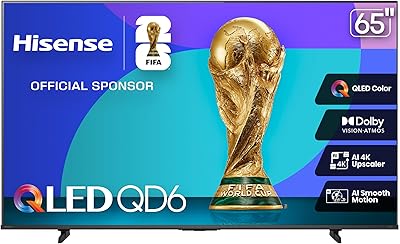
Hisense 65-inch QD6 QLED 4K Smart TV
76%
81%
Picture Quality
78%
Brightness & HDR Performance
72%
Motion Handling
76%
Gaming Performance
69%
Smart TV & Interface
More
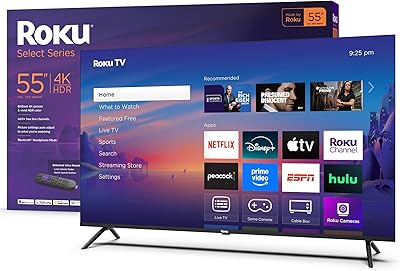
Roku Select Series 55-Inch 4K Smart TV
79%
93%
Smart TV Interface
91%
Setup Experience
74%
Picture Quality
88%
Remote Control
86%
Value for Money
More
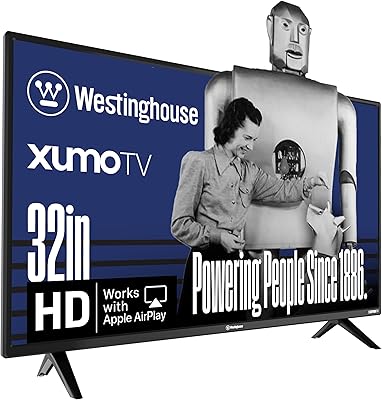
Westinghouse 32-inch Xumo Smart TV
76%
88%
Value for Money
71%
Picture Quality
74%
Smart Platform (Xumo TV)
91%
Ease of Setup
83%
Voice Remote
More
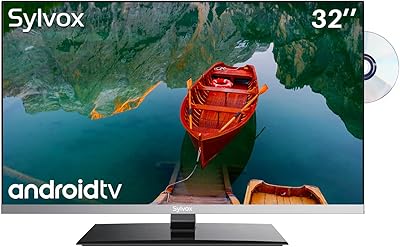
SYLVOX 32-Inch 12V Smart TV
83%
88%
Picture Quality
91%
Portability
85%
Build Quality
56%
Sound Quality
90%
Ease of Setup
More

FAQ

No, you don't. The INSIGNIA 32-inch FE Series Smart Fire TV has Fire TV OS built directly into the hardware, so you can access Netflix, Prime Video, Disney+, and hundreds of other apps the moment you power it on and sign in. No extra stick or box required.

Yes — Apple AirPlay is supported out of the box, which is genuinely uncommon at this price point. As long as your iPhone or Mac is on the same Wi-Fi network as the TV, you can mirror your screen or cast specific content wirelessly in just a couple of taps.

They're noticeable. Amazon uses the home screen to surface promoted content and sponsored tiles, and there's no setting to remove them entirely. Most users get used to it quickly, but if you're the type who finds that kind of thing irritating, it's worth knowing upfront rather than being surprised after unboxing.

For a 32-inch bedroom setup, yes — the 1080p LED panel looks clean and detailed when streaming standard HD content. Just don't go in expecting vivid OLED-level contrast or deep blacks. It's a solid image for casual viewing at a close-range distance, which is exactly the use case it's built for.

Realistically, many people do. The built-in speakers handle dialogue and background audio at moderate volumes well enough, but they tend to fall flat at higher volumes or with bass-heavy content. If you watch a lot of movies or care about audio quality at all, pairing it with an entry-level soundbar is worth budgeting for.

It's about as easy as it gets. Plug in the power cable, turn it on, connect to your Wi-Fi network, and sign into your Amazon account — the on-screen prompts walk you through each step. Most people are fully set up and streaming within 10 minutes.

Light gaming is fine — casual titles, indie games via streaming services, or console gaming through an HDMI input will all work at 60Hz without major issues. However, if you play fast-paced competitive games and care about input lag or frame rates above 60fps, this 32-inch Insignia isn't really built for that.

Yes, and quite naturally. If you have Echo speakers, smart lights, or other Alexa-compatible devices on the same network, you can control them through the TV's voice remote. It ties into the broader Alexa ecosystem rather than acting like an isolated feature.

The product listing does not specify exact HDMI port count or version details for this model. Based on what's confirmed, it does not support HDMI 2.1 or eARC, so if you need those features for a newer console or soundbar setup, you'll want to verify the specs directly on the retailer page before buying.

It's a practical option for that use case. The interface is simple enough for kids to navigate independently, the screen size isn't overwhelming, and the lightweight build means it's easy to place on a low dresser or small stand. Just keep in mind that parental controls are managed through the Fire TV settings, which require a bit of initial configuration to set up properly.