Overview

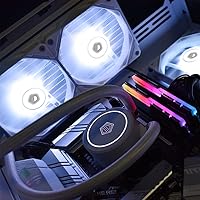
The ID-COOLING FROSTFLOW X 240 AIO Liquid Cooler sits in a crowded entry-to-mid-range segment where value and reliability matter more than flashy specs. ID-COOLING has built a quiet reputation for delivering solid thermal performance without padding the price, and this 240mm unit is a good example of that philosophy. It covers a wide range of modern sockets — Intel LGA1700 and AMD AM5 included — keeping it relevant for current platform builds. The white LED aesthetic is the other real draw; in a market dominated by RGB everything, a clean, consistent white glow actually stands out. Performance expectations should stay grounded: this cooler excels at mainstream workloads, not extreme overclocking sessions.

Features & Benefits

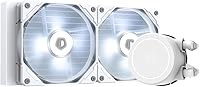
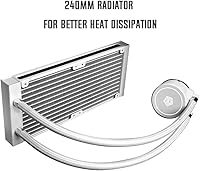
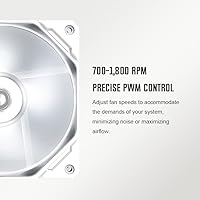
The FROSTFLOW X 240 pairs a 240mm aluminum radiator with two 120mm PWM fans that top out at 1800 RPM. At full tilt, airflow reaches around 76 CFM — respectable for the size — while 4-pin PWM headers let your motherboard ramp fan speeds based on actual CPU temperature, which means quieter operation during lighter workloads. The pump head and fans both carry white LED lighting, but it is worth noting this is non-addressable white LED, not RGB. You will not be syncing colors through motherboard software, so enthusiast builders expecting full lighting control should factor that in. The polycarbonate pump housing keeps the whole unit light at roughly 2 lbs, and socket support spans a genuinely broad range of Intel and AMD platforms.

Best For

This 240mm AIO cooler makes the most sense for builders working within a realistic budget who still want the thermal and visual advantages of liquid cooling over a tower air cooler. Anyone building a white-themed PC will appreciate that the matching pump head and fan LEDs pull the look together without extra lighting components. Socket coverage for LGA1700 and AM5 keeps it compatible with current-gen platforms. Stick to CPUs in the 65W to 125W TDP range and this white AIO handles the load without drama. It is also a clean pick for first-time AIO buyers since there is no proprietary software to install or RGB ecosystem to manage. Mid-tower cases with a standard 240mm radiator mount are the natural home for it.

User Feedback

With a 4.5-star average across more than 3,200 ratings, the FROSTFLOW X 240 clearly lands well with most buyers. Easy installation and the clean white LED look come up repeatedly as highlights — people appreciate that it looks sharp without any software overhead. Cooling performance consistently meets expectations for mid-range CPUs, which is precisely what this cooler targets. That said, some users report noticeable fan noise when sustained loads push RPMs higher. A smaller group mentions occasional pump whine, particularly during early use. Long-term reliability feedback is mostly positive, though isolated pump failure reports after extended use are worth knowing about. For the price, the overwhelming majority of buyers consider it a worthwhile trade-off.

Pros

  • Keeps mainstream CPUs at comfortable temperatures during everyday gaming and productivity tasks.
  • White LED lighting on both pump head and fans creates a polished, unified look for white-themed builds.
  • Compatible with current Intel LGA1700 and AMD AM5 sockets right out of the box.
  • 4-pin PWM headers hand fan speed control to the motherboard, enabling quieter operation at light loads.
  • No proprietary software required — install it and manage it entirely through your existing BIOS or fan utility.
  • Mounting hardware and instructions are clear enough for first-time AIO builders to follow without frustration.
  • The FROSTFLOW X 240 delivers genuine liquid cooling performance at a price that undercuts many air cooler alternatives.
  • Flexible tubing makes radiator routing manageable in compact mid-tower cases.
  • Over 3,200 verified ratings with a 4.5-star average reflects broad, consistent buyer satisfaction at this price tier.

Cons

  • Fan noise at maximum RPM is noticeably louder than the rated spec suggests in real-world use.
  • Pump whine has been reported by a recurring subset of buyers, particularly during the first few weeks of operation.
  • White LED is non-addressable and cannot be synced to any motherboard RGB lighting ecosystem.
  • Long-term reliability past 18 months is inconsistent, with some users reporting pump degradation or failure.
  • Pre-applied factory thermal paste is occasionally uneven and may benefit from replacement before first use.
  • Radiator fin damage on arrival has been reported by some buyers, pointing to inconsistent packaging protection.
  • Thermal headroom shrinks quickly when paired with high-TDP or heavily overclocked processors.
  • The polycarbonate pump housing feels noticeably light compared to metal-bodied competitors at a similar price.
  • Instruction manual lacks guidance for non-standard radiator mounting orientations common in modern cases.

Ratings

The scores below reflect an AI-driven analysis of verified global buyer reviews for the ID-COOLING FROSTFLOW X 240 AIO Liquid Cooler, with spam, bot-generated, and incentivized feedback actively filtered out before scoring. Aggregating thousands of real-world experiences — from first-time builders to seasoned PC enthusiasts — the ratings are designed to give you an honest picture of where this cooler genuinely excels and where it falls short. Both the strengths that make it a recurring recommendation and the recurring frustrations that buyers wish they had known upfront are reflected transparently.

Thermal Performance
76%
24%
For mainstream CPUs in the 65W to 125W TDP range — think a Ryzen 5 7600X or an Intel Core i5-13600K at stock settings — the FROSTFLOW X 240 keeps temperatures in a comfortable range during extended gaming or productivity workloads. Most users report idle temps that compete respectably with pricier 240mm options.
Push this cooler with a high-core-count CPU under sustained all-core load or any serious overclocking, and the thermal headroom shrinks noticeably. Several users running 105W-plus chips under stress benchmarks reported temperatures they considered uncomfortably high for long-term use.
Noise Level
68%
32%
At light to moderate workloads, the PWM fan curve keeps the unit reasonably quiet — most users doing everyday computing or casual gaming barely notice it. The ability to let the motherboard manage fan speeds through standard 4-pin headers is a genuine practical advantage for noise-conscious builders.
At full fan speed, the 35.2 dB rated ceiling turns out to be optimistic in real-world conditions. Multiple buyers specifically called out a high-pitched fan whir under sustained load, and a subset of users reported intermittent pump whine — particularly during the first few weeks of use — that proved difficult to tune out.
Build Quality
73%
27%
The radiator feels solid for the price tier, and the tubing has enough flexibility that routing it in a mid-tower does not require awkward contortions. The pump head has a clean, polished finish that holds up visually even after extended use in warm environments.
The polycarbonate pump housing does feel noticeably lightweight compared to metal-bodied alternatives at similar prices. A handful of long-term users — those past the one-year mark — flagged concerns about pump durability, and isolated reports of minor leaks at fittings make it worth monitoring over time.
Aesthetics & Lighting
82%
18%
For anyone building a white or snow-themed system, this white AIO pulls the look together in a way that few coolers at this price point can match. The white LED on both the pump head and fans is consistent and bright enough to be visible without washing out other case lighting.
The LED is non-addressable and non-RGB — what you see is what you get. Builders who expect to sync lighting color or effects through ASUS Aura, MSI Mystic Light, or similar software will be disappointed. For mixed-theme builds where lighting flexibility matters, this is a meaningful limitation.
Installation & Compatibility
88%
Socket coverage is genuinely broad — Intel LGA1700 and AMD AM5 support means it works with current-generation platforms right out of the box. The mounting hardware is straightforward, and first-time AIO installers consistently praised the clarity of the included instructions for getting everything seated correctly.
The backplate installation on some AMD AM5 boards requires removing the motherboard from the case, which adds time for builders who prefer to pre-install coolers. A few users also noted that the pre-applied thermal paste, while functional, was applied unevenly from the factory and benefited from replacement.
Value for Money
84%
Relative to what you get — a 240mm radiator, dual PWM fans, broad modern socket support, and a cohesive white LED aesthetic — the price sits at a point that is hard to argue with for mainstream builds. Buyers consistently cite it as one of the more sensible liquid cooling options in this segment.
Competing options from brands like Arctic and DeepCool occasionally undercut this price while offering comparable or slightly better thermal performance. When those alternatives are in stock, the value case for the FROSTFLOW X 240 becomes less clear-cut for purely performance-focused buyers.
Fan Performance
71%
29%
The 120mm fans move a solid 76 CFM when needed and respond well to PWM control curves, which means a well-tuned motherboard fan profile can extract quiet operation during light tasks. For a stock fan included with a budget AIO, they outperform expectations in the low-to-medium speed range.
At maximum RPM the fans generate noticeable turbulence noise that goes beyond simple airflow sound. Users replacing the stock fans with aftermarket alternatives often reported a meaningful improvement in both noise character and static pressure — suggesting the included fans are the unit's acoustic weak link.
Pump Reliability
66%
34%
The majority of users who have run the FROSTFLOW X 240 for six months or more report no pump issues, and short-term reliability feedback is largely positive. Buyers who use it within its intended operating range — stock CPU settings, moderate ambient temperatures — generally report stable performance.
A recurring thread in longer-term reviews is intermittent pump noise that appears and disappears without clear cause, and a small but notable percentage of buyers reported pump failure or degraded performance past the 12-to-18-month mark. For a sealed AIO this is a harder problem to diagnose or fix.
Software & Ecosystem
79%
21%
There is no proprietary software required, which is genuinely refreshing. Everything is controlled through your existing motherboard fan control interface — whether that is the BIOS or a utility like Fan Xpert — keeping the install process clean and free of background applications.
The absence of software also means there is no way to adjust the pump speed or lighting behavior beyond basic on/off. Enthusiast builders who want granular control over RGB behavior or pump acoustic profiles will find the hands-off approach limiting compared to ecosystems like Corsair iCUE or NZXT CAM.
Radiator & Tubing Quality
74%
26%
The 240mm aluminum radiator has well-spaced fins that allow decent airflow penetration without requiring exceptionally powerful fans to push air through. Tubing flexibility is above average for the price range, which makes positioning in compact or smaller mid-tower cases noticeably easier.
The aluminum construction, while adequate, is less thermally efficient than copper-core radiators found in higher-priced AIOs. A few users noted minor cosmetic bending along radiator fin edges during shipping, though this appears to be a packaging issue rather than a structural defect.
Ease of Use
86%
Setup is about as straightforward as an AIO gets — there is no software to install, no LED controller to wire up, and the mounting process is direct and well-documented. For first-time liquid cooler buyers this plug-and-cool approach removes a lot of the intimidation factor that holds people back from AIOs.
The included instructions, while clear for standard cases, lack guidance for less common mounting orientations like top-mounted or front-mounted radiators. Builders working with non-standard case layouts had to rely on community forums rather than anything in the box.
Long-Term Durability
63%
37%
Most buyers using the cooler within its design envelope report consistent performance through the first year without any coolant or pump issues. For a budget-tier AIO, that baseline reliability meets reasonable expectations and aligns with the product tier.
Beyond the one-year mark, a meaningful uptick in negative reviews around pump noise and reduced cooling efficiency suggests the longevity does not match that of premium AIOs. Buyers expecting five-plus years of trouble-free operation may find themselves replacing it sooner than anticipated.
Packaging & Unboxing
77%
23%
The product arrives well-protected in most cases, and the box layout makes it easy to inventory all mounting hardware before starting installation. The included accessories — brackets, screws, and thermal paste — are organized in a way that reduces the usual frustration of sorting through loose hardware bags.
Some buyers received units with damaged radiator fins due to insufficient foam padding around the corners of the radiator. This appears to be inconsistent across production batches rather than a universal issue, but it is common enough to be worth inspecting on arrival before mounting.

Suitable for:

The ID-COOLING FROSTFLOW X 240 AIO Liquid Cooler is a natural fit for budget-conscious builders who want the thermal and visual step-up of liquid cooling without stretching into premium AIO territory. If you are running a mainstream Intel or AMD chip — a Core i5, Ryzen 5, or similar CPU at stock or light overclocking settings — this 240mm AIO cooler handles the workload comfortably and keeps temperatures in a sensible range. It is particularly well-suited for anyone building a white or snow-themed system, since the matching white LED pump head and fans deliver a cohesive look that is hard to replicate at this price without buying separate lighting accessories. First-time AIO buyers will also find the straightforward mounting process and no-software-required setup genuinely approachable. Broad socket support covering current Intel LGA1700 and AMD AM5 platforms means it will not be obsolete after a single platform upgrade either.

Not suitable for:

The ID-COOLING FROSTFLOW X 240 AIO Liquid Cooler is not the right call for enthusiast builders planning to push high-core-count CPUs with aggressive all-core overclocks — a 240mm radiator simply lacks the headroom to keep chips like a Ryzen 9 or Core i9 in a safe thermal range under sustained stress. If you care about lighting integration, the non-addressable white LED is a hard limitation; you cannot sync it to ASUS Aura, MSI Mystic Light, or any other RGB ecosystem, which matters in a build where every component is on the same lighting controller. Buyers who expect five or more years of trouble-free operation from a sealed AIO should also temper those expectations, as long-term reliability feedback is less consistent past the 18-month mark compared to premium-tier options. If near-silent operation under load is a priority, the fan and pump noise profile at higher RPMs may be a persistent frustration. Finally, this white AIO is strictly a desktop-only solution and offers no utility in workstation or server contexts.

Specifications

  • Radiator Size: The unit uses a 240mm aluminum radiator designed to provide adequate thermal dissipation for mainstream desktop CPUs.
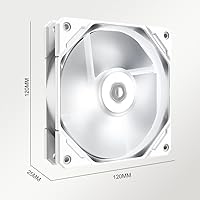
  • Fan Size: Two 120mm PWM fans are included, mounted directly to the radiator for push-configuration airflow.
  • Fan Speed: Each fan operates across a variable speed range, reaching a maximum of 1800 RPM under full PWM load.
  • Airflow: Combined airflow capacity from both fans reaches up to 76.16 CFM at maximum rotational speed.
  • Noise Level: The rated acoustic ceiling is 35.2 dB, though real-world noise at full fan speed typically measures higher depending on case and mounting.
  • LED Type: Both the pump head and fans feature fixed white LED lighting that is non-addressable and cannot be synced to motherboard RGB software.
  • Power Connector: Fans use standard 4-pin PWM connectors, allowing motherboard-controlled speed adjustment based on CPU temperature readings.
  • Voltage: The system operates at 12V, consistent with standard desktop ATX power delivery.
  • Unit Weight: The complete cooler assembly weighs approximately 2 lbs, keeping case load and mounting stress minimal.
  • Pump Housing: The pump head is constructed from polycarbonate, balancing light weight with adequate structural durability for desktop use.
  • Cooling Method: This is a closed-loop all-in-one liquid cooler — the coolant loop is sealed at the factory and requires no user maintenance or refilling.
  • Intel Sockets: Supported Intel sockets include LGA2066, LGA2011, LGA1700, LGA1200, LGA1156, LGA1155, LGA1151, and LGA1150.
  • AMD Sockets: Supported AMD sockets include AM4 and AM5, covering Ryzen 3000 through Ryzen 7000 series processors.
  • Device Compatibility: This cooler is designed exclusively for desktop PC use and is not compatible with laptops, workstations, or server platforms.
  • Radiator Dimensions: The radiator measures approximately 4.72″ in length, 0.98″ in width, and 4.72″ in height, fitting standard 240mm case mounts.
  • Thermal Paste: Thermal paste comes pre-applied to the cold plate at the factory, though quality and coverage consistency can vary between units.
  • Pump Speed: The pump runs at a fixed speed and is not user-adjustable, operating continuously whenever the system is powered on.

Related Reviews
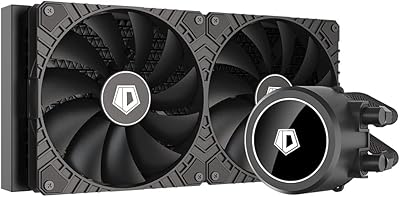
ID-COOLING FROSTFLOW X 280 AIO CPU Cooler
86%
92%
Cooling Performance
87%
Noise Level
75%
Ease of Installation
84%
Aesthetics (LED Lighting)
90%
Compatibility
More
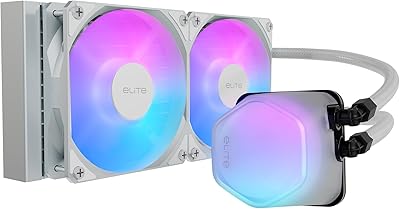
Cooler Master 240 Elite Liquid White CPU Liquid Cooler
85%
91%
Cooling Performance
84%
Noise Levels
92%
Ease of Installation
89%
Build Quality
88%
aRGB Lighting Effect
More
ID-COOLING SL240 CPU Liquid Cooler
88%
91%
Cooling Performance
93%
Noise Level
88%
Customization Options (LCD & RGB)
84%
Installation Ease
89%
Build Quality
More
ID-COOLING FX240 PRO 240mm AIO CPU Cooler
78%
83%
Thermal Performance
67%
Pump Noise & Vibration
78%
Fan Performance & Noise
74%
Build Quality & Materials
86%
Installation Ease
More
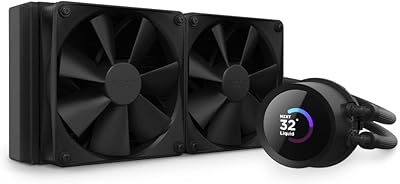
NZXT Kraken 240 AIO CPU Liquid Cooler
86%
92%
Cooling Performance
88%
Noise Level
90%
Ease of Installation
86%
Aesthetic Customization
80%
Radiator Size Compatibility
More
ID-COOLING FX360 PRO White Liquid CPU Cooler
86%
94%
Cooling Performance
89%
Build Quality
75%
Noise Level
91%
Design/Aesthetics
88%
Installation Ease
More
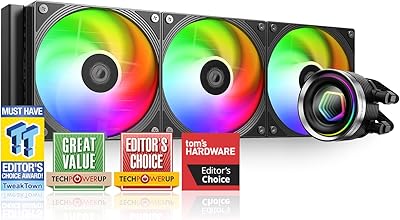
ID-COOLING FX360 INF 360mm AIO Liquid Cooler
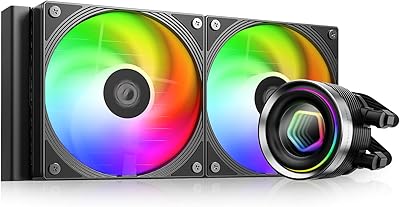
81%
86%
Thermal Performance
83%
Noise Level
89%
Installation Experience
81%
ARGB Lighting
91%
Value for Money
More
ID-COOLING FX240 INF 240mm AIO Liquid Cooler
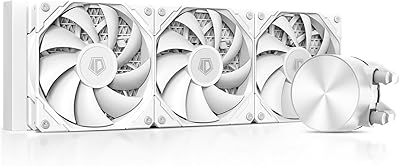
81%
83%
Thermal Performance
81%
Noise Level
91%
Design & Aesthetics
72%
ARGB & Lighting Control
78%
Build Quality & Materials
More
Asus ROG RYUO 240 RGB AIO Liquid CPU Cooler
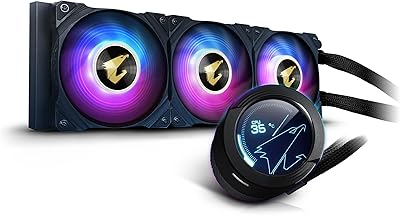
84%
94%
Cooling Performance
88%
Noise Levels
73%
Ease of Installation
90%
RGB Lighting and Visual Appeal
85%
Build Quality and Durability
More
Gigabyte AORUS WATERFORCE X 360 AIO Liquid CPU Cooler
86%
91%
Cooling Performance
89%
Noise Level
74%
Ease of Installation
87%
Aesthetic Customization
84%
Display Functionality
More

FAQ

Yes, the ID-COOLING FROSTFLOW X 240 AIO Liquid Cooler supports both Intel LGA1700 and AMD AM5 sockets, so it works with current-generation CPUs from both brands. Older platforms like LGA1200, LGA115X, and AMD AM4 are covered as well, giving it solid cross-generation flexibility.

Unfortunately, no. The LED on both the pump head and fans is a fixed white light and is non-addressable, meaning it cannot be connected to or controlled by ASUS Aura Sync, MSI Mystic Light, Gigabyte RGB Fusion, or any similar software. It turns on with the system and stays white — there are no color or effect options.

The rated spec is 35.2 dB, but real-world noise at high fan speeds tends to be noticeably louder in practice. At moderate workloads with a well-tuned PWM fan curve, it stays fairly quiet. Under sustained all-core CPU loads that push fans toward maximum RPM, the noise becomes more pronounced — a handful of users found it hard to ignore in quieter environments.

It can technically mount on those sockets, but a 240mm radiator is generally not the right tool for sustained all-core workloads on 105W-plus chips. At stock settings you might get by, but if you plan to run extended rendering, heavy compilation, or any overclocking on a flagship CPU, a 360mm AIO or a high-end air cooler would be a more reliable choice.

No software is required at all. Fan speed is managed through your motherboard BIOS or an existing utility like Fan Xpert — just plug the 4-pin PWM connectors into your motherboard headers and set your preferred fan curve. The pump runs automatically and has no separate software control.

Thermal paste comes pre-applied to the cold plate from the factory. That said, a few buyers have noted the application is sometimes uneven across units. If you want the best possible thermal contact, it is worth cleaning off the factory paste and applying a quality aftermarket compound before your first boot.

Most first-timers find it straightforward. The included mounting hardware covers a wide range of sockets, and the instructions are clear enough to follow without needing to look up tutorial videos. The main thing to watch out for on AMD AM5 boards is that you may need to remove the motherboard from your case to install the backplate — it adds a step but is not complicated.

As a sealed closed-loop unit, the risk is low under normal operating conditions. The vast majority of users never experience any coolant-related issues. That said, a small number of long-term users have reported minor leaks at fittings, so it is worth inspecting the tubing connections periodically and making sure the unit is not under unusual physical stress from tight case routing.

The Arctic Liquid Freezer II 240 generally edges it out on raw thermal performance and long-term reliability, and it also carries a strong reputation for quiet operation. The trade-off is that the Arctic option typically lacks the white LED aesthetic and costs slightly more when in stock. For purely performance-focused builds the Arctic is often the recommendation, but for white-themed systems or buyers prioritizing the look, the FROSTFLOW X 240 holds its own at its price point.

For the first 12 to 18 months, most users report consistent, trouble-free performance. Beyond that window, feedback becomes more mixed — some users are still running it without issues well past two years, while others report pump noise developing or cooling efficiency declining. It is a solid option for its price tier, but if you are expecting the kind of longevity you might get from a premium Corsair or NZXT unit, you may need to adjust expectations.

Where to Buy