Overview

The Fujifilm Instax Mini Link 2 Smartphone Printer is a compact, Bluetooth-connected device that turns your phone photos into wallet-sized prints in under a minute. It's the second generation of Fujifilm's Mini Link line, and the upgrades are noticeable — particularly the new creative tools that weren't available before. Weighing under half a pound, this mini printer genuinely fits in a jacket pocket, which makes it easy to bring to birthday parties, weddings, or weekend trips. It relies on Instax Mini film exclusively, so keep that in mind when budgeting — the hardware cost is just the starting point.

Features & Benefits

The Instax app is central to the whole experience — without it, this smartphone photo printer is just a box. Pairing over Bluetooth takes seconds, and once you're in the app, the editing tools are genuinely fun: filters, frames, stickers, and sketch overlays all ready before you hit print. The standout addition in this generation is INSTAXAiR, which lets you draw directly on your image, records the animation, and prints a scannable QR code on the photo itself. You can also grab a still from any video on your camera roll. Print quality is sharp and vibrant at 300 dpi, and the 10-sheet tray means you won't be reloading film every few minutes.

Best For

This mini printer is one of those rare gadgets that works well as both a personal purchase and a gift. Teens and young adults tend to love it — the creative customization options suit their habits naturally. Party hosts will appreciate having something that produces physical souvenirs on the spot, no dedicated camera required. Travelers who want to document trips without lugging extra gear will find it tucks easily into a bag. Parents who want quick, tangible prints of family moments rather than photos buried on a phone will get real value here, especially anyone who values printed keepsakes over digital-only memories.

User Feedback

Most buyers are very happy with the Instax Mini Link 2, and it shows in the ratings — setup is quick, the app clicks into place fast, and print colors are consistently praised for accuracy. The INSTAXAiR doodle feature gets called out as a clever novelty that people don't expect to enjoy as much as they do. That said, two honest caveats come up regularly. Android users occasionally report a slightly rougher app experience compared to iOS. More importantly, the ongoing film cost adds up — each pack of 10 prints isn't steep on its own, but frequent users will definitely notice the cumulative spend building over time.

Pros

  • Bluetooth pairing and app setup take under five minutes, even for first-time users.
  • Print quality is sharp and color-accurate for a wallet-sized 2×3 format.
  • The INSTAXAiR doodle-to-QR feature is a genuine crowd-pleaser at parties and events.
  • Weighing under half a pound, this mini printer fits comfortably in a jacket pocket.
  • Video frame capture lets you pull stills from clips directly, not just saved photos.
  • In-app filters, stickers, and frames add real creative value before committing to a print.
  • USB charging means you can top it up with any standard power bank while traveling.
  • Overall satisfaction among verified buyers is exceptionally high, with strong gift recommendation rates.
  • The 10-sheet film tray keeps reloading manageable during short bursts of printing.

Cons

  • Instax Mini film is a recurring expense — frequent printers will feel the cost build up fast.
  • Android users report a noticeably less polished app experience compared to iOS.
  • Only one photo prints at a time, creating a bottleneck when a group all wants prints.
  • The plastic casing feels lightweight but doesn't inspire much confidence against drops.
  • Film packs are sold separately and not included — an easy thing to overlook at gifting time.
  • The app requires an account for certain features, which some buyers find unnecessarily intrusive.
  • Battery life under heavy consecutive printing can fall short during a long event.
  • The sticker and frame library feels limited after extended use without major app updates.

Ratings

The Fujifilm Instax Mini Link 2 Smartphone Printer earns high marks across the board in our AI-assisted analysis, which processed thousands of verified global buyer reviews while actively filtering out incentivized, bot-generated, and duplicate feedback. The scores below reflect a balanced picture — genuine strengths and recurring frustrations included — giving you a clear, honest sense of what real owners actually experience day to day.

Ease of Setup
93%
Most buyers report being up and printing within five minutes of unboxing. The Bluetooth pairing process through the Instax app is straightforward, and the app itself guides new users through each step without requiring any technical knowledge.
A small number of Android users reported needing to reinstall the app or toggle Bluetooth settings to get the connection to stick initially. This is infrequent but worth knowing if you're gifting it to someone less tech-comfortable.
Print Quality
88%
At 300 dpi on a 2×3 print, colors come out vibrant and true-to-screen with noticeably good sharpness for the format. Party shots and outdoor portraits in particular tend to look punchy and well-saturated straight out of the printer.
In low-light or high-contrast scenes, shadow detail can flatten out slightly. This is a limitation of the thermal film format rather than the printer itself, but buyers expecting DSLR-level fidelity at this size will need to reset expectations.
App Experience
86%
The Instax app is genuinely well-designed — editing tools like filters, frames, and stickers are quick to access, and the overall layout feels intuitive even for first-time users. The video-frame capture feature in particular gets praised for working smoothly.
iOS users consistently report a better experience than those on Android, where occasional lag and minor glitches surface during editing. The app also requires an account for some features, which a portion of buyers find unnecessarily friction-adding.
Portability & Design
91%
At under half a pound and small enough to slip into a jacket pocket, this mini printer is one of the most genuinely portable options in its category. The rounded, compact form factor makes it comfortable to carry to events without adding noticeable bulk to a bag.
The plastic casing, while lightweight, feels slightly hollow to some users who prefer a more premium tactile experience. It doesn't feel fragile, but it doesn't feel especially robust either — probably not ideal for rough outdoor use without a case.
INSTAXAiR Feature
82%
18%
The ability to draw directly on a photo, have the animation recorded, and then scan a QR code on the physical print to replay it is a genuinely clever feature. It consistently surprises people at parties and gatherings, and kids especially love the interactivity.
The novelty can wear off after a few uses, and the doodle-to-QR workflow requires a stable connection and a bit of patience to execute cleanly. A few users found the drawing interface slightly imprecise on smaller phone screens.
Film Cost & Running Expenses
52%
48%
Individual film packs are widely available and easy to find both online and in major retail stores. Buying in larger multi-packs can soften the per-print cost somewhat, which frequent users tend to figure out quickly.
This is the most consistently raised concern across all reviews. Each print has a real per-unit cost tied to consumable film, and heavy users — printing at parties or documenting family events regularly — find the cumulative expense adds up faster than expected. There is no way around this cost structure.
Battery Life
78%
22%
The built-in lithium-ion battery holds up well for casual use sessions, comfortably covering a pack or two of film on a single charge. USB charging means topping it up with a standard power bank or phone charger is easy while on the go.
If you're printing heavily at an event — running through three or four film packs back to back — you may find the battery getting low by the end. It's not a dealbreaker, but it's worth charging fully before a big occasion.
Film Loading & Tray Usability
81%
19%
The 10-sheet film tray loads cleanly and the mechanism works reliably without jams in normal use. Experienced Instax users will find the process familiar, and first-timers typically figure it out within a minute.
The tray capacity means you'll be reloading more frequently than you might expect during active printing sessions. Some users also noted that inserting the film cartridge in dim lighting — at a party, for instance — can be fiddly.
Creative Customization Options
84%
The range of in-app options before printing — filters, sketches, stickers, frames — gives users a meaningful level of creative control that goes well beyond simply cropping a photo. This is a genuine differentiator compared to simpler portable printers.
The sticker and frame libraries are decent but not enormous, and updating them requires keeping the app current. A few users felt the selection, while fun initially, became repetitive over time without major new content additions.
Value for Money
74%
26%
As a standalone purchase, the hardware sits at a fair price point for what it delivers in terms of features and print quality. As a gift, the perceived value tends to be higher than the actual cost, which reviewers frequently mention.
When you factor in the ongoing film cost, the total cost of ownership climbs meaningfully over time. Buyers who print frequently will find that the consumable expense outpaces the original hardware cost within a few months of regular use.
Android Compatibility
67%
33%
Android connectivity works well for the majority of users, and core printing functions operate reliably on most modern Android devices. The app covers the full feature set in principle, and basic printing rarely causes problems.
Compared to the iOS experience, Android performance is noticeably less polished — occasional crashes, slower response times in the editor, and connectivity hiccups appear more frequently in Android reviews. Users on older Android versions report the most friction.
Build Quality & Durability
76%
24%
The printer holds up well under normal everyday use — being tossed in a bag, carried to events, and handled by multiple people at gatherings without showing wear quickly. The overall construction is solid enough for its intended use cases.
The all-plastic exterior doesn't inspire confidence for drops or heavy outdoor use. A few buyers reported cosmetic scuffs appearing after minimal use, and the film door mechanism, while functional, lacks the reassuring click of higher-end hardware.
Gift Appeal
94%
Few gadgets in this price range generate the immediate excitement this mini printer does when unwrapped. The fun factor is high, the concept is instantly understandable, and the hands-on printing experience makes it memorable in a way that digital gifts rarely achieve.
The film cost means the gift has ongoing requirements that the recipient needs to be aware of. Without extra film packs included, the recipient can run out quickly, which can slightly dampen the initial excitement if they're not prepared for the recurring purchase.
Print Speed
72%
28%
Each photo prints in roughly 12 to 15 seconds once the process starts, which feels satisfying at a party or gathering — you're not waiting long for results. The anticipation of watching the print emerge is part of the experience.
You can only print one photo at a time, so if multiple people at an event want prints simultaneously, there's a queue. Heavy demand situations can make the process feel slow when everyone is waiting their turn.

Suitable for:

The Fujifilm Instax Mini Link 2 Smartphone Printer is a strong fit for anyone who wants to turn digital photos into physical prints quickly and without any complicated setup. It's particularly well-suited to teens and young adults who already live on their phones and enjoy personalizing content before sharing it — the in-app editing tools feel natural to that audience. Party hosts will find it earns its keep at gatherings, producing instant wallet-sized souvenirs that guests can take home without requiring a professional photo station. Travelers who want lightweight, packable memory-making gear will appreciate that the entire printer weighs under half a pound and charges via USB, making it easy to toss in a backpack. Parents who want tangible printed photos of family moments — rather than images buried in a camera roll — will also get genuine, repeated use out of this mini printer. It also works remarkably well as a gift for someone who might not buy it for themselves but would absolutely enjoy receiving it.

Not suitable for:

The Fujifilm Instax Mini Link 2 Smartphone Printer is not the right tool for buyers who need high-volume, low-cost printing on a regular basis. Each print requires a dedicated Instax Mini film sheet, and the cumulative cost of those packs adds up faster than most people anticipate — this is genuinely not a budget-friendly option for anyone printing dozens of photos per week. Professional photographers or anyone expecting document-quality output at larger sizes will find the 2×3 format and thermal print technology fall well short of their standards. Android users with older devices or non-stock software may encounter app instability that makes the experience noticeably less smooth than it is on iOS. Those looking for a fully standalone camera-and-printer combo should also look elsewhere — this smartphone photo printer requires a phone and the Instax app to function at all, with no onboard controls to speak of. If the person you're buying this for is not comfortable with Bluetooth apps or smartphone connectivity, the friction may outweigh the fun.

Specifications

  • Dimensions: The printer measures 1.2″ deep × 3.6″ wide × 3.35″ tall, making it compact enough to fit in a jacket pocket.
  • Weight: It weighs 7.4 ounces (approximately 0.46 lbs), which is light enough to carry all day without noticing it in a bag.
  • Connectivity: Connects to smartphones wirelessly via Bluetooth and also supports USB for charging and data transfer.
  • Print Size: Produces 2×3 inch wallet-sized prints on Instax Mini format glossy photo paper.
  • Print Resolution: Outputs color prints at 300 dpi, delivering sharp, vibrant results at the 2×3 inch format.
  • Print Technology: Uses zero-ink thermal dye-sublimation technology, meaning no ink cartridges or toner are ever required.
  • Film Type: Compatible exclusively with Fujifilm Instax Mini instant film, which is sold separately in packs of 10.
  • Tray Capacity: The film tray holds up to 10 sheets at a time before requiring a reload.
  • Battery: Powered by a built-in rechargeable lithium-ion battery that is included in the box and charged via USB.
  • App Control: Operated through the Fujifilm Instax app, available for both iOS and Android smartphones.
  • Special Features: Includes INSTAXAiR doodle-to-QR animation, video frame capture, filters, frames, stickers, and sketch overlays.
  • Internal Memory: Equipped with 64 MB of onboard memory for app and print data management.
  • Output Type: Prints exclusively in color on glossy Instax Mini photo paper; monochrome-only printing is not a selectable mode.
  • Generation: This is the second iteration of the Mini Link series, adding INSTAXAiR and enhanced creative tools over the original.
  • Included Items: Box contents include the printer unit, a USB charging cable, and documentation for a 1-year limited product warranty.
  • Warranty: Backed by a 1-year limited warranty provided directly by Fujifilm.
  • Compatible Devices: Works with iOS and Android smartphones; a compatible device and the Instax app are required to operate the printer.
  • Print Speed: Produces one color print per cycle; each print takes approximately 12 to 15 seconds to emerge from the printer.

Related Reviews
Fujifilm Instax Mini Link 3 Smartphone Printer
82%
88%
Print Quality
91%
Print Speed
93%
Portability & Size
72%
App Experience
84%
Build Quality & Feel
More
Fujifilm Instax Link Wide Printer
84%
91%
Print Quality
88%
Ease of Use
85%
App Functionality
92%
Portability
78%
Print Speed
More
Instax mini 41 Instant Camera
78%
93%
Ease of Use
88%
Design & Aesthetics
74%
Print Quality
86%
Selfie Experience
67%
Value for Money
More
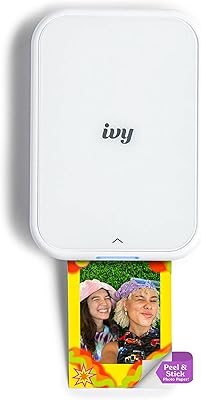
Canon IVY 2 Mini Photo Printer
76%
93%
Portability & Form Factor
67%
Print Quality
91%
Ease of Setup & Use
74%
App Experience
82%
ZINK Ink-Free Technology
More
Fujifilm Instax Mini 40 Instant Camera
78%
93%
Design & Aesthetics
91%
Ease of Use
71%
Auto Exposure Performance
74%
Print Quality
78%
Build Quality & Durability
More
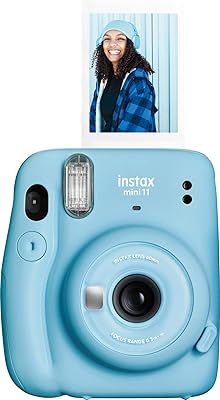
Fujifilm Instax Mini 11 Instant Camera
77%
93%
Ease of Use
74%
Build Quality
67%
Print Quality
71%
Value for Money
78%
Selfie Mode
More
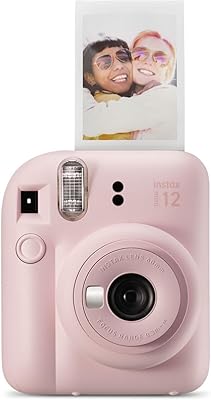
Fujifilm Instax Mini 12
78%
94%
Ease of Use
83%
Photo Quality in Good Light
61%
Low-Light Performance
81%
Selfie & Close-Up Capability
78%
Build Quality & Design
More
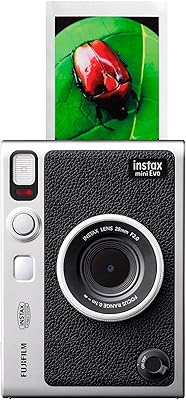
Fujifilm Instax Mini EVO
81%
88%
Image Quality
91%
Creative Effects & Versatility
83%
Smartphone Integration
86%
Build Quality & Design
71%
Value for Money
More
Fujifilm Instax Mini 9
75%
93%
Ease of Use
67%
Image Quality
74%
Build Quality
61%
Value for Money
71%
Selfie & Portrait Performance
More
Fujifilm Instax Mini 99
79%
91%
Build Quality
84%
Print Quality
78%
Creative Shooting Modes
73%
Color Effects
71%
Ease of Use
More

FAQ

Film is not included in the box — you will need to purchase Instax Mini film packs separately before you can start printing. Each pack contains 10 sheets, and they are widely available online and in most major electronics or photography retailers.

The Fujifilm Instax Mini Link 2 Smartphone Printer officially supports both iOS and Android devices through the Instax app. That said, Android users occasionally report a slightly less smooth experience than iPhone users — particularly on older devices — so it is worth making sure your Android version is reasonably current before buying.

You open the Instax app, choose a photo, and then draw directly on it using your finger. The app records your drawing as an animation, and when you print the photo, a QR code is embedded on the image itself. Anyone who scans that code with their phone can watch your doodle animation play back — it is a fun party trick that genuinely surprises people the first time they see it.

Yes — the app has a video frame capture feature that lets you select any video from your camera roll and grab a specific still frame from it to print. You do not need to screenshot it first; the tool handles the extraction within the app.

Under normal casual use, the built-in battery comfortably covers one to two full film packs of 10 prints each. If you are printing heavily back-to-back at an event, battery life can get tight toward the end, so it is a good idea to charge it fully beforehand or keep a USB power bank handy.

Each print is 2×3 inches, which is the classic Instax Mini format — roughly the size of a credit card, slightly taller. It is smaller than a standard 4×6 photo print, so think of them more as collectible wallet prints or photo booth-style keepsakes rather than full-sized display photos.

Bluetooth is all you need — there is no Wi-Fi requirement. As long as your phone has Bluetooth enabled and the Instax app installed, you can pair and print from virtually anywhere without needing a network connection.

Honestly, yes — this is one of the most important things to think about before buying. The hardware cost is a one-time purchase, but each print costs money through the film packs, and frequent users will find that adds up noticeably over time. Buying film in larger multi-packs helps reduce the per-print cost somewhat, but there is no way to avoid the recurring expense entirely.

Editing before printing is a core part of how this mini printer works. The Instax app lets you apply filters, add frames, draw sketches, place stickers, and adjust the image before you commit to printing — you never have to print a raw unedited photo unless you want to.

Very much so. The pairing process is quick, the app layout is intuitive, and most users — including younger ones — are up and printing within a few minutes of opening the box. It is one of the reasons this smartphone photo printer works so well as a gift for teens; the learning curve is minimal and the payoff is immediate.

Where to Buy