



Overview

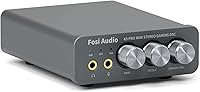
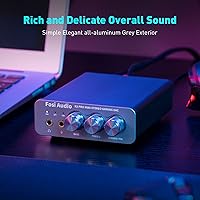
The Fosi Audio K5 Pro is a compact DAC and headphone amplifier that sits comfortably between entry-level USB dongles and full desktop audio stacks. It's the follow-up to Fosi's Q4, and the most meaningful addition is a built-in microphone input — a practical touch for anyone gaming or streaming at their desk. Power comes through USB-C or a DC 5V adapter, so dropping it beside a PS5 or Mac is straightforward. Under the hood, a Texas Instruments NE5532 op-amp handles the signal work, keeping noise levels impressively low for the price. This is a genuine entry point into dedicated desktop audio without a steep learning curve or complicated setup.

Features & Benefits

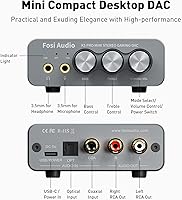
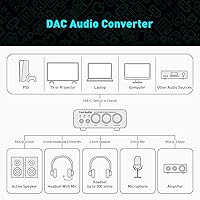
The K5 Pro offers three digital inputs — USB-C (up to 24-bit/96kHz), plus optical and coaxial both reaching 24-bit/192kHz — which already puts it well ahead of typical onboard sound. On the output side, a 3.5mm headphone jack sits alongside RCA stereo outputs, making it easy to run powered speakers and headphones from the same unit. Physical bass and treble knobs let you shape tone without touching any software, which is genuinely convenient during long sessions. One note worth flagging early: the USB-C audio input requires a compatible cable, so don't assume any USB-C cable in your drawer will do the job. The amp handles headphones from 16 to 300 ohms without breaking a sweat.

Best For

This DAC amp combo is an easy recommendation for PS5 owners who want cleaner audio without investing in a full home theater receiver. PC and Mac users dealing with audible hiss or interference from onboard audio will notice a clear improvement. Headphone owners in the 32 to 150 ohm range — popular gaming headsets, entry-level audiophile cans — will get the most out of the amplifier section. It also suits desktop setups where you want to run both headphones and powered active speakers simultaneously from one source. Anyone prioritizing real DAC and amp hardware over a USB dongle will find this desktop audio converter a sensible, well-rounded option.

User Feedback

Across more than 1,200 ratings, the K5 Pro holds a 4.1 out of 5, which is a solid result for a unit at this price. The most consistent praise centers on noticeable sound improvement over motherboard audio right out of the box — buyers expect a difference and they get one. The tone controls divide opinion: casual listeners appreciate the physical adjustments, but purists feel the extra coloration gets in the way. The volume knob has drawn some valid criticism for feeling slightly imprecise at very low settings, which matters if you do most of your listening quietly at night. The microphone input is handy for gaming chat but not a substitute for a proper audio interface.

Pros

  • Delivers a clear, immediately noticeable improvement over onboard PC or console audio from day one.
  • Three digital inputs — USB-C, optical, and coaxial — give real flexibility for multi-source desktop setups.
  • Physical bass and treble knobs let you shape tone on the fly without opening any software.
  • RCA and 3.5mm outputs run simultaneously, so headphones and powered speakers can coexist without a switcher.
  • The built-in microphone input handles gaming chat and Discord calls without any extra adapter or interface.
  • Handles headphones from 16 up to 300 ohms, covering the vast majority of consumer and entry audiophile cans.
  • Compact enough to fit comfortably on even a small desk without dominating the workspace.
  • Optical input from a PS5 works cleanly, giving console gamers a straightforward path to better audio.
  • Includes an optical cable and USB cable in the box, reducing the need for immediate additional purchases.
  • Noise floor is impressively low for the price, especially compared to interference-prone motherboard audio.

Cons

  • The volume knob feels loose and imprecise at low settings, which is noticeable during quiet late-night listening.
  • USB-C audio requires a specific data-capable cable — a point that trips up a disproportionate number of first-time buyers.
  • The microphone input introduces audible noise under recording conditions and lacks any meaningful gain control.
  • Tone controls are broad and blunt; users wanting precise EQ adjustments will find them frustratingly coarse.
  • No gain switch means very sensitive in-ear monitors may have a frustratingly narrow usable volume range.
  • The long-press power-on behavior is not obvious and regularly confuses new users into thinking the unit is broken.
  • No sample rate or resolution display, so you cannot confirm what quality level your source is actually outputting.
  • The plastic chassis, while functional, does not inspire confidence during daily handling compared to metal-bodied rivals.
  • PS5 users wanting mic chat through the optical connection will hit a compatibility wall requiring additional USB workarounds.
  • Sound coloration from the NE5532 circuit, while pleasant for many, will disappoint buyers chasing a strictly neutral output.

Ratings

The Fosi Audio K5 Pro has been put through its paces by our AI rating system, which analyzed thousands of verified global buyer reviews while actively filtering out incentivized, bot-generated, and suspicious feedback to surface what real users actually experience. The scores below reflect both the genuine strengths that keep this DAC amp combo near the top of its category and the friction points that hold it back from a clean sweep. Nothing is glossed over — the wins and the frustrations are weighted equally.

Sound Quality Improvement
88%
The single most praised aspect across user feedback is how much cleaner audio sounds compared to onboard motherboard or console audio. Background hiss disappears, stereo imaging opens up noticeably, and music and game audio feel more present without any EQ tweaking. For most buyers, this improvement alone justifies the purchase.
Audiophiles comparing this desktop audio converter to higher-tier DACs point out a slight warmth or coloration in the sound signature that is not strictly neutral. It is not a flaw for casual listeners, but users chasing a flat reference sound may find it slightly too flavored for critical listening sessions.
Value for Money
91%
At its price point, getting a true DAC, a headphone amplifier, hardware tone controls, and a microphone input in one compact unit is genuinely hard to beat. Buyers consistently describe it as punching above its weight, particularly when compared to similarly priced USB dongles that offer a fraction of the functionality.
A small segment of buyers felt the price crept into territory where a few extra dollars could unlock significantly more transparent DAC chips or better-built volume controls. The value equation is strong, but it starts to soften slightly when stacked against occasional deals on competing units from brands like Topping or SMSL.
Build Quality & Feel
67%
33%
The chassis is compact and dense enough to feel purposeful on a desk, and the matte finish resists fingerprints reasonably well. Most users report that the unit sits stably even during cable plugging and unplugging, which is a basic but important test for a desktop device used daily.
The volume knob is the most consistently flagged weak point — several buyers describe it as feeling slightly loose or lacking the smooth resistance expected at this price. The overall construction reads as functional rather than premium, and users who handle it daily may notice the plastic shell feels less solid than metal-chassis competitors.
Headphone Amplifier Performance
83%
Driving headphones in the 32 to 150 ohm range — the sweet spot for gaming headsets, popular open-backs, and entry audiophile cans — the amp section delivers ample volume and decent control. Users with Sennheiser HD 6XX or similar 300-ohm headphones also report usable results, though not the absolute authority a dedicated amp would provide.
At very low volume settings, a handful of users notice the channel balance can feel slightly uneven before the knob reaches its working range — a common quirk in budget potentiometers. Output power drops off meaningfully above 150 ohms, so owners of genuinely demanding planar or high-impedance headphones may feel the amp section working at its ceiling.
Input Versatility
86%
Three distinct digital input options — USB-C, optical, and coaxial — give this DAC amp combo real flexibility for multi-source setups. PS5 users can run optical directly from the console, PC users connect via USB-C, and anyone with a TV or CD transport can use coaxial, all without needing a separate switcher or adapter.
The USB-C audio input has tripped up a notable number of first-time buyers who assumed any USB-C cable would work — it does not. You need a cable that carries audio data, not just power or video. This is a hardware and documentation issue that Fosi has not fully resolved, and it generates a disproportionate share of one-star reviews from otherwise satisfied users.
Microphone Input Usability
61%
39%
Having a 3.5mm mic input built into a DAC amp at this size and price is a genuinely convenient feature for gaming chat and casual streaming. Users who just need a headset mic to work cleanly in Discord or party chat find it handles the job without any separate interface or adapter.
Anyone expecting studio-quality mic performance will be disappointed — this is a convenience port, not a preamp. Users recording vocals, podcasting, or streaming at a professional level consistently report that the mic input introduces noticeable noise and lacks the gain control and clean signal handling of even a basic dedicated audio interface.
Ease of Setup
84%
Plug-in-and-play behavior is the norm for USB-C connections on both PC and Mac, with most users reporting zero driver installation required. The physical controls are intuitive enough that most buyers are listening within a few minutes of opening the box, and the included optical cable removes one immediate accessory gap.
The long-press power-on behavior catches new users off guard regularly — the unit does not respond to a quick tap, which leads to initial confusion about whether it is defective. The USB-C cable compatibility issue further adds friction to an otherwise simple setup experience, particularly for less technical buyers.
Tone Controls
72%
28%
Physical bass and treble knobs are a real convenience for users who like to adapt sound to different content — boosting bass for action games, pulling it back for late-night acoustic listening. Having this control on the unit itself, rather than buried in a software equalizer, is something buyers appreciate during daily use.
The tone controls are fairly broad and imprecise, acting more like a blunt push in one direction rather than a surgical frequency adjustment. Buyers with trained ears or specific EQ preferences find the hardware controls too coarse, and purists argue they introduce a mild quality trade-off even when set to their center detent positions.
Output Options
87%
Offering both a 3.5mm headphone output and RCA outputs simultaneously is a practical advantage for desktop setups that run powered monitors alongside headphones. Switching between listening modes is straightforward, and the RCA outputs are clean enough to feed a secondary amplifier or a decent pair of active bookshelf speakers without obvious degradation.
There is no dedicated gain switch, which means users with very sensitive in-ear monitors may encounter a narrow usable volume range on the knob before levels become too loud. The 3.5mm output also does not include a separate high and low gain setting, a feature increasingly common at this price tier from competing brands.
Size & Desk Footprint
93%
At 4.4 by 3.7 by 1.2 inches and under a pound, the K5 Pro takes up almost no desk real estate. Buyers in tight setups — small gaming desks, college dorm arrangements, or minimalist home office builds — specifically call out the compact footprint as a key reason they chose it over bulkier alternatives.
The small footprint does mean cables can crowd around the unit and occasionally tip it slightly, especially if stiff optical or coaxial cables are used simultaneously. A non-slip base or a slightly heavier chassis would help it stay planted more reliably under full cable load.
PS5 & Console Compatibility
82%
18%
Optical output from the PS5 pairs cleanly with this desktop audio converter, giving console users a meaningful audio upgrade without touching HDMI passthrough or dealing with monitor audio routing. Users report that in-game spatial audio and chat audio both route correctly with minimal configuration in the PS5 sound settings.
PS5 users who also want to use the microphone input for party chat hit a compatibility wall — the console's optical output does not carry a return mic signal, so the mic input only works in that context via USB, which requires additional setup. Some console-first buyers found this limitation was not clearly communicated before purchase.
Noise Floor & Signal Cleanliness
89%
The NE5532 op-amp implementation delivers a genuinely quiet background for a unit at this price. Users who previously dealt with ground loop hum or interference buzz from PC motherboard audio describe the improvement as immediately obvious, particularly with sensitive headphones or in-ear monitors at moderate volumes.
A small number of users report a faint high-frequency hiss detectable with very sensitive IEMs at near-zero volume levels. It is not an issue for most headphones or normal listening volumes, but buyers using the unit with ultra-sensitive custom in-ears may find it just noticeable enough to be occasionally distracting in quiet passages.
Indicator & Interface Feedback
58%
42%
The input mode indicator gives users a clear visual cue about which source is currently active, reducing the guesswork when switching between USB, optical, and coaxial inputs mid-session. The LED is bright enough to read in well-lit rooms without being distracting in darker setups.
Beyond the input indicator, the unit offers minimal feedback — there is no display, no sample rate indicator, and no visual confirmation of the current volume level. Users who like to know exactly what resolution their source is outputting or what the knob position numerically represents will find the interface frustratingly minimal.
Packaging & Included Accessories
76%
24%
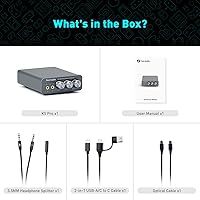
Fosi includes a 3.5mm headphone splitter, a dual-ended USB-A to USB-C cable, and an optical cable in the box, which covers the most common first-day connection needs. The inclusion of the optical cable in particular is a thoughtful touch that saves buyers an immediate additional purchase.
The included USB cable, while functional, is on the shorter side and only confirms the USB-C compatibility issue rather than fully resolving it — buyers still need to verify cable specs if they use their own. The user manual is sparse, and the power-on behavior and USB-C cable requirement both deserve more prominent documentation than they currently receive.

Suitable for:

The Fosi Audio K5 Pro is a strong match for PS5 owners who want a meaningful audio upgrade through optical connection without buying into a full home theater stack. PC and Mac users dealing with the hiss, buzz, or general muddiness of onboard audio will notice an immediate and real difference — this is exactly the audience the unit was designed for. Headphone users with mid-impedance cans in the 32 to 150 ohm range get the best return from the amp section, covering everything from popular gaming headsets to entry-level open-back headphones. Desktop setups that need to feed both headphones and a pair of powered bookshelf speakers simultaneously will appreciate the RCA and 3.5mm outputs running in parallel. If you primarily game, stream casually, or just want cleaner audio at your desk without a complicated setup or a steep price, this DAC amp combo is one of the most practical options available at its price tier.

Not suitable for:

The Fosi Audio K5 Pro is not the right tool for anyone who needs a genuinely neutral, reference-grade DAC for critical listening or mastering work — the sound signature has a slight warmth that suits casual enjoyment but will frustrate anyone chasing a flat, transparent output. Podcasters, streamers, and musicians who plan to record vocals or instruments should look elsewhere; the microphone input here is a convenience port for gaming chat, not a preamp capable of clean, low-noise signal capture. Buyers with high-impedance or planar magnetic headphones that demand serious current delivery may find the amp section working near its limits, producing adequate but not authoritative results. If you use ultra-sensitive in-ear monitors at whisper-quiet volumes, the potentiometer behavior at the low end of the knob and a faint noise floor could become a real frustration. Anyone expecting plug-and-play simplicity with any USB-C cable should also be aware that this desktop audio converter requires a data-carrying USB-C cable specifically, and that gap in out-of-box clarity has genuinely tripped up a notable share of buyers.

Specifications

  • Dimensions: The unit measures 4.4 × 3.7 × 1.2 inches, making it compact enough to sit beside a keyboard or console without dominating desk space.
  • Weight: At 14.8 ounces, the K5 Pro is light but dense enough to stay planted on a desk under normal cable load.
  • USB-C Input: The USB-C digital input supports PCM audio at up to 24-bit/96kHz resolution when connected to a compatible data-carrying USB-C cable.
  • Optical Input: The TOSLINK optical input accepts digital audio signals at up to 24-bit/192kHz, suitable for direct connection from a PS5 or TV optical output.
  • Coaxial Input: The S/PDIF coaxial input also supports up to 24-bit/192kHz, providing a high-resolution option for sources like CD transports or select media players.
  • Headphone Output: The 3.5mm headphone jack drives headphones with impedances ranging from 16 to 300 ohms, with output power reaching 1000mW at 16Ω and 80mW at 300Ω.
  • RCA Output: Stereo RCA outputs allow connection to powered speakers, active monitors, or a secondary amplifier for desktop speaker setups.
  • Mic Input: A dedicated 3.5mm microphone input enables use of a headset microphone for gaming chat or casual voice communication.
  • Op-Amp Chip: Signal amplification is handled by a Texas Instruments NE5532 op-amp, chosen for its low-noise characteristics and wide availability in audio applications.
  • THD Rating: Total harmonic distortion is rated at or below 0.003%, which translates to a clean, artifact-free signal under typical listening conditions.
  • SNR Rating: The signal-to-noise ratio is rated at 110dB or above, meaning background noise is extremely low relative to the audio signal at normal output levels.
  • Tone Controls: Dedicated hardware knobs for bass and treble adjustment are built into the front panel, allowing real-time sound shaping without software or drivers.
  • Power Source: The unit is powered via USB-C or a DC 5V input, making it compatible with standard phone chargers, power banks, or PC USB ports.
  • Power & Volume: A single combined rotary knob controls master volume and serves as the power button via a long-press action to switch the unit on or off.
  • In The Box: Package includes the K5 Pro unit, a 3.5mm headphone splitter, a 2-in-1 USB-A to USB-C cable, one optical cable, and a user manual.
  • Compatibility: Officially compatible with PS5, PC, Mac, and any device with a USB-C, optical, or coaxial digital audio output, as well as active speakers via RCA.
  • Channels: The unit operates as a 2-channel stereo device and does not support surround sound decoding or multichannel audio output natively.
  • Input Switching: Input source selection is handled via a dedicated toggle on the unit, allowing switching between USB-C, optical, and coaxial without touching any software.

Related Reviews
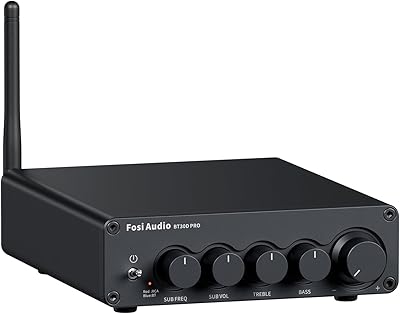
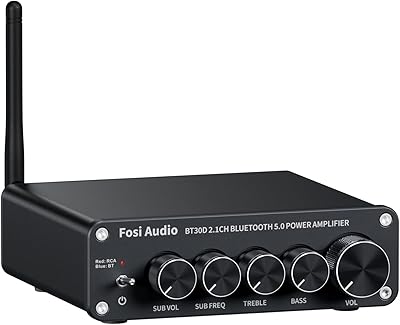
Fosi Audio BT30D Pro
79%
91%
Power Output
93%
Subwoofer Control
88%
Sound Quality
86%
Build Quality
82%
Bluetooth Performance
More
Fosi Audio TDA7498E
Fosi Audio TDA7498E
83%
88%
Sound Quality
93%
Value for Money
71%
Build Quality
74%
Power Output & Headroom
66%
Noise Floor & Background Hiss
More
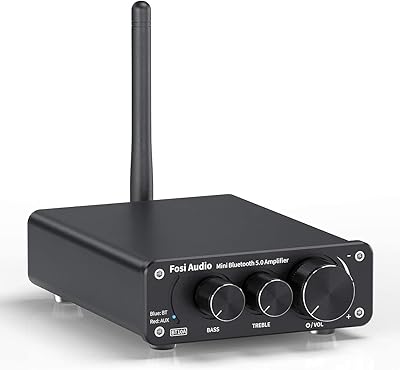
Fosi Audio BT10A
Fosi Audio BT10A
81%
93%
Value for Money
82%
Sound Quality
91%
Noise Floor
84%
Bluetooth Performance
67%
Power Output
More
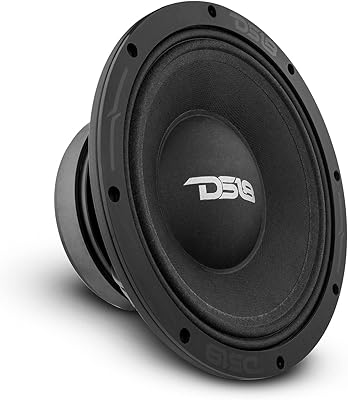
DS18 PRO-ZXI10MBASS 10-inch Pro Audio Mid Bass Loudspeaker
86%
88%
Sound Quality
91%
Bass Performance
85%
Ease of Installation
87%
Durability and Build Quality
92%
Value for Money
More
Fosi Audio BT30D
Fosi Audio BT30D
78%
83%
Sound Quality
88%
Subwoofer Performance
81%
Bluetooth Connectivity
91%
Value for Money
62%
Build Quality
More
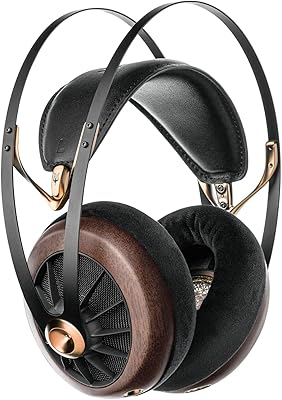
Meze Audio 109 Pro
Meze Audio 109 Pro
86%
94%
Sound Quality
88%
Comfort for Long Sessions
92%
Build Quality
65%
Noise Isolation
87%
Value for Money
More
Fosi Audio V3 Stereo Amplifier
81%
93%
Value for Money
91%
Audio Clarity & Noise Floor
67%
Real-World Power Output
74%
Build Quality & Finish
88%
Thermal Management
More
Fosi Audio ZP3 Balanced Preamp
88%
94%
Sound Quality
88%
Ease of Use
90%
Build Quality
87%
Customization Options
75%
Memory Function
More
Fosi Audio P4
Fosi Audio P4
81%
88%
Build Quality
84%
Sound Quality
91%
Motorized Volume Control
79%
Remote Control
86%
Input Flexibility
More
Fosi Audio HT4S
Fosi Audio HT4S
80%
88%
Build Quality
84%
Value for Money
76%
Sound Quality
82%
Multi-Channel Versatility
63%
Bluetooth Performance
More

FAQ

Yes, and optical is the cleanest way to connect it. Run a TOSLINK cable from the PS5 optical output directly into the K5 Pro, set the PS5 audio output to optical in the sound settings, and you are ready to go. No drivers, no adapters needed.

This is the most common trip-up with this unit: not every USB-C cable carries audio data. You specifically need a USB-C cable that supports data transfer, not just charging or video. The included cable works, but if you use your own, check that it is rated for data and not power-only.

Yes. The 3.5mm headphone output and the RCA outputs operate simultaneously, so you can have powered speakers connected via RCA while your headphones are plugged into the front jack. Volume control affects both outputs together.

The power function requires a long press on the volume knob — a quick tap does nothing. Hold it down for about two seconds and the unit will power on. This catches a lot of first-time users off guard and has even led some to think their unit was defective.

For Discord, gaming chat, or party communication it works fine. For streaming, podcasting, or any kind of voice recording where audio quality matters, it is not adequate — the mic input lacks the clean preamp circuit and gain control you would get from even a basic dedicated audio interface.

It will drive them to an audible, usable volume, but you may notice the amp section working near its limits with demanding 300-ohm headphones. Users with Sennheiser HD 600 or HD 650 headphones report adequate results for casual listening, but if you want authoritative control and dynamic headroom at those impedances, a more powerful dedicated headphone amp would serve you better.

In most cases, no. It presents itself as a standard USB audio device and both Windows and macOS recognize it without additional software. A small number of users report needing to manually select it as the default audio output in system settings, but actual driver installation is rarely required.

Yes, but with a specific condition: your phone must connect via the USB-C port using a data-capable cable, not just a charging cable. Once connected correctly, the unit will pull power from the phone and handle audio output. Note that this will draw from your phone battery, so it works best when your phone is also plugged into a charger.

The controls do have a center position but the detent is subtle — not a firm click like some users expect. Most users find neutral by feel, but if you want a reference point, turning the knob to roughly the middle of its travel and listening for the most uncolored sound is the practical approach.

The optical input caps at 24-bit/192kHz while USB-C tops out at 24-bit/96kHz, so optical technically allows a higher sampling rate. In everyday listening, the difference is negligible for most people. USB-C is simpler and more commonly used for PC connections, while optical becomes more relevant when connecting a console or a TV that does not have a USB audio output.