Overview

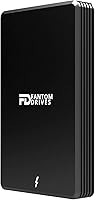
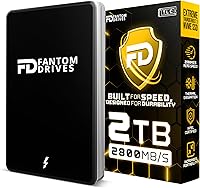
The Fantom Drives eXtreme SSD 2TB (TB3X-2300N2TB) is a premium Thunderbolt 3 external solid state drive aimed squarely at creative professionals who need serious throughput without hauling around a bulky enclosure. Unlike the plastic-shelled competitors that dominate the budget end of this category, this Thunderbolt SSD is housed in a solid aluminum body that feels genuinely durable — not just cosmetically premium. It runs entirely bus-powered, so there's no power brick to worry about on location or in a coffee shop. The 5-year warranty is a meaningful commitment in a space where cheaper alternatives come and go. That said, the price is real, and this drive earns it only if your workflow actually demands what it delivers.
Features & Benefits

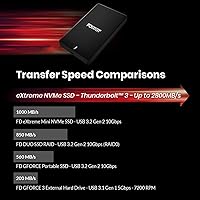
The headline numbers here are 2800 MB/s reads and 2300 MB/s writes over Thunderbolt 3 — figures that matter most when you're regularly moving multi-gigabyte files like uncompressed 4K footage or large RAW photo batches. If your machine lacks a TB3 port, the Fantom eXtreme drive still works via USB 3.2 Gen 2 Type-C at around 1050 MB/s, which keeps it useful across more setups. The aluminum enclosure does double duty as both armor and heat sink, with Fantom's Thermal Dissipation Technology helping prevent the speed throttling that plagues drives during long, sustained transfers. At 9 oz and roughly the size of a deck of cards, it packs into any bag without complaint. A Thunderbolt 3 cable is included out of the box.

Best For

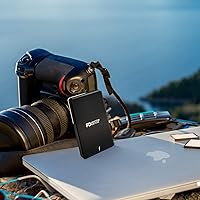
This external solid state drive is built for people whose storage needs have outgrown what USB can offer. Video editors cutting 4K or 6K projects will feel the difference immediately — scrubbing timelines and rendering previews off an external drive at this speed changes how you work. It also doubles as a bootable macOS drive, which is a genuinely useful option for Mac users running multiple system configurations or keeping a clean backup OS. Traveling professionals will appreciate that it needs no adapter, no hub, and no wall outlet. If you're upgrading from an older USB 3.0 or USB-A external, the jump in real-world throughput is substantial. Windows users can use it too, though the experience is most polished on Mac.

User Feedback

Owners consistently report that the Fantom eXtreme drive delivers speeds close to what's advertised — a reassuring sign given how often storage marketing overpromises. Build quality gets frequent praise; people describe it as feeling more like a piece of machined hardware than a typical external drive. On the downside, a handful of Windows users have noted occasional driver headaches, and the drive performs best in an ecosystem where TB3 ports are standard — which on Windows machines is still far from universal. Long-term reliability feedback is mostly positive, with a few buyers citing smooth warranty experiences. The main hesitation in reviews comes down to price: enthusiastic for those who depend on the speed, harder to justify for lighter workloads.

Pros

  • Real-world Thunderbolt 3 speeds hold close to the advertised ceiling during sustained transfers, not just benchmarks.
  • The aluminum enclosure feels genuinely rugged and has held up well for daily-carry users over months of travel.
  • Bus-powered operation means no power brick, no adapter, and no hunting for a wall outlet on location.
  • Plug-and-play on macOS is truly effortless — no drivers, no reformatting, no configuration needed.
  • Can be used as a bootable macOS drive, which opens up flexible multi-system workflows for power users.
  • USB 3.2 Gen 2 Type-C fallback keeps the Fantom eXtreme drive useful on machines without a TB3 port.
  • A Thunderbolt 3 cable is included in the box, which is a genuinely useful addition that most competitors skip.
  • The 5-year warranty is well above category average and gives long-term buyers meaningful peace of mind.
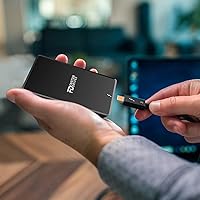
  • At 9 oz and a compact footprint, this Thunderbolt SSD disappears in any bag without adding noticeable weight.
  • 3D NAND TLC flash strikes a practical balance between speed, capacity, and write endurance for professional use.

Cons

  • Windows setup frequently requires BIOS adjustments and driver installation before the drive is properly recognized.
  • No activity LED makes it impossible to tell at a glance whether the drive is actively writing or idle.
  • The included Thunderbolt cable is short enough to limit desk flexibility for users who prefer more slack.
  • Sustained heavy workloads can cause the aluminum body to run hot, particularly in enclosed or low-airflow conditions.
  • Buyers without a TB3-equipped machine get only a fraction of the advertised performance via USB-C fallback.
  • No USB-C to USB-C cable is included, which complicates the fallback connection for users who do not already own one.
  • TLC NAND write endurance may be a consideration for users with extreme daily write volumes over a multi-year horizon.
  • The price is difficult to justify for anyone whose workflow does not regularly stress a USB-based external drive.

Ratings

The scores below reflect AI-driven analysis of verified global buyer reviews for the Fantom Drives eXtreme SSD 2TB (TB3X-2300N2TB), with spam, bot-submitted, and incentivized feedback actively filtered out before scoring. Each category is weighted against real-world usage patterns reported by creative professionals, Mac power users, and traveling workflows. Both the strengths that earned loyalty and the friction points that gave buyers pause are reflected transparently in every score.

Read/Write Performance
93%
Users running 4K and 6K editing workflows consistently report that sustained read speeds hold close to the advertised ceiling during long transfers — not just in burst benchmarks. Photographers offloading large RAW batches describe the process as noticeably faster than anything USB-based they had previously used.
The top-end write speeds are really only accessible through a Thunderbolt 3 port, and a meaningful portion of buyers discovered this after purchase. On USB-C fallback, performance drops to roughly one-third of the TB3 peak, which disappointed users who assumed the USB connection would be similarly fast.
Build Quality
91%
The full aluminum enclosure draws consistent praise — buyers describe it as feeling more like a machined component than a typical external drive. Several users noted that after months of being tossed into camera bags and travel backpacks, the chassis shows minimal wear and the connectors remain tight.
A few users found the drive runs noticeably warm during sustained transfers, even with the thermal design in place. It does not throttle aggressively, but those who keep it in enclosed pouches for long sessions reported the aluminum becoming uncomfortably hot to the touch.
Thermal Management
78%
22%
The aluminum body does pull heat away from the internals effectively enough that most users never experience mid-transfer speed drops during typical editing or backup sessions. For moderate workloads under 20–30 minutes, the thermal performance holds up without any active cooling needed.
Under prolonged heavy loads — think multi-hour continuous backup jobs or extended bootcamp-style disk usage — some users reported the drive warming enough to cause mild throttling. It is not a dealbreaker for most, but buyers running persistent server-style workloads should account for this.
Portability
94%
At 9 oz and roughly the footprint of a thick index card, this external solid state drive genuinely disappears in a bag. The fact that it draws power entirely from the host port means one less cable and one less adapter, which traveling professionals repeatedly highlight as a meaningful quality-of-life advantage.
The drive is slightly thicker than some ultra-slim competitors, which is a minor trade-off for the aluminum housing. A small number of users also wished the included cable were slightly longer for flexible desk setups, though most considered the included length adequate.
Mac Compatibility
96%
Plug-and-play behavior on macOS is consistently described as flawless — no formatting, no driver installation, no configuration. Mac users booting macOS from this Thunderbolt SSD report fast startup times and a responsive experience comparable to internal NVMe storage.
There is very little to criticize here specifically for macOS users. The only edge-case friction reported involves older Mac models with TB2 ports requiring an adapter, which introduces a potential bottleneck that is not immediately obvious from the product listing.
Windows Compatibility
61%
39%
Windows users with proper Thunderbolt 3 ports on modern laptops do get the high-speed performance without major issues once the setup is complete. A handful of Windows buyers reported smooth operation after confirming TB3 support in their system BIOS settings.
Windows compatibility is the most recurring sore spot in user feedback. Several buyers encountered driver conflicts, Thunderbolt certification prompts, or situations where the drive was not recognized until Intel Thunderbolt software was installed or BIOS settings were adjusted. The out-of-box experience is meaningfully worse than on Mac.
Value for Money
67%
33%
For the target buyer — a professional whose time is genuinely billed by the hour and whose workflow involves moving dozens of gigabytes daily — the price-to-performance ratio is considered fair. The included TB3 cable and 5-year warranty add tangible value that cheaper drives omit.
Casual users and those without a consistent need for Thunderbolt-class speeds frequently feel the price is hard to justify. Several reviewers noted that competitive Thunderbolt SSDs have closed the performance gap at lower price points since this model launched, making the value case slightly less clear-cut today.
Setup & Ease of Use
88%
On a compatible Mac, setup requires zero steps beyond plugging it in. The drive formats correctly for macOS out of the box, and users who wanted to reformat for cross-platform use found the process straightforward using Disk Utility or Windows Disk Management.
The ease of use is almost entirely dependent on the host machine. Buyers who were unaware of the TB3 port requirement — or who assumed any USB-C port would deliver full speed — had a noticeably worse initial experience and felt the listing could be more explicit about this.
Long-Term Reliability
82%
18%
The majority of owners who have used the drive for a year or more report no failures or degradation in performance. The 3D NAND TLC flash combined with the aluminum housing appears to hold up well under professional daily use, and several users cite it as their most dependable external drive to date.
TLC NAND has a finite write endurance ceiling compared to MLC alternatives, and a small number of long-term heavy users raised questions about write longevity under extreme workloads. No widespread failure pattern emerged in reviews, but users writing hundreds of terabytes per year should factor this in.
Warranty & Support
84%
A 5-year warranty stands out strongly in the external SSD category, where 1- or 3-year coverage is the norm. Buyers who have actually filed warranty claims describe Fantom Drives support as responsive and resolution-oriented, which builds meaningful confidence for a premium purchase.
A handful of users reported slower-than-expected response times during initial warranty inquiries, particularly for international buyers. The support experience appears solid but not consistently exceptional, which is the main reason this score sits just below the top tier.
Cable & Accessories
76%
24%
Including a Thunderbolt 3 cable in the box is a genuinely appreciated touch — these cables are not cheap, and most competing drives at similar price points do not include one. Buyers heading straight into a production workflow found it a useful, ready-to-go detail.
The included cable is relatively short, which limits desk flexibility for users who need some distance between their machine and the drive. A few buyers also wished a USB-C to USB-C cable were included for the fallback connection mode, since not all users have one readily available.
Heat Dissipation During Boot Use
73%
27%
Users running macOS off this external solid state drive as a full boot disk report that thermal management holds adequately for multi-hour continuous sessions. The aluminum chassis does its job well enough that most boot-disk users never experience performance complaints tied to temperature.
Extended boot-disk use on a MacBook sitting on a soft surface — like a couch or bed — can trap heat around the drive, accelerating warm-up. A small group of users reported unexpected shutdowns in these conditions, suggesting airflow around the drive matters more than it initially appears.
Noise & Vibration
97%
Being a solid state drive with no moving parts, it operates in complete silence under all conditions. Users working in quiet recording studios or acoustically sensitive environments specifically called out the zero-noise operation as a meaningful advantage over even the quietest spinning drives.
There is nothing meaningful to critique here. This is an inherent advantage of flash-based storage and the Fantom eXtreme drive delivers exactly what any SSD should in this regard.
Form Factor & Desk Presence
89%
The minimalist black aluminum look earns consistent aesthetic praise, particularly from Mac users whose desks tend toward clean, minimal setups. Several buyers described it as one of the few external drives that does not look out of place next to a MacBook Pro or Mac Studio.
There is no status LED or activity indicator, which a subset of users found frustrating — it is not always obvious whether the drive is actively writing or simply idle. This is a minor usability gap that a small indicator light would easily resolve.

Suitable for:

The Fantom Drives eXtreme SSD 2TB (TB3X-2300N2TB) is purpose-built for creative professionals who move large files as a core part of their daily workflow — think video editors cutting 4K or 6K footage on location, photographers offloading hundreds of RAW files between shoots, or motion graphics artists who need a fast scratch disk that travels with them. Mac users in particular get the most out of this drive, whether they are running it as a bootable macOS volume, a fast editing cache, or a reliable archive that keeps up with the pace of professional production. Travelers and field-based professionals will appreciate that the drive needs no power adapter and no hub — just one cable, one port, and it works. The heavy-duty aluminum enclosure makes it a realistic daily-carry option in a way that thinner plastic-bodied drives simply are not. Anyone upgrading from a USB 3.0 spinning disk or even a USB-A SSD will find the throughput jump substantial enough to change how they approach file-heavy tasks.
Not suitable for:

If you do not have a Thunderbolt 3 port on your primary machine, this external solid state drive is not the right fit — and it is worth checking carefully before purchasing, because many USB-C ports do not support Thunderbolt even if they look identical. Windows users face a steeper setup curve, with BIOS configuration and driver installation often required before the drive is recognized correctly, which undercuts the plug-and-play experience Mac users take for granted. Casual users storing documents, streaming media, or doing light photo backups will find the price hard to rationalize — the speed ceiling here only pays off when you are pushing serious data volumes on a regular basis. Anyone hoping to use this as a cross-platform drive shared frequently between Windows and Mac machines should also be prepared for more friction than the marketing suggests. And if your workloads involve extremely prolonged continuous writes — think overnight backup jobs running for hours uninterrupted — the drive can run warm in ways that may concern users who prioritize cool operation above all else.

Specifications

  • Interface: Connects via Thunderbolt 3 and Thunderbolt 4 at up to 40 Gbps, with backward compatibility over USB 3.2 Gen 2 Type-C at approximately 1050 MB/s.
  • Sequential Read: Achieves sequential read speeds of up to 2800 MB/s under Thunderbolt 3 connection.
  • Sequential Write: Delivers sequential write speeds of up to 2300 MB/s under Thunderbolt 3 connection.
  • Capacity: Available in this configuration as a 2TB drive; 1TB and 4TB variants are also offered in the same product family.
  • Flash Type: Uses 3D NAND TLC flash storage, balancing high transfer performance with reasonable endurance and cost efficiency at this capacity.
  • Enclosure Material: Housed in a heavy-duty aluminum enclosure that doubles as a passive heat sink to support thermal management during intensive use.
  • Thermal Management: Incorporates Fantom Drives Thermal Dissipation Technology to reduce heat buildup and minimize speed throttling during sustained workloads.
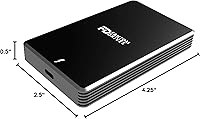
  • Dimensions: Measures 2.5″ long by 0.5″ thick by 4.25″ wide, making it compact enough to fit in a shirt pocket or small gear pouch.
  • Weight: Weighs 9 oz, light enough for daily carry without meaningfully adding to a laptop bag or travel kit.
  • Power: Fully bus-powered via the Thunderbolt or USB-C connection; no external power supply or AC adapter is required.
  • Included Cable: Ships with one Thunderbolt 3 cable; no additional USB-C cable is included in the box.
  • Form Factor: 2.5-inch external drive format with no moving parts, relying entirely on flash-based solid state storage.
  • OS Compatibility: Compatible with macOS, Windows, and Linux systems that have a Thunderbolt 3 port or USB 3.2 Gen 2 Type-C port.
  • Bootable: Fully supported as a bootable external drive for macOS, allowing users to run a complete operating system installation from the drive.
  • Warranty: Backed by a 5-year limited warranty from Fantom Drives, which is significantly longer than the 1- to 3-year coverage common among competing external SSDs.
  • Color: Available in black with a matte aluminum finish that resists fingerprints and minor surface scratches under normal handling.
  • ASIN: Listed on Amazon under ASIN B08D9W2KDW, first made available in July 2020.

Related Reviews
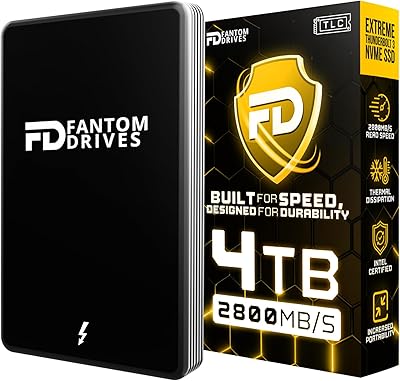
Fantom Drives eXtreme SSD 4TB
85%
92%
Data Transfer Speed
89%
Build Quality
85%
Compatibility with Devices
94%
Setup and Ease of Use
88%
Portability and Size
More
SSK 2TB USB SSD Drive
85%
89%
Performance (Read/Write Speed)
91%
Build Quality & Durability
85%
Portability & Size
77%
Compatibility with Devices
90%
Waterproof & Shock Resistance
More
Gigastone 2TB NAS SSD Drive
87%
89%
Performance Speed
93%
Durability (Shock, Water, Dust Resistance)
90%
Compatibility with NAS & RAID Systems
87%
Long-Term Reliability
91%
Power Loss Protection and Data Integrity
More
SanDisk 2TB Extreme PRO Portable SSD
87%
91%
Performance (Read Speeds)
94%
Build Quality & Durability
78%
Write Speeds
88%
Portability & Size
85%
Ease of Use & Setup
More
SanDisk Professional G-DRIVE SSD 2TB
88%
94%
Performance
91%
Durability
87%
Ease of Use
92%
Transfer Speed
86%
Compatibility
More
SanDisk 2TB Extreme Portable External SSD
89%
91%
Performance
94%
Durability
89%
Portability
82%
Value for Money
88%
Ease of Use
More
SanDisk 2TB Extreme M.2 NVMe SSD
86%
94%
Read Speed Performance
90%
Installation Ease
70%
Thermal Management
92%
Capacity and Storage Options
89%
System Compatibility
More
SanDisk 2TB Extreme PRO Dual Drive USB
86%
94%
Performance (Speed)
88%
Build Quality
90%
Portability
85%
Ease of Use
91%
Compatibility
More
OWC Mercury Extreme Pro 6G 2TB SSD
89%
91%
Performance
89%
Read/Write Speed
92%
Durability
93%
Compatibility with Mac and PC
87%
Installation Ease
More
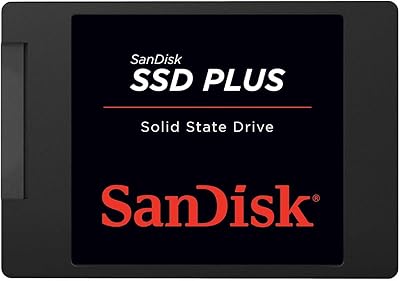
SanDisk SSD PLUS 2TB Internal SSD
86%
89%
Performance
92%
Value for Money
88%
Ease of Installation
85%
Durability
90%
Compatibility
More

FAQ

Yes, absolutely. To hit the advertised speeds, your machine needs a genuine Thunderbolt 3 port — not just any USB-C port. Many laptops, especially older Windows machines, have USB-C ports that look identical but do not support Thunderbolt. If you plug this drive into a standard USB-C port, you will get USB 3.2 Gen 2 speeds of around 1050 MB/s, which is still respectable but well below the TB3 ceiling. Check your laptop specs carefully before purchasing.

You can, provided your Windows machine has a Thunderbolt 3 certified port. The setup process on Windows is more involved than on Mac — you may need to enable Thunderbolt support in your BIOS and install Intel Thunderbolt software for the drive to be recognized properly. Once configured, performance is strong, but the out-of-box experience is not as frictionless as it is on macOS.

Yes. Thunderbolt 4 is backward compatible with Thunderbolt 3 devices, so this external solid state drive works at full Thunderbolt 3 speeds when connected to a TB4 port. You will not get any additional speed uplift beyond TB3 performance, but compatibility is not an issue.

Yes, and it works well for this purpose. You can install macOS onto the Fantom eXtreme drive and boot your Mac from it reliably. The read speeds over Thunderbolt make startup and app launching noticeably fast — far better than what you would experience with a USB-based boot drive.

It does warm up during sustained, intensive transfers — that is normal behavior for a high-performance SSD in a passive aluminum housing. The aluminum body is designed to pull heat away from the internals, and for most typical workloads it manages well without throttling. If you are running very long continuous write sessions, you may notice the chassis becoming warm to the touch, so it is worth leaving it in open air rather than tucked inside an enclosed case during heavy work.

A Thunderbolt 3 cable is included in the box, which is a genuinely useful addition since TB3 cables are not cheap and many competitors leave them out. Note that no USB-C to USB-C cable is included, so if you plan to use the USB fallback connection on a machine without TB3, you will need to supply your own cable.

This Thunderbolt SSD ships formatted for Mac, typically in HFS+ or APFS, which means it is ready to use on macOS without any setup. Windows users will need to reformat it to NTFS or exFAT using Disk Management. If you want cross-platform compatibility without reformatting tools, exFAT is the most practical choice.

Fantom Drives covers this drive against manufacturing defects for 5 years from the date of purchase. Users who have gone through the warranty process generally report that Fantom Drives support is responsive and resolves issues without excessive back-and-forth. Having your proof of purchase on hand speeds up the process considerably.

Based on real-world feedback, yes. The full aluminum enclosure is meaningfully sturdier than plastic-bodied drives, and regular travelers report that it holds up well after months of being carried in camera bags and backpacks. It is not rated for drops or water resistance, so treat it like any precision device — protected, not pampered.

For a video editor working with 4K or higher footage on a Mac, this external solid state drive is a strong fit as a project drive or fast scratch disk. The sustained read speeds are high enough to handle multi-stream editing without the buffering or lag you get from slower externals. If you are editing compressed 1080p footage occasionally, the performance advantage over a good USB SSD shrinks considerably and the price difference becomes harder to justify.