



Overview

The Canvia 24-Inch Smart Digital Art Frame is a premium wall-art display built for homeowners who care as much about aesthetics as they do about technology. Unlike ordinary digital photo frames that simply cycle through snapshots, this smart art frame uses ArtSense ambient-light sensing to adjust colors and brightness in real time, making paintings look genuinely convincing on the wall. The 24-inch canvas-style surface comes in four hardwood finishes, so it blends naturally into most interior styles. It carries a 3.6-star average from 244 reviews — a score that reflects a genuinely divided audience rather than a clear winner. New buyers receive a free one-year subscription to over 10,000 curated artworks; after that, 500 pieces remain free.

Features & Benefits

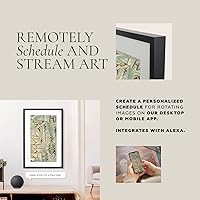
The display itself is where this wall-art display makes its strongest impression. The full-HD anti-glare screen does a convincing job of suppressing reflections, and the ArtSense engine continuously monitors room lighting to tweak colors on the fly — a noticeable difference compared to frames with static settings. When photos or artwork do not match the screen ratio, the system quietly repositions and zooms rather than leaving awkward black bars. Connectivity options are broad: Google Photos sync, NFT wallet integration, and direct uploads through the mobile app all work through a single interface. With 16 GB onboard storage, you can keep a solid library of content available even without Wi-Fi. Alexa commands and VESA mount support round out a flexible feature set.

Best For

This smart art frame suits interior design enthusiasts who want a rotating gallery without the cost or permanence of physical prints. It also makes sense for remote workers who want something more inspiring on their home-office wall than a blank screen. NFT collectors in particular will appreciate having a dedicated, high-quality display rather than defaulting to a laptop or TV. As a gift, it occupies an interesting position — substantial enough to feel considered, tech-forward enough to impress. Households with existing Alexa setups will find voice control a natural extension of their routine. That said, anyone who prefers zero ongoing costs should weigh the subscription renewal fee carefully before purchasing.

User Feedback

Owners of the Canvia digital canvas tend to be most enthusiastic about one thing: image quality. Many describe the way paintings appear on the matte surface as genuinely surprising — more convincing than they expected from a digital display. The hardwood frame construction also earns consistent praise. On the other side, app reliability comes up frequently as a frustration, with some users reporting Wi-Fi drops and connectivity issues that interrupt playlists. Setup complexity varies; a portion of buyers find the onboarding process clunky. The subscription question is where opinions split most sharply — those who discovered the annual renewal cost only after purchase felt blindsided. Out-of-box content variety without a paid plan also disappointed a notable share of buyers.

Pros

  • The matte anti-glare display makes fine art look convincingly close to an actual canvas or print.
  • Ambient light sensing adjusts colors automatically, so the image always looks natural regardless of room lighting.
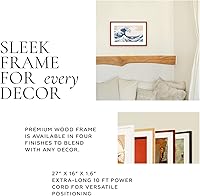
  • Four hardwood finish options mean this wall-art display fits most interior styles without looking out of place.
  • A full year of access to 10,000-plus curated artworks is included at purchase, providing immediate value.
  • 16 GB of onboard storage allows offline playback without a constant Wi-Fi connection.
  • Playlist scheduling by hour or day makes it easy to set a rotation and forget about it.
  • NFT wallet integration gives crypto art collectors a dedicated, high-quality display solution.
  • VESA mount compatibility and both landscape and portrait orientations offer genuine installation flexibility.
  • Alexa voice control lets you switch playlists or adjust settings without touching the app.
  • Google Photos sync makes it straightforward to pull in personal photos alongside curated artwork.

Cons

  • The companion app has a documented history of connectivity issues and reliability complaints from real owners.
  • After the first year, the subscription cost catches many buyers off guard — it is not prominently disclosed upfront.
  • The free tier of 500 artworks feels thin for day-to-day variety once the novelty wears off.
  • At 11.6 pounds, wall mounting requires hardware and confidence; this is not a casual install.
  • Onboarding complexity varies widely, and some buyers report a confusing initial setup process.
  • Wi-Fi drops can interrupt scheduled playlists, which undermines the hands-off experience the device promises.
  • NFT and Google Photos integrations, while present, have drawn mixed feedback about reliability and ease of use.
  • The 3.6-star average from over 200 reviews signals that a notable share of buyers have had disappointing experiences.

Ratings

The scores below reflect our AI-driven analysis of verified buyer reviews for the Canvia 24-Inch Smart Digital Art Frame, gathered from customers worldwide with spam, bot, and incentivized submissions actively filtered out. Each category is scored independently to give you an honest picture of where this smart art frame genuinely excels and where real owners have run into friction. Both the strengths and the recurring pain points are transparently reflected so you can make a well-informed decision.

Display Quality
83%
Owners consistently praise how convincingly the matte anti-glare panel mimics the texture of a physical canvas or print. In well-lit living rooms, the ambient light sensor keeps colors looking natural and balanced throughout the day, which is something most digital frames fail to achieve at any price point.
A small but vocal group of buyers found that in rooms with mixed or directional lighting, the auto-adjustment occasionally overcorrects, producing slightly cool or flat tones. At 1080p on a 24-inch panel, very close viewing of high-detail artwork can reveal pixel structure that breaks the illusion.
Build Quality
81%
19%
The maple hardwood frame is one of the most consistently praised physical attributes across owner reviews, with buyers noting it feels and looks genuinely premium rather than plasticky. The slim 1.5-inch depth keeps the unit close to the wall, contributing to the gallery-style aesthetic most buyers are after.
At 11.6 pounds, the frame demands a properly anchored mount, and a few buyers were caught off guard by the weight after unboxing. There are also isolated reports of minor cosmetic inconsistencies in the frame finish on units received at retail.
App Reliability
47%
53%
When the app works as intended, content management is reasonably intuitive — uploading personal photos, building playlists, and scheduling rotations can be done in a few taps. Users who set up the frame on a stable 2.4 GHz network and kept the app updated reported a smoother experience than the average rating suggests.
App reliability is the single most cited frustration across owner reviews. Connectivity drops, playlists failing to sync, and the app losing its pairing with the frame are recurring issues that appear across multiple firmware generations. For a device that depends entirely on its software layer to function, this drags the overall ownership experience down significantly.
Setup Experience
54%
46%
Buyers with a basic familiarity with smart home devices generally describe the initial Wi-Fi pairing and account creation as manageable and comparable to setting up a streaming stick. Those who prepared by updating the app before unboxing tended to report a faster start.
A meaningful share of owners describe the onboarding process as confusing, particularly around connecting the frame to the Canvia account and getting playlists to populate correctly the first time. Customer support responsiveness during setup issues has drawn mixed feedback, which compounds the frustration for less technical users.
Value for Money
51%
49%
The combination of a premium hardwood frame, a large matte display, and a year of curated art access does represent a tangible bundle of value at launch, and buyers who actively use the art library tend to feel the first year justifies the price.
The subscription renewal cost after year one catches a notable portion of buyers off guard, and the free tier of 500 artworks feels sparse for daily rotation. At this price tier, buyers compare the frame against high-end alternatives and expect both the hardware and software experience to be polished — and the app reliability gap makes the value proposition harder to defend long-term.
Art Library Depth
74%
26%
With over 10,000 works spanning classic museum pieces and contemporary artists, the curated library gives art enthusiasts genuine variety for daily rotation during the included subscription year. Buyers who enjoy exploring lesser-known contemporary works alongside recognizable classics find the breadth satisfying.
The always-free tier of 500 artworks is noticeably limited for users who do not renew, and some buyers felt the library skewed heavily toward certain artistic styles, leaving gaps for those interested in specific movements or regional art traditions.
Content Compatibility
68%
32%
The ability to pull in personal photos via Google Photos sync, upload videos, and display NFT wallet content in a single unified playlist is genuinely versatile for a home display device. Buyers who use it primarily for personal photo slideshows report solid results with common image formats.
NFT wallet integration works in principle but has drawn complaints about reliability depending on the specific wallet type used, and Google Photos sync occasionally fails to reflect recent albums without manual refreshing. Video playback quality and format support also received mixed feedback from owners who tried loading custom content.
Scheduling & Playlists
77%
23%
The ability to schedule specific artworks or collections by hour, day, or day of the week is a feature that hands-off users genuinely appreciate — setting a calming landscape for mornings and bolder abstract work for evenings is exactly the kind of customization that justifies a smart frame over a static print.
Playlist scheduling relies entirely on the app functioning reliably, and when connectivity issues arise, scheduled rotations can fail silently without notification. A few buyers also noted that the interface for creating complex multi-week schedules is not as intuitive as it could be.
Alexa Integration
71%
29%
For households already running Amazon Echo devices, voice control adds a layer of convenience that feels natural — asking Alexa to switch to a specific playlist or pause the frame mid-conversation is a small but genuinely useful touch. The integration works reliably for basic commands according to the majority of users who tested it.
The range of Alexa commands is limited compared to what the companion app can do, so voice control functions more as a supplement than a replacement for the app. Users who expected deep smart home integration were occasionally disappointed by the narrow command set.
Ambient Light Sensing
78%
22%
The real-time light adjustment is one of the more technically impressive aspects of this wall-art display, and buyers in rooms with variable natural light — such as south-facing living rooms — notice a meaningful difference compared to frames with fixed brightness settings. Artwork genuinely looks more natural across different times of day.
In rooms with rapidly shifting light sources, such as rooms with both overhead lighting and a TV, the sensor can produce subtle but visible brightness fluctuations that some owners find distracting during longer viewing sessions.
Installation Flexibility
79%
21%
VESA mount compatibility opens up a wide range of third-party mounting solutions, and the portrait or landscape orientation support means it accommodates artwork of nearly any proportion. Buyers who invested in a good-quality articulating VESA arm report that the installation result looks genuinely gallery-worthy.
Wall mounting a nearly 12-pound frame is not a casual project, and the included mounting hardware has received lukewarm feedback. Renters or buyers who anticipated a simpler hanging solution found the requirements more involved than expected.
Offline Functionality
73%
27%
The 16 GB of onboard storage provides enough room to cache a solid personal library, and buyers in areas with unreliable internet report that offline playback of pre-loaded content runs smoothly without buffering or interruptions.
Offline mode only covers content that has been explicitly downloaded or cached — streaming from the art library requires an active connection, so buyers who experience frequent Wi-Fi drops effectively lose access to most of their curated content until connectivity is restored.
Physical Footprint
76%
24%
At 27 inches wide and just 1.5 inches deep, this smart art frame occupies wall space efficiently and does not protrude noticeably from the surface, which buyers in smaller rooms and apartments specifically appreciate. The four finish options help it blend rather than dominate a wall.
The 24-inch screen size, while generous, sits in an awkward middle ground for some buyers — large enough to feel substantial but not quite as commanding as a 32-inch-plus display for open-plan living spaces. A few buyers mentioned they wished a larger version were available.

Suitable for:

The Canvia 24-Inch Smart Digital Art Frame is a strong fit for design-conscious homeowners who want their walls to feel like a curated gallery rather than a static display. Art enthusiasts who rotate between classic museum pieces and contemporary works will appreciate the depth of the built-in library and the scheduling flexibility that keeps the experience feeling fresh. Remote workers and home-office owners who spend long hours staring at the same four walls will find real value in a large-format display that changes with the time of day or the mood of the week. NFT collectors finally have a purpose-built screen that connects directly to a crypto wallet — no workarounds or repurposed monitors needed. It also works well as a premium gift for someone who appreciates both technology and interior design, particularly if they already use Alexa-enabled devices throughout their home.

Not suitable for:

The Canvia 24-Inch Smart Digital Art Frame is likely the wrong choice for buyers who expect a zero-hassle plug-and-play experience, as the app-based setup has frustrated a meaningful portion of owners. Anyone on a tight budget should think carefully: the upfront cost is significant, and the curated art library that makes this wall-art display most compelling requires a paid subscription after the first year — a recurring cost that surprised many buyers after purchase. The free tier of 500 artworks is genuinely limited for daily use, so those who want variety without an ongoing fee will eventually feel constrained. Tech-averse users who dislike troubleshooting Wi-Fi connectivity or app glitches may find ownership more frustrating than rewarding. At 11.6 pounds, this smart art frame also demands a properly anchored wall mount, making it unsuitable for renters or anyone hesitant about drilling into walls.

Specifications

  • Screen Size: The display measures 24 inches diagonally, providing a canvas-scale viewing area suitable for wall installation.
  • Resolution: The screen outputs at 1080p Full HD, delivering sharp detail across fine art reproductions, personal photos, and video content.
  • Display Finish: An anti-glare matte coating covers the panel surface, reducing reflections and contributing to the painted-canvas visual effect.
  • Dimensions: The overall unit measures 27″ wide by 18″ tall by 1.5″ deep, keeping the profile slim against the wall.
  • Weight: The assembled frame weighs 11.6 pounds, which requires a secure wall anchor or VESA-rated mount for safe installation.
  • Frame Material: The outer frame is constructed from premium maple hardwood and is available in four distinct color finishes.
  • Onboard Storage: 16 GB of internal storage allows the device to hold a substantial library of images and video content for offline playback.
  • Connectivity: The device connects to home networks via Wi-Fi and supports Google Photos, NFT wallet integration, and mobile app control over iOS and Android.
  • Voice Control: Amazon Alexa integration enables hands-free playback control, playlist switching, and basic device commands through compatible Echo devices.
  • Mount Support: VESA mount compatibility allows the frame to be installed using standard third-party wall mounts in addition to direct wall hanging.
  • Orientation: The frame can be positioned in either landscape or portrait orientation to accommodate a wide range of artwork aspect ratios.
  • Light Sensor: A built-in ambient light sensor continuously monitors room brightness and adjusts image color and intensity in real time.
  • Sleep Mode: The device automatically enters a power-saving sleep mode when the sensor detects that the room has gone dark.
  • Art Library: Purchase includes a one-year subscription to a curated library of over 10,000 paintings and photographs; 500 artworks remain accessible at no charge after the subscription lapses.
  • Playlist Scheduling: Users can build custom playlists and schedule specific artworks or collections to display by hour, day, or day of the week.
  • Video Playback: The frame supports personal video uploads via the mobile app, enabling video content to be included alongside static artwork in playlists.
  • NFT Support: Users can connect a crypto wallet through the Canvia app to import and display purchased NFT artwork directly on the frame.
  • App Compatibility: The companion Canvia app is available for both iOS and Android devices and serves as the primary interface for content management.
  • Manufacturer: The Canvia 24-Inch Smart Digital Art Frame is manufactured by Palacio Inc. and was first made available in November 2019.
  • Model Number: The official model identifier for this unit is CANVIA16GB, which corresponds to the 16 GB storage configuration.

Related Reviews
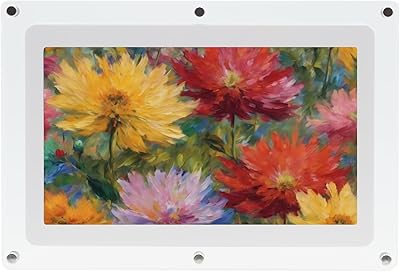
Canvia Kinetic Digital Art Frame 7-inch
84%
88%
Display Quality
92%
Ease of Setup
68%
Battery Life
85%
NFT Display Performance
90%
Portability
More
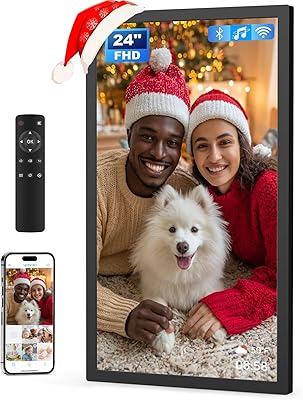
Arktronic 24-inch Digital Picture Frame
83%
91%
Display Quality
87%
Ease of Use
88%
Storage Capacity
85%
WiFi Connectivity
83%
Build Quality
More
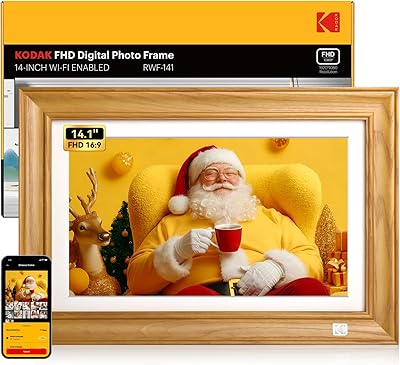
Kodak 14.1-inch WiFi Digital Picture Frame
76%
91%
Display Quality
88%
Build & Design
67%
App Experience
72%
Setup & Connectivity
83%
Photo Sharing
More
Pixedge Frameo 10.1-inch Digital Photo Frame
81%
88%
Ease of Setup
79%
App Experience
74%
Display Quality
91%
Remote Photo Sharing
77%
Build Quality
More
KODAK 8-Inch Digital Picture Frame
78%
93%
Ease of Setup
84%
Display Quality
88%
Simplicity & Usability
61%
Remote Control
89%
Auto On/Off Timer
More
Divoom Pixoo Pixel Art Digital Frame
87%
88%
App Control Experience
91%
Display Quality
85%
Customization Options
92%
Ease of Setup
83%
Battery Life
More
Canupdog BOLYDOOM 16-Inch Digital Picture Frame
77%
83%
Display Quality
78%
Ease of Setup
67%
App Performance
88%
Storage & Capacity
71%
Build Quality
More
Atatat Digital Picture Frame 10-inch
84%
90%
Display Quality
85%
Ease of Setup
88%
Slideshow Functionality
80%
Build Quality
83%
Remote Control Usability
More
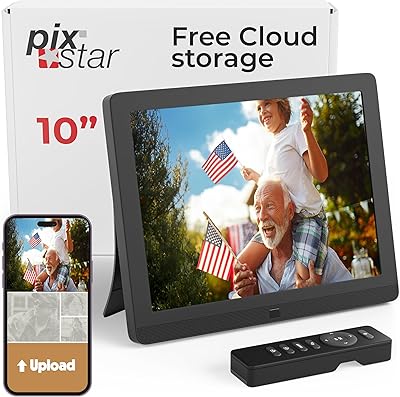
Pix-Star 10-inch WiFi Digital Photo Frame
77%
88%
Ease of Setup
91%
Photo Delivery Experience
73%
Display Quality
94%
No-Subscription Value
62%
App Reliability
More
Atatat 8-Inch Digital Photo Frame

84%
88%
Image Quality
94%
Ease of Setup
90%
Versatility (Display Options)
65%
Build Quality
85%
Functionality (Music & Video Support)
More

FAQ

You get a one-year subscription to the full library of over 10,000 artworks included with your purchase, so there is no additional cost for the first year. After that, you can keep using 500 artworks at no charge, but access to the full rotating library requires a paid renewal. It is worth factoring that ongoing cost into your decision before buying.

Setup is app-driven and involves connecting the frame to your Wi-Fi network and creating a Canvia account. Most buyers find it manageable, but a notable portion of owners have reported that the process felt clunky or took longer than expected. If you run into trouble, having your Wi-Fi password handy and keeping your phone close to the frame during setup tends to help.

Personal photos are fully supported. You can upload your own images through the Canvia mobile app or sync directly with Google Photos, and then mix them into playlists alongside curated artwork. Videos can also be uploaded and played back through the frame.

Because the frame has 16 GB of onboard storage, content you have already loaded can continue playing without an active internet connection. Streaming from the online art library will pause until connectivity is restored, but locally stored photos and videos will keep running.

At 11.6 pounds, this smart art frame is heavier than a typical photo frame, so a standard picture hook is probably not sufficient. You will want to use a proper wall anchor rated for the weight, or a VESA-compatible mount. If you are renting or reluctant to drill, that is worth considering before purchasing.

Yes, it integrates with Alexa. Voice commands can handle things like switching playlists and basic playback control. It is a convenient addition for households already using Echo devices, though the core content management still happens through the mobile app.

The matte anti-glare finish does a genuinely good job of reducing the glassy appearance common on most digital displays, and the ambient light sensor adjusts the image dynamically so colors do not look washed out in bright rooms or oversaturated at night. Many owners say fine art prints look more convincing than they expected, though it is still a screen rather than a physical canvas.

NFT wallet integration is supported through the Canvia app, allowing you to import digital art you own and add it to your playlists. In practice, some users have reported that the integration can be finicky depending on the wallet type, so it is worth checking current compatibility on the Canvia website before assuming your specific wallet will connect without issues.

Yes, it supports both portrait and landscape orientations, which is useful since artwork proportions vary widely. The ArtSense system also automatically adjusts zoom and positioning to handle aspect ratio differences, so images should not display with awkward black bars regardless of orientation.

The Canvia digital canvas comes in four color finishes, all built from maple hardwood. Build quality consistently earns positive feedback from owners — the frame feels and looks premium in person, which matters at this price point. If the finish selection is important to your decor, check the current available options on the product listing since color availability can change over time.