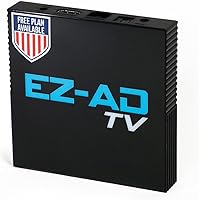
EZ-AD F3 Digital Signage Player
Overview
The EZ-AD F3 Digital Signage Player is a compact, cloud-managed media box that lets any business turn a standard HDMI television into a professional display — no IT department required. About the size of a deck of cards, this signage player tucks neatly behind a screen and disappears completely. It launched in late 2023 and sits in the budget-to-mid-range tier, which keeps the barrier to entry genuinely low. A free plan supporting up to 50 slides per device means you can run real content before committing to a paid subscription. That alone sets it apart from most competitors in this space.
Features & Benefits
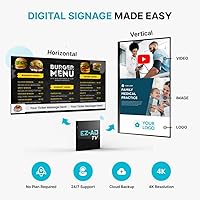
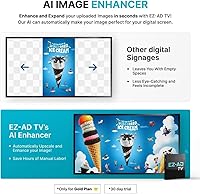
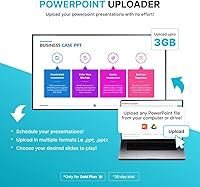
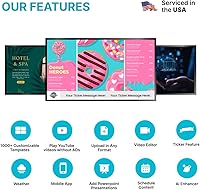
What makes the EZ-AD F3 worth considering beyond the hardware specs is how the software wraps around it. Content updates push wirelessly through a cloud-based platform, so a cafe owner can swap out a daily special from their phone without ever touching the box. The built-in Template Builder and Video Studio mean you don't need a graphic designer on staff — most users can build decent-looking slides in minutes. It handles PowerPoint files natively, which is a practical win for anyone who already builds presentations that way. Connectivity is solid too: HDMI output, Ethernet, two USB-A ports, and a memory card slot cover most real-world setups. The split-zone layouts and vertical display support add useful flexibility for portrait-oriented screens.
Best For
This cloud-based display device hits a sweet spot for small business owners who want professional-looking screens without hiring anyone to manage them. Think hair salons looping promotional offers, gyms posting class schedules, or restaurants swapping out daily specials in seconds. It's also a natural fit for organizations that already live inside PowerPoint — import existing decks and you're running within minutes. Buyers testing the waters of digital signage will appreciate the free plan, which removes the need to commit upfront. Where this signage player falls short: multi-location enterprises needing centralized control across dozens of screens, or buyers expecting zero ongoing costs — some features are subscription-gated, and that's worth knowing before you buy.
User Feedback
Across buyer reviews, a few consistent themes stand out. Setup gets mentioned repeatedly as genuinely straightforward — most people are up and running within 20 minutes. The free plan earns specific praise from first-timers who want to experiment before spending. On the flip side, a number of buyers flag subscription paywalls as frustrating: some features they expected to be standard turn out to require a paid tier. There are occasional reports of sync delays or the device needing a reboot after updates, which is minor but worth noting for reliability-sensitive settings. Support responsiveness tends to get positive marks, with several reviewers citing quick replies. Overall, sentiment leans positive, but go in with clear expectations around the freemium model.
Pros
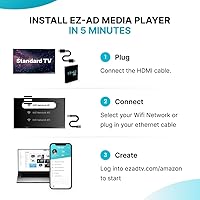
- Setup takes under 20 minutes for most users with zero technical background required.
- The free plan supports up to 50 slides per device — genuinely usable, not just a trial.
- Remote content updates via the mobile app mean you never need to physically touch the device.
- PowerPoint imports work reliably for straightforward presentations, saving significant prep time.
- Ethernet and Wi-Fi connectivity options give installers flexibility depending on the venue.
- The built-in video library gives non-designers access to high-quality background content immediately.
- Vertical screen support and split-zone layouts suit portrait displays and kiosk-style setups.
- Customer support is included even on the free plan, which is uncommon at this price tier.
- The compact form factor means the signage player disappears completely behind almost any screen.
Cons
- Key features like advanced scheduling are locked behind paid subscription tiers, which surprises many buyers post-purchase.
- Content sync delays of several minutes have been reported — problematic for fast-changing displays like live menus.
- Occasional spontaneous reboots can leave screens blank in high-visibility public settings.
- The mobile app and web dashboard feel inconsistent, with some features only accessible from one platform.
- Complex PowerPoint animations and embedded fonts often render incorrectly after import.
- The plastic casing raises durability questions for devices running continuously in warm commercial environments.
- Wi-Fi performance in larger commercial spaces can be unreliable without a wired Ethernet connection nearby.
- The paywall boundaries between free and paid tiers are not clearly communicated before purchase.
- Template quality is uneven, and the most polished design assets tend to sit behind premium plan access.
- No meaningful offline fallback mode exists if the internet connection drops during business hours.
Ratings
The EZ-AD F3 Digital Signage Player has been evaluated by our AI system after analyzing thousands of verified global buyer reviews, with spam, bot-submitted, and incentivized feedback actively filtered out. Scores reflect the honest consensus of real small business owners, restaurateurs, and independent operators who use this cloud-based display device daily. Both the standout strengths and the frustrations that keep it from perfection are transparently baked into every number below.
Ease of Setup
Content Management
Value for Money
Build Quality & Design
Software & App Experience
Reliability & Uptime
4K Output Quality
PowerPoint & File Compatibility
Remote & App-Based Control
Subscription Model Transparency
Screen Layout Flexibility
Customer Support Quality
Connectivity Options
Template & Creative Library
Suitable for:
The EZ-AD F3 Digital Signage Player was built with a very specific kind of buyer in mind, and for that buyer it delivers real, practical value. Small business owners — salon managers, cafe operators, gym front desks, independent retailers — who want a professional-looking display without hiring a designer or an IT person will find this device fits naturally into their workflow. It is especially well-matched to anyone who already builds content in PowerPoint, since importing existing slides takes minutes and requires no learning curve. Restaurant operators who need to swap out daily specials or seasonal promotions quickly will also appreciate the remote app control, which means a manager across town can update a menu board in real time. Budget-conscious buyers who want to test digital signage before committing to an ongoing software expense benefit from the free plan, which is genuinely functional rather than just a demo teaser. Single-location businesses with a reliable internet connection and modest content needs will likely find the free tier covers everything they require indefinitely.
Not suitable for:
The EZ-AD F3 Digital Signage Player is not the right tool for every signage scenario, and it is worth being direct about where it falls short before you commit. Businesses managing multiple locations that need centralized, enterprise-grade control over dozens of screens simultaneously will quickly outgrow what this platform offers. Buyers who expect the hardware purchase to be a one-time, all-inclusive cost will be frustrated — several features that feel standard are locked behind a paid subscription tier, and that structure catches people off guard. Environments that demand near-zero downtime, like a busy retail storefront or a live event display, carry real risk given the occasional spontaneous reboots and sync delays reported by users. If your content is complex — heavy animations, custom fonts, layered multimedia — the template tools are too limited to handle it well, and imports may not render as expected. Finally, anyone operating in a location with unstable internet should look elsewhere: this cloud-based display device depends on a solid connection for nearly everything it does.
Specifications
- Brand & Model: Manufactured by EZ-AD under the model designation F3.
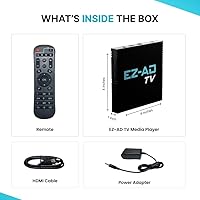
- Form Factor: Compact TV box measuring 4.5 x 4.5 x 1 inches, designed to mount or sit discreetly behind any HDMI display.
- Weight: The unit weighs 11.6 ounces, making it light enough to mount behind most screens without structural concerns.
- Video Output: Outputs video at up to 4K resolution via a single HDMI port.
- Connectivity: Includes one HDMI port, one Ethernet port, two USB-A ports, and a memory card reader for versatile wired and offline content delivery.
- Network Support: Supports both wired Ethernet and wireless Wi-Fi connections for cloud-based content management.
- App Control: Managed remotely via the EZ-AD mobile app, available on both iOS and Android devices.
- Content Platform: All content scheduling and management is handled through EZ-AD's cloud-based web platform, accessible from any browser.
- Free Plan: The included free plan supports up to 50 slides per device, all standard image and video formats, and access to technical support at no cost.
- Supported Formats: Compatible with standard image formats, video files, PowerPoint presentations, YouTube links, and content from the built-in video library.
- Video Library: Subscribers have access to a built-in asset library containing over 250,000 video options for use in signage content.
- Screen Layouts: Supports vertical display orientation, full-screen playback, and split-zone layouts that combine multiple content types on a single screen simultaneously.
- Scheduling: Slide and content scheduling is a native feature, allowing users to automate when specific content appears on screen.
- Content Tools: The platform includes a Template Builder, Video Studio, and YouTube Loader for creating and managing content without third-party software.
- Color: Available in black only.
- Launch Date: First made available for purchase on October 12, 2023.
- Amazon Ranking: Ranked number 103 in the Streaming Media Players category on Amazon at the time of review.
Related Reviews
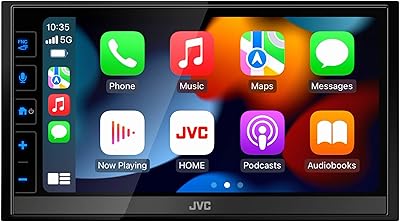
JVC KW-M780BT Digital Media Player
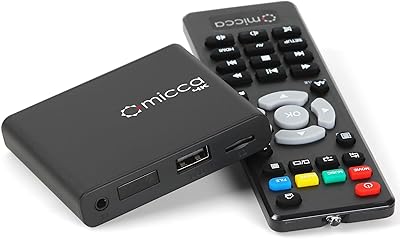
Micca Speck 4K
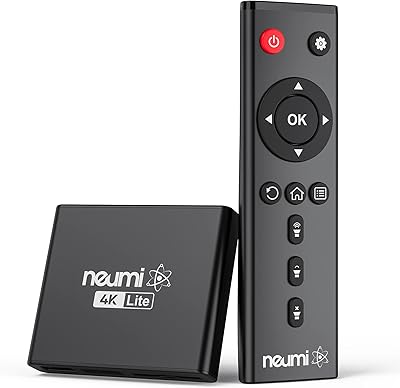
NEUMI Atom 4K Lite
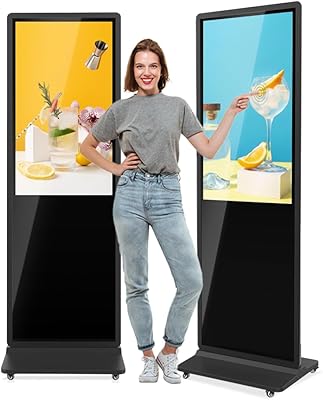
QIXZOCV MWE 43-Inch Touchscreen Digital Signage Kiosk
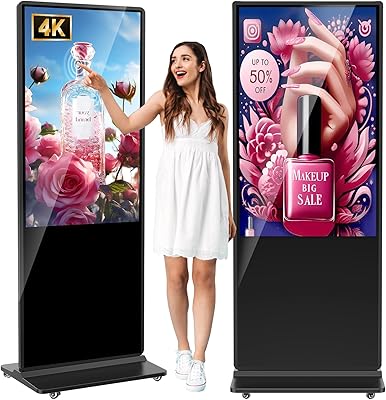
YCKJNB 55-inch Floor Standing Digital Signage Kiosk
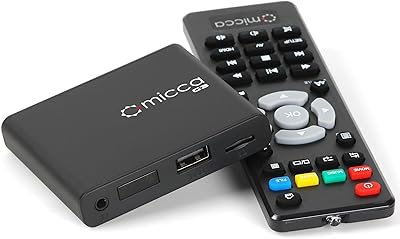
Micca G3 Digital Media Player
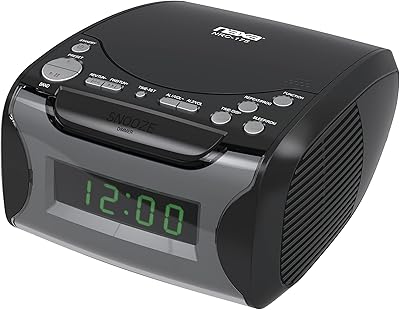
Naxa NRC175 CD Clock Radio
TEAC AD-850 Cassette and CD Player
Image Audio SXP Music On Hold Player