

Overview

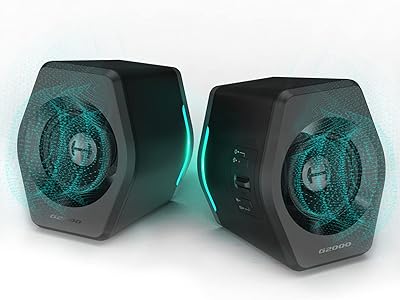
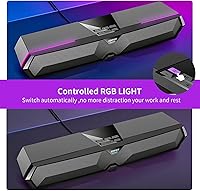
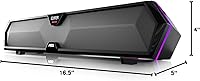
The Edifier MG300 is a compact desktop soundbar that arrived in 2022 targeting gamers and everyday PC users who want decent audio without surrendering half their desk. At roughly 16.5 inches wide, it slips neatly under a monitor or along the front edge of a tight setup. The price sits firmly in entry-level territory, which means competition is real — but so is the value. What separates it from similarly priced options is the combination of RGB lighting and a hidden built-in microphone, turning a simple speaker into a more capable all-in-one peripheral without adding any real clutter.

Features & Benefits

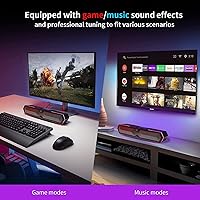
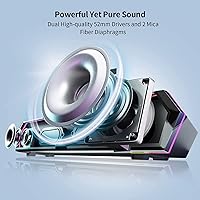
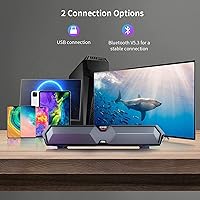
Connectivity is where this gaming soundbar earns practical points day-to-day. It runs Bluetooth 5.3 for wireless pairing with phones, tablets, or a laptop, and ships with a USB sound adapter so you can plug directly into a PC without relying on onboard audio — handy if that output is mediocre. A single button toggles between modes. The two 52mm full-range drivers handle a wide frequency spread, and independent bass diaphragms give the low end more definition than you would expect from something this slim. Two EQ presets — Game and Music — let you shift the sound profile quickly, and six RGB modes including a rainbow wave add atmosphere without dominating the whole experience.

Best For

This desktop soundbar is a strong fit for a fairly specific type of buyer. If you game casually, work from home, or study in a compact space, it covers audio and voice in one strip of hardware — no separate mic arm eating into your desk real estate. Students on a tight budget upgrading from tinny laptop speakers will notice an immediate difference in depth and fullness. It also suits anyone who regularly switches between a PC and a phone or tablet, since the dual connectivity removes that friction entirely. Where it falls short: audiophiles, streamers needing a proper mic, or anyone trying to fill a mid-sized room with sound.

User Feedback

Across 284 ratings averaging 4.2 out of 5, a consistent pattern emerges. Bass response draws the most praise — buyers note it hits harder than the bar's slim dimensions suggest, especially in Game mode. RGB customization also lands well, with most users finding the lighting a nice bonus rather than a gimmick. The main complaint is volume headroom; at full output in a medium-sized room, it can feel like it runs out of steam. The microphone handles video calls and Discord adequately, but anyone expecting near-dedicated-mic quality will be let down. For the price bracket, satisfaction is genuinely strong — just set realistic expectations going in, particularly around the mic.

Pros

  • Bass output feels punchy and substantial for a bar this compact and affordable.
  • Bluetooth 5.3 plus a bundled USB adapter covers most connection scenarios without extra purchases.
  • Six RGB modes, including a rainbow wave, add genuine visual variety to a gaming desk.
  • The built-in mic handles video calls and Discord clearly without needing a separate device.
  • Switching between Game and Music EQ modes takes one button press — fast and practical.
  • Zero-driver USB setup means it is genuinely ready to use within seconds of unboxing.
  • Lighting can be turned off entirely, making it just as suitable for a clean work environment.
  • At roughly 16.5 inches wide, it fits cleanly on tight desks without crowding your workspace.
  • Vibration-isolated microphone placement keeps speaker resonance out of voice calls noticeably well.
  • Holds a 4.2-star average across hundreds of verified purchases, indicating consistent satisfaction at this price.

Cons

  • Volume headroom runs out quickly in medium or larger rooms, with distortion approaching the ceiling.
  • Touch controls can misfire or require multiple taps, which gets irritating during fast-paced gaming.
  • No app or manual EQ beyond two fixed presets limits any real sound customization.
  • Microphone quality falls well short of even entry-level standalone condenser mics for recording use.
  • RGB lighting cannot sync with popular PC lighting ecosystems, frustrating users with coordinated setups.
  • Plastic build picks up fingerprints easily and the chassis does not convey premium durability.
  • Stereo separation is constrained by the single-bar format — do not expect a wide soundstage.
  • Bluetooth range drops noticeably in congested wireless environments or through thick walls.
  • No mounting options available; placement is limited to flat desk surfaces only.
  • Touch control labels are absent from the unit itself, requiring a manual lookup during initial use.

Ratings

The Edifier MG300 has been evaluated using AI analysis of verified global buyer reviews, with spam, bot-generated, and incentivized feedback actively filtered out to ensure scores reflect genuine user experiences. Ratings span everything from sound performance to desk ergonomics, capturing both the aspects buyers consistently celebrate and the pain points that surface repeatedly. Strengths and shortcomings are weighted equally so you can make an informed call before purchasing.

Bass Performance
78%
22%
For a bar this slim, the low-end punch regularly surprises new owners. The independent bass diaphragms give kick drums and in-game explosions a physical presence that typical flat desktop speakers at this price completely lack. Users upgrading from monitor speakers or laptop audio notice the difference straight away.
The bass impresses within about arm's reach, but it does not travel well across a room. Buyers expecting a subwoofer-like thump will be disappointed — the output is tight and controlled rather than deep and expansive, which is the right call for desk use but a limitation nonetheless.
Sound Clarity
71%
29%
Vocals in music and dialogue in games come through cleanly at moderate volumes, with the full-range drivers handling mids and highs without noticeable harshness. The Music EQ mode in particular adds a bit of warmth that makes background listening genuinely pleasant during long work sessions.
At higher volumes, some users detect a slight thinness in the upper mids, and the stereo separation — while present — is limited by the single-bar form factor. It is competent, not impressive, and audiophile-grade clarity is simply not on the table at this price.
Volume & Headroom
61%
39%
For a personal listening zone — roughly within a meter or two of the bar — volume levels are more than adequate for gaming, calls, and casual music. Users in small rooms or studios report it fills the space comfortably without distortion creeping in at mid-range settings.
This is one of the more consistent complaints across reviews. Push it toward maximum output in a medium or large room and it starts to feel constrained, occasionally with subtle distortion at the ceiling. It is genuinely a desktop speaker, not a room speaker, and buyers who forget that tend to be let down.
Built-in Microphone
58%
42%
The vibration-isolated mic placement is a clever design choice and it shows — voice pickup during video calls and Discord sessions is clean and largely free from the speaker bleed that plagues cheaper all-in-one setups. For everyday communication it does exactly what it needs to do.
Anyone comparing this to even a budget standalone condenser mic will hear the gap clearly. Background noise handling is mediocre, and the frequency capture is narrow enough that streamers or podcasters would find it inadequate. It is a convenience mic, full stop, and should be evaluated only in that context.
Connectivity & Compatibility
88%
The combination of Bluetooth 5.3 and the bundled USB sound adapter is genuinely useful in daily practice. Pairing a phone for music and then switching to PC for a gaming session takes a single button press, and the USB adapter bypasses weak onboard audio on older desktops — a real-world fix many users specifically call out in reviews.
A small number of users have noted occasional Bluetooth reconnection delays after the bar has been idle for a while. It is not a widespread issue, but worth flagging for anyone in a workflow where instant audio pickup matters.
RGB Lighting
83%
Six modes including a rainbow wave effect give enough variety to match most gaming setups without feeling overwhelming. The ability to turn lighting off completely is a commonly praised detail — it means the bar works just as well in a professional or low-light work environment as it does in a gaming rig.
The lighting cannot be synced with popular RGB ecosystems like ASUS Aura Sync or Corsair iCUE, which is a noticeable omission for buyers building a coordinated setup. Color accuracy in some modes skews slightly toward cooler tones than the product imagery suggests.
Build Quality
69%
31%
The all-plastic construction feels solid enough for desktop use and the bar sits stably without wobbling. The silicone protective sleeve over the microphone is a thoughtful touch that adds a premium feel to what is otherwise a budget-grade chassis.
The plastic housing shows fingerprints easily and the touch controls can feel a bit imprecise during quick interactions. For the price it is acceptable, but buyers who handle their peripherals roughly or who value a more premium tactile experience will notice the material limitations.
Ease of Setup
93%
Plug in the USB adapter, power it on, and it is ready — there are no drivers to install, no companion app to navigate, and no configuration menus to wade through. Multiple reviewers specifically highlight how refreshing it is to have a peripheral that just works out of the box.
The touch control layout is not labelled on the unit itself, so first-time users need to consult the manual to distinguish between functions. Not a major barrier, but it does interrupt the otherwise frictionless setup experience.
EQ & Sound Modes
72%
28%
Switching between Game and Music modes via a single button is fast and the difference is noticeable — Game mode tightens the bass for positional audio cues while Music mode opens up the mids a bit. For a budget bar with no companion app, having any EQ adjustment is a genuine plus.
Two presets is a short menu. Users who like to fine-tune their sound — even just bass and treble sliders — will find no path to do so here. The presets are decent defaults but they are the only options available.
Desk Footprint & Ergonomics
87%
At just under 16.5 inches wide and a slim profile, the MG300 fits naturally in front of a monitor without blocking much screen or eating into workspace. Its weight keeps it firmly in place and the low-profile design means it does not interfere with keyboard or mouse movement.
The bar is designed to sit flat on a desk rather than mount anywhere, which limits placement options for users with unconventional setups or those who prefer their audio raised. No VESA or monitor-clip mounting is available.
Bluetooth Range & Stability
74%
26%
In a typical home office or bedroom setup, the roughly 10-meter Bluetooth range holds well without dropouts. Users streaming from a phone across the room report a stable connection in normal residential environments with standard Wi-Fi and Bluetooth traffic present.
Thick walls or heavily congested wireless environments push the practical range down noticeably. A handful of reviewers mention occasional stuttering when multiple Bluetooth devices are active nearby, which is less a product flaw and more a Bluetooth 5.3 environmental reality.
Value for Money
86%
Stacking up the feature list — Bluetooth 5.3, USB adapter, RGB lighting, built-in mic, and dual EQ modes — against the asking price makes for a compelling case. Buyers who frame it correctly as a desktop audio upgrade rather than a home audio investment tend to come away very satisfied.
The value proposition only holds if expectations are calibrated to the price tier. Buyers who stretch the budget expecting near-midrange audio quality will feel shortchanged — the MG300 punches at its weight class, not above it.
Microphone Isolation
66%
34%
The decision to house the microphone inside a vibration-isolating silicone sleeve is one of the more thoughtful engineering choices in this category. During calls, speaker resonance does not bleed into the mic channel noticeably, which is a recurring frustration with competing all-in-one bars.
Isolation from the speaker is handled well, but room noise isolation is another story. In open-plan spaces or rooms with hard surfaces, ambient sound picks up freely. Users in noisy environments will want a headset mic instead.
Touch Controls
63%
37%
The touch surface keeps the bar looking clean and uncluttered — no physical buttons breaking up the design. Response is consistent for basic tasks like volume adjustment and mode switching during normal desktop use.
Precision suffers when trying to make quick adjustments mid-game or in low light. Several reviewers mention accidental input triggers or needing multiple taps to register a command, which gets frustrating during time-sensitive moments.

Suitable for:

The Edifier MG300 is built for people who want a meaningful audio upgrade without overhauling their entire desk setup. Casual gamers who appreciate RGB atmosphere but do not have room for a pair of bookshelf speakers will find this gaming soundbar a natural fit — it slides in front of a monitor and stays out of the way. Students and remote workers operating out of a single compact workspace will particularly benefit from the built-in microphone, since it removes the need for a separate mic stand or headset during calls and video meetings. Bluetooth 5.3 paired with the included USB adapter makes it equally practical for people who switch between a PC and a phone or tablet throughout the day, since toggling between the two takes a single button press rather than replug-and-repair. If you are currently making do with integrated laptop speakers or the tinny audio built into your monitor, this desktop soundbar will represent a noticeable, immediate improvement in both fullness and bass presence.

Not suitable for:

There are some clear scenarios where the Edifier MG300 will leave buyers frustrated, and it is worth being upfront about them. Anyone trying to fill a medium or large room with sound will hit the volume ceiling quickly — this is fundamentally a personal listening device designed for close-range desk use, and it does not scale beyond that. Streamers, podcasters, or anyone who records content should budget for a proper USB or XLR microphone, because the built-in mic is functional for calls but simply does not have the frequency range or noise rejection that content creation demands. RGB enthusiasts building a synchronized lighting setup around software like Aura Sync or iCUE will also be disappointed, as this gaming soundbar operates independently with no ecosystem integration. Finally, buyers who want to explore or fine-tune their sound beyond two basic EQ presets should look at options that offer companion app control or manual adjustments, because there is no such flexibility available here.

Specifications

  • Dimensions: The bar measures 398 × 73.5 × 84.6 mm (approximately 15.67″ × 2.89″ × 3.33″), making it slim enough to sit comfortably in front of most monitors without obstructing the screen.
  • Weight: At 1.16 kg (2.55 lbs), the unit is light enough to reposition easily but substantial enough to stay firmly in place on a desk.
  • Driver Configuration: Two 52 mm full-range dynamic drivers are paired with independent bass diaphragms to handle both low and high frequencies from a single compact enclosure.
  • Total Power: Rated RMS output is 5W (2.5W per channel), with a peak power ceiling of 10W under short-burst conditions.
  • Frequency Response: Audio reproduction spans 80 Hz to 20 kHz, covering the full range of human hearing with a low-end floor suited to desktop listening distances.
  • Signal-to-Noise Ratio: An 85 dB signal-to-noise ratio means background hiss is kept well below audible thresholds during normal playback at desk volume levels.
  • Connectivity: The bar supports Bluetooth 5.3 wireless connection and includes a USB sound adapter for direct wired connection to a PC or laptop.
  • Bluetooth Range: Wireless range reaches approximately 10 meters (around 50 feet) in open, unobstructed conditions.
  • Bluetooth Version: Bluetooth 5.3 provides a more stable and lower-latency wireless link compared to older Bluetooth 4.x standards common in competing budget bars.
  • EQ Modes: Two onboard presets — Game and Music — allow users to toggle between a bass-forward gaming profile and a more balanced listening profile with a single button press.
  • RGB Lighting: Six lighting modes are built in, including static color options and a rainbow wave effect, with the ability to power off lighting entirely when not wanted.
  • Microphone: A built-in microphone is housed beneath a silicone protective sleeve on the top surface, with vibration isolation designed to prevent speaker resonance from bleeding into voice pickup.
  • Control Method: All functions including volume, mode switching, and lighting control are managed via touch-sensitive controls on the unit itself — no physical buttons or remote.
  • Power Source: The soundbar is powered entirely via USB, drawing power from the connected device or a USB port, with no external power adapter required.
  • Surround Configuration: Audio output is 2.0 stereo with left and right channels reproduced from a single enclosure, without a dedicated subwoofer or center channel.
  • Material: The outer chassis is constructed from plastic, with a silicone sleeve accent over the microphone area providing both protection and vibration dampening.
  • Waterproofing: The unit carries no waterproof or water-resistant rating and should be kept away from liquids at all times.
  • Warranty: Edifier provides a limited warranty with this product; buyers should confirm the specific duration and terms through the retailer or Edifier support at time of purchase.

Related Reviews
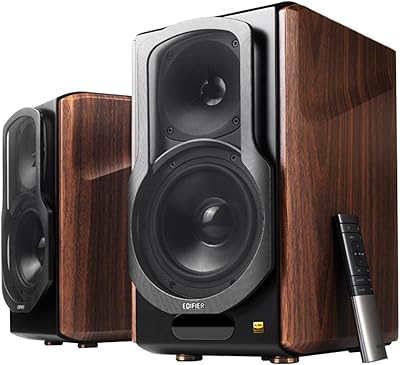
Edifier S3000MKII
Edifier S3000MKII
88%
94%
Sound Accuracy
91%
Bass Performance
93%
Treble Clarity
88%
Wireless Connectivity
90%
Build Quality
More
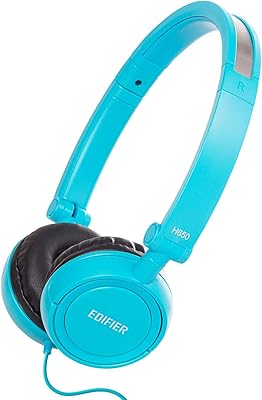
Edifier H650 Headphones
83%
87%
Sound Quality
91%
Portability
79%
Comfort
85%
Build Quality
73%
Durability
More
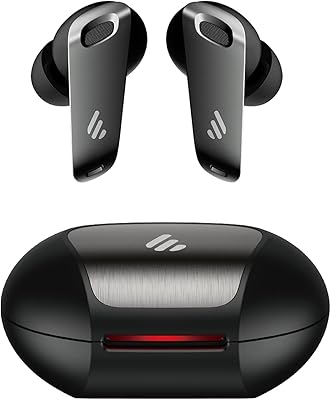
Edifier NeoBuds Pro
Edifier NeoBuds Pro
86%
94%
Sound Quality
91%
Noise Cancellation
89%
Battery Life
87%
Comfort & Fit
78%
Bluetooth Connectivity
More
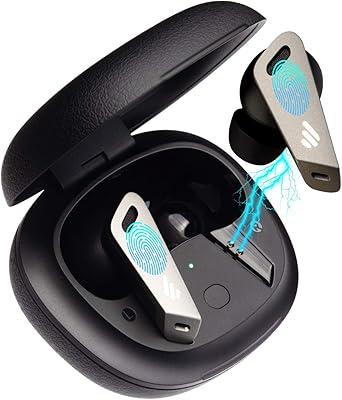
Edifier TWS NB2
Edifier TWS NB2
85%
87%
Noise Cancellation Effectiveness
90%
Sound Quality
85%
Call Clarity
88%
Battery Life
82%
Comfort and Fit
More
Edifier W855BT Bluetooth Headphones
85%
87%
Sound Quality
93%
Battery Life
89%
Comfort and Fit
84%
Build Quality
91%
Ease of Use
More
Edifier M60 Multimedia Speaker
88%
94%
Sound Quality
91%
Bass Performance
88%
Connectivity Options
87%
Design & Aesthetics
89%
Setup & Installation
More
Edifier T5 Powered Subwoofer
86%
94%
Bass Performance
88%
Build Quality
85%
Ease of Setup
89%
Energy Efficiency
91%
Sound Clarity
More
Edifier S2000MKIII Bookshelf Speakers
86%
92%
Sound Quality
89%
Bluetooth Performance
88%
Build Quality
85%
Ease of Use
91%
Connectivity Options
More
Edifier P841 Over-Ear Headphones
83%
85%
Sound Quality
90%
Comfort & Fit
70%
Build Quality
82%
Noise Isolation
88%
Ease of Use (In-Line Controls)
More
Edifier W80 Over-Ear Headphones
86%
88%
Sound Quality
91%
Noise Cancelling Effectiveness
94%
Battery Life
85%
Comfort & Fit
89%
Call Clarity
More

FAQ

Yes, completely. The USB sound adapter is plug-and-play on Windows and macOS — the operating system recognizes it as a standard audio device automatically. You just plug in, set it as your default output in your sound settings, and you are done. No software download needed.

You can only use one connection mode at a time, but switching between them is just a single button press. In practice, most users keep the USB adapter plugged into their PC and switch to Bluetooth when they want to play audio from a phone or tablet.

It handles Discord and general voice chat well enough that most people on the other end will not complain. The vibration isolation does a decent job keeping speaker audio from muddying your voice. That said, if you play in a noisy room or your friends are audiophiles, you may want a headset — ambient noise picks up fairly freely.

There are six modes to cycle through, including a rainbow wave effect and several static color options. You cannot pick an arbitrary custom color or sync it to software like Aura Sync, but there is enough variety to match most setups. And yes, you can turn it off entirely if you prefer a clean look.

It works on Mac without any issues. Since it uses standard USB audio, macOS treats it like any other audio output device. Bluetooth pairing with a MacBook also works normally through the standard Bluetooth menu.

The bass is genuinely noticeable for a bar this slim, especially if you are coming from laptop speakers or monitor audio. It is not going to rattle your desk or fill a room, but sitting at a normal desk distance you will feel more presence on explosions, music beats, and cinematic sound effects than budget flat speakers typically deliver.

As long as your TV or console has a Bluetooth output or a USB port that supports audio adapters, you can make it work — but it is really designed around desktop PC use. Bluetooth pairing with a smart TV that supports audio output over Bluetooth is the most practical path for living room use.

For most users it is fine, but it is not the most precise interface. Quick volume adjustments mid-session work well enough, but some people find accidental taps occasionally trigger unintended actions. If you like physical knobs and tactile feedback, that might bother you more than it would someone who does not think much about it.

Loud enough for personal desk listening — comfortably filling the space around your immediate workstation. If you need to fill a room, entertain a small group, or compete with background noise from other people, it will feel limited. Think of it as a personal speaker, not a room speaker.

Everything you need is in the box. The USB sound adapter is included, a cable connects the bar to your PC, and no additional accessories are required for either USB or Bluetooth use. You can literally open the box and be up and running within a couple of minutes.