Overview

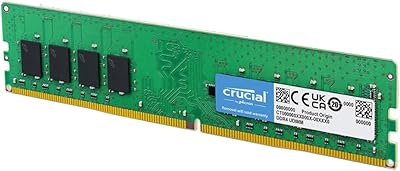
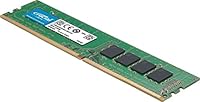
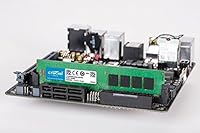
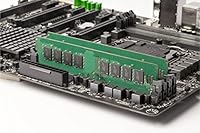
The Crucial CT8G4DFS832A 8GB DDR4 Desktop RAM is exactly what it looks like: a no-nonsense memory upgrade from one of the most trusted names in consumer storage. Running at DDR4 3200 MHz, it hits the sweet spot for modern desktop platforms without overcomplicating things. This Crucial DDR4 stick fits standard 288-pin DIMM slots, making it compatible with the vast majority of current Intel and AMD desktop motherboards. One important note upfront — it ships as a single stick, meaning you get 8GB in one channel, which works fine, but pairing it with a second identical module later unlocks dual-channel bandwidth. Think of this as a reliable workhorse, not an enthusiast showpiece.

Features & Benefits

At 3200 MT/s, this 8GB desktop memory module moves data fast enough to handle most everyday workloads — multiple browser tabs, office applications, and background processes running without obvious slowdowns. The CL22 latency is worth understanding honestly: it is perfectly adequate for general use, but if you are building a performance-tuned rig and care deeply about response times, tighter-latency kits exist at comparable prices. The 1.2V operating voltage runs cooler than older DDR3 modules, which matters in tightly packed cases. No heatspreader keeps the profile compact and fuss-free. The lifetime warranty Crucial includes is a genuine differentiator — most budget sticks from lesser-known brands offer no such coverage.

Best For

This Crucial RAM upgrade makes the most sense for anyone who needs a dependable memory boost without overanalyzing specs. If your desktop is still running 4GB, moving to 8GB brings a noticeable improvement for web browsing, light productivity, and media playback. It also works well as a starting point — buy one stick now, add a second identical module later, and you have a dual-channel 16GB setup that outperforms either stick alone by a meaningful margin. That said, it is not aimed at gamers chasing high-refresh framerates or users running memory-intensive creative workloads. For everyday desktop builders who value reliability over flashy specs, this fits cleanly.

User Feedback

With a 4.4-star average across more than 200 reviews, this Crucial DDR4 stick has clearly earned consistent trust from real buyers. The most common praise centers on installation — plug it in, boot up, and the system recognizes it without any BIOS tweaking required. That kind of plug-and-play reliability is easy to undervalue until you have dealt with RAM that does not cooperate. On the critical side, some users point out that CL22 latency feels like a trade-off at this speed tier, especially when competing kits offer CL16 for a small premium. A few buyers also recommend cross-checking your motherboard QVL list before purchasing, which is wise advice regardless of brand. The lack of a heatspreader has not drawn meaningful complaints.

Pros

  • Plug-and-play installation — most systems recognize this Crucial DDR4 stick immediately with no BIOS changes needed.
  • DDR4 3200 MHz hits the mainstream sweet spot for modern Intel and AMD desktop platforms.
  • Broad motherboard compatibility makes it a low-risk choice for most consumer desktop builds.
  • Lifetime warranty is a genuine standout at this price tier and reflects Crucial's confidence in build quality.
  • Low 1.2V operating voltage runs cooler than older DDR3 modules, reducing thermal stress in compact cases.
  • Single-stick format makes it an easy entry point, with a clear upgrade path to dual-channel later.
  • No heatspreader keeps the physical profile slim, avoiding clearance issues near large CPU coolers.
  • Backed by one of the most established names in consumer memory, with a long track record of reliability.

Cons

  • CL22 latency is looser than competing DDR4 3200 MHz kits that offer CL16 at a similar price.
  • Single-stick configuration means you miss out on dual-channel bandwidth until a second module is added.
  • 8GB total capacity may feel limiting within a year or two as operating systems and apps grow more memory-hungry.
  • No XMP or overclocking profile support — what you see on the label is essentially all you get.
  • Buyers should manually verify motherboard QVL compatibility, as not every board officially lists this module.
  • No RGB or aesthetic appeal whatsoever, which matters for builders with windowed cases and themed builds.
  • Some competing brands offer bundled two-stick kits at prices close to buying two of these separately.
  • As a single-rank module, it may be slightly outperformed by dual-rank configurations in specific workloads.

Ratings

The scores below reflect an AI-driven analysis of verified global buyer reviews for the Crucial CT8G4DFS832A 8GB DDR4 Desktop RAM, with spam, bot activity, and incentivized feedback actively filtered out before any scoring was applied. Each category captures both what real users praised and where they ran into frustration, so nothing is glossed over. The result is an honest, balanced picture of where this Crucial DDR4 stick genuinely delivers and where it falls short of expectations.

Ease of Installation
93%
This is the category where this 8GB desktop memory module earns its loudest applause. The overwhelming majority of buyers report that the stick seated cleanly on the first attempt, the system POST-ed without issues, and the OS recognized the full 8GB immediately — no BIOS intervention, no memory remapping required. For first-time upgraders, that confidence matters enormously.
A small but consistent group of buyers noted that their motherboard required them to manually enable the XMP or DOCP profile in the BIOS to run the stick at its rated 3200 MHz — without that step, it defaulted to a lower speed. This is a platform behavior rather than a flaw in the module itself, but it catches some users off guard.
Compatibility
84%
Across a wide range of consumer Intel and AMD desktop platforms, this Crucial RAM upgrade works without incident for the clear majority of buyers. The unbuffered, non-ECC design aligns with what virtually every consumer motherboard expects, and Crucial's broad QVL presence across major board brands adds an extra layer of confidence before purchase.
A recurring thread in negative reviews involves buyers who did not check their motherboard's QVL list and encountered instability or failure to boot at rated speeds. A smaller subset reported issues specific to certain B450 and older Z390 boards. These cases are not widespread, but they highlight why cross-referencing the QVL is genuinely necessary, not optional.
Everyday Performance
78%
22%
For the workloads this stick is designed for — web browsing, office productivity, media streaming, and light multitasking — buyers consistently describe a noticeable improvement after upgrading from 4GB. Systems that previously felt sluggish when switching between applications or loading larger files became considerably more responsive after installing this module.
Users coming from higher-performance kits or those who expected snappier system-wide responsiveness occasionally felt underwhelmed. The CL22 latency does introduce a measurable lag in memory-intensive tasks compared to tighter-timed kits, and a few buyers running entry-level gaming noted that frame pacing was not as smooth as they had hoped.
Memory Latency
61%
39%
At 3200 MHz, the raw transfer speed is genuinely competitive for mainstream use, and in workloads that prioritize bandwidth over response time — like large file transfers or streaming video buffers — the rated throughput holds up well. For casual desktop users, the real-world impact of latency is minimal enough that most buyers never notice.
CL22 is the most consistently criticized specification in user reviews, and with good reason. Competing kits at the same speed tier frequently offer CL16 timings, which translates to meaningfully faster memory response in gaming, simulation, and creative workloads. Several buyers explicitly stated they wished they had spent slightly more on a tighter-latency alternative after seeing benchmark comparisons.
Thermal Performance
88%
Running at 1.2V without a heatspreader, this Crucial DDR4 stick generates very little heat under normal desktop operation. Users in compact mid-tower builds and even a handful of small form factor cases reported no temperature-related throttling or instability during extended everyday use, which is exactly what you want from a stock-speed module.
The absence of a heatspreader becomes a point of anxiety rather than measured complaint for some buyers — particularly those whose cases have limited airflow. While no widespread overheating failures have been documented in reviews, users who run their systems in warmer ambient environments occasionally express that some passive cooling surface would have been reassuring.
Build & Reliability
91%
Crucial's manufacturing pedigree through Micron shows up clearly in the durability feedback. Long-term owners who have had this 8GB desktop memory module installed for a year or more report zero degradation in performance or stability, with no random crashes or memory errors logged. That kind of consistent long-haul reliability is exactly what most buyers are actually paying for.
While outright failures are rare, a small percentage of buyers received DOA units, which is an unfortunate reality across virtually all consumer electronics. Crucial's replacement process through the warranty was generally described as smooth in follow-up reviews, but the initial frustration of receiving a non-functional module was a real pain point for those affected.
Value for Money
74%
26%
For buyers who simply need a trustworthy 8GB DDR4 stick from a brand they can count on and back with a lifetime warranty, the price-to-reliability ratio is hard to argue with. The combination of Crucial's build quality, broad compatibility, and lifetime coverage at this price tier offers a level of accountability that many cheaper alternatives simply cannot match.
Where the value proposition starts to wobble is when buyers discover that competing kits offer dual-stick 16GB configurations with tighter CL16 timings for only a modest premium over what a single stick here costs. For buyers who plan to run dual-channel anyway, the math can favor jumping straight to a matched pair from a competing brand rather than building up gradually.
Dual-Channel Potential
69%
31%
Users who purchased two of these sticks and installed them in dual-channel configuration reported a noticeably smoother experience, with some noting meaningful gains in integrated graphics performance on AMD Ryzen APU builds — a use case where memory bandwidth has a direct and visible impact on frame rates and application responsiveness.
The single-stick packaging means buyers have to deliberately seek out a second matching unit if they want dual-channel, and there is no guarantee the exact same SKU will remain available or consistently priced over time. Several users noted that finding a confirmed matching stick months later than their original purchase added unnecessary friction.
Warranty & Support
87%
Crucial's lifetime warranty is a genuine differentiator at this price level, and buyers who have had to use it generally describe the RMA process as straightforward and without excessive hoops to jump through. Knowing that a memory module is covered for the life of the product removes a meaningful layer of purchasing anxiety for reliability-focused buyers.
A handful of buyers reported slower-than-expected response times when initiating warranty claims during peak periods, and a few noted confusion around what exactly qualifies as a covered defect versus user-induced damage. The warranty terms could be communicated more clearly upfront to prevent these misunderstandings from souring the experience.
Aesthetic & Design
47%
53%
The bare, utilitarian design does have its practical upside — the slim profile without a heatspreader avoids clearance conflicts with large tower CPU coolers, and the low height means it slots cleanly into builds where taller memory kits with elaborate heat shields would physically interfere with nearby components.
For buyers who care about the visual presentation of their build — particularly those with windowed side panels or themed RGB setups — this module is simply invisible in the worst possible sense. There is no lighting, no branding finish, and no heatspreader to speak of, which makes it a poor fit for anyone who wants their RAM to contribute to the overall look of the system.
Overclocking Headroom
38%
62%
For users who have no interest in overclocking and simply want stable, rated performance out of the box, the lack of an XMP profile is completely irrelevant. The stick runs at its advertised 3200 MHz without any fuss on compatible platforms, and stock performance is consistent and stable across extended use periods.
Enthusiasts looking to push memory speeds or tighten timings will find this module frustrating — it has no XMP profile, no documented overclocking headroom, and the CL22 base timings leave little room for manual tuning. This stick was not built for that use case, and attempting to overclock it is essentially unsupported territory with unpredictable results.
Packaging & Delivery
82%
18%
Buyers consistently note that the module arrives in protective anti-static packaging that prevents the kind of handling damage or electrostatic discharge that can silently compromise memory chips before they are even installed. The no-frills packaging reflects the product's overall philosophy and keeps costs focused on the module itself rather than the box.
Some buyers found the minimal packaging information unhelpful when trying to verify compatibility details at a glance before opening, and a few mentioned that secondary market resellers occasionally deliver the product in resealed or damaged outer packaging, raising concerns about authenticity — an issue less common when purchasing from verified official channels.

Suitable for:

The Crucial CT8G4DFS832A 8GB DDR4 Desktop RAM is a strong fit for everyday desktop users who want a dependable, fuss-free memory upgrade without spending time researching obscure brands or chasing bleeding-edge specs. If you are running a desktop that shipped with 4GB and feel it struggling under the weight of a modern browser with a dozen tabs open, this stick delivers a meaningful real-world improvement. It works across a wide range of Intel and AMD consumer motherboards, so most people will not run into compatibility headaches. It is also a smart starting move for budget-conscious builders: install one now, and when you are ready for more performance, slot in a second identical stick to unlock dual-channel mode and effectively double your memory bandwidth. Anyone who values brand accountability will appreciate the lifetime warranty, which is rare at this price point.

Not suitable for:

If you are building or upgrading a performance-focused gaming rig where memory speed and latency directly affect frame rates, the Crucial CT8G4DFS832A 8GB DDR4 Desktop RAM is probably not your best option. The CL22 latency is on the looser end for DDR4 3200 MHz, and for roughly the same investment, competing kits offer tighter timings like CL16 that measurably reduce memory response times in demanding workloads. Content creators working with video editing, 3D rendering, or large datasets will likely find 8GB in a single stick too limiting and will want to start with a higher-capacity kit from the outset. This module also does not support overclocking in any meaningful way, so enthusiasts who enjoy tuning their system should look elsewhere. Finally, users building servers or workstations that require ECC memory for error correction will need a different product category entirely.

Specifications

  • Capacity: This module provides 8GB of memory in a single-stick configuration, leaving additional DIMM slots free for future expansion.
  • Memory Type: Uses DDR4 technology, the current standard for consumer desktop platforms, offering improved efficiency over its DDR3 predecessor.
  • Speed: Operates at 3200 MHz (PC4-25600), delivering a data transfer rate of 3200 MT/s suited to modern everyday desktop workloads.
  • Latency: Carries a CL22 primary latency rating, which is standard for this speed tier but on the looser end compared to performance-oriented kits.
  • Form Factor: Built as an Unbuffered DIMM with a 288-pin connector, compatible with standard consumer desktop motherboards.
  • Rank & Width: Configured as a Single Rank (SR) x8 module, a detail worth cross-referencing against your motherboard's QVL for confirmed compatibility.
  • Voltage: Runs at 1.2V, which is lower than older DDR3 modules and contributes to reduced heat output during normal operation.
  • ECC Support: This is a non-ECC module, meaning it does not include error-correcting code functionality and is designed for consumer, not server, use.
  • Heatspreader: Ships without a heatspreader or heat shield, keeping the physical profile slim and avoiding clearance conflicts with large CPU coolers.
  • Dimensions: Measures 5.25 x 0.44 x 1.23 inches, a standard DDR4 DIMM footprint that fits within virtually all full-size and mid-tower desktop cases.
  • Weight: Weighs just 0.564 oz, as expected for a bare DDR4 stick without additional heatspreader material.
  • Compatible Devices: Designed exclusively for desktop systems; it is not compatible with laptops, which require a different SO-DIMM form factor.
  • Warranty: Backed by Crucial's lifetime limited warranty, which covers defects in materials and workmanship for the life of the product.
  • Manufacturer: Produced by Crucial Technology, a brand operating under Micron, one of the largest and most established memory chip manufacturers in the world.
  • Overclocking: Does not include an XMP profile, meaning it is not designed for manual overclocking and will run at its rated 3200 MHz out of the box.

Related Reviews
Crucial 16GB DDR4 3200MHz Desktop RAM
78%
93%
Ease of Installation
88%
Compatibility Range
79%
Real-World Performance
91%
Long-Term Reliability
74%
Value for Money
More
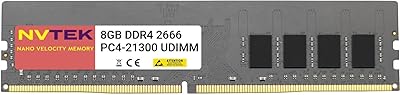
NVTEK 8GB DDR4 2666MHz Desktop RAM
71%
83%
Value for Money
78%
Compatibility
88%
Ease of Installation
71%
Reliability & Stability
74%
Performance at Rated Speed
More
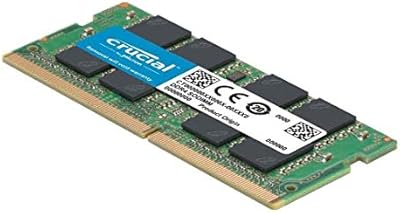
Crucial 8GB DDR4-2400 SODIMM Laptop RAM
84%
91%
Value for Money
93%
Installation Ease
77%
Performance Impact
73%
Compatibility Range
94%
Long-term Reliability
More
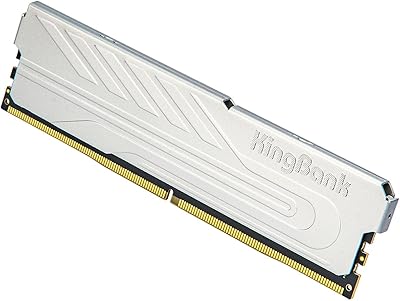
KingSpec 32GB DDR4 3200MHz Desktop RAM
80%
91%
Value for Money
93%
Installation Ease
84%
Compatibility
87%
Stability & Reliability
78%
Performance at Rated Speed
More
Crucial Basics 8GB DDR4 2666MHz SODIMM RAM
85%
88%
Performance Boost
93%
Ease of Installation
91%
Compatibility with Laptops
85%
Power Efficiency (Battery Life)
92%
Overall Value for Money
More
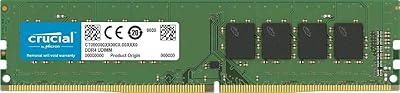
Crucial 8GB DDR4-2666 Desktop RAM
79%
93%
Reliability & Stability
96%
Ease of Installation
91%
Compatibility
88%
Value for Money
79%
Everyday Performance
More
Transcend JM3200HLB-8G 8GB DDR4 Desktop RAM
74%
91%
Value for Money
88%
Compatibility
86%
Installation Ease
74%
Memory Speed
61%
Latency Performance
More
Timetec 8GB DDR4 2400MHz SODIMM Laptop RAM
78%
91%
Value for Money
88%
Installation Ease
74%
Compatibility
86%
Performance Improvement
83%
Reliability
More
Samsung 8GB DDR4 3200MHz SO-DIMM Laptop RAM
83%
86%
Performance
79%
Compatibility
91%
Value for Money
93%
Installation Ease
89%
Reliability
More
Crucial 16GB DDR4-2400 Desktop RAM Kit
81%
96%
Ease of Installation
93%
Compatibility
94%
Reliability & Stability
88%
Value for Money
86%
Performance – Everyday Use
More
Hynix 8GB DDR4-2666MHz RAM Module
86%
88%
Performance
94%
Compatibility
91%
Ease of Installation
90%
Value for Money
85%
Energy Efficiency
More

FAQ

Yes, this 8GB desktop memory module is broadly compatible with AMD Ryzen platforms that support DDR4 memory and have a standard 288-pin DIMM slot. That said, it is always worth checking your specific motherboard's QVL (qualified vendor list) to confirm, since RAM compatibility can occasionally be finicky at the board level even within the same generation.

You can absolutely use a single stick and your system will run fine in single-channel mode. However, adding a second identical stick later enables dual-channel operation, which can meaningfully improve memory bandwidth — sometimes by close to 50% in bandwidth-sensitive tasks. If your budget allows, buying two now is worth considering.

No, this Crucial RAM upgrade does not include an XMP profile. It is designed to run at its rated 3200 MHz at stock settings without any manual tuning. If overclocking or custom timing profiles matter to you, you will want to look at kits specifically marketed as XMP or EXPO-compatible.

CL22 refers to the number of clock cycles the memory controller waits before accessing data after a request is made — lower numbers mean faster response times. For general desktop tasks like web browsing, document editing, and media playback, the difference between CL22 and a tighter CL16 kit is barely noticeable. Where it starts to matter more is in gaming or workloads that hammer the memory subsystem repeatedly.

Intel 12th and 13th Gen Alder Lake and Raptor Lake platforms support DDR4 on boards specifically designed with DDR4 slots, so this module can work. However, those platforms also support DDR5, and many newer boards ship DDR5-only. Check your motherboard specifications carefully before purchasing, since these generations split across both memory types depending on the board.

Technically you can mix RAM brands, but it is not recommended. Different kits can have varying timings, voltages, and controller behavior, which occasionally leads to instability, boot issues, or the system defaulting to slower speeds to find a common baseline. For the smoothest experience, matching your existing stick with an identical module is always the safer path.

At stock speeds and voltages, heat is not a real concern. DDR4 running at 1.2V generates very little thermal output, and heatspreaders on consumer modules are largely cosmetic at standard operating conditions. You would only start to worry about heat if you were pushing aggressive overclocks — which this module is not designed for anyway.

The best approach is to visit your motherboard manufacturer's website and look up the QVL for your specific model. You can also use Crucial's own compatibility tool on their website, where you enter your system details and it confirms which modules are verified to work. Neither method is foolproof, but together they cover the vast majority of compatibility scenarios.

The lifetime warranty covers manufacturing defects — essentially, if the module stops working under normal use conditions, Crucial will replace it. It does not cover physical damage from improper installation or electrostatic discharge. To make a claim, you go through Crucial's support site, provide proof of purchase, and they walk you through the return and replacement process.

For basic everyday use — web browsing, email, streaming, and light office work — 8GB remains workable, though modern operating systems and browsers are increasingly hungry and 8GB can feel tight if you tend to keep many tabs open simultaneously. For gaming, 16GB is now the more comfortable baseline. If you are planning to grow into heavier use, buying a second matching stick to reach 16GB in dual-channel is a smarter long-term move than starting with a single 8GB module.

Where to Buy