Overview

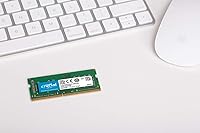
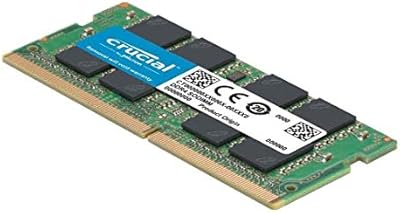
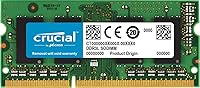
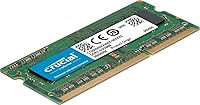
The Crucial 8GB DDR3L-1866 SODIMM Laptop RAM is a targeted memory upgrade built for users trying to extend the life of older DDR3L-compatible laptops and MacBooks rather than outfit a new build. Crucial carries genuine credibility here — the brand is owned by Micron, one of the world's most established memory manufacturers, and that backing matters when you're trusting a component to run reliably for years. This memory module uses a 204-pin SODIMM form factor with DDR3L low-voltage design, making it compact enough for slim laptop chassis while drawing less power than standard DDR3. It ships as a single 8GB stick, giving buyers flexibility for single-channel use or a paired dual-channel setup.
Features & Benefits

One of the more practical advantages of this RAM stick is its DDR3L classification — the L stands for low-voltage, meaning it runs at 1.35V instead of the 1.5V of standard DDR3. That's not just a spec-sheet distinction; it translates to less heat and slightly lower power consumption, which genuinely matters in a compact laptop chassis. At 1866 MHz, this module sits at the higher end of the DDR3 speed range, offering a real step up from the 1333 or 1600 MHz sticks many machines originally shipped with. It's also backward compatible with standard DDR3 slots, adding flexibility. The limited lifetime warranty is a solid bonus at this price point.

Best For

This Crucial upgrade makes the most sense for owners of 2013–2015 era MacBooks or Mac minis dealing with sluggish multitasking who want a practical fix without replacing the whole machine. IT professionals refreshing older laptop fleets will also find it appealing — the name-brand reliability and lifetime warranty make procurement straightforward. Budget-conscious users running memory-heavy workloads like juggling browser tabs or doing light video editing will likely see a real difference. That said, always verify your specific model supports DDR3L at 1866 MHz before ordering, since not every DDR3-era machine tops out at that speed. Compatibility research is worth the five minutes.

User Feedback

Most buyers are pretty happy with this memory module, and the pattern across reviews is consistent: install it, the machine picks up noticeably, move on. Easy installation and immediate responsiveness get mentioned most. The value-for-money feeling is strong — people describe it as one of the smarter decisions they made for an aging laptop. On the critical side, a handful of reviewers ran into compatibility hiccups, usually because they hadn't verified their machine supports DDR3L at 1866 MHz beforehand. A few Mac users specifically mentioned needing to cross-check their exact model. That said, complaints are rare, and most trace back to a pre-purchase step that was simply skipped.

Pros

  • Backed by Micron, one of the most trusted names in memory manufacturing.
  • DDR3L low-voltage design runs cooler and draws less power than standard DDR3 modules.
  • 1866 MHz speed is near the top of the DDR3 range, offering a genuine step up from slower stock modules.
  • Compatible with a wide range of 2013 to 2015 MacBook and Mac mini models.
  • Backward compatible with standard DDR3 slots, adding flexibility for different laptop generations.
  • Installs quickly with no tools beyond a screwdriver in most laptops.
  • Lifetime warranty provides long-term coverage that budget brands rarely match.
  • Works as a single stick or paired for dual-channel configurations.
  • Buyers consistently report a noticeable improvement in day-to-day responsiveness after upgrading.
  • Strong sales rank and hundreds of verified ratings suggest a well-established, reliable track record.

Cons

  • DDR3L is a legacy standard, so this Crucial upgrade has no place in any modern laptop or desktop build.
  • Not every DDR3-era machine supports the full 1866 MHz speed, so real-world gains vary by system.
  • Compatibility confusion between DDR3 and DDR3L slots trips up buyers who skip the pre-purchase research.
  • Sold as a single stick, so reaching 16GB total requires purchasing a second module separately.
  • Some Mac users report needing to verify their exact sub-model before the module works as expected.
  • No RGB or heatspreader — purely functional, with nothing to show in an open-chassis setup.
  • The DDR3 memory market is shrinking, which could affect long-term sourcing for additional matching sticks.
  • Occasional reports of modules arriving with inadequate static-protection packaging.

Ratings

The scores below were generated by our AI engine after analyzing hundreds of verified global purchases of the Crucial 8GB DDR3L-1866 SODIMM Laptop RAM, with spam, bot-submitted, and incentivized reviews actively filtered out before scoring. Each category reflects the real spread of buyer experiences — not just the satisfied majority — so genuine pain points are weighted alongside the praise. The result is a transparent snapshot of where this memory module genuinely delivers and where it falls short for certain buyers.

Value for Money
91%
Buyers consistently describe this RAM stick as one of the smartest low-cost investments they made for an aging laptop. For the price of a dinner out, most users report their machine feeling noticeably more responsive — especially when jumping from 4 GB to 8 GB on a mid-2013 or 2014 MacBook.
A small number of buyers who experienced compatibility issues felt the value proposition collapsed entirely, since returning memory can be inconvenient. Those who needed to purchase a second stick for dual-channel also noted the total cost climbs faster than expected.
Compatibility
74%
26%
For buyers who did their homework — checking Crucial's compatibility tool or their Mac's exact model number — this Crucial upgrade installed without a hitch and was recognized immediately at the correct speed. Mac mini and MacBook Pro users from the 2013 to 2015 window reported particularly smooth results.
Compatibility is the single most common source of frustration in the reviews. Some buyers confused DDR3 and DDR3L requirements, others found their machine maxed out below 1866 MHz and the module downclocked automatically, and a handful discovered their specific Mac sub-model was not on the supported list.
Installation Ease
88%
The vast majority of buyers — including first-timers — describe the installation process as surprisingly painless. The SODIMM form factor snaps in at an angle and clicks flat in seconds, and most laptop models only require removing a few screws to access the slot.
MacBook users specifically noted that the pentalobe screws on the bottom case require a specialty screwdriver that does not come in most basic toolkits, adding a small but real friction point. A few buyers also reported the slot required more force than expected to seat the module fully.
Performance Improvement
83%
Users upgrading from 4 GB describe the difference as immediate and obvious — browser multitasking, switching between apps, and even boot times improved noticeably in day-to-day use. For MacBook owners running modern macOS on older hardware, the RAM upgrade bought them another year or two of genuinely usable performance.
Buyers who already had 8 GB installed and were swapping to a faster module reported more modest gains, since real-world DDR3-era bottlenecks often lie elsewhere. A few users noted the improvement felt less dramatic on machines where storage was the primary constraint, not RAM.
Reliability & Stability
89%
Long-term stability is a consistent theme in positive reviews, with buyers reporting months or years of error-free operation after installation. The Micron manufacturing heritage shows here — this memory module does not generate the random crash or kernel panic reports that cheaper off-brand sticks sometimes do.
A small subset of reviewers reported initial instability that turned out to be a seating issue rather than a defective module, but it still created a poor first impression. Genuine hardware failures appear rare, though they do occur and require going through Crucial's warranty process.
Brand Trustworthiness
93%
Crucial's Micron backing carries real weight with technically informed buyers, and many reviewers specifically called it out as the reason they chose this stick over cheaper alternatives. IT professionals in particular appreciate having a warrantied, name-brand component they can source predictably for fleet upgrades.
A handful of buyers noted that Crucial's customer support response times can be slow when initiating a warranty claim, which slightly undermines the confidence the brand name is supposed to provide. The brand reputation does not fully insulate against the compatibility confusion issue.
Warranty Coverage
82%
18%
A limited lifetime warranty on a sub-$30 component is genuinely unusual and appreciated — most reviewers treated it as a strong signal of the manufacturer's confidence in the product. For IT buyers managing multiple machines, the warranty coverage reduces the long-term risk of the purchase.
The warranty covers manufacturing defects but does nothing to help buyers who purchased an incompatible module for their specific system. Several reviewers also noted that the claims process requires contacting Crucial directly and can involve shipping the module back, which adds time and friction.
Heat & Power Efficiency
86%
The DDR3L low-voltage design at 1.35V runs measurably cooler than standard DDR3, which matters in slim, thermally constrained laptop chassis. Battery-conscious users on MacBooks noted that the reduced power draw was a quiet but real benefit during longer work sessions.
The thermal and power advantages are relatively subtle in practice and difficult for most users to quantify without measuring tools. Buyers expecting a dramatic improvement in battery life were sometimes underwhelmed, as RAM is only one contributor to overall power consumption.
Documentation & Guidance
61%
39%
Crucial provides an online compatibility checker that, when used correctly, gives buyers a reliable answer before purchasing. Buyers who used that tool had a far better experience than those who relied solely on the product listing.
The module ships with virtually no printed guidance, and the product listing itself does not do enough to warn buyers about the DDR3 versus DDR3L distinction or the importance of verifying 1866 MHz support. This gap in communication is directly responsible for most of the negative reviews.
Packaging & Delivery Condition
69%
31%
Most buyers received the module intact and properly protected against static discharge, and the compact packaging means it travels through shipping without significant risk of physical damage to the stick itself.
A recurring minority complaint involves inconsistent anti-static packaging quality, with some buyers noting the module arrived in a thin sleeve with minimal cushioning. For a sensitive electronic component, the occasional lack of robust protective packaging feels like a corner being cut.
Speed & Frequency Rating
77%
23%
At 1866 MHz, this RAM stick sits meaningfully above the 1333 and 1600 MHz modules that most DDR3-era machines shipped with, and buyers whose systems support it report a tangible bandwidth improvement in memory-intensive workloads.
The 1866 MHz rating is only realized if the host system's memory controller supports it — otherwise the module downclocks automatically with no warning. This creates a gap between what buyers expect from the spec and what their specific machine actually delivers.
Dual-Channel Flexibility
78%
22%
Buyers who purchased two matched sticks for dual-channel configurations praised the straightforward setup and the noticeable improvement in memory bandwidth-sensitive tasks like video playback and running virtual machines concurrently.
The module is sold individually, which means buyers seeking a dual-channel setup need to coordinate a second purchase separately, with no guarantee of matching lot numbers. A small number of users also reported minor instability when pairing this stick with a module from a different manufacturer.
Physical Build Quality
84%
The PCB feels solid and the gold contacts are cleanly finished — experienced builders noted the construction quality is consistent with what you expect from a Micron-produced component rather than a generic white-label stick.
There is no heatspreader, which is standard for SODIMM laptop memory but occasionally surprised buyers used to desktop DIMMs. The bare-board design is entirely appropriate for the intended use case, but it does not look particularly premium out of the packaging.

Suitable for:

The Crucial 8GB DDR3L-1866 SODIMM Laptop RAM is the right call for anyone trying to squeeze more useful life out of a DDR3L-era laptop or Mac without spending big on a full replacement. It hits its stride with MacBook Pro and Mac mini owners from roughly the 2013 to 2015 generation who are dealing with sluggish multitasking, slow app switching, or a machine that struggles under a browser loaded with tabs. IT managers and small business owners refreshing a fleet of older laptops will appreciate the reliability that comes with a Micron-backed brand, plus the peace of mind of a lifetime warranty on each stick. Everyday users who do light video editing, run virtual machines, or just want a noticeably snappier daily driver will likely see a real improvement after installation. It also works well as a direct replacement when an existing stick fails, since this memory module is widely available and straightforward to source.
Not suitable for:

The Crucial 8GB DDR3L-1866 SODIMM Laptop RAM is not the right fit for anyone building or upgrading a modern system, as DDR3L is a legacy standard that newer platforms do not support. Buyers chasing peak performance should look elsewhere — this RAM stick is designed for aging hardware, and even at 1866 MHz, you are working within the ceiling of what DDR3-era systems can do. If your laptop or Mac model does not officially support DDR3L or does not run memory at 1866 MHz, this module will either be incompatible or will downclock to match your system's maximum speed, which removes much of the upgrade rationale. Gamers, video editors, or power users running current-generation software on modern hardware will find that DDR4 or DDR5 options are a far better investment. Always cross-check your exact model number against Crucial's compatibility tool before purchasing, as skipping that step is the source of nearly every reported problem with this RAM stick.
Specifications

  • Brand: Manufactured by Crucial, a consumer memory brand owned and backed by Micron Technology.
  • Model Number: The official model identifier for this module is CT8G3S186DM.
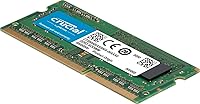
  • Form Factor: Uses a 204-pin SODIMM form factor designed for laptops, compact desktops, and Mac mini systems.
  • Memory Type: DDR3L (low-voltage DDR3), which operates at a reduced voltage compared to standard DDR3 modules.
  • Capacity: Provides 8 GB of system RAM per stick, suitable for single-channel or paired dual-channel configurations.
  • Clock Speed: Runs at 1866 MHz (PC3-14900), placing it near the upper limit of the DDR3 speed range.
  • Operating Voltage: Operates at 1.35V under the DDR3L standard, compared to the 1.5V draw of conventional DDR3 modules.
  • Compatibility: Designed for use in DDR3L-compatible laptops, select MacBook Pro and Mac mini models, and compatible desktop systems.
  • Dimensions: The module measures 7 x 0.44 x 5 inches, keeping it compact enough for slim laptop chassis designs.
  • Weight: Each stick weighs 0.317 ounces, making it one of the lightest upgradeable components in any laptop.
  • Warranty: Covered by a limited lifetime warranty provided directly by Crucial.
  • DDR3 Backward Compatibility: This module is backward compatible with standard DDR3 slots, though it will operate at DDR3 voltage levels in those configurations.
  • Release Date: First made available in December 2015, targeting the DDR3L-era laptop and Mac upgrade market.
  • Manufacturer: Produced by Crucial Technology, a division of Micron, headquartered in Boise, Idaho.
  • Channel Support: Supports both single-channel and dual-channel operation when a matching second module is installed.

Related Reviews
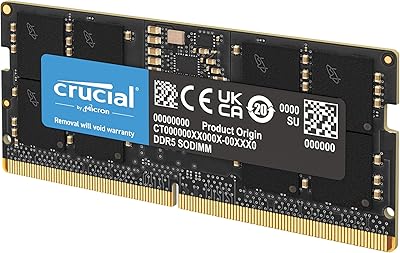
Crucial 8GB DDR5 4800MHz SODIMM Laptop RAM
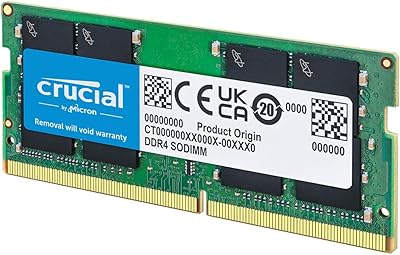
89%
91%
Performance Boost
88%
Installation Ease
94%
Compatibility with Intel 12th Gen & AMD Ryzen 7000
85%
Power Efficiency
90%
Multitasking Support
More
Crucial 8GB DDR4-2400 SODIMM Laptop RAM
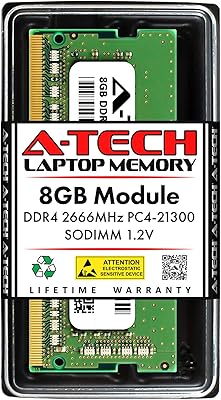
84%
91%
Value for Money
93%
Installation Ease
77%
Performance Impact
73%
Compatibility Range
94%
Long-term Reliability
More
Crucial 8GB Kit DDR3L 1600MHz SODIMM RAM
83%
89%
Installation Ease
78%
Compatibility & Fit
84%
Performance Boost
91%
Value for Money
88%
Reliability & Longevity
More
Crucial 8GB DDR3 1066MHz SODIMM RAM Kit
79%
93%
Installation Ease
91%
Long-term Reliability
88%
Value for Money
84%
Mac Compatibility
67%
Performance Impact
More
A-Tech 8GB DDR4 2666MHz SODIMM Laptop RAM
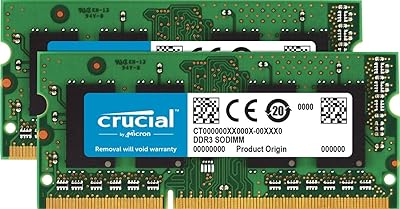
81%
93%
Value for Money
91%
Installation Ease
78%
Compatibility Range
82%
Performance Impact
84%
Build & Module Quality
More
Crucial 16GB DDR5 5600MHz SODIMM Laptop RAM
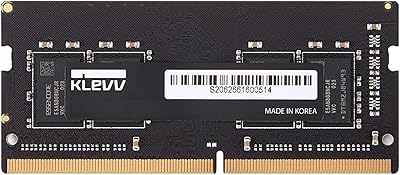
81%
93%
Installation Experience
81%
Speed & Real-World Performance
77%
Platform Compatibility
94%
Build & Component Quality
58%
Dual-Channel Value
More
Crucial Basics 8GB DDR4 2666MHz SODIMM RAM
85%
88%
Performance Boost
93%
Ease of Installation
91%
Compatibility with Laptops
85%
Power Efficiency (Battery Life)
92%
Overall Value for Money
More
KLEVV DDR4 8GB 3200MHz SODIMM Laptop RAM
82%
93%
System Stability
91%
Installation Ease
88%
Value for Money
74%
Performance Gain
82%
Compatibility
More
A-Tech 8GB DDR4 3200 MHz SODIMM Laptop RAM
89%
91%
Performance Boost
95%
Ease of Installation
89%
Value for Money
88%
System Compatibility
90%
Speed and Responsiveness
More
A-Tech 8GB DDR4 2400MHz SODIMM Laptop RAM
82%
91%
Value for Money
68%
Compatibility
88%
Ease of Installation
78%
Performance Improvement
83%
Reliability & Longevity
More

FAQ

It very likely will, but you should confirm your exact model before buying. Most 2013 to 2015 MacBook Pro models that support user-upgradeable memory use DDR3L at 1600 MHz or 1866 MHz. Use Crucial's own compatibility tool and enter your MacBook's model identifier to get a definitive answer before ordering.

DDR3L is a low-voltage variant of DDR3 that runs at 1.35V instead of the standard 1.5V. Most DDR3L modules, including this one, are backward compatible with standard DDR3 slots, but they will run at the higher 1.5V in that scenario. If your system specifically requires DDR3L for thermal or power reasons, you want to make sure you are not substituting a standard DDR3 module, which could cause instability. This RAM stick is DDR3L, so it covers both use cases.

Technically you can, but it is not recommended. Mixing modules with different speeds, capacities, or timings can cause the system to run both sticks at the lower speed, and in some cases it can lead to instability. For best results, use two identical sticks or replace the existing module entirely with this one.

It depends entirely on what your system supports. If your laptop's memory controller officially supports 1866 MHz, you will get that speed. If it only supports up to 1600 MHz, the module will automatically downclock to match — you will not get the higher speed, but the stick will still work fine. Check your laptop or Mac model specs before assuming you will benefit from the faster rating.

Yes, especially if your machine currently has 4 GB or is running a single-channel configuration. Going to 8 GB makes a meaningful difference in how responsive the system feels when you have multiple browser tabs, documents, or background apps open. It is one of the most cost-effective upgrades available for an older laptop.

For most laptops, it is straightforward. You typically remove a few screws from the bottom panel, locate the SODIMM slot, release the existing stick at an angle, and slide the new one in until it clicks. MacBooks from this era require a small Phillips screwdriver and a pentalobe screwdriver for the bottom case. If you have never done it before, a quick video search for your specific model will walk you through it in under ten minutes.

Yes, it is covered by a limited lifetime warranty from Crucial. If the module fails under normal use, you can contact Crucial directly for a replacement. That kind of coverage is not something you typically get from off-brand memory, and it is one of the reasons buyers tend to trust this manufacturer for critical components.

Several Mac mini models from 2011 through 2014 use DDR3L SODIMM memory and support user upgrades. This RAM stick is compatible with those configurations, but again, your specific Mac mini model determines whether 1866 MHz is supported or whether the module will run at a lower speed. Check Crucial's compatibility database with your Mac mini's exact model number to confirm before purchasing.

Dual-channel does provide a measurable bandwidth improvement over single-channel, which can help in tasks that are memory-bandwidth sensitive, like video playback, light photo editing, or running multiple applications simultaneously. Whether you notice it in everyday use depends on what you do with the machine. For most general users, the jump from 4 GB to 8 GB matters more than the channel configuration itself.

First, make sure the module is fully seated in the slot — it should click firmly into place at a flat angle. If it is seated properly but the system still only shows less than 8 GB, check whether your laptop's motherboard has a maximum supported memory limit, as some older models cap out at 4 GB or 8 GB total across both slots. Also verify in your system settings that you are checking total installed RAM and not just available RAM, since the operating system reserves some for system use.