Overview

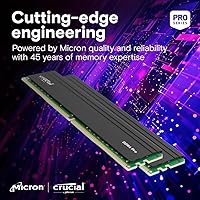
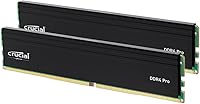
The Crucial Pro 32GB DDR4 3200MHz Kit (2x16GB) comes from Micron — one of the few memory brands that actually fabricates its own DRAM chips — which gives it a credibility edge most competitors simply cannot match. Released in mid-2023, this Crucial Pro kit targets mainstream desktop builders who want a straightforward performance upgrade without touching overclocking settings. It runs at 3200MHz by default and steps down to 3000MHz or 2666MHz automatically for boards that need it. One important caveat: if you are already on a DDR5-capable platform like Ryzen 7000 or Intel 14th Gen, this kit is not relevant — but for existing DDR4 systems, it is a well-positioned option.
Features & Benefits

One practical detail worth knowing: some modules in this Crucial Pro kit ship in a dual-rank configuration, which can provide a small but measurable bandwidth advantage over single-rank sticks in memory-intensive tasks. Intel XMP 2.0 support is genuinely useful — particularly in 4-DIMM setups where motherboards sometimes throttle memory speeds by default. Enabling XMP in your BIOS takes about 30 seconds and recovers the full 3200MHz rating automatically. The standard 288-pin UDIMM design fits virtually every modern desktop board, and the 1.2V voltage is conservative enough that heat is never a real concern, even in compact mini-ITX builds. Micron's component-level testing also means DOA rates are notably low.

Best For

This RAM upgrade makes the most sense for anyone still running a capable DDR4 platform — Ryzen 5000, Intel 12th or 13th Gen, or even older Intel 10th-Gen systems with room to grow. Coming from 8GB or 16GB, the jump to 32GB noticeably reduces the drag that happens when Windows starts leaning on the page file under heavy multitasking. Gamers will see modest improvements, particularly in titles sensitive to memory speed. Content creators doing photo editing or occasional video work benefit from the extra breathing room. If you want reliability and long-term dependability over flashy aesthetics or exotic specs, this kit is an easy recommendation.

User Feedback

With close to 19,000 ratings and a 4.7-star average, the community verdict on the DDR4 Pro memory kit is hard to argue with. Most praise centers on how quickly motherboards recognize it at the correct speed and how stable it runs over months of daily use — no random crashes, no memory errors. On the critical side, a small number of buyers report a DOA stick that needed an exchange, and others note that XMP needs enabling manually in the BIOS to hit full speed, as it will not activate by default. Occasional compatibility hiccups on older B450 boards or early Ryzen 3000 configs do surface in the reviews, but they are clearly isolated cases, not a pattern.

Pros

  • Manufactured by Micron, so the company testing your RAM is the same one that made the chips inside it.
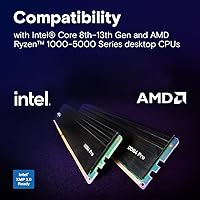
  • Broad compatibility with Intel 8th through 13th Gen and AMD Ryzen 1000 through 5000 Series covers a huge installed base.
  • XMP 2.0 support automatically restores full 3200MHz speed on platforms that throttle memory in multi-DIMM configurations.
  • Running at 1.2V means heat is essentially a non-issue, even in tight mini-ITX cases with minimal airflow.
  • The dual-channel 2x16GB configuration delivers consistent bandwidth advantages over single-stick setups.
  • Thousands of long-term users report months of stable, error-free operation across demanding daily workloads.
  • Fits any standard 288-pin desktop board — ATX, mATX, or ITX — without any compatibility guesswork for modern platforms.
  • When a DOA issue does occur, Crucial’s replacement process is generally faster and less painful than most hardware brands.
  • The capacity jump from 16GB to 32GB meaningfully reduces reliance on the Windows page file under real multitasking loads.

Cons

  • XMP must be manually enabled in BIOS or the kit silently runs below its rated speed with no warning.
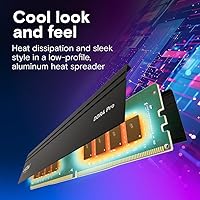
  • No heatspreader or RGB makes this a poor fit for builders who care about the look of their system interior.
  • Thin included documentation leaves first-time builders without guidance on the XMP step that matters most.
  • Occasional single-stick failures at delivery have been reported, requiring an exchange that adds days of downtime.
  • A few older B450 boards and early Ryzen 3000 configs show compatibility hiccups not flagged anywhere in the box.
  • Competing kits from rival brands sometimes undercut this kit on price at identical speed ratings.
  • DDR4 as a platform is in its final commercial cycle, which limits the long-term relevance of any investment made here.
  • The CL22 latency is functional but not tight — buyers who understand timings may find better-tuned kits at similar prices.

Ratings

The scores below for the Crucial Pro 32GB DDR4 3200MHz Kit (2x16GB) were generated by our AI engine after analyzing thousands of verified buyer reviews from global markets, with spam, bot-submitted, and incentivized feedback actively filtered out. Every category reflects a genuine synthesis of real-world experiences — the praise and the frustrations alike — so you can make an informed decision without wading through noise.

Installation Ease
94%
The vast majority of buyers report a completely uneventful install — modules seat firmly, the system posts on the first try, and Windows recognizes the full 32GB without any fuss. For first-time builders especially, that kind of out-of-box confidence is hard to put a price on.
A small fraction of users ran into one common stumbling block: the kit defaulted to 2133MHz or 2666MHz until XMP was manually enabled in the BIOS. Not a hardware problem, but it catches newcomers off guard and can feel like the kit underperformed before they investigate.
System Stability
92%
Long-term reliability is where this RAM upgrade consistently earns its reputation. Buyers running it for six months to over a year report zero random reboots, no memory errors in diagnostics, and rock-solid behavior under sustained workloads like rendering or extended gaming sessions.
Isolated cases of a single stick failing within the first few weeks do appear across user feedback. These appear to be manufacturing outliers rather than a systemic flaw, but they are worth noting for buyers who cannot afford downtime and need to factor in an exchange window.
XMP & Speed Configuration
78%
22%
Once XMP 2.0 is toggled on in the BIOS, the Crucial Pro kit locks in at the rated 3200MHz cleanly and holds it without instability. For platforms that throttle memory in 4-DIMM configs, this feature genuinely rescues the performance the kit was built to deliver.
XMP is not enabled by default on most motherboards, which means buyers who skip that BIOS step are quietly running slower memory without knowing it. The documentation included with the kit does not go out of its way to flag this, which accounts for a fair chunk of the disappointed reviews.
Compatibility Range
88%
Covering Intel 8th through 13th Gen and AMD Ryzen 1000 through 5000 Series in a single kit is a genuinely broad compatibility net. Builders working across multiple platforms or upgrading several family and office machines with one purchase find this particularly convenient.
Older B450 chipset boards and some early Ryzen 3000 series configurations have generated occasional compatibility complaints. These are edge cases, but buyers running legacy hardware should verify their QVL before purchasing rather than assuming universal compatibility.
Value for Money
83%
Within the DDR4 32GB kit segment, this Crucial Pro kit sits at a price point that reflects brand trust and manufacturing pedigree without straying into premium-for-looks territory. For buyers who want a set-and-forget memory upgrade without gambling on an obscure brand, the value proposition holds up well.
Competing kits from G.Skill or Kingston Fury occasionally undercut this kit on price for nearly identical rated specs. If budget is the primary driver and brand heritage is not a concern, a careful price comparison at purchase time is worth doing.
Gaming Performance
74%
26%
For gamers on Ryzen 5000 or Intel 12th and 13th Gen, running at 3200MHz versus 2666MHz does produce measurable improvements in titles that are sensitive to memory bandwidth, particularly open-world games and those built on older engines that scale with memory throughput.
The honest reality is that the real-world gaming gap between 2666MHz and 3200MHz DDR4 is modest — often single-digit frame rate differences in most titles. Buyers expecting a dramatic uplift purely from this speed tier will likely be underwhelmed.
Multitasking & Productivity
91%
Going from 16GB to 32GB on a daily driver machine is where buyers consistently notice the biggest improvement. Holding multiple browser tabs, a video call, a code editor, and background sync tasks simultaneously becomes noticeably less sluggish — this is the use case where the upgrade pays off most clearly.
The productivity gains are tied entirely to the capacity jump rather than the speed rating. Users upgrading from an existing 32GB kit of a different brand at similar speeds should temper their expectations around day-to-day improvement.
BIOS Recognition & POST Behavior
89%
Most buyers report that motherboards identify the kit correctly on first boot, displaying the accurate capacity and speed in the BIOS without requiring any manual configuration beyond the optional XMP toggle. That smooth initial POST experience builds immediate confidence in the purchase.
A handful of reviewers on specific ASUS and Gigabyte boards noted the system required two or three boot cycles to stabilize after initial installation. This is a known behavior on certain boards with new memory kits and is not unique to this product, but it can be alarming for less experienced builders.
Thermal Performance
93%
Running at 1.2V, these modules generate very little heat under normal operation. Builders working with compact ITX cases or systems with limited airflow have specifically called out that the low voltage profile keeps thermals predictable even during sustained all-day workloads.
The modules ship without a heatspreader, which is standard for non-enthusiast DDR4. In extreme edge cases involving very poor case airflow combined with adjacent heat sources, this could theoretically matter, though no buyer reports suggest it is a real-world problem.
Build & Module Quality
86%
The PCB feels solid and the contact fingers are cleanly finished — nothing about the physical construction suggests cut corners. Micron’s decision to test at both the component and assembled module level gives these sticks a measurably lower defect rate than many budget alternatives.
The plain black design will not impress buyers who care about aesthetics inside a windowed case. There are no RGB elements and no heatspreader styling, so if visual presentation inside the build matters to you, this kit is purely functional.
Customer Support Experience
77%
23%
When DOA or early-failure cases do occur, the general consensus among buyers is that Crucial’s support team responds and processes replacements faster than many hardware brands. The backing of Micron’s infrastructure gives buyers a level of after-sale confidence that smaller brands cannot match.
Some users report that initial support interactions lean heavily on scripted troubleshooting steps before a replacement is authorized, which adds frustrating lag time. For buyers who diagnosed the fault clearly and just need a swap, the back-and-forth can feel unnecessary.
Documentation & Packaging
71%
29%
The modules arrive well-protected in a standard clamshell tray that keeps the contacts safe during shipping. Packaging is appropriately minimal — nothing wasteful, and the sticks are exactly where you expect them to be when you open the box.
The included documentation is thin. There is no mention of XMP enabling, no quick-start guide for first-time builders, and no QR code pointing to setup resources. Given that XMP confusion is the most common source of negative reviews, this is a meaningful gap in the unboxing experience.
DDR4 Platform Longevity
68%
32%
For builders firmly committed to DDR4 platforms through at least the next two to three years, this Crucial Pro kit is a sensible long-term investment. Intel 12th and 13th Gen and AMD Ryzen 5000 systems will remain capable workhorses well beyond their DDR4 memory ceiling.
The broader market context is unavoidable: DDR5 is now mainstream on new platforms, and DDR4 pricing will only continue to soften. Buyers on the fence between upgrading their current system and building new should weigh whether investing in DDR4 now aligns with their upgrade timeline.
Dual-Channel Configuration
88%
Running as a matched 2x16GB dual-channel kit rather than a single 32GB stick provides a real and consistent bandwidth advantage across both gaming and productivity workloads. Buyers specifically note that the paired configuration is what makes the upgrade feel complete rather than just a capacity top-up.
The benefits of dual-channel are only realized when both sticks are installed in the correct paired slots — typically slots 2 and 4. Buyers who miss this and install in adjacent slots will run in single-channel mode and underperform, a setup error that occasionally shows up in negative reviews.

Suitable for:

The Crucial Pro 32GB DDR4 3200MHz Kit (2x16GB) is an excellent fit for anyone running a capable DDR4 desktop platform who wants a meaningful, low-effort upgrade without building from scratch. If you are still on Intel 10th through 13th Gen or AMD Ryzen 1000 through 5000 Series and currently working with 8GB or 16GB, the jump to 32GB will be immediately noticeable in everyday multitasking — fewer slowdowns when juggling a browser, productivity apps, and background processes simultaneously. Gamers on these platforms will see modest but real improvements in memory-sensitive titles, particularly when XMP is properly enabled. Light content creators — photo editors, casual video editors, streamers — will appreciate having genuine headroom without paying for workstation-grade hardware they do not need. Office and family PC builders who simply want a reliable, no-fuss kit from a brand with a long track record will find this RAM upgrade fits that brief well. If you value knowing the memory inside your machine was built and tested by the same company that manufactures the underlying chips, that peace of mind alone makes this kit worth considering over lesser-known alternatives.
Not suitable for:

Buyers who have already moved to a DDR5 platform — Intel 12th Gen and above on Z690 or newer boards configured for DDR5, or AMD Ryzen 7000 Series — should look elsewhere entirely, as the Crucial Pro 32GB DDR4 3200MHz Kit (2x16GB) is physically and electrically incompatible with those systems. Hardcore overclockers chasing the absolute ceiling of DDR4 performance will also find this kit limiting; it is not designed or binned for tight timings or extreme frequency pushing beyond its rated speed. Buyers on very tight budgets who are comfortable with less established brands will find competing 32GB DDR4 kits available at a lower price for nearly identical paper specifications. If your board is an older B450 or a first-generation Ryzen 3000 system, compatibility is not guaranteed and you should check your motherboard’s QVL before committing to a purchase. Finally, anyone who needs ECC memory for data-integrity-critical workloads — scientific computing, financial servers, or medical applications — should know that this kit is strictly non-ECC and is not the right tool for that job.
Specifications

  • Capacity: This kit provides 32GB of total memory across two 16GB DDR4 modules designed to run in dual-channel mode.
  • Technology: Uses DDR4 SDRAM, the standard double-data-rate fourth-generation memory technology found in mainstream desktop platforms from roughly 2015 through the early 2020s.
  • Speed: Rated for 3200MHz operation with automatic downclocking to 3000MHz or 2666MHz on boards that cannot sustain the full rated frequency.
  • Form Factor: Standard 288-pin UDIMM format, compatible with full-size ATX, micro-ATX, and mini-ITX desktop motherboards.
  • Latency: Operates at CL22 primary latency timings at the rated 3200MHz speed.
  • Voltage: Runs at 1.2V, which is the standard low-voltage operating point for DDR4 and keeps heat output minimal during sustained use.
  • XMP Support: Supports Intel XMP 2.0, allowing compatible motherboards to automatically restore the kit to its rated 3200MHz speed when enabled in BIOS.
  • ECC Support: Non-ECC only; this kit does not provide error-correcting code memory functionality and is not intended for server or workstation applications requiring data integrity protection.
  • Rank Config: Available in either 2Rx8 dual-rank or 1Rx8 single-rank configuration depending on the specific module produced, with dual-rank units offering a marginal bandwidth advantage.
  • CPU Compatibility: Officially compatible with Intel Core 8th through 13th Generation processors and AMD Ryzen 1000 through 5000 Series desktop CPUs.
  • Platform: Designed exclusively for desktop PC systems; not compatible with laptops, all-in-ones, or servers using SO-DIMM or RDIMM form factors.
  • Manufacturer: Designed and manufactured by Crucial, a brand wholly owned by Micron Technology, which also fabricates the underlying DRAM chips used in these modules.
  • Module Dimensions: Each module measures 5.25″ long by 1.26″ tall by 0.27″ wide, fitting within standard DIMM slot clearance on most motherboards.
  • Color: Both modules feature a plain black PCB with no heatspreader, RGB lighting, or decorative shroud.
  • Kit Weight: The complete two-module kit weighs approximately 0.586 ounces, consistent with bare-PCB DDR4 UDIMMs without added cooling hardware.
  • Testing Standard: Each module undergoes both component-level and finished-module-level testing at Micron facilities before shipment, reducing the likelihood of dead-on-arrival or early-failure units.
  • Model Number: The official Crucial model identifier for this kit is CP2K16G4DFRA32A, useful when verifying compatibility against a motherboard QVL list.
  • Release Date: This kit was first made available in May 2023, positioning it as a late-cycle DDR4 offering as the industry began transitioning toward DDR5 on newer platforms.

Related Reviews
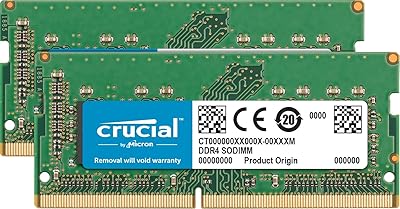
Crucial 32GB Kit (2x16GB) DDR4-3200 SODIMM CT2K16G4SFD832A
89%
94%
System Responsiveness
91%
Ease of Installation
96%
Multitasking Capability
88%
Value for Money
93%
Compatibility Range
More
Corsair Vengeance RGB Pro DDR4 32GB 3200MHz
84%
93%
Installation & Setup
86%
Performance at Rated Speed
71%
Overclocking Headroom
91%
RGB Lighting Quality
76%
iCUE Software Integration
More
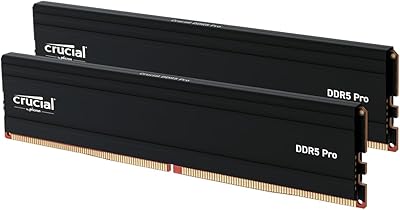
Crucial Pro 32GB DDR5 RAM Kit 5600MHz (2x16GB)
89%
92%
Performance
89%
Compatibility with Intel and AMD Systems
88%
Overclocking Capability
94%
Ease of Installation
90%
Power Efficiency
More
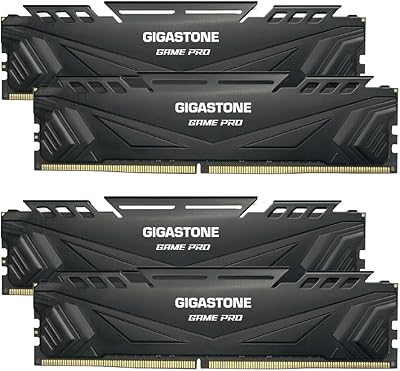
Gigastone Game PRO 32GB (4x8GB) DDR4 3200MHz Memory Kit
88%
91%
Performance in Gaming
94%
Ease of Installation
89%
Compatibility with Intel Systems
88%
Overclocking Performance
92%
Value for Money
More
Acclamator DDR4 32GB Kit 3200MHz
87%
88%
Performance Boost
94%
Ease of Installation
90%
Energy Efficiency
85%
Build Quality
76%
Compatibility with Systems
More
Wlizedle DDR4 3200MHz 32GB (2x16GB) RAM
84%
91%
Performance
88%
Ease of Installation
85%
Compatibility
90%
Overclocking Capability
82%
Power Efficiency
More
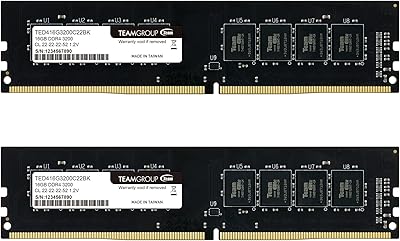
TEAMGROUP Elite DDR4 32GB Kit 3200MHz
86%
88%
Performance
91%
Value for Money
93%
Ease of Installation
85%
Power Efficiency
90%
Stability in Gaming
More
Crucial Pro Overclocking 32GB DDR5-6000 RAM Kit
91%
96%
Ease of Installation
93%
System Stability
89%
Gaming Performance
88%
Value for Money
84%
Thermal Management
More
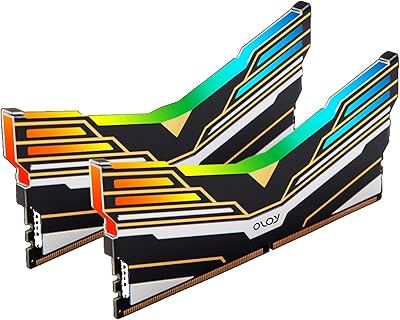
OLOy Warhawk DDR4 32GB (2x16GB) 3200MHz RAM
88%
88%
Performance
91%
RGB Lighting
89%
Installation Ease
78%
Overclocking Capability
86%
Power Efficiency
More
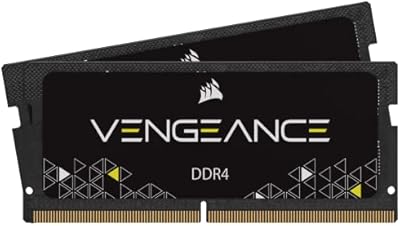
Corsair Vengeance SODIMM DDR4 32GB (2x16GB) 3200MHz
83%
93%
Installation Ease
78%
Compatibility Range
81%
Real-World Performance Gain
84%
Auto-Overclocking Reliability
88%
Thermal Performance
More

FAQ

You will likely need to enable XMP in your BIOS manually. Most motherboards default to a slower JEDEC speed like 2133MHz or 2666MHz regardless of what the kit is rated for. Head into your BIOS after installing the modules, find the XMP or memory profile setting, and enable it. After a reboot, your system should run at the full 3200MHz.

Yes, the Ryzen 5600X paired with a B550 board is one of the most straightforward compatibility scenarios for this DDR4 Pro memory kit. B550 boards widely support XMP profiles and handle 3200MHz dual-channel configurations reliably. Just double-check your motherboard’s QVL on the manufacturer’s website if you want extra certainty, but it is a well-tested combination.

This kit is designed as a 2x16GB pair. If you want to fill four slots, you would need to purchase a second matched kit. Running four DIMMs does add some electrical load that can cause motherboards to throttle memory speed — this is exactly where XMP 2.0 helps, as it is designed to recover the rated speed even in a 4-DIMM configuration.

Z790 boards can support either DDR4 or DDR5 depending on which version of the board you have — they are not interchangeable on the same board. If your Z790 is the DDR4 variant, then yes, this kit is fully compatible. If your board is the DDR5 variant, it will not work at all since the slot design is physically different.

It will work, but you will lose the dual-channel bandwidth benefit and effectively drop to 16GB. For most tasks that is still functional, but the performance advantage of running dual-channel is real enough that you should always install both sticks. If one arrives defective, reach out to Crucial for a replacement rather than running on a single module long-term.

At 1.2V, DDR4 modules like these generate very little heat under normal operation, and the absence of a heatspreader is not a concern at stock voltages. Compact builds with modest airflow handle bare-PCB DDR4 without issues in everyday use. Only extreme edge cases — like a completely sealed enclosure with a heat-generating GPU directly adjacent — would ever push this to be a consideration.

This varies by board, but the most common configuration is to use slots 2 and 4 rather than slots 1 and 2 — the paired slots are usually color-coded or labeled A2 and B2 in the manual. Installing both sticks in adjacent slots often results in single-channel operation, which is a common setup mistake. Always check your motherboard manual for the recommended dual-channel slot configuration.

Crucial backs this kit with a limited lifetime warranty. If a module fails, the process typically starts with Crucial’s online support where you describe the issue and run through basic diagnostics. Once a fault is confirmed, they generally handle replacements without excessive friction. The brand’s warranty reputation is considered a meaningful advantage over lesser-known memory vendors.

Most B450 boards and Ryzen 3000 CPUs handle DDR4 at 3200MHz without problems, but this combination has historically been more finicky about memory compatibility than later platforms. A small number of buyers with older B450 boards have reported needing a BIOS update before the kit ran stably at full speed. Check your motherboard manufacturer’s latest BIOS and QVL list before purchasing — it takes five minutes and can save a lot of troubleshooting.

Technically possible, but generally not recommended. Mixing different brands, speeds, or module configurations can cause instability, force the system to run all memory at the slowest common speed, or prevent XMP from working properly. If you are upgrading, the cleaner approach is to replace your existing memory entirely with this matched pair rather than mixing it with what you already have.