Overview

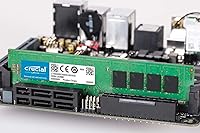
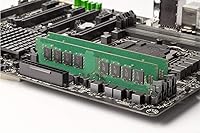
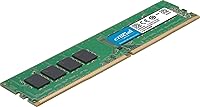
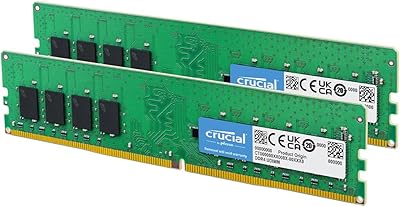
The Crucial CT16G4DFRA266 16GB DDR4 Desktop Memory comes from Crucial, the consumer arm of Micron — one of the most established memory manufacturers in the industry. That pedigree matters, because you are not buying from a generic brand and hoping for the best. This 16GB UDIMM runs at 2666 MHz over a standard 288-pin interface, designed specifically for desktop systems. It operates at just 1.2V, which is noticeably more efficient than older DDR3 hardware. There is no ECC, no fancy heat spreader, no RGB — just a straightforward, no-fuss upgrade for anyone who wants more headroom without any unnecessary complexity.
Features & Benefits

At 2666 MHz, this Crucial DDR4 module hits the sweet spot for most mainstream desktop platforms — fast enough for everyday multitasking, productivity software, and even light photo or video work, but without the premium you would pay for faster enthusiast-grade kits. The 288-pin UDIMM layout means it drops into virtually any standard desktop board, Intel or AMD alike. Running at 1.2V keeps thermals low, which is a genuine benefit in compact or poorly ventilated cases. Buying a single stick also leaves a slot open, giving you a clean path to 32GB dual-channel later without discarding what you already own. The lifetime warranty rounds it out nicely.

Best For

This desktop memory stick makes the most sense for people still running 8GB and feeling the squeeze — the kind of slowdown that hits when too many browser tabs, a video call, and a spreadsheet are all open at once. It is a particularly smart pick for home office setups where reliability matters more than raw speed. It also works well in older desktops that cap out at DDR4-2666 and have no use for faster XMP-rated sticks. One caveat: this is not the right choice if you are building a high-performance rig. Always check your motherboard QVL before ordering, just to avoid any edge-case compatibility surprises.

User Feedback

Across a large pool of verified buyers, this 16GB UDIMM earns high marks for hassle-free installation — most people report it was recognized immediately on boot with no BIOS adjustments needed. Users upgrading from 8GB almost universally notice a real difference in day-to-day responsiveness. That said, the feedback is not without nuance. A handful of buyers point out that 2666 MHz can feel limiting if you later move to a platform that supports faster speeds, so it is worth thinking ahead. A few also recommend confirming QVL compatibility before purchase. Long-term owners, though, consistently report rock-solid stability over months of continuous use — which is arguably what matters most.

Pros

  • Backed by Micron manufacturing, so reliability is not a question mark like it can be with lesser brands.
  • Plug-and-play installation — most users report their system recognized it immediately without any BIOS changes.
  • The 1.2V operating voltage runs cool and draws less power than older memory standards.
  • A lifetime warranty is included, which is a meaningful commitment for a component you expect to last years.
  • Broad compatibility with mainstream Intel and AMD desktop motherboards makes it a low-risk purchase.
  • Buying a single stick leaves a slot open, so you can expand to 32GB later without discarding anything.
  • Ships in anti-static packaging, which is a small but appreciated detail that protects the module before it ever reaches your hands.
  • Real-world user feedback across a large review base is overwhelmingly positive for day-to-day stability.
  • For users stuck on 8GB, the responsiveness improvement in everyday multitasking tasks is immediate and noticeable.

Cons

  • 2666 MHz is on the slower end of DDR4 and may feel limiting if you upgrade to a faster platform later.
  • A single 16GB stick runs in single-channel mode until you add a second module, leaving bandwidth on the table.
  • No XMP profile means enthusiasts cannot push this module beyond its rated speed through BIOS settings.
  • Non-ECC design makes it unsuitable for any workload that requires memory error correction.
  • Finding a perfectly matched second stick in the future is not guaranteed, which can complicate dual-channel upgrades.
  • The module has no heat spreader, which could be a minor concern in very cramped or unusually hot chassis.
  • 16GB is increasingly marginal for heavy creative workloads like video editing or large Photoshop files.
  • Compatibility edge cases do exist, so skipping the motherboard QVL check before purchasing is a real risk.

Ratings

The scores below reflect an AI-driven analysis of verified global buyer reviews for the Crucial CT16G4DFRA266 16GB DDR4 Desktop Memory, with spam, bot activity, and incentivized feedback actively filtered out to ensure the results are honest. Both the genuine strengths and the real frustrations buyers have encountered are represented transparently — nothing is glossed over. If you are trying to decide whether this desktop memory stick is the right upgrade for your situation, these scorecards are a practical starting point.

Installation Ease
94%
Nearly every buyer who documented their experience noted that this Crucial DDR4 module was detected by their system immediately on first boot, with no manual BIOS changes required. For someone doing their first-ever RAM upgrade, that kind of friction-free experience is genuinely reassuring and saves a lot of potential frustration.
A small fraction of users with less common motherboards encountered initial boot issues that required clearing CMOS or manually setting the memory speed in BIOS. These cases are rare but worth knowing about if you are working with an older or more obscure desktop platform.
Reliability & Stability
92%
Long-term owners consistently report that this 16GB UDIMM has run without a single error or crash over months of daily use, even in systems left running continuously. That kind of quiet dependability is exactly what you want from a component that sits at the core of everything your PC does.
Because this is a non-ECC module, there is no hardware-level protection against random single-bit memory errors, which are exceedingly rare in consumer use but do theoretically exist. Users running any workload where data integrity is critical should factor that into their decision.
Compatibility
88%
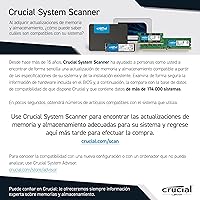
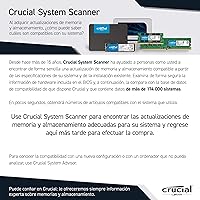
The standard 288-pin UDIMM form factor means this desktop memory stick drops into a remarkably wide range of Intel and AMD desktop motherboards without issue. Most buyers found it worked first try, and Crucial's own compatibility checker tool made pre-purchase verification straightforward.
A subset of buyers flagged edge-case incompatibilities with specific older or budget motherboard models, usually resolved by consulting the board's QVL list after the fact. Skipping that compatibility check before ordering is where most of the negative experiences originated.
Everyday Performance
81%
19%
For the target audience — people upgrading from 8GB to handle browser-heavy workloads, video calls, and spreadsheets simultaneously — the improvement in system responsiveness is immediate and noticeable. Switching between applications feels more fluid, and the system spends less time hesitating under moderate load.
At 2666 MHz, this module sits on the slower end of the current DDR4 spectrum, and users who later upgraded to a faster platform found it became a mild bottleneck. It is not an issue for everyday tasks, but it is a ceiling that enthusiast workloads will brush against.
Value for Money
86%
Buyers repeatedly acknowledge that getting a Micron-manufactured 16GB module with a lifetime warranty at this price tier is a genuinely fair deal. You are paying for quality and peace of mind, not for features like RGB or overclocking headroom that most everyday users will never use.
A few reviewers pointed out that similarly priced kits from competing brands occasionally offer DDR4-3200 speeds, making the 2666 MHz rating feel slightly less competitive purely on a specs-per-dollar basis. The Crucial name carries weight, but speed-focused shoppers may feel they could do better.
Memory Speed
67%
33%
For mainstream desktop tasks — office applications, web browsing, light photo editing, and remote work tools — 2666 MHz delivers perfectly adequate throughput with no real-world complaints from the intended user base. Systems that are bottlenecked by slow storage or an aging CPU will not even notice the difference.
DDR4-2666 is no longer the fastest widely available speed tier, and buyers who later upgraded their platforms found this module held them back. If your motherboard supports 3200 MHz or higher natively, you are leaving accessible performance on the table by choosing this module.
Heat & Power Efficiency
89%
Running at 1.2V, this Crucial DDR4 module generates noticeably less heat than older DDR3 hardware, which makes a real difference in compact cases or builds with limited airflow. Several buyers specifically appreciated this in small form-factor desktop setups where thermal management is always a concern.
Without a heat spreader, the bare PCB has no secondary thermal dissipation path if airflow is particularly poor or the module is seated near other heat-generating components. This is rarely a practical issue, but it is a consideration in unusually warm environments.
Dual-Channel Upgrade Path
78%
22%
Buying a single 16GB stick is a deliberate strategy for users who want to leave a DIMM slot open for a future capacity upgrade, and Crucial's broad availability makes sourcing a matching second stick relatively straightforward compared to more niche brands.
There is no guarantee a second stick purchased later — even with the same model number — will come from an identical production batch, which can occasionally cause instability in dual-channel configuration. Buying a matched two-stick kit upfront removes that uncertainty entirely.
Warranty Coverage
91%
A limited lifetime warranty on a consumer memory module is a meaningful commitment, and Crucial's reputation for honoring those claims gives buyers genuine confidence. For a component you expect to outlast the rest of your build, that long-term backstop matters.
Warranty claims require proof of purchase and sometimes involve shipping the module back at your expense, which can be inconvenient. The process is straightforward, but it is not as instant or hassle-free as some buyers assume when they see the word lifetime on the box.
Packaging & Handling
83%
The anti-static packaging is a small but appreciated detail that protects the module during transit and signals that Crucial takes the delivery experience seriously. Buyers who ordered multiple units during sales reported all of them arriving in perfect condition.
The packaging is entirely functional rather than premium, which is completely appropriate for this product type but occasionally surprises buyers who expect something more substantial from a well-known brand. Unboxing experience is not a selling point here.
Brand Trustworthiness
93%
Crucial's direct lineage from Micron Technology — one of only a handful of companies that actually fabricates DRAM chips — gives it a credibility advantage that most competing memory brands cannot genuinely claim. Buyers consistently cite the brand name as a deciding factor.
Crucial's consumer branding sometimes leads buyers to assume all their products are performance-oriented, which can create mild disappointment when they discover this is a straightforward standard-speed module with no enthusiast features. Managing expectations upfront would help.
Physical Form Factor
87%
The bare, no-heatspreader UDIMM profile is a practical advantage in builds where tall coolers or dense motherboard layouts leave little vertical clearance above the DIMM slots. It fits cleanly in cases where a thick heat spreader would cause real installation headaches.
The absence of any visual distinction — no RGB, no branded heatspreader — makes this desktop memory stick look generic once installed, which matters to builders who care about the aesthetics of an open-panel case. Purely cosmetic concern, but real for that audience.
Long-Term Durability
90%
The accumulated experience of buyers who have run this 16GB UDIMM for a year or more without degradation or errors suggests the underlying silicon quality is consistent with what you would expect from a Micron-manufactured product. It is built to last the lifetime the warranty implies.
As with any consumer memory module, there is no public data on failure rates at scale for this specific model, so long-term durability assessments are based on aggregated user reports rather than controlled testing. Most buyers will never encounter an issue, but some statistical uncertainty remains.

Suitable for:

The Crucial CT16G4DFRA266 16GB DDR4 Desktop Memory is a natural fit for everyday desktop users who are feeling the pinch of running too many things at once on 8GB or less. If your mornings involve juggling a video call, a browser with a dozen tabs, and a spreadsheet or two, the jump to 16GB will make a real, tangible difference in how smoothly things run. It is also a solid choice for home office workers who cannot afford slowdowns and need something that simply works without tinkering. Older desktop systems that support DDR4 but cap out at 2666 MHz will get the most out of this module, since there is no point paying for speed your board cannot use. Budget-conscious upgraders who want a reputable brand behind their purchase — without funding RGB lighting or exotic heat spreaders — will find this desktop memory stick hits exactly the right balance. And if you already have a single 8GB or 16GB stick installed, pairing this one gives you a clean path to dual-channel operation, which can noticeably improve memory bandwidth on compatible platforms.
Not suitable for:

The Crucial CT16G4DFRA266 16GB DDR4 Desktop Memory is not the right tool for every situation, and being honest about that matters. If you are building or upgrading a high-performance workstation — one used for 4K video editing, 3D rendering, or running memory-intensive simulations — you will quickly outgrow 16GB and likely need faster speeds than 2666 MHz can offer. Enthusiast builders chasing maximum throughput should look at DDR4-3200 or higher kits with tight timings, since this module makes no claims in that direction and is not designed for overclocking. Laptop and all-in-one users are entirely out of scope, as this is a 288-pin UDIMM built strictly for standard desktop slots. It is also worth noting that this is a non-ECC module, so anyone running a server, a NAS, or any workload where memory error correction is critical should look elsewhere. Finally, if your motherboard has only two DIMM slots and you are planning to eventually run 32GB in dual-channel, buying two matched sticks from the start is often smarter than purchasing this 16GB UDIMM solo and hunting for a compatible partner later.
Specifications

  • Brand: Manufactured by Crucial, the consumer memory division of Micron Technology, one of the largest semiconductor companies in the world.
  • Model Number: The exact model identifier for this module is CT16G4DFRA266, useful for verifying compatibility lists and warranty claims.
  • Capacity: This module provides 16GB of DDR4 memory, suitable for mainstream desktop multitasking and everyday productivity workloads.
  • Memory Type: Uses DDR4 SDRAM technology, which is the standard for modern desktop platforms and offers meaningful efficiency gains over DDR3.
  • Clock Speed: Rated at 2666 MHz (also listed as PC4-21300), representing a solid mid-range DDR4 speed for general desktop use.
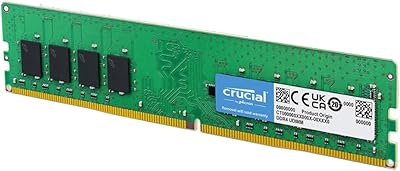
  • Form Factor: Comes in a UDIMM (Unbuffered DIMM) format with a 288-pin connector, designed exclusively for standard desktop motherboards.
  • Voltage: Operates at 1.2V, which is lower than older DDR3 modules and helps reduce heat generation and overall system power draw.
  • Error Correction: This is a non-ECC module, meaning it does not include hardware error-correction logic and is not intended for server or workstation ECC use cases.
  • Buffering: Unbuffered design means the memory controller on the CPU communicates directly with the module, as is standard for all consumer desktop RAM.
  • Dimensions: The module measures 5.25 x 0.03 x 1.23 inches, consistent with the standard full-height UDIMM profile used across mainstream desktop systems.
  • Weight: Weighs approximately 0.5 ounces, which is typical for a bare UDIMM module without a heat spreader attached.
  • Compatible Devices: Designed for use in desktop PCs only; it is not compatible with laptops, ultrabooks, or all-in-one systems that require SO-DIMM modules.
  • Warranty: Covered by Crucial's limited lifetime warranty, which provides long-term protection and reflects the brand's confidence in module reliability.
  • Release Date: First made available in July 2020, making it a well-established product with a track record of real-world performance data.
  • Packaging: Ships in a protective anti-static package designed to prevent electrostatic discharge damage during shipping and handling.
  • Channel Support: Can operate in single-channel mode alone or in dual-channel mode when paired with a second compatible DDR4 module in the appropriate slot.
  • XMP Support: This module does not carry an XMP profile, meaning it runs only at its rated 2666 MHz speed and is not designed for overclocking.
  • Heat Spreader: Ships without a heat spreader or RGB lighting, keeping the physical profile low and prioritizing compatibility in tight motherboard layouts.

Related Reviews
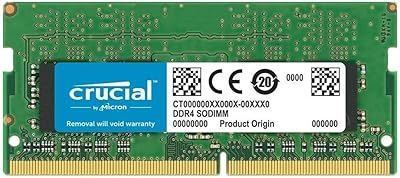
Crucial 16GB DDR4-2400 SODIMM Memory
84%
88%
Performance Boost
75%
Installation Ease
90%
Energy Efficiency
84%
Compatibility with Laptops
87%
System Responsiveness
More
Crucial 16GB DDR4 3200MHz Desktop RAM
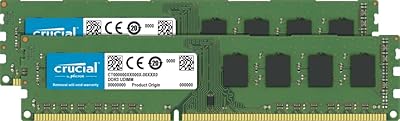
78%
93%
Ease of Installation
88%
Compatibility Range
79%
Real-World Performance
91%
Long-Term Reliability
74%
Value for Money
More
Crucial 16GB DDR3 1600 MHz CL11 Desktop Memory Kit
87%
94%
Performance
91%
Ease of Installation
89%
Compatibility
85%
Energy Efficiency
92%
Reliability
More
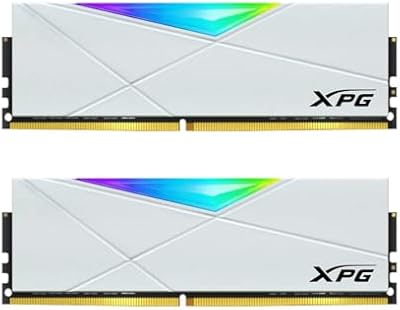
XPG D50 RGB 16GB DDR4 Desktop RAM
85%
88%
Performance at Rated Speed
91%
RGB Lighting Quality
72%
RGB Software Compatibility
93%
XMP Installation & Setup
86%
Motherboard Compatibility
More
KLEVV U-DIMM 16GB 3200MHz DDR4 Desktop RAM
80%
88%
Value for Money
91%
System Stability
93%
Installation Ease
86%
Compatibility
74%
Memory Speed
More
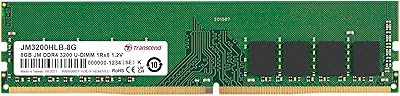
Transcend JM3200HLB-8G 8GB DDR4 Desktop RAM
74%
91%
Value for Money
88%
Compatibility
86%
Installation Ease
74%
Memory Speed
61%
Latency Performance
More
Crucial 16GB DDR4-2400 Desktop RAM Kit
81%
96%
Ease of Installation
93%
Compatibility
94%
Reliability & Stability
88%
Value for Money
86%
Performance – Everyday Use
More
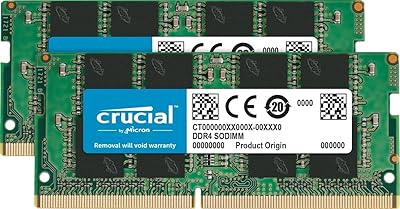
Crucial 16GB DDR4-2666 SODIMM Laptop RAM Kit
86%
92%
Performance Gain
88%
Compatibility
91%
Value for Money
86%
Installation Ease
93%
Reliability & Longevity
More
Samsung M471A2K43BB1-CPB 16GB DDR4-2133 SoDIMM Laptop Memory
78%
88%
Compatibility
92%
Reliability & Stability
91%
Installation Experience
76%
Performance Impact
79%
Value for Money
More
Samsung DDR4-2133p 8GB Desktop Memory
86%
91%
Value for Money
88%
Performance for Everyday Tasks
94%
Compatibility with Intel & AMD Systems
86%
Energy Efficiency
90%
Ease of Installation
More

FAQ

In most cases, yes. This Crucial DDR4 module uses a standard 288-pin UDIMM interface that is compatible with a wide range of Intel and AMD desktop platforms. That said, the safest step is to check your motherboard manufacturer's QVL (Qualified Vendor List) before buying, since edge-case compatibility issues, while rare, do occasionally come up with specific board revisions.

Most users report that the system simply recognizes the module at boot without any manual configuration. As long as your motherboard supports DDR4-2666, it should run at the correct speed automatically. If you do see it running at a lower speed in BIOS, you can manually set the memory frequency to 2666 MHz in your memory settings, but this is uncommon.

You can, but there are a few things to keep in mind. Mixing RAM sticks from different manufacturers or with different speeds can sometimes cause instability. Ideally, you would pair this desktop memory stick with an identical module in the matching DIMM slot to enable dual-channel mode. If your current stick is a different brand or speed, test carefully and check your motherboard manual for guidance on slot configuration.

For the vast majority of home office tasks — video calls, browser-heavy workflows, spreadsheets, email, and light document editing — 16GB is more than sufficient. The 2666 MHz speed is not a bottleneck for these use cases. Where you might start to feel constraints is in heavier workloads like large video exports or running multiple virtual machines simultaneously.

No, this module does not include an XMP profile and is not rated or designed for overclocking. It is built to run at its rated 2666 MHz speed reliably, not to be pushed beyond that. If overclocking is a priority, you would need to look at kits specifically marketed with XMP or EXPO profiles.

This 16GB UDIMM ships without a heat spreader, so it sits at the standard DIMM height with no added bulk above the PCB. That makes it a good fit even in cases where tall cooling towers or low-profile coolers extend close to the DIMM slots. It is about as unobtrusive as desktop RAM gets.

Crucial backs this module with a limited lifetime warranty, which means if the RAM itself fails under normal use, you can contact Crucial for a replacement. Keep your purchase receipt and product details handy when filing a claim, as they will need to verify the module is authentic and within warranty scope.

No. This is strictly a desktop UDIMM module with a 288-pin connector. Laptops and all-in-one systems use a physically smaller SO-DIMM format with a 260-pin connector. The two are not interchangeable, and attempting to force one into the wrong slot is not possible due to the different notch positions.

Check your motherboard manual — most boards label their DIMM slots and specify which pairs need to be populated for dual-channel operation. Typically, you would install matched sticks in slots 2 and 4, or 1 and 3, rather than side by side. Getting this right is important for enabling dual-channel mode and getting the best memory bandwidth.

Yes, there is a practical difference worth considering. A matched two-stick kit from the same manufacturing batch is more likely to run in stable dual-channel mode right out of the box. Buying a single stick now and sourcing a second one later introduces some uncertainty around compatibility and matched timings. If you know you will eventually want 32GB, buying a dual-stick kit upfront is often the cleaner path.