Overview

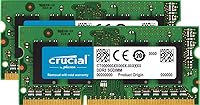
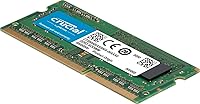
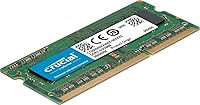
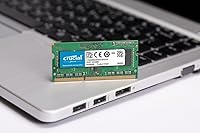
The Crucial 16GB DDR3 1866 Laptop Memory Kit is a no-frills upgrade built for older laptops hitting the ceiling with 4GB or 8GB of stock RAM. It comes as two matched 8GB DDR3L SODIMMs, so you get dual-channel bandwidth automatically once both modules are installed. Running at 1866 MT/s, it sits a notch above the more common 1333 and 1600 MHz options — a real improvement without venturing into exotic territory. Crucial is Micron's consumer brand, and that connection carries weight; these modules are built on the same silicon used in enterprise memory production. The 1.35V low-voltage spec also helps curb heat output and battery drain, both worth caring about in a laptop.

Features & Benefits

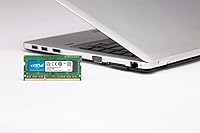
The 204-pin SODIMM form factor is the standard for laptop memory, and checking fit takes two minutes on Crucial's compatibility tool — that extra step saves a frustrating return trip. Running at 1.35 volts, this DDR3 laptop RAM upgrade draws less power than standard DDR3 sticks, which translates to lower heat inside a closed chassis and a modest battery life improvement on compatible systems. Because it is a matched pair, dual-channel mode kicks in without any BIOS configuration. That bandwidth boost is most noticeable when you are juggling multiple virtual machines, exporting video, or working with large spreadsheets. Every module is 100% factory tested on Micron's own production equipment before it ships.

Best For

This DDR3 laptop RAM upgrade makes the most sense for anyone running an older Intel-based laptop or an Apple machine from the late 2013 to 2015 era — the period when DDR3 1866 SODIMM was the ceiling for many high-end configurations. If your laptop shipped with 8GB and you regularly feel it straining under heavy multitasking, this kit is worth considering. IT teams refreshing a fleet of aging business laptops will find the price-per-gigabyte ratio hard to beat. That said, it is not a fit for every system. If your motherboard caps out at 1600 MHz, check compatibility first — and anyone on a newer platform needing DDR4 or DDR5 should look elsewhere entirely.

User Feedback

With a 4.6-star average built on roughly 4,300 ratings, the 16GB SODIMM kit has earned a track record that goes beyond a lucky batch of early reviews. Most buyers report their system recognized the modules immediately — no BIOS tinkering, no reseating rituals — and noticed a real-world performance lift within the first boot. Mac owners upgrading late-2013 MacBook Pros appear especially satisfied, with many noting the EFI detected the kit without issue. That said, not every experience is flawless. A handful of users found their system defaulted to 1600 MHz rather than 1866 MT/s due to motherboard limitations — a known quirk worth knowing about. DOA rates are low, and Crucial's customer support response on the rare failures draws consistent praise.

Pros

  • Ships as a matched dual-channel pair, so bandwidth improvements activate automatically without any manual BIOS configuration.
  • Built on Micron silicon — the same foundry behind enterprise-grade memory — giving it a credibility edge over no-name alternatives.
  • The 1.35V low-voltage design runs cooler and draws less power, a meaningful perk inside a sealed laptop chassis.
  • At 1866 MT/s, this DDR3 laptop RAM upgrade sits above the 1600 MHz mainstream, offering a tangible performance step for heavier workloads.
  • Broadly compatible with late-2013 through mid-2015 Apple laptops, with EFI typically detecting the modules without any extra configuration.
  • Crucial’s online compatibility checker makes confirming fit straightforward before purchasing, which significantly reduces return risk.
  • A 4.6-star average across more than 4,300 ratings reflects consistent real-world satisfaction built over a long sales history.
  • Most users report immediate BIOS recognition on first boot, making the installation experience low-stress even for first-time upgraders.
  • Accessible pricing for a branded kit makes it a cost-effective solution when refreshing multiple older machines at once.

Cons

  • Some motherboards cap out at 1600 MHz, so the kit may never actually run at its rated 1866 MT/s speed.
  • DDR3 is a legacy standard — this upgrade only makes financial sense if you genuinely plan to keep the laptop running for several more years.
  • No heatspreader or thermal protection is included, which is standard for SODIMMs but worth noting in sustained high-load scenarios.
  • Compatibility is not universal; checking your exact laptop model against Crucial’s tool before ordering is a mandatory step, not optional.
  • A small number of buyers report receiving a DOA module, and dealing with a warranty replacement adds wait time to the upgrade process.
  • The kit offers no XMP profiles or overclocking headroom — it runs at rated speed or whatever the platform dictates, nothing beyond that.
  • No installation guide is included in the packaging, which means first-time upgraders will need to source a tutorial independently.
  • Systems with a platform-level 8GB RAM ceiling will not benefit from this kit regardless of how the modules are installed.

Ratings

The scores below were produced by AI after systematically analyzing thousands of verified global user reviews for the Crucial 16GB DDR3 1866 Laptop Memory Kit, with active filtering applied to remove spam, bot-generated submissions, and incentivized feedback. Every category reflects both the genuine strengths and the real-world friction points that emerged consistently across the buyer pool, so you are getting an honest, balanced picture rather than a curated highlight reel.

Value for Money
93%
For a branded kit backed by Micron's manufacturing lineage, the price point is remarkably competitive — especially compared to generic alternatives of questionable origin. Buyers refreshing multiple older office laptops at once frequently cite the cost-per-gigabyte as the deciding factor that pushed them toward this DDR3 laptop RAM upgrade over similar options.
The value equation only holds if your machine actually supports DDR3 1866 — buying this kit for a system capped at 1600 MHz means paying for a speed tier you will never use. For laptops with an 8GB platform ceiling, the investment is entirely wasted regardless of the kit's quality.
Installation Ease
91%
The vast majority of buyers, including many who had never opened a laptop before, report a clean installation with immediate BIOS or EFI recognition on first boot. On compatible Apple machines in particular, both modules showed up at the correct capacity the moment the system restarted, with no firmware intervention required.
A small number of users had to reseat one module after an initial failure to POST — unsettling for first-time upgraders even if it resolves quickly. There is also no printed installation guide in the box, so complete beginners need to source model-specific instructions online before starting the process.
Performance Boost
84%
Users upgrading from 8GB on older MacBook Pros and business laptops describe a meaningful reduction in everyday sluggishness — browser sessions with 15-plus tabs no longer caused the system to crawl, and virtual machines became far more responsive. The jump to 16GB in dual-channel noticeably reduced reliance on swap memory during demanding workloads.
The gains are real but bounded by DDR3's architectural ceiling; this is not a transformative upgrade for machines also bottlenecked by slow CPUs or spinning hard drives. Users expecting an improvement comparable to installing an SSD will likely find the performance delta underwhelming in isolation.
Compatibility Range
72%
28%
For the specific platforms it targets — DDR3 1866 SODIMM systems from roughly 2013 to 2015 — this Crucial memory kit covers a well-documented range of machines including popular Apple and Intel-based models. Crucial's online compatibility checker further reduces guesswork for buyers unsure of their exact platform specifications before purchasing.
The compatibility window is inherently narrow because DDR3 is a legacy standard, and a meaningful share of returns come from buyers who ordered for a DDR4 system by mistake. Even within DDR3, platforms that cap speed at 1600 MHz or total RAM at 8GB can catch buyers off guard without prior research.
Module Reliability
88%
Across a large review sample, outright hardware failures and dead-on-arrival incidents are notably rare — a direct reflection of Crucial's factory-testing process on Micron's own production equipment. Long-term buyers running this DDR3 laptop RAM upgrade for several years consistently report no degradation in stability or system recognition over time.
A small but persistent number of DOA reports exist in the review pool, and because the kit ships as a matched pair, isolating a single faulty module requires additional testing effort. Warranty resolution, while generally praised, still involves shipping downtime that can be disruptive for a daily-use machine.
Rated Speed Accuracy
67%
33%
On platforms that fully support DDR3 1866 — including several late-2013 Apple configurations and specific Intel chipsets — the modules run at their rated speed without any manual BIOS adjustment. Users on genuinely compatible systems confirm the correct speed appears in system profilers and memory diagnostic tools immediately after installation.
A well-documented complaint is that some motherboards silently train the memory at 1600 MHz rather than 1866 MT/s, with no notification to alert the user. Unless the buyer checks memory speed post-installation in a profiler tool, they may never realize they are not receiving the advertised performance tier.
Thermal Efficiency
86%
The 1.35V DDR3L spec pays off in laptops that already run warm — several users report their chassis felt noticeably cooler during extended work sessions after switching from standard 1.5V DDR3 sticks. For thin-and-light machines where thermal headroom is already tight, lower voltage memory is a practical advantage, not just a spec sheet footnote.
The thermal benefit disappears entirely on platforms that default to 1.5V operation regardless of DDR3L support, which reduces the efficiency advantage to a non-factor for many buyers. The modules also ship without any heatspreader, which is standard for SODIMMs but leaves them more exposed in sustained high-load thermal scenarios.
Dual-Channel Benefit
81%
19%
Installing both matched sticks activates dual-channel mode automatically, and the bandwidth improvement is tangible for workloads like rendering, large file transfers, and running multiple virtual machines at once. Users who previously ran a single 8GB stick report a noticeable responsiveness improvement after switching to this matched pair even at the same total capacity.
The dual-channel advantage requires both memory slots to be occupied by matched modules, which forces users to remove any existing stick rather than simply adding one. If modules are seated in the wrong slot pairing for a given platform's channel configuration, dual-channel mode can silently fail to engage.
Brand Trust & Warranty
89%
Crucial's standing as Micron's consumer brand carries genuine weight in purchase decisions — this is not a white-label product of uncertain origin. The limited lifetime warranty is cited repeatedly in reviews as a differentiating factor, especially for IT buyers who need to justify hardware purchases to procurement teams or management.
Initiating a warranty claim requires proof of purchase and direct communication with Crucial's support channel, which a minority of users found slower than expected during high-demand periods. The warranty does not cover incorrect installation or incompatible platform usage, which accounts for a disproportionate share of negative support interactions.
Mac Compatibility
83%
Late-2013 through 2015 MacBook Pro and iMac models are among the most frequently cited successful use cases in the review pool, with buyers praising EFI's automatic detection of the 16GB SODIMM kit without any firmware intervention. For Mac owners stuck at 8GB with no first-party upgrade path, this kit delivered a practical and affordable solution.
Compatibility on Mac is not universal — some users with specific firmware revisions or mid-cycle model variants report the system defaulting to a lower speed tier or recognizing partial capacity only. Apple's tightly controlled platform makes these edge cases harder to diagnose without access to dedicated Mac memory diagnostic tools.
Customer Support
77%
23%
Crucial's support team receives consistent praise for handling warranty replacements and pre-purchase compatibility questions without excessive friction. The free compatibility checker on Crucial's website also serves as a first line of self-service support, reducing the number of buyers who need to contact the team at all.
Response times during peak periods have drawn occasional criticism, and several buyers who contacted support about the 1600 MHz speed-downgrade issue felt the resolution amounted to accepting a platform limitation rather than receiving actionable troubleshooting guidance. International buyers also note that warranty servicing can involve lengthy shipping and processing turnarounds.
Packaging Quality
62%
38%
Both modules arrive seated securely in a functional anti-static clamshell that provides adequate physical protection during transit. For buyers whose only concern is receiving intact, undamaged modules, the packaging accomplishes its core purpose without unnecessary complexity or waste.
There is no installation guide, compatibility reference card, or visual aid included in the box, which can leave first-time upgraders feeling unsupported at a critical moment. The presentation is so utilitarian that a handful of reviewers questioned whether they had received an authentic product before verifying through other means.
Long-term Stability
87%
Buyers who reviewed this DDR3 laptop RAM upgrade two or more years post-installation consistently report stable operation, with no unexplained crashes or memory errors attributable to the modules. Micron's consistent manufacturing standards appear to translate into reliable long-run performance even in aging laptop chassis that run warm.
A small number of users report intermittent instability appearing months after installation, which is difficult to attribute definitively to the modules rather than other aging components in an older machine. Because DDR3 hardware is no longer in active production cycles, diagnosing memory-related issues on legacy platforms is inherently more complex than on current-generation systems.

Suitable for:

The Crucial 16GB DDR3 1866 Laptop Memory Kit is the right call for anyone squeezing more life out of an older Intel-based laptop or an Apple machine from the 2013–2015 era that shipped with a frustratingly modest 4GB or 8GB from the factory. If you regularly find yourself waiting on your machine while running a dozen browser tabs alongside a Lightroom catalog or a virtual machine, jumping to 16GB is one of the most impactful upgrades you can make short of replacing the hardware entirely. Apple users in particular will appreciate that compatible MacBook Pro and iMac models tend to detect the modules automatically through EFI, making the upgrade genuinely plug-and-play in most cases. IT professionals managing a pool of aging office notebooks will also find this kit compelling, since the price-per-gigabyte is hard to argue with when you are stretching hardware budgets across a whole team. Budget-conscious home users who simply need a reliable brand name without paying extra for flashy heatspreaders will find this kit fits the bill cleanly.

Not suitable for:

Anyone with a laptop manufactured after roughly 2016 almost certainly needs DDR4, and the Crucial 16GB DDR3 1866 Laptop Memory Kit will simply not seat in those systems — buying the wrong memory type is a mistake that ends in a return shipment. Even within the DDR3 ecosystem, some older motherboards are hard-capped at 1600 MHz, meaning the kit may install and function but will never operate at its rated 1866 MT/s speed; that is not a defect, but it is worth understanding before purchasing. Buyers hoping to future-proof their setup should also be clear-eyed: DDR3 is a mature, end-of-life standard, and no RAM upgrade will compensate for an aging CPU or a worn-out storage drive on the same machine. If your laptop’s platform supports a maximum of 8GB total, a 16GB kit will not unlock additional capacity — the ceiling is set by the motherboard, not the modules. Users who require ECC memory for workstation or server-grade reliability should look elsewhere, as this is a standard consumer SODIMM with no error-correction capability.

Specifications

  • Total Capacity: The kit provides 16GB of total memory, split across two matched 8GB SODIMM modules.
  • Module Count: Ships as two individual 8GB sticks, intended to be installed together as a matched dual-channel pair.
  • Memory Type: Uses DDR3 SDRAM technology, the memory standard common to laptops produced roughly between 2010 and 2015.
  • Speed Rating: Rated at 1866 MT/s (PC3-14900), placing it a step above the 1600 MHz tier that defined most mainstream DDR3 laptops.
  • Form Factor: Follows the 204-pin SODIMM physical format, the standard for laptop and small-form-factor desktop memory slots.
  • Operating Voltage: Operates at 1.35 volts under the DDR3L low-voltage specification, generating less heat than standard 1.5V DDR3 modules.
  • Channel Mode: Configured as a dual-channel kit that activates full dual-channel bandwidth automatically when both modules are installed in a compatible system.
  • Manufacturer: Produced by Crucial, the consumer-facing brand of Micron Technology, one of the largest DRAM fabricators in the world.
  • Model Number: The official kit model number is CT2K102464BF186D, which can be used to confirm specifications or locate warranty information.
  • Quality Testing: Every module is 100% factory tested on Micron production equipment before leaving the facility.
  • Kit Weight: The complete two-module kit weighs 0.704 ounces total.
  • Device Type: Designed specifically for laptops and notebooks; not intended for full-size desktop DIMM slots.
  • JEDEC Compliance: Modules comply with the JEDEC DDR3L SODIMM specification, ensuring broad compatibility with platforms that adhere to the standard.
  • DDR3L Compat: DDR3L modules are backward compatible with standard DDR3 slots, defaulting to 1.5V operation on systems that do not support low-voltage mode.
  • Launch Date: This kit was first made available in March 2014 and has not been discontinued by the manufacturer.

Related Reviews
Crucial 16GB DDR3 1600 MHz CL11 Desktop Memory Kit
87%
94%
Performance
91%
Ease of Installation
89%
Compatibility
85%
Energy Efficiency
92%
Reliability
More
Crucial 8GB Kit (2x4GB) DDR3 1600 MHz Laptop Memory
88%
93%
Installation Ease
88%
Performance Boost
85%
Energy Efficiency
91%
Compatibility
86%
Build Quality
More
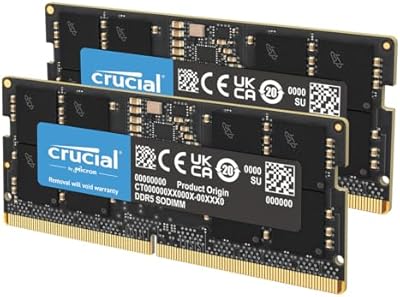
Kingston 16GB Kit (2 x 8GB) DDR3 1600MHz SODIMM Laptop Memory
88%
88%
Performance Boost
91%
Ease of Installation
85%
Compatibility with Laptops
92%
Energy Efficiency
80%
Build Quality
More
Corsair CMSA16GX3M2A1600C11 16GB DDR3 1600MHz Laptop Memory
88%
90%
Performance Boost
88%
Energy Efficiency
93%
Ease of Installation
85%
Compatibility with Mac Models
89%
Reliability & Stability
More
Crucial 96GB DDR5 5600MHz SODIMM Laptop RAM
82%
91%
Performance & Speed
93%
Workload Capacity
61%
Platform Compatibility
88%
Installation Ease
69%
Value for Money
More
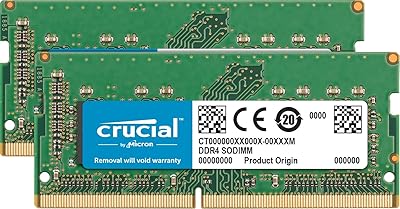
Crucial 24GB DDR5 5600MHz SODIMM Laptop Memory Kit
80%
93%
Installation Ease
71%
System Compatibility
88%
Performance Uplift
82%
Value for Money
79%
Speed & Frequency
More
Crucial 16GB DDR3-1600 SODIMM Laptop RAM Kit
84%
93%
Reliability & Stability
78%
Compatibility Range
81%
Performance Impact
91%
Value for Money
89%
Installation Experience
More
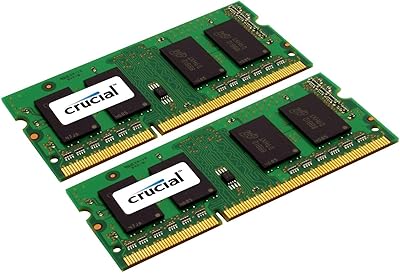
Crucial 32GB Kit (2x16GB) DDR4-3200 SODIMM CT2K16G4SFD832A
89%
94%
System Responsiveness
91%
Ease of Installation
96%
Multitasking Capability
88%
Value for Money
93%
Compatibility Range
More
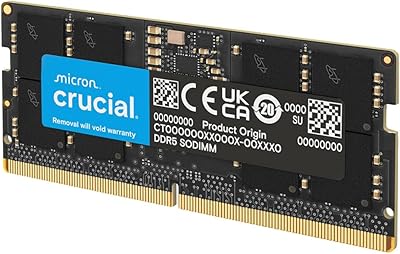
Timetec 16GB DDR3 1333MHz Desktop RAM Kit
83%
93%
Value for Money
88%
Compatibility
91%
Installation Ease
79%
Performance Improvement
84%
Reliability
More
Crucial 128GB DDR5 5600MHz Laptop Memory Kit
87%
91%
Performance Boost
88%
Compatibility with Intel & AMD
84%
Ease of Installation
90%
Gaming Performance
86%
Multitasking Efficiency
More

FAQ

It depends on the year. Apple MacBook Pro and iMac models from late 2013 through mid-2015 that use DDR3 1866 SODIMM slots are a well-documented fit for this memory kit, and EFI firmware on those machines typically detects both modules automatically on the first boot with no extra setup. To be certain before you order, run your exact Mac model through the free compatibility checker on Crucial's website.

You do not have to, but you should. Installing both 8GB modules together is what enables dual-channel mode, which meaningfully improves memory bandwidth compared to a single stick. If you only have one free slot, a single module will work, but you will end up with less than 16GB total and miss out on the dual-channel performance benefit the kit is designed to deliver.

DDR3L is a low-voltage variant of standard DDR3 — the L stands for low-voltage, meaning it runs at 1.35V instead of 1.5V, which produces slightly less heat and can offer a minor battery efficiency improvement on systems that support it. If your laptop only supports standard DDR3 at 1.5V, these modules will still function correctly; they simply operate at 1.5V rather than 1.35V, which is completely normal and safe.

Almost certainly not. Some motherboards have a hard ceiling at DDR3 1600, and in those cases the system will train the memory at the highest speed it supports rather than the module's rated speed. The modules themselves are working as intended; they are just being limited by the platform. To verify, check your laptop's official specification sheet to confirm what its actual maximum supported memory speed is.

The most reliable method is Crucial's free online compatibility tool, where you can search by laptop make, model, and year to see exactly which memory configurations are supported. Your laptop's service manual, if one is available, will also list supported memory speeds in the technical specifications section. Taking five minutes to check both sources before ordering is the simplest way to avoid a return.

RAM is one of the more approachable hardware upgrades on most laptops. The general process involves removing the bottom panel, locating the memory slots, releasing the existing modules, and pressing the new ones in until they click flat. Crucial provides installation guides on their support site, and model-specific walkthroughs are easy to find online. Most people complete the swap in under 15 minutes.

Yes, one 8GB module will operate on its own in a single slot. Keep in mind that doing so means running in single-channel mode rather than dual-channel, so you lose the bandwidth benefit the matched pair is designed to provide. If your goal is 16GB in dual-channel, you will need both slots available for this matched pair, which may require removing any existing modules first.

No. DDR3 and DDR4 SODIMMs use different pin counts, different notch positions, and different voltages, making them physically and electrically incompatible. A DDR3 module cannot be inserted into a DDR4 slot. If your laptop was built after roughly 2016, it almost certainly requires DDR4, so verify your machine's memory type before purchasing any upgrade.

The Crucial 16GB DDR3 1866 Laptop Memory Kit is covered by a limited lifetime warranty from Crucial, protecting against defects in materials and workmanship for as long as you own the product. Based on buyer feedback, the claims process through Crucial's support team is generally smooth. Keeping your order confirmation as proof of purchase is advisable before initiating any warranty request.

For most users, yes — particularly if the machine was already straining under its existing RAM. The improvement is most apparent during heavy multitasking, such as running a virtual machine alongside a full browser session, or working with large files in photo or video software. Systems that were regularly hitting their 8GB ceiling tend to feel considerably more responsive after the upgrade, with less lag when switching between applications.