Overview

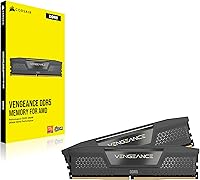
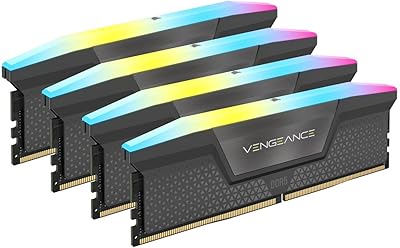
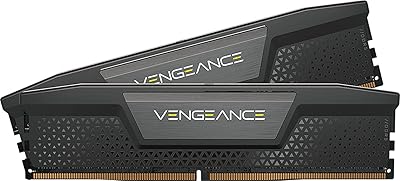
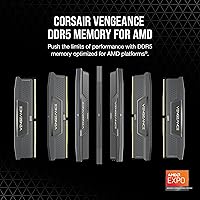
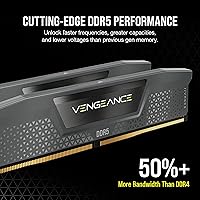
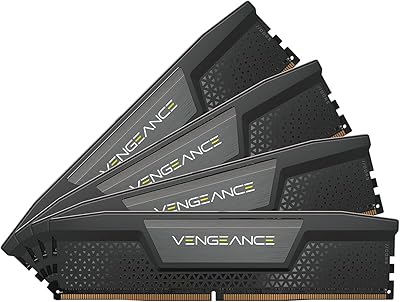
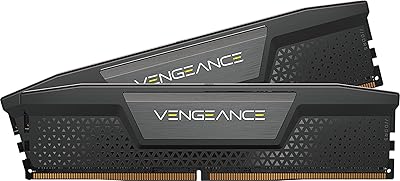
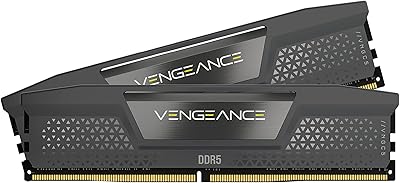
The Corsair Vengeance DDR5 64GB Desktop RAM is a high-capacity kit built for enthusiast builders who refuse to compromise on memory bandwidth or headroom. Running in a 2x32GB dual-channel configuration, it takes full advantage of modern platforms that need fast, parallel data access. DDR5 has firmly replaced DDR4 as the standard for high-end builds, and this kit sits comfortably at the sharp end of that transition. What sets it apart at this tier is dual platform support — both AMD EXPO and Intel XMP — so you are not locked into one ecosystem. The understated gray finish and slim profile keep it friendly to tighter builds without shouting for attention.
Features & Benefits

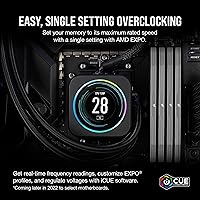
At 6000MHz with CL40 latency, this DDR5 kit hits a sweet spot where raw speed and timing work together — strong throughput without the instability that sometimes comes from pushing clocks too aggressively. A standout engineering choice is onboard voltage regulation: rather than leaning on the motherboard's power delivery, the kit manages its own, which translates to cleaner overclocking behavior and less variability between boards. Corsair's iCUE software adds real-time frequency and voltage monitoring, and while genuinely useful for tuners, it is entirely optional — the kit runs fine without it. At 1.35V operating voltage, thermal output stays manageable even during sustained, demanding workloads.

Best For

This Corsair memory upgrade makes the most sense for builders jumping to AM5 or Intel Raptor Lake who want full bandwidth from their CPU on day one, with no manual tuning required. Content creators handling heavy video editing, 3D rendering, or large-file workflows will appreciate the 64GB capacity headroom that keeps multitasking from hitting a wall. Gamers future-proofing a serious rig get both the speed and room to grow. It also fits naturally into existing Corsair setups where iCUE is already part of the workflow. Workstation users running long compute-intensive sessions will find the stable high-frequency operation dependable over extended periods.

User Feedback

The Vengeance 64GB set holds a 4.6-star rating, and the satisfaction largely comes down to one thing: it works right out of the box. Most buyers report that enabling EXPO or XMP in the BIOS is all it takes to hit rated speeds with no additional fuss. That said, a handful of users have flagged compatibility hiccups with specific motherboard QVLs, and some older BIOS versions needed updates before the kit ran at full spec. iCUE draws mixed reactions — appreciated by those already in the Corsair ecosystem, but occasionally noted as resource-heavy in the background. Upgraders consistently describe a clear responsiveness improvement compared to their previous DDR4 setups.

Pros

  • Hits 6000MHz right away with EXPO or XMP enabled — no manual tuning needed for most builders.
  • Dual AMD EXPO and Intel XMP support means this DDR5 kit works across both major platform families.
  • Onboard voltage regulation reduces reliance on motherboard power delivery, improving overclocking consistency.
  • 64GB capacity gives content creators and workstation users real breathing room for demanding, multi-app sessions.
  • The 2x32GB dual-channel configuration maximizes memory bandwidth on modern CPUs that can genuinely use it.
  • Clean gray aesthetic fits most builds without drawing attention or requiring RGB management.
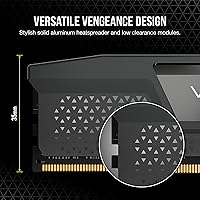
  • Compact dimensions make it compatible with tighter cases and most air cooler configurations.
  • Corsair iCUE integration offers useful real-time monitoring and control for users who want that visibility.
  • Buyers consistently report stable operation from day one, with very few reports of instability at stock settings.
  • Strong long-term value for anyone investing in an AM5 or Raptor Lake platform built to last several years.

Cons

  • Upfront cost is high — this is a premium investment, not a budget-friendly entry into DDR5.
  • Some motherboards require a BIOS update before the kit will POST or run at rated speed.
  • Not all boards have this kit on their official QVL, which can introduce setup uncertainty.
  • iCUE runs background services that some users find unnecessarily resource-heavy for a memory management tool.
  • 64GB is overkill for pure gaming use cases where 32GB is still the practical ceiling for most titles.
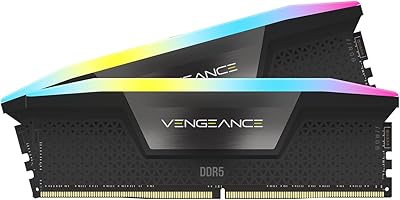
  • No RGB option in this colorway — builders who want lighting effects will need to look at other Corsair variants.
  • DDR5 platform entry costs remain high overall, so this kit is part of a larger expensive ecosystem.
  • Occasional reports of kits needing reseating or XMP re-enabling after BIOS updates on certain boards.

Ratings

The scores below reflect our AI-driven analysis of verified buyer reviews for the Corsair Vengeance DDR5 64GB Desktop RAM, sourced globally and filtered to remove incentivized, spam, and bot-generated submissions. Every category captures both what users genuinely praised and where frustrations emerged, giving you an honest, unvarnished picture of real-world ownership. Strengths and pain points are weighted equally so you can make a fully informed decision.

Out-of-Box Setup
88%
Most buyers report a genuinely smooth first boot experience — install the kit, enable EXPO or XMP in the BIOS, and the system posts at 6000MHz without further intervention. For builders who have wrestled with DDR4 overclocking in the past, this kind of plug-and-profile simplicity is a genuine relief.
A portion of users ran into initial hurdles caused by outdated motherboard firmware, requiring a BIOS update before the kit would run at rated speed. Those without a spare CPU or backup memory stick to facilitate the update found this a frustrating first step.
Platform Compatibility
83%
Having both AMD EXPO and Intel XMP profiles in a single kit is a practical advantage that most competing kits at this tier do not offer. Builders who switch platforms or buy components speculatively appreciate not being locked into one ecosystem from the start.
Not all motherboards — even current-generation AM5 and Intel boards — have this specific kit on their official QVL, and a small number of users reported that achieving stable operation required manual timing adjustments rather than a simple profile enable.
Memory Performance
91%
At 6000MHz with CL40 latency, this DDR5 kit delivers throughput that users running Blender, DaVinci Resolve, or large After Effects projects describe as noticeably faster than their previous DDR4 setups — particularly in tasks that stream large sequential data blocks through the CPU.
The performance gap over slightly slower DDR5 kits running at 5600MHz is real but relatively modest in purely gaming workloads, meaning buyers using this kit exclusively for gaming may not recoup the full cost premium through measurable frame rate gains.
Stability & Reliability
89%
The vast majority of long-term users report consistent, crash-free operation even under sustained workstation loads — rendering overnight jobs, running virtual machines, or keeping dozens of browser tabs and applications open simultaneously without memory-related instability.
A small but recurring subset of reviews mention occasional system instability after BIOS updates that inadvertently reset memory profiles, requiring users to re-enable EXPO manually. This is more of a motherboard firmware behavior than a kit flaw, but it does catch people off guard.
Overclocking Headroom
82%
18%
The onboard PMIC is a meaningful advantage here — users who pushed beyond the 6000MHz rated speed noted cleaner behavior and better stability compared to kits that rely on the motherboard for voltage delivery, particularly on mid-range AM5 boards with less robust power circuitry.
Enthusiast overclockers chasing sub-CL36 timings or speeds above 6400MHz found the kit less cooperative than some competing modules with looser binning, suggesting it is optimized for reliable rated performance rather than extreme manual tuning.
Build Quality
86%
The modules feel solid and well-constructed, with a heat spreader that distributes warmth evenly across the module during extended sessions. Users upgrading from budget DDR4 sticks consistently note the difference in physical quality, even without touching performance figures.
The gray finish, while clean, can show fingerprints during handling, and a few users noted that the heat spreader edges feel slightly sharp compared to premium competitors. Neither issue affects function, but they are worth noting for detail-oriented builders.
Thermal Management
84%
Running at 1.35V keeps temperatures in a comfortable range during extended workloads — users monitoring with iCUE report module temps staying well-controlled even during prolonged rendering sessions without active airflow directed at the DIMMs.
Builders in particularly compact cases with limited airflow occasionally reported slightly elevated module temperatures during multi-hour sustained workloads, though no thermal throttling or instability was attributed directly to heat in verified reviews.
iCUE Software Integration
71%
29%
For users already running other Corsair components, iCUE adds genuine value — real-time frequency and voltage readouts, custom RAMP profiles, and centralized system monitoring without needing a separate utility. The control it offers overclockers wanting live feedback is a legitimate differentiator.
Users who are not invested in the Corsair ecosystem find iCUE a heavyweight addition that runs background services and occasionally conflicts with other system monitoring tools. The software feels overbuilt for buyers who simply want to set a memory profile and move on.
Capacity Value
78%
22%
Content creators and workstation users consistently describe 64GB as the point where their workflows stopped feeling constrained — large Premiere Pro projects, virtual machine stacks, and data science pipelines that previously caused memory pressure now run without swapping or throttling.
For buyers primarily gaming, 64GB represents significant excess capacity that will see minimal utilization in current titles, making the price premium harder to rationalize unless the workload genuinely demands it or the build is intended as a long-term investment.
Value for Money
67%
33%
Buyers who factored in the dual-profile support, onboard PMIC, and brand reliability rated the value proposition positively when comparing it against similarly specced kits from competing brands at similar price points — the feature set justifies the cost at this tier.
The price point is undeniably steep, and buyers coming from DDR4 who underestimated the combined cost of a DDR5 platform upgrade felt the sticker shock acutely. Several reviewers noted that faster speeds and larger capacity do not always translate to proportional real-world gains for the money.
Physical Fit & Clearance
87%
The slim 1.38-inch module height clears the vast majority of popular tower air coolers without issue, and builders using large Noctua or Deepcool coolers appreciated not having to reposition or compromise cooling to accommodate the memory.
In ultra-compact ITX builds with very aggressive cooler overhangs, clearance can still be tight, and a couple of users noted needing to verify fitment more carefully than expected despite the modules not being unusually tall.
Aesthetic Design
73%
27%
The understated gray finish works well in builds that prioritize a clean, professional look over RGB flair — particularly in all-gray or monochrome builds where lighting hardware would feel out of place or require extra cable management.
Builders who want RGB lighting or a bolder visual presence will find this kit underwhelming — there is no lighting variant in this specific colorway, and the plain spreader design reads as utilitarian rather than premium for buyers who care about visual impact.
Documentation & Support
74%
26%
Corsair's online resources — compatibility checkers, BIOS tuning guides, and iCUE documentation — are thorough enough that most setup questions can be answered without contacting support, and the brand's reputation for standing behind its hardware provides reasonable long-term confidence.
The included printed documentation is minimal, and newer builders unfamiliar with enabling memory profiles found the out-of-box guidance insufficient for diagnosing why their system defaulted to 4800MHz rather than the rated 6000MHz after first boot.

Suitable for:

The Corsair Vengeance DDR5 64GB Desktop RAM is a strong match for builders who are serious about getting the most out of a current-generation platform and do not want to upgrade memory again in two years. If you are building or refreshing a system around an AMD Ryzen 7000 series processor on AM5, this kit plugs in and hits rated speeds with a single BIOS toggle — no manual timing work required. Content creators who regularly push through large Premiere Pro timelines, Blender renders, or batch photo processing will notice the difference that 64GB of headroom makes when multiple applications are competing for memory at once. Gamers building a high-end rig who want their system to stay competitive well into the next hardware cycle get both the capacity and the frequency to support whatever comes next. Workstation users who leave machines running intensive compute jobs for hours at a time will also appreciate the stable, controlled power delivery that keeps things consistent under sustained load.
Not suitable for:

The Corsair Vengeance DDR5 64GB Desktop RAM is not the right choice for every builder, and it is worth being straightforward about that. If you are working with a DDR4 motherboard, this kit is simply incompatible — DDR5 and DDR4 are not interchangeable, and no adapter exists to bridge that gap. Budget-focused builders or anyone assembling a mid-range system will find the price hard to justify when 32GB DDR5 kits at lower speeds offer more than enough performance for everyday gaming or office workloads. Users who prefer to stay completely outside the Corsair software ecosystem may find iCUE an unwanted addition, since it installs background services and is not something you can fully ignore during setup. If your motherboard is not on the manufacturer's QVL for this specific kit, you may encounter compatibility friction that requires a BIOS update before the memory runs at its rated spec — something worth checking before buying.
Specifications

  • Capacity: This kit provides 64GB of total memory across two 32GB DDR5 modules configured for dual-channel operation.
  • Memory Type: Uses DDR5 technology, the current-generation standard for high-end desktop platforms, incompatible with DDR4 slots.
  • Speed: Rated at 6000MHz, delivering strong memory bandwidth suited to modern multi-core processors on both AMD and Intel platforms.
  • Latency: Operates at CL40 primary latency, a well-balanced timing for a 6000MHz DDR5 kit in terms of real-world throughput.
  • Voltage: Runs at 1.35V, keeping power draw and heat output manageable across extended, demanding workloads.
  • Profile Support: Includes both AMD EXPO and Intel XMP profiles, enabling one-click speed activation on compatible AM5 and Intel motherboards.
  • Voltage Regulation: Features onboard PMIC (Power Management Integrated Circuit), moving voltage regulation onto the module itself for more stable overclocking.
  • Form Factor: Standard DIMM form factor designed exclusively for desktop PC motherboards with DDR5-compatible slots.
  • Dimensions: Each module measures 5.31 x 0.28 x 1.38 inches, keeping a relatively slim profile suitable for most air cooler clearances.
  • Weight: Each module weighs approximately 1.28 ounces, consistent with a standard non-RGB DDR5 DIMM.
  • Color: Ships in a clean gray finish with no RGB lighting, fitting into both minimalist and understated premium build aesthetics.
  • Software: Compatible with Corsair iCUE software for real-time frequency monitoring, voltage control, and custom RAMP profile configuration.
  • Model Number: The official Corsair model identifier for this kit is CMK64GX5M2B6000Z40.
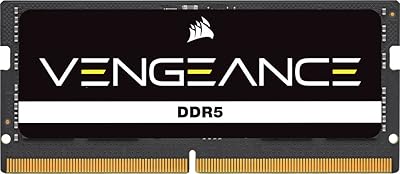
  • Compatible Devices: Designed for desktop PCs only; not compatible with laptops, small form factor SO-DIMM slots, or server platforms.
  • Availability: This kit was first made available in November 2022, coinciding with the broader consumer adoption of DDR5 platforms.
  • Module Count: Sold as a matched pair of two modules, both required to run in dual-channel mode as intended.
  • Warranty: Corsair provides a limited lifetime warranty on Vengeance DDR5 memory, covering manufacturing defects under normal use conditions.

Related Reviews
Corsair Vengeance DDR5 64GB 6000MHz Desktop RAM
83%
93%
Performance at Rated Speed
91%
XMP Setup & Ease of Use
94%
Stability & Reliability
67%
Platform Compatibility
62%
Value for Money
More
Corsair Vengeance DDR5 64GB Desktop Memory
81%
93%
Stability & Reliability
88%
XMP Setup Experience
81%
Real-World Performance
67%
Value for Money
79%
Compatibility
More
Corsair Vengeance DDR5 64GB RAM
84%
91%
Out-of-Box Performance
83%
Overclocking Headroom
78%
Platform Compatibility
74%
Value for Money
69%
iCUE Software Integration
More
Corsair Vengeance DDR5 32GB (2x16GB) 7200MHz RAM
89%
93%
Performance
94%
Speed and Responsiveness
88%
Ease of Installation
90%
Overclocking Stability
91%
Compatibility with Modern Motherboards
More
Crucial 64GB DDR5 5600MHz Desktop RAM
79%
93%
Reliability & Stability
81%
Compatibility
84%
Performance at Rated Speed
91%
Installation Experience
67%
Value for Money
More
Corsair Vengeance SODIMM DDR5 32GB Laptop RAM
80%
93%
Installation Ease
89%
Speed Detection & XMP
84%
Real-World Performance
76%
Platform Compatibility
67%
Latency & Timings
More
Corsair Vengeance DDR5 32GB (2x16GB) 6800MHz RAM
88%
91%
Overall Performance
94%
Gaming Performance
88%
Ease of Overclocking
89%
Software Integration (iCUE)
92%
Compatibility with Intel Systems
More
Corsair Vengeance RGB 64GB DDR5 Desktop RAM
81%
88%
Memory Performance
91%
Installation Experience
83%
Platform Compatibility
86%
RGB Lighting Quality
87%
Thermal Management
More
Corsair Vengeance RGB DDR5 64GB (2x32GB) 6200MHz CL32
87%
91%
Performance
89%
RGB Lighting Customization
92%
Ease of Installation
88%
Overclocking Stability
93%
Compatibility with Intel Systems
More
Corsair Vengeance DDR5 192GB Desktop Memory Kit
80%
93%
Raw Capacity Value
88%
XMP Setup Experience
91%
Daily Stability
67%
Platform Compatibility
72%
Memory Speed & Latency
More

FAQ

Yes, it does. The kit includes an AMD EXPO profile, so once you install it and enable EXPO in your BIOS, it runs at the full 6000MHz rated speed without any manual configuration. Just make sure your motherboard supports EXPO — most AM5 boards do.

It works on Intel platforms too. The Vengeance 64GB set includes an Intel XMP profile alongside AMD EXPO, so builders on 12th or 13th Gen Intel systems can enable XMP in the BIOS and hit rated speeds just as easily. Having both profiles in one kit is genuinely useful if you ever switch platforms.

For pure gaming, 64GB is more than most titles will ever need — 32GB covers virtually every game available today with headroom to spare. Where this capacity makes a real difference is in content creation, 3D rendering, large dataset work, or running multiple heavy applications simultaneously. If your workload is gaming only, a smaller kit would serve you just as well at a lower cost.

No, iCUE is entirely optional. The memory runs at its rated specs through your BIOS profile settings without any software installed. iCUE adds monitoring and control features if you want them, but skipping it has no impact on performance or stability.

In most cases, yes. The modules measure 1.38 inches tall, which is within the clearance range for the majority of popular tower air coolers, including most Noctua and be quiet! models. That said, it is always worth checking your specific cooler's memory clearance spec before buying, especially on tighter builds.

You can still try it, and it will likely work, but there are no guarantees of running at full rated speed without a current BIOS. QVL lists are tested configurations — if your board is not on it, update your BIOS to the latest version first. Most compatibility issues with DDR5 kits come down to outdated firmware rather than genuine hardware conflicts.

Yes, most AMD B650 motherboards with DDR5 slots support this kit, and many have it listed on their QVL. Enable EXPO in the BIOS after installation and it should post at 6000MHz without issue. As always, checking your specific board's memory support page first saves potential troubleshooting time.

That depends on your motherboard. If your board has four DIMM slots, you could in theory add another matched pair, but running four DDR5 sticks often forces the system to drop to a lower speed due to increased electrical load on the memory controller. For most users, 64GB in two slots is the more reliable and practical configuration.

Traditional memory kits rely on the motherboard to deliver stable voltage to the modules, which varies between boards. With onboard PMIC, each module manages its own power delivery, making it less sensitive to variations in motherboard quality. In practice, this means more consistent behavior when overclocking and less guesswork when tuning timings on different platforms.

EXPO is AMD's memory overclocking specification for AM5 platforms, while XMP is Intel's equivalent. They serve the same purpose — storing a pre-tested high-speed profile the BIOS can load automatically. This kit includes both, so you just enable whichever one matches your platform in the BIOS. You do not need to choose in advance; the correct profile is simply the one that matches your CPU and motherboard.

Where to Buy