Overview

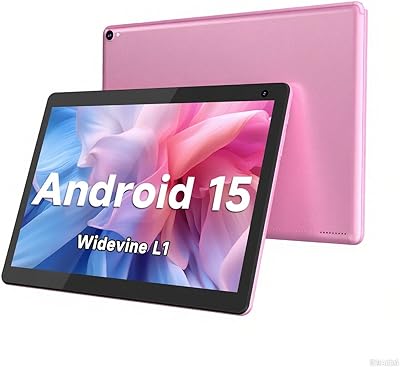
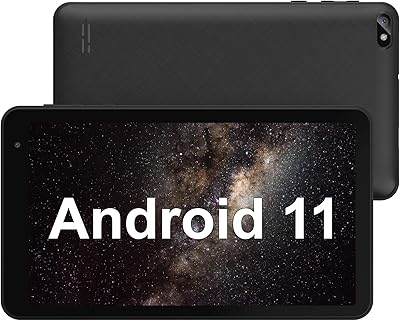
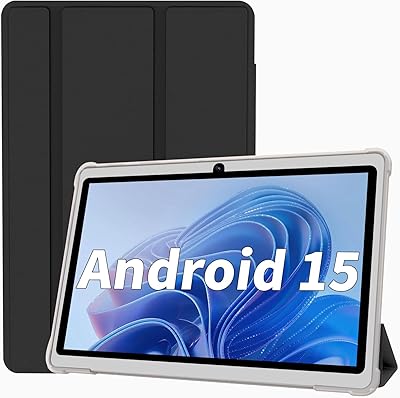
The COOPERS CP80 7-inch Android Tablet sits firmly in the budget tier — and that context matters before you read another word. Running Android 15, which is surprisingly current for a device at this price point, it pairs that software freshness with an Allwinner quad-core processor that handles everyday tasks at a measured pace. Don't expect speed records. What you get is a lightweight, no-frills slate for casual browsing, reading, and light video — nothing more. The 1024x600 IPS display and 3000mAh battery are both modest by today's standards, so walking in with realistic expectations is the only way to appreciate what this compact 7-inch tablet genuinely delivers.
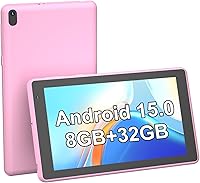
Features & Benefits

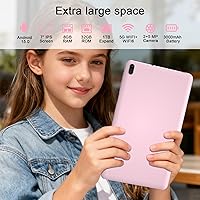
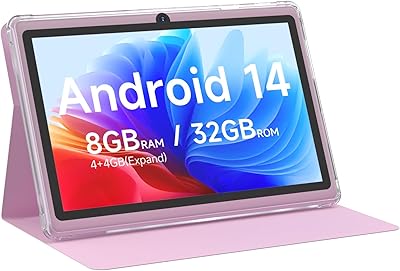
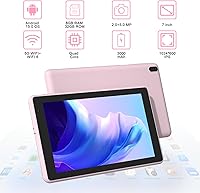
The spec sheet deserves a closer look — especially the RAM figure. COOPERS advertises 8GB of RAM, but in practice only 3GB is physical memory; the rest is virtual swap space borrowed from storage. That distinction matters for multitasking. Still, the 32GB of internal storage pairs nicely with microSD expansion up to 1TB, giving users real room for apps, music, and offline videos. The IPS panel renders text cleanly enough for reading, and the screen's touch response is acceptable for the price. Connectivity covers WiFi and Bluetooth, the dual cameras are adequate for video calls and quick snapshots, and at just 0.7 lbs, this budget Android tablet is genuinely easy to carry all day.

Best For

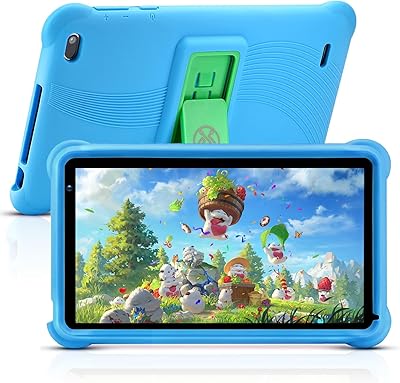
This compact 7-inch tablet makes the most sense for a specific set of buyers, and knowing who those are saves a lot of disappointment. Kids getting their first device will find it perfectly sized and capable enough for educational apps, YouTube, and basic games. Seniors or anyone who wants a simple, light device for reading e-books or making video calls will appreciate how manageable it feels in hand. Budget-conscious parents who'd rather not hand a child an expensive tablet should find the value compelling. Frequent travelers looking for a cheap secondary screen for flights or waiting rooms will also get plenty of mileage from this budget Android tablet.

User Feedback

Buyers consistently highlight effortless setup straight out of the box — a big plus for kids and seniors alike — and most agree the price-to-functionality ratio is hard to argue with at this level. That said, recurring gripes center on the RAM situation; users running multiple apps simultaneously notice lag that wouldn't exist on a device with true 8GB of physical memory. Screen brightness also comes up, with some finding it underwhelming outdoors. Battery life tends to land closer to six or seven real-world hours of mixed use — decent but short of the marketing claim. On durability, the COOPERS CP80 has earned reasonably solid marks, which matters a lot for parents putting this in a child's hands.

Pros

  • Runs Android 15 out of the box, which is rare and genuinely notable at this price tier.
  • MicroSD expansion up to 1TB means storage limitations are easy and affordable to solve.
  • At just 0.7 lbs, the COOPERS CP80 is light enough to hold one-handed for extended reading sessions.
  • The 7-inch form factor fits comfortably in a bag or large jacket pocket.
  • Setup is straightforward, making it accessible for young children and non-technical adults alike.
  • Bluetooth support lets you pair wireless headphones or a keyboard without any fuss.
  • The rear camera includes a flash, adding usefulness for basic low-light snapshots.
  • IPS panel delivers decent color accuracy for an entry-level screen, adequate for video and casual browsing.
  • The low price makes loss, damage, or accidental breakage far less stressful than with a premium device.

Cons

  • Only 3GB of physical RAM means real-world multitasking feels sluggish despite the 8GB marketing claim.
  • The 1024x600 resolution looks noticeably dated compared to virtually any current smartphone display.
  • Outdoor screen visibility is poor; direct sunlight makes the display genuinely hard to use.
  • The Allwinner processor struggles with anything beyond light apps and basic video playback.
  • Real-world battery life under mixed use tends to fall short of the claimed 8-to-10-hour figure.
  • WiFi is limited to 802.11n with no 5GHz band support, meaning slower speeds on congested networks.
  • The 2MP front camera produces soft, grainy video — functional for calls, but not much else.
  • No cellular option means you are entirely dependent on WiFi for any connectivity away from home.
  • Virtual RAM marketing inflates the memory spec in a way that can mislead buyers unfamiliar with the distinction.

Ratings

Our scores for the COOPERS CP80 7-inch Android Tablet were generated by AI after analyzing thousands of verified purchase reviews from global buyers, with spam, incentivized, and bot-generated feedback actively filtered out before scoring. Each category reflects the honest pattern of real-world user experiences — strengths are credited where genuinely earned, and pain points are never softened. Whether this compact budget tablet fits your specific needs depends on understanding exactly where it delivers and where it falls short, and these scores are designed to show both transparently.
Value for Money
78%
22%
At this price point, buyers consistently report being pleasantly surprised by what they get. Running Android 15 out of the box is genuinely uncommon at this tier, and the combination of a functional screen, Bluetooth, and microSD expansion makes the overall package feel more rounded than the sticker price suggests.
Users who compare this to mid-range tablets — even those costing only a little more — often notice the gap in build quality and screen sharpness quickly. The value proposition depends heavily on keeping expectations in check; buyers hoping for a budget alternative to something like a Kindle Fire HD tend to come away disappointed.
Performance
52%
48%
For basic use — loading a YouTube video, flipping through an e-book, or browsing a news site — the Allwinner quad-core chip gets the job done without obvious hang time. Seniors and casual users who open one app at a time and do not push the device hard often report a perfectly acceptable everyday experience.
The moment multitasking enters the picture — switching from a browser tab to a game while music plays in the background — performance noticeably degrades. The 3GB of physical RAM is the real bottleneck, and users who bought expecting the full advertised 8GB feel misled once they hit the device's actual limits.
Display Quality
61%
39%
The IPS panel delivers noticeably better color consistency and viewing angles than the basic TN screens found on similarly priced competitors. For reading e-books, watching YouTube at arm's length indoors, or browsing recipes in the kitchen, the screen gets the job done without visible color washing or excessive glare in controlled lighting.
The 1024x600 resolution is a clear limitation — text and images look soft when compared to even budget smartphones, and the screen's maximum brightness struggles in well-lit environments. Outdoor use is largely impractical, and users who primarily consume high-resolution content report visible pixelation that becomes difficult to overlook over time.
Battery Life
58%
42%
For light, single-task use — reading for a few hours, listening to podcasts, or watching a movie on a long-haul flight — the 3000mAh battery holds up reasonably well. Travelers using it as a secondary entertainment device report it lasting through most of a transatlantic flight on a single charge.
The claimed 8-to-10-hour runtime is aspirational at best — most users logging real mixed usage report the battery giving out between 5 and 7 hours. Screen-heavy activities like gaming or streaming at higher brightness drain the small battery noticeably faster, frustrating users who expected a full casual-use day without a recharge.
RAM & Multitasking
47%
53%
For straightforward single-task sessions — pulling up a recipe, running a navigation app, or playing a simple puzzle game — the device performs adequately without frustrating lag. Users who dedicate it to one purpose, such as a bedside e-reader or a travel entertainment screen, consistently rate this aspect far more favorably.
The virtual RAM marketing is the single most consistent source of buyer disappointment — users who expected 8GB of usable memory quickly discover the device effectively operates with around 3GB, and app reloads, background crashes, and sluggish switching become a regular experience whenever more than two apps are running simultaneously.
Storage & Expandability
82%
18%
The microSD slot supporting up to 1TB is one of the strongest selling points at this price, and buyers who add a 128GB card immediately feel the device open up significantly. Families loading offline episodes for road trips, or kids accumulating games and videos, report that storage never becomes a meaningful daily constraint once a card is installed.
The base 32GB fills up faster than many buyers anticipate, especially once Android consumes a portion of that space and a few games are installed. The microSD card is not included in the box, meaning the optimal storage experience requires an extra purchase that some buyers overlook when budgeting for the initial order.
Build Quality
63%
37%
The slim, clean design earns consistent praise from users who expected something that looked more obviously cheap straight out of the box. The lightweight build makes a tangible difference for seniors and commuters who hold the device for extended periods, and the overall physical first impression frequently exceeds expectations given the price tier.
The plastic casing shows scratches and scuffs more quickly than sturdier mid-range devices, and a handful of users note the chassis flexes slightly under firm pressure. Those expecting a premium feel — or parents hoping it survives rough daily handling from young children — will likely be disappointed without a protective case.
Camera Quality
44%
56%
The rear camera's built-in flash adds practical usefulness for dim indoor snapshots, and for the narrow purpose of video calling on apps like WhatsApp or Zoom, the 2MP front camera produces an image that is perfectly recognizable at standard call quality. For that specific, limited use case, it clears the bar.
Beyond basic video calls and casual snapshots in good natural lighting, both cameras fall short quickly — images lack detail, colors wash out, and low-light performance is poor. Users who regularly photograph anything beyond a static document or a casual chat selfie report consistent frustration with output quality regardless of shooting conditions.
Software & OS
74%
26%
Shipping with Android 15 at this price is a genuine differentiator — it means access to a current app ecosystem, recent security patches, and a UI that feels familiar to anyone with an Android phone. Non-technical buyers, including seniors setting it up independently for the first time, consistently praise how intuitive the software feels compared to more locked-down budget alternatives.
Some users note that background processes occasionally chip away at already-limited RAM, contributing to slower app launches over extended use. A small but vocal segment of buyers also raises concerns about post-launch software update frequency, which remains an important long-term consideration for anyone purchasing an Android device at this price tier.
Connectivity
56%
44%
Bluetooth opens up practical everyday options — pairing wireless earbuds for a commute, connecting a compact keyboard for occasional typing, or using a wireless gamepad for casual gaming all work reliably. For a device primarily used at home or in a hotel room, the WiFi connection handles streaming and browsing without issue in typical indoor conditions.
The 802.11n WiFi is single-band only, meaning users in dense apartment buildings or busy households with many connected devices frequently experience interference and noticeably slower streaming speeds. There is no cellular connectivity option at all, making this budget Android tablet entirely dependent on an available WiFi network — a real limitation for frequent travelers.
Portability
83%
At just 0.7 lbs and 0.3 inches thick, this compact 7-inch tablet genuinely disappears into a bag in a way that larger tablets simply cannot. Kids carry it independently without complaint, commuters slip it alongside other gear without noticing the extra weight, and seniors appreciate that it never feels heavy or awkward during long reading sessions.
The 7-inch screen, while ideal for portability, can feel limiting for users who want to split-screen multitask or read content that benefits from a wider layout. Those who plan to primarily use it stationary on a desk or nightstand may find that a slightly larger-screened device offers a better return for a comparable investment.
Ease of Setup
86%
Setup consistently earns some of the warmest buyer feedback — grandparents configuring it solo, parents handing it to children for the first time, and first-time Android users all report getting it fully running in under ten minutes. The Android 15 onboarding flow and familiar layout effectively remove the intimidation factor that budget devices in this category sometimes carry.
A minority of users, particularly those unfamiliar with Google account requirements, hit a snag during initial sign-in and report the process taking longer than expected. In-box documentation is reportedly minimal, which can leave non-technical buyers unsure about steps beyond the basic setup, such as adjusting parental controls or managing app permissions.
Kids & Family Use
77%
23%
The COOPERS CP80 hits a practical sweet spot for families — small enough for young children to hold comfortably, affordable enough that parents do not panic when it gets dropped, and Android 15 supports the full range of parental control features and educational apps that parents of school-age children typically rely on daily.
The plastic body scuffs and dents relatively easily, and without a dedicated protective case, it shows wear from a child's daily handling faster than most parents would hope. Some parents also note that the limited physical RAM causes apps to crash occasionally when children switch rapidly between games and videos — a frustrating pattern for younger users.

Suitable for:

The COOPERS CP80 7-inch Android Tablet is a genuinely smart pick for buyers who know exactly what they need and are not expecting more than that. Parents looking to hand a young child their first tablet will find the compact size, Android 15 OS, and low price point a reassuring combination — if it gets dropped or left in a backpack, the financial sting is manageable. Seniors or less tech-savvy adults who want a lightweight device for reading e-books, catching up on the news, or making video calls over WiFi will appreciate how uncomplicated it is straight out of the box. Frequent travelers who already own a primary device but want a cheap, pocketable backup for long flights or waiting rooms will also get solid value here. For anyone whose daily needs stop at light browsing, streaming a show, and listening to music, this compact 7-inch tablet covers the bases without asking you to overspend.

Not suitable for:

Anyone expecting performance on par with established mid-range tablets will run into a wall quickly with the COOPERS CP80 7-inch Android Tablet. The Allwinner quad-core chip and only 3GB of true physical RAM mean that heavy multitasking, demanding games, and resource-intensive apps will cause noticeable slowdowns — the advertised 8GB figure includes virtual swap memory, which is not the same as real RAM and should not be treated as such. The 1024x600 display resolution, while passable for casual reading, will look noticeably soft to anyone accustomed to a modern Full HD screen, and outdoor visibility in bright sunlight is limited. Users who rely on a tablet for productivity tasks — spreadsheets, multi-tab browsing, or anything requiring fast app switching — should look further up the price ladder. If you need cellular connectivity, a capable camera beyond basic snapshots, or lag-free performance, this budget Android tablet is simply not the right tool.

Specifications

  • Screen Size: The IPS touchscreen measures 7 inches diagonally.
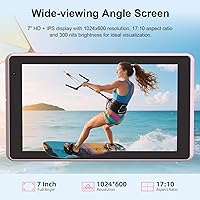
  • Resolution: The display outputs at a maximum resolution of 1024x600 pixels.
  • Display Type: Uses an IPS panel, which provides wider viewing angles and more consistent color reproduction than basic TN panels.
  • Operating System: Ships with Android 15 pre-installed.
  • Processor: Powered by an Allwinner quad-core processor.
  • RAM: Advertised as 8GB total, comprising 3GB of physical DDR memory and 5GB of virtual swap space drawn from onboard storage.
  • Internal Storage: Includes 32GB of built-in flash storage for apps, media, and files.
  • Expandable Storage: Supports microSD cards up to 1TB for additional media and app storage.
  • Front Camera: Features a 2MP front-facing camera intended for video calls and basic selfies.
  • Rear Camera: Equipped with a 5MP rear camera with a built-in flash for basic photography.
  • Battery Capacity: Houses a 3000mAh non-removable lithium-ion rechargeable battery.
  • Battery Life: The manufacturer claims approximately 8 to 10 hours of mixed-use runtime per full charge.
  • WiFi: Connects via WiFi 802.11n on the 2.4GHz band only; 5GHz band is not supported.
  • Bluetooth: Includes Bluetooth for pairing wireless headphones, keyboards, and other peripherals.
  • Weight: Weighs 0.7 lbs (approximately 13.4 oz).
  • Dimensions: Measures 8 x 4.2 x 0.3 inches (L x W x H) in a slim, portable form factor.
  • Color Options: Available in Pink under the model designation CP80.
  • Model Number: Sold as model CP80 under the COOPERS brand.

Related Reviews

COOPERS CP10S 10-inch Android Tablet 32GB
72%
88%
Value for Money
76%
Display Quality
61%
Performance & Speed
72%
Battery Life
54%
RAM & Multitasking
More
PEICHENG PCQ8 7-Inch Kids Android Tablet
68%
83%
Value for Money
78%
Parental Controls
67%
Display Quality
62%
Performance & Speed
71%
Build & Durability
More
qunyiCO Y7 7-inch Kids Android Tablet
69%
83%
Value for Money
88%
Ease of Setup
54%
Performance & Speed
81%
Parental Controls
72%
Display Quality
More
Geniatech KloudNote Mini 9.7″ E-Ink Tablet
68%
74%
Display Quality
81%
Stylus Performance
78%
Battery Life
41%
Software & App Compatibility
79%
Note-Taking Experience
More
RliyOliy TAB7 7-inch Android Tablet
62%
81%
Value for Money
47%
Performance & Speed
53%
Display Quality
55%
Build Quality
62%
Battery Life
More
NEWISION K7 7-inch Android Tablet
69%
83%
Value for Money
54%
Performance
67%
Display Quality
61%
Battery Life
71%
Build Quality
More
Aheadlink Q8PRO 7-inch Android Tablet
69%
83%
Value for Money
54%
Performance
61%
Display Quality
88%
Streaming & Widevine
57%
Battery Life
More
HNVHNV E07 7-Inch Android Tablet
64%
83%
Value for Money
51%
Performance & Speed
54%
Display Quality
42%
Battery Life
71%
Build Quality & Durability
More
IWEGGO Q2S Pro 7-Inch Android Tablet
64%
78%
Value for Money
54%
Performance
61%
Display Quality
58%
Battery Life
47%
RAM & Multitasking
More
Zuleisy E8A 8.7-inch Android 15 Tablet
72%
83%
Value for Money
76%
Display Quality
78%
Battery Life
63%
Performance & Speed
57%
RAM & Multitasking
More

FAQ

It is worth understanding the distinction before buying. The COOPERS CP80 7-inch Android Tablet has 3GB of physical DDR memory — the remaining 5GB of the advertised total is virtual RAM, which is storage space temporarily repurposed to handle memory overflow. In practice, it manages one or two light apps at a time reasonably well, but rapidly switching between several apps can cause noticeable lag. It should not be compared to a device with a true 8GB hardware RAM configuration.
It can be a solid first tablet for children. The 7-inch size fits comfortably in smaller hands, and Android 15 supports educational apps, YouTube Kids, and simple games. The low price point is a genuine advantage here — parents tend to worry far less about a budget device getting dropped or damaged. Just keep in mind that this compact 7-inch tablet is not built for demanding titles or heavy multitasking, so setting expectations early prevents frustration.

Yes, and this is one of the more practical features on this budget Android tablet. It accepts microSD cards up to 1TB, so you can load it with downloaded videos, music, e-books, and apps without constantly juggling space. A 64GB or 128GB card is an affordable add-on that noticeably improves the day-to-day experience and is well worth picking up alongside the device.

Real-world use tends to fall somewhat short of those figures, which is common for tablets in this price range. Most users doing a mix of video watching, light browsing, and reading report closer to 6 to 7 hours before needing to recharge. If you primarily read e-books or listen to audio with the screen dimmed, you may get closer to the higher end of the advertised range.

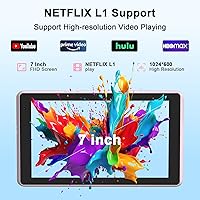
Yes, standard streaming apps run well enough for casual viewing. The 7-inch IPS screen is comfortable for watching shows at home, and the resolution holds up fine at normal viewing distances. The screen is not particularly bright, though, so watching outdoors in direct sunlight is a real challenge and worth factoring in if that is part of your use case.

The tablet ships with the battery built in and ready to charge. Standard accessories like a charging cable are typically included with devices in this category, but the exact box contents are worth confirming with the seller before purchasing, as bundles can vary. A microSD card is not bundled, so budget for one separately if you plan to expand beyond the 32GB of built-in storage.

It can work very well for older adults with straightforward needs. The 7-inch form factor is light and easy to hold for extended periods, and Android 15 is intuitive once configured. For tasks like reading e-books, making video calls with family, watching YouTube, or checking email, the COOPERS CP80 covers the basics without unnecessary complexity. A tech-savvy family member can typically get it set up in just a few minutes.

Reading is genuinely one of the stronger use cases for this device. The 7-inch screen is a comfortable size to hold in one hand, and text renders clearly enough for extended sessions. Apps like Kindle or Google Play Books work fine on it, and the slim, lightweight build makes it easy to hold while sitting or lying down. Indoor screen brightness is adequate, though it can feel a bit dim in very brightly lit rooms.

Light, casual games — puzzle titles, card games, simple platformers — run acceptably. Anything graphically intensive or memory-heavy will struggle given the Allwinner quad-core chip and limited physical RAM. If gaming beyond basic casual titles is a primary goal, this budget Android tablet is likely to disappoint; it performs best when treated as a media consumption and browsing device rather than a gaming machine.

Yes, Bluetooth is built in and pairing wireless headphones, earbuds, or a keyboard is straightforward. This is especially handy for light typing tasks or private listening. One thing to note is that WiFi is limited to the 2.4GHz band, so if your home network is congested on that frequency, you may notice occasional buffering during video streaming — connecting via a less crowded channel on your router can help.