Overview

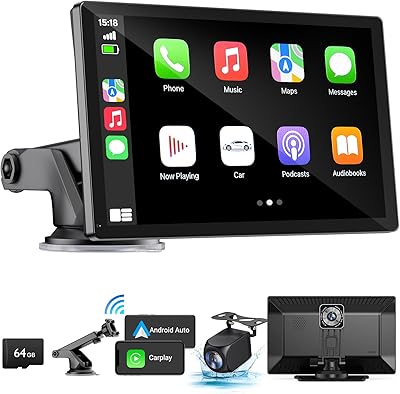
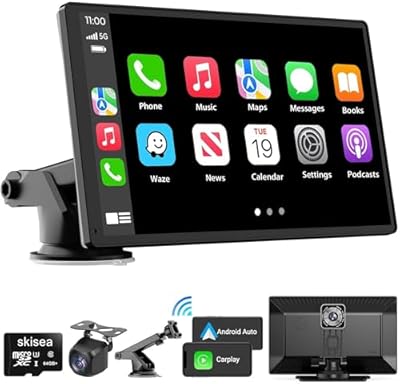
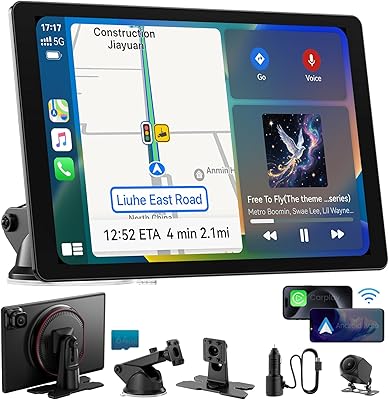
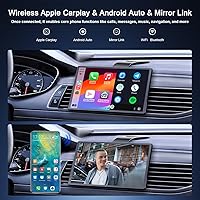
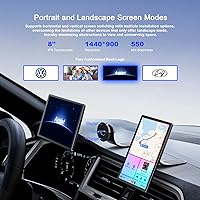
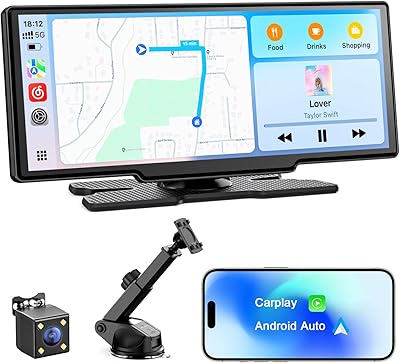
The Avylet RC04 8″ Wireless CarPlay Screen is a portable aftermarket display built for drivers stuck with a factory infotainment system that predates smartphone integration. At 8 inches with a 1440x900 resolution, the screen is genuinely usable — not just passable. What sets this CarPlay screen apart at its price point is the ability to rotate between landscape and portrait orientations, something most competitors skip entirely. A magnetic dash mount with a bendable arm handles positioning, and a 1080p backup camera with a nearly 25-foot cable is included in the box, giving you real added utility without a separate purchase.

Features & Benefits

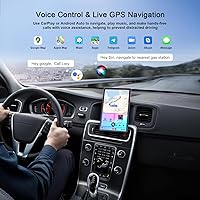
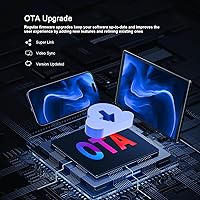
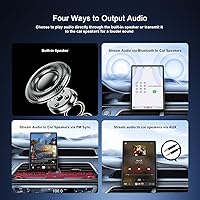
Once paired for the first time, this portable car display reconnects automatically every time you get in — no fumbling with Bluetooth menus between trips. The wireless connection runs over both Bluetooth 5.0 and Wi-Fi, keeping latency low enough for navigation and audio without a noticeable lag. OTA firmware updates mean you are not locked into the software version it ships with, which matters more than most buyers realize. For audio output, both an FM transmitter and AUX are available, so your existing car stereo is not a limiting factor. Siri and Google Assistant handle hands-free control throughout.

Best For

This CarPlay screen is squarely aimed at people driving older vehicles with no native smartphone integration — think 2010s-era trucks or SUVs where a full head unit swap feels like overkill. Rideshare drivers will appreciate the one-second magnetic removal, since the display can come with you rather than stay in an unattended car. If you have been debating a backup camera as a separate purchase, having one bundled here simplifies things considerably. Portrait mode is a genuine draw for taller map views or split-screen use, though you will want to confirm dashboard clearance before committing to that orientation.

User Feedback

With roughly 150 ratings at the time of writing, the feedback pool for the Avylet RC04 is still relatively thin, so treat patterns here as early signals rather than settled verdicts. Buyers consistently highlight easy initial setup and solid mount stability once the magnetic gasket is in place. Wireless connection reliability draws mixed commentary — most users report clean performance, while a subset mention occasional drop issues resolved by re-pairing. The backup camera earns credit for its wide field of view, though night visibility is unremarkable. Charger cable length gets quiet praise for reaching most dash configurations without strain.

Pros

  • No wiring or dashboard modification required — installs and removes in under a minute.
  • Auto-reconnects to your phone every time you enter the car, skipping the manual pairing step entirely.
  • Portrait and landscape modes give you genuine display flexibility that most competing screens skip.
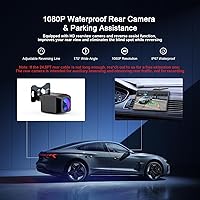
  • A backup camera with a wide 170-degree field of view is included in the box, not sold separately.
  • OTA updates mean the software can improve over time without any hardware swaps.
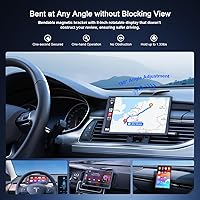
  • The magnetic mount is stable in daily driving and the flex arm allows fine-tuned angle adjustments.
  • FM transmitter and AUX output make it compatible with virtually any car stereo on the road.
  • Siri and Google Assistant support keeps both hands on the wheel during navigation and calls.
  • The 11.5-foot charger cable reaches most dash layouts without an extension.
  • At its price point, the bundled accessory kit — mounts, camera, cables — represents solid overall value.

Cons

  • Wireless connection drops have been reported by a portion of users, requiring occasional re-pairing.
  • Brand is relatively new with a limited review base, so long-term reliability remains unproven.
  • Backup camera night visibility is underwhelming — workable in daylight, but not a confidence-inspiring low-light performer.
  • Portrait mode, while useful, may not physically fit every dashboard without blocking vents or controls.
  • The screen is a noticeable physical presence on the dash; minimalists or those with busy dashboards may find it intrusive.
  • No built-in battery — the display only works while connected to the included car charger.
  • Super Link and AirPlay mirror features have a learning curve that the manual does not always explain clearly.
  • Boot logo customization requires emailing the brand directly, which feels like an unnecessary friction point.
  • At 14 ounces, the screen is not heavy, but over time the magnetic gasket adhesion on some dash surfaces may weaken.
  • Customer support is handled via email only, which can be slow if you run into setup or connectivity issues.

Ratings

The scores below reflect an AI-driven analysis of verified global buyer reviews for the Avylet RC04 8″ Wireless CarPlay Screen, with spam, incentivized, and bot-flagged submissions actively filtered out before scoring. Each category captures both the genuine highlights and the real frustrations that surface across hundreds of real-world ownership experiences. Nothing is glossed over — where this portable car display earns its marks, we say so clearly, and where it falls short, that shows up in the numbers too.

Ease of Setup
88%
Most buyers are up and running within ten minutes of opening the box, which is a meaningful advantage for anyone who has wrestled with wired aftermarket installs before. The initial pairing process is straightforward, and the auto-reconnect behavior on subsequent trips removes ongoing friction entirely.
A subset of users — particularly Android Auto users — report a more finicky first-time pairing experience that requires restarting both the screen and their phone. The manual is functional but sparse, and those who skip it tend to hit avoidable snags.
Wireless Reliability
71%
29%
For the majority of daily commuters in typical suburban or rural environments, the wireless connection holds steadily throughout trips without requiring any manual intervention. The combination of Bluetooth 5.0 and Wi-Fi keeps latency low enough that navigation audio and voice commands respond without noticeable delay.
In dense urban areas with heavy wireless congestion, a portion of users report intermittent drop-outs that require toggling Wi-Fi on the phone to restore. This is not a constant issue, but it surfaces often enough in reviews to be a real consideration for city drivers.
Display Quality
83%
The 1440x900 resolution on an 8-inch panel produces a genuinely sharp image for map reading and media — text on navigation apps is crisp, and colors hold up well in most lighting conditions. Buyers coming from no display at all consistently describe it as a noticeable upgrade.
Direct sunlight is a challenge; the screen can wash out on south-facing dashboards during midday driving without a shade or adjusted angle. Brightness peaks are adequate but not class-leading, which limits usability in the harshest glare conditions.
Mount Stability
81%
19%
The magnetic mount system earns consistent praise for day-to-day reliability — once the gasket is properly bonded to a flat dash surface, the screen holds firm through speed bumps, potholes, and sharp turns without wobbling. The one-second detach feature is genuinely useful for rideshare drivers who remove it between shifts.
On textured, curved, or soft-touch dashboard materials, the adhesive gasket bond is weaker and a few users report the mount gradually losing grip over several weeks. Reapplication with a stronger adhesive resolves it, but it should not be a buyer's problem to solve.
Backup Camera Quality
62%
38%
The 170-degree field of view captures a wide rear scene that is practically useful for parking in tight spots and reversing out of driveways — far better than no camera at all. In good daylight, the image is clear enough that most buyers find it a worthwhile bundled addition.
Low-light and nighttime performance is the camera's obvious weakness; the image becomes grainy and detail drops off considerably after dusk. Buyers who need reliable reverse camera visibility at night — in unlit parking garages or dark streets — will likely be disappointed.
Portrait Mode Usability
74%
26%
The ability to rotate the display into portrait orientation is a genuine differentiator at this price point, and drivers who use it for taller map views or split-screen navigation find it meaningfully more informative than landscape alone. Rotation between modes is smooth and does not interrupt active sessions.
Portrait mode is a feature that only works well in specific dashboard layouts — on shallower or angled surfaces, the upright screen can obscure vents or sit at an uncomfortable viewing angle. It is not a universal improvement, and buyers should physically measure their dash space before relying on it.
Audio Output
77%
23%
The AUX connection delivers clean, reliable audio on cars equipped with a 3.5mm input, and most users report no noticeable quality difference compared to a direct phone connection. The FM transmitter provides a workable fallback for older vehicles that lack any auxiliary input.
FM audio quality is entirely dependent on finding a clear frequency in your local market — in cities with packed FM bands, static intrusion is a real nuisance. Users in dense metro areas consistently prefer AUX, and those without it may find FM more frustrating than convenient.
Voice Control
79%
21%
Siri and Google Assistant both function as expected through the screen, handling navigation commands, call management, and music requests without requiring the driver to touch the display. Hands-free operation feels natural on highway drives where voice commands replace every tap.
Voice recognition accuracy is ultimately limited by the phone's microphone, not the screen itself — in noisy cabins or convertibles, commands get misread more frequently. The screen offers no independent microphone improvement over what your phone already provides.
OTA Update Experience
73%
27%
The over-the-air update system works as described — entering super link mode and pulling a firmware update takes only a few minutes and has resolved minor bugs for early adopters. The fact that updates exist at all is a positive signal from a brand this new to the market.
The update process is not prominently documented, and some users only discover it exists after troubleshooting performance issues independently. A more proactive in-device notification system for available updates would meaningfully improve the experience.
App Compatibility
84%
All the major apps that buyers actually use — Waze, Spotify, Google Maps, Apple Maps, Pandora — work without issue through both CarPlay and Android Auto. Auto-launching your preferred app on connection is a small but satisfying daily quality-of-life detail.
App behavior is ultimately governed by Apple and Google, not by this screen, so any CarPlay or Android Auto app restriction applies here too. Users expecting to run third-party apps outside the CarPlay or Android Auto environment will hit a hard wall.
Cable & Accessory Quality
69%
31%
The 11.5-foot charger cable is long enough to route tidily from the 12V socket to a dash-mounted screen in most vehicle cabins without needing an extension. The inclusion of both a magnetic mount and a suction cup mount gives buyers flexibility without an extra purchase.
The AUX and camera cables feel thin relative to the charger cable, and a few users report the AUX connector fitting loosely in some stereo inputs. Wire management accessories are minimal, and running the 24.5-foot rear camera cable neatly through a cabin requires patience and additional clips.
Value for Money
86%
Taken as a complete kit — wireless CarPlay screen, two mounting options, backup camera, and all cables — this portable car display represents strong bang-for-buck for a driver upgrading from nothing. Comparable feature sets from established brands tend to cost meaningfully more.
The value calculation weakens slightly if wireless reliability issues require ongoing workarounds or if the backup camera does not meet your nighttime needs, since both would push you toward more expensive alternatives anyway. It is excellent value when it works well, less so when it does not.
Build Quality
66%
34%
The screen housing feels solid in hand and does not exhibit the flex or creak that often appears in the cheapest portable displays. At 14 ounces, it has enough weight to feel substantial without being cumbersome on the mount.
The overall plastics and finish are clearly budget-tier — they function without issue but do not inspire confidence about multi-year durability in a hot car environment. There is limited long-term ownership data available given how recently the product launched.
Brand Support
58%
42%
Avylet offers email-based support and provides an FAQ section in the manual that covers the most common setup issues, which is more than some competitors at this price point offer. The custom boot logo service shows at least some investment in user experience beyond the core hardware.
Email-only support with no live chat or phone option means resolution times can stretch across multiple days for anything beyond a basic FAQ answer. As a new-to-market brand with limited review history, there is no established track record of how reliably warranty claims are honored.

Suitable for:

The Avylet RC04 8″ Wireless CarPlay Screen is a strong fit for drivers of older vehicles — particularly trucks, SUVs, and cars from the early-to-mid 2010s — who want smartphone-based navigation and audio without the cost and complexity of replacing the factory head unit. If you rely heavily on Waze, Spotify, or Google Maps and your current dashboard offers none of that natively, this portable car display closes that gap quickly and without any permanent modification. Rideshare and delivery drivers will find the magnetic mount especially practical, since the screen detaches in seconds and can be taken with you rather than left visible in a parked car. The bundled backup camera also makes this a sensible pick for anyone adding a rear-view aid at the same time, since buying both separately would typically cost more. Portrait mode support adds genuine flexibility for taller map layouts or split-screen use, appealing to drivers who want more from their display than a fixed horizontal slab.

Not suitable for:

Buyers expecting a polished, integrated experience comparable to a factory-fitted or high-end aftermarket head unit should look elsewhere — the Avylet RC04 8″ Wireless CarPlay Screen is a budget-tier device, and that shows in areas like wireless connection consistency and backup camera low-light performance. If your car already has a built-in CarPlay or Android Auto system, even a basic one, this portable car display adds little value and creates unnecessary clutter on your dash. Drivers who prioritize a clean, unobstructed windshield or dashboard may find that an 8-inch screen on a magnetic arm is simply too much visual presence for their taste. Those who depend heavily on a rear camera for daily reversing in tight or poorly lit spaces should be cautious, since real-world nighttime camera performance from bundled units at this price level is rarely impressive. Finally, buyers who prefer a permanent, wired installation for maximum reliability will likely find the wireless-first approach of this CarPlay screen more frustrating than freeing.

Specifications

  • Screen Size: The display measures 8 inches diagonally with a 1440x900 pixel resolution, providing a sharp and usable image for navigation and media.
  • Dimensions: The unit measures 0.39 x 7.64 x 4.72 inches and weighs 14.1 ounces, making it compact enough for most dash and windshield placements.
  • Orientation Modes: The screen supports both landscape and portrait orientations, with the ability to switch between the two without rebooting the system.
  • Wireless Connectivity: Connects to smartphones via Bluetooth 5.0 and Wi-Fi, supporting both Apple CarPlay and Android Auto without a physical cable.
  • Audio Output: Audio can be routed through an FM transmitter or a 3.5mm AUX output, covering a wide range of vehicle stereo configurations.
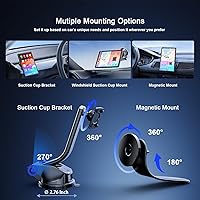
  • Mounting System: Includes a magnetic mount with a 180-degree flexible arm and 360-degree ball joint, plus a suction cup mount as an alternative option.
  • Backup Camera: A rear-view camera with a 170-degree field of view is included, connected via a 24.5ft cable for routing to the rear of most vehicles.
  • Charger Cable: The included car charger cable measures 11.5ft, long enough to route neatly from the 12V socket to a dash-mounted screen in most cabins.
  • AUX Cable: A 5ft AUX audio cable is included in the box for vehicles where a direct 3.5mm connection to the stereo is preferred over FM transmission.
  • OTA Updates: The device supports over-the-air firmware updates, allowing the operating system and features to be updated without physical media or technician involvement.
  • Voice Control: Siri and Google Assistant are both supported for hands-free control of navigation, calls, messaging, and media playback.
  • Mirror Link: AirPlay and Super Link allow the phone screen to be mirrored to the display, with touchscreen control available in certain operating modes.
  • Compatible Vehicles: Designed for use in cars, SUVs, pickup trucks, and standard trucks; not intended for motorcycles, boats, or heavy commercial vehicles.
  • Operating System: The device runs on Android and is compatible with iPhones running a supported iOS version for CarPlay, and Android phones for Android Auto.
  • Brand and Model: Manufactured by Avylet under the model designation RC04, a brand that entered the portable CarPlay market in mid-2024.

Related Reviews
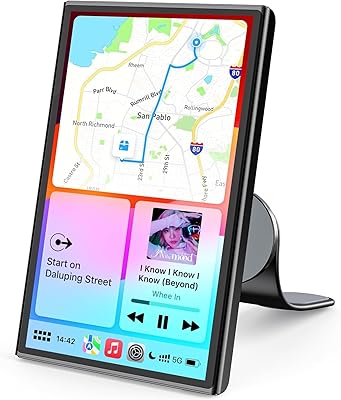
Avylet RC11 8.1″ Wireless CarPlay Screen
74%
86%
Wireless Pairing Reliability
71%
Screen Clarity & Visibility
63%
Audio Output Quality
84%
Backup Camera Integration
68%
Mounting & Installation
More
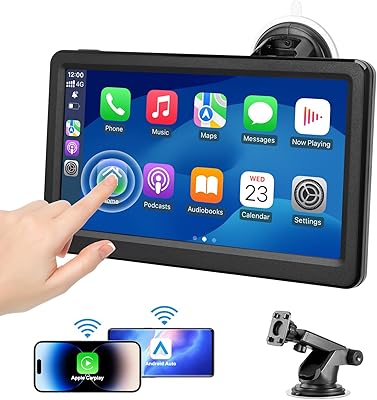
Avylet RC08HL 7″ Portable CarPlay Screen
73%
83%
Ease of Setup
71%
Wireless Connectivity
76%
Display Quality
62%
Mount Reliability
68%
Voice Control
More
Aonerex Wireless CarPlay Screen 7″
85%
91%
Setup & Installation
93%
Connectivity
88%
Display Quality
87%
Navigation Performance
84%
Audio Quality
More
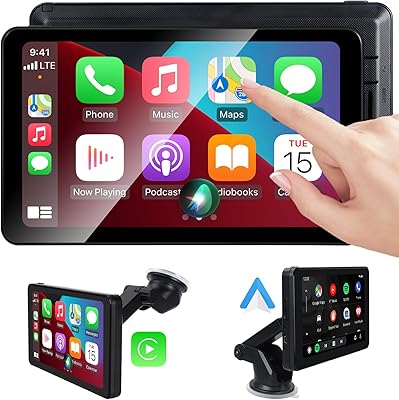
KUONOONER Wireless Carplay Screen CA701
87%
92%
Value for Money
96%
Ease of Installation
89%
Compatibility with Devices
83%
Wireless Connectivity
82%
Display Quality
More
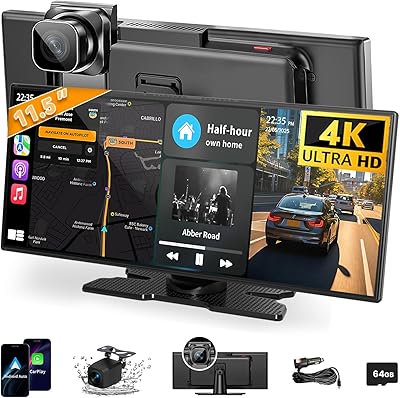
HAUXIY Q9S 9″ Wireless CarPlay Screen
75%
93%
Ease of Installation
78%
Wireless CarPlay & Android Auto Performance
71%
Front Camera Quality
67%
Rear Backup Camera
82%
Screen Visibility & Display Quality
More
Krunia T95 7″ Portable CarPlay Screen
75%
88%
Wireless Connectivity
84%
Screen Brightness & Visibility
82%
Touch Response & 60FPS Performance
79%
Portrait & Landscape Mode Flexibility
61%
Mount Stability
More
Leadtree 11.5-inch Wireless CarPlay Screen
72%
91%
Screen Size & Visibility
88%
Ease of Setup
83%
Wireless CarPlay Performance
67%
Android Auto Reliability
71%
Dash Cam Quality
More
IIWEY iK11 11-inch Wireless Apple CarPlay Screen
85%
88%
Setup & Installation
91%
Screen Quality & Display
93%
Connectivity (CarPlay & Android Auto)
85%
Dashcam & Backup Camera
89%
Portability & Design
More
Leadtree 7-inch HD Portable Wireless CarPlay Screen
86%
88%
Wireless Connectivity
92%
Ease of Installation
85%
Display Quality
87%
GPS Navigation Accuracy
90%
Reversing Camera Quality
More
RLIERCI 9″ Wireless CarPlay Portable Screen
76%
91%
Ease of Installation
83%
Wireless CarPlay Performance
58%
Screen Visibility
89%
Value for Money
62%
Dash Cam Video Quality
More

FAQ

It is genuinely wireless for both Apple CarPlay and Android Auto — your phone connects over Wi-Fi and Bluetooth without a USB cable. You will still need to plug the screen itself into your car's 12V power socket using the included charger cable, but your phone stays in your pocket or cupholder.

Most users get it running in under 10 minutes. You power on the screen, connect your phone to its Wi-Fi network, enable CarPlay or Android Auto on your phone, and you are done. After that first pairing, the Avylet RC04 8″ Wireless CarPlay Screen reconnects automatically each time you start your car.

CarPlay requires iOS 12 or later, so any iPhone from the past several years will work fine. For Android Auto, your phone needs to run Android 6.0 or higher with the Android Auto app installed. Most mid-range and flagship Android phones from 2018 onward should be compatible without issues.

In good daylight conditions, the wide 170-degree field of view is genuinely helpful for reversing and parking. Night visibility is more modest — it works, but do not expect the same clarity you would get from a premium dedicated camera. For everyday suburban driving it is a practical bonus, especially given that it is included at no extra cost.

Portrait mode works well on deep or tall dashboards where the screen can sit upright without blocking vents or controls. On flatter or more angled dashboards, the screen may feel awkward or obscure things in your sightlines. It is worth measuring your available dash space before committing to that orientation.

The screen will show a connection lost indicator and you can usually restore it within a few seconds by toggling Wi-Fi on your phone or tapping reconnect. A small number of users report this happening occasionally, particularly in areas with heavy wireless interference. It is an infrequent issue for most, but worth knowing about if you drive in dense urban environments.

The mount uses a steel gasket system that sticks to the back of the screen, and most users report it holds firmly even on bumpy or unpaved roads. The key is making sure the adhesive gasket on your dash is applied to a clean, flat surface — on textured or curved dashboards it can be less reliable.

Yes, that is one of its more practical strengths. The magnetic screen pops off in one second, and the mount adhesive pad is designed to be removable. You can take the entire setup with you, though removing adhesive mounts from rental car surfaces should always be done carefully to avoid any residue.

If your car has an AUX input, that is almost always the better choice for audio quality — FM transmission can introduce static depending on how crowded the FM band is in your area. The FM option is a solid fallback for older vehicles that have neither AUX nor Bluetooth built in.

When a firmware update is available, you enter what Avylet calls super link mode on the screen, and it downloads and installs the update over your phone's Wi-Fi connection. The process is fairly straightforward and does not require any cables or computer involvement. It is a useful feature for a device in this category, since early firmware versions sometimes have minor bugs that get resolved in later updates.