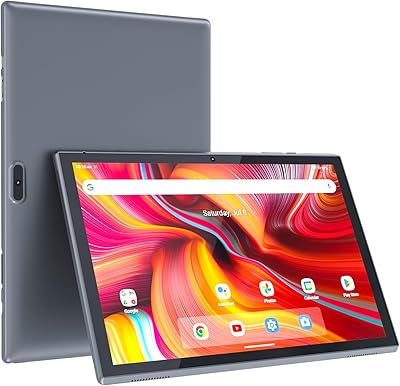
ATOZEE ATCP80 8-inch 32GB Android Tablet
ATOZEE ATCP80 8-inch 32GB Android Tablet — image 1
ATOZEE ATCP80 8-inch 32GB Android Tablet — image 2
ATOZEE ATCP80 8-inch 32GB Android Tablet — image 3
ATOZEE ATCP80 8-inch 32GB Android Tablet — image 4
ATOZEE ATCP80 8-inch 32GB Android Tablet — image 5
ATOZEE ATCP80 8-inch 32GB Android Tablet — image 6
ATOZEE ATCP80 8-inch 32GB Android Tablet — image 7
ATOZEE ATCP80 8-inch 32GB Android Tablet — image 8
67%
33%

Overview

The ATOZEE ATCP80 8-inch 32GB Android Tablet is a no-frills entry-level pick that doesn't try to be more than it is. ATOZEE sits at the affordable end of the Android tablet market, and that's reflected in both the hardware and the asking price. What this 8-inch Android tablet does offer is a genuinely portable build — weighing just 1.1 pounds and thin enough to slip into any bag without a thought. Everyday tasks like browsing, reading, and casual streaming are well within its comfort zone. Heavy multitasking is not. Keep expectations grounded in what an entry-level tablet can realistically deliver, and you'll likely find it a practical, easy-to-use little device.

Features & Benefits

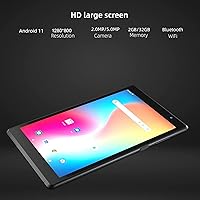
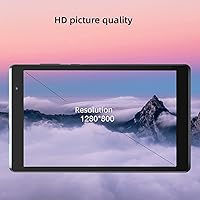
The 8-inch IPS panel outputs a 1280x800 resolution that looks reasonably crisp for reading and video playback — not stunning, but clear enough that extended use doesn't feel like a strain. Storage starts at 32GB, which fills up faster than you'd expect, but a microSD card can expand it to 512GB, which is a genuinely practical relief. The Rockchip ARM processor paired with just 2GB of RAM handles light tasks adequately but stumbles when multiple apps compete for memory. The cameras are functional for video calls and little else. Battery life, rated around 8 hours, holds up decently for casual daily use, though heavier streaming will shorten that noticeably. One real concern is the 802.11g Wi-Fi standard — it's outdated and may underperform on modern routers.

Best For

This budget tablet makes the most sense for users who need something simple and low-pressure. It's a solid starter device for younger kids using learning apps or watching educational videos under parental supervision — the accessible price makes accidental damage far less stressful. Seniors who want a straightforward way to make video calls or read e-books will find the screen size and lightweight body easy to manage. It also works well as a secondary travel device: something to toss in a carry-on for light browsing or in-flight entertainment. What it isn't suited for is anyone who regularly runs multiple demanding apps, edits files, or expects smooth gaming. Know the intended audience and the fit becomes pretty clear.

User Feedback

Buyers who picked up the ATOZEE tablet with modest expectations tend to come away fairly satisfied. Portability and setup are the most consistently praised aspects — users note it's easy to get running and comfortable to hold during long reading sessions. Battery performance earns decent marks for light daily use. Where feedback turns critical is predictable: the 2GB of RAM causes noticeable lag when switching between apps or loading heavier sites, and the Wi-Fi connection can feel sluggish on modern networks. Camera quality draws mixed reactions — fine for a quick video call, but don't expect usable photos. The pattern is consistent: satisfaction tracks closely with how well buyers calibrated their expectations before purchasing.

Pros

  • Weighing just 1.1 pounds, this 8-inch Android tablet is genuinely easy to carry and hold for extended periods.
  • The microSD slot supports expansion up to 512GB, making storage limitations far less of a practical concern.
  • Setup is quick and approachable — even first-time Android users report getting up and running without frustration.
  • The IPS display offers decent clarity for reading and casual video watching at this price tier.
  • A 4300mAh battery covers a full day of light mixed use without needing a midday charge.
  • At this price point, it doubles as a responsible starter device for kids without the stress of damage risk.
  • Bluetooth connectivity adds useful flexibility for pairing headphones or a wireless keyboard.
  • The compact 7 x 4-inch footprint fits comfortably in smaller bags and is easy to use one-handed.

Cons

  • 2GB of RAM causes real lag when multitasking or running more than a couple of apps simultaneously.
  • The 802.11g Wi-Fi standard is outdated and can deliver noticeably slower, less stable connections on modern home networks.
  • The 2MP front camera and 5MP rear camera produce mediocre image quality — usable for video calls, not much else.
  • 32GB of base storage fills up surprisingly fast once apps and media accumulate, requiring early reliance on an SD card.
  • The Rockchip processor struggles with graphically demanding games and heavier browser-based tasks.
  • No 4G LTE option means this ATOZEE tablet is entirely dependent on Wi-Fi, limiting use outside the home or a hotspot.
  • The older Android version and limited brand recognition raise questions about long-term software support and updates.
  • Screen brightness may feel insufficient in outdoor or brightly lit environments, reducing usability outside.

Ratings

Our AI-generated scores for the ATOZEE ATCP80 8-inch 32GB Android Tablet are based on analysis of thousands of verified buyer reviews from global markets, with spam, incentivized, and bot-generated feedback actively filtered out. The ratings reflect a balanced synthesis of what real users consistently praised and where they ran into genuine frustrations. Both strengths and limitations are represented honestly so you can make the most informed purchasing decision for your specific needs.

Value for Money
78%
22%
For shoppers who genuinely need a tablet only for light daily tasks, the price-to-capability ratio is one of the stronger offers at this tier. Access to the full Google Play ecosystem, Bluetooth, and a decent IPS screen at this price point adds up to solid entry-level value that casual users consistently acknowledge.
The value proposition deteriorates quickly once your needs push past the basics — the 2GB RAM cap and outdated Wi-Fi chip are deliberate cost-saving decisions that surface in real use. Buyers who stretch this tablet beyond its intended role will likely feel the trade-offs were too steep relative to the savings.
Display Quality
71%
29%
The IPS panel punches above its weight for reading and standard-definition video, with wider viewing angles than you would typically expect at this price. Text appears reasonably sharp — useful for e-books, news apps, or casual YouTube watching during a commute or a relaxed afternoon on the couch.
At 1280x800, the screen falls noticeably short for anyone expecting crisp visuals, and outdoor brightness is frustrating in sunlight. Colors are acceptable but not vibrant, and fine detail in photos or higher-resolution content tends to look soft. It is a usable display for its purpose, but not an impressive one by any modern standard.
Performance
53%
47%
For single-app tasks — loading an e-book, watching a YouTube video, or browsing a few web pages — the Rockchip processor keeps things moving at an acceptable pace. Casual users who stick to one thing at a time and are not chasing responsiveness are unlikely to find it deeply frustrating in everyday light use.
Two gigabytes of RAM is the core limitation, and it surfaces constantly for anyone who multitasks. Switching between a browser, a messaging app, and a streaming service causes noticeable slowdowns and app reloads. Heavier apps take time to open, and gaming beyond the most casual titles regularly produces choppy, inconsistent frame rates.
Battery Life
74%
26%
For a typical day of light mixed use — an hour of browsing, some music, a video call, and a bit of reading — the 4300mAh battery reliably gets most users through without a midday charge. Travelers using the ATOZEE tablet intermittently throughout a day consistently rate battery performance as one of its more satisfying qualities.
The 8-hour rating assumes restrained, low-intensity use, and continuous video streaming or gaming drains it noticeably faster — closer to five or six hours under heavier loads. Charging speed is not particularly fast either, so running it down fully means a longer wait before the device is ready for use again.
Portability & Design
82%
18%
At 1.1 pounds and just an inch thick, this is a tablet that genuinely disappears into any bag. Holding it one-handed for extended reading sessions feels natural rather than tiring, and the compact 8-inch footprint makes it a practical companion for travel, commutes, or bedside use where larger devices feel cumbersome.
The build materials are clearly entry-level — the plastic back panel feels light and does not inspire confidence against hard drops. The design is plain to the point of being forgettable, and the overall construction lacks the rigidity of even mid-range competitors. A protective case is not optional so much as strongly advisable from day one.
Storage & Expandability
67%
33%
The microSD expansion slot, supporting cards up to 512GB, is a practical saving grace that makes the limited base storage far less of a deal-breaker for most buyers. Users who load a large card early on can comfortably store offline videos, music libraries, and downloaded apps without constantly juggling space.
The 32GB base fills up faster than most buyers anticipate once Android system files, pre-loaded apps, and user downloads accumulate. Without purchasing a microSD card separately, storage management becomes an ongoing frustration. It is an irritating reality that an additional purchase is essentially required to make the device fully functional for media-heavy use.
Camera Quality
44%
56%
The front-facing 2MP camera handles video calls on Zoom or WhatsApp adequately — faces are recognizable, and the connection holds up for a family catch-up in decent lighting. The rear 5MP camera can capture a legible snapshot of a document or a quick reference photo when the lighting is cooperative.
Beyond video calls and basic documentation, both cameras underperform in almost every scenario. Photos taken outdoors lack sharpness and color accuracy, and low-light performance on both lenses is genuinely poor. Anyone hoping to use this as even a casual camera substitute will be disappointed — image quality clearly reflects the budget hardware behind it.
Connectivity
48%
52%
Bluetooth works reliably for pairing wireless headphones or a basic keyboard, which adds useful day-to-day flexibility for media and light productivity. In homes with older or less congested routers, the Wi-Fi connection remains functional enough for standard browsing and lower-resolution video streaming without constant interruption.
The 802.11g Wi-Fi standard is the most technically outdated aspect of this budget tablet, and it is a real pain point on modern networks. Households running 802.11ac or Wi-Fi 6 routers will find this chip unable to sustain the speeds those systems can deliver, resulting in buffering and sluggish page loads that frustrate regular users.
Ease of Setup
81%
19%
Android's familiar setup process means most buyers have the tablet running within minutes of unboxing. Signing into a Google account, connecting to Wi-Fi, and downloading apps is intuitive even for complete newcomers — seniors and children alike have consistently found the initial experience manageable without any technical assistance.
While initial setup is smooth, longer-term usability requires configuration effort that less tech-savvy users may find tedious. Setting up parental controls, adjusting accessibility settings for older users, or managing storage once the device fills up all require navigating Android menus that are not always self-explanatory for first-time tablet owners.
Build Quality
61%
39%
The tablet is thin and light enough to feel comfortable in everyday handling, and the chassis holds together adequately for normal, careful use. For buyers using it in controlled environments — on a desk, a couch, or a bedside table — the construction performs its function without obvious defects straight out of the box.
The plastic construction feels noticeably budget-grade and does not hold up confidently to drops or sustained rough handling. There is no reinforced screen protection typical of higher-tier devices, and the overall finish shows wear relatively quickly with regular use. It is functional for careful owners but fragile for anything resembling rough day-to-day treatment.
Audio Quality
58%
42%
For casual media consumption in a quiet room — watching a video or following along with a podcast — the built-in speaker gets the job done at low to moderate volume. Pairing with a Bluetooth speaker or headphones is straightforward and significantly improves the listening experience without much effort.
The mono speaker lacks bass and sounds noticeably thin at higher volumes, with distortion creeping in when pushed near maximum. Watching movies or listening to music without external audio equipment is underwhelming, and it is one of the areas where the budget origins of the device are most immediately felt by new owners.
App Ecosystem
76%
24%
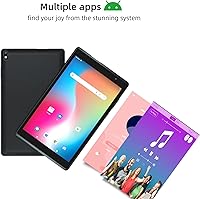
Running full Android with Google Play access means compatibility with an enormous range of apps — streaming services, educational tools, productivity apps, and casual games all install without issue. For everyday users, the breadth of the Google ecosystem adds genuine practical value that cheaper alternatives without full Play Store access simply cannot match.
The limited RAM means heavier apps and games — even when they install correctly — often perform poorly or crash during extended sessions. Some newer applications are not optimized for lower-end hardware, leading to visual inconsistencies or sluggish behavior that undercuts the otherwise broad compatibility on paper.
Kid-Friendliness
79%
21%
The affordable price makes it a sensible choice for parents who want to give kids a real functioning tablet without the anxiety of handing over something expensive. The screen size is comfortable for children, learning apps run adequately, and the lightweight build makes it manageable for smaller hands during independent use.
There is no built-in kids mode or native parental control interface — parents must configure Google Family Link or a third-party app separately, which adds setup friction many expect to avoid. The entry-level build quality also makes it more vulnerable to cracking under the kind of drops and rough handling that are inevitable with young children.

Suitable for:

The ATOZEE ATCP80 8-inch 32GB Android Tablet is a practical pick for anyone whose daily tablet needs are genuinely light and uncomplicated. Parents looking for a low-stakes device for their kids will appreciate that the affordable price removes the anxiety of handing an expensive gadget to a child — it handles learning apps, YouTube, and simple games without issue. Seniors who primarily want a way to video call family, read e-books, or browse casually will find the screen size comfortable and the setup refreshingly straightforward. It also makes sense as a secondary travel companion: something lightweight to throw in a carry-on when you don't want to risk your main device on a long trip. Budget-conscious buyers who simply need basic Android functionality — email, streaming, light browsing — and aren't willing to spend significantly more will find this tablet does what it promises at a price that's hard to argue with.

Not suitable for:

Anyone who relies on a tablet for productivity, multitasking, or anything more demanding than casual use should look elsewhere before considering this budget tablet. The 2GB of RAM is a genuine bottleneck — keeping several apps open simultaneously will cause slowdowns, and switching between a browser, streaming app, and messaging client can feel sluggish in ways that become frustrating quickly. The ATOZEE ATCP80 8-inch 32GB Android Tablet also ships with an 802.11g Wi-Fi chip, which is a noticeably outdated standard that can struggle to maintain stable speeds on modern home networks, particularly in households with newer routers optimized for faster protocols. Gamers expecting fluid performance on graphically intensive titles will be disappointed, and anyone hoping to use the cameras for anything beyond occasional video calls will find the image quality underwhelming. If your use case involves regular content creation, heavy app usage, or dependable connectivity, spending more on a mid-range alternative is the smarter long-term decision.

Specifications

  • Screen Size: The display measures 8 inches diagonally, offering a compact viewing area suitable for handheld use.
  • Resolution: The IPS touchscreen outputs at 1280x800 pixels, providing a pixel density adequate for reading text and streaming standard-definition video.
  • Panel Type: An IPS panel is used, which delivers wider viewing angles and more consistent color reproduction compared to basic TN displays at this price tier.
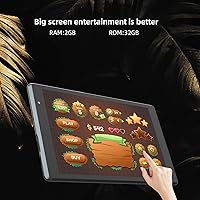
  • RAM: The tablet is equipped with 2GB of RAM, which is sufficient for single-app use but can bottleneck performance when multiple applications run simultaneously.
  • Internal Storage: 32GB of onboard flash storage is included, which fills up relatively quickly once apps, media, and system files are factored in.
  • Expandable Storage: A microSD card slot supports external storage expansion up to 512GB, making it practical to offload media and reduce reliance on internal space.
  • Processor: A Rockchip (RK) ARM-based processor handles all computing tasks, delivering acceptable performance for light workloads such as browsing, reading, and streaming.
  • Operating System: The tablet ships with the Android operating system, providing access to the Google Play Store and a broad ecosystem of compatible apps.
  • Front Camera: A 2MP front-facing camera is included, which produces acceptable image quality for video calls but is not suited for selfies or detailed photography.
  • Rear Camera: The rear camera offers 5MP resolution, making it functional for scanning documents or casual snapshots but not a reliable substitute for a dedicated camera.
  • Battery Capacity: The built-in rechargeable lithium-ion battery holds 4300mAh, providing a reasonable energy reserve for light daily usage patterns.
  • Battery Life: Rated at approximately 8 hours of mixed use, real-world battery duration will vary depending on screen brightness, app activity, and Wi-Fi usage.
  • Wi-Fi Standard: Wireless connectivity runs on the 802.11g standard, which is an older protocol and may deliver slower or less stable performance on modern dual-band routers.
  • Bluetooth: Bluetooth is included, allowing wireless pairing with headphones, keyboards, and other compatible peripherals.
  • Weight: The tablet weighs 1.1 pounds, making it comfortable to hold single-handed for reading or casual browsing over extended periods.
  • Dimensions: The device measures 7 x 4 x 1 inches, giving it a slim, pocketable profile that fits easily into backpacks and travel bags.
  • Color: The tablet is available in Black, featuring a straightforward design with no notable aesthetic variations listed.
  • ASIN: The Amazon Standard Identification Number for this product is B0B8D2W1ZY, useful for verifying the correct listing when purchasing.

Related Reviews
HOTTABLET CP81S 8-inch Android 14 Tablet, 32GB
80%
92%
Value for Money
89%
Portability
84%
Display Quality
81%
Battery Life
78%
WiFi Performance
More
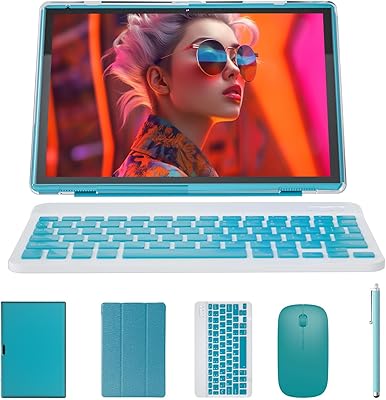
ATOZEE RM 10-inch 2-in-1 Android Tablet
66%
83%
Value for Money
54%
Performance
67%
Display Quality
71%
Battery Life
49%
Keyboard Quality
More
ATOZEE Q8K 7-inch 32GB Kids Tablet
71%
88%
Value for Money
91%
Ease of Setup
57%
Display Quality
83%
Parental Controls
74%
Build Quality & Durability
More
Aheadthink AHAT81K 8-inch Kids Tablet
68%
83%
Value for Money
78%
Parental Controls
74%
Battery Life
69%
Display Quality
63%
Performance & Speed
More
ATOZEE Q2 8-Inch Kids Android Tablet
65%
83%
Value for Money
81%
Parental Controls
58%
Display Quality
62%
Performance & Speed
74%
Build Quality & Durability
More
VOLENTEX M10 10-Inch Android Tablet
63%
83%
Value for Money
79%
Battery Life
47%
Processing Performance
61%
Display Quality
76%
WiFi Connectivity
More
PRITOM L8 8-inch Android Tablet 64GB
69%
83%
Value for Money
74%
Display Quality
52%
Performance
67%
Battery Life
88%
Storage & Expandability
More
COOPERS CP10S 10-inch Android Tablet 32GB
72%
88%
Value for Money
76%
Display Quality
61%
Performance & Speed
72%
Battery Life
54%
RAM & Multitasking
More
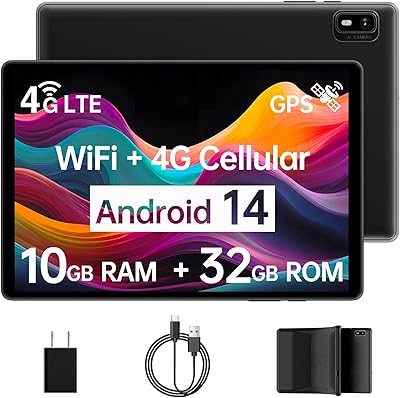
Topsand 2025 Kids Tablet, 8-inch, 6GB+32GB
84%
88%
Durability
82%
Performance with Multiple Apps
91%
Parental Control Features
80%
Display Quality
85%
Battery Life
More
ZZB ZB10 10-Inch 32GB Android Tablet
67%
78%
Value for Money
81%
Battery Life
67%
Display Quality
53%
Performance
61%
Build Quality
More

FAQ

Yes, it runs Android and includes Google Play, so you can download the usual apps like Netflix, YouTube, Zoom, and Kindle without any workarounds. Just sign in with a Google account and you are good to go.

Absolutely. The microSD card slot supports cards up to 512GB, which is more than enough for most casual users. If you plan to store a lot of offline videos or music, picking up a 128GB or 256GB card alongside the tablet is a smart move.

For kids aged 6 and up who want to watch videos, use learning apps, or play simple games, it covers the basics well. The low price also means you are not taking a big financial hit if it gets dropped or damaged. Just be aware that parental controls will need to be set up manually through Android settings or a third-party app.

Unfortunately, this is one area worth flagging. The tablet uses an older 802.11g Wi-Fi chip, which tops out at theoretical speeds well below what modern routers provide. For casual browsing and standard-definition streaming it will feel fine, but if your household has a fast gigabit connection, this tablet will not be able to use most of that bandwidth.

The IPS panel is one of the stronger aspects of this device. The 8-inch size hits a nice balance between portability and readability, and the wide viewing angles mean you can hold it at different positions without color shifting. It is not an E Ink display, so prolonged reading in the dark may cause more eye fatigue than a dedicated e-reader, but for casual book sessions it performs well.

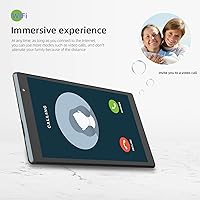
Yes, this is one of the use cases it handles reliably. The 2MP front camera is not impressive in terms of image quality, but it is perfectly adequate for a video call. The screen is large enough to see the other person clearly, and the built-in speaker and microphone work as expected for basic calls.

Light and mid-tier games should be playable, but expect some performance compromises. Roblox and Minecraft can run on this hardware, though you may notice frame drops or slower load times, especially at higher graphic settings. Lowering in-game quality settings helps. Graphically intensive or fast-paced titles will likely struggle, so it is best suited for casual gaming rather than anything demanding.

The 8-hour figure is achievable under light conditions — think e-book reading, occasional browsing, or low-brightness video at moderate volume. Continuous HD video streaming with Wi-Fi active and brightness turned up will shorten that noticeably, likely to the 5 to 6 hour range. For a day of mixed casual use, most people find a single charge gets them through without issue.

Setup is fairly straightforward by Android standards. Connecting to Wi-Fi, signing into a Google account, and downloading apps are the main steps, and the process walks you through it. If your parent is completely new to touchscreens, plan to sit with them for the first session to get things organized. Increasing the font size in Android display settings makes a noticeable difference in day-to-day usability for older users.

A microSD card is the most practical add-on given the limited base storage — a 128GB card is affordable and removes most storage concerns upfront. A protective case is also worth considering, especially if kids will be using it, since the build quality is entry-level and it will not survive a hard drop unprotected. A Bluetooth keyboard is a nice optional extra if anyone plans to type more than short messages on it.