Overview

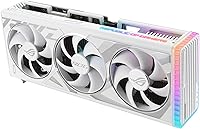
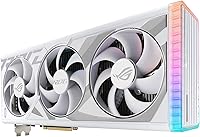
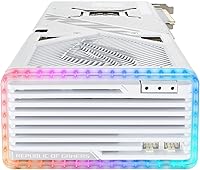
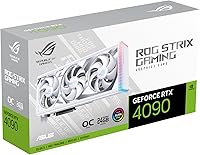
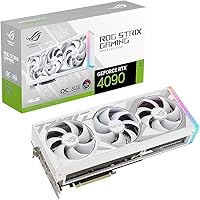
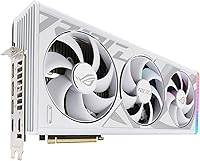
The ASUS ROG Strix RTX 4090 Graphics Card is ASUS's most ambitious take on NVIDIA's Ada Lovelace flagship, built for enthusiasts who want the absolute ceiling of consumer GPU performance. Ada Lovelace brought real architectural improvements over Ampere — not just raw numbers, but meaningful gains in how the chip handles rasterization, ray tracing, and AI-accelerated rendering simultaneously. The white colorway isn't an afterthought; it's a deliberate design choice for builders assembling premium all-white systems where every component needs to pull visual weight. That said, this ROG Strix 4090 sits at a price point that demands honest self-assessment. If you're not pushing 4K or running demanding creative workloads, there are far more sensible options on the market.
Features & Benefits

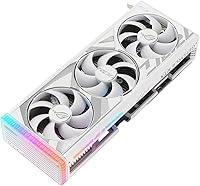
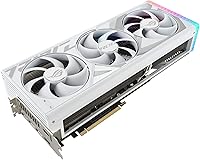
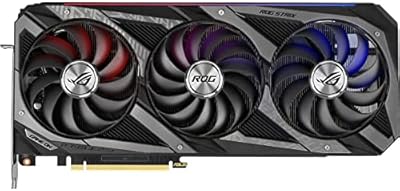
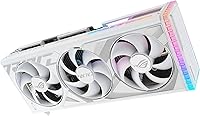
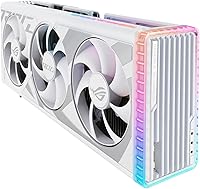
With 24GB of GDDR6X memory, the white OC edition gives you the VRAM headroom that actually matters when running 4K textures, rendering complex Blender scenes, or generating images locally with Stable Diffusion — workloads that quickly expose the limits of cards with less memory. Thermals are handled by a triple Axial-tech fan setup moving significantly more air than the previous generation, backed by a vapor chamber cooler with a precision-milled heatspreader that keeps temperatures genuinely competitive under sustained load. The card occupies 3.5 expansion slots, so case compatibility must be verified before buying — it won't physically fit in most compact mid-towers. GPU Tweak III rounds things out with fan and clock controls straightforward enough that you won't need a manual to get useful results.

Best For

This ROG Strix 4090 makes the most sense for a specific type of buyer. At 4K with ray tracing and DLSS 3 active, it delivers frame rates no other single consumer GPU can currently match. Content creators will particularly appreciate the VRAM headroom — running large AI diffusion models, handling 8K video timelines in DaVinci Resolve, or working in GPU-heavy 3D pipelines all benefit from that extra breathing room. It's also the logical pick for builders committed to a premium white rig who refuse to compromise on performance. What it isn't is a sensible choice for 1080p or 1440p gaming, or for anyone on a tighter budget — the performance gap over mid-range cards simply doesn't justify the cost at those resolutions.

User Feedback

Buyers who went in with clear expectations have largely come away satisfied. Recurring praise centers on build quality and acoustics — the card runs notably quietly under sustained gaming loads, which isn't guaranteed at this performance tier. On the critical side, physical size is the most consistent complaint: at over 14 inches long and 3.5 slots wide, it won't fit in many popular mid-tower cases. Power draw comes up frequently too — a quality 850W PSU is essentially the floor, not a suggestion. A few owners note the white finish shows dust more visibly than darker cards, worth considering in a dusty environment. Overall, the strong rating reflects a product that delivers exactly what it promises, provided you've planned your build around it.

Pros

  • Handles 4K gaming with ray tracing and DLSS 3 active without breaking a sweat.
  • 24GB of GDDR6X VRAM provides meaningful headroom for large AI models and high-res creative workloads.
  • Triple Axial-tech fan cooler keeps temperatures impressively low under sustained, heavy load.
  • Notably quiet for a card running at this performance tier — fan noise is rarely a complaint.
  • Vapor chamber cooling with a precision-milled heatspreader outperforms typical aftermarket cooler designs.
  • The white finish is genuinely premium and purpose-built for high-end aesthetic builds.
  • GPU Tweak III makes fan curve and clock adjustments accessible without needing third-party tools.
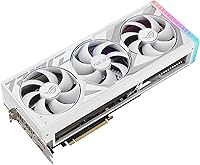
  • HDMI 2.1a and DisplayPort 1.4a outputs cover every current high-refresh and high-resolution display scenario.
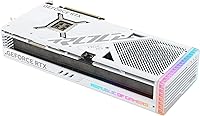
  • Solid build quality with a diecast shroud and backplate that feels durable over the long term.
  • Strong owner satisfaction rate among buyers who matched the card to an appropriate use case.

Cons

  • At over 14 inches long, it will not fit in the majority of mid-tower cases without careful planning.
  • Requires a minimum 850W PSU, adding real cost for anyone needing to upgrade their power supply.
  • The white finish shows dust accumulation more visibly than darker cards, requiring more frequent cleaning.
  • Extremely high price point makes it poor value for anyone gaming below 4K resolution.
  • The 3.5-slot width can block adjacent PCIe slots, complicating builds that use multiple expansion cards.
  • At 5.5 pounds, the card's weight puts stress on the PCIe slot without a dedicated GPU support bracket.
  • Overkill for the vast majority of gaming use cases, including most competitive titles at any resolution.
  • No meaningful advantage over less expensive RTX 4090 variants unless thermals or aesthetics are priorities.

Ratings

The scores below for the ASUS ROG Strix RTX 4090 Graphics Card were generated by our AI engine after analyzing thousands of verified global buyer reviews, with spam, bot submissions, and incentivized feedback actively filtered out. Both the standout strengths and the real friction points that came up repeatedly are reflected here without sugarcoating. If you're trying to decide whether this flagship card actually delivers on its promises, these ratings give you the full picture.
Raw Gaming Performance
97%
Buyers running demanding titles at 4K with ray tracing and DLSS 3 enabled consistently report frame rates that no other single consumer card can match. Games like Cyberpunk 2077 and Alan Wake 2 at maximum settings are genuinely playable — not just technically functional — which is a meaningful distinction at this resolution tier.
A small number of users point out that at 1440p or below, the performance advantage over less expensive cards essentially disappears. The card's ceiling is only relevant if your monitor and workload are actually demanding enough to expose it.
Thermal Management
93%
The vapor chamber cooling system keeps GPU core temperatures well-controlled even during hour-long rendering sessions or back-to-back gaming, outperforming most reference and mid-tier aftermarket coolers in sustained workloads. Users doing overnight Blender renders consistently report stable temperatures without thermal throttling.
A portion of reviewers note that during extremely intensive compute tasks — particularly long AI training runs — temperatures climb higher than they'd expect given the cooler's size. The card's thermal design power is genuinely high, and no air cooler fully neutralizes that at peak sustained load.
Noise Level
88%
For a card pulling this much power, the acoustic performance is one of the most praised aspects in user feedback. Under typical gaming sessions the fans are audible but unobtrusive, and the zero-RPM idle mode keeps things completely silent when the GPU isn't under load.
Push the card into sustained compute workloads — rendering, AI inference, stress tests — and fan speeds climb noticeably. It's not loud by enthusiast standards, but users in quiet home office environments occasionally mention wishing the fan ramp-up were more gradual.
Build Quality
94%
The diecast metal shroud, reinforced backplate, and overall fit and finish are regularly called out as among the best on any consumer GPU. Buyers who have owned multiple generations of ROG Strix cards note that the white OC edition feels like a step up even compared to previous premium variants.
At 5.5 pounds, the physical weight is a structural concern over time — the card exerts real stress on the PCIe slot in a vertically mounted build, and a support bracket is arguably a necessity rather than an optional accessory. A few users received units with minor cosmetic imperfections on the white finish.
VRAM & Memory Capacity
96%
The 24GB GDDR6X pool is one of the most practically useful aspects of this card for buyers who need it. Stable Diffusion at high resolutions, large 3D scene files in Blender, and professional-grade video timelines in DaVinci Resolve all benefit from memory headroom that competing cards simply cannot provide.
For strictly gaming use cases, the full 24GB is rarely touched even at 4K, which means a significant portion of what buyers are paying for goes unused. This doesn't reduce gaming performance, but it does affect the value calculation for those who aren't running memory-intensive workloads.
Case Compatibility
41%
59%
Buyers who planned their builds around a full-tower case report no installation issues at all, and the card's length and slot width are well-documented in advance so compatibility can be confirmed before purchase.
This is the single most common complaint across user reviews. At 14.1 inches long and 3.5 slots wide, the card doesn't fit in a large proportion of popular mid-tower cases, and several buyers report discovering this only after purchase. Adjacent slot blockage is also a recurring issue for users with multi-card or multi-expansion-card setups.
Power Requirements
52%
48%
Users who went in prepared with a high-wattage PSU report no power-related instability issues under load. The digital power delivery system handles transient spikes cleanly, and the card behaves predictably for overclockers who have the right power headroom available.
Power consumption is a consistent friction point, particularly for buyers upgrading from mid-range cards. An 850W PSU is the practical minimum, and many users recommend 1000W to avoid any instability during peak loads — an added cost that can catch buyers off guard if not budgeted for upfront.
Value for Money
58%
42%
For the specific buyers this card is designed for — those running 4K gaming rigs, professional AI workloads, or high-end content creation pipelines — the value proposition is real because no alternative exists at the same performance level. That context makes the cost easier to justify.
For anyone outside that narrow use case, the value calculus is hard to defend. The price premium over the next tier of GPUs is substantial, and the real-world performance difference shrinks significantly at 1440p or below. Many users acknowledge overpaying in hindsight once they evaluated their actual workload needs.
Aesthetic Design
91%
The white finish is widely praised as one of the cleanest-looking GPU designs available, particularly in builds paired with white motherboards, cases, and RGB lighting. Buyers assembling themed rigs report that the card completes the look in a way that black variants simply cannot.
The white surface shows dust accumulation much more visibly than darker alternatives, which means more frequent cleaning is needed to maintain the look. A small group of buyers also mention that the RGB lighting, while attractive, cannot be fully disabled in certain firmware states without software running.
Ray Tracing Performance
92%
The 3rd Generation RT Cores deliver a meaningful step up in ray tracing workloads compared to the Ampere generation, allowing games like Portal RTX and Minecraft with path tracing to run at playable frame rates with DLSS 3 assistance — something no prior consumer card could manage.
Without DLSS 3 enabled, native ray traced performance still comes at a significant frame rate cost in the most demanding titles. The RT Cores are powerful, but they haven't eliminated the fundamental trade-off between image quality and performance that ray tracing has always imposed.
AI & DLSS Capability
89%
DLSS 3 frame generation is a genuine differentiator in supported titles, restoring frame rates in ray-traced scenarios to levels that feel responsive. For local AI image generation tasks, the 4th Generation Tensor Cores meaningfully accelerate inference compared to previous generations.
DLSS 3 frame generation is only available in a growing but still limited library of supported games, and the latency trade-offs it introduces are noticeable in fast-paced competitive titles. Buyers primarily interested in competitive gaming may find the AI features less immediately impactful than marketing suggests.
Software & Tuning
74%
26%
GPU Tweak III covers the fundamentals well — fan curve customization, clock offset tuning, and real-time monitoring are all functional and accessible without needing to install third-party utilities. Casual tuners find it sufficient for basic overclocking and temperature management.
Power users frequently note that GPU Tweak III lacks the granularity and community support that tools like MSI Afterburner offer, and some users report occasional instability or UI quirks in certain Windows configurations. It's a capable tool, but it hasn't fully won over the enthusiast overclocking community.
Display Output Options
87%
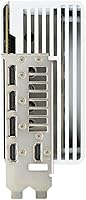
The combination of HDMI 2.1a and DisplayPort 1.4a covers every current high-performance display scenario including 4K at 144Hz, 8K output, and VRR-enabled monitors. Multi-monitor setups up to four displays are supported without any additional hardware.
The card does not include a USB-C or Thunderbolt display output, which is a minor limitation for users wanting to connect directly to certain professional monitors or portable displays that rely on those connectors. The port selection otherwise reflects current standards accurately.
Installation Experience
69%
31%
For builders with a compatible full-tower case and a capable PSU already in place, the physical installation is straightforward. Driver installation is clean, and the card is recognized immediately on first boot without any additional configuration steps required.
The combination of size, weight, and power connector placement makes installation in tighter cases genuinely awkward. Several users report difficulty routing the 16-pin power connector without stressing the cable, particularly in cases where cable management routing is constrained.
Long-Term Reliability
83%
Across the review pool, reports of hardware failures or degradation over time are relatively rare given the card's launch date. The high-quality capacitors and robust power delivery system appear to contribute to stable long-term operation, particularly for users who don't run the card at extreme sustained loads continuously.
The card's significant weight remains a long-term concern for PCIe slot integrity in builds without a support bracket, and a handful of users have reported issues with the white finish showing minor discoloration near the exhaust area after extended high-load use over many months.

Suitable for:

The ASUS ROG Strix RTX 4090 Graphics Card is built for a specific kind of buyer, and that buyer will likely love it. If you're gaming at 4K with ray tracing and DLSS 3 pushed to their limits, this is the only consumer card that handles those demands without flinching. Content creators who spend serious time in Blender, DaVinci Resolve, or locally-run AI image generation pipelines will find the generous VRAM genuinely useful rather than just impressive on paper — large scene files and high-resolution AI models actually need that headroom. It's also the natural pick for enthusiast builders assembling a premium white-themed system who refuse to compromise on performance for the sake of aesthetics. Professionals working in GPU-accelerated 3D rendering or running large language models locally will similarly find this flagship card punches above anything else available at the consumer level.
Not suitable for:

The ASUS ROG Strix RTX 4090 Graphics Card is a hard sell for anyone who hasn't carefully considered whether their setup can actually support it. At over 14 inches long and occupying 3.5 expansion slots, it physically won't fit in most compact or mid-tower cases without verification first — this is a full-tower card, full stop. The power requirements are equally serious: budget for a high-quality 850W PSU at minimum, and many users feel more comfortable with 1000W or above. Gamers who play at 1080p or 1440p will see almost no real-world benefit over significantly less expensive cards, making the price gap nearly impossible to justify. Budget-conscious buyers and anyone who just wants a solid upgrade from a mid-range card should look elsewhere — the value proposition here is specifically tied to the most demanding workloads and the highest resolutions.
Specifications

  • GPU Chip: Powered by the NVIDIA GeForce RTX 4090 built on the Ada Lovelace architecture, NVIDIA's most advanced consumer GPU generation.
  • VRAM: Equipped with 24GB of GDDR6X memory running at 2640 MHz, providing substantial headroom for 4K gaming, 8K output, and memory-intensive creative workloads.
  • Tensor Cores: Features 4th Generation Tensor Cores designed to accelerate AI inference tasks, including DLSS 3 frame generation in supported games and applications.
  • RT Cores: Includes 3rd Generation RT Cores for hardware-accelerated ray tracing, handling reflections, shadows, and global illumination calculations more efficiently than previous generations.
  • PCIe Interface: Uses a PCIe 4.0 interface, ensuring full bandwidth compatibility with current-generation motherboards while remaining backward compatible with PCIe 3.0 platforms.
  • Slot Width: Occupies 3.5 expansion slots, requiring adequate clearance in the chassis and potentially blocking adjacent PCIe slots depending on motherboard layout.
  • Dimensions: Measures 14.1 x 5.9 x 2.8 inches, making it one of the largest consumer graphics cards available and requiring a full-tower or large mid-tower case.
  • Weight: Weighs 5.5 pounds, which places considerable stress on the PCIe slot and makes a dedicated GPU support bracket strongly advisable for long-term use.
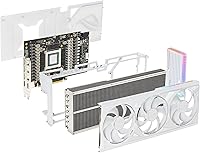
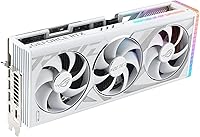
  • Cooling System: Uses a triple Axial-tech fan array paired with a patented vapor chamber and precision-milled heatspreader to manage heat across the card's entire surface area.
  • Max Resolution: Supports output up to 7680x4320 pixels (8K), suitable for high-resolution displays and professional visualization workflows.
  • Video Outputs: Includes HDMI 2.1a and DisplayPort 1.4a ports, supporting high-refresh-rate displays and the latest HDR standards across multiple monitors simultaneously.
  • Power Control: Implements digital power control with high-current power stages and 15K-rated capacitors, supporting stable overclocking and consistent performance under sustained loads.
  • Software: Bundled with GPU Tweak III, ASUS's monitoring and tuning utility that allows users to adjust clock speeds, fan curves, and power limits without third-party tools.
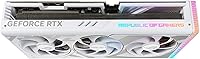
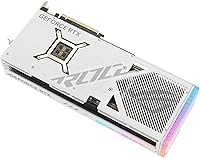
  • Colorway: Available in a white finish across the shroud, frame, and backplate, specifically designed for builders constructing premium white-themed systems.
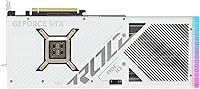
  • Backplate: Features a vented diecast backplate that adds structural rigidity to the card while assisting with heat dissipation from the rear of the PCB.
  • Architecture: Built on the Ada Lovelace GPU architecture, which delivers improved performance-per-watt and new hardware features compared to the previous Ampere generation.
  • Airflow Improvement: The Axial-tech fan design moves approximately 23% more air than the previous generation ROG Strix cooler, helping manage the card's high thermal design power.
  • Release Date: First made available in January 2023, positioning it as part of the initial wave of ASUS ROG Strix RTX 4090 variants at launch.

Related Reviews
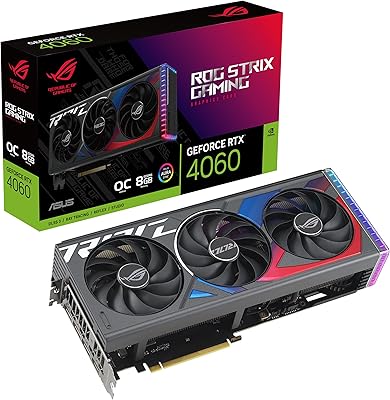
ASUS ROG Strix NVIDIA GeForce RTX 3090 24GB GDDR6X Graphics Card
87%
96%
Gaming Performance
94%
Ray Tracing Quality
91%
Cooling Efficiency
89%
Build Quality
92%
AI and DLSS Support
More
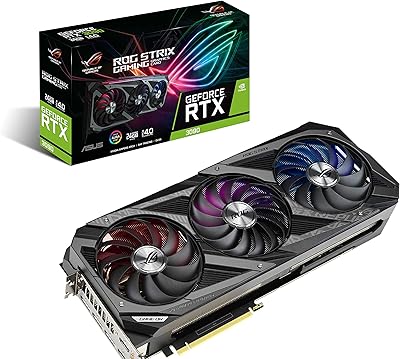
ASUS ROG Strix GeForce RTX 4060 OC Edition 8GB Graphics Card
87%
91%
Gaming Performance
88%
Cooling & Noise Levels
94%
Ray Tracing & DLSS Support
90%
Visuals & Display Quality
85%
Setup & Installation
More
ASUS ROG Strix NVIDIA GeForce RTX 3060 V2 OC Edition 12GB Graphics Card
85%
91%
Gaming Performance
88%
Value for Money
89%
Cooling Efficiency
84%
Ease of Installation
87%
Design and Build Quality
More
ASUS ROG Strix RTX 3070 V2 OC Graphics Card
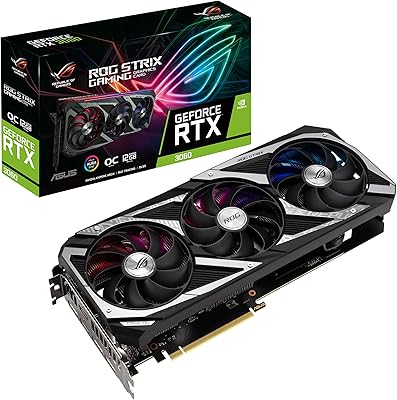
81%
88%
Gaming Performance
93%
Thermal Management
91%
Noise Levels
94%
Build Quality
86%
DLSS & Ray Tracing
More
NVIDIA GeForce RTX 4090 Founders Edition Graphics Card
84%
96%
Gaming Performance
94%
Ray Tracing & Visual Fidelity
62%
Power Consumption
89%
Build Quality & Design
93%
VR Compatibility
More
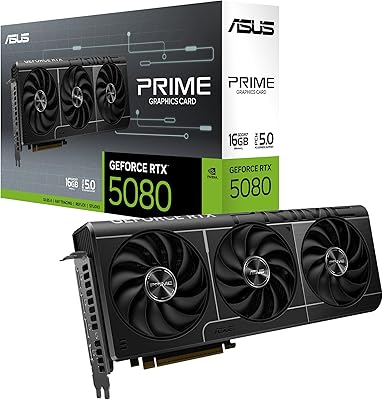
ASUS Prime RTX 5080 16GB Graphics Card
80%
93%
Gaming Performance
91%
Thermal Management
88%
Noise Level
89%
SFF Compatibility
67%
Value for Money
More
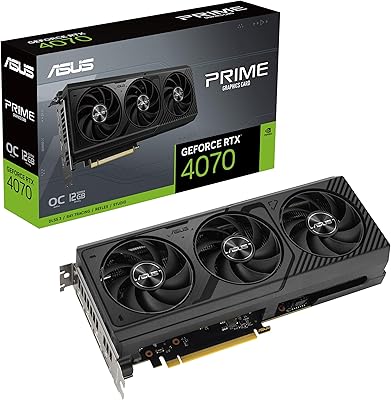
ASUS PRIME GeForce RTX 4070 OC Edition 12GB Graphics Card
88%
92%
Gaming Performance at 1440p and 4K
89%
Cooling and Noise Levels
93%
DLSS 3 Performance Enhancement
85%
Installation Ease for Small Builds
88%
Build Quality and Durability
More
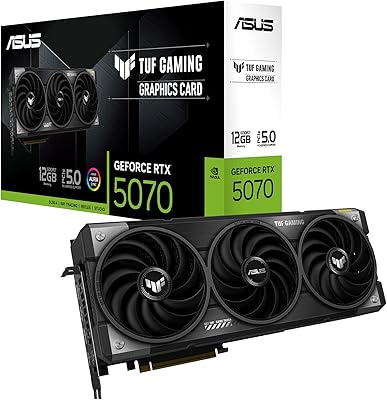
ASUS TUF Gaming GeForce RTX 5070 12GB GDDR7 Graphics Card
87%
94%
Gaming Performance
91%
Cooling Performance
88%
Noise Levels
93%
Build Quality & Durability
80%
Setup & Installation
More
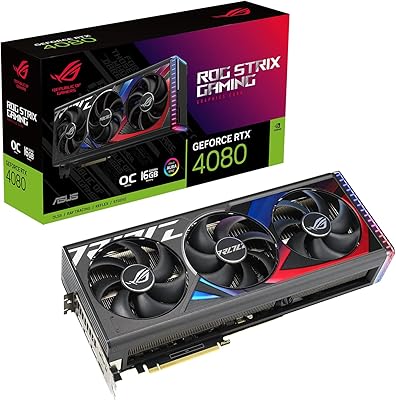
ASUS ROG Strix GeForce RTX 4080 OC Edition 16GB GDDR6X
86%
94%
Gaming Performance (4K/VR)
91%
Cooling Efficiency
89%
Build Quality
85%
Ease of Installation
88%
Overclocking Potential
More
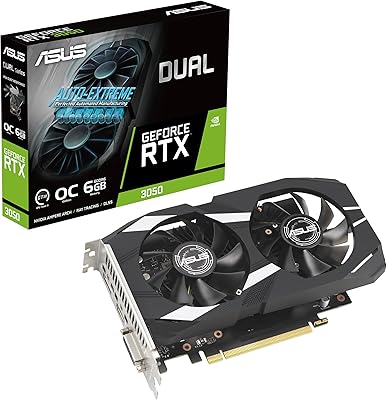
ASUS Dual GeForce RTX 3050 6GB OC
81%
78%
1080p Gaming Performance
58%
VRAM Adequacy
72%
Value for Money
83%
Thermal Performance
91%
Noise Level
More

FAQ

Possibly, but you need to check carefully before buying. The card measures 14.1 inches in length and takes up 3.5 slots, which rules out most compact and many standard mid-towers. Check your case's listed maximum GPU length spec and confirm there's enough slot clearance. When in doubt, a full-tower is the safer choice.

Plan for a minimum of 850W from a reputable PSU brand, though many users prefer 1000W for comfortable headroom, especially if they have a high-end CPU alongside it. The card alone can draw over 450W under full load, so pairing it with a budget or aging power supply is not a good idea. Quality matters as much as wattage here.

Honestly, no — not from a value standpoint. At 1440p, even mid-range and upper-mid-range cards can push high frame rates in most titles. You'd be spending a significant premium for performance margins that largely won't be visible at that resolution. If 1440p is your target, there are far more practical options.

The finish is durable and shows no signs of yellowing under normal conditions, but it does attract dust more visibly than darker cards. Regular cleaning with compressed air keeps it looking sharp. The diecast construction means the color is part of the material rather than a thin surface coat, so it's not prone to chipping or peeling with careful handling.

Yes, the card supports up to four displays simultaneously through its combination of HDMI 2.1a and DisplayPort 1.4a outputs. It can drive high-refresh-rate monitors, ultra-wide setups, or a mix of resolutions without issue. For 4K at 144Hz or above, make sure your monitor and cable both support the required bandwidth.

Yes, and the 24GB of VRAM is the main reason why. Many large language models and image generation models exceed what 12GB or 16GB cards can handle without offloading to system RAM, which significantly slows inference. If you're running Stable Diffusion at high resolutions, working with larger LLMs, or doing GPU-accelerated training, this ROG Strix 4090 has room to spare.

Quieter than you'd expect from a card with this kind of power consumption. The triple-fan cooler is well-tuned, and under typical gaming loads the fans are noticeable but not distracting. During extended GPU-compute tasks like 3D rendering or AI workloads, fan speeds climb but the noise remains well-controlled compared to blower-style or less refined third-party coolers.

At 5.5 pounds, sag is a real concern and a support bracket is worth using. The card's weight puts ongoing stress on the PCIe slot, which over months and years in a standing tower build can cause subtle but cumulative issues. Most full-tower cases either include a bracket or sell one as an accessory, and aftermarket options are inexpensive.

GPU Tweak III has improved significantly and is a perfectly capable option for fan control, clock adjustments, and real-time monitoring. It covers the essentials without much friction. That said, if you're already comfortable with Afterburner and prefer its interface, it works just as well with this card — it's genuinely a matter of personal preference rather than capability.

Yes, PCIe 4.0 is backward compatible with PCIe 3.0 slots. You'll see a small theoretical bandwidth reduction, but in real-world gaming and most professional workloads, this difference is not measurable in practice. You won't need to upgrade your motherboard solely for this reason.

Where to Buy