

Overview

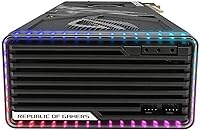
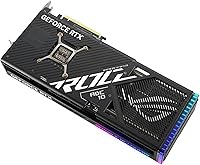
The ASUS ROG Strix RTX 4080 16GB Graphics Card sits at the very top of NVIDIA's RTX 4000 consumer lineup, slotting just below the RTX 4090 and well above mid-range options like the RTX 4070. ROG Strix has long been ASUS's flagship enthusiast sub-brand, and that heritage shows in the card's diecast metal construction and deliberate thermal engineering. The OC Edition runs slightly higher clocks than the reference RTX 4080 — a meaningful distinction for those chasing every last frame. Built on NVIDIA's Ada Lovelace architecture, the generational jump in performance-per-watt over Ampere is substantial. Just be clear-eyed going in: this is a physically massive card, demanding a full-tower case and a robust power supply.

Features & Benefits

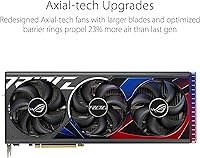
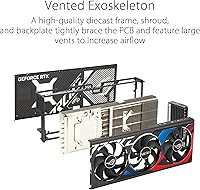
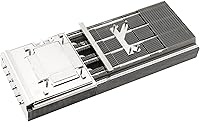
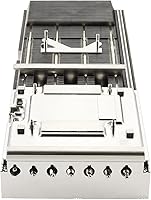
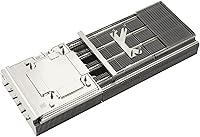
The cooling setup is where this ROG Strix card genuinely pulls ahead of blower-style and dual-fan competitors. Three Axial-tech fans push 23% more airflow than the previous generation, working in tandem with a vapor chamber and milled heatspreader to keep temperatures in check during extended gaming sessions — in practice, that means the GPU rarely throttles under load. The 9728 CUDA cores paired with 16GB of GDDR6X memory make 4K gaming feel effortless in demanding titles like Cyberpunk 2077 or Microsoft Flight Simulator. Add DLSS 3 support and capable ray tracing cores, and you have a card that handles both raw rasterization and visually rich rendering without missing a beat.

Best For

The RTX 4080 OC Edition makes the most sense for 4K gaming enthusiasts who want consistently high frame rates without dialing back visual settings. It also suits creative professionals — video editors and 3D artists especially — who rely on GPU-accelerated workflows where raw VRAM and compute power translate directly into time saved. High-refresh-rate 1440p users will find this high-end GPU comfortably ahead of current demands, which buys real longevity. That said, physical reality matters: at over 14 inches long and occupying 3.5 slots, it needs a spacious full-tower build and a power supply north of 850W. Compact or mid-tower cases may simply not have the room.

User Feedback

With a 4.6-star rating across nearly 700 reviews, buyer sentiment around this ROG Strix card leans consistently positive. Thermal performance and build quality earn the most praise — owners frequently note how quiet the fans stay at idle and how temperatures hold steady through long sessions. The negatives are predictable but worth knowing. Case compatibility is the most cited complaint: a notable number of buyers discovered too late that the card does not fit their existing mid-tower chassis. A handful flagged early driver hiccups, though most report stability settles in after the first few updates. On value, opinions genuinely split — some feel the ROG premium is worth every penny, others argue a plainer RTX 4080 delivers near-identical results.

Pros

  • Exceptional 4K gaming performance that handles the most demanding modern titles at max settings.
  • 16GB of GDDR6X VRAM offers meaningful headroom for texture-heavy games and creative workloads.
  • Triple Axial-tech fans keep temperatures impressively low even during extended gaming sessions.
  • Near-silent fan operation at idle makes it comfortable in living room or home office builds.
  • DLSS 3 and capable ray tracing cores add genuine visual quality in supported titles.
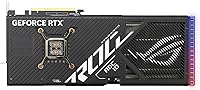
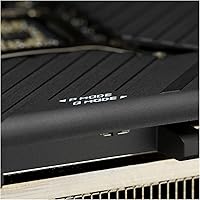
  • Diecast shroud and backplate give the card a premium, rigid feel that matches its price tier.
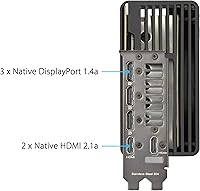
  • Five display outputs support flexible multi-monitor and 8K-capable configurations.
  • The OC Edition boost clock provides a small but real performance edge over reference RTX 4080 cards.
  • Ada Lovelace architecture delivers strong performance-per-watt gains over the previous generation.
  • 4.6-star average from nearly 700 buyers reflects consistent real-world satisfaction with thermals and build quality.

Cons

  • At over 14 inches long and 3.5 slots wide, this card will not fit many popular mid-tower cases.
  • Requires a high-quality 850W or greater power supply, adding cost for users who need to upgrade.
  • The ROG Strix premium pushes the price above plainer RTX 4080 models with near-identical core performance.
  • Some buyers reported early driver instability, requiring patience through initial software updates.
  • At 5.5 pounds, the card is heavy enough to cause sag over time without a proper support bracket.
  • Overkill for 1080p gaming — most buyers at that resolution will not recoup the investment.
  • Limited availability and high demand have historically made finding this card at retail price difficult.
  • Power consumption under full load is substantial, contributing to higher electricity costs during long sessions.

Ratings

Our AI rating engine analyzed hundreds of verified global purchases of the ASUS ROG Strix RTX 4080 16GB Graphics Card, actively filtering out incentivized reviews, bot submissions, and duplicate feedback to surface what real owners genuinely experience. The scores below reflect both the card's considerable strengths and the honest friction points that buyers repeatedly flag — nothing is glossed over. Whether this high-end GPU fits your build, budget, and use case is exactly what these ratings are designed to help you decide.

4K Gaming Performance
93%
Owners running demanding titles like Cyberpunk 2077 and Hogwarts Legacy at 4K with ray tracing enabled consistently report fluid, high-frame-rate experiences that simply were not achievable on previous-generation cards. The 9728 CUDA cores provide enough headroom that most games never push the card to its limits, which keeps performance stable rather than peaky.
A small number of users noted that at native 4K without DLSS, a handful of extremely unoptimized titles still dip below 60fps during dense scenes, though these cases are the exception rather than the rule. Buyers expecting guaranteed triple-digit frame rates in every game at max settings may occasionally be disappointed.
Thermal Management
91%
The vapor chamber and triple Axial-tech fan combination keeps GPU temperatures well within safe limits even during multi-hour gaming sessions, with many owners reporting junction temperatures that plateau rather than climb continuously. Users running Blender renders overnight found the card maintained consistent clocks without thermal throttling, which matters a lot for productivity workloads.
In very poorly ventilated cases or compact enclosures that force recirculation of hot air, temperatures climb higher than expected — a problem the card itself cannot solve. A few owners in warm climates also noted that ambient temperature plays a larger role in final GPU temps than the cooler marketing implies.
Noise Levels
88%
The semi-passive fan mode means the card runs completely silently during web browsing, video playback, and light desktop tasks — something owners who work in quiet home offices particularly appreciate. Under moderate gaming loads the fan ramp-up is gradual and produces a low, steady hum rather than an abrupt or irritating whine.
At sustained maximum load — think long Blender renders or GPU stress tests — the fans do spin up audibly, and users without headphones will notice the noise in a quiet room. It is not objectionable by high-end GPU standards, but buyers expecting near-silence under all conditions may need to recalibrate expectations.
Build Quality
94%
The diecast metal shroud, reinforced backplate, and rigid frame give the RTX 4080 OC Edition a premium, substantial feel that owners frequently call out as a step above most competing cooler designs. Long-term owners report no flex, creaking, or cosmetic degradation even after a year or more of daily use.
The card's weight — 5.5 pounds — is a direct consequence of that solid construction, and without a support bracket, PCIe slot sag is a real risk over time. A few owners felt the ROG Strix aesthetic, while well-executed, leans heavily into aggressive gaming styling that does not suit all build themes.
Case Compatibility
47%
53%
For builders already working with a full-tower chassis that offers 370 mm or more of GPU clearance, installation is straightforward and the card fits without modification. The 3.5-slot width is clearly documented, so prepared buyers with appropriate cases report no issues whatsoever during installation.
This is the single most cited frustration across user reviews — many buyers discovered after purchase that the card does not fit their existing mid-tower case, resulting in costly case upgrades or returns. At over 357 mm long and 3.5 slots wide, it eliminates a significant portion of popular enclosures from the compatibility list, and ASUS's own product page does not warn buyers loudly enough.
DLSS 3 & Ray Tracing
89%
Owners gaming in DLSS 3-supported titles like Alan Wake 2 and Cyberpunk 2077 report frame rate doublings that make previously unplayable ray tracing modes genuinely smooth at 4K. Frame Generation works well in fast-paced titles and the image quality degradation is minimal at Quality and Balanced modes, which most users settle on.
DLSS 3 Frame Generation is only useful in supported games, and that library — while growing — still excludes many popular titles. A subset of users also noted that Frame Generation introduces minor input latency artifacts in competitive multiplayer games, where responsiveness matters more than raw frame count.
VRAM Adequacy
86%
16GB of GDDR6X handles current 4K texture packs, modded game environments, and professional creative workloads without running into VRAM limits — a pain point that plagues cards with 8–12GB in the same price tier. Content creators working with large Premiere Pro or DaVinci Resolve projects found the memory headroom directly translates into smoother scrubbing and faster exports.
While 16GB is generous today, some forward-looking buyers expressed concern that next-generation titles may begin approaching this ceiling within two to three years. At the card's price point, some users felt that competing AMD options offering more VRAM at similar performance warranted serious consideration.
Power Efficiency
72%
28%
The Ada Lovelace architecture delivers a meaningful improvement in performance-per-watt over Ampere, and users upgrading from RTX 3080 or 3090 cards noticed their system power draw did not increase as dramatically as raw benchmark numbers might suggest. Under lighter workloads the card scales power consumption down efficiently.
At full load this remains a high-power GPU that will add a noticeable amount to electricity bills during extended gaming or rendering sessions. Owners who did not already own an 850W or higher PSU found themselves spending additional money on a power supply upgrade before they could even use the card.
Driver Stability
74%
26%
The majority of long-term owners report a stable experience once drivers settle in, and NVIDIA's update cadence means fixes for reported issues tend to arrive within weeks. Users on Studio Driver branches — popular with creators — report particularly reliable day-to-day operation.
A recurring thread in user feedback involves instability during the first few driver versions after launch, with some owners experiencing crashes or artifacting until specific updates resolved the issue. This is an NVIDIA driver ecosystem problem rather than a hardware fault, but it is a real friction point for buyers who expect plug-and-play reliability immediately.
Value for Money
61%
39%
Buyers who specifically need the ROG Strix cooler quality, the OC Edition clocks, and ASUS's 3-year warranty as a package tend to feel the premium is justified — particularly those coming from multi-year-old cards who view the upgrade as a long-term investment. For professional creators, the time saved on GPU-accelerated workflows can offset the cost premium relatively quickly.
A significant portion of reviewers openly acknowledge that plainer RTX 4080 models from other manufacturers deliver performance within a few percentage points at a lower price, making the ROG Strix premium harder to justify on performance grounds alone. Casual gamers or those upgrading from already-capable cards like the RTX 3080 Ti find it especially difficult to rationalize the cost difference.
Multi-Monitor Support
87%
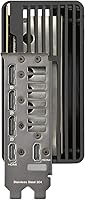
Five display outputs — including dual HDMI 2.1a — give this high-end GPU genuine flexibility for triple-monitor gaming rigs, mixed-resolution workstation setups, or pairing a gaming monitor with a TV simultaneously. Owners running ultra-wide plus secondary display configurations report no signal issues or bandwidth limitations.
DisplayPort 1.4a has bandwidth limits when driving multiple high-refresh-rate 4K displays simultaneously, and a small number of users setting up three 4K 144Hz monitors found they had to compromise on refresh rate to maintain all three outputs. DisplayPort 2.1 adoption in competing products has made this connectivity spec feel slightly behind the curve for future-proofing.
Installation Experience
78%
22%
For builders with a compatible full-tower case, the physical installation process is straightforward — the card seats firmly, the power connector is accessible, and the diecast construction means there is no concern about flex during handling. The included documentation is clear, and ASUS Armoury Crate software makes monitoring GPU temps and adjusting fan curves accessible even for less experienced users.
The sheer size and weight of the card makes single-person installation awkward, and maneuvering it into the PCIe slot without assistance in a crowded case requires patience. Several buyers also noted that Armoury Crate, while functional, is a bloated software suite that installs background services many users end up disabling.
Longevity & Future-Proofing
83%
The combination of 16GB VRAM, DLSS 3 support, and Ada Lovelace architecture positions this ROG Strix card well for several years of competitive performance — owners looking for a card they will not need to replace by next generation feel confident in the purchase timeline. PCIe 4.0 compatibility ensures it runs optimally on current-generation platforms without bottlenecks.
Some technically informed buyers raised the point that the RTX 5000 series is on the horizon, which could make the RTX 4080 OC Edition feel less premium sooner than its price tag suggests. Those who prioritize always owning a top-tier card may find the upgrade cycle on this investment shorter than ideal.

Suitable for:

The ASUS ROG Strix RTX 4080 16GB Graphics Card is built for buyers who refuse to compromise at 4K — specifically enthusiast gamers running demanding titles like Cyberpunk 2077, Alan Wake 2, or Microsoft Flight Simulator at maximum settings with ray tracing enabled. If you own a high-refresh-rate 4K monitor or a multi-display setup, this ROG Strix card has the raw headroom and VRAM to keep up without breaking a sweat. Content creators stand to gain just as much: GPU-accelerated video encoding, 3D rendering, and AI-assisted workflows all benefit from the 9728 CUDA cores and 16GB of fast GDDR6X memory. DLSS 3 support also makes it a smart long-term pick, as more titles continue adopting the technology to push frame rates higher with minimal visual cost. If your case is a full-tower, your PSU is rated 850W or above, and your workload genuinely pushes a GPU hard, this card is a logical fit.

Not suitable for:

The ASUS ROG Strix RTX 4080 16GB Graphics Card is a poor match for anyone building inside a compact, mid-tower, or small-form-factor case — at over 14 inches long and 3.5 slots wide, it physically will not fit many popular enclosures, and that is a non-negotiable hardware reality. Budget-conscious buyers or those primarily gaming at 1080p should also look elsewhere; the performance on offer far exceeds what most 1080p titles demand, meaning a significant portion of the card's capability goes unused. Casual gamers upgrading from a mid-range GPU for everyday use will find the investment difficult to justify when less expensive RTX 4070 or 4070 Ti options deliver strong results at lower resolutions. Owners with aging or under-specced power supplies should be cautious too — running this high-end GPU on anything below a quality 850W unit risks system instability. If your build, budget, or resolution target does not match the card's demands, a different tier is the smarter call.

Specifications

  • GPU Architecture: Built on NVIDIA's Ada Lovelace architecture, which delivers substantial generational gains in both performance and power efficiency over the previous Ampere generation.
  • CUDA Cores: Features 9728 CUDA cores, providing the raw parallel processing power needed for high-frame-rate gaming and GPU-accelerated creative workloads.
  • VRAM: Equipped with 16GB of GDDR6X memory running on a 256-bit memory interface, supporting texture-heavy 4K environments and memory-intensive creative applications.
  • Memory Speed: GDDR6X memory operates at 4000 MHz, ensuring fast data throughput that keeps the GPU fed in bandwidth-demanding scenarios.
  • Boost Clock: In OC mode the boost clock reaches 2655 MHz, while the default performance mode runs at 2625 MHz, both exceeding NVIDIA's reference RTX 4080 specification.
  • Cooling System: Uses three Axial-tech fans paired with a patented vapor chamber and milled heatspreader, delivering 23% more airflow than the prior ROG Strix generation.
  • Slot Width: Occupies 3.5 PCIe slots, requiring adequate clearance inside the case and making it incompatible with many standard mid-tower or compact enclosures.
  • Dimensions: Measures 357.6 x 149.3 x 70.1 mm (approximately 14.1 x 5.9 x 2.8 inches), making it one of the longer dual-tower cooler designs in the RTX 4000 lineup.
  • Weight: Weighs 5.5 pounds (approximately 2.5 kg), which is substantial enough to warrant the use of a GPU support bracket to prevent PCIe slot sag over time.
  • Display Outputs: Provides five total outputs — two HDMI 2.1a ports and three DisplayPort 1.4a ports — supporting multi-monitor configurations and resolutions up to 8K.
  • Max Resolution: Supports a maximum output resolution of 7680x4320 (8K) at up to 60Hz over HDMI 2.1a, suitable for next-generation display setups.
  • PCIe Interface: Connects via PCIe 4.0, and is backward compatible with PCIe 3.0 motherboards, though peak bandwidth performance is achieved on PCIe 4.0 platforms.
  • Tensor Cores: Includes 4th Generation Tensor Cores that power DLSS 3 Frame Generation, enabling significantly higher frame rates in supported titles with minimal image quality trade-off.
  • RT Cores: Integrates 3rd Generation RT Cores for hardware-accelerated ray tracing, offering up to 2x the ray tracing throughput of the previous Ampere generation.
  • HDCP Support: Supports HDCP 2.3, ensuring compatibility with protected premium content streams and next-generation display encryption standards.
  • Build Materials: The shroud, frame, and backplate are constructed from diecast metal, adding structural rigidity while the vented design assists with overall heat dissipation.
  • User Rating: Holds a 4.6 out of 5 star average rating based on 696 Amazon customer reviews, reflecting broadly positive real-world ownership experiences.

Related Reviews
ASUS ROG Strix NVIDIA GeForce RTX 3090 24GB GDDR6X Graphics Card
87%
96%
Gaming Performance
94%
Ray Tracing Quality
91%
Cooling Efficiency
89%
Build Quality
92%
AI and DLSS Support
More
ASUS ROG Strix GeForce RTX 4060 OC Edition 8GB Graphics Card
87%
91%
Gaming Performance
88%
Cooling & Noise Levels
94%
Ray Tracing & DLSS Support
90%
Visuals & Display Quality
85%
Setup & Installation
More
ASUS ROG Strix RTX 3070 V2 OC Graphics Card
81%
88%
Gaming Performance
93%
Thermal Management
91%
Noise Levels
94%
Build Quality
86%
DLSS & Ray Tracing
More
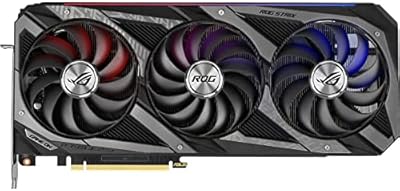
ASUS ROG Strix NVIDIA GeForce RTX 3060 V2 OC Edition 12GB Graphics Card
85%
91%
Gaming Performance
88%
Value for Money
89%
Cooling Efficiency
84%
Ease of Installation
87%
Design and Build Quality
More
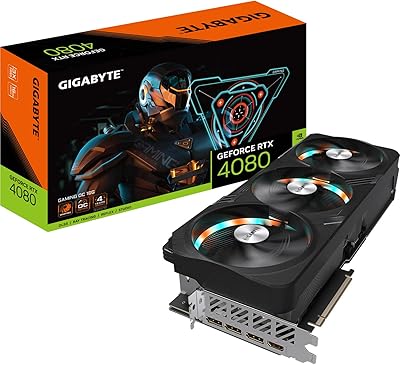
GIGABYTE RTX 4080 Gaming OC 16GB GPU
81%
93%
Gaming Performance
89%
Thermal Management
91%
Build Quality
74%
Cooling Noise Level
86%
DLSS 3 & Frame Generation
More
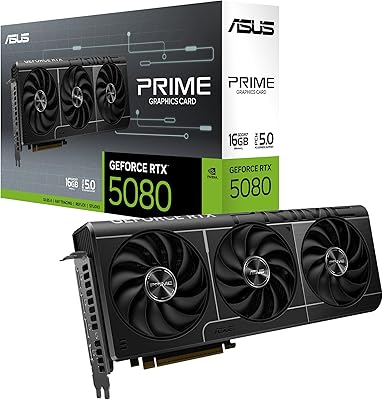
ASUS Prime RTX 5080 16GB Graphics Card
80%
93%
Gaming Performance
91%
Thermal Management
88%
Noise Level
89%
SFF Compatibility
67%
Value for Money
More
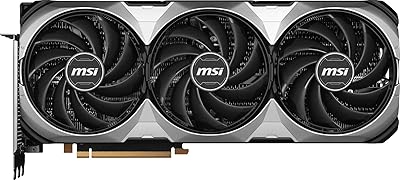
MSI GeForce RTX 4080 SUPER 16GB VENTUS 3X OC Graphics Card
84%
96%
Gaming Performance
91%
Cooling Efficiency
65%
Power Consumption
89%
Build Quality
94%
4K/8K Gaming Compatibility
More
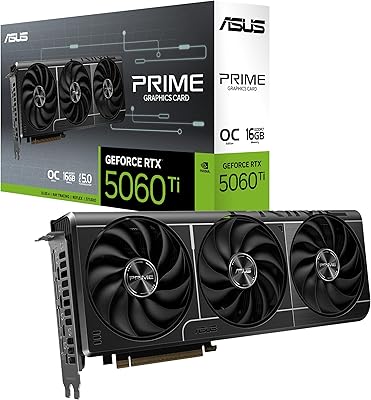
ASUS PRIME GeForce RTX 5060 Ti 16GB GDDR7 OC Edition Graphics Card
88%
93%
Performance
88%
Cooling Efficiency
92%
Value for Money
86%
Ease of Installation
90%
Build Quality
More
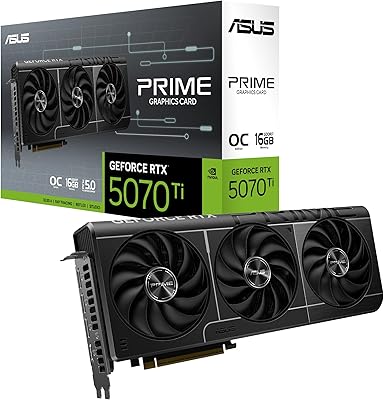
ASUS Prime RTX 5070 Ti 16GB Graphics Card
83%
93%
Gaming Performance
89%
Thermal Management
86%
Noise Levels
91%
Build Quality & Materials
94%
SFF & Case Compatibility
More
ASUS ROG Strix G16 Gaming Laptop
74%
91%
Gaming Performance
93%
Display Quality
88%
Thermal Management
53%
Fan Noise
47%
Battery Life
More

FAQ

Possibly, but you need to check carefully before ordering. This ROG Strix card measures just over 357 mm (about 14.1 inches) in length and occupies 3.5 slots. Many popular mid-tower cases max out around 320–340 mm of GPU clearance, which is not enough. Check your case manufacturer's listed maximum GPU length before committing.

ASUS recommends at least an 850W power supply for the RTX 4080 OC Edition, and most experienced builders suggest going to 1000W if you have a high-end CPU alongside it. The card uses a 16-pin PCIe power connector — many modern PSUs include one natively, but adapters are typically included in the box if yours does not.

At idle or during light tasks, the fans stop completely, so you will hear nothing. Under a sustained gaming load the fans spin up, but the triple Axial-tech setup is notably quieter than older blower-style cards. Most owners describe it as a low, consistent hum rather than an aggressive whine — tolerable even without headphones.

It genuinely excels at both. The 16GB of GDDR6X memory handles large project files comfortably, and GPU-accelerated tasks like DaVinci Resolve rendering, Blender scenes, or AI-assisted upscaling all run noticeably faster compared to mid-range cards. If your workflow is GPU-heavy, the investment makes practical sense beyond gaming alone.

Yes to both. The 4th Generation Tensor Cores power DLSS 3, including Frame Generation, which can dramatically increase frame rates in supported titles. The 3rd Generation RT Cores handle ray tracing far more efficiently than the previous Ampere generation, making real-time ray tracing in games like Cyberpunk 2077 genuinely playable at 4K.

Absolutely — it has five display outputs in total: two HDMI 2.1a and three DisplayPort 1.4a. You can run up to four simultaneous displays depending on your setup. For a triple 1440p or triple 4K configuration, this high-end GPU has the bandwidth and processing power to handle it.

At 5.5 pounds it is a heavy card, and sag over the PCIe slot is a real concern over time, especially in horizontal builds. A GPU support bracket is a worthwhile addition — many cases include one, and standalone brackets are inexpensive. It is worth addressing upfront rather than after noticing the card starting to droop.

The OC Edition runs a higher factory boost clock — 2655 MHz versus NVIDIA's reference spec of around 2505 MHz — which translates to a modest but measurable performance advantage in practice. Beyond the clock speed, the ROG Strix cooler is considerably larger and more capable than reference designs, which helps maintain those higher clocks consistently under load.

Yes, PCIe is backward compatible, so the RTX 4080 OC Edition will physically fit and function in a PCIe 3.0 slot. You may see a small bandwidth limitation compared to a PCIe 4.0 platform in some synthetic benchmarks, but in real gaming scenarios the practical difference is minimal for most users.

ASUS typically backs ROG Strix graphics cards with a 3-year limited warranty, though coverage terms can vary by region. It is worth registering the product on the ASUS website after purchase to activate full warranty support and make any future claims straightforward.