

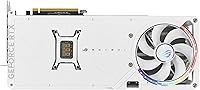
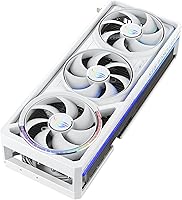
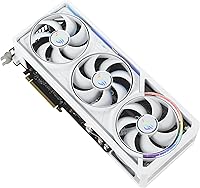
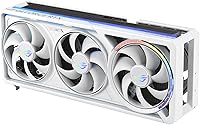
Overview

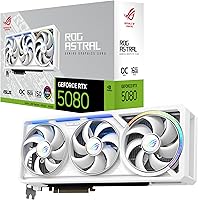
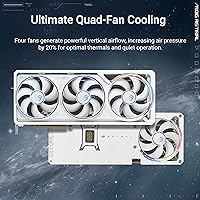
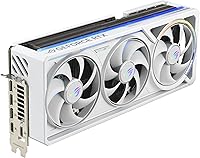
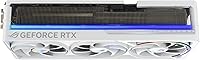
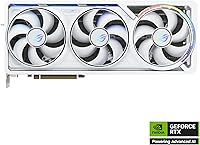
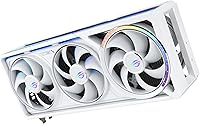
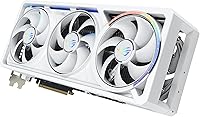
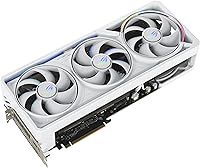
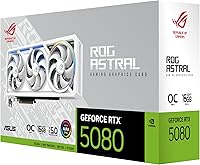
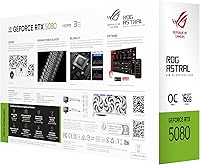
The ASUS ROG Astral RTX 5080 Graphics Card is the kind of card you notice the moment you open the box, mostly because of that bright white shroud sitting on top of NVIDIA's Blackwell architecture. Four fans line the front, a setup ASUS leans on for extra airflow and pressure rather than just looking busy. Out of the box it already runs in a factory-tuned OC mode, so you're not leaving performance on the table waiting for a manual tune. Among the crowd of RTX 5080 partner cards out there, this one sits closer to the top of the price ladder, and the build quality makes that positioning pretty clear within minutes of handling it.

Features & Benefits

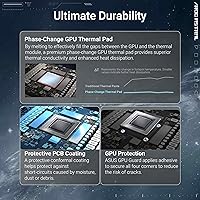
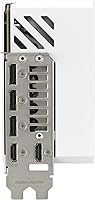
Pop the cooler off (or just trust the spec sheet) and you'll find a vapor chamber paired with a milled heatspreader doing the heavy lifting on core temperatures, backed by a phase-change thermal pad that keeps heat moving off the GPU die instead of pooling. A protective coating on the PCB is a nice touch too, guarding against dust and moisture in a way budget cards often skip. Connectivity is generous, with triple DisplayPort 2.1b and dual HDMI 2.1b ports for anyone running multiple monitors. The 16GB of GDDR7 memory handles high-resolution textures without flinching, though the 3.8-slot cooler makes it clear ASUS prioritized thermals over keeping things compact.

Best For

If you're chasing smooth 4K visuals or want serious headroom at high-refresh 1440p, this graphics card earns its keep. It also makes sense for anyone assembling an all-white or light-themed build, since most flagship cards still default to black and this one stands out on a shelf or behind tempered glass. Creators doing GPU-accelerated rendering or dabbling in AI workloads will appreciate the extra memory and clock speed too. And for the enthusiast crowd that likes squeezing out every bit of overclocking headroom, the factory OC mode is just a starting point rather than a ceiling, which is exactly what that audience wants from a card like this.

User Feedback

Most owners who've actually run the ROG Astral card under load report it stays impressively quiet, with the cooling setup doing its job without turning into a wind tunnel. That said, a few buyers had to double-check case clearance first, since fitting a card this large isn't a given in smaller builds. The white finish gets consistent praise for matching light-toned setups, which seems to matter more to buyers than you'd expect. On the downside, some reviewers feel the price premium is hard to justify next to other 5080 options, especially if you don't care about the aesthetic or the extra cooling capacity.

Pros

  • Stays notably quiet under load thanks to the quad-fan cooling setup
  • Vapor chamber and milled heatspreader keep core temperatures well controlled
  • Factory OC mode delivers extra performance without manual tuning
  • White finish stands out and pairs well with light-themed builds
  • 16GB of GDDR7 memory handles demanding textures at high resolutions
  • Generous port selection covers multi-monitor setups with ease
  • PCB coating adds real protection against dust and moisture
  • ASUS ROG Astral RTX 5080 Graphics Card delivers strong 4K and high-refresh 1440p performance

Cons

  • Large 3.8-slot cooler may not fit smaller or mid-tower cases
  • Sits at a steep price point compared to other 5080 cards
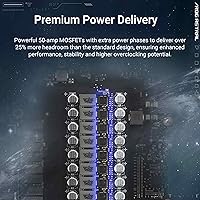
  • Hefty 6.3-pound weight may stress some motherboards without support
  • White aesthetic adds little value for buyers who don't care about looks
  • Premium cost may be hard to justify for casual or light gaming use
  • Overkill for users who won't push overclocking or creative workloads
  • Bulky footprint can complicate cable management in compact builds

Ratings

Our scores for the ASUS ROG Astral RTX 5080 Graphics Card come from an AI-driven analysis of verified buyer reviews collected worldwide, with spam, bots, and incentivized feedback filtered out before any number gets calculated. What's left is a transparent picture that reflects both the genuine strengths and the recurring frustrations real owners report after putting this graphics card through everyday use.

Gaming Performance
92%
Owners running 4K and high-refresh 1440p setups consistently report smooth, stable frame rates, especially with DLSS 4 enabled in supported titles. The factory OC mode gives a noticeable edge over reference-clocked cards without any manual tuning required.
A handful of users note that the performance gains over standard RTX 5080 cards are incremental rather than dramatic, since the GPU silicon itself is the same. Buyers expecting a massive leap purely from the factory overclock may feel the difference is modest.
Cooling Efficiency
91%
The vapor chamber and milled heatspreader combination keeps temperatures impressively low even during extended gaming or rendering sessions. Several reviewers specifically mention being surprised at how cool the card stays compared to previous high-end GPUs they've owned.
The tradeoff for that cooling performance is sheer bulk, and a few owners mention the fans can still spin up audibly under sustained 100 percent load. It's quiet most of the time, but not silent during demanding workloads.
Build Quality
89%
The protective PCB coating and overall construction feel genuinely premium, with a solid backplate and sturdy shroud that doesn't flex or creak during installation. Buyers building showcase rigs often comment on how finished and intentional the design feels.
The card's weight at 6.3 pounds raises sagging concerns for some users, particularly in cases without vertical mounts or support brackets. A support bracket purchase becomes almost mandatory for peace of mind in certain builds.
Noise Levels
84%
Most owners describe the quad-fan setup as notably quiet for a card in this performance tier, making it suitable for quiet home offices or late-night gaming sessions. The fans spreading the workload across four units instead of two seems to genuinely help.
Under maximum sustained load, like extended benchmarking or rendering, the fans do ramp up enough to be noticeable in a silent room. It's not obtrusive, but it's not whisper-quiet either.
Size & Case Compatibility
61%
39%
Builders working with full-tower cases or those who specifically planned around a large GPU report zero issues, and the extra cooler volume clearly pays off in thermal performance. The size feels purposeful rather than wasteful once installed.
This is consistently the most cited frustration in feedback, with several buyers needing to double-check or swap cases entirely to fit the 3.8-slot cooler. Anyone with a compact or mid-tower case should measure clearance very carefully before ordering.
Aesthetic Design
93%
The white finish draws frequent praise, especially from buyers building light-themed or all-white systems where matching components are historically hard to find. It looks deliberate and high-end rather than like an afterthought paint job.
A small number of reviewers feel the white shroud will show dust and fingerprints more visibly over time compared to darker finishes. It's a minor concern, but one that comes up in long-term ownership comments.
Memory & Resolution Handling
88%
The 16GB of GDDR7 memory handles demanding 4K textures and large creative files without stutter, which gamers and content creators both mention favorably. It feels future-proofed for the next couple of years of releases.
A few power users working with extremely large datasets or multi-tasking heavy creative software wish the memory ceiling were even higher. For most buyers this isn't an issue, but high-end creators occasionally flag it.
Connectivity & Ports
86%
Five total outputs across HDMI 2.1b and DisplayPort 2.1b give plenty of flexibility for multi-monitor setups, which reviewers running three or more displays appreciate. Setup tends to be straightforward without needing adapters.
There's little to complain about here, though a couple of users mention wishing for an additional HDMI port given how many TVs and monitors still default to that connection type over DisplayPort.
Value for Money
67%
33%
Buyers who prioritize cooling, aesthetics, and overclocking headroom feel the price is justified given the engineering on display. For enthusiasts building a no-compromise system, the premium positioning makes sense to them.
This is the most polarizing category, with a meaningful share of reviewers feeling the price premium over other RTX 5080 partner cards is hard to justify for the performance difference alone. Budget-conscious buyers frequently suggest cheaper alternatives instead.
Power Efficiency
78%
22%
Given the performance tier, several reviewers note the power draw feels reasonable relative to output, especially when paired with a properly sized PSU. It doesn't feel wasteful for the performance delivered.
Some owners with older or lower-wattage power supplies had to upgrade their PSU before installation, which adds unexpected cost to the overall purchase. This isn't unique to this card, but it still catches some buyers off guard.
Installation Experience
82%
18%
Most reviewers describe installation as straightforward, with clear physical fit once case clearance is confirmed and driver setup working smoothly out of the box. First-time GPU upgraders mention it being less intimidating than expected.
The card's size and weight make installation slightly more involved than smaller cards, particularly when routing cables around the bulky cooler. A few users recommend having a support bracket ready before starting.

Suitable for:

The ASUS ROG Astral RTX 5080 Graphics Card makes the most sense for gamers who want strong 4K performance or extra headroom at high-refresh 1440p without compromise. It's also a natural fit for anyone building an all-white or light-themed PC, since matching components at this performance tier aren't always easy to find. Creators who do GPU-accelerated rendering or experiment with local AI workloads will get real use out of the extra memory and clock speed. Enthusiasts who enjoy pushing overclocking limits will appreciate having that factory OC mode as a starting point rather than a hard ceiling. If quiet operation under sustained load matters to you, the cooling setup is one of the more consistently praised aspects from people who actually own it.

Not suitable for:

Buyers with smaller cases or tight build constraints should think twice before committing to the ASUS ROG Astral RTX 5080 Graphics Card, since its 3.8-slot cooler eats up a lot of physical space. Anyone shopping purely on a budget will likely find better value elsewhere, as this card sits firmly in premium territory compared to other RTX 5080 partner options. If you don't care about aesthetics, the white shroud and styling won't justify any added cost over a more basic design. Casual users who mostly do light gaming or everyday tasks won't tap into enough of this card's capability to make the investment worthwhile. People upgrading from a recent high-end card may also find the generational jump less dramatic than expected for the money involved.

Specifications

  • GPU Chip: The card uses the NVIDIA GeForce RTX 5080 GPU built on the Blackwell architecture.
  • Memory: It comes with 16GB of GDDR7 video memory for handling high-resolution textures and assets.
  • Clock Speed: The GPU runs at 2790 MHz in OC mode and 2760 MHz in default mode.
  • Cooling System: A quad-fan Axial-tech design increases airflow and air pressure across the heatsink by up to 20 percent.
  • Heat Transfer: A vapor chamber paired with a milled heatspreader and a phase-change thermal pad work together to lower GPU temperatures.
  • PCB Protection: The circuit board includes a protective coating that resists moisture, dust, and extreme temperatures.
  • Display Outputs: Video output includes two native HDMI 2.1b ports and three native DisplayPort 2.1b ports.
  • Max Resolution: The card supports a maximum screen resolution of 7680x4320 pixels.
  • Card Size: The cooler uses a 3.8-slot design with a large heatsink and fin array.
  • Dimensions: The card measures 14.1 x 5.9 x 3 inches.
  • Weight: The card weighs 6.3 pounds.
  • Color: The shroud and backplate are finished in white.
  • AI Performance: The card is rated at 1899 AI TOPS for AI-accelerated workloads.
  • Software Features: The card supports NVIDIA DLSS 4 for upscaling and frame generation in compatible games.
  • Brand and Series: The card is manufactured by ASUS under the ROG Astral series, model ROG-ASTRAL-RTX5080-O16G-WHITE.

Related Reviews
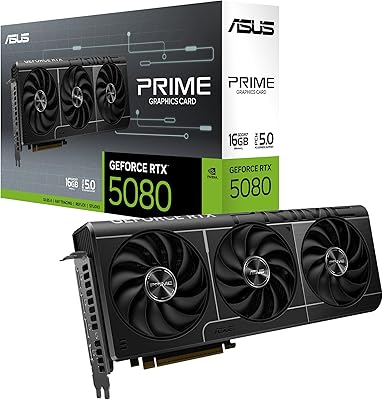
ASUS Prime RTX 5080 16GB Graphics Card
80%
93%
Gaming Performance
91%
Thermal Management
88%
Noise Level
89%
SFF Compatibility
67%
Value for Money
More
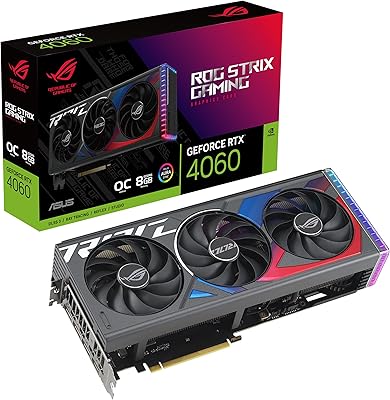
ASUS ROG Strix NVIDIA GeForce RTX 3090 24GB GDDR6X Graphics Card
87%
96%
Gaming Performance
94%
Ray Tracing Quality
91%
Cooling Efficiency
89%
Build Quality
92%
AI and DLSS Support
More
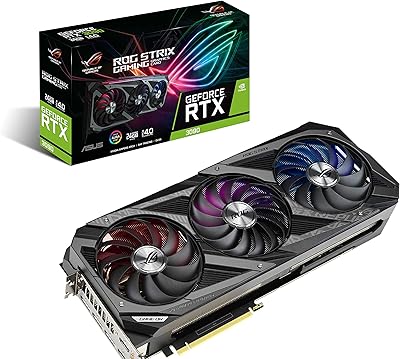
ASUS ROG Strix GeForce RTX 4060 OC Edition 8GB Graphics Card
87%
91%
Gaming Performance
88%
Cooling & Noise Levels
94%
Ray Tracing & DLSS Support
90%
Visuals & Display Quality
85%
Setup & Installation
More
ASUS ROG Strix RTX 3070 V2 OC Graphics Card
81%
88%
Gaming Performance
93%
Thermal Management
91%
Noise Levels
94%
Build Quality
86%
DLSS & Ray Tracing
More
ASUS ROG Strix NVIDIA GeForce RTX 3060 V2 OC Edition 12GB Graphics Card
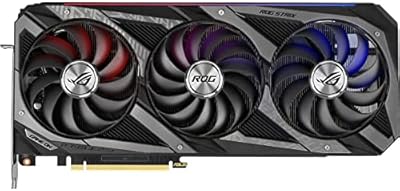
85%
91%
Gaming Performance
88%
Value for Money
89%
Cooling Efficiency
84%
Ease of Installation
87%
Design and Build Quality
More
ASUS ROG Astral GeForce RTX 5090 OC Edition 32GB
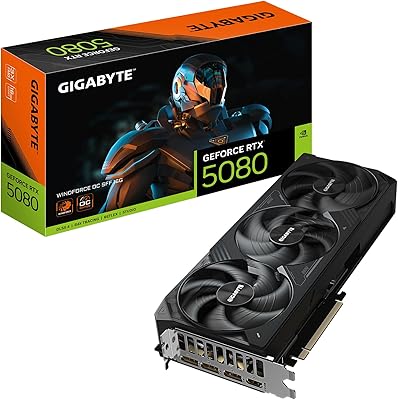
82%
98%
Raw 8K Gaming Performance
94%
Cooling Efficiency
91%
Acoustic Profile
96%
Physical Build Quality
42%
Case Compatibility
More
GIGABYTE GeForce RTX 5080 WINDFORCE OC SFF 16G
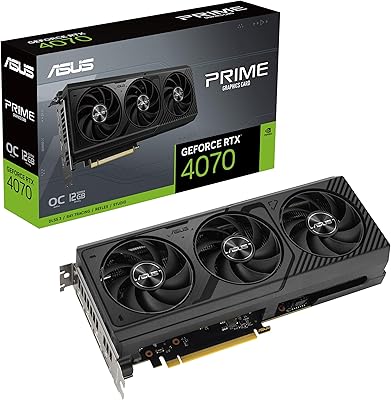
78%
93%
Gaming Performance
91%
DLSS 4 & AI Features
89%
SFF Compatibility & Fit
86%
Thermal Performance
84%
Noise Levels
More
ASUS PRIME GeForce RTX 4070 OC Edition 12GB Graphics Card
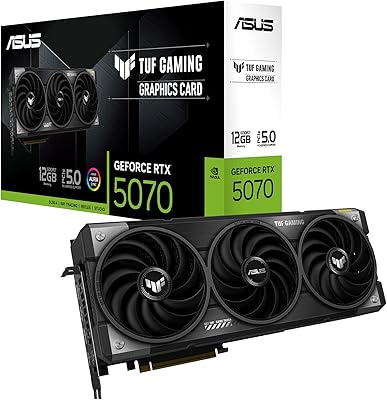
88%
92%
Gaming Performance at 1440p and 4K
89%
Cooling and Noise Levels
93%
DLSS 3 Performance Enhancement
85%
Installation Ease for Small Builds
88%
Build Quality and Durability
More
ASUS TUF Gaming RTX 5070 12GB GPU
86%
88%
Gaming Performance
91%
Thermal Performance
93%
Build Quality
67%
VRAM & Memory
82%
Value for Money
More
ASUS RTX 2060 Dual EVO 6GB Graphics Card
77%
88%
Gaming Performance at 1080p
91%
Thermal Management
93%
Noise Level
61%
VRAM Adequacy
89%
Build Quality
More

FAQ

It's a large card thanks to the 3.8-slot cooler, so you'll want to check your case's clearance before buying. Mid-tower cases with at least 14 inches of front-to-back GPU clearance and good airflow are usually a safe bet. If your current case is on the smaller side, it's worth measuring twice rather than assuming it'll fit.

Based on owner feedback, it actually runs pretty quiet for a card pushing this much power, largely thanks to the quad-fan setup spreading the workload across more surface area. You'll still hear it ramp up during intensive gaming sessions, but it's not the kind of noise that becomes distracting in a quiet room.

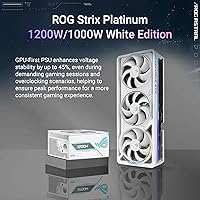
Given the power demands of a flagship RTX 5080 card, a high-wattage PSU from a reputable brand is strongly recommended, ideally 850W or higher depending on your full system configuration. Check your current PSU's connectors and rated wattage against ASUS's official requirements before installing.

Yes, this is one of the more consistently praised aspects in user feedback. The white shroud and backplate tend to blend nicely with other light-themed components, motherboards, and cases rather than clashing with off-white tones.

That depends on what you value. If quiet cooling, build quality, and aesthetics matter to you, the premium feels more justified. If you just want raw RTX 5080 performance and don't care about extras, a more budget-focused partner card might make more financial sense.

Gamers aiming for smooth 4K or high-refresh 1440p will see the clearest benefit, especially with DLSS 4 enabled. Creators doing GPU-accelerated rendering or experimenting with AI tools will also get good use out of the extra memory and processing headroom.

You get five total outputs, two HDMI 2.1b and three DisplayPort 2.1b, so running a multi-monitor setup isn't a problem. Just keep in mind your monitors' resolution and refresh rate requirements when deciding how many to run simultaneously.

The combination of the vapor chamber, milled heatspreader, and phase-change thermal pad does a solid job keeping temperatures in check, even under sustained load. As long as your case has decent airflow, you shouldn't run into thermal throttling issues.

It's a real, usable boost rather than just a number on the box. Running at 2790 MHz in OC mode out of the gate means you don't have to dig into manual tuning software just to get extra performance.

It can be, especially if you want a card that looks good and performs well without needing extra tweaking. Just make sure your case, power supply, and budget can comfortably accommodate a card this size and tier before committing.