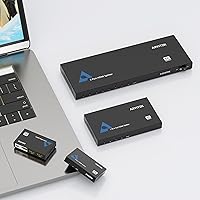
Overview

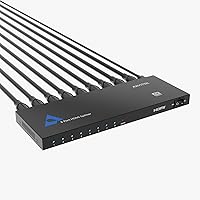
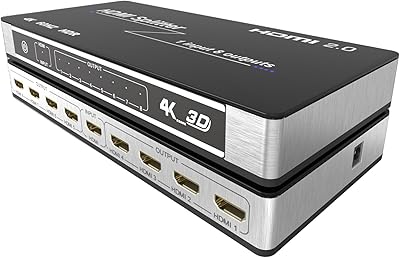
The Arvitek AT-SP108-N 1x8 HDMI Splitter is a compact, no-fuss device built for one specific job: sending an identical picture from one source to eight screens at the same time. It does not switch inputs, and it does not extend your desktop — it mirrors, full stop. That distinction matters, so if you need anything other than duplication, look elsewhere. The slim metal housing keeps things tidy in rack or shelf setups, and the LED indicators let you confirm active connections without guesswork. Running on a simple USB-C cable with no drivers required, it targets educators, AV installers, and anyone tired of overcomplicating a straightforward multi-display setup.

Features & Benefits

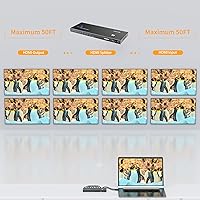
Signal distribution across eight outputs sounds simple enough, but keeping all eight feeds stable and sharp is where many budget splitters stumble. This 8-port splitter handles resolutions up to 4K at 30Hz — worth noting because it is not 60Hz, which could matter for fast-motion gaming or high-refresh content. For standard presentations, video playback, or static signage, 30Hz is perfectly adequate. Cable runs of up to 100 feet are supported without a repeater, and the built-in EDID management quietly handles the handshake between your source and every connected screen. Need to push beyond eight displays? The daisy-chain support lets you cascade additional units. Compatible with PCs, consoles, projectors, and Blu-ray players straight out of the box.

Best For

This HDMI splitter earns its place in environments where simplicity and reliability matter more than flexibility. Think classrooms where a teacher needs every student-facing monitor showing the same slide deck, or a conference room where the presenter's laptop needs to reach several screens without fuss. Digital signage setups — retail displays, trade show booths, hotel lobbies — are another strong fit, since the content is always mirrored anyway. Home theater users routing one media player to multiple rooms will also appreciate the driver-free setup. It is decidedly not the right pick if you need to switch between sources or extend an image — for that, you would need a matrix switcher instead.

User Feedback

Buyers rating this Arvitek splitter at 4.1 out of 5 stars generally praise how quickly it gets up and running — most report having all eight screens active within minutes of unboxing. The build quality earns consistent compliments; the metal chassis feels more substantial than plastic alternatives at similar price points. That said, a handful of users have reported compatibility hiccups with older monitors or displays that require specific EDID signals, occasionally resulting in a blank screen on one or two ports. A few buyers also noted that signal consistency across all eight outputs simultaneously can vary depending on cable quality. Overall, the consensus positions this as strong value among 8-port HDMI splitters, particularly for buyers who prioritize ease of use over advanced features.

Pros

  • Plug-and-play setup means no drivers, no software, and no configuration — just connect and go.
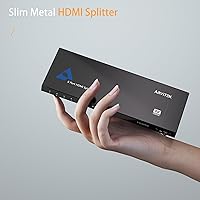
  • Slim metal housing feels durable and sits cleanly on a shelf or in a rack without bulk.
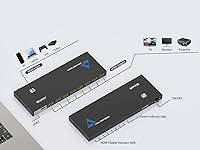
  • LED indicators on each port make it easy to confirm active connections at a glance.
  • Supports cable runs up to 100 feet, giving real flexibility in larger room installations.
  • Daisy-chain capability lets you scale beyond eight displays without buying a completely different device.
  • EDID management handles display handshakes quietly in the background, reducing blank-screen frustrations on most setups.
  • Compatible with a wide range of sources including PCs, gaming consoles, Blu-ray players, and projectors.
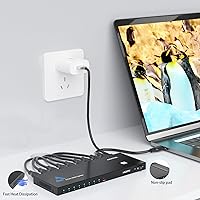
  • USB-C power cable is included, so there is no separate power adapter to track down or lose.
  • At its price point, this 8-port splitter offers noticeably better build quality than many plastic competitors.
  • 4K@30Hz output covers the majority of presentation, signage, and home theater use cases without issue.

Cons

  • Mirror-only mode is a hard limitation — no desktop extension or multi-source switching of any kind.
  • 4K output is capped at 30Hz, which is a real drawback for fast-motion video or gaming content.
  • Some users with older or non-standard displays have experienced blank outputs due to EDID compatibility issues.
  • Signal consistency across all eight ports simultaneously can be sensitive to cable quality, requiring decent cables throughout.
  • No remote, no app, and no on-device controls mean zero flexibility if you need to manage outputs dynamically.
  • The included USB-C power cable requires a separate USB power source, which is not provided in the box.
  • Cascade setups introduce additional points of failure, and signal quality may degrade further down a long chain.
  • No indicator or diagnostic feedback when a port fails — troubleshooting an unresponsive output requires manual trial and error.

Ratings

The scores below reflect an AI-driven analysis of verified global buyer reviews for the Arvitek AT-SP108-N 1x8 HDMI Splitter, with spam, bot-generated, and incentivized feedback actively filtered out before scoring. Each category is evaluated using real-world usage patterns drawn from educators, AV installers, home theater users, and corporate buyers across multiple markets. Both consistent strengths and recurring frustrations are transparently represented so you can make a genuinely informed decision.

Ease of Setup
91%
Buyers consistently describe getting all eight screens running within minutes of opening the box — no driver downloads, no configuration menus, nothing to configure at all. Teachers and office managers in particular praise the fact that a non-technical person can have it operational before a meeting or class starts.
A small but notable share of users with mixed-age displays report that the initial EDID negotiation occasionally fails, leaving one port dark on first connection and requiring a full power cycle to resolve. This is rare but frustrating when it happens in a time-sensitive setup.
Signal Consistency
78%
22%
For the majority of buyers running identical or similarly specced displays, all eight outputs stay rock-solid throughout extended use. Several users running digital signage in retail environments report days of continuous operation without a dropout or flicker across any port.
When displays of different resolutions or brands are mixed in the same installation, a handful of users report occasional signal instability on one or two ports, typically traced back to cable quality or EDID conflicts rather than the unit itself. Heavy-cable-run setups approaching the 100-foot limit are where most complaints originate.
Build Quality
84%
The slim metal enclosure earns repeated praise from buyers who have handled cheaper plastic splitters in the past — it feels noticeably more substantial and runs cool even after hours of continuous use thanks to the ventilation design. AV installers appreciate that it does not flex or creak when cables are plugged in.
A few buyers note that the USB-C power port feels slightly less solid than the HDMI ports, and there is no mounting hardware included for users who want to secure it permanently inside a rack or behind a display panel. For casual installations this is a non-issue, but professional installers may want to add their own mounting solution.
Resolution Performance
72%
28%
At 1080p, the output across all eight ports is clean and consistent, which covers the vast majority of presentation, signage, and home theater use cases without compromise. Users feeding content from a Blu-ray player or streaming box to multiple living room TVs report a picture that looks identical across every screen.
The 4K ceiling of 30Hz is a genuine limitation that catches some buyers off guard — those expecting 4K at 60Hz for console gaming or high-refresh content will find the output noticeably less smooth. It is clearly stated in the specs, but several reviewers admit they missed it before purchasing.
Compatibility
76%
24%
The device works reliably with a wide range of sources including Windows PCs, MacBooks with adapters, PS4, PS5, Xbox, and various Blu-ray players, which makes it genuinely versatile for mixed-device environments. Most mainstream display brands pair without issue straight out of the box.
Older monitors with non-standard EDID profiles are the most common compatibility pain point, with some buyers reporting that one specific legacy display in their setup causes the entire unit to downscale or partially lose signal. Projectors with unusual refresh rate support have also caused intermittent issues for a small number of users.
Value for Money
83%
Buyers comparing this 8-port splitter against competing units in the same price tier consistently rate it as one of the stronger options, citing the metal build and stable performance as differentiators that justify the cost over cheaper all-plastic alternatives. For classroom and conference room budgets, it lands in a practical sweet spot.
Users who need occasional input switching or desktop extension feel the price is harder to justify once they realize a matrix switcher would have better served their actual needs — a frustration that stems more from purchasing the wrong device type than from any flaw in the unit itself.
Port Count & Scalability
88%
Eight simultaneous outputs is a genuinely useful count for mid-sized installations, and the daisy-chain support means buyers are not locked into eight displays forever — several users have cascaded two units together to cover sixteen screens in trade show and lecture hall setups without significant signal loss.
The cascade approach does introduce a minor drop in signal quality the further you go down the chain, and users running three or more units in series have occasionally reported instability on the furthest displays. For truly large installations, a dedicated distribution amplifier is a more robust long-term solution.
Heat Management
81%
19%
The upgraded ventilation slots along the chassis do their job quietly and effectively — users running the unit 24 hours a day in digital signage environments report it stays warm to the touch but never hot, which suggests the passive cooling design is appropriately sized for the workload.
In enclosed AV cabinets with limited airflow, a couple of users noted the unit gets warmer than expected over long periods, which is worth accounting for if you are planning to install it in a tightly packed rack without any active ventilation.
LED Indicators
79%
21%
The per-port LED status lights are a practical touch that several buyers specifically call out as useful during initial setup and troubleshooting — being able to glance at the unit and immediately see which outputs are active saves time when managing eight separate cable runs.
The LEDs are not particularly bright, and in a well-lit commercial environment or when the unit is mounted behind other equipment, they can be difficult to see from a distance. A brighter or color-coded indicator system would make the feature more useful in professional installations.
Audio Passthrough
77%
23%
Synchronized audio over HDMI works reliably for the majority of users running standard stereo or surround sound configurations, with no reported lip-sync issues in typical home theater or conference room use where audio is pulled directly from the HDMI output.
A small number of users with more complex audio setups — particularly those using ARC-enabled receivers or extracting audio separately — found that the passthrough introduced minor compatibility friction, though this is an edge case rather than a widespread complaint.
Cable Management
66%
34%
The slim, flat form factor makes it relatively easy to tuck behind a desk or mount flat against a wall without taking up much physical space, which buyers in tight AV closets and behind-monitor setups appreciate compared to bulkier competing units.
With eight output cables and one input all converging on a single compact unit, cable management around the device itself can become messy quickly. There are no cable strain-relief features or guides built into the chassis, which makes clean professional installations more dependent on the installer's own organization skills.
Documentation & Support
61%
39%
The included user manual covers the basics clearly enough for most plug-and-play scenarios, and buyers with straightforward setups rarely need to consult it beyond confirming the power connection and cable orientation.
For users who encounter EDID issues or cascade configuration challenges, the documentation offers very little actionable guidance, and several buyers report difficulty finding responsive technical support from Arvitek directly. Troubleshooting is largely left to online forums and community knowledge.
Packaging & Unboxing
74%
26%
The unit arrives well-protected, and buyers generally comment that the packaging feels appropriate for the price tier — the splitter, USB-C cable, and manual are all clearly organized and easy to locate without digging through excess filler material.
A USB power adapter is not included, which is a minor but recurring complaint from buyers who assume the USB-C power solution is fully self-contained. For first-time buyers who do not have a spare USB charger nearby, this can delay the initial setup unexpectedly.

Suitable for:

The Arvitek AT-SP108-N 1x8 HDMI Splitter is built for anyone who needs to push identical content to multiple screens without wrestling with complicated AV gear. Teachers and trainers running lecture halls or classroom labs will find it particularly practical — plug in a laptop, connect up to eight monitors, and every student sees the same screen instantly. Corporate AV managers setting up conference rooms or lobby signage systems benefit from the same simplicity, since there are no drivers to install and no settings to configure before a meeting starts. Retail and trade show installers who need a consistent image across several product display monitors will appreciate the daisy-chain capability, which allows scaling beyond eight outputs when the installation demands it. Home theater enthusiasts routing a single media player or streaming box to screens in multiple rooms round out the core audience. Essentially, if your goal is reliable, fuss-free mirroring across many displays, this splitter is built precisely for that job.

Not suitable for:

The Arvitek AT-SP108-N 1x8 HDMI Splitter has one firm constraint that disqualifies it for a meaningful slice of buyers: it mirrors only, with no ability to extend a desktop or switch between multiple input sources. Anyone hoping to run different content on different screens, or to toggle between a laptop and a media player without re-cabling, will need a matrix switcher or a different class of device entirely. Competitive gamers and high-refresh-rate enthusiasts should also steer clear — the 4K output is capped at 30Hz, which introduces visible motion lag compared to 60Hz alternatives. Users with older or finicky displays have occasionally reported EDID handshake issues that leave one or more ports dark, so environments with a mixed bag of legacy monitors carry some compatibility risk. If your installation requires switching, extending, or high-refresh 4K output, this is the wrong tool regardless of its other merits.

Specifications

  • Brand: Manufactured by Arvitek under model number AT-SP108-N.
  • Input Ports: Features one HDMI input port compatible with HDMI 1.3 and 1.4 standards.
  • Output Ports: Provides eight HDMI output ports, each delivering a mirrored copy of the single input signal.
  • Max Resolution: Supports Ultra HD 4K at 30Hz, as well as 1080p full HD and 3D video output.
  • Audio Support: Passes synchronized audio alongside video through all output ports without requiring a separate audio connection.
  • Operating Mode: Functions exclusively in mirror mode; desktop extension and multi-source input switching are not supported.
  • HDMI Standard: Compatible with HDMI 1.3 and 1.4 protocols, ensuring broad device interoperability.
  • EDID Support: Built-in EDID management facilitates a stable handshake between the source device and all connected displays.
  • Cascade Support: Supports daisy-chain or cascade configurations, allowing multiple units to be linked for installations requiring more than eight displays.
  • Max Cable Run: Maintains stable signal transmission through high-quality HDMI cables up to 100 feet in length.
  • Power Supply: Powered via the included USB-C cable, which connects to any standard USB power source (not included).
  • Housing Material: Constructed with a slim metal enclosure featuring upgraded ventilation slots for passive heat dissipation during continuous use.
  • LED Indicators: Equipped with built-in LED status indicators on the unit to visually confirm active connections on each port.
  • Unit Dimensions: Measures 8.75 x 3 x 0.6 inches, making it compact enough for shelf, rack, or desktop placement.
  • Package Dimensions: Ships in a box measuring 9.88 x 4.33 x 2.05 inches including all packaged contents.
  • Weight: Weighs 1.15 pounds, keeping the unit lightweight for flexible mounting or repositioning.
  • Compatible Devices: Works with PCs, laptops, PS3, PS4, PS5, Xbox, Blu-ray players, satellite set-top boxes, HDTVs, monitors, and projectors.
  • Package Contents: Includes the 1x8 HDMI splitter unit, one USB-C power cable, and one user manual.
  • Setup Requirements: Requires no drivers, software installation, or remote control; operates purely as a plug-and-play device.
  • User Rating: Holds an average customer rating of 4.1 out of 5 stars based on Amazon buyer reviews.

Related Reviews
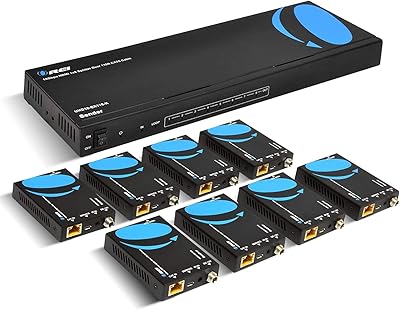
OREI UHD18-EX115-K 1x8 HDMI Extender Splitter
78%
91%
Signal Quality
84%
Installation Ease
76%
Transmission Range
53%
Cable Dependency
82%
IR Passback Performance
More
KAGO B042-8 1x8 HDMI Splitter
74%
83%
Signal Distribution Reliability
76%
4K Performance
79%
HDCP 2.2 Compatibility
88%
Ease of Setup
74%
Build Quality
More
OREI UHD14-EXB400-K 1x4 HDBaseT HDMI Extender Splitter
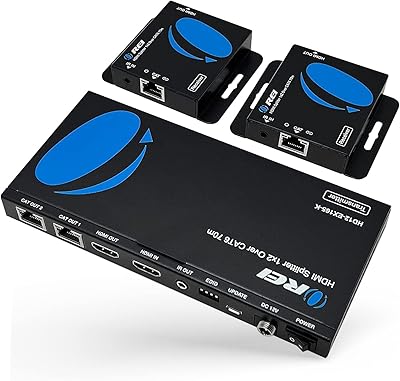
77%
91%
Signal Quality & Stability
88%
4K & HDR Performance
83%
Transmission Range
47%
Ecosystem Compatibility
78%
Ease of Setup
More
OREI HD14-EX165-K
OREI HD14-EX165-K
78%
84%
Signal Stability
62%
4K Performance
88%
1080p Performance
91%
Installation Ease
93%
Power Over Cable
More
OREI HD12-EX165-K 4K HDMI Over Ethernet Extender Splitter
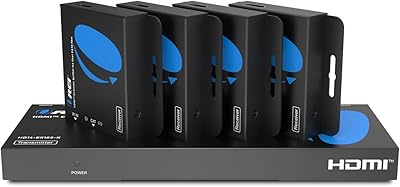
85%
88%
Ease of Setup
91%
Signal Quality and Performance
89%
Long-Distance HDMI Transmission
84%
IR Control Functionality
87%
Power Over Cable (PoC) Feature
More
PWAYTEK HTS010X HDMI Extender Splitter 1x2

78%
86%
Signal Quality
83%
Ease of Setup
88%
Transmission Range
91%
Power over Cable Convenience
74%
EDID Compatibility
More
Lux Unfiltered First Class Glow Self-Tanner Kit
81%
74%
Color Payoff & Development
82%
Application & Blending
88%
Skin Hydration
91%
Ingredient Quality
93%
Travel Convenience
More
MYPIN Mini 1080p HDMI Media Player
78%
91%
Ease of Setup
83%
Format Compatibility
78%
Build Quality & Portability
76%
Video Playback Quality
58%
Remote Control & Navigation
More
BolAAzuL BO-02 4x2 HDMI Multiviewer
69%
91%
Ease of Setup
83%
Value for Money
59%
Multiview Image Quality
63%
Switching Performance
41%
Output 2 Functionality
More
Mirabox HDMI Extender 400ft
85%
94%
Signal Quality
85%
Ease of Setup
90%
Build Quality
91%
Transmission Range
89%
Audio Performance
More

FAQ

Every connected screen will display exactly the same image — that is the only mode this splitter supports. If you need different content on different displays, or want to extend your desktop across screens, you would need a matrix switcher or a multi-output graphics card setup instead.

It is compatible with PS5 and Xbox Series X as source devices, but keep in mind the maximum output resolution is 4K at 30Hz. Most modern consoles default to 4K at 60Hz for gaming, so you may need to manually lower the console's output resolution to 1080p or 4K@30Hz to get a stable signal through the splitter.

The included USB-C cable handles power delivery, but you will need your own USB power source — a phone charger, a USB port on a TV, or a USB hub all work fine. The adapter itself is not included in the box, which is worth knowing before your installation day.

Generally yes, but mixed-display environments can occasionally cause issues. The built-in EDID management helps negotiate a compatible resolution across all screens, but in practice the splitter will default to the lowest common resolution among connected displays. If one older monitor only supports 1080p, all eight outputs will run at 1080p rather than 4K.

The Arvitek AT-SP108-N 1x8 HDMI Splitter supports daisy-chaining, meaning you can connect a second unit to one of the output ports of the first to expand your display count. Signal quality can degrade slightly with each additional cascade step, so using high-quality HDMI cables throughout the chain is important for maintaining a stable picture.

For static or slow-moving content like presentations, signage, or standard video playback, any latency is imperceptible. For fast-action gaming or live video production where frame-perfect timing matters, a passive splitter of this type is generally not the right tool regardless of brand.

Yes, the remaining connected displays should continue to function normally. However, if a display that is powering off sends a conflicting EDID signal during shutdown, it can occasionally cause a momentary flicker on other outputs. In practice, most users find the other ports are unaffected.

The splitter requires an HDMI signal as its input, so if your laptop lacks a native HDMI port you will need a compatible USB-C to HDMI or DisplayPort to HDMI adapter first. Once your laptop is outputting a standard HDMI signal, this splitter connects and works like any other source.

The metal housing is noticeably more solid than the all-plastic alternatives in this category, and buyers in commercial installations have generally reported it holding up well over time. It is not rack-mountable out of the box, but it sits flat and stable on a shelf or AV cabinet without issues.

Start by checking the HDMI cable on the affected port — swapping it for a known-good cable resolves this in many cases. If the issue persists, try disconnecting all displays, powering the unit off, reconnecting everything, and powering back on to force a fresh EDID negotiation. Occasionally, a specific monitor's EDID profile conflicts with the splitter, and repositioning that display to a different output port can resolve it.