Overview

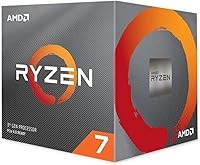
The AMD Ryzen 7 3800X Desktop Processor sits in a deliberate middle ground within AMD's Ryzen 3000 family — above the 3700X, below the 3900X, and aimed squarely at builders who want serious multi-threaded muscle without paying workstation prices. Launched in mid-2019 on the 7nm Zen 2 architecture, it quickly established itself as a go-to choice for gamers who also do creative work on the side. AM4 socket support means compatibility with a wide range of motherboards, making it a relatively painless upgrade for existing Ryzen users. The bundled Wraith Prism cooler is a practical bonus — capable at stock speeds and dressed in addressable RGB lighting if that matters to you.
Features & Benefits

The 3800X packs eight physical cores and sixteen threads — which in practice translates to genuinely smooth performance when juggling gaming, rendering, and background tasks simultaneously. The 4.5 GHz boost clock keeps single-core workloads, like most gaming engines, running at a competitive speed. A generous combined cache helps the chip pull data quickly without constantly waiting on system memory. DDR4-3200 dual-channel support gives bandwidth-hungry applications, like video editing software or simulation tools, something meaningful to work with. The unlocked multiplier opens the door to manual overclocking, though the gains are modest given how well AMD's own boost algorithm already manages clock speeds across workloads.

Best For

AMD's 8-core Zen 2 processor makes the most sense for builders who live in both worlds — they game in the evenings but also run Premiere Pro, DaVinci Resolve, or similar applications during the day. Streamers in particular benefit from the high thread count, which allows encoding to happen in the background without gutting in-game frame rates. If you're on an older AM4 board and want a meaningful performance jump without replacing your entire platform, the 3800X fits cleanly into that scenario. It also suits cost-aware professionals who need CPU-heavy computation — think 3D rendering or software compilation — but cannot justify a full workstation-class investment.

User Feedback

With thousands of verified ratings and a score sitting near the top of its category, this Ryzen chip has earned its reputation through consistent real-world use rather than launch buzz. Buyers frequently highlight long-term stability — many report running it for years without incident, which says something. The Wraith Prism cooler draws positive comments for keeping temps manageable at stock settings. That said, the most common criticism is worth taking seriously: the performance gap over the 3700X is narrow, and many users find it hard to justify at a higher price point. Under sustained heavy loads, the chip does run warm, so case airflow genuinely matters here.

Pros

  • Handles gaming and content creation simultaneously without obvious performance trade-offs.
  • The included Wraith Prism cooler is genuinely capable at stock speeds, saving on immediate build costs.
  • AM4 socket compatibility makes it a straightforward upgrade for existing Ryzen platform owners.
  • Sustained multi-threaded workloads like video encoding and 3D rendering feel noticeably responsive.
  • The unlocked multiplier gives experienced builders room to tune performance beyond factory settings.
  • Long-term reliability is a consistent theme — buyers report stable daily operation years after purchase.
  • DDR4-3200 dual-channel support keeps bandwidth-hungry applications well-fed without exotic memory requirements.
  • Streaming performance is a clear strength, with spare thread capacity even during intensive game sessions.
  • The 3800X runs quietly under light and moderate workloads, staying unobtrusive in home office environments.

Cons

  • The real-world performance gap over the cheaper 3700X is narrow and hard to justify on gaming alone.
  • Under sustained heavy loads, temperatures climb enough to demand good case airflow or an aftermarket cooler.
  • Power consumption at full load is noticeably higher than more recent CPU generations on the same platform.
  • The Wraith Prism fan ramps up audibly during prolonged rendering or compilation sessions.
  • Manual overclocking headroom is limited — AMD's boost algorithm already runs the chip close to its ceiling.
  • Buyers on very old 300-series boards may need a compatible CPU on hand just to perform the necessary BIOS update.
  • Professional pipelines involving high-resolution RAW footage or large 3D scenes can expose the core-count ceiling sooner than expected.
  • As a 2019 launch chip, its value proposition has shifted — current-market pricing needs careful comparison against newer alternatives.

Ratings

The AMD Ryzen 7 3800X Desktop Processor has been put through its paces by thousands of real-world buyers — from dedicated streamers to video editors to daily gaming rigs — and our AI has analyzed that verified global feedback, actively filtering out incentivized and bot-generated reviews to surface what buyers genuinely experience. Scores reflect both the chip's considerable strengths and the honest trade-offs that matter when you're choosing between competing options at this tier. You'll find no sugar-coating here: where the 3800X earns its reputation, we say so, and where it falls short of expectations, that's reflected too.

Multi-Threaded Performance
93%
Users consistently report that the 3800X handles demanding parallel workloads with real confidence — video encoding, 3D rendering, and running a game while streaming simultaneously all feel noticeably smoother than on previous-gen chips. The eight physical cores pay dividends in everyday creative workflows.
A small segment of users doing extremely heavy multi-threaded workloads — think large Blender scenes or complex compile jobs — found the chip occasionally bottlenecked compared to the 3900X's four additional cores. It's not a common complaint, but it's a real ceiling for the most demanding use cases.
Gaming Performance
86%
For mainstream gaming at 1080p and 1440p, buyers report consistently high frame rates across popular titles. The high boost clock keeps single-threaded game engines well-fed, and most users describe gaming sessions as smooth and stutter-free even when background applications are running.
In purely gaming-focused comparisons, some buyers noted that the performance advantage over the cheaper 3700X is marginal — often within a few frames per second. Hardcore competitive gamers looking for the absolute best single-core response might find slightly better value elsewhere in the lineup.
Value for Money
74%
26%
Buyers who use their machines for both work and play generally feel well-served by the 3800X's balance of capabilities. The bundled Wraith Prism cooler removes one line item from the build budget, which several users specifically called out as tipping the scale in its favor.
The most recurring complaint across reviews is the price gap between this chip and the 3700X relative to the actual performance difference. Many buyers feel the delta is hard to justify on raw benchmarks alone, and a few admit in hindsight they'd have been equally satisfied with the less expensive option.
Thermal Performance
71%
29%
At stock speeds with the Wraith Prism cooler, temperatures stay within acceptable ranges for most users during gaming sessions and light creative work. Buyers in well-ventilated mid-tower cases rarely report thermal throttling under typical daily use.
Under prolonged heavy loads — sustained Cinebench runs, long rendering sessions, or hours of multi-application use — the chip runs noticeably warm. Users in compact cases or with poor airflow report temperatures climbing higher than expected, and a few opted for aftermarket cooling to keep things in check.
Bundled Cooler Quality
82%
18%
The Wraith Prism is widely praised as one of the better stock coolers included with any mainstream processor. Buyers appreciate that it handles everyday workloads quietly and its addressable RGB lighting integrates cleanly with popular motherboard software.
Under serious overclocking or extended full-load scenarios, the Wraith Prism starts to show its limits — fan noise climbs and temperatures creep up. Enthusiasts pushing the chip hard typically swap it out for a beefier tower cooler or an AIO fairly quickly.
Overclocking Headroom
68%
32%
Buyers who enjoy manual tuning appreciate having the unlocked multiplier, and several report stable all-core overclocks that improve sustained productivity performance meaningfully. The process is straightforward on X570 and B550 boards.
Many users found that AMD's Precision Boost algorithm already pushes the chip close to its thermal and frequency ceiling, leaving limited headroom for manual gains. The power consumption climbs steeply for modest clock improvements, and silicon lottery variation means results differ noticeably between individual chips.
Platform Compatibility
91%
AM4 socket support is a genuine advantage here. Buyers upgrading from first or second-gen Ryzen systems often highlight the near-seamless BIOS update process on 300 and 400-series boards. It's a rare situation where a high-end chip slots into existing infrastructure without drama.
A small number of users on older 300-series boards reported needing a BIOS flash before the chip would POST, which requires a compatible older CPU to perform — a catch-22 that caught a few first-time builders off guard. Not a widespread issue, but worth knowing before building.
Content Creation Capability
88%
Video editors and motion graphics artists frequently cite the 3800X as a reliable workhorse. Timeline scrubbing in Premiere Pro and export speeds in Handbrake see real improvements over six-core predecessors, and users who cut content daily report the chip holds up well under hours of consistent use.
For the most demanding production pipelines — high-resolution raw video editing or heavy After Effects compositions — the 3800X can start to feel constrained. Professionals at that level often note they needed to step up to a 12-core option to truly eliminate bottlenecks in their workflow.
Streaming Performance
89%
Streamers consistently rank this among the better options for simultaneous gaming and broadcasting. The thread count gives OBS or Streamlabs enough headroom to encode on the CPU without visibly impacting in-game performance, even at higher stream quality settings.
A handful of streamers pushing extremely high bitrate settings alongside CPU-intensive game engines noted some frame pacing inconsistencies during particularly demanding scenes. It's an edge case, but streamers who want a completely stress-free experience at max settings may want to explore GPU encoding as a fallback.
Power Efficiency
67%
33%
Under light to moderate workloads, the 3800X manages power draw reasonably well, and buyers building home theater or dual-purpose machines appreciate that it doesn't idle hot. Most users find it acceptable for an enthusiast-class desktop chip.
At full load, the 105W TDP is felt — both on electricity draw and case temperatures. Compared to later AMD generations, power efficiency is noticeably behind, and buyers conscious of running costs or building in small form-factor cases flagged this as a real consideration.
Long-Term Reliability
94%
One of the most reassuring patterns in the reviews is how many buyers mention still running this chip years after purchase without any stability issues. It has a strong track record across diverse use environments, from home offices to small production studios.
There are rare reports of early-batch chips showing instability at default boost settings, which AMD addressed through firmware and chipset updates. Most users never encountered this, but buyers on very early boards or older BIOS versions may want to ensure their firmware is current.
Installation & Setup Ease
88%
Buyers of all experience levels describe the installation process as straightforward. The AM4 mounting mechanism is well-established, and the Wraith Prism cooler's clip-style bracket attaches cleanly to AMD's standard backplate without needing extra hardware.
A small number of first-time builders found the Wraith Prism's mounting arms slightly fiddly to align on certain board layouts, particularly in tighter ATX cases. It's a minor issue, but a few users mention wishing the cooler came with clearer installation guidance.
Software & Driver Support
86%
AMD's Ryzen Master software gives users a clean interface for monitoring clocks, temperatures, and manually adjusting performance profiles without digging into the BIOS. Buyers report it works reliably on Windows 10 and has caused minimal compatibility issues across popular applications.
Early Ryzen 3000 launch drivers had documented scheduler issues on Windows that affected responsiveness in some games. AMD resolved these over time, but buyers who set up systems without updating immediately may have formed a more negative early impression of day-to-day snappiness.
Noise Levels
79%
21%
Under typical gaming and browsing loads, the Wraith Prism runs quietly enough that most users in standard home environments don't notice it. Buyers building home office systems report it blends into the background well during non-intensive tasks.
When the chip is under sustained pressure, the Wraith Prism's fan ramps up audibly. Users in quiet rooms or recording environments found the noise intrusive during long rendering or compilation sessions, and this was a common driver behind aftermarket cooler upgrades.

Suitable for:

The AMD Ryzen 7 3800X Desktop Processor is a strong fit for anyone who refuses to choose between gaming and creative work — it handles both without obvious compromise. Streamers who run OBS alongside demanding games will appreciate the thread count that keeps encoding from eating into frame rates. Video editors working with HD and 4K timelines will notice snappier exports and smoother preview playback compared to six-core alternatives. If you're already on an AM4 board and want a meaningful CPU upgrade without rebuilding from scratch, the 3800X slots in cleanly with a BIOS update on most Ryzen-compatible motherboards. It also suits professionals on tighter budgets who need workstation-adjacent capability — think architects running rendering software, developers compiling large codebases, or small-studio creatives who can't justify a full workstation platform but need more than a basic gaming chip delivers.

Not suitable for:

The AMD Ryzen 7 3800X Desktop Processor is harder to recommend if your use case is purely gaming with no creative workload attached — in that scenario, the 3700X often delivers nearly identical frame rates at a noticeably lower cost, and the price difference rarely translates into a tangible daily experience. Buyers building compact or small form-factor systems should also think twice: the chip's power draw under load is real, and cramped cases with limited airflow will push temperatures into uncomfortable territory quickly. Professional users handling very heavy multi-threaded work — large Blender projects, high-resolution RAW video pipelines, or complex simulation tasks — may find the 3800X ceiling arrives sooner than expected, making a 12-core option a smarter long-term investment. And if power efficiency is a priority, whether for electricity costs or thermal management in a tight build, newer CPU generations have moved the needle significantly beyond what this 2019-era chip can offer.

Specifications

  • Core Count: The processor features 8 physical cores, enabling true parallel execution across demanding multi-threaded workloads.
  • Thread Count: Simultaneous multithreading delivers 16 logical threads, improving responsiveness when multiple applications compete for CPU resources.
  • Base Clock: The guaranteed all-core base frequency runs at 3.9 GHz, establishing a stable performance floor under sustained heavy loads.
  • Boost Clock: AMD's Precision Boost algorithm can push individual cores up to 4.5 GHz on lightly threaded tasks such as gaming.
  • Architecture: Built on AMD's Zen 2 microarchitecture using a 7nm TSMC fabrication process, improving instructions-per-clock over previous Ryzen generations.
  • Total Cache: The chip carries 36MB of combined L2 and L3 cache, reducing how often the processor must wait on slower system memory.
  • CPU Socket: Designed for the AM4 socket, which is compatible with a wide range of AMD 300, 400, and 500-series motherboards with appropriate BIOS versions.
  • Memory Support: Officially supports DDR4 memory in dual-channel configuration up to DDR4-3200 speed for optimal bandwidth in creative and gaming workloads.
  • TDP Rating: The rated thermal design power is 105W, which defines the cooling solution requirement for sustained full-load operation.
  • Overclocking: The multiplier is unlocked, allowing manual frequency and voltage adjustments through compatible motherboard BIOS or AMD Ryzen Master software.
  • Bundled Cooler: Includes the Wraith Prism air cooler with addressable RGB lighting, rated to handle the processor at stock speeds without requiring an aftermarket solution.
  • PCIe Version: Supports PCIe 4.0 on compatible 500-series motherboards, enabling full bandwidth for modern NVMe SSDs and current-generation graphics cards.
  • Integrated Graphics: This processor does not include integrated graphics — a discrete GPU is required to produce display output in any build.
  • OS Support: Officially supports Windows 10 64-bit, RHEL x86 64-bit, and Ubuntu x86 64-bit operating environments.
  • Series: Part of the Ryzen 7 3000 series, internally codenamed Matisse, which represents AMD's third-generation mainstream desktop platform.
  • Model Number: The official AMD boxed SKU identifier is 100-100000025BOX, which corresponds to the retail version with the Wraith Prism cooler included.
  • Launch Date: This processor was first made available to the public in July 2019, alongside the broader Ryzen 3000 series launch.
  • Physical Dimensions: The processor die measures approximately 1.57 x 1.57 inches and sits within the standard AM4 IHS form factor.
  • ECC Memory: The 3800X supports ECC memory in an unofficial capacity on select motherboards, though AMD does not formally certify this feature for the consumer platform.
  • Virtualization: AMD-V hardware virtualization is supported natively, making the chip usable in developer environments running virtual machines alongside standard workloads.

Related Reviews
AMD Ryzen 7 9700X
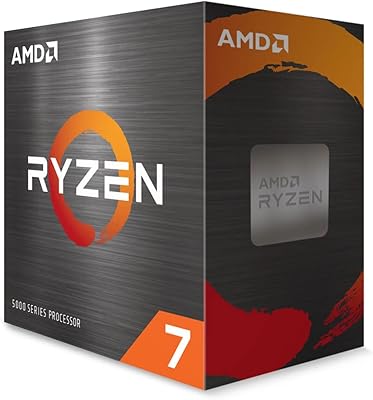
AMD Ryzen 7 9700X
84%
94%
Gaming Performance
88%
Multitasking & Productivity
62%
Thermal Management
91%
Platform Longevity
74%
Value for Money
More
AMD Ryzen 7 7700 Desktop Processor
80%
88%
Gaming Performance
83%
Multi-Threaded Performance
91%
Single-Core Speed
74%
Value for Money
86%
Platform Longevity
More
AMD Ryzen 7 5700X
AMD Ryzen 7 5700X
80%
93%
Value for Money
88%
Gaming Performance
84%
Multi-Threaded Performance
91%
Single-Core Speed
86%
Installation & Compatibility
More
INLAND AMD Ryzen 7 7800X3D Processor with MSI PRO B650-P Motherboard
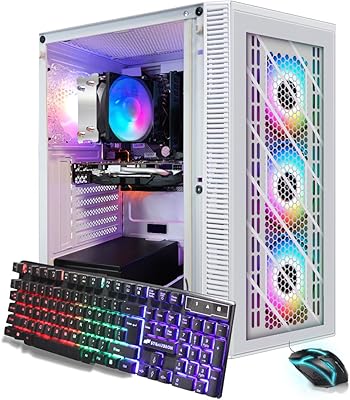
88%
94%
Overall Performance
96%
Gaming Performance
91%
Multitasking & Productivity
88%
Motherboard Stability
89%
Network Performance (Wi-Fi 6E & LAN)
More
STGAubron Ryzen 7 5700G 1TB Desktop PC
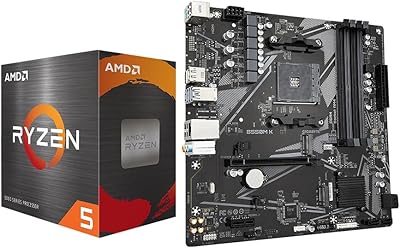
71%
83%
Value for Money
78%
Performance
47%
Gaming Capability
91%
Setup Experience
67%
Build Quality
More
AMD Ryzen 5 5500 B550M K Bundle
78%
88%
Value for Money
79%
Gaming Performance at 1080p
91%
Ease of Installation
83%
Motherboard Feature Set
74%
CPU Thermal Performance
More
Skytech Gaming Rampage Desktop PC, Ryzen 7 9700X, AMD RX 9070XT, 32GB DDR5, 2TB SSD
87%
95%
Gaming Performance
92%
Multitasking Efficiency
87%
Cooling System Effectiveness
90%
Build Quality
88%
Value for Money
More
Skytech Aqua RX 9060 XT Gaming Desktop
81%
91%
Gaming Performance
88%
Thermal Management
84%
Build Quality
74%
Value for Money
86%
Out-of-Box Experience
More
ViprTech Stryker 4.0 Gaming Desktop, AMD Ryzen 7 3700X, RTX 5060, 32GB RAM, 1TB SSD
82%
88%
Performance
91%
Gaming Experience (1080p/1440p)
89%
Value for Money
84%
Build Quality
82%
Cooling Efficiency
More
ViprTech Ghost 4.0 AMD Ryzen 7 3700X RTX 4060 Ti 32GB 1TB SSD Gaming Desktop
87%
94%
Performance
91%
Gaming Experience
89%
VR Performance
87%
Build Quality
88%
Thermals and Cooling
More

FAQ

A cooler is included. The AMD Ryzen 7 3800X Desktop Processor ships with the Wraith Prism, which is one of the better stock coolers AMD bundles with any of its chips. It handles everyday gaming and moderate workloads comfortably. If you plan to run sustained heavy loads or do manual overclocking, an aftermarket cooler is worth considering, but for most users the Wraith Prism is perfectly adequate out of the box.

It depends on your board. The 3800X uses the AM4 socket, so it physically fits in any AM4 motherboard. However, 300-series and most 400-series boards require a BIOS update to recognize Ryzen 3000 processors. The tricky part is that you may need a compatible older CPU installed first to perform that update — so check your board manufacturer's support page before assuming it's a straight swap.

Honestly, the difference is smaller than the price gap might suggest. Both chips have the same core and thread count, and in gaming the frame rate delta is usually within a few percent. The 3800X has a slightly higher base clock and TDP, which can give it a modest edge in sustained all-core workloads like long rendering jobs, but for most users the 3700X delivers a nearly identical daily experience at lower cost.

Yes, and this is genuinely one of the stronger use cases for this chip. The 16 threads give streaming software like OBS enough headroom to handle CPU encoding in the background without noticeably cutting into your in-game frame rates. Many streamers specifically choose this tier of processor for exactly that reason.

You will need a discrete graphics card. The 3800X does not include integrated graphics, so without a GPU installed there will be no display output at all. This is standard for the Ryzen 7 and above within this generation — only the Ryzen 3 and 5 APU variants include integrated video.

At stock settings with the Wraith Prism, temperatures during gaming typically stay in a manageable range. Under prolonged full-load tasks — long Blender renders, extended compilation runs — the chip does run warmer than some buyers expect, particularly in cases with restricted airflow. If your case ventilation is solid, you should be fine at stock. For heavy sustained workloads, upgrading to a mid-range tower cooler is a reasonable precaution.

For most people, probably not. AMD's Precision Boost algorithm already runs the chip close to its practical frequency ceiling, so manual overclocking tends to yield modest gains — sometimes just a few dozen MHz of stable all-core improvement. You'll also push power consumption and temperatures up noticeably for those marginal gains. Where overclocking does make a clearer difference is in memory and Infinity Fabric tuning, which can improve overall system responsiveness more than raw clock speed changes.

The processor officially supports DDR4-3200 in dual-channel mode, and that's broadly the sweet spot. Running two sticks of DDR4-3200 or DDR4-3600 in dual-channel configuration gives the best balance of bandwidth and latency for both gaming and creative work. Faster memory can help in some workloads, but the gains above DDR4-3600 tend to be marginal and require careful tuning to maintain stability.

It depends heavily on context and current pricing. When it launched in 2019 it was a strong performer, and the core architecture still holds up for gaming and most creative workflows. The key question is what you're paying for it now relative to newer alternatives — including later Ryzen generations that offer better performance per watt on the same AM4 platform. At the right price it remains a capable chip, but it's worth comparing current market pricing carefully before committing.

Yes, but only on 500-series motherboards like X570 and B550. On older 400-series boards, PCIe 4.0 is not supported even with the 3800X installed — that depends on both the CPU and the platform together. If fast NVMe storage is a priority for your build, pairing this processor with a 500-series board is the way to go.

Where to Buy