Overview

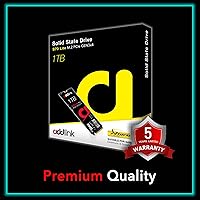
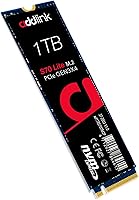
The Addlink S70 Lite 1TB NVMe SSD sits comfortably in the mid-range of the Gen3 storage market, offering real performance without the premium that newer Gen4 drives command. Addlink is a Taiwan-based brand that flies under the radar compared to household names, but it has built a loyal following among builders who prioritize value over branding. One thing worth understanding upfront: this is a DRAM-less design, meaning it borrows a slice of your system RAM via Host Memory Buffer rather than carrying its own onboard cache. For everyday computing and gaming, Gen3 speeds remain more than capable, and that trade-off is barely noticeable in practice.
Features & Benefits

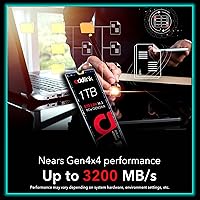
The S70 Lite delivers 3200 MB/s sequential read and 2600 MB/s write over a PCIe 3.0 x4 NVMe 1.3 interface — speeds that show up in real life as fast Windows boots and snappy game load screens. The 3D TLC NAND is paired with an SLC cache layer that handles burst transfers cleanly, though sustained heavy writes can slow once that buffer fills. Being DRAM-less keeps power consumption low, which matters on laptops where battery life is a genuine concern. The 1TB capacity comfortably holds an operating system, a full game library, and applications without juggling storage. A 1.8 million hour MTBF rating adds reasonable long-term confidence.

Best For

This Gen3 SSD makes the strongest case for anyone upgrading from a SATA drive or mechanical hard disk — the responsiveness improvement will feel significant regardless of benchmark figures. Gamers and builders on older Intel or AMD Ryzen platforms are a natural fit, since those platforms top out at Gen3 bandwidth anyway, making a pricier Gen4 drive an unnecessary expense. It also suits laptop upgraders who want both speed and low power draw, as well as anyone adding a secondary drive to an existing NVMe machine. Light creative work like photo editing or occasional video rendering is well within its capabilities. Heavy, continuous large-file writers will want a DRAM-equipped alternative.

User Feedback

Sitting at 4.7 stars across nearly 1,900 verified ratings and ranked #209 among internal SSDs, this Addlink NVMe drive has built its reputation quietly through consistent buyer satisfaction. Most reviewers point to painless installation and a clear, noticeable speed improvement over older drives, especially coming from SATA. The common criticism worth flagging is reduced sustained write performance during prolonged transfers, which is a typical behavior of DRAM-less architecture rather than a flaw unique to this drive. A handful of buyers mention double-checking compatibility with older motherboards before purchasing. Encouragingly, long-term owners consistently report stable, reliable daily performance without signs of degradation after months of regular use.

Pros

  • Strong sequential read speeds translate to noticeably faster boot times and snappy application launches.
  • The 1TB capacity comfortably handles an OS, games, and apps without requiring a second drive.
  • Broad compatibility with Intel and AMD Ryzen platforms makes this an easy, low-risk upgrade choice.
  • Ultra-low power draw is a genuine practical benefit for laptop users watching their battery life.
  • The S70 Lite holds a top-250 ranking in its category backed by nearly 1,900 verified buyer ratings.
  • Installation is straightforward for beginners — standard M.2 2280 slot, no extra tools or configuration needed.
  • The 1.8 million hour MTBF rating points to solid durability for everyday long-term use.
  • SLC caching keeps burst transfer performance sharp for typical file copy and download tasks.
  • Buyers on Gen3-limited platforms get essentially the same real-world experience as pricier alternatives.

Cons

  • Sustained write speeds can drop significantly once the SLC cache fills during large, prolonged transfers.
  • The DRAM-less architecture may introduce latency spikes under heavy multitasking compared to cache-equipped rivals.
  • Addlink lacks the brand recognition and ecosystem support of established names like Samsung or Western Digital.
  • No PS5 compatibility limits its appeal for console storage expansion buyers.
  • Thermal throttling has been flagged by some users during intensive sustained workloads in confined enclosures.
  • A small subset of buyers report needing to verify motherboard compatibility before the drive is recognized correctly.
  • Warranty terms and regional after-sales support can be harder to navigate than with major storage brands.
  • Not a meaningful upgrade for anyone already running a PCIe Gen3 NVMe drive with similar rated speeds.

Ratings

The scores below reflect an AI-driven analysis of verified global buyer reviews for the Addlink S70 Lite 1TB NVMe SSD, with spam, incentivized, and bot-flagged submissions actively filtered out before any scoring was applied. Each category is weighted against real-world usage patterns reported by confirmed purchasers, not marketing claims. Both the strengths that keep buyers satisfied and the recurring frustrations that temper enthusiasm are transparently represented in every score.

Everyday Responsiveness
88%
Buyers consistently describe a striking improvement in day-to-day snappiness after installing the S70 Lite — Windows boots in under ten seconds on most systems, and applications snap open with no perceptible lag. Upgraders coming from SATA or spinning hard disks repeatedly describe it as transformative for routine computer use.
Users already running a comparable Gen3 NVMe drive report no meaningful difference in feel, which sets realistic expectations: this drive shines brightest as an entry point into NVMe, not as a step up within the segment.
Value for Money
91%
This Gen3 SSD consistently lands at a price point that buyers describe as genuinely fair for the performance delivered, especially when compared to DRAM-equipped rivals at a higher cost. Several long-term owners explicitly noted they would buy it again simply because nothing at this price tier matched the reliability they experienced.
A small number of buyers feel the gap to budget Gen4 options has narrowed enough to make the value argument less clear-cut than it was a year ago, and shoppers who compare aggressively on price-per-gigabyte may find alternatives that edge it out slightly.
Read Performance
84%
Sequential read throughput holds up well in real workloads — game load screens on titles like open-world RPGs and large shooters are noticeably faster than SATA, and large file reads from the drive feel fluid during media playback and content browsing. Buyers on Gen3-capped platforms get essentially everything their system can deliver.
Users who benchmarked the drive in tools like CrystalDiskMark occasionally noted read figures landing slightly below the rated 3200 MB/s ceiling, which is expected behavior tied to system configuration and thermal conditions rather than a manufacturing defect.
Sustained Write Consistency
58%
42%
For typical workloads — installing games, copying a few dozen gigabytes of photos, or downloading large patches — the SLC cache absorbs the burst cleanly and write speeds feel responsive throughout.
Once the SLC cache saturates during heavy, prolonged write sessions — think transferring a full season of 4K footage or moving a large virtual machine image — speeds can drop sharply to raw TLC rates, which frustrated video editors and content creators who mentioned this in reviews. This is the single most common complaint and a direct consequence of the DRAM-less architecture, not a quality control issue.
Thermal Management
67%
33%
Under everyday loads, the drive runs cool and unobtrusive — buyers in standard mid-tower cases with reasonable airflow rarely report any heat-related issues during gaming sessions or normal productivity work.
A recurring subset of reviews flags thermal throttling during sustained workloads in compact or poorly ventilated enclosures, particularly in slim laptops without active cooling near the M.2 slot. A handful of users recommend adding a heatsink or thermal pad in tight builds, which adds minor cost and complexity.
Installation Ease
93%
First-time builders and laptop upgraders praise how straightforward the installation process is — the drive slots in at the standard M.2 angle, lies flat, and is secured with one screw. Most buyers report completing the physical swap in under five minutes without any specialized tools.
A small number of users with older or budget motherboards reported that the drive was not immediately recognized and required a BIOS update or manual NVMe initialization before appearing in Windows Disk Management, which was unexpected for less experienced builders.
Gaming Performance
83%
Gamers report a genuine reduction in initial load times and near-elimination of mid-session stutter associated with asset streaming on older SATA setups. Open-world games with heavy background loading particularly benefit from the higher sequential read throughput.
Competitive players who benchmarked load times side-by-side against Gen4 drives noted measurable differences in the fastest loading titles, though most acknowledged the gap was not large enough in practice to justify the cost difference on a Gen3-limited platform.
Power Efficiency
88%
Laptop buyers specifically highlight improved battery endurance compared to their previous SATA drives, crediting the low idle and active power draw of the DRAM-less design. Users running thin-and-light machines on battery for extended work sessions found this a meaningful practical benefit.
Desktop users understandably rate this category as less relevant to their decision, and a few noted that the power savings argument carries little weight when the machine is plugged in most of the time.
Compatibility
86%
The drive works reliably across a wide range of Intel and AMD Ryzen platforms without any driver installation or configuration — buyers on Ryzen 5000 and Intel 12th Gen systems in particular reported plug-and-play recognition in both Windows 10 and Windows 11.
A small but notable cluster of reviews mentions the drive not being detected in older B450 and X470 motherboards without a BIOS update, and a few users report compatibility gaps with certain external NVMe enclosures that expected a DRAM-equipped controller.
Build Quality
79%
21%
The physical construction feels solid and consistent with what buyers expect at this price tier — the PCB is clean, components are well-seated, and the drive arrives without visible defects according to the vast majority of unboxing reports.
There is no included heatsink or thermal label, which some buyers in warmer or compact builds feel should be standard at this price. The absence of onboard DRAM is also an architectural trade-off that a segment of buyers feel limits long-term headroom even if it does not affect initial quality.
Long-term Reliability
82%
18%
Owners who have used this Addlink NVMe drive for a year or more consistently report stable performance with no degradation in boot times or read responsiveness, and the 1.8 million hour MTBF rating aligns with what the real-world data suggests about its durability.
Because Addlink is a less established name in storage, some buyers remain cautious about long-term firmware support and warranty service compared to tier-one brands, and a handful report difficulty reaching responsive customer service when issues arose.
Capacity Usefulness
89%
The 1TB size hits the practical sweet spot that most upgraders actually need — enough space for a clean OS installation, a rotating library of modern games averaging 60-80GB each, and a suite of productivity applications without constant storage management.
Content creators who work with large uncompressed video or extensive sample libraries find 1TB runs out faster than expected and wish a 2TB variant were as competitively priced, pushing some toward secondary storage solutions sooner than anticipated.
Brand Trust
71%
29%
The combination of a 4.7-star aggregate score across nearly 1,900 verified buyers and a top-250 category ranking gives Addlink more earned credibility than its relatively low name recognition might suggest. Repeat buyers and community forum mentions reinforce that the brand delivers on its promises at the value tier.
Addlink simply does not carry the established reputation of Samsung, WD, or Seagate, and buyers who prioritize brand assurance for long-term peace of mind — especially in a primary drive role — sometimes express hesitation even after reading positive reviews.
Laptop Suitability
86%
The combination of low power draw, standard M.2 2280 sizing, and broad Intel and AMD platform support makes this a well-rounded laptop upgrade option that installs cleanly and runs efficiently during mobile workloads.
Users in ultra-thin laptops with limited chassis ventilation occasionally encounter thermal throttling under sustained loads, and buyers should confirm their specific laptop model supports PCIe NVMe rather than SATA M.2 before purchasing, as the slot type is not always clearly labeled by manufacturers.
Write Performance
76%
24%
For the typical user writing files in bursts — saving project files, extracting archives, installing applications — the SLC cache keeps things feeling fast and the rated 2600 MB/s ceiling is reflected in short-duration benchmarks and real-world install tasks.
The write speed story weakens noticeably under sustained pressure, and buyers who specifically tested sequential write endurance beyond the cache threshold reported a significant drop that puts this drive behind DRAM-equipped alternatives in any workflow that regularly pushes large sequential writes.

Suitable for:

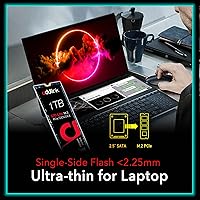
The Addlink S70 Lite 1TB NVMe SSD is a strong fit for anyone making their first jump from a SATA SSD or mechanical hard drive, where the speed improvement will feel immediately and meaningfully different in day-to-day use. It makes particular sense for PC builders and laptop upgraders working with older Intel or AMD Ryzen 3000/5000 platforms, since those systems are capped at PCIe Gen3 bandwidth regardless of what drive you install — paying more for Gen4 would simply be wasted money. Budget-conscious gamers will appreciate faster game load times without a significant financial outlay, and the low power profile makes this Gen3 SSD a practical choice for laptop users who care about battery longevity. The 1TB capacity is also a genuine sweet spot, comfortably fitting a Windows installation, a healthy game library, and everyday applications on a single drive. Those adding secondary storage to an existing build, or light creative professionals doing occasional photo work and document-heavy tasks, will find it quietly reliable without needing to think much about it.
Not suitable for:

The Addlink S70 Lite 1TB NVMe SSD is not the right call for users who regularly push sustained, heavy write workloads — think continuous 4K video editing exports, large database operations, or moving hundreds of gigabytes in a single session. Because this is a DRAM-less design, it relies on Host Memory Buffer rather than onboard cache memory, and once the SLC cache is saturated during prolonged transfers, write speeds can drop noticeably compared to drives with dedicated DRAM. Content creators, video editors, and data professionals who depend on consistent throughput under load should look at a DRAM-equipped drive even if it costs more. Buyers planning to run this in a high-performance Gen4-capable system are also leaving bandwidth on the table, since a modern platform can support significantly faster drives for a modest price difference. Anyone seeking a PS5-compatible storage upgrade should look elsewhere entirely, as this S70 Lite does not support that use case.
Specifications

  • Storage Capacity: This drive offers 1TB of usable storage, suitable for a primary OS installation alongside a substantial game or application library.
  • Interface: It connects via PCIe Gen3.0 x4 using the NVMe 1.3 protocol, delivering significantly higher bandwidth than SATA-based SSDs.
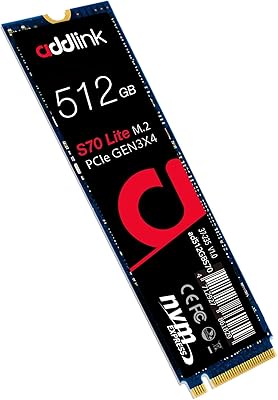
  • Form Factor: The drive follows the M.2 2280 standard, measuring 80mm in length and fitting the most common M.2 slot found in modern laptops and desktops.
  • Sequential Read: Rated sequential read speed reaches up to 3200 MB/s under optimal conditions and compatible hardware configurations.
  • Sequential Write: Rated sequential write speed reaches up to 2600 MB/s, though real-world throughput depends on system configuration and workload type.
  • NAND Type: The drive uses 3D TLC (Triple-Level Cell) NAND flash memory, a common and cost-effective choice for consumer NVMe storage.
  • Cache Design: It employs a DRAM-less architecture supported by Host Memory Buffer (HMB) and a dynamic SLC cache layer for burst performance.
  • Reliability Rating: Addlink rates this drive at 1.8 million hours Mean Time Between Failures (MTBF), indicating a design built for extended daily use.
  • Power Profile: The DRAM-less design contributes to ultra-low power consumption, making this drive well-suited for battery-sensitive laptop installations.
  • Dimensions: Physical dimensions measure 3.2 x 0.8 x 0.4 inches, consistent with the standard M.2 2280 single-sided card format.
  • Weight: The drive weighs just 0.7 ounces, adding negligible mass to any laptop or desktop build.
  • CPU Compatibility: Verified compatible platforms include Intel Core processors up to 13th Gen (Raptor Lake) and AMD Ryzen 3000, 5000, and 7000 series.
  • Device Support: Designed for internal installation in laptops and desktop PCs; it is not compatible with PlayStation 5 storage expansion slots.
  • Installation Type: This is an internal drive requiring physical installation into an available M.2 PCIe slot on a compatible motherboard or laptop.
  • Market Ranking: The drive holds a position of #209 in the Internal Solid State Drives category on Amazon, supported by nearly 1,900 verified buyer ratings.

Related Reviews
Addlink S91 1TB NVMe SSD
89%
94%
Performance & Speed
88%
Compatibility with Devices
85%
Ease of Installation
91%
Read Speed (Max)
85%
Write Speed (Max)
More
Addlink S70 Lite 512GB M.2 NVMe SSD
77%
91%
Value for Money
84%
Read Performance
67%
Write Performance
82%
Thermal Management
88%
Compatibility
More
Addlink G55 1TB PCIe 5.0 NVMe M.2 SSD

88%
94%
Performance
96%
Read Speed
90%
Write Speed
88%
Ease of Installation
92%
Compatibility
More
Addlink S20 1TB Internal SSD
78%
88%
Value for Money
91%
Installation Ease
71%
Read/Write Speed
86%
PS4 Compatibility
73%
Long-Term Reliability
More
RONGSHU RS001 1TB NVMe SSD
75%
91%
Value for Money
88%
Read/Write Speed
93%
PS5 Compatibility
53%
Brand Trustworthiness
71%
Thermal Management
More
WD_BLACK SN8100 1TB NVMe SSD
78%
97%
Raw Read Performance
83%
Write Speed
76%
Real-World Gaming Impact
81%
Compatibility & Setup
62%
Thermal Management
More
TEAMGROUP MP44L 1TB NVMe SSD
89%
94%
Performance
96%
Speed (Read/Write)
85%
Heat Management
91%
Installation Ease
92%
Compatibility
More
Crucial P5 1TB NVMe SSD
84%
91%
Read Performance
88%
Write Performance
86%
Random I/O Responsiveness
71%
Thermal Management
94%
Installation Ease
More
HP EX920 1TB M.2 NVMe Internal SSD
79%
88%
Sequential Read Speed
71%
Sequential Write Speed
63%
Sustained Workload Performance
91%
Long-Term Reliability
93%
HP System Compatibility
More
WD_BLACK 1TB SN7100 NVMe SSD
89%
94%
Read Speed Performance
89%
Write Speed Performance
92%
Power Efficiency
91%
Endurance and Longevity
87%
Value for Money
More

FAQ

It works in both laptops and desktop PCs as long as the device has a free M.2 2280 PCIe slot. Most mid-range and recent laptops include at least one M.2 slot, but it is worth confirming your specific model supports PCIe NVMe rather than only SATA M.2 before purchasing.

A DRAM-less drive does not have dedicated cache memory on the chip itself — instead, the S70 Lite borrows a small portion of your system RAM through a feature called Host Memory Buffer (HMB). For everyday tasks like browsing, booting Windows, and loading games, you will not notice any difference. Where it can matter is during prolonged, heavy write sessions, such as copying hundreds of gigabytes in one go, where speeds may dip once the SLC cache fills.

Yes, the S70 Lite is explicitly listed as compatible with AMD Ryzen 3000, 5000, and 7000 series platforms. It will slot into any standard M.2 PCIe Gen3 x4 interface on those motherboards without any special configuration.

No, this drive is not compatible with the PlayStation 5. PS5 storage expansion requires a PCIe Gen4 NVMe SSD with specific size and heat sink requirements, which this Gen3 drive does not meet.

The difference is dramatic. Mechanical hard drives typically deliver read speeds around 100-150 MB/s, so moving to this Gen3 SSD at up to 3200 MB/s means Windows boots in seconds rather than minutes, and applications open almost instantly. It is one of the most impactful hardware upgrades you can make on an older system.

Under typical workloads — gaming, browsing, general computing — heat is not a significant issue. Some users have reported throttling during sustained, heavy transfers in confined enclosures with limited airflow. If you are installing it in a small form factor PC or a laptop with a tight chassis, keeping your system well-ventilated is sensible, though most users will never push the drive hard enough to trigger throttling.

For most people, 1TB covers a Windows or Linux installation, a solid selection of games (modern titles typically run 50-100GB each), and everyday applications without constantly managing free space. If you regularly work with large video projects, RAW photo archives, or professional audio sessions, you may want to pair it with a secondary drive or start at 2TB.

Addlink is a Taiwan-based storage manufacturer that has been around since 2015 and sells across multiple major markets. They are not as widely recognized as Samsung or WD, but the S70 Lite has earned a 4.7-star rating from nearly 1,900 verified buyers and sits in the top 250 of its category on Amazon — that level of sustained satisfaction across a large sample is a reliable credibility signal.

No, not practically. A Gen4 drive installed in a Gen3 slot will simply run at Gen3 speeds, so you would be paying a premium for no benefit. The S70 Lite is purpose-fit for Gen3 systems and will deliver everything those platforms can actually use.

It is quite straightforward. The drive slides into the M.2 slot at a slight angle, lies flat, and is secured with a single small screw — the whole process takes under five minutes with a basic screwdriver. Most buyers report installing it without any issues, and there are plenty of online guides specific to common motherboard and laptop models if you want step-by-step reassurance.